SMS and Email History
🧾 History
| Date | Changes | Link | By |
|---|---|---|---|
| 5th July 2024 | Add a SMS & Email History button after click the others button on the booking list pageProvide SMS & Email History Page | This PRD | Umam |
📕 About
| Context | In some cases, user will receive the email or/and sms in each booking from the hungry hub system |
|---|---|
| Problem | Operation team can't track the email or sms in each booking. so, it will be difficult to check the issues. |
| Solution | Provide SMS and Email History in each booking |
| Name of Feature | SMS and Email History |
| Objective | Add a SMS & Email History button after click the others button on the booking list pageProvide SMS & Email History Page |
| Gains | The operations team can easily track the history of emails and SMS for each booking, making it easier to identify and resolve issues Providing a history of communications adds transparency to the booking process, helping ops team understand what messages were sent and received |
| Pains | The operations team and others might require training to understand and effectively use the new SMS & Email History feature |
| Figma Link | https://www.figma.com/design/8T7r1Ii6sXKM2fFNeLzSSS/SMS-and-Email-History-Page?node-id=0-1&t=8Opx44kfn60aADKa-1 |
| Available Platform | Web |
| Sprint | TBD |
| Related PRD | - |
| Out of Scope | - |
🎯 User Story & Requirement
Add a SMS & Email History button after click the others button on the booking list page
| User Story | Requirement |
|---|---|
| User usually receive email or SMS to confirm/inform something. As an admin, i want to check the history of SMS & Email to check the issue (if necessary). Flow : Admin Dashboard ➝ Navbar ➝ Booking List page ➝ Other button ➝ SMS & Email History button | On the Booking List Page. After click the Other button, appear the pop up. add a SMS & Email History button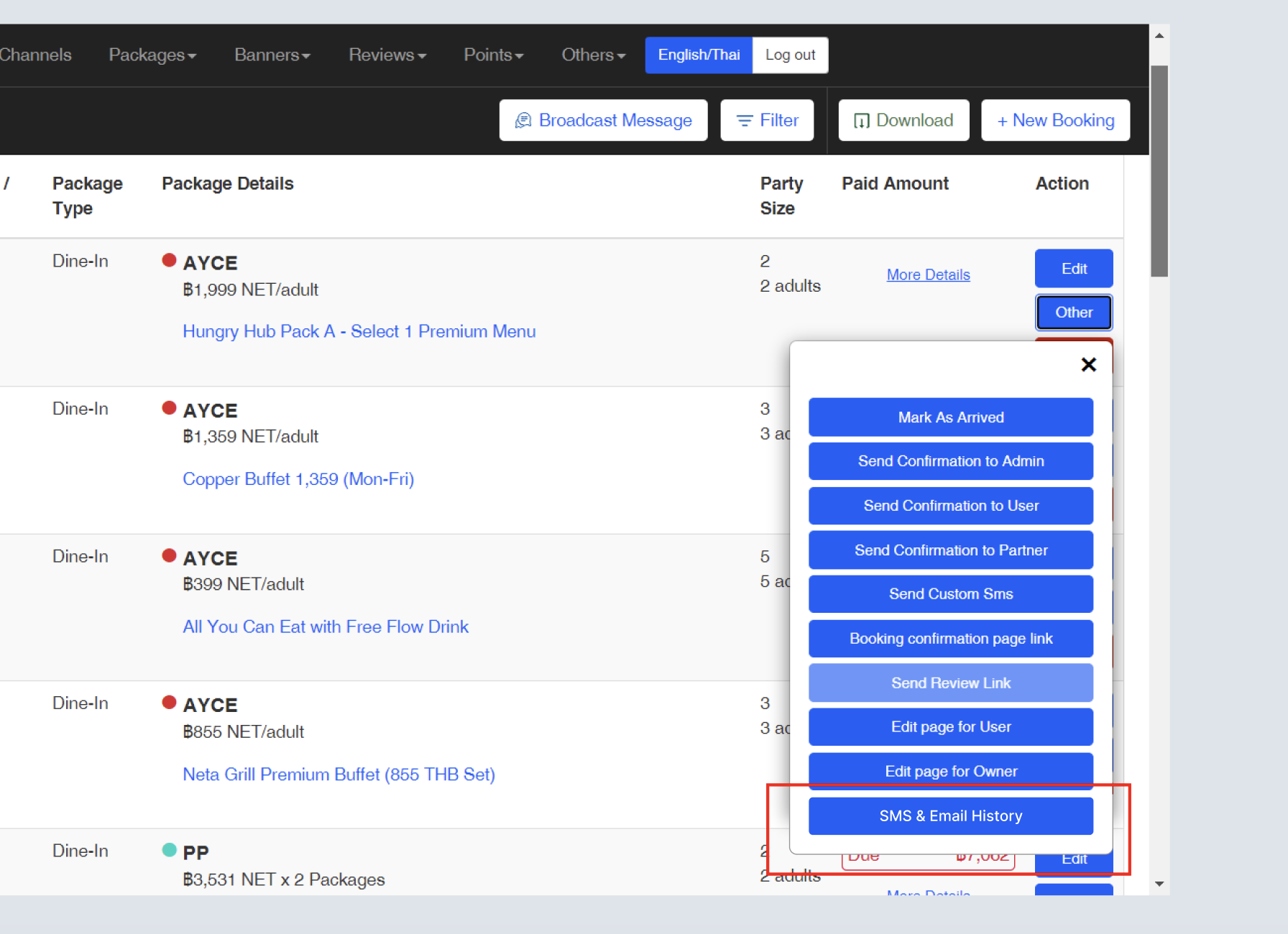 |
Provide SMS & Email History Page
| User Story | Requirement |
|---|---|
After i clicked the Generate Report item on the navbar. i will be redirected to Generate Report page. | Provide SMS & History list tableTypeThere are 2 options EmailSMSSubjectSubject of SMS/Email ReceiverCCOnly for email Sent atExample : July 5, 2024, 2:30 PM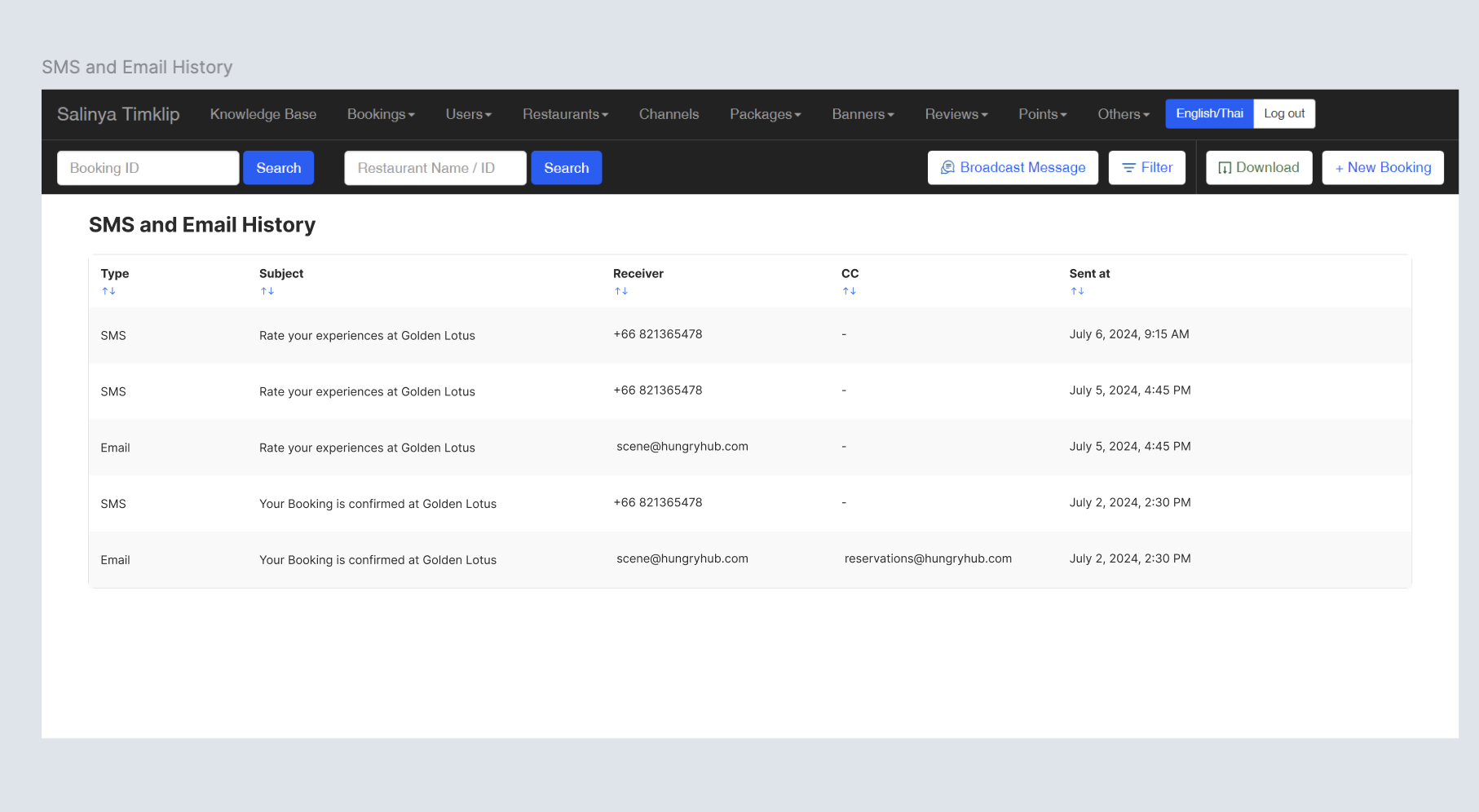 |
❓ FAQ
| Question | Answer |
|---|---|