Export History Section
🧾 History
| Date | Changes | Link | By |
|---|---|---|---|
| 4th July 2024 | Add an item on Navbar Add Export History Page | This PRD | Umam |
📕 About
| Context | Restaurant staff can view the export history (generating the billing, package, voucher etc. report) from restaurant staff |
|---|---|
| Problem | Sometimes, exporting the report need more time. we don't know the progress (is it sent or pending?) |
| Solution | Provide export history page to view the progress of export the report |
| Name of Feature | Export History Section |
| Objective | Add an item on Navbar Add Export History Page |
| Gains | Admin can monitor the progress of export generation Real-time status updates on export generation provide clarity Detailed logs and statuses help in troubleshooting and tracking export issues |
| Pains | Develop the new feature might requires time and effort |
| Figma Link | https://www.figma.com/design/ZkVeV8Qvd174j3Jfp9u90u/Export-History-Page?node-id=0-1&t=mrnDw6A3vvxfphyN-1 |
| Available Platform | Web |
| Sprint | TBD |
| Related PRD | Private (https://app.clickup.com/9003122396/docs/8ca1fpw-30456/8ca1fpw-40076) |
| Out of Scope | - |
🎯 User Story & Requirement
Add an item on Navbar
| User Story | Requirement |
|---|---|
| Restaurant staff usually export the report and download it via email. but for exporting the report sometimes need more time. As an admin, i want to check the progress of generating the export. Flow : Admin Dashboard ➝ Navbar ➝ Other ➝ Export History | Add an item inside the Others dropdownName of Item is Export History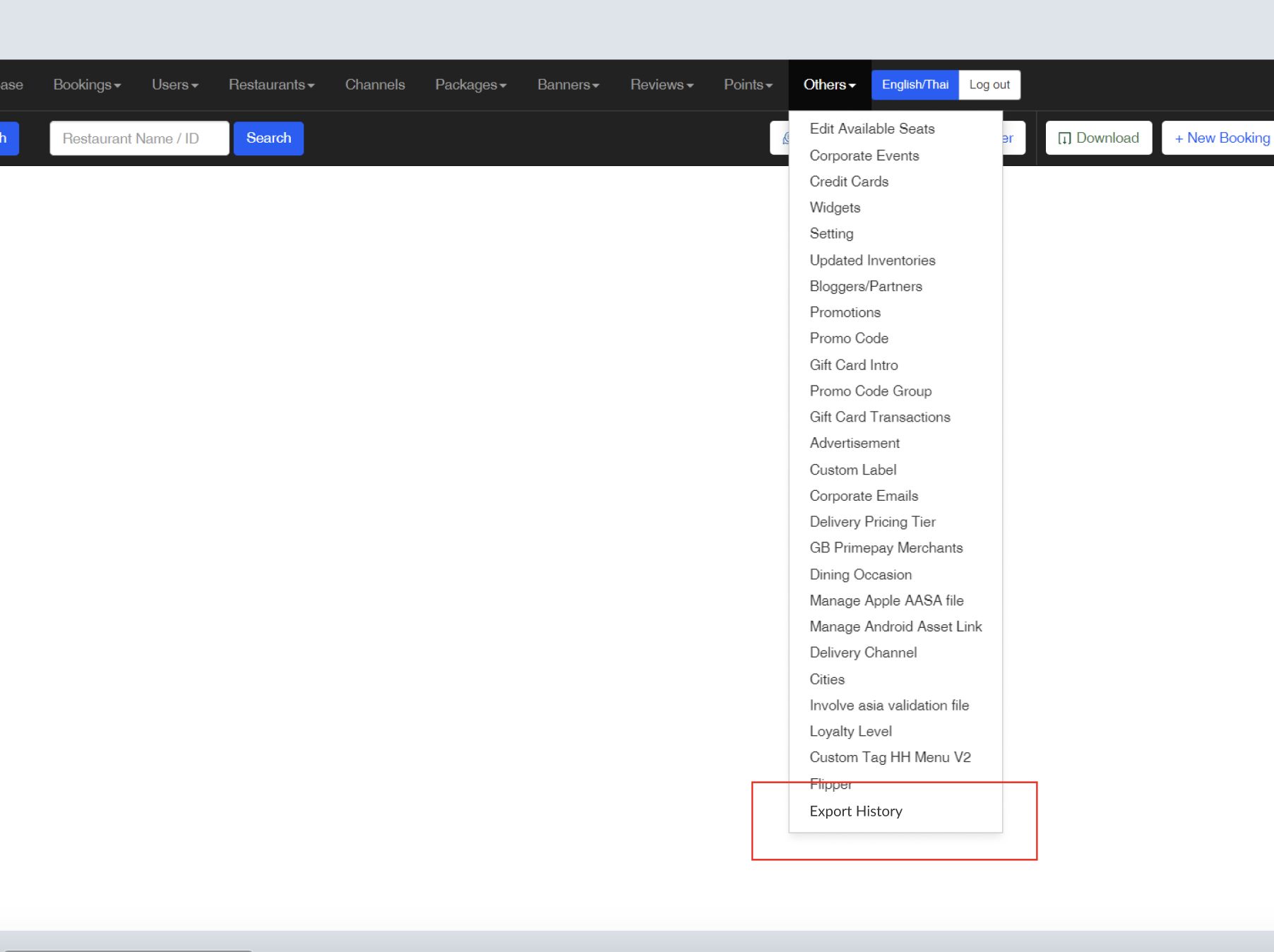 |
Add Export History Page
| User Story | Requirement |
|---|---|
After i clicked the Export History item on the navbar. i will be redirected to Export History page.Filter : 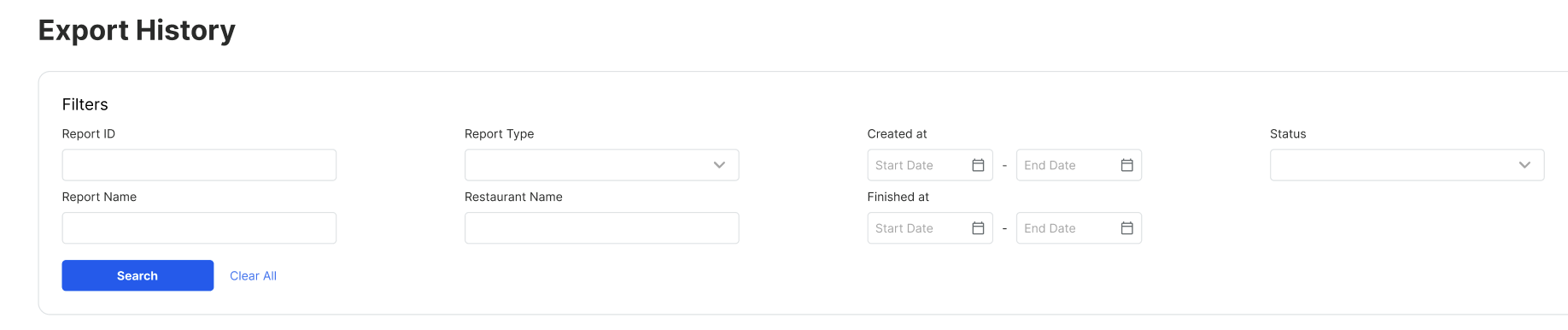 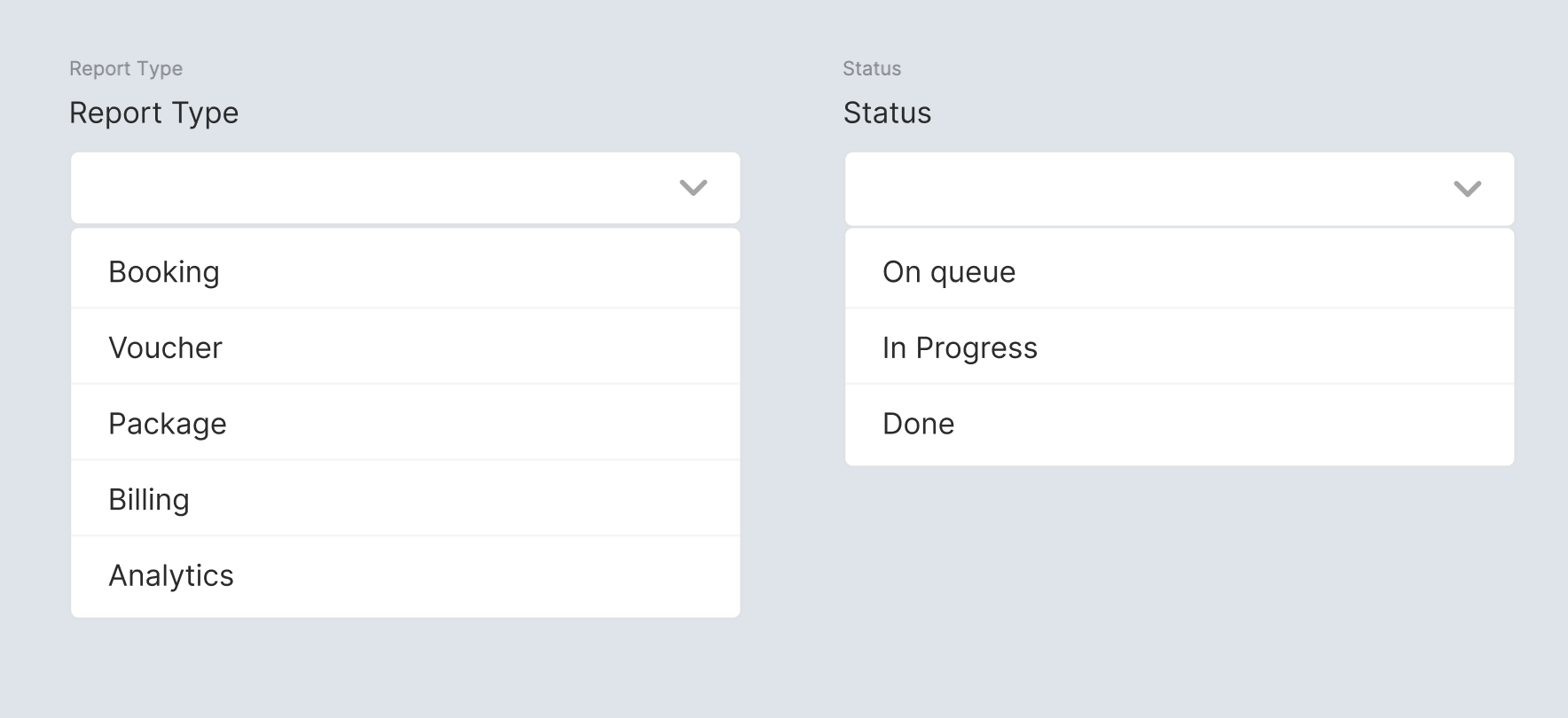 Table : 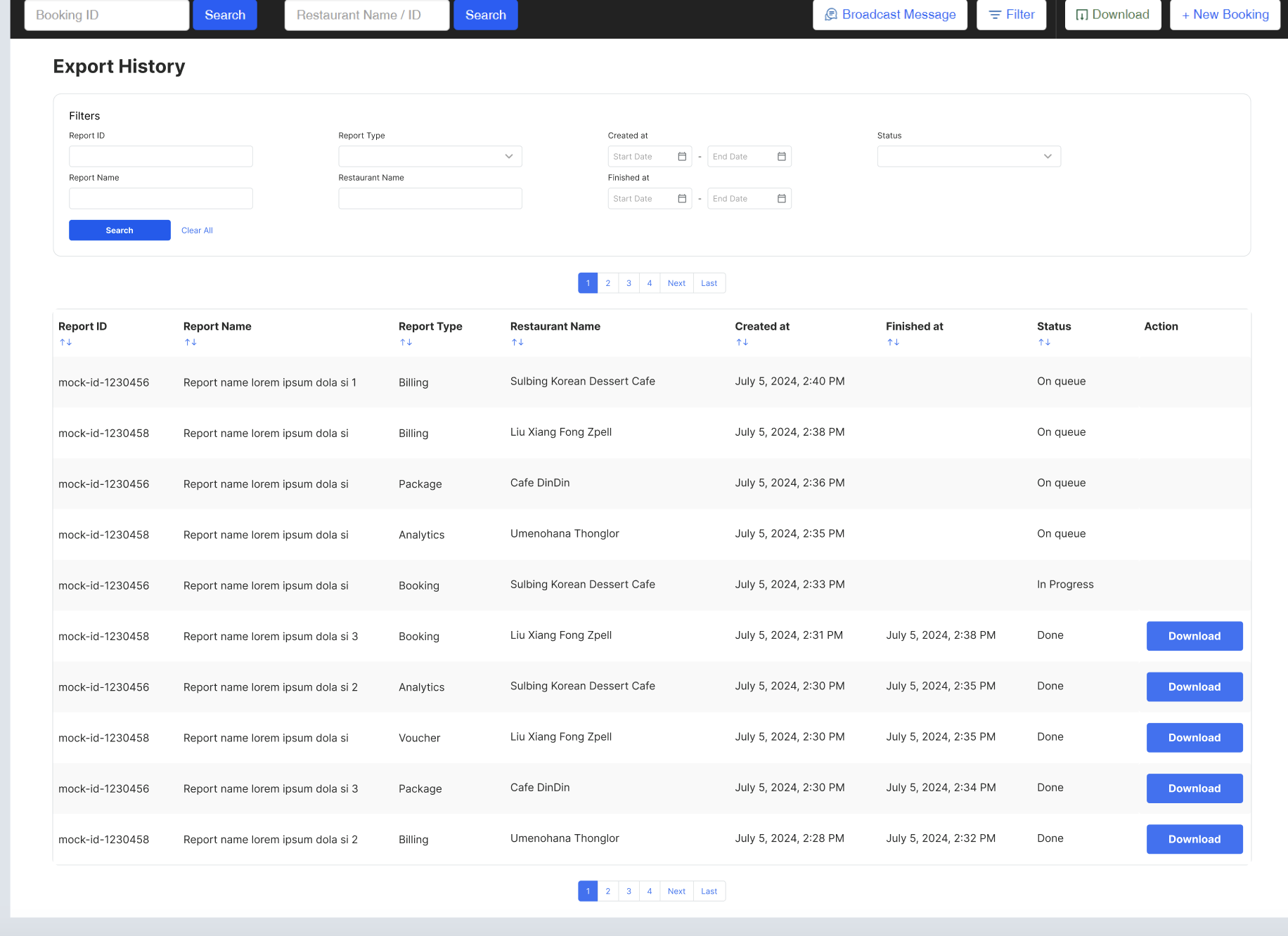 | Provide FiltersReport ID input formReport Name input formReport Type dropdownBookingVoucherPackageBillingAnalyticsRestaurant Name input formCreated atStart Date FormEnd Date FormFinished atStart Date FormEnd Date FormStatusProvide table Report IDReport NameReport TypeBooking Voucher Package Billing Analytics Restaurant Name input formCreated atDate and time of submitting/exporting Example : July 5, 2024, 2:30 PMFinished atDate and time of successfully sent/done Example : July 5, 2024, 2:30 PMStatusOn queueStill pending or not generated yet In ProgressStill generating DoneActionDownload Button (provide button if the status is Done)Provide sort feature for each column (except action) |
| Report Name Format | Report_{Report Type}_Restaurant Name_ |
❓ FAQ
| Question | Answer |
|---|---|