Allotment

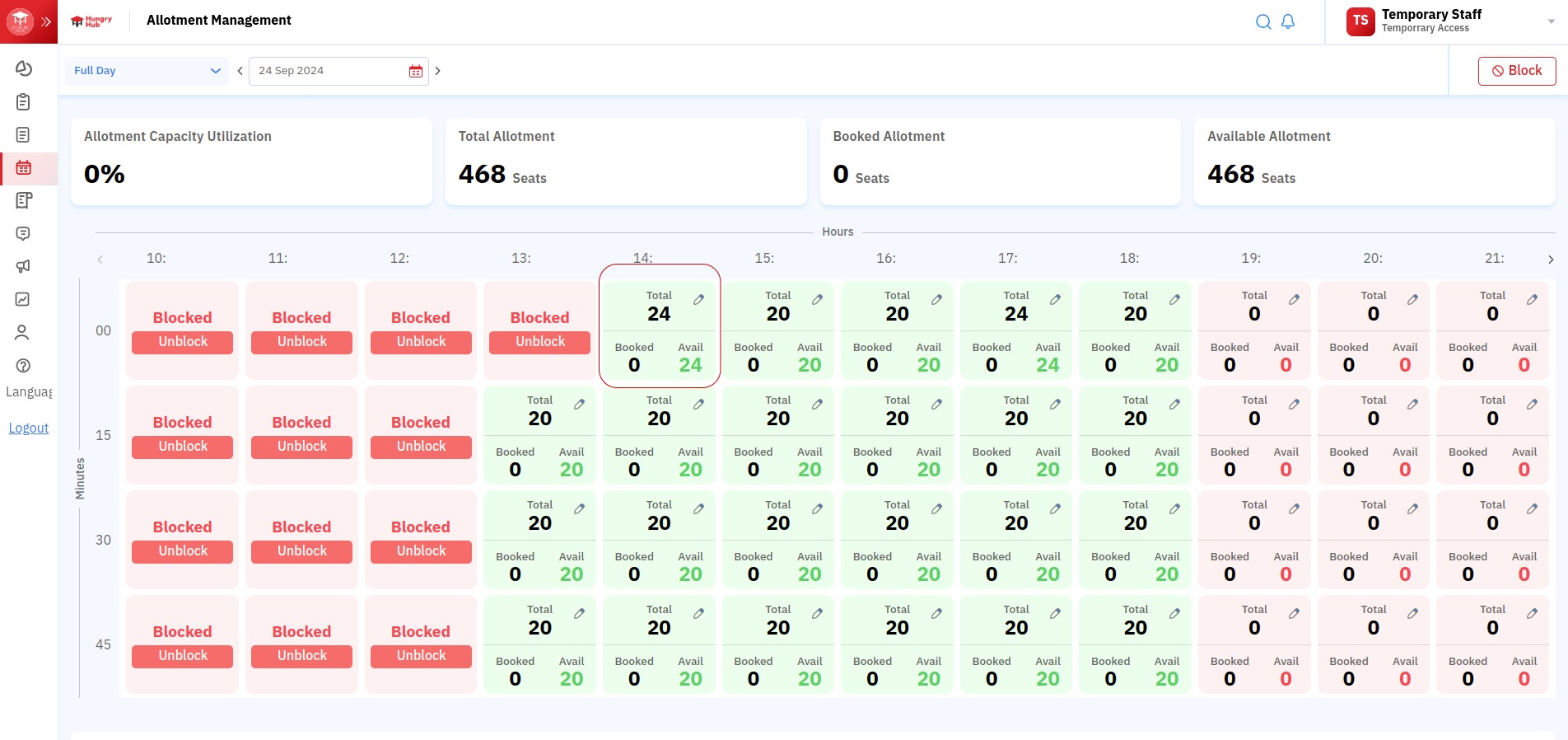
- Day filter shows the allotment for today. Change the filter to view daily or monthly data.
- Date picker selects a specific date or month.
- Block is used to block allotment.
- Allotment Capacity Utilization is the total capacity usage rate in the selected period.
- Total Allotment represents the total number of seats in the selected period.
- Booked Allotment represents the total number of booked seats in the selected period.
- Available Allotment represents the total number of unbooked seats in the selected period.
- Rows represent hourly time frames.
- Columns represent 15-minute intervals:
00: exactly 00 minutes to quarter-hour.15: quarter-hour to half-hour.30: half-hour to three quarters of an hour.45: three quarters of an hour to the next hour.
- Card details:
- Green: available
- Red: unavailable
- Grey: past time
- Total: total seats
- Booked: booked seats
- Avail: available seats
- Allotment Capacity Utilization Comparison compares each hour in the selected period.
Restaurant blocking
Blocking makes restaurant seats unbookable for a selected time range. Use this when the restaurant is closed, fully reserved, or temporarily unavailable.
How to block allotment
- Log in to the dashboard.
- Go to Allotment Management.
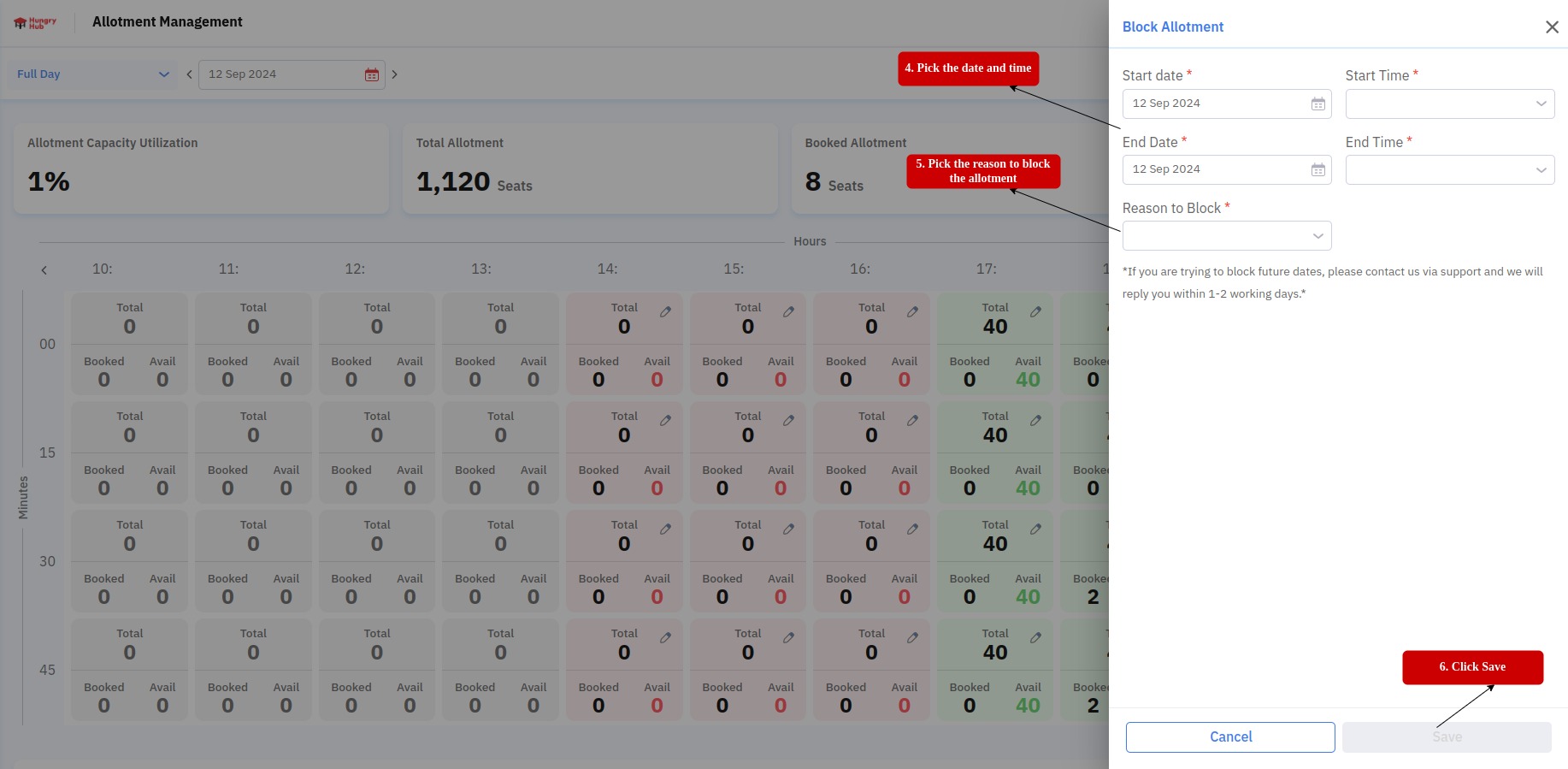
- Click Block.
- Select date and time range.
- Save changes.
Edit allotment
- Log in to the dashboard.
- Go to Allotment Management.
- Open Edit Allotment.
- Choose Adjust seat or Add seat.
- Update seat values and save.
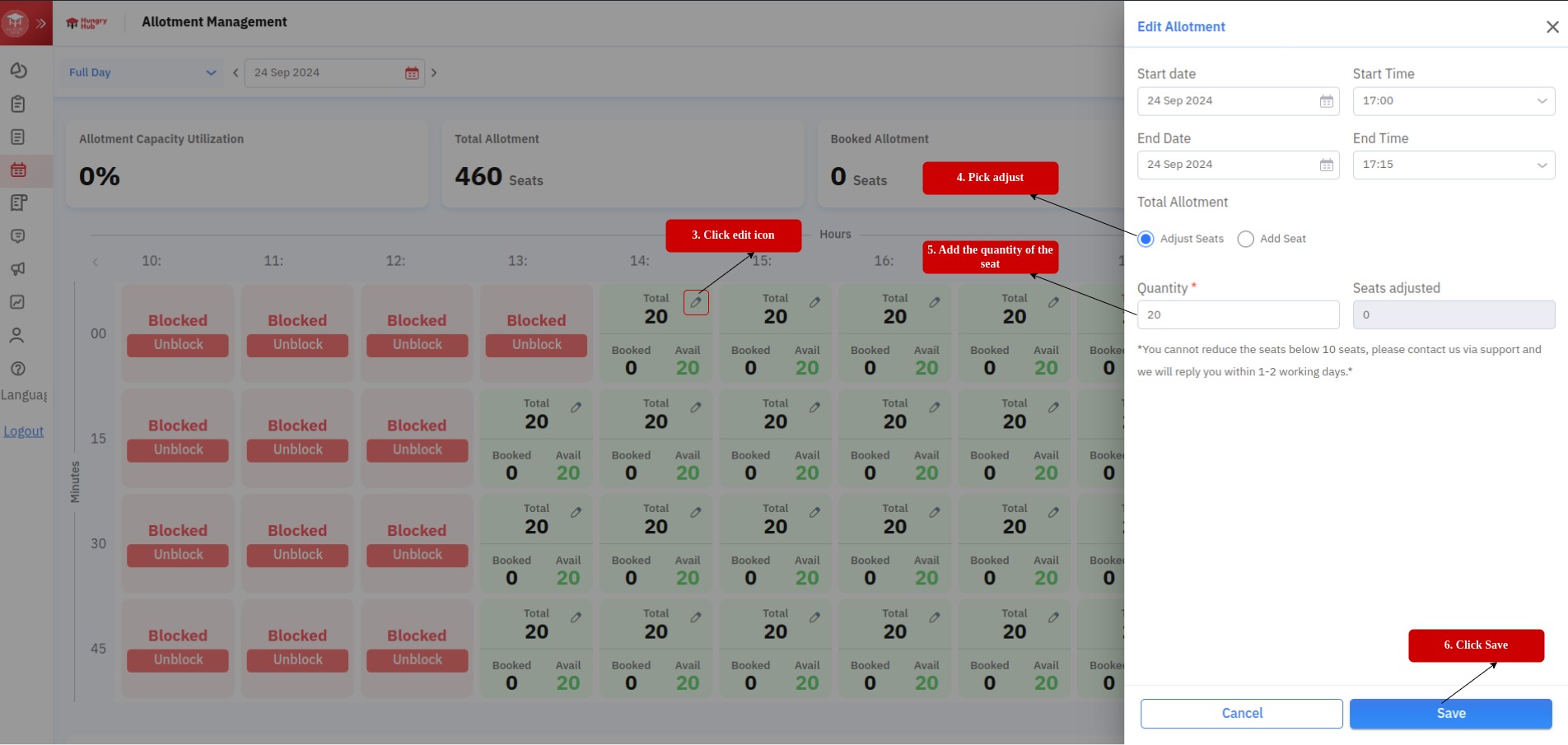
Note: The process is identical whether selecting Adjust seat or Add seat from the menu.
Result example: