Ghost Staff
🧾 History
| Date | Changes | Link | By |
|---|---|---|---|
| 17th July 2024 | Restaurant can give an access to certain user only for 24 hours Admin can access partner portal from restaurant list on admin dashboard | This PRD | Umam |
📕 About
| Context | In the partner portal, we can set the user's access |
|---|---|
| Problem | Sometimes there is an issue with a restaurant, so our ops/tech team need to login to their partner portal to check the issue |
| Solution | Add Ghost staff role on the account management that can access the account |
| Name of Feature | Ghost Staff |
| Objective | Restaurant can give an access to certain user only for 24 hours Admin can access partner portal from restaurant list on admin dashboard |
| Gains | There is a risk of sensitive data exposure during the temporary access period, which needs to be managed carefully |
| Pains | Restaurants can provide limited-time access to users, which is useful for temporary checking |
| Figma Link | https://www.figma.com/design/ymdLN2ZKzfI0oyX4kps2GQ/Partner-Portal-Desktop?node-id=11739-1497&t=lquMW4roGGTJOHr2-1 |
| Available Platform | Web |
| Sprint | 42 |
| Related PRD | - |
| Out of Scope | - |
🎯 User Story & Requirement
Restaurant can give an access to certain user only for 24 hours
| User Story | Requirement |
|---|---|
| As a restaurant owner, i want to give the limited access for hungryhub team Flow : Account Management ➝ User & Access Right | Add Give access to Hungryhub Team Button beside the create new user buttonOnce the button is clicked, system will create the temporary account and password that can be accessed by tech/ops team. Display the confirmation pop up Title : Access will be given to hungryhub team until next 24 hoursOption : Cancel or Confirm 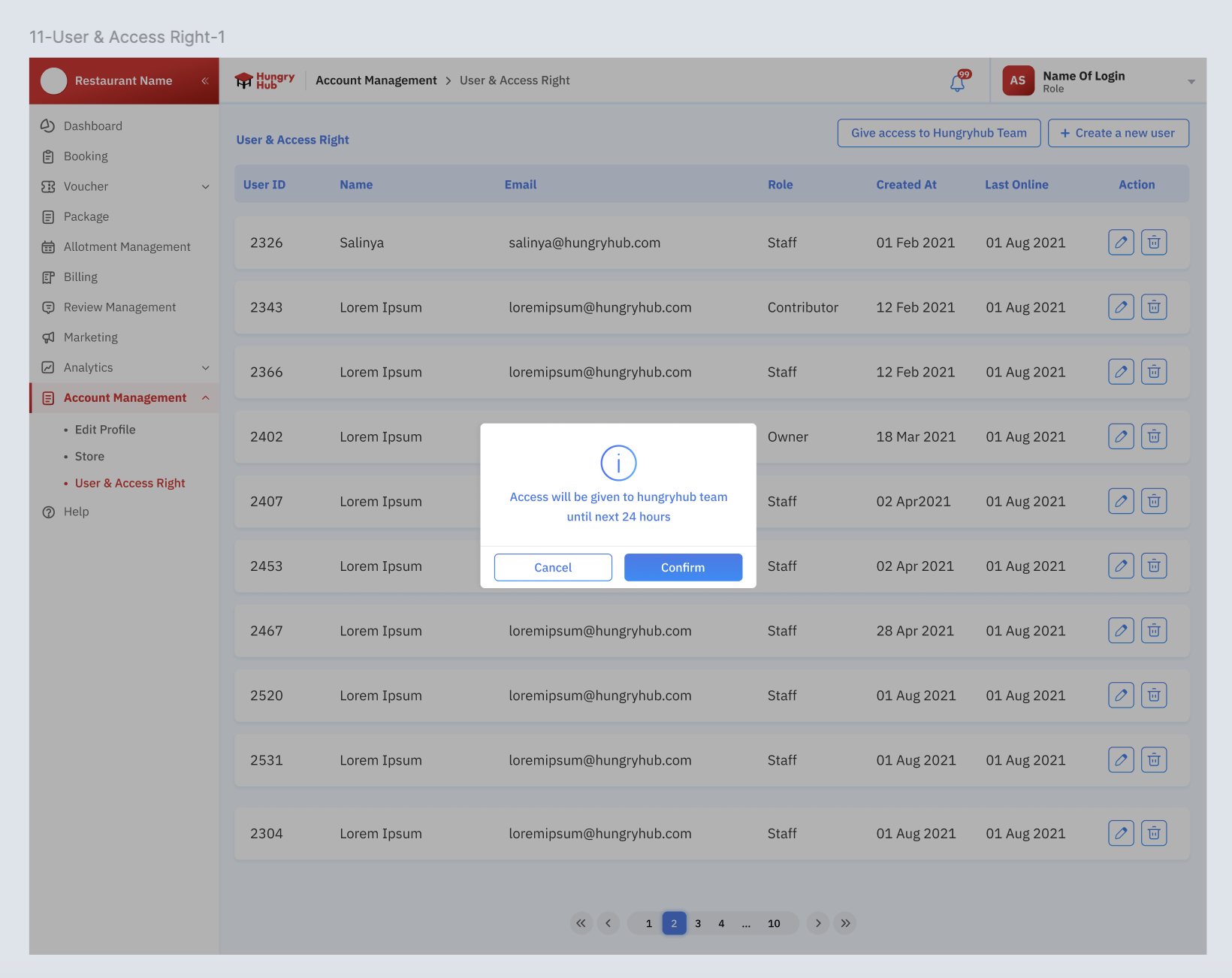 Once the Confirm button was clicked, Display the pop upTitle : Access was given to hungryhub team until next 24 hours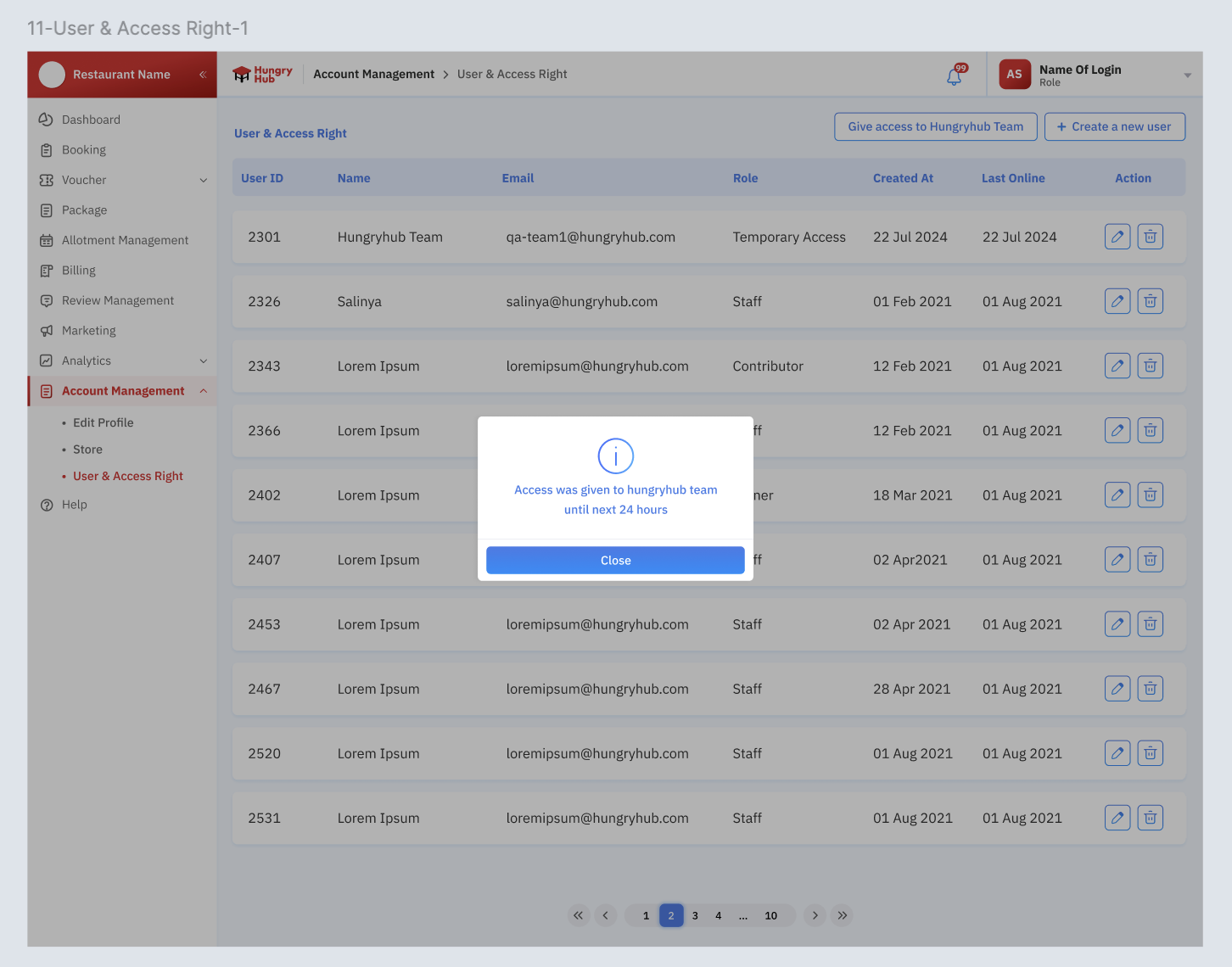 The behaviour is same with view as user on hungryhub dashboard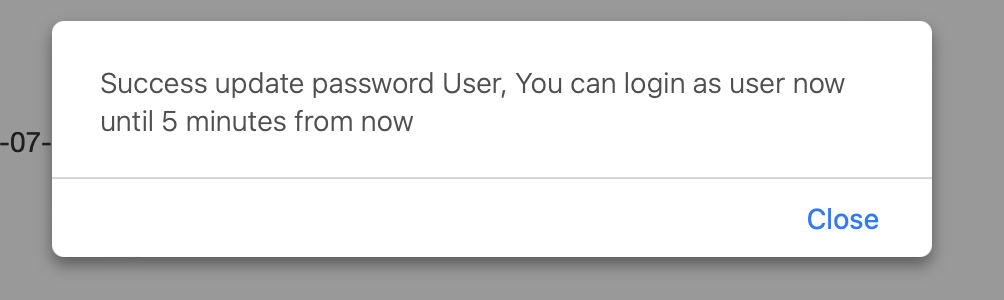 Make sure the Temporary Access is displayed correctly on the role column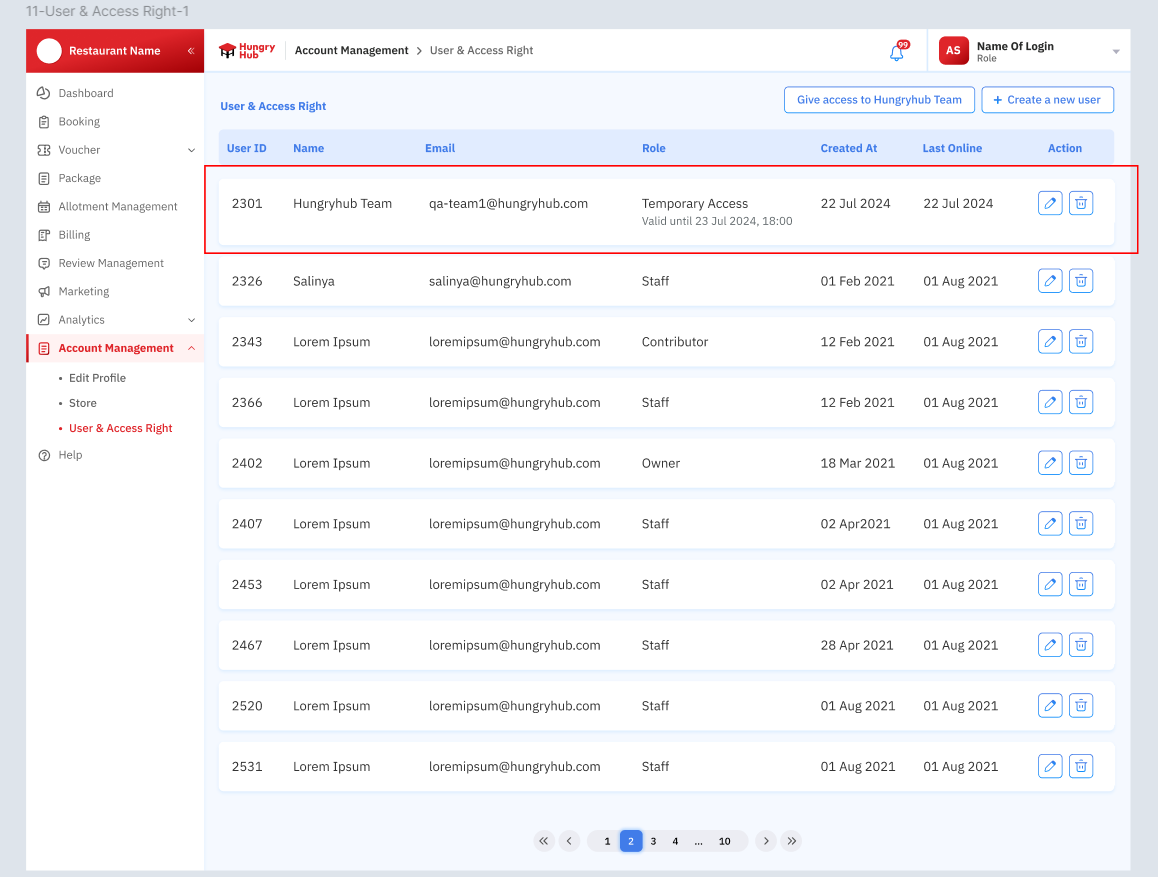 After 24 hours, the account will be deleted The permission depends on the account that clicked the Give access button |
Admin can access partner portal from restaurant list on admin dashboard
| User Story | Requirement |
|---|---|
| As an admin, i want to access the restaurant partner portal if needed (if there is any issue to check it directly) Flow : Restaurant ➝ Restaurant List ➝ Action ➝ Login Partner Portal | Add Login Partner Portal on the Action dropdown item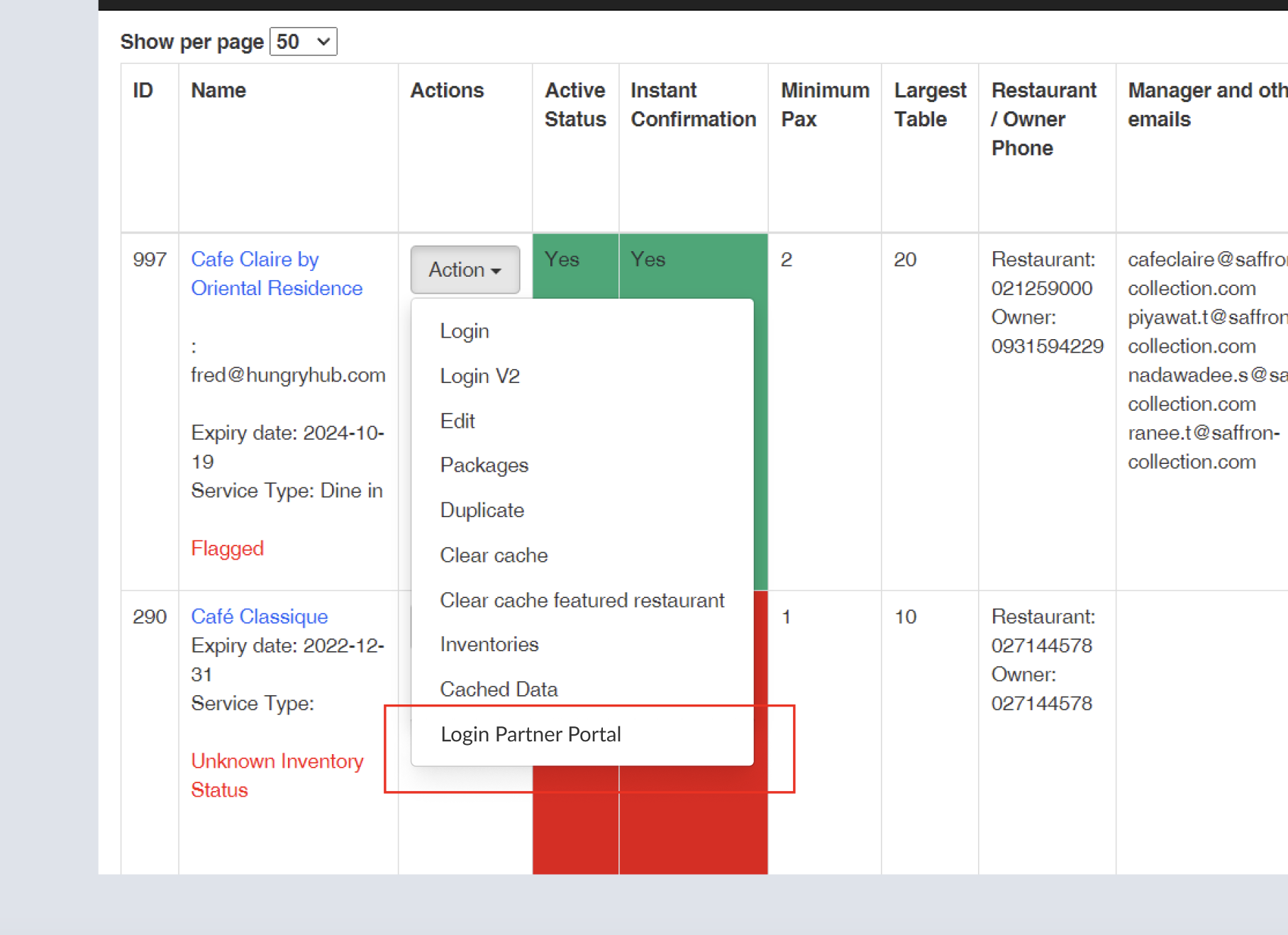 Once the button is clicked, system will create the temporary password randomly that can be accessed by tech/ops team (the existing account that click the button can access until next 24 hours). Password Format (12 Characters) Composition Uppercase Letters: 2 characters (A-Z) Lowercase Letters: 4 characters (a-z) Numbers: 3 characters (0-9) Symbols: 3 characters (!@#$%^&*()-_=+[]{} |
Email Notification
| User Story | Requirement |
|---|---|
Once the give access button (on the partner portal or on the admin dashboard) was clicked, qa-team@hungryhub.com will get notification on the email | Email Requirement Subject : Temporary Access for Account Name at Restaurant NameContent : You can access account name at Restaurant Name until next 24 hoursEmail : qa-team1@hungryhub.comPassword : A1b!C3d#Ef4Note : Email will be created (randomly) automatically for each request but for the notification is only received by qa-team@hungryhub.com example - qa-team1@hungryhub.com- qa-team2@hungryhub.com- qa-team3@hungryhub.com- so on |
❓ FAQ
| Question | Answer |
|---|---|
| how about group login? | since we want to implement group login in the next time. if the account that give the access is able to do group login, it will implement that as well (have the feature in the group login) |
| Example scenario | 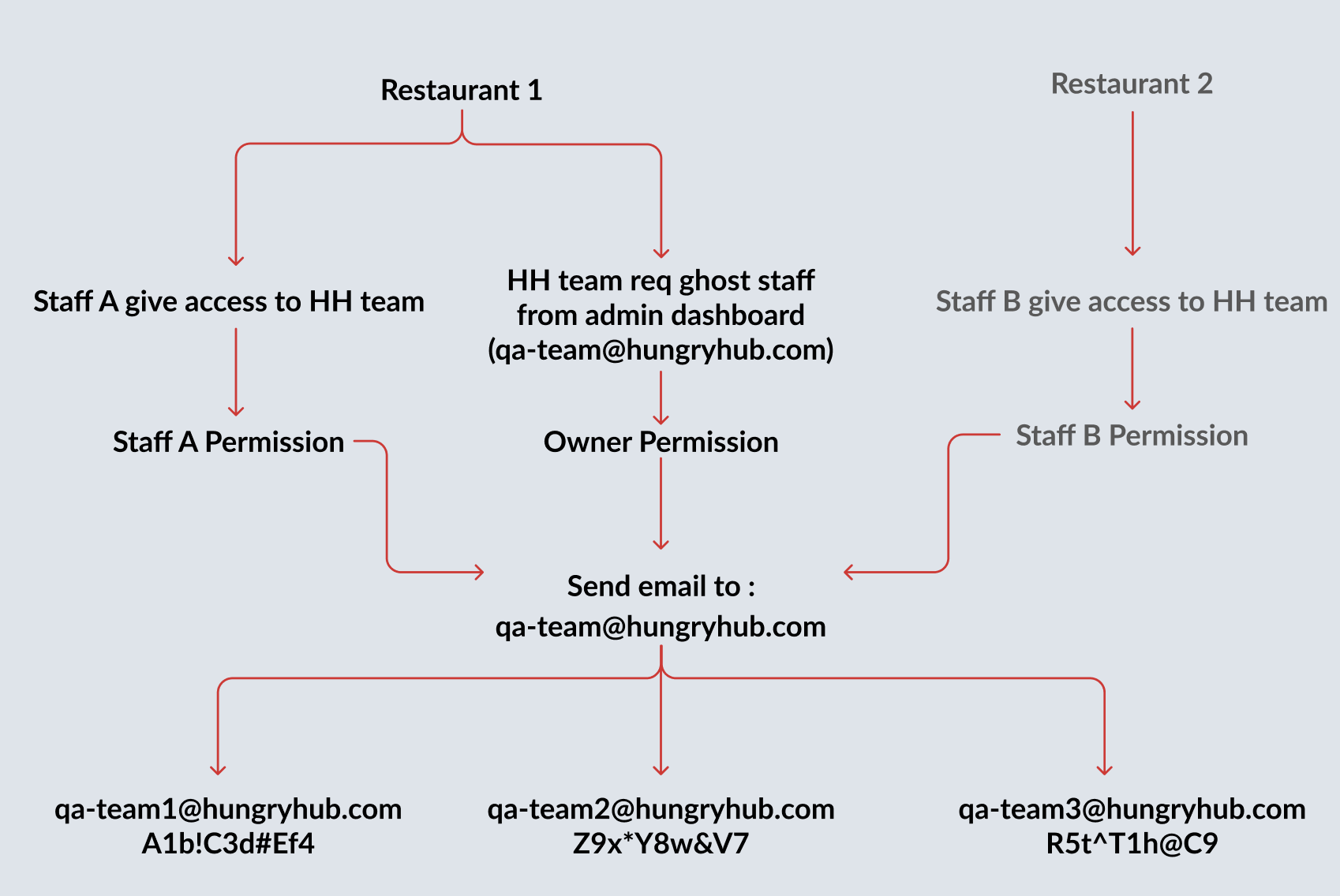 |