Group Login
Overview
| Product Name | Group Login |
|---|---|
| Epic | The Group Login feature aims to enhance the partner portal experience for restaurant owners by allowing them to manage multiple restaurant branches efficiently |
| Team Channel | |
| Product Manager | [@Umam Syarief](javascript: void;) |
| Designer | [@Scene](javascript: void;) |
| Engineer | |
| QA Engineer | [@team-qa](javascript: void;) |
| Technical Writer |
Objective
Streamline the management process for restaurant owners with multiple branches, enabling them to access and manage information across all branches through group login.
Possibilities
Gain
- Restaurant owners can oversee and manage all their branches from a single dashboard, enhancing operational efficiency and decision-making
- Eliminates the need for multiple logins, saving time for restaurant owners
Pain
- Integrating the Group Login feature into the existing partner portal may require significant development effort and time
- Restaurant owners and their staff may require training to effectively use the new system
Goals & Success Metrics
Can choose group login by click the switch button
- Individual Login
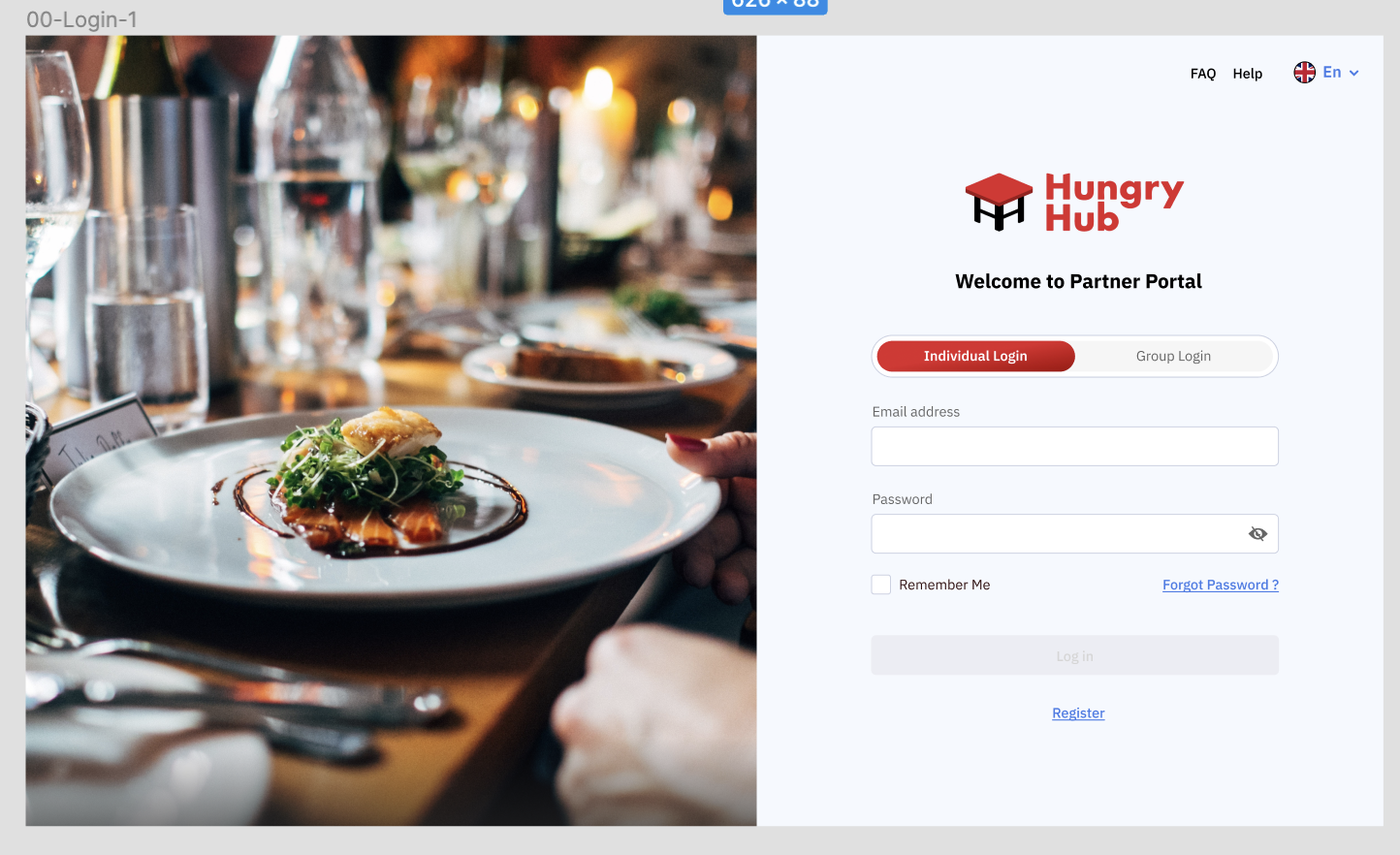
- Group Login

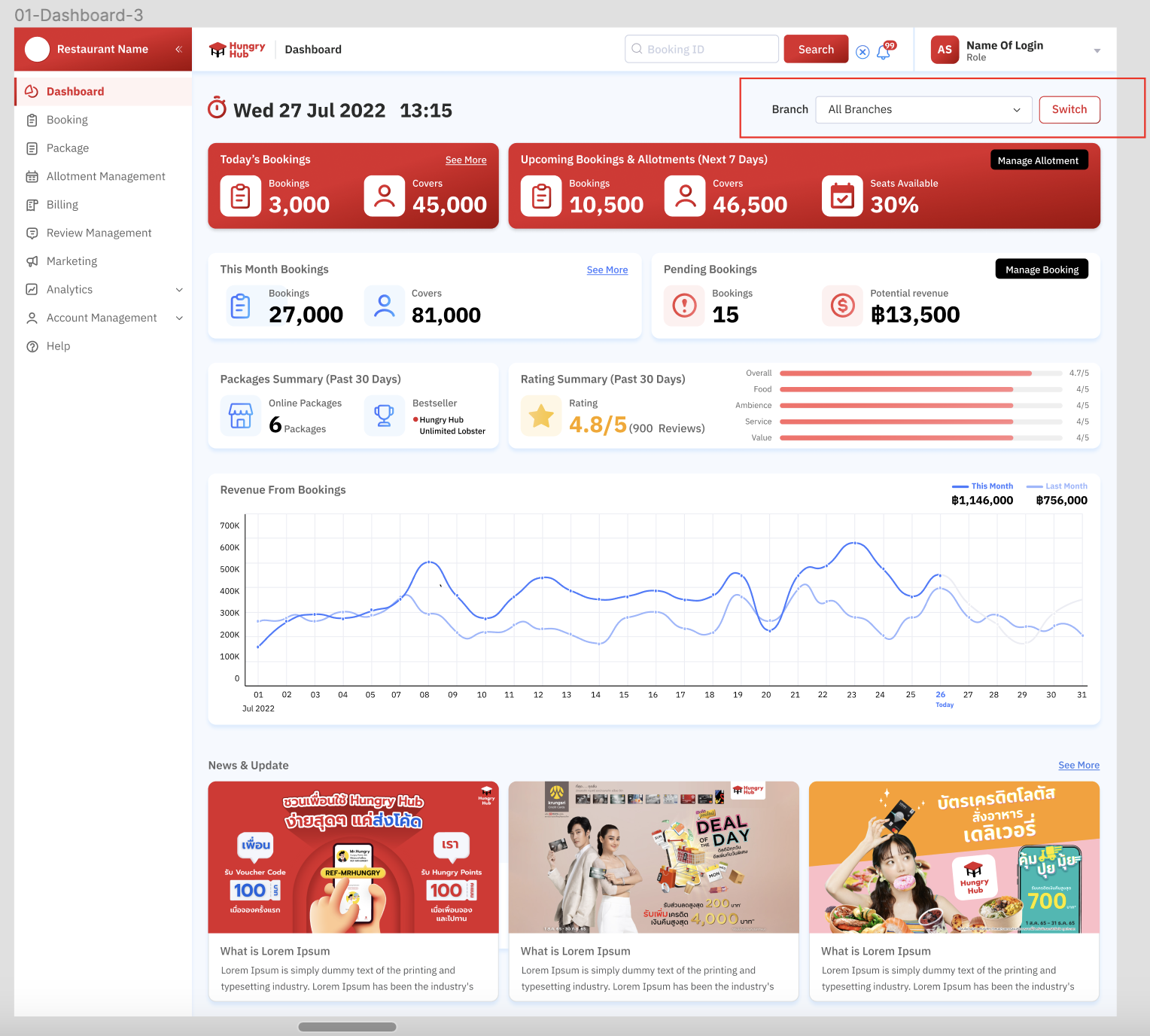
Can view the dashboard of each branch or all branches
- Login by group login
- On the dashboard page, click branch dropdown and choose the branch.
- Click switch button
- System will display the results based on the selected branch or all branches
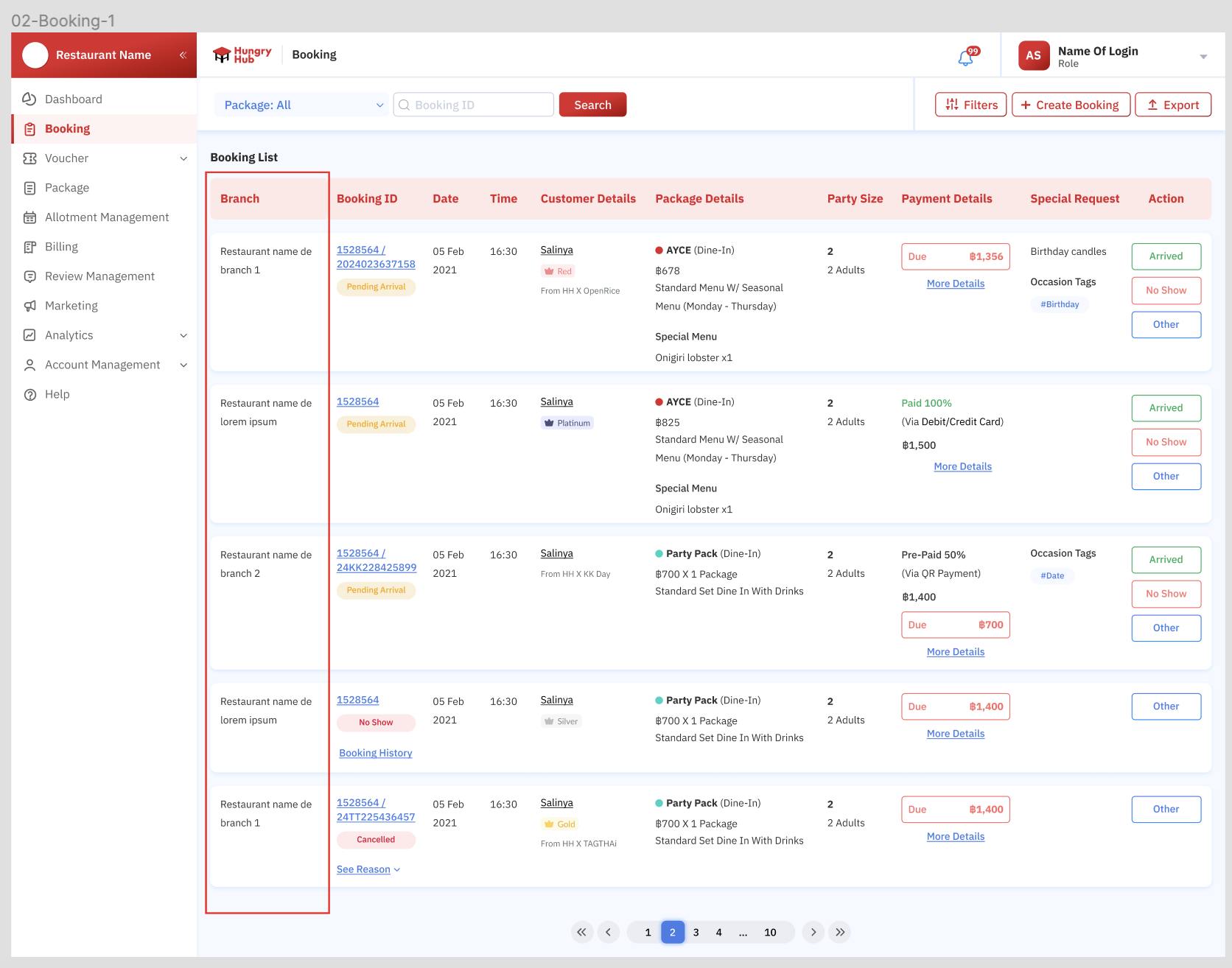
Can view booking list of each branch
- There is a column that contains "branch" (it also applies for the voucher, package and review page)
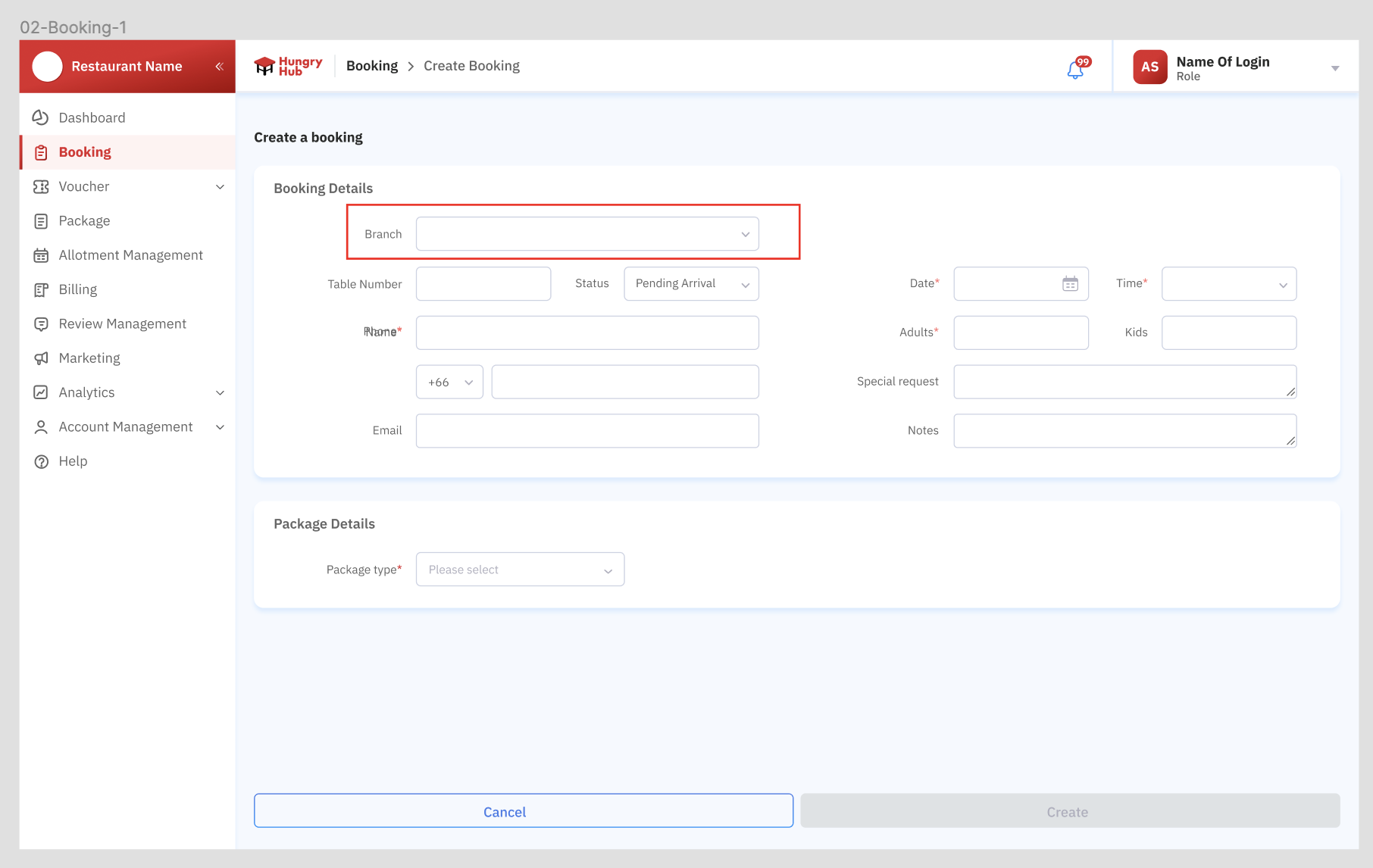
- Choose branch when create booking
There is filter criteria based on branch (applies to all filters of all pages) Note : Please check the full design on figma, it may has different form on each page
- Select the branch by clicking the dropdown button
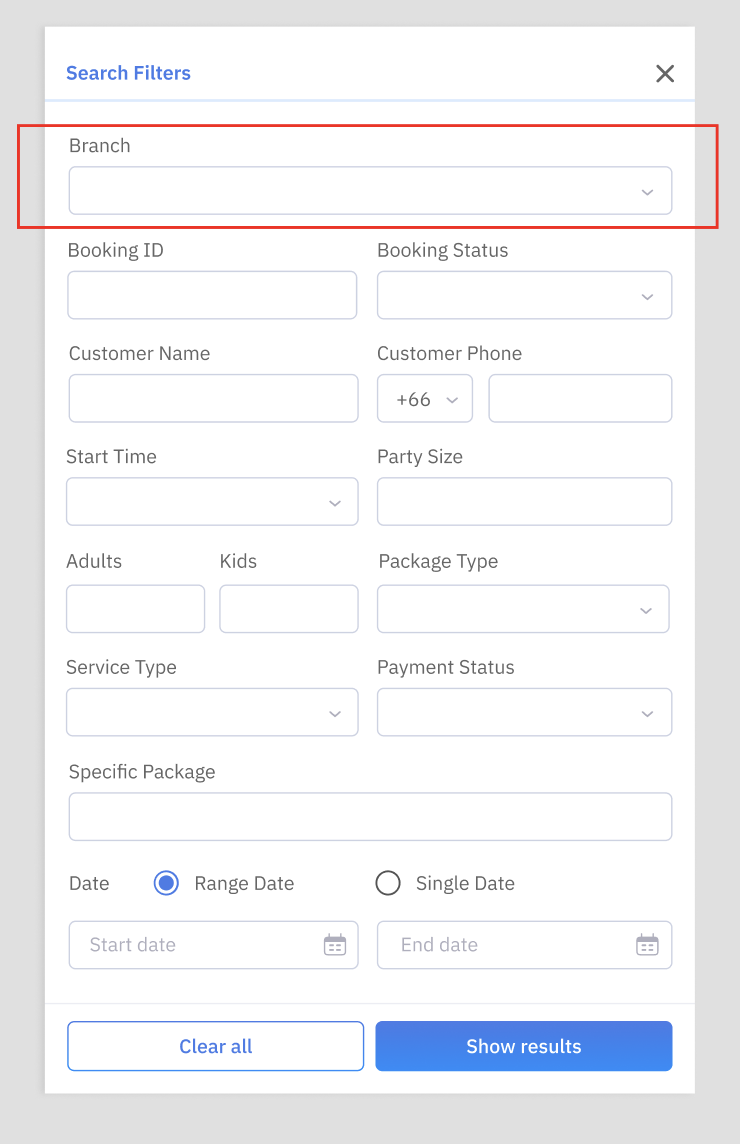
There is export criteria based on branch (applies to all export features of all pages) Note : Please check the full design on figma, it may has different form on each page
- Select the branch by clicking the dropdown button
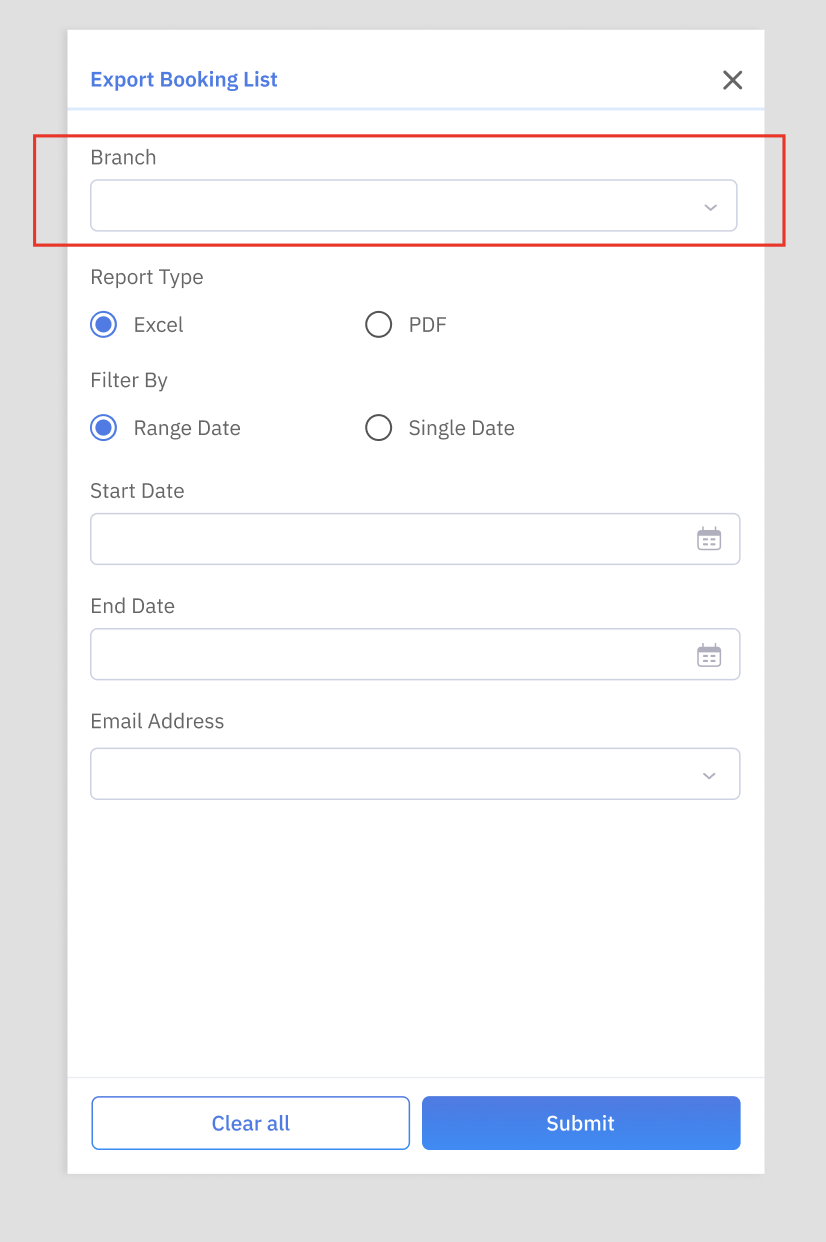
Can view the allotment of each branch or all branches
- Select the branch by clicking the dropdown button and switch button
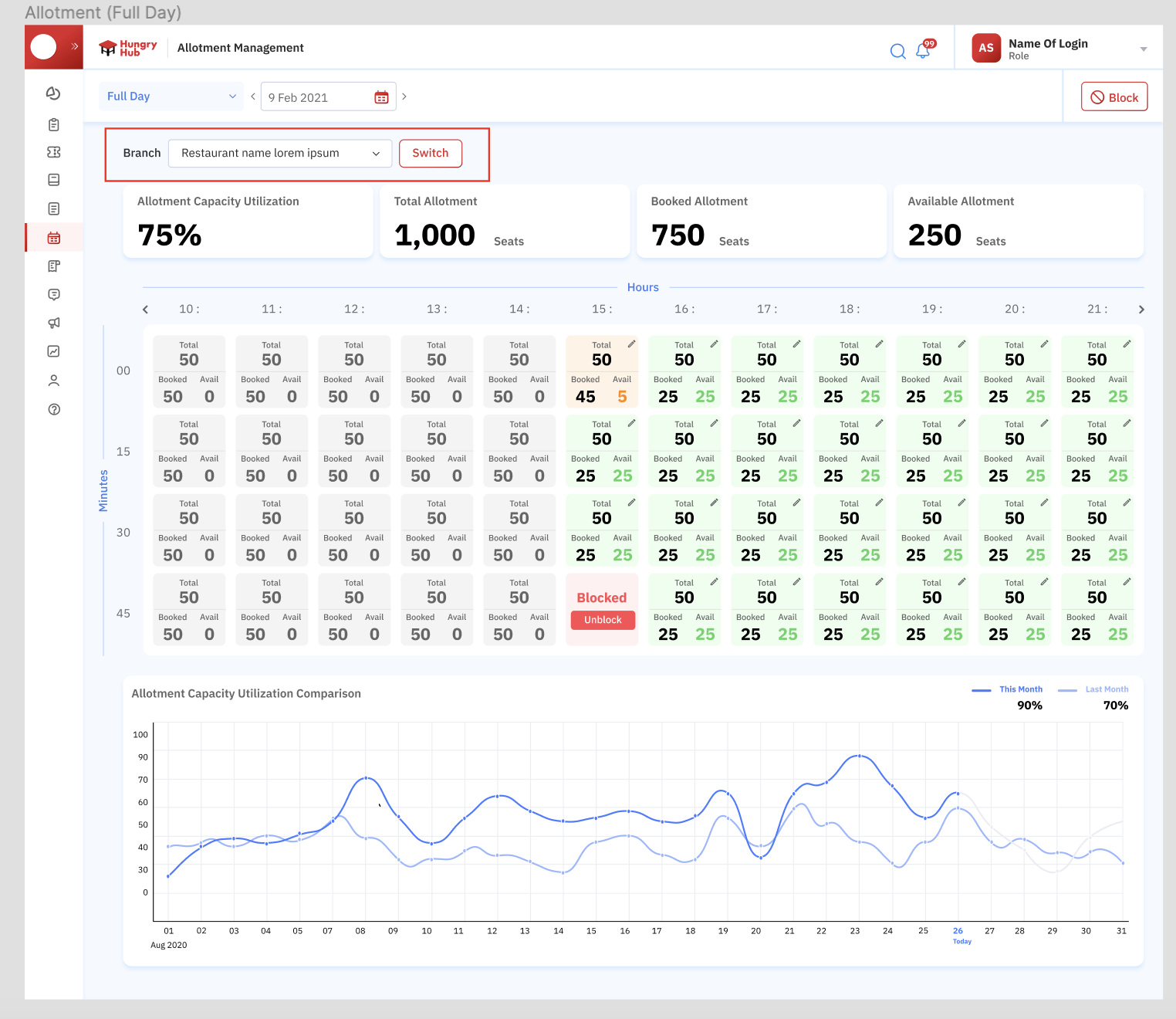
- Can select the branch by clicking the dropdown button to block allotment
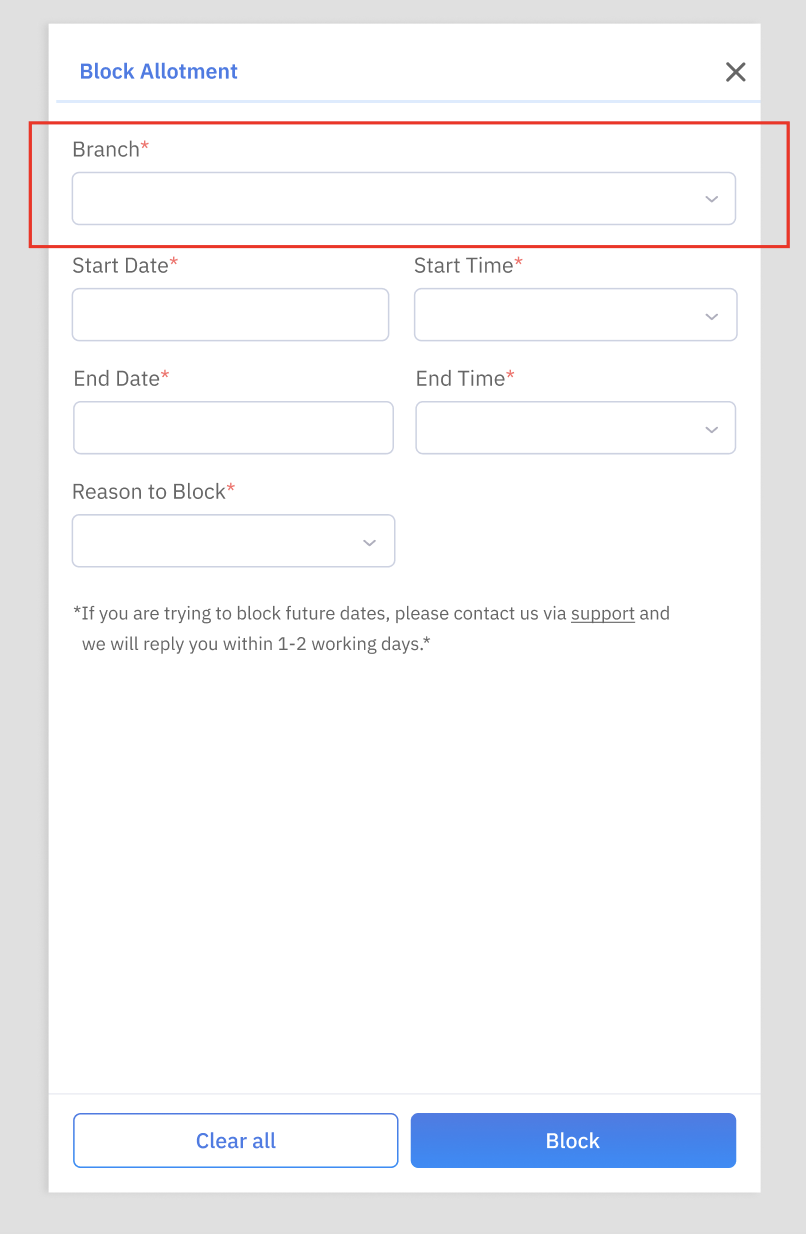
Can view the analytics of each branch or all branches
- Select the branch by clicking the dropdown button and switch button
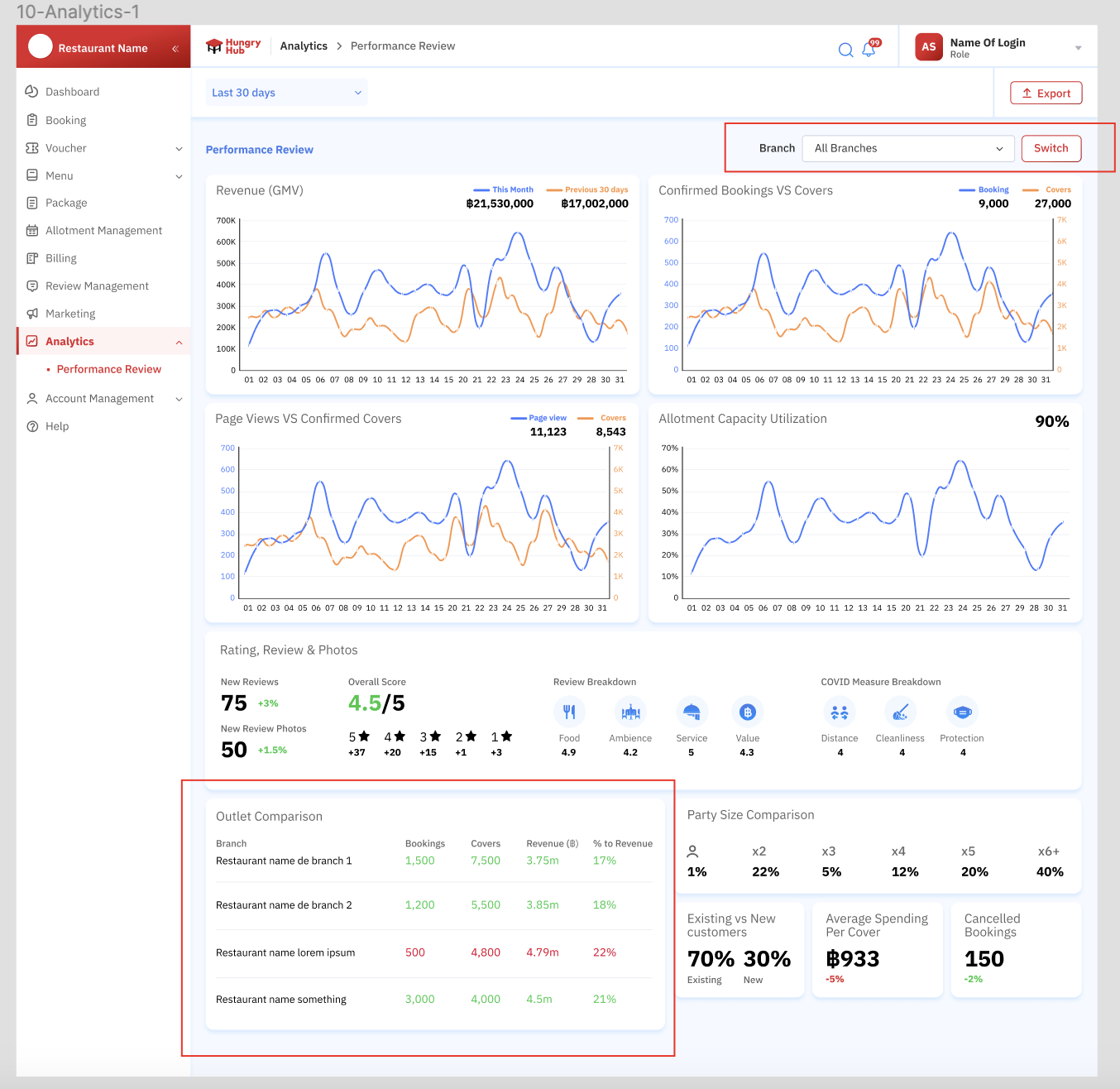
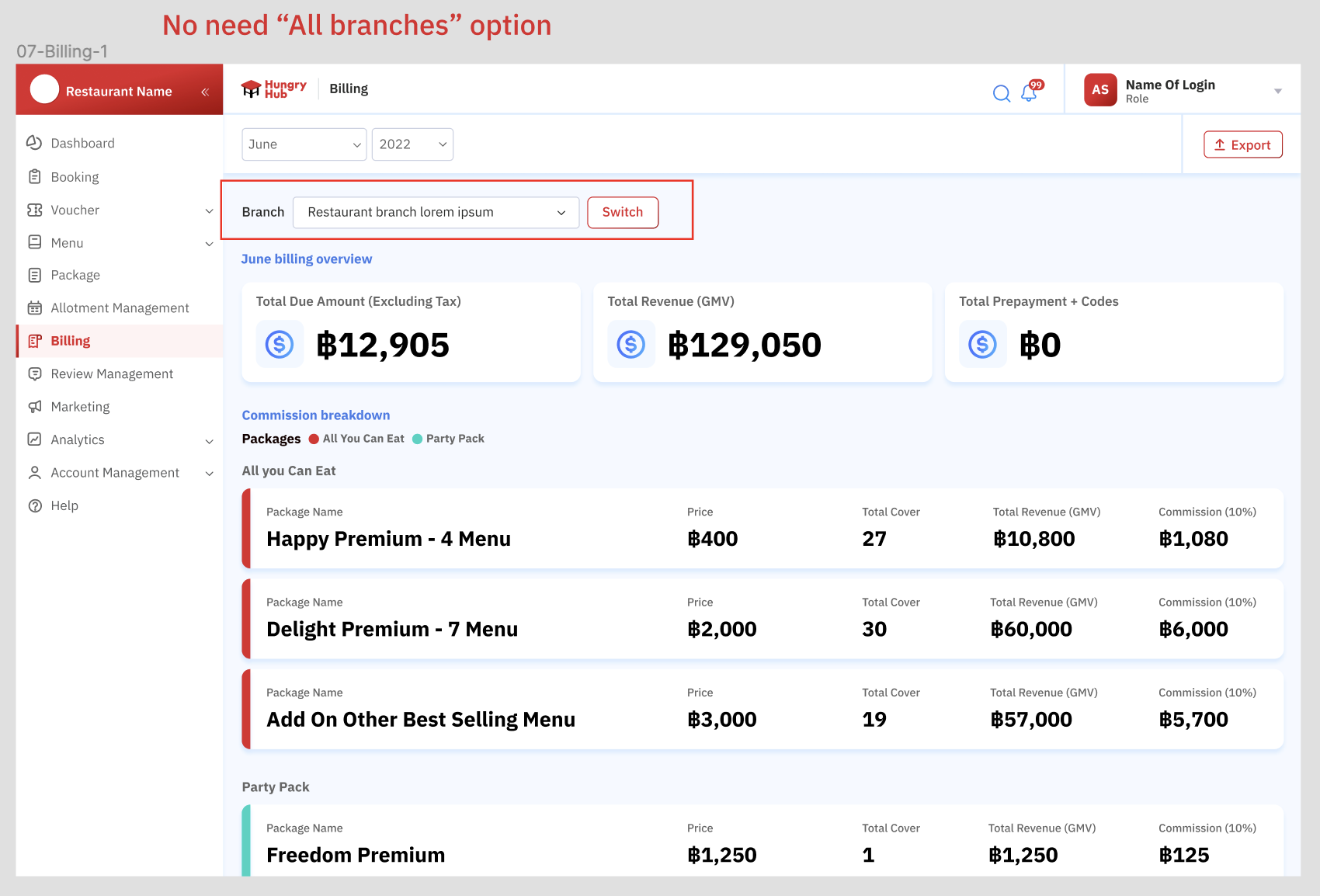
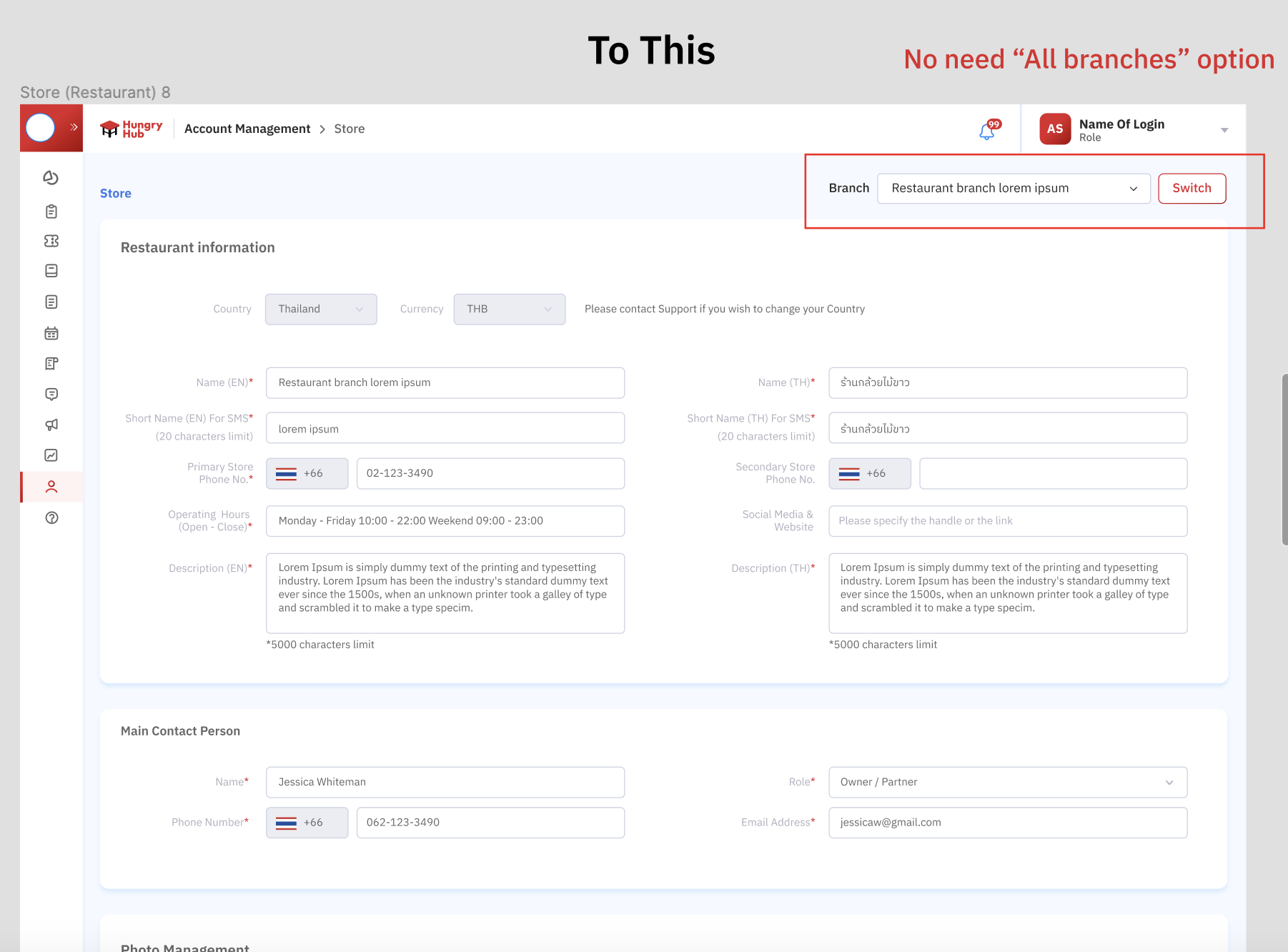
There is no "all branches" option (Special condition)
- Billing page
- User management
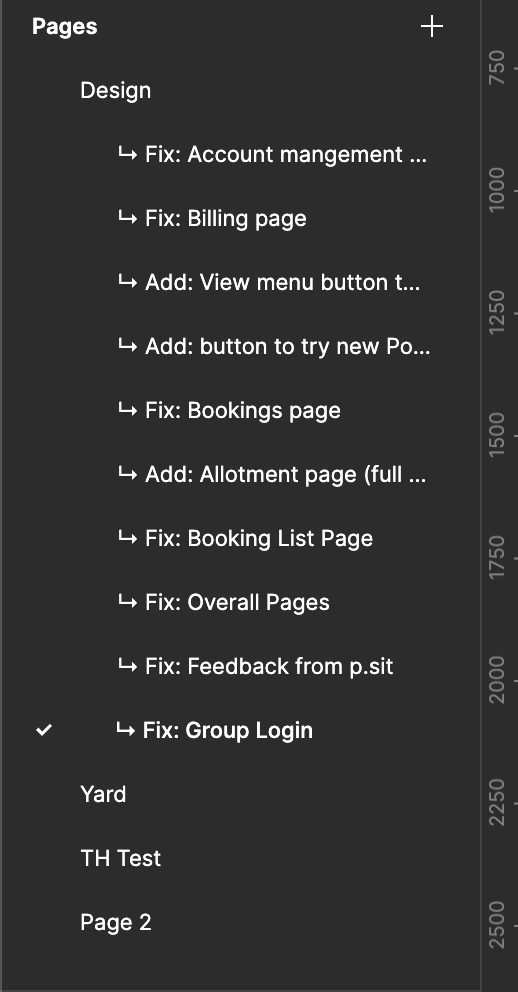
Please kindly check the Figma Design (Select "Fix : Group Login" pages on the sidebar) :
https://www.figma.com/file/ymdLN2ZKzfI0oyX4kps2GQ/Partner-Portal-Desktop?type=design&node-id=10790%3A43226&mode=design&t=oS18cqTeLDdStg5B-1
FAQ & Considerations
Question 1
Question 2
Timeline
Sprint 35