Trust Section
🧾 History
| Date | Changes | Link | By |
|---|---|---|---|
| 8th August 2024 | Display Trust Window on the New Store Page Display Trust Section on the Homepage Display Available Credit Card on the Footer | This PRD | Umam |
📕 About
| Context | Hungryhub has been operating for a long time and has many users |
|---|---|
| Problem | Some new users may still feel doubtful about hungryhub |
| Solution | Display the trust section |
| Name of Feature | Trust Section |
| Objective | Display Trust Window on the New Store Page Display Trust Section on the Homepage Display Available Credit Card on the Footer |
| Gains | Displaying trust indicators (e.g., testimonials, security badges, accepted payment methods) can help reassure new users, potentially increasing conversions and reducing bounce rates. |
| Pains | Users might expect to see constant updates to trust signals. If not maintained, outdated information could lead to mistrust rather than trust. |
| Figma Link | https://www.figma.com/design/sZt1vVQi71SsZBxEkjGvDD/Trust-Platform?node-id=0-1&t=6h3B95AAwuo3gsNO-1 |
| Available Platform | Web |
| Sprint | TBD |
| Related PRD | - |
| Out of Scope | - |
🎯 User Story & Requirement
Display Trust Window on the New Store Page
| User Story | Requirement |
|---|---|
As a user, i want to book a transaction to a restaurant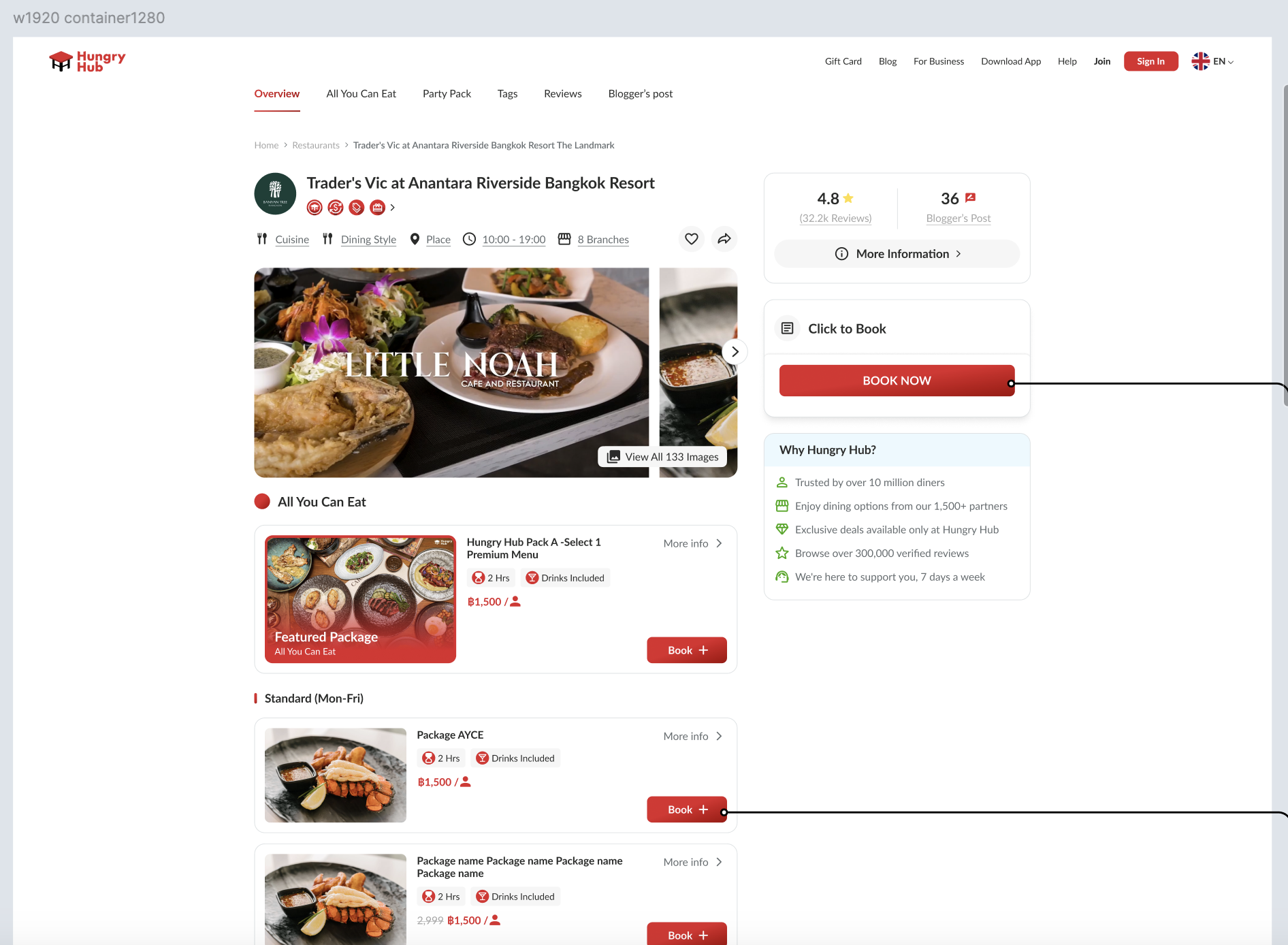 | On the right side, there are 3 windowsReview WindowBooking WindowTrust WindowMake the Booking Window more minimalistIcon Click to Book TitleBook Now buttonThere are some elements for Trust WindowWhy Hungry Hub? TitleDescription List with Icon Trusted by over 10 million dinersEnjoy dining options from our 2,000+ partnersExclusive deals available only at Hungry HubBrowse over 300,000 verified reviewsWe're here to support you, 7 days a week |
Click the Book Now button on the Booking Window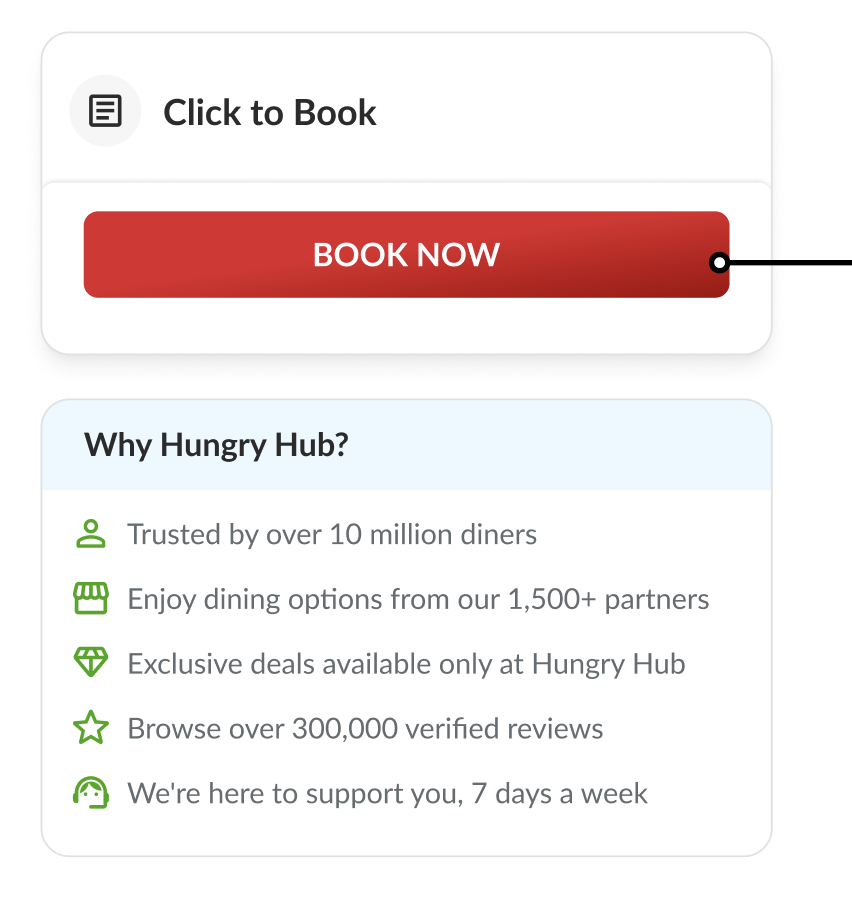 | Once the Book Now button is clicked. The Booking Window will be changed to Cart Window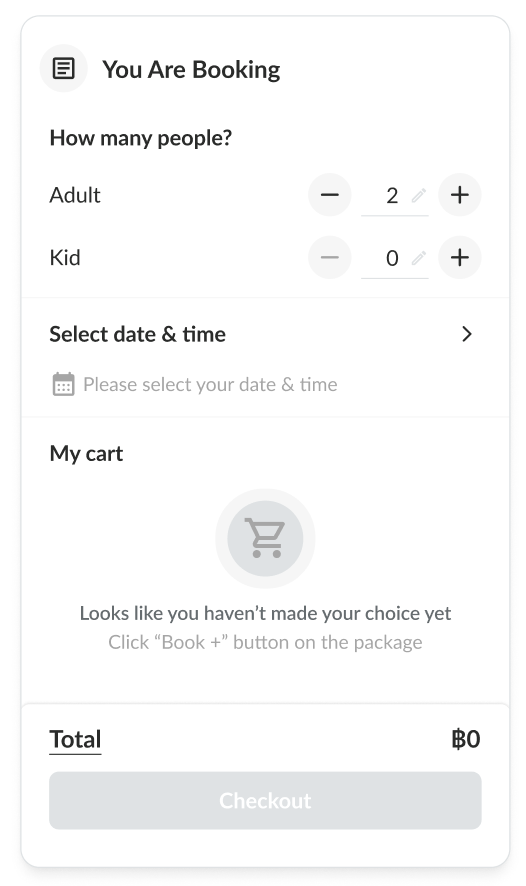 |
Click the Book button to choose the package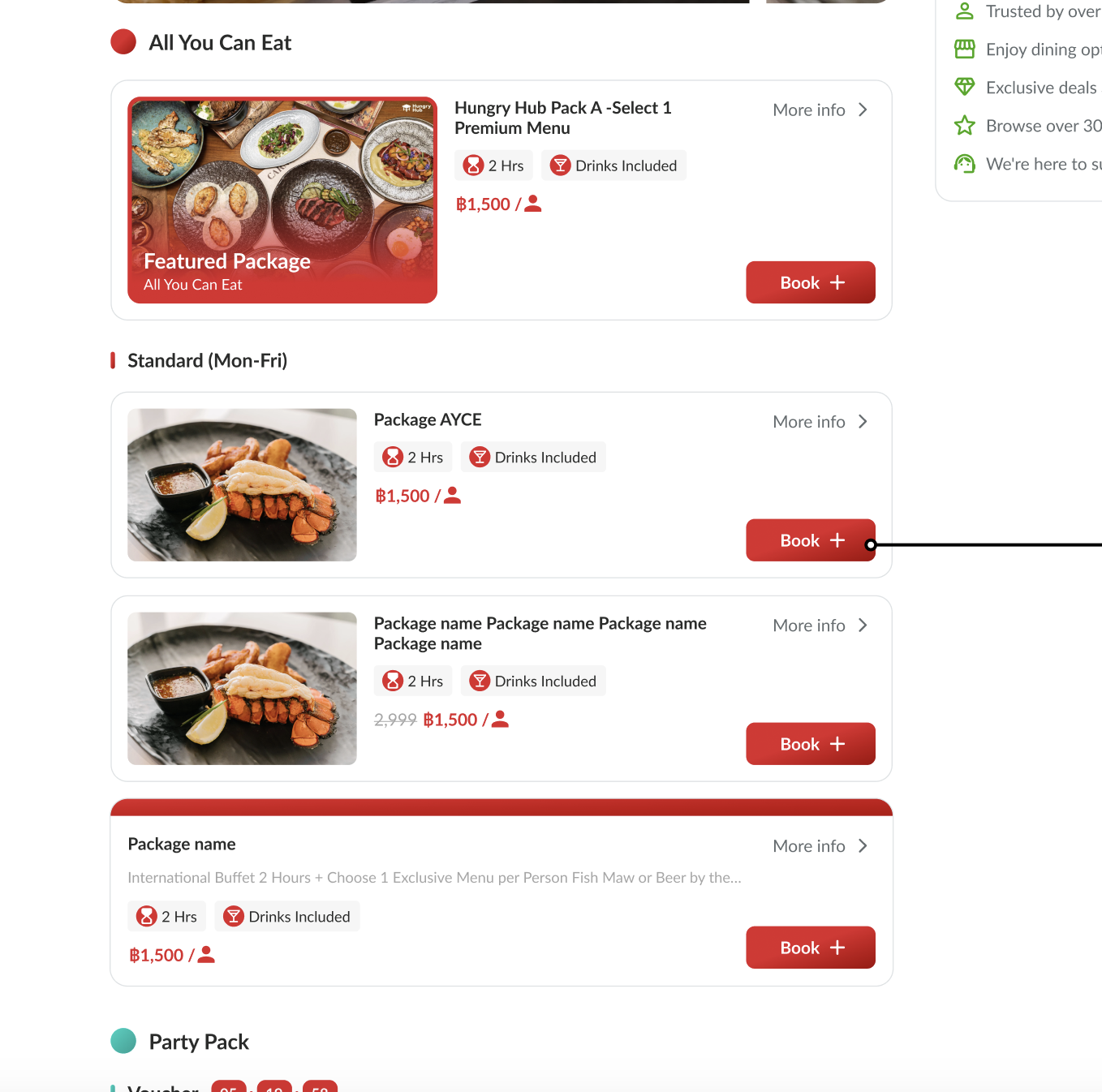 | Once the Book button is clicked. The Booking Window will be changed to Cart WindowThe package will be selected too 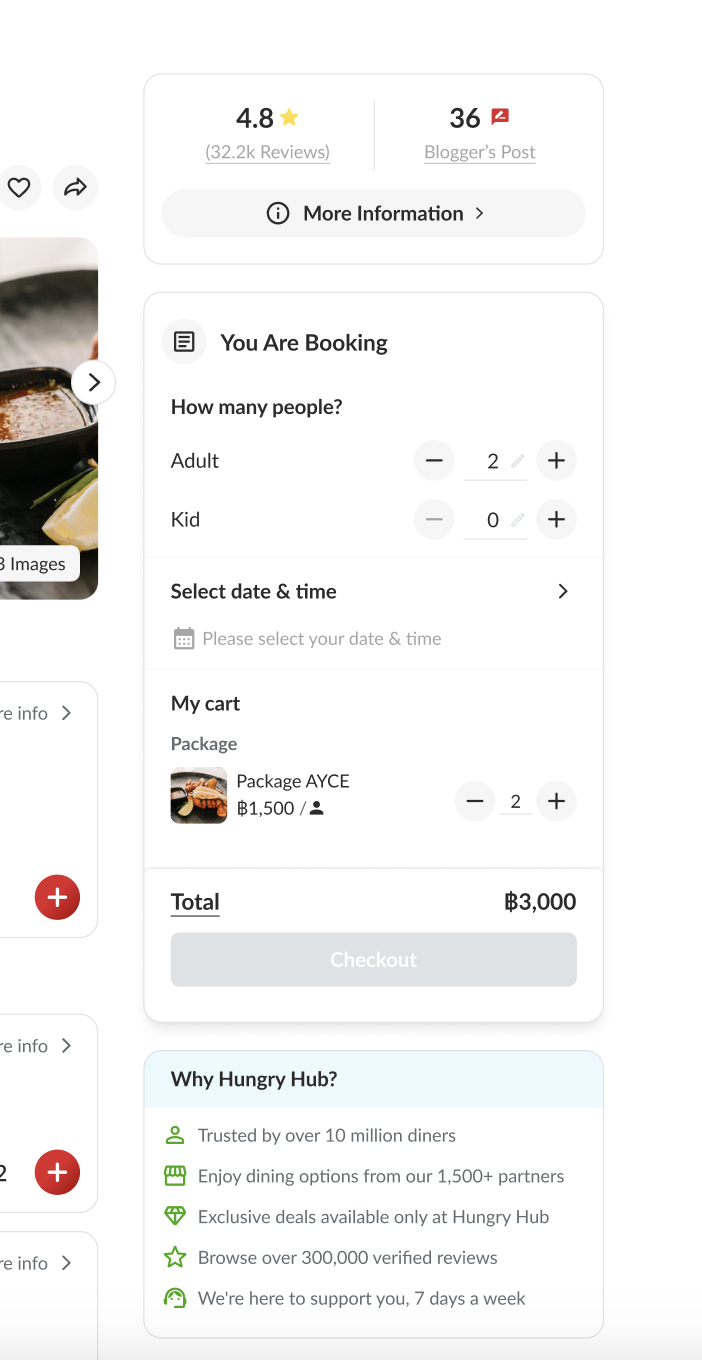 Once the Book button is clicked. The Book button will be changed toIncrease/decrease buttonfor selected package 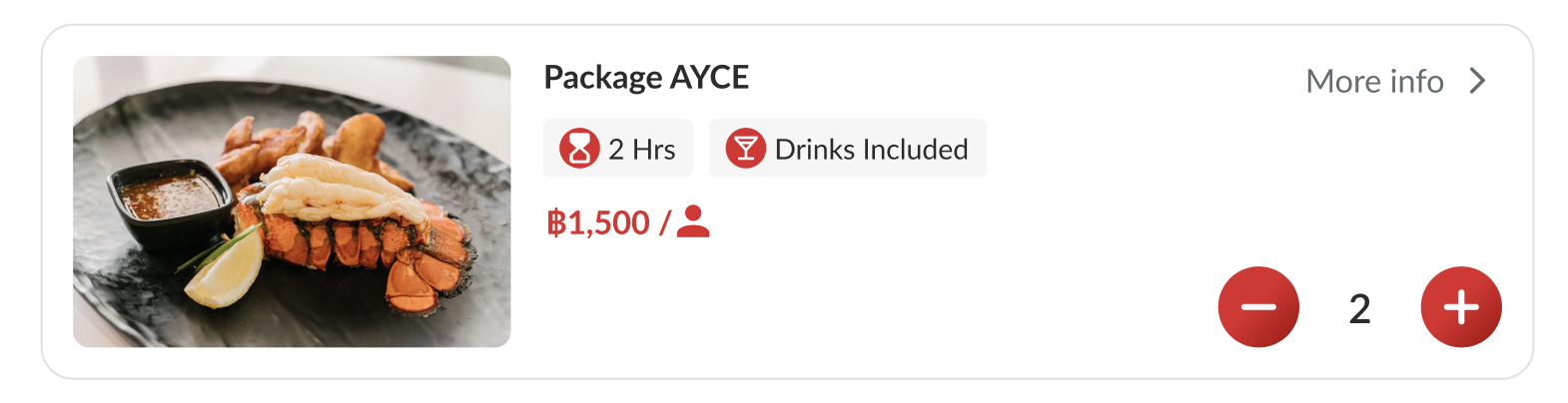 Add buttonfor unselected package 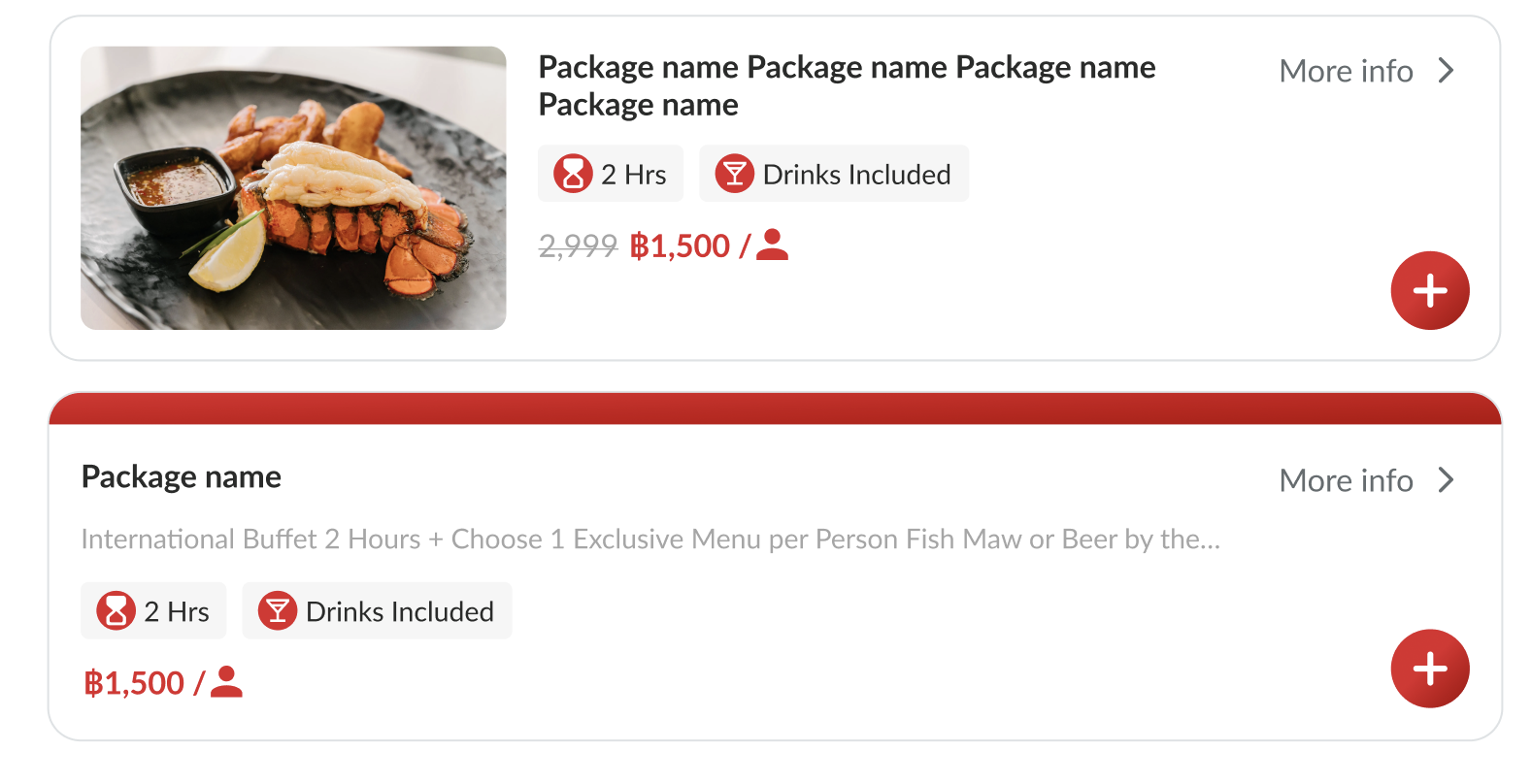 |
Display Trust Section on the Homepage
| User Story | Requirement |
|---|---|
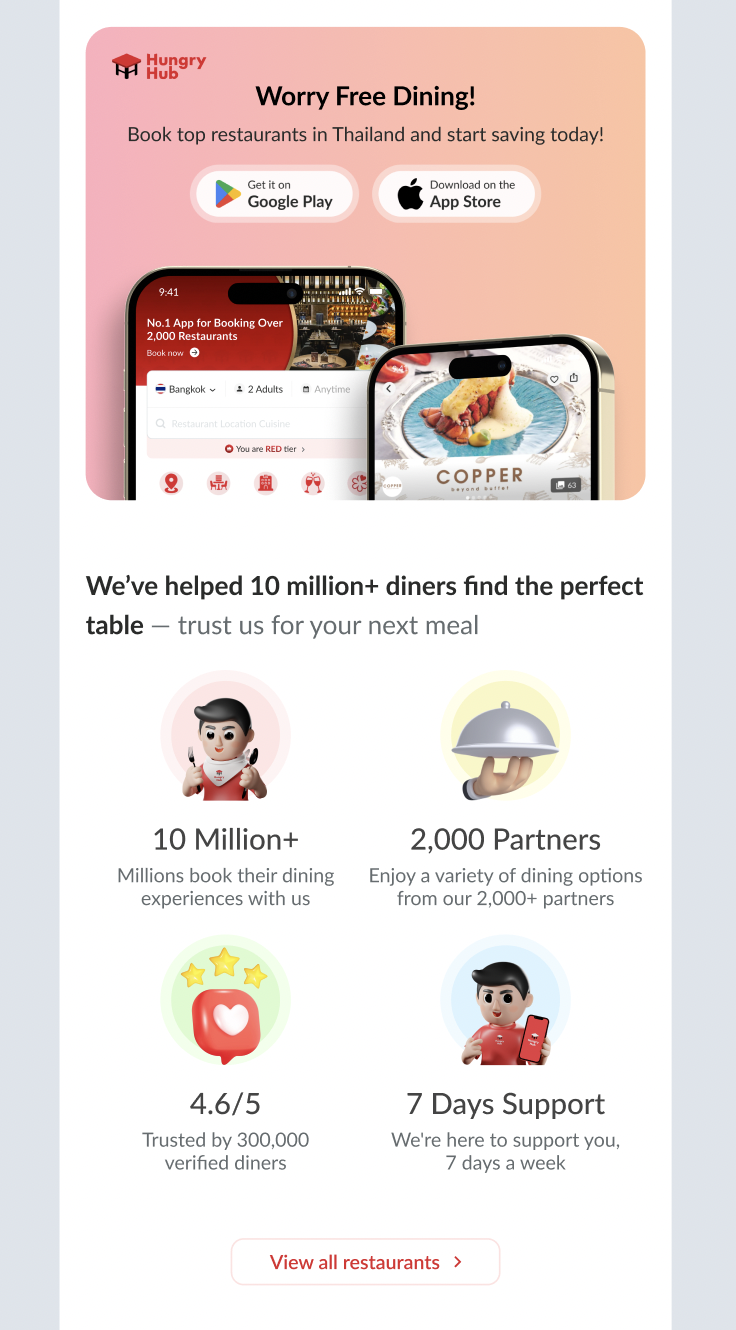
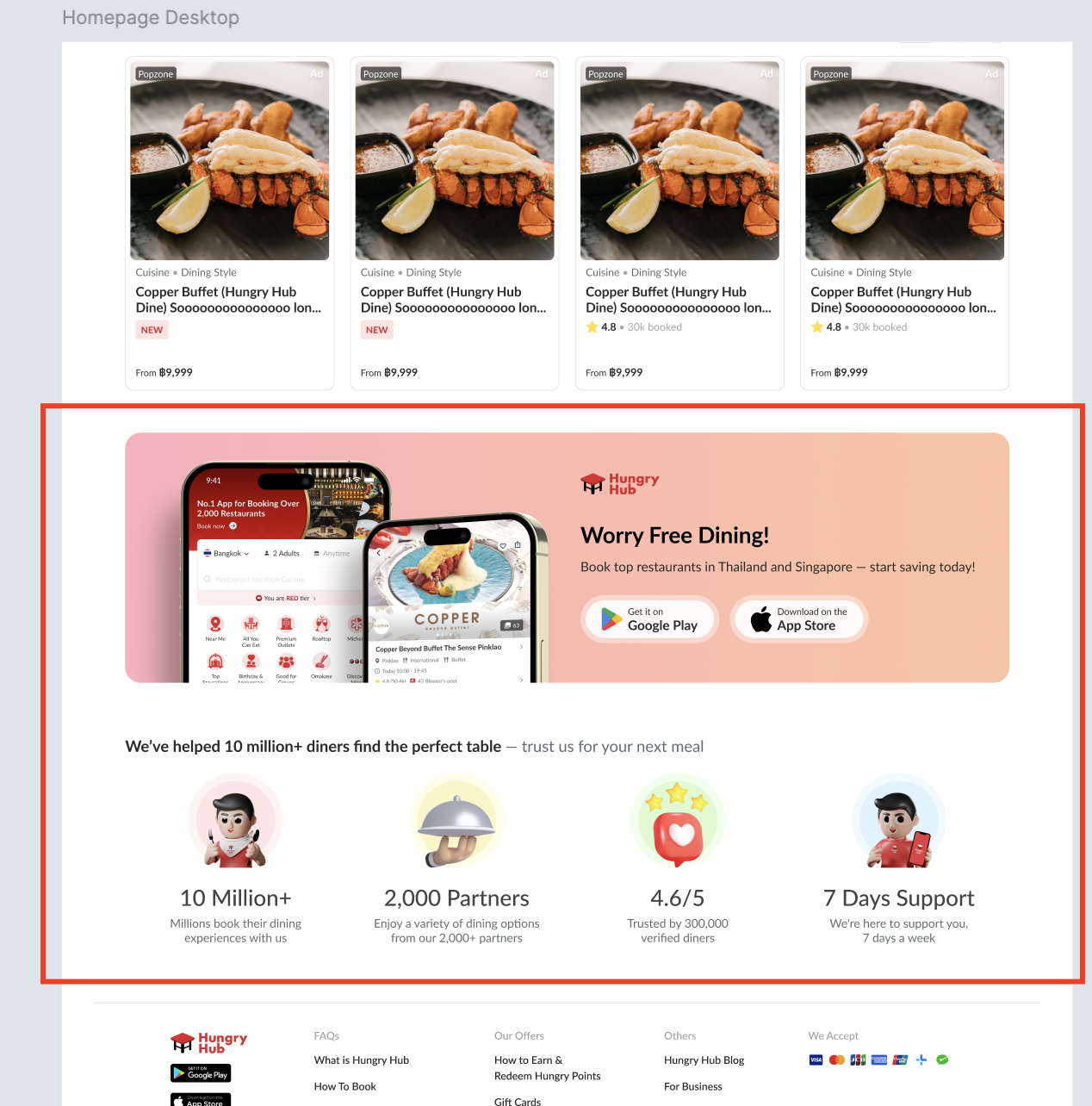
| As a user, when i open the hungryhub website, the first page will be displayed is homepage | Add 2 sections on the last page of homepage Google Play Store and App Store Banner Section Trust Section 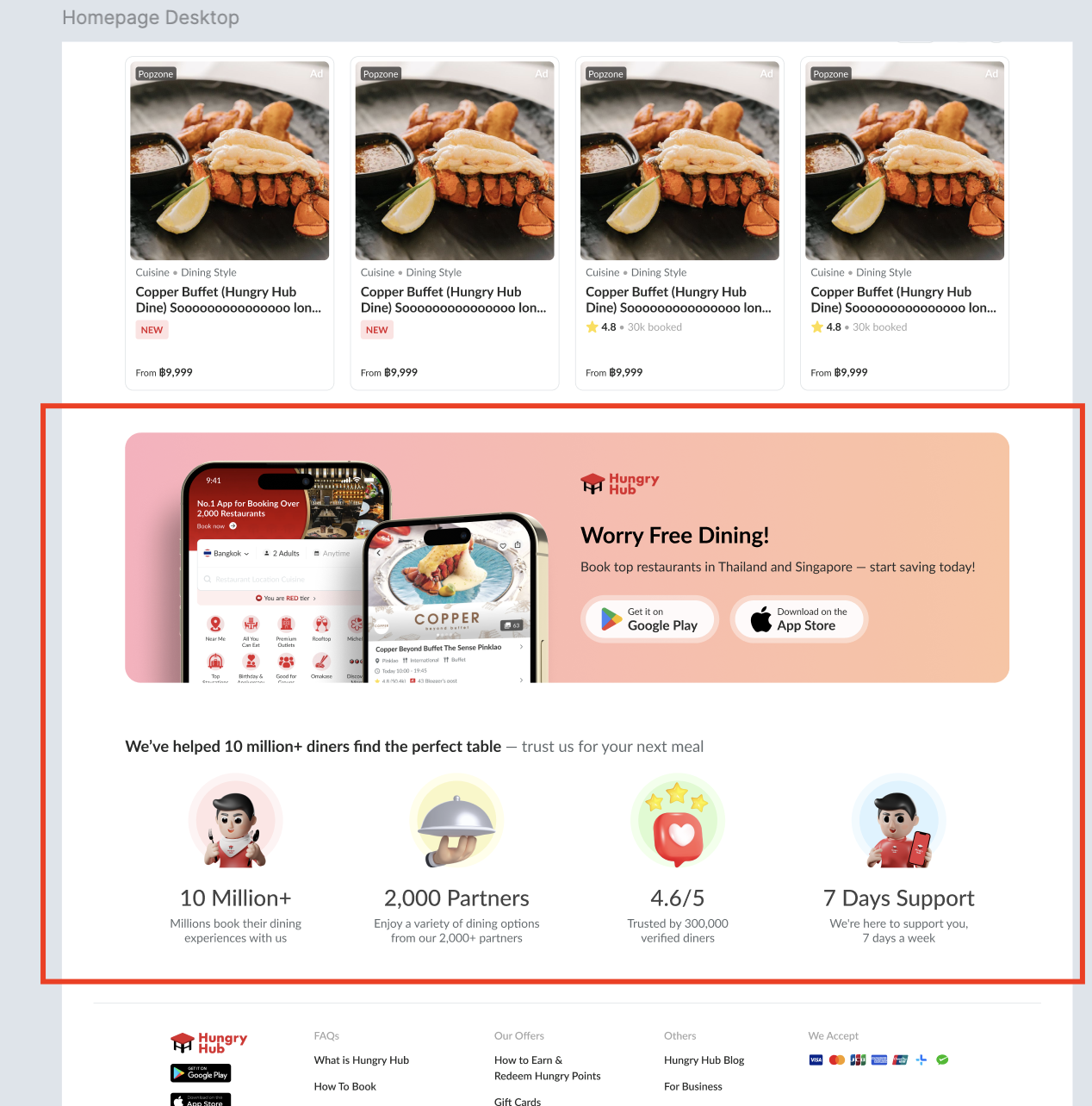 |
| Google Play Store and App Store Banner Section | There are some elements for this section Preview of the app (mockup) Hungryhub Logo Worry Free Dining! TitleBook top restaurants in Thailand and start saving today! DescriptionGoogle Play Store buttonApp Store buttonNote : no need to show in the mobile app 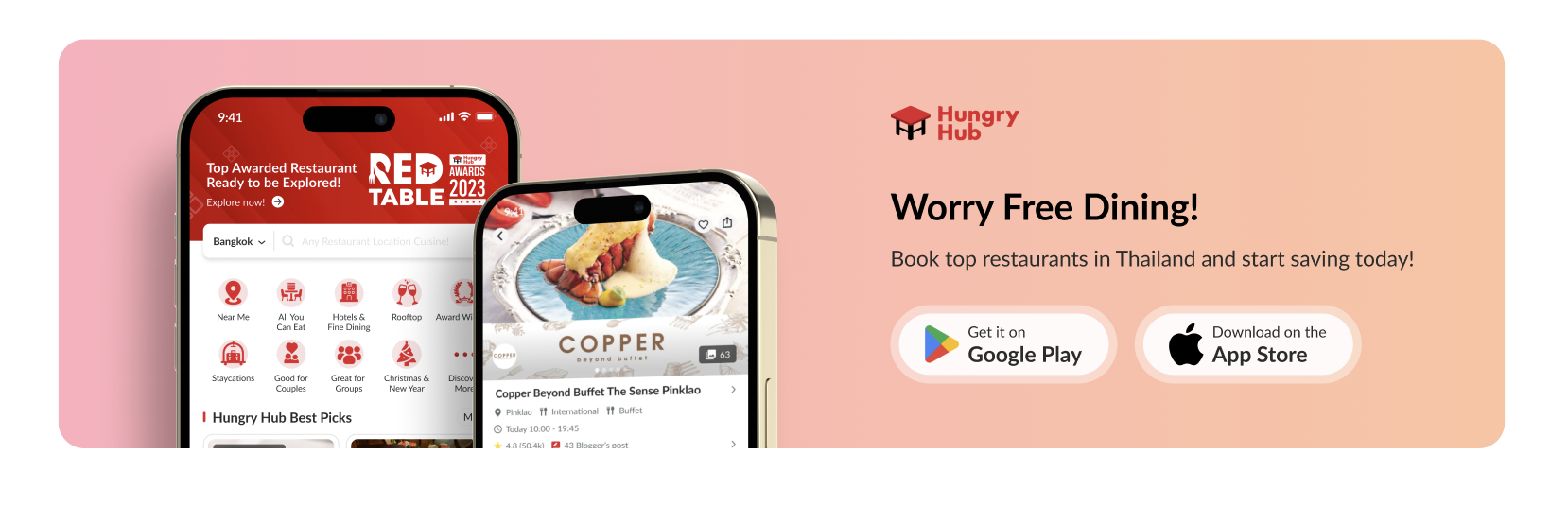 There is layout adjustment for mobile view |
| Trust Section | There are some elements for this sectionWe’ve helped 10 million+ diners find the perfect table — trust us for your next meal Title4 items 10 Million+ Millions book their dining experiences with us 2,000 Partners Enjoy a variety of dining options from our 2,000+ partners 4.6/5 Trusted by 300,000 verified diners 7 Days Support We're here to support you, 7 days a week Note : show it as well on mobile app, but without download app banner 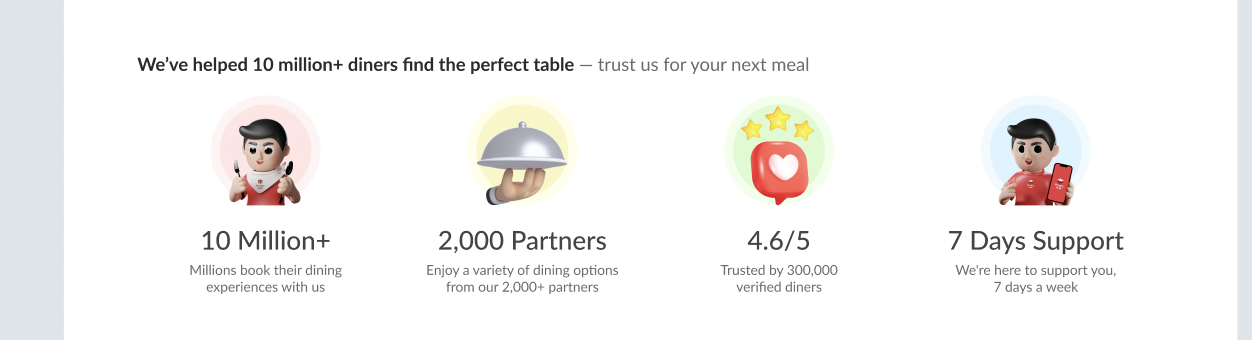 There is layout adjustment for mobile view |
| Mobile View | Desktop View |
|---|---|
 |  |
Display Available Credit Card on the Footer
| User Story | Requirement |
|---|---|
| Footer page | Add a section on the footer that display the available card There are some elements We Accept TitleAvailable payment Icon : AMEX, Mastercard, VISA, JCB, Unionpay, Alipay and Wechatpay Desktop Mobile 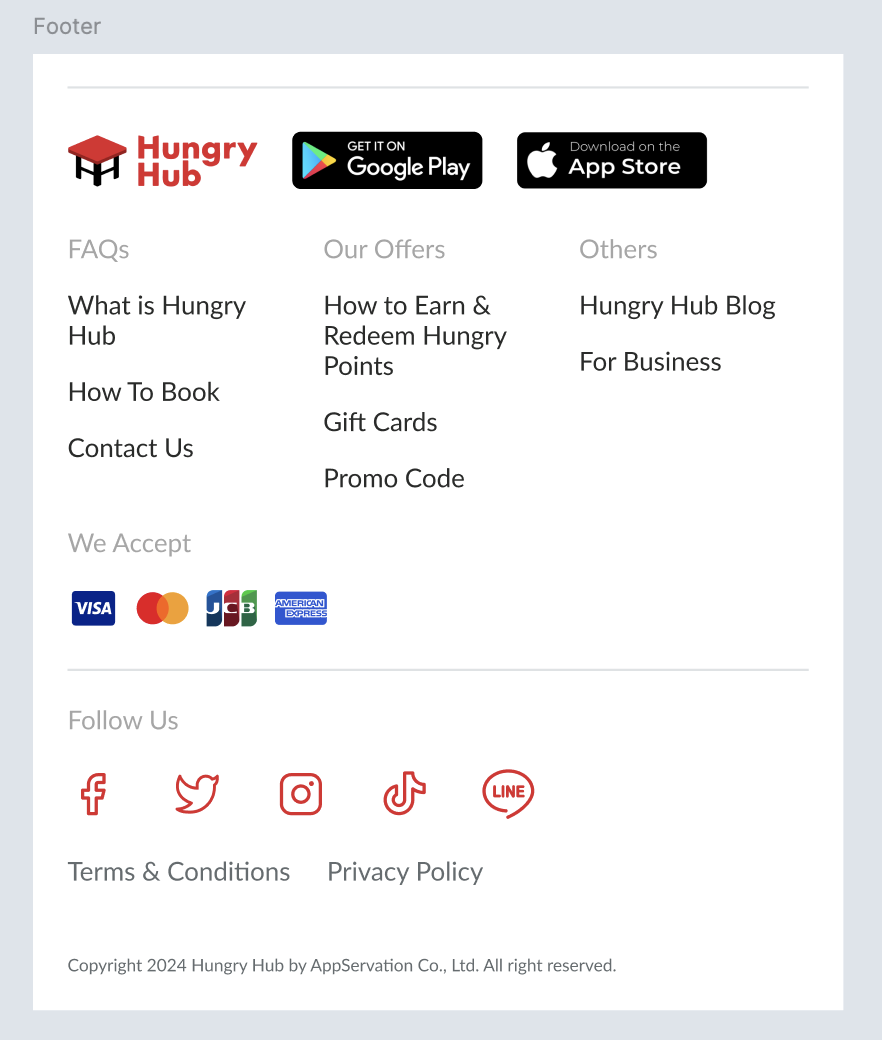 |
❓ FAQ
| Question | Answer |
|---|---|
| Translation | https://docs.google.com/spreadsheets/d/1TQelRnKn6iepFavj09Nyig9CWyQycGqHVvWZHeJie1Q/edit?usp=sharing |
📊 Metric
Please provide it on the google analytics
- Conversion Rate
- Click-Through Rate (CTR) on Trust Section