Show kid description dynamically
🧾 History
| Date | Changes | Link | By |
|---|---|---|---|
| 14th Jan 2025 | Package SettingYou are booking window | This PRD | Umam |
📕 About
| Context | 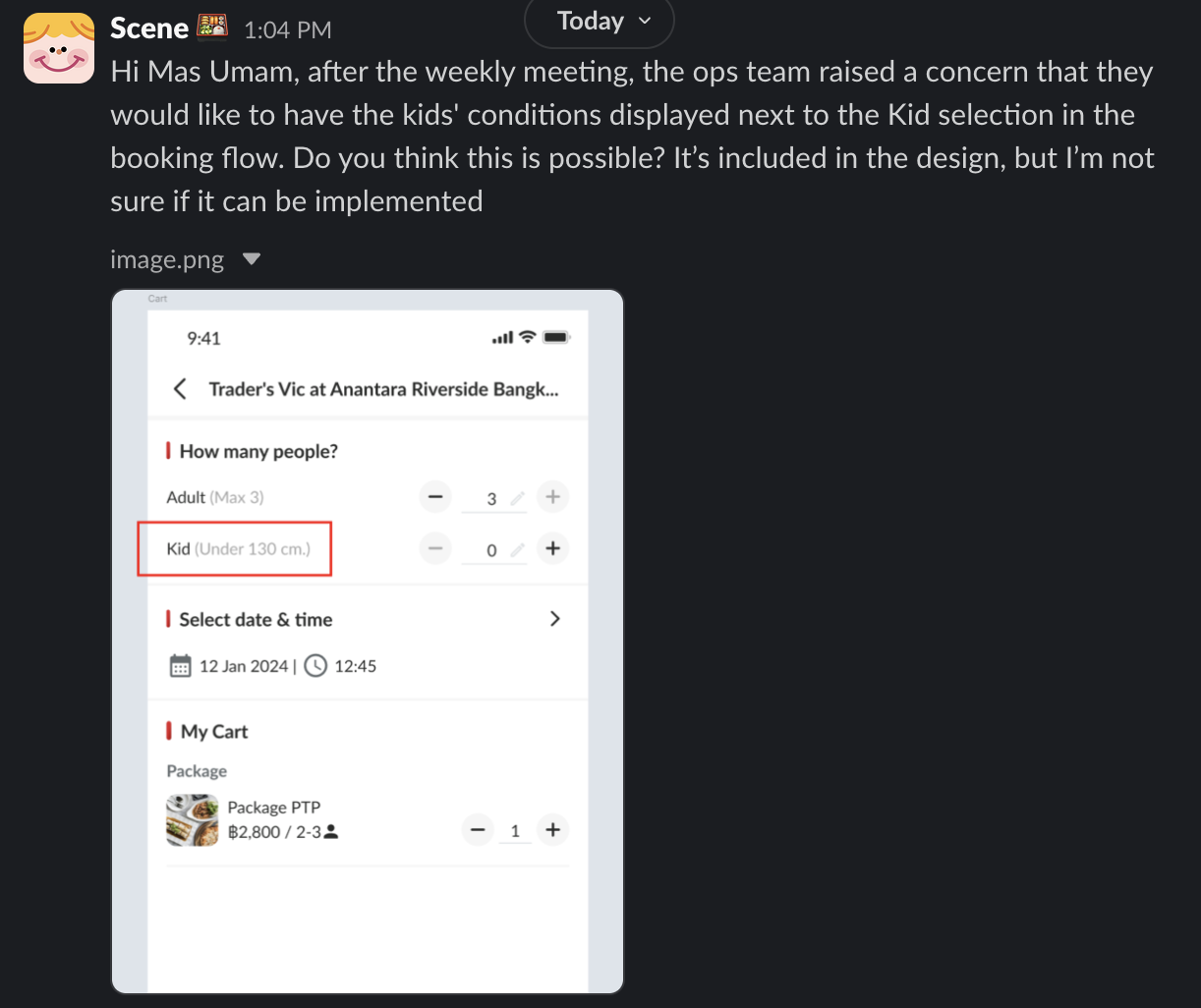 |
|---|---|
| Problem | There is no kid condition displayed (not clarified enough) |
| Solution | Need to display the short description beside the kid text |
| Name of Feature | Show kid description dynamically |
| Objective | Package SettingYou are booking window |
| Gains | Clarification for the kid definition |
| Pains | Have the limitation on description, need to make sure the short description can clarify enough |
| Figma Link | https://www.figma.com/design/D6sLY1RWZoO0ppuQeEhQtw/Booking-Process-%5BDesktop%5D?node-id=2011-30093&t=tytmOvV5yqdxLf3e-1 |
| Available Platform | Desktop, Mobile Web, Mobile App |
| Sprint | TBD |
| Related PRD | - |
| Out of Scope | - |
🎯 User Story & Requirement
Package Setting
| User Story | Requirement |
|---|---|
| Kid Price Policy | There are 2 fields Short Kid Price Policy (new) Full Kid Price Policy (existing) |
| Full Kid Price Policy | There is no changes on this setting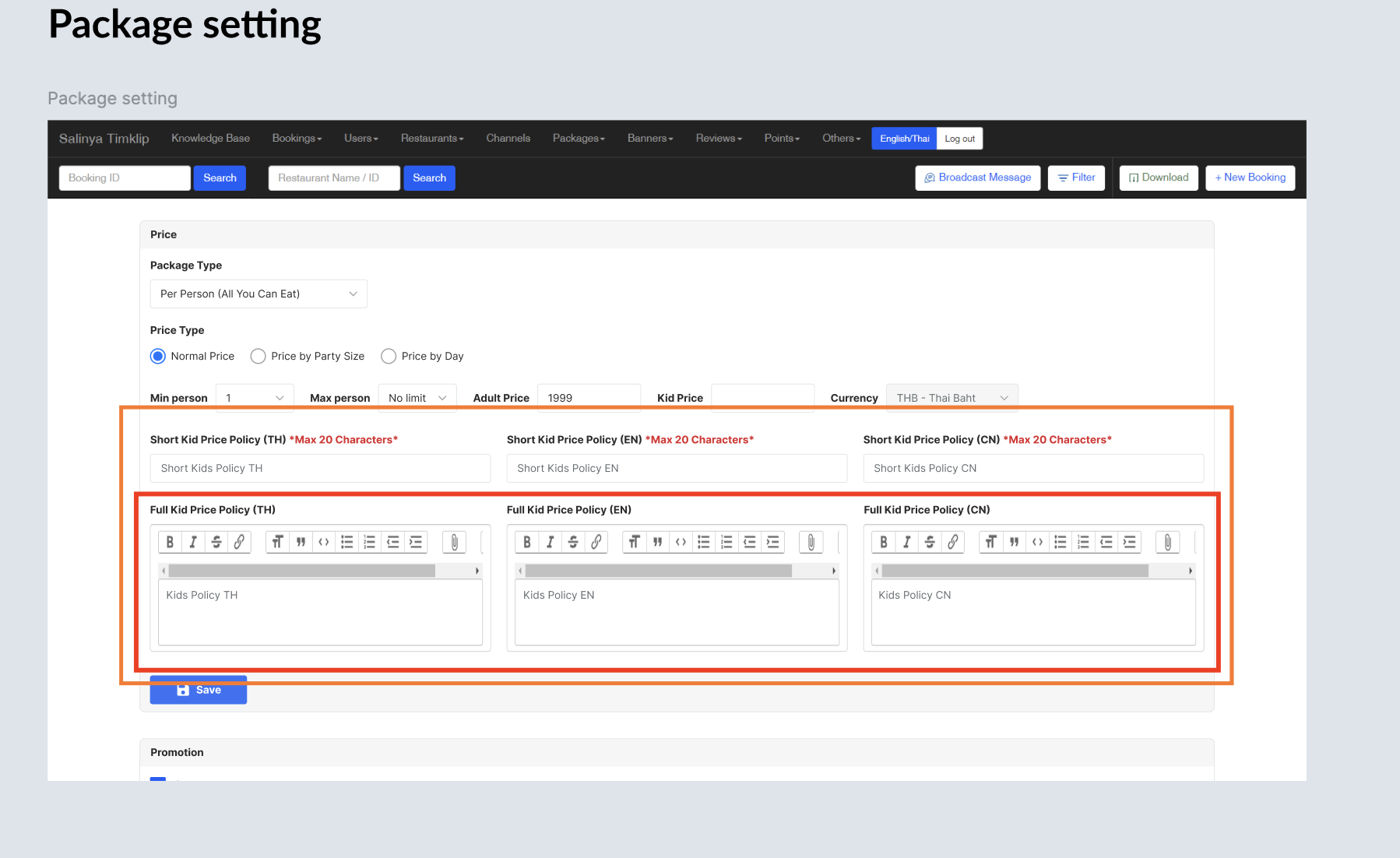 Make sure there are 3 forms (different languages) Pls look at the title → Full Kid Price Policy |
| Short Kid Price Policy | Not mandatory (optional) Implement 20 characters as maximum (for validation) Error → Maximum 20 charactersMake sure there are 3 forms (different languages) Pls look at the title → Short Kid Price Policy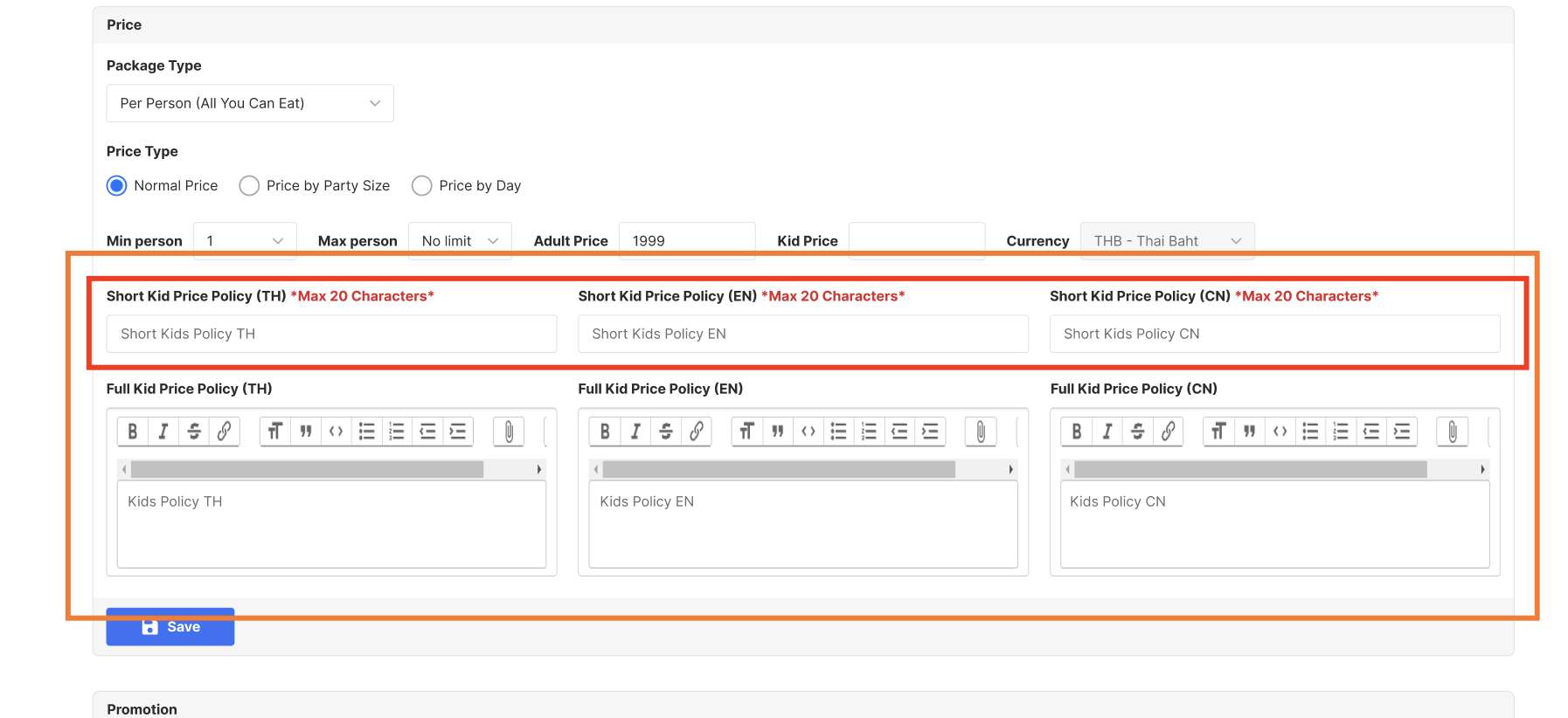 Will show the description here (beside the Kid text)Note : we name it Cart window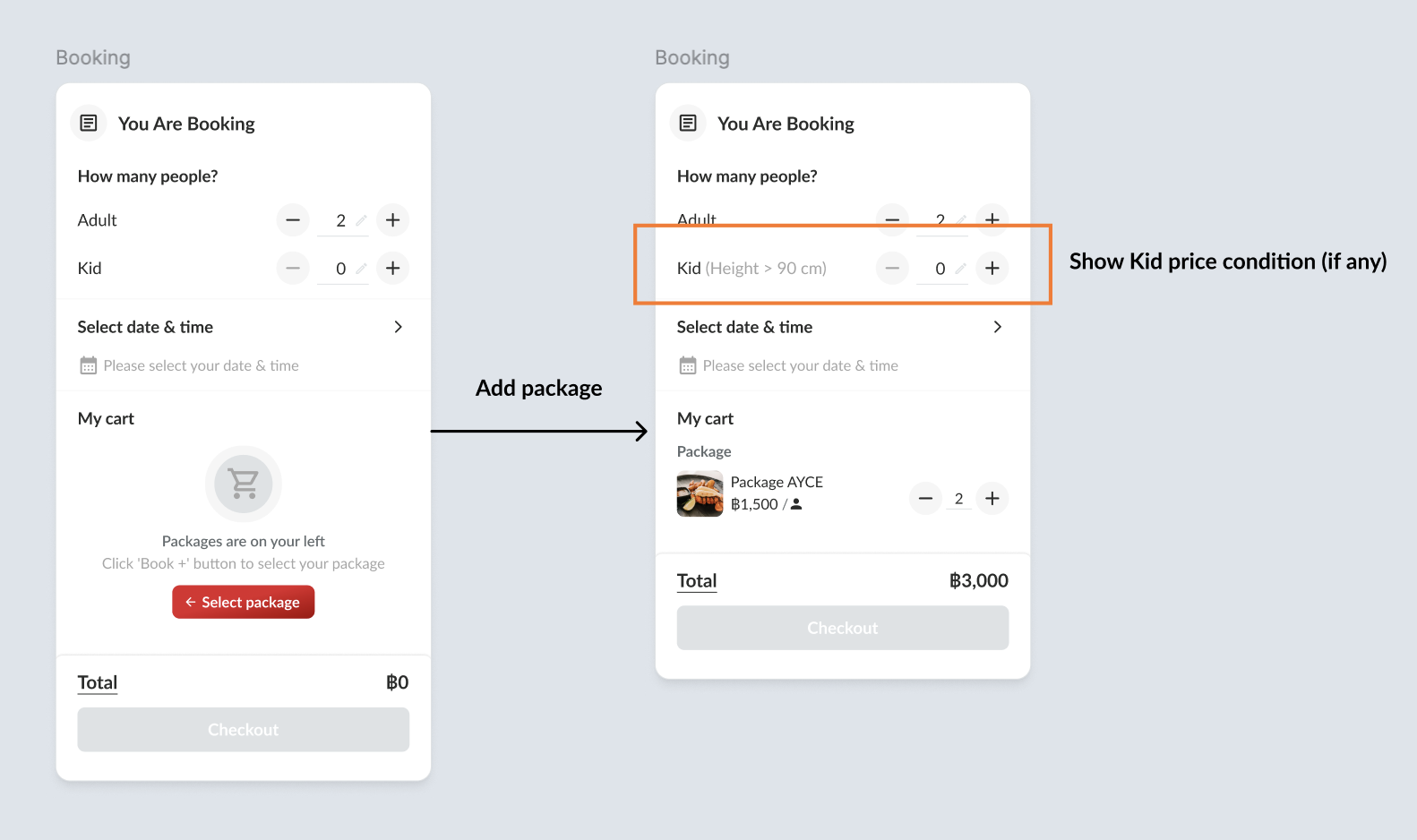 The complete requirement will be displayed below |
You are booking window
| User Story | Requirement |
|---|---|
| Don't select kid quantity | When there is no package selected, keep the description blank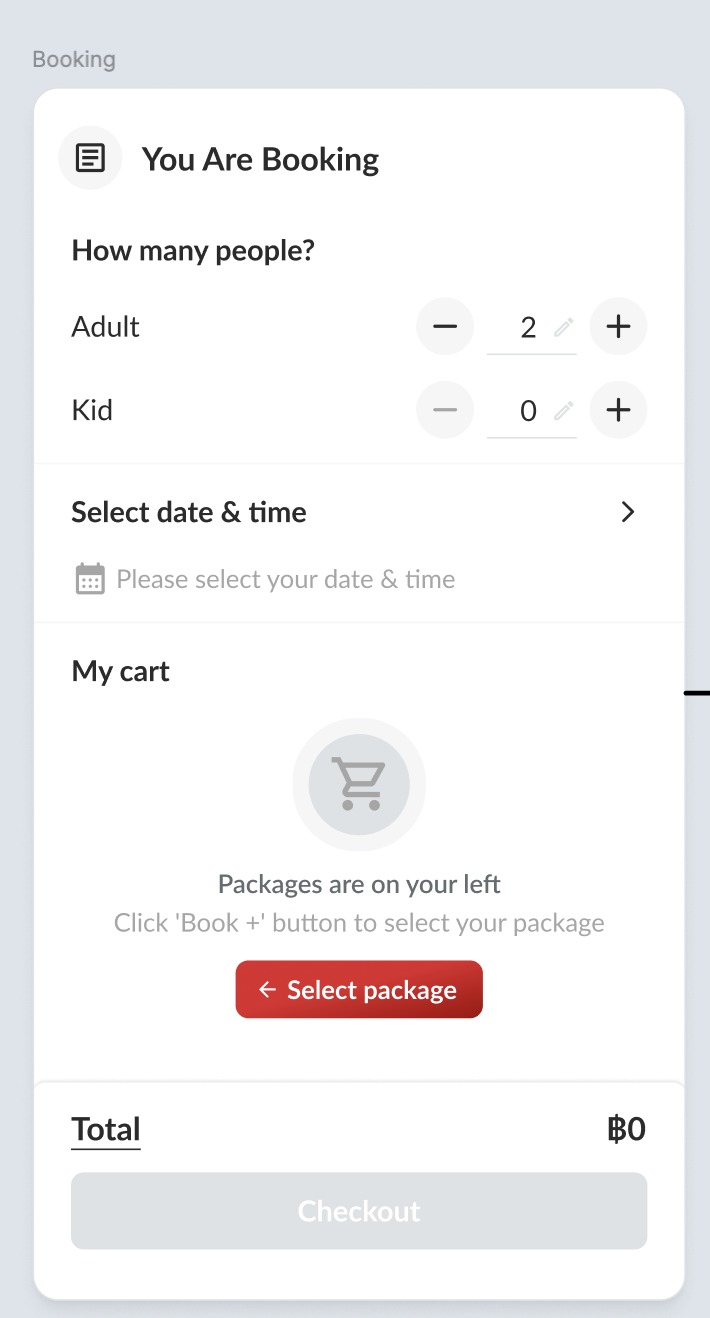 When the package has been selected, show the short description (if any) 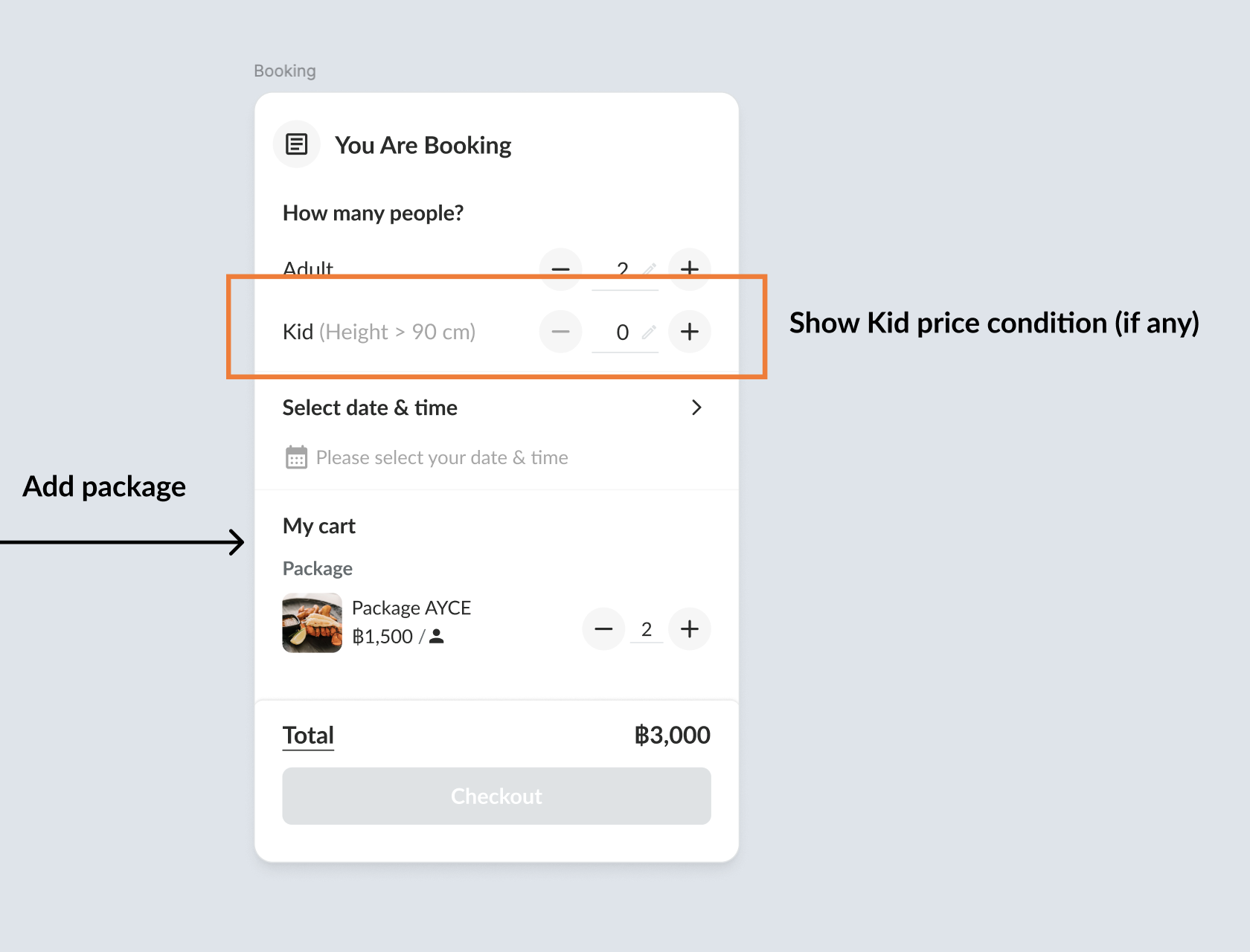 |
| Select kid quantity first | When select kid quantity first (add kid before package), don't show the kid description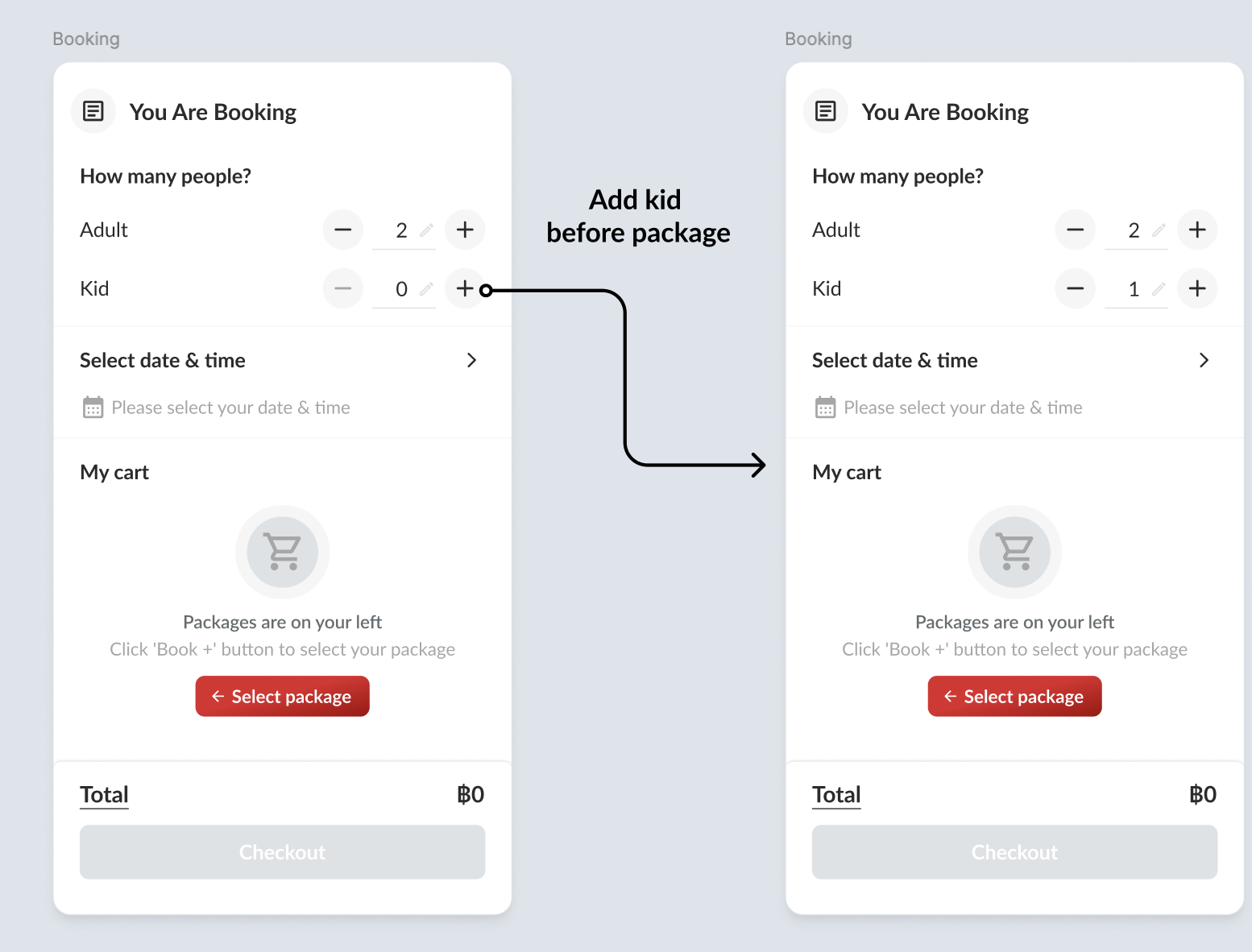 After add package, will show the kid description (if any) and show the alert 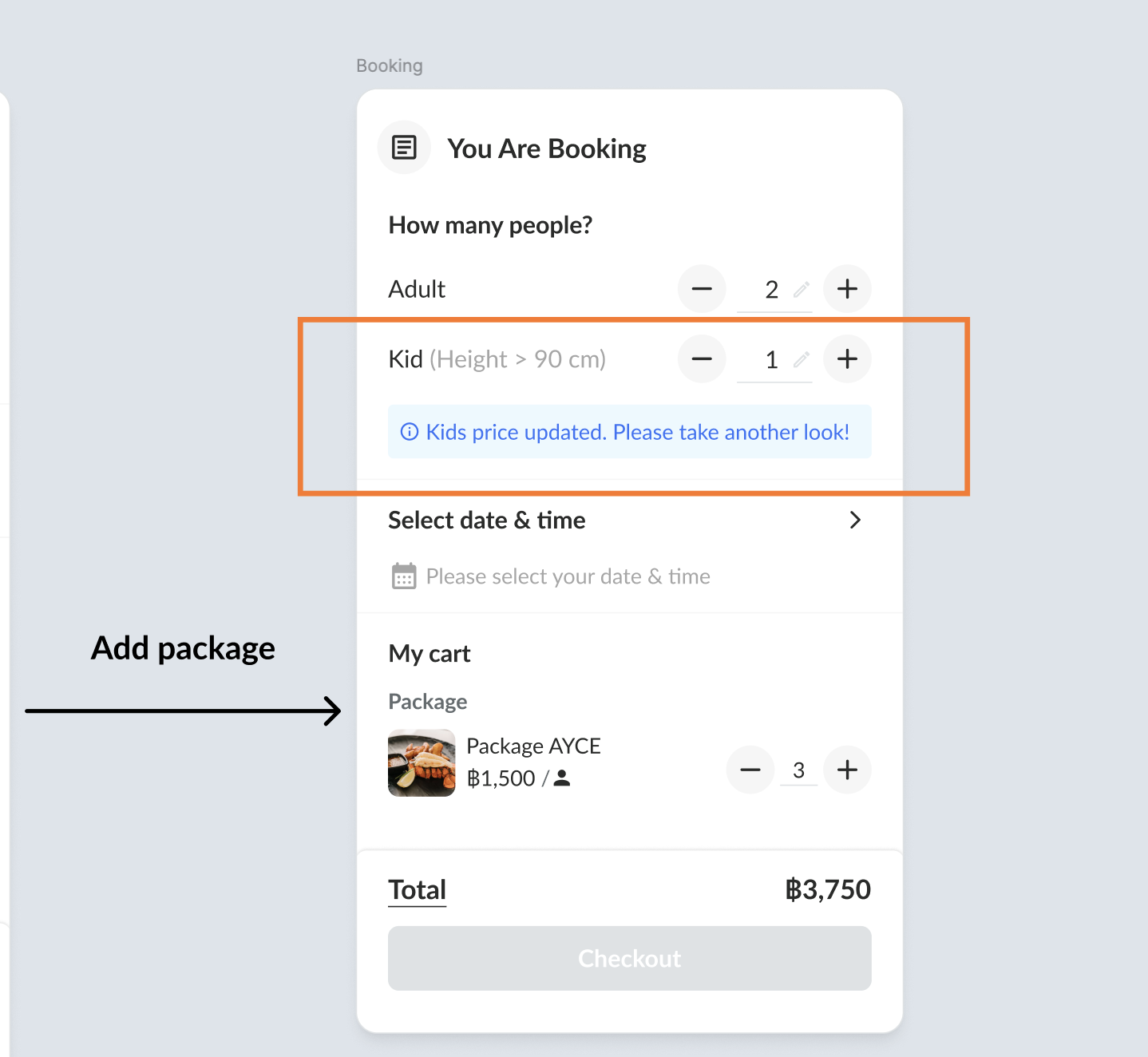 |
❓ FAQ
| Question | Answer |
|---|---|