Redirect to Rating Page from Email/SMS
Overview
| Product Name | Redirect to Rating Page from Email |
|---|---|
| Epic | Increase user participation in providing rating after making a booking on the Hungry Hub platform |
| Team Channel | |
| Product Manager | [@Umam Syarief](javascript: void;) |
| Designer | [@Scene](javascript: void;) |
| Engineer | |
| QA Engineer | [@team-qa](javascript: void;) |
| Technical Writer |
Objective
Facilitate users in providing ratings by sending the rating page directly via email.
Possibilities
Gain
- Providing a direct link to the rating page in the email simplifies the process for users, resulting in higher completion rates for reviews.
- Sending review pages via email encourages users to provide feedback promptly after their booking experience, increasing overall user engagement with the platform.
Pain
- There is a risk of email delivery failures, such as emails being marked as spam or not reaching users' inboxes, impacting the effectiveness of the feature.
Goals & Success Metrics
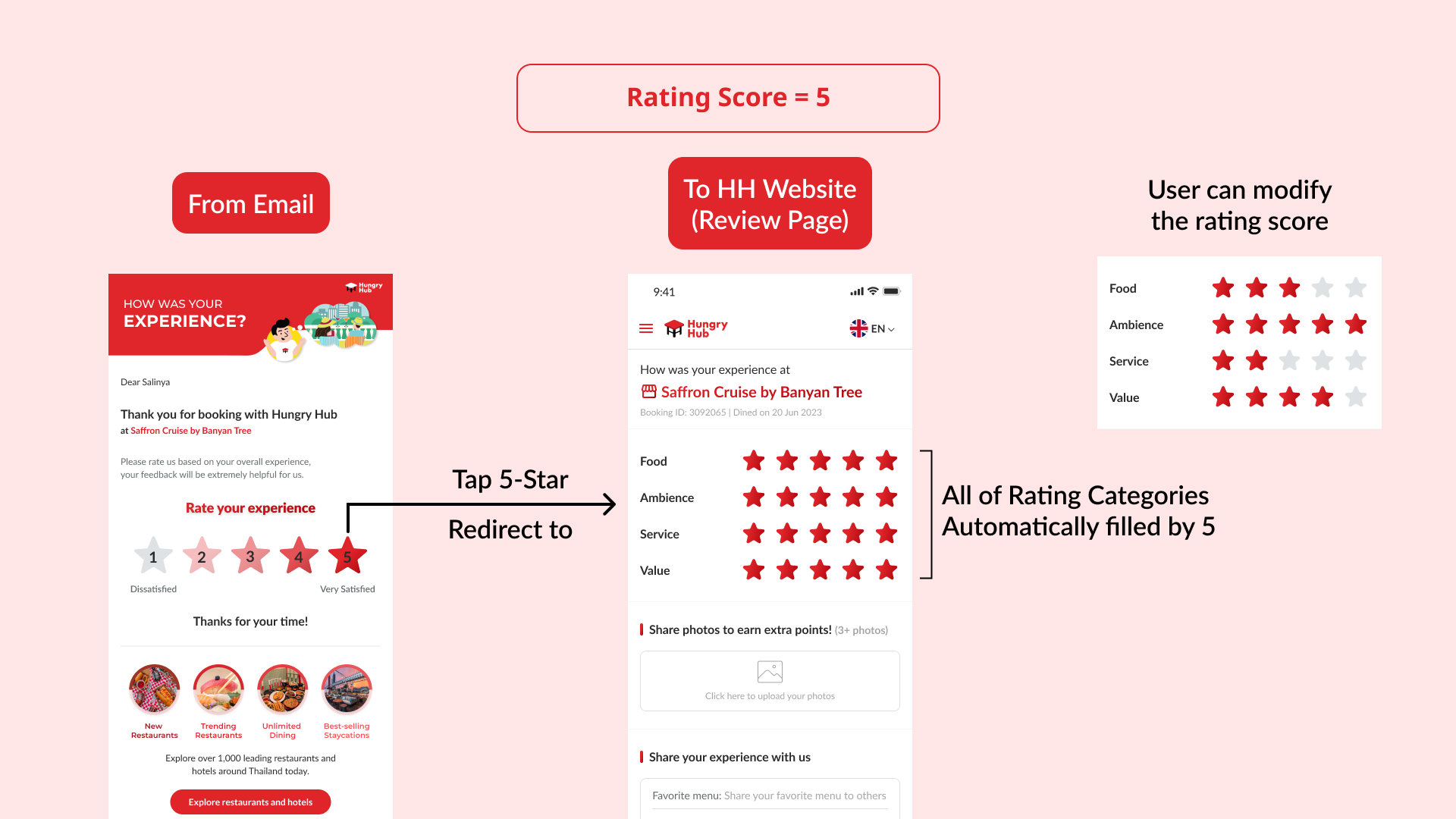
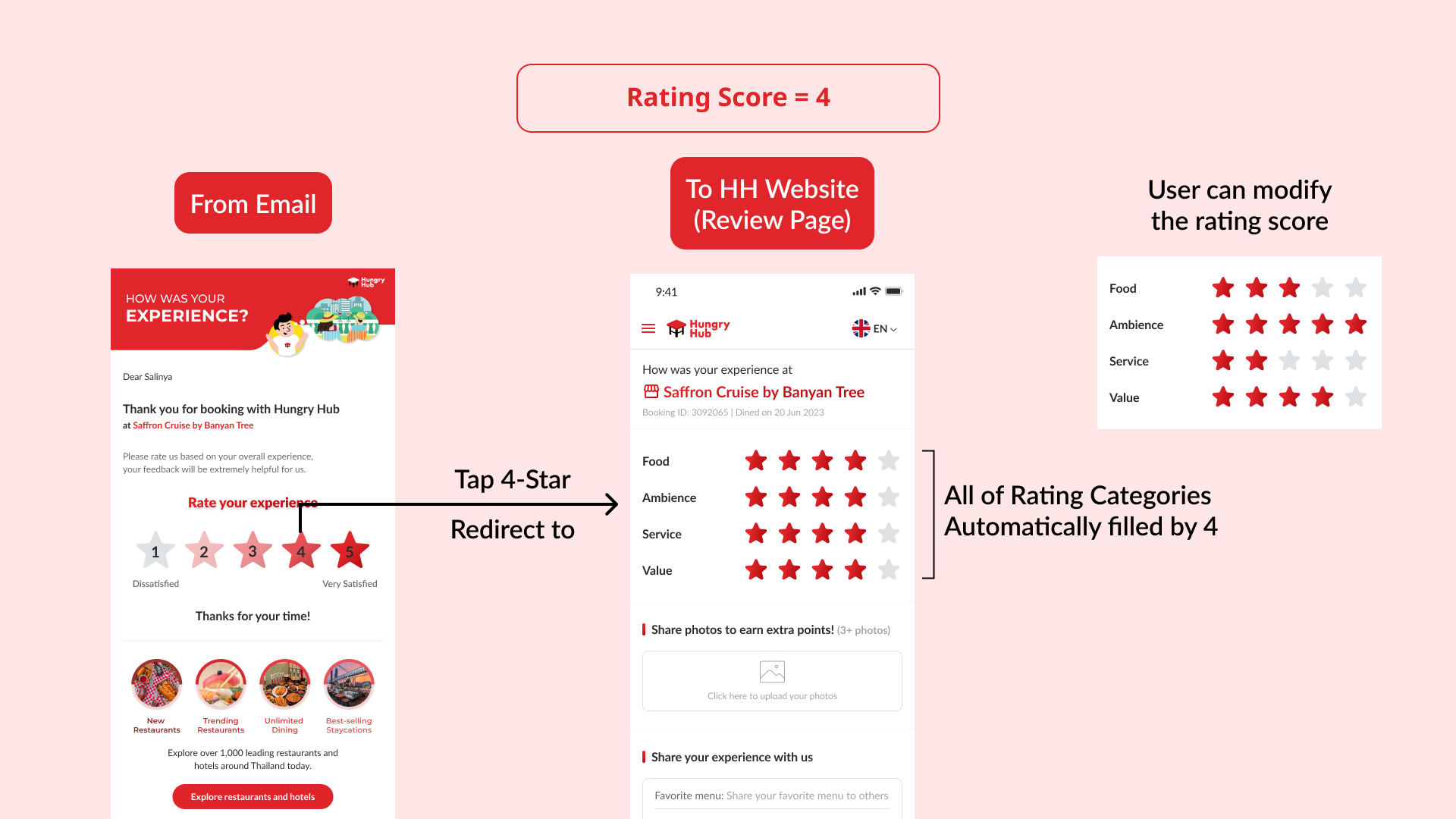
For 4 and 5 star rating
User can make a review from email
- User gets message in email
- Click/tap the star/score rating (overall experience). For this condition, user only chooses a 4 or 5 star rating.
- Redirect to review page (Hungry Hub Web)
- User has automatically submitted the score/rating (based on clicked rating from email)
- Basically, user is on the edit review page. All of rating categories are automatically filled out based on the submitted rating
- User can modify each of star/score rating in each category (if needed)
For the example, We can check the preview here
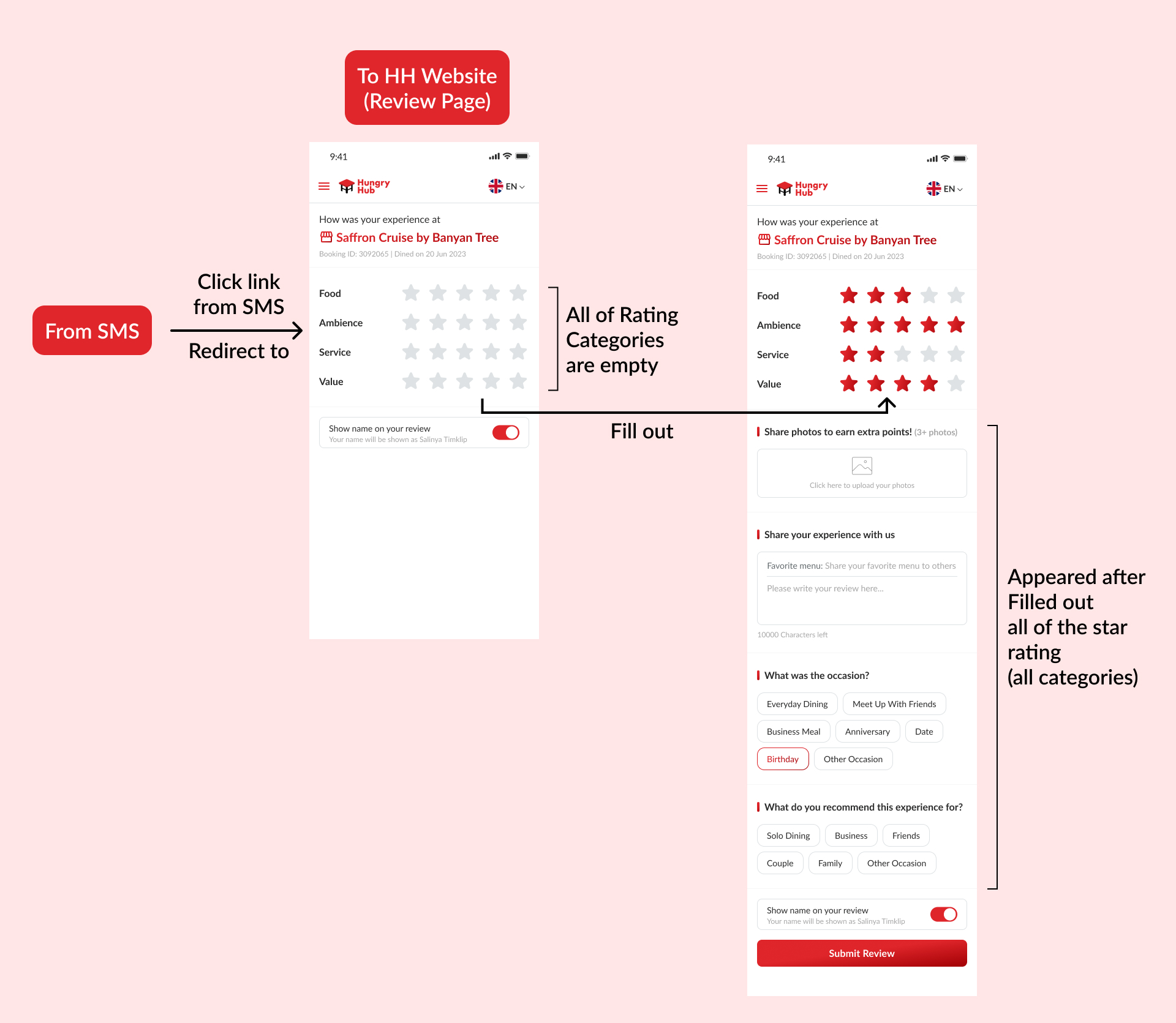
User can make a review from SMS
- User gets the message in SMS
- Click/tap the link
- Redirect to review page (Hungry Hub Web)
- All of rating categories are empty, user can fill out all of them
- Once the all of star rating categories are filled, other forms will be appeared
We can check the preview here
For 1, 2 and 3 star rating
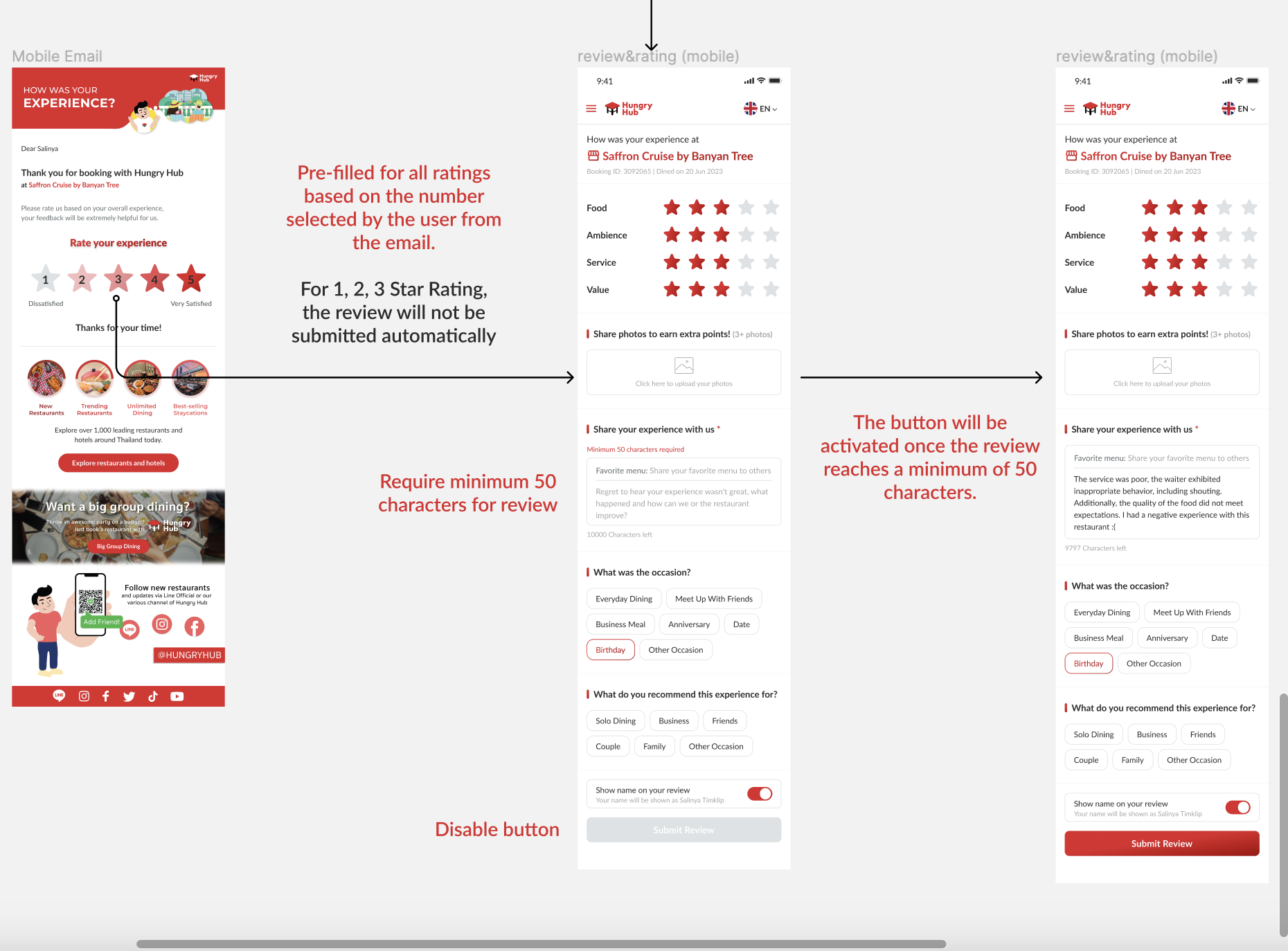
User can make a review from email
- User gets message in email
- Click/tap the star/score rating (overall experience), For this condition, user only choose a 1, 2 or 3 star rating.
- Redirect to review page (Hungry Hub Web)
- User hasn't automatically submitted the score/rating
- All of rating categories are automatically filled out, (based on clicked rating from email). but it does's not automatically submit the score/rating
- User can modify each of star/score rating in each category (if needed)
- User must fill out "Share your experience with us" form with minimum 50 characters to activate the "Submit review" button
For the example, We can check the preview here
User can make a review from SMS
- User gets the message in SMS
- Click/tap the link
- Redirect to review page (Hungry Hub Web)
- All of rating categories are empty, user can fill out all of them
- Once the all of star rating categories are filled, other forms will be appeared
- User must fill out "Share your experience with us" form with minimum 50 characters to activate the "Submit review" button
We can check the preview here
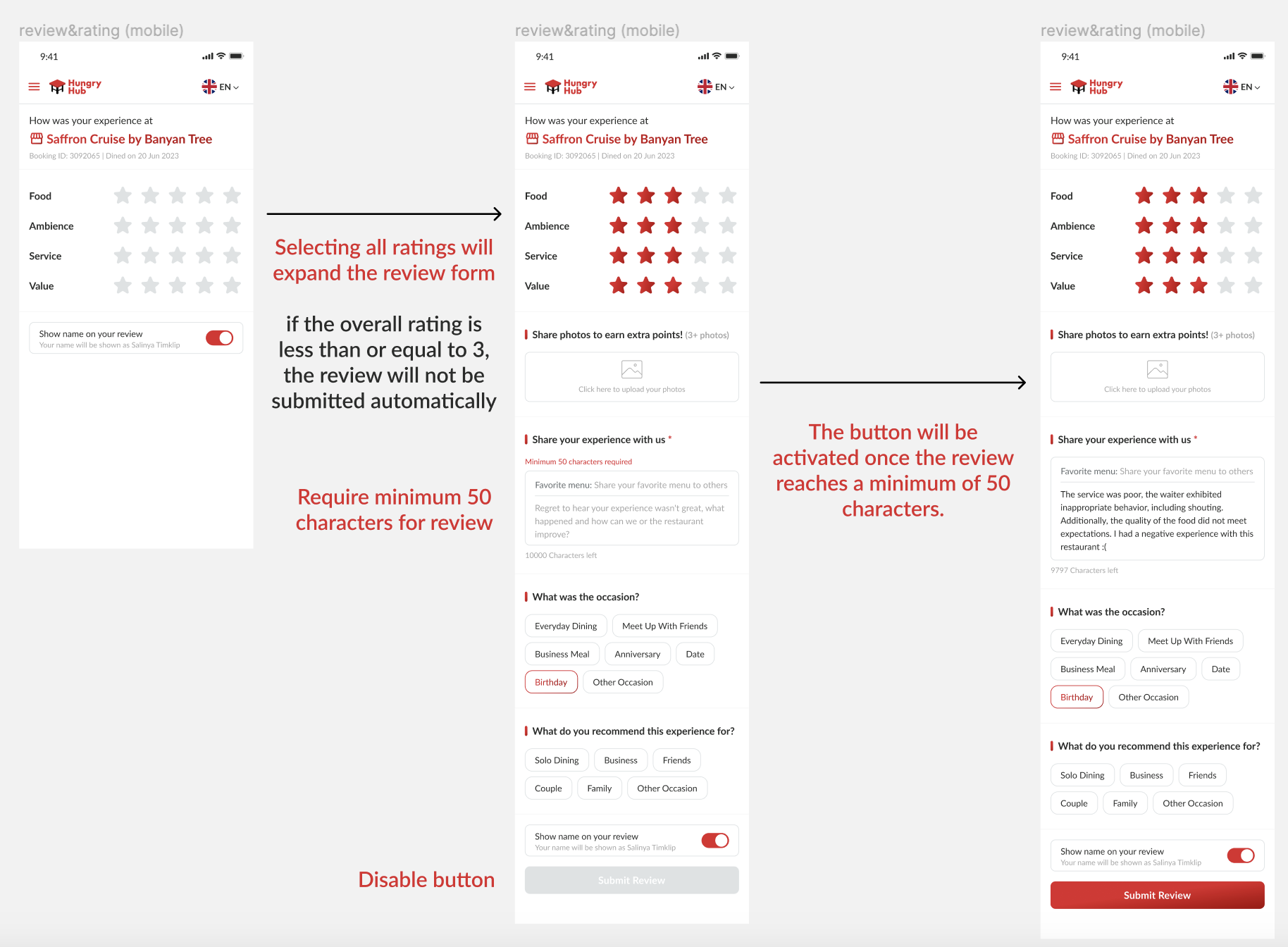
Please, kindly check full of the design here : https://www.figma.com/file/co41MQXvIT2Cu4lUZNZF0Z/Review-%26-Rating?type=design&node-id=0%3A1&mode=design&t=M7PPoptToU2OoUWO-1 Note :
- if we open the email with mobile device, the mobile view (hungy hub website) will be displayed
- if we open the email with desktop device, the desktop view (hungy hub website) will be displayed
FAQ & Considerations
What if user want to give the rating from mobile app/website (not from email/SMS)?
Nothing is filled out (star/score rating) like from email.
the star/score rating are empty. So, user must fill out each categories of star/score rating by him/herself manually.
Is there any requirement for filling out the form?
Please kindly check the figma design (this is the preview)
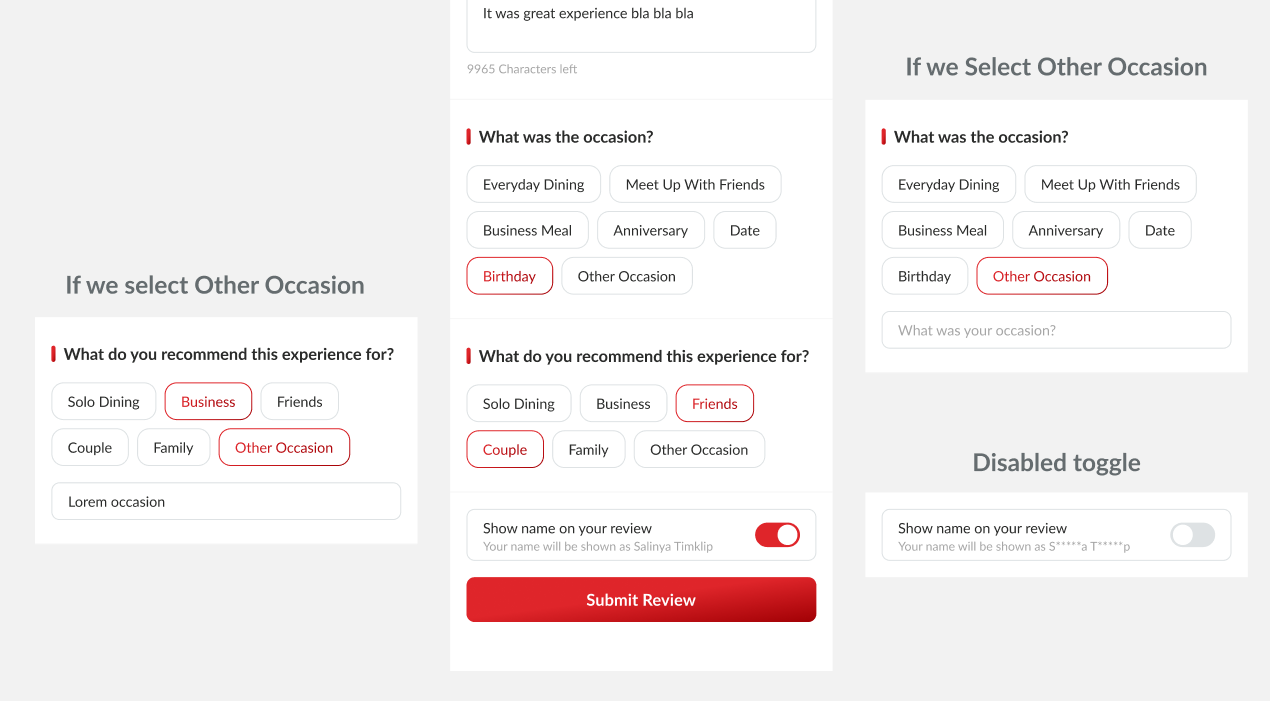
Don't forget about the "Show name on your review" conditions Private (https://app.clickup.com/9003122396/docs/8ca1fpw-7922/8ca1fpw-34216)
Timeline
Sprint TBD