Display Loyalty Level on the Review Section
Overview
| Product Name | Display Loyalty Level on the Review Section |
|---|---|
| Epic | aims to provide additional motivation for other users to trust the reviews given |
| Team Channel | |
| Product Manager | [@Umam Syarief](javascript: void;) |
| Designer | [@Scene](javascript: void;) |
| Engineer | |
| QA Engineer | [@team-qa](javascript: void;) |
| Technical Writer |
Objective
By implementing loyalty levels in the review section, we can address the issue of trust and credibility in reviews. These tier levels serve to distinguish reviewers based on their activity, experience, or contribution to the platform.
Background
In review section, it's hard to tell if a review is credible or not. Some reviewers make fake reviews. This makes it tough for users to trust reviews. By displaying loyalty level alongside the reviewer's name (on the review section), we hope to encourage honesty and make reviews more reliable for everyone.
Possibilities
Gain
- Users may feel more confident in the reliability of reviews when they see the loyalty level of the reviewer. This could lead to increased trust in the platform overall.
- With more trustworthy reviews, users can make more informed decisions about which products or services to use, resulting in a better overall user experience.
Pain
- Some users may attempt to game the system by artificially increasing their loyalty level to appear more trustworthy, potentially undermining the effectiveness of the feature.
- Users may unfairly judge reviews based on the loyalty level of the reviewer rather than the content of the review itself, leading to biases in decision-making.
Goals & Success Metrics
What are the goals or objectives of this product? What are the success metrics that indicate the goals have been achieved?
- Users can see the reviewer loyalty status alongside the reviewer's name
Here is the preview :
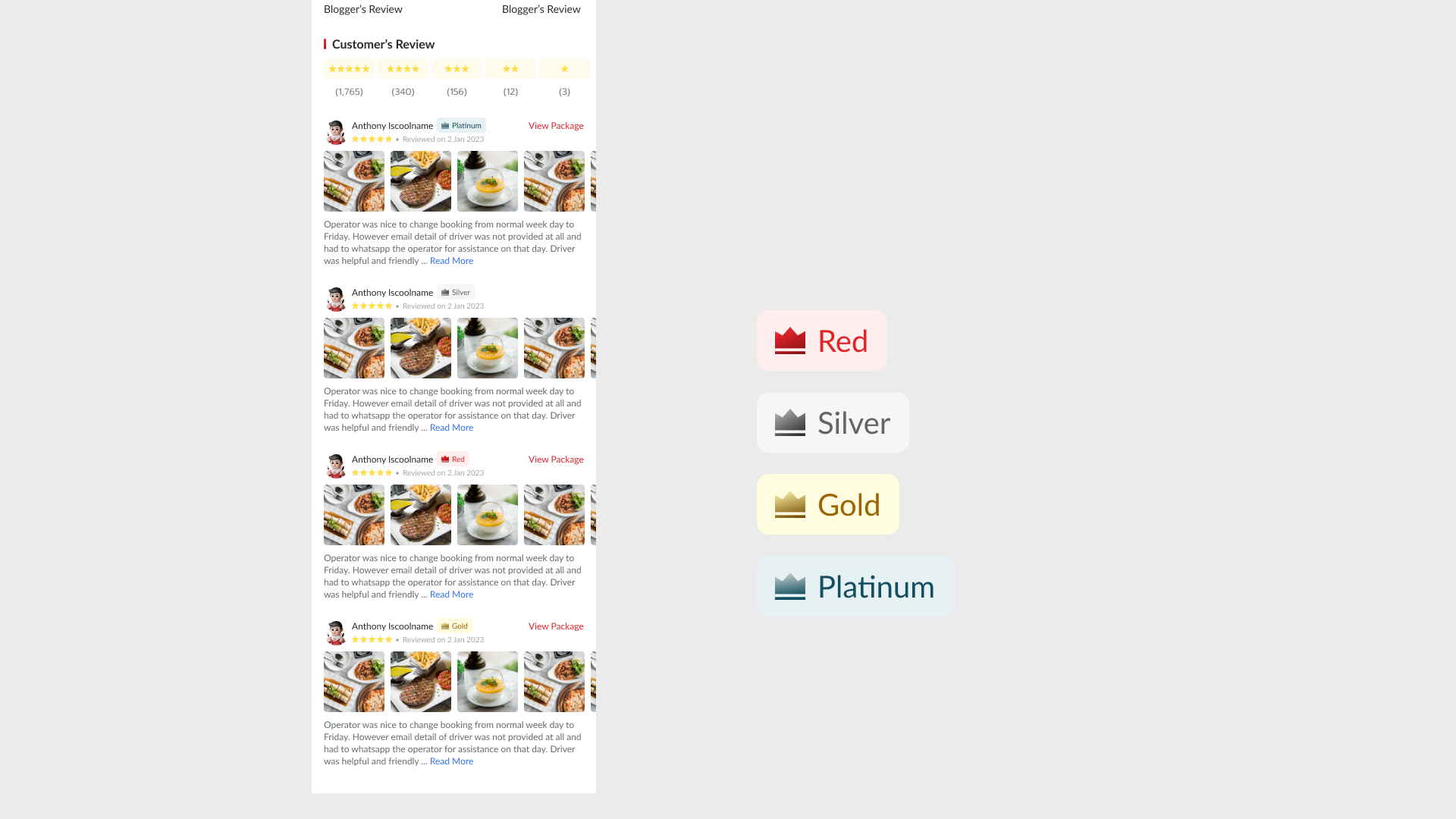
Please kindly check the figma design here https://www.figma.com/file/mtDPuqqVLXPrKO3CmGRfdK/Loyalty-Level-on-the-Review-Section?type=design&node-id=0%3A1&mode=design&t=t4L9XMmqclemAjYq-1
FAQ & Considerations
Where can we see the loyalty level description? Private (https://app.clickup.com/9003122396/v/dc/8ca1fpw-21762)
Timeline
Sprint TBD