Price Visibility Configuration for Menu Pages
Overview
This feature enables restaurants to configure whether or not prices are shown for each menu item on two customer-facing menu views:
- QR Code Menu Page – shown when a customer scans a QR code at the restaurant.
- New Menu Store Page – shown when a customer clicks the "Menu" button from the package view on the restaurant's store page. A setting will be provided in the admin dashboard menu master list (HH Menu v2 and HH Menu v3) to control price visibility separately for each view.
Design File :
[
www.figma.com
https://www.figma.com/design/BIXEZKqq8npMPpE7lu4lCK/Comparing-packages-table?node-id=1614-517&t=GSWjgF0oFk9F6GZw-1
](https://www.figma.com/design/BIXEZKqq8npMPpE7lu4lCK/Comparing-packages-table?node-id=1614-517&t=GSWjgF0oFk9F6GZw-1)
Problem Statement
Some restaurants prefer not to display prices on QR code menus (e.g., fine dining or promotional events), while others require transparency by always showing prices, especially on web store pages. Previously, price visibility was static and could not be tailored per view, leading to inconsistent customer experiences and misalignment with restaurant preferences.
Goals and Objectives
- Allow restaurant admins to configure whether to show/hide prices on:
- QR Code Menu Page
- New Menu Store Page
- Display the menu according to this setting across all devices.
- Respect and persist separate configurations for each view.
- Ensure fallback logic (e.g., default to "without price" if not set).
User Stories / Use Cases
Persona 1: Restaurant Manager (Fine Dining)
- As a manager, I want to hide prices on the QR code menu to offer a premium dining experience without cost consideration.
Persona 2: Restaurant Owner (Casual Dining)
- As a restaurant owner, I want to display prices on both the store menu and QR menu to inform customers clearly.
Persona 3: HungryHub Operations Team
- As an operations admin, I want to verify each restaurant’s preference is reflected correctly in the frontend based on their configuration in the admin dashboard.
Feature Scope
Must-Have
- New admin dashboard (menu master list) controls in HH Menu v2 and HH Menu v3 to configure:
- “Price (Web Display)” — setting for Store Menu Page
- “Price (QR Scan)” — setting for QR Code Menu Page
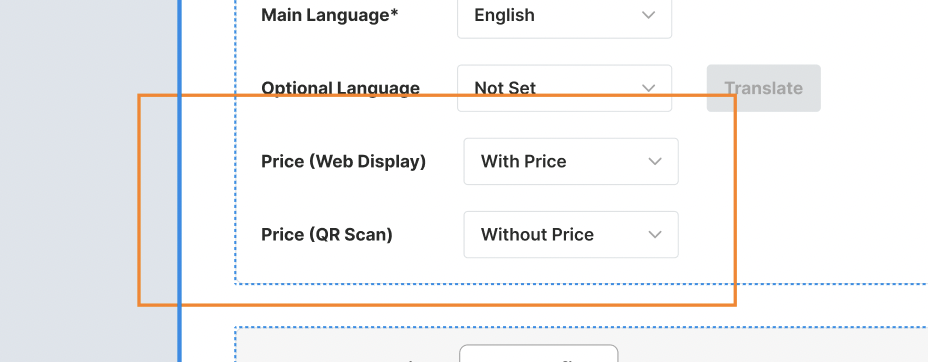
- Dropdown options:
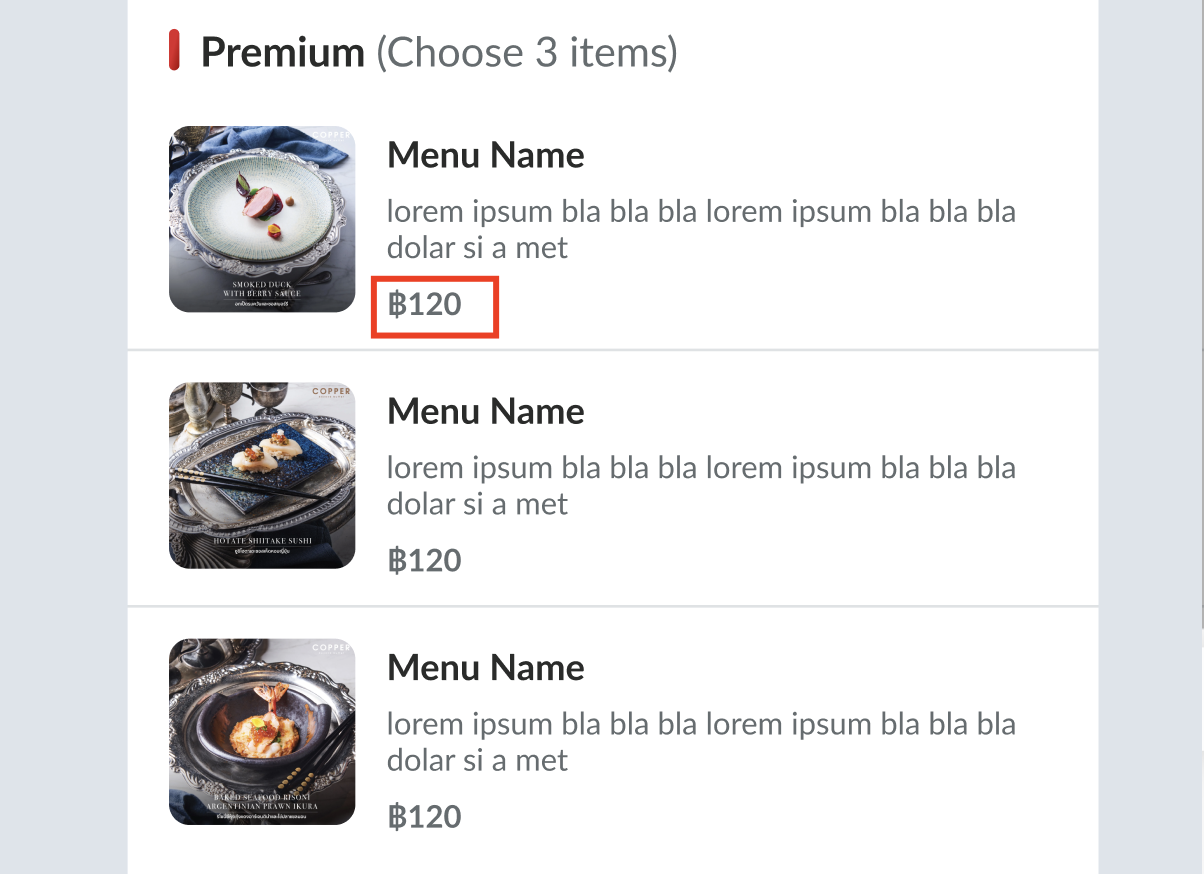
- "With Price"
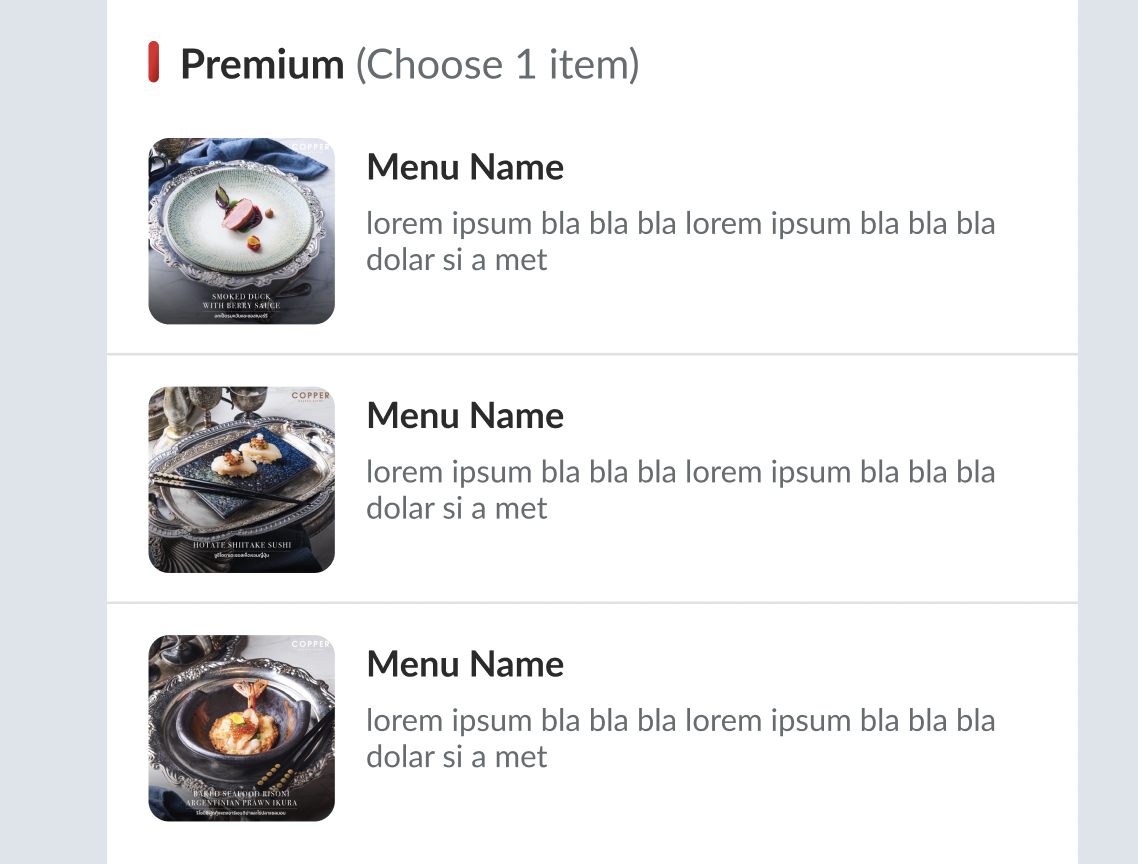
- "Without Price"
- "With Price"
- Reflect the correct visibility setting in the frontend.
- Fallback to "With Price" if no configuration is set.
- Different behavior for v2 and v3 supported consistently.