Packages view on Search page
🧾 History
| Date | Changes | Link | By |
|---|---|---|---|
| 17 April 2024 | List of Changes Add a Tab bar which consists of outlets and packages on search pageAdd restaurant information on package page and redirect it into restaurant page Add package tag on filter | This PRD | Umam |
📕 About
| Context | Currently, on the search page, users can search for the restaurant they want. Sometimes users need to search for available packages rather than available restaurants. By displaying the package on the search page, users can search for it more easily. |
|---|---|
| Problem | User can't search the package on search page |
| Solution | Provide feature that can help user to search based on the package |
| Name of Feature | Packages view on Search page |
| Objective | To enhance user experience and engagement by allowing users to search for and discover packages directly on the search page. |
| Gains | By implementing the "Packages View on Search Page" feature, users can easily search for and discover packages alongside restaurants, enhancing the overall user experience and satisfaction. |
| Pains | Without the ability to search for packages directly on the search page, users may become frustrated by having to perform additional steps to find what they're looking for. |
| Figma Link | https://www.figma.com/file/wXoVgVlHGkGSTkE5DJJlKk/Packages-view-on-Search-page?type=design&node-id=37%3A3080&mode=design&t=Q0JkMWGbv28DJ1Qj-1 |
| Available Platform | Web/Android/iOS |
| Sprint | TBD |
| Related PRD | - |
| Out of Scope | Old Store Page |
🎯 User Story & Requirement
Display Tab bar which consists of outlets and packages on search page
| User Story | Requirement |
|---|---|
As a user, i want to search package on the search page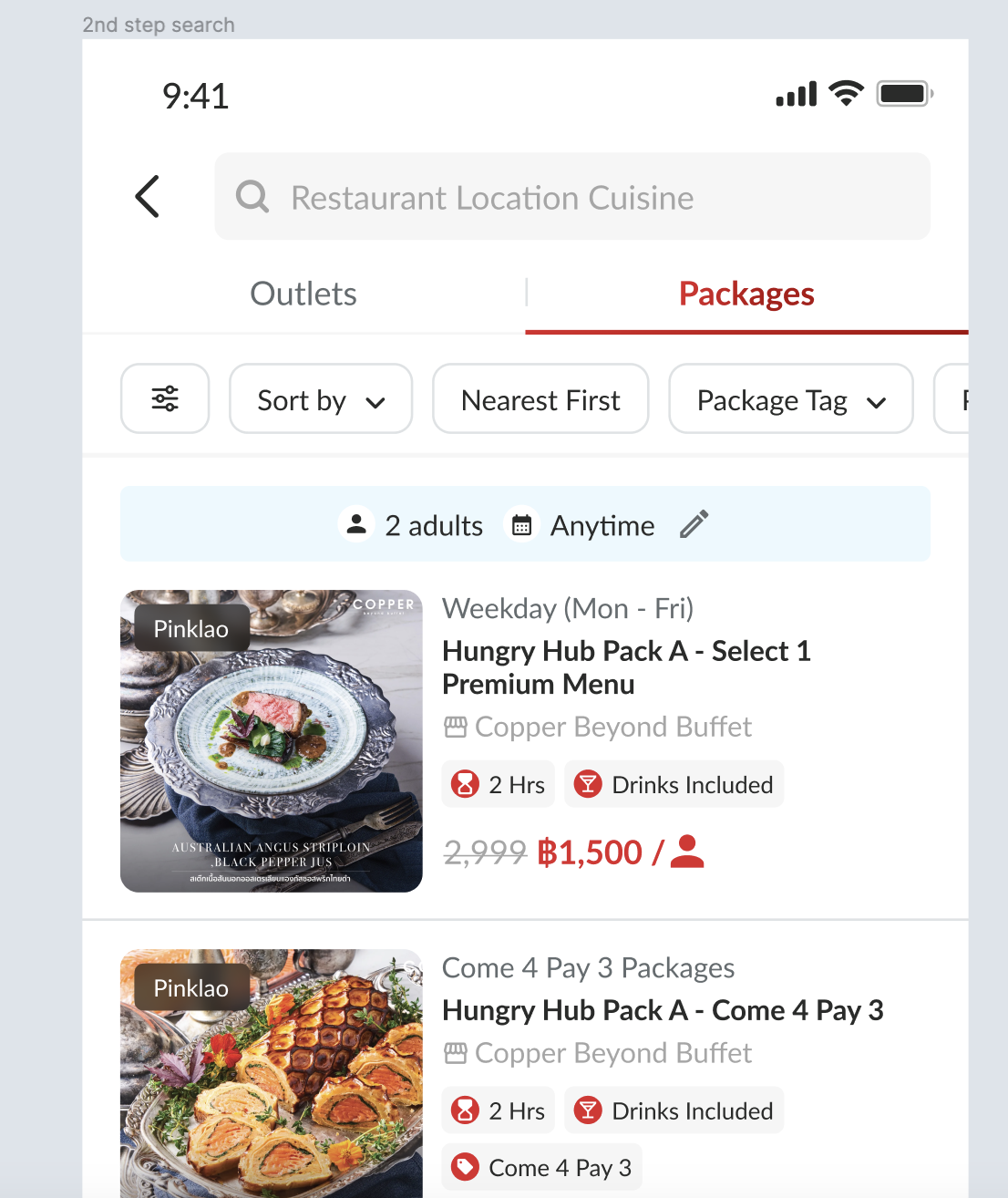 | Provide Tab bar which consists of outlets and packages on search pageUsers must switch tabs first if they want to search for packages Package elements consist of Image / thumbnailBranch NamePackage CategoryPackage NameRestaurant NameLabel / Additional informationPrice and Quantity |
| Mobile | Desktop |
|---|---|
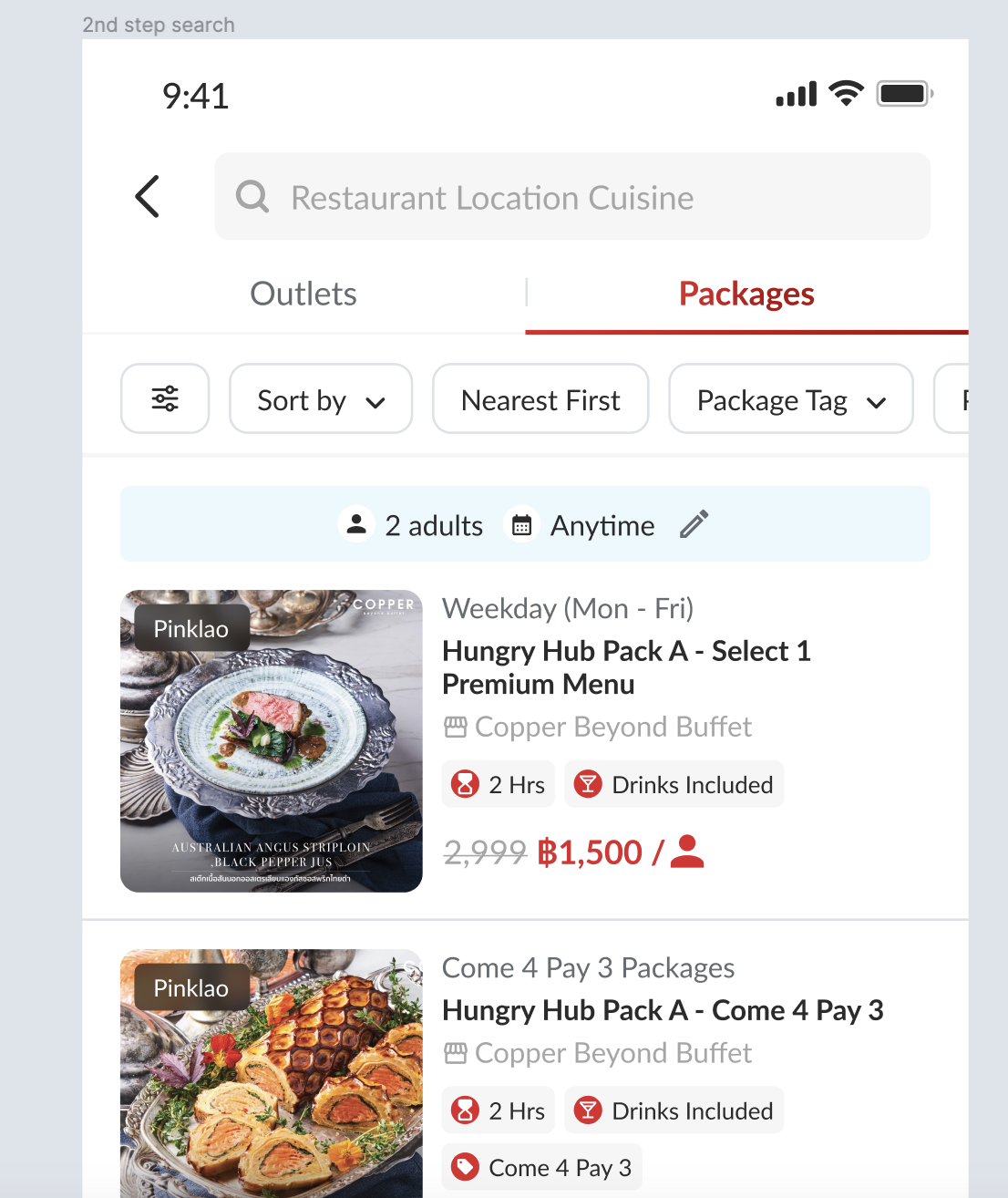 | 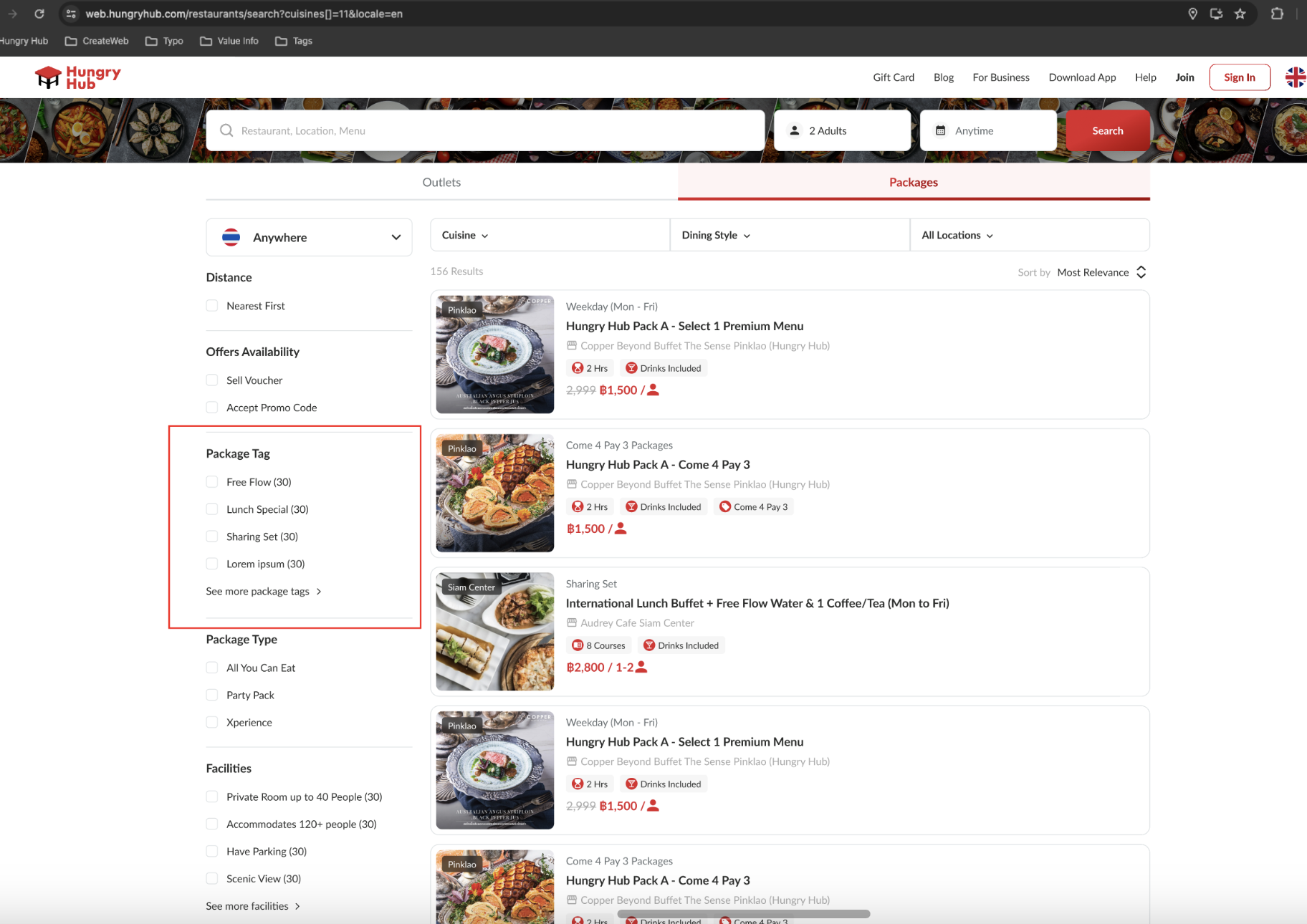 |
Package tag filter on search page
| User Story | Requirement |
|---|---|
As a user, I want to narrow down my search by using Package TagFlow : Go to Search pageGo to filter setting Click Package tagChecklist the required items Click Save button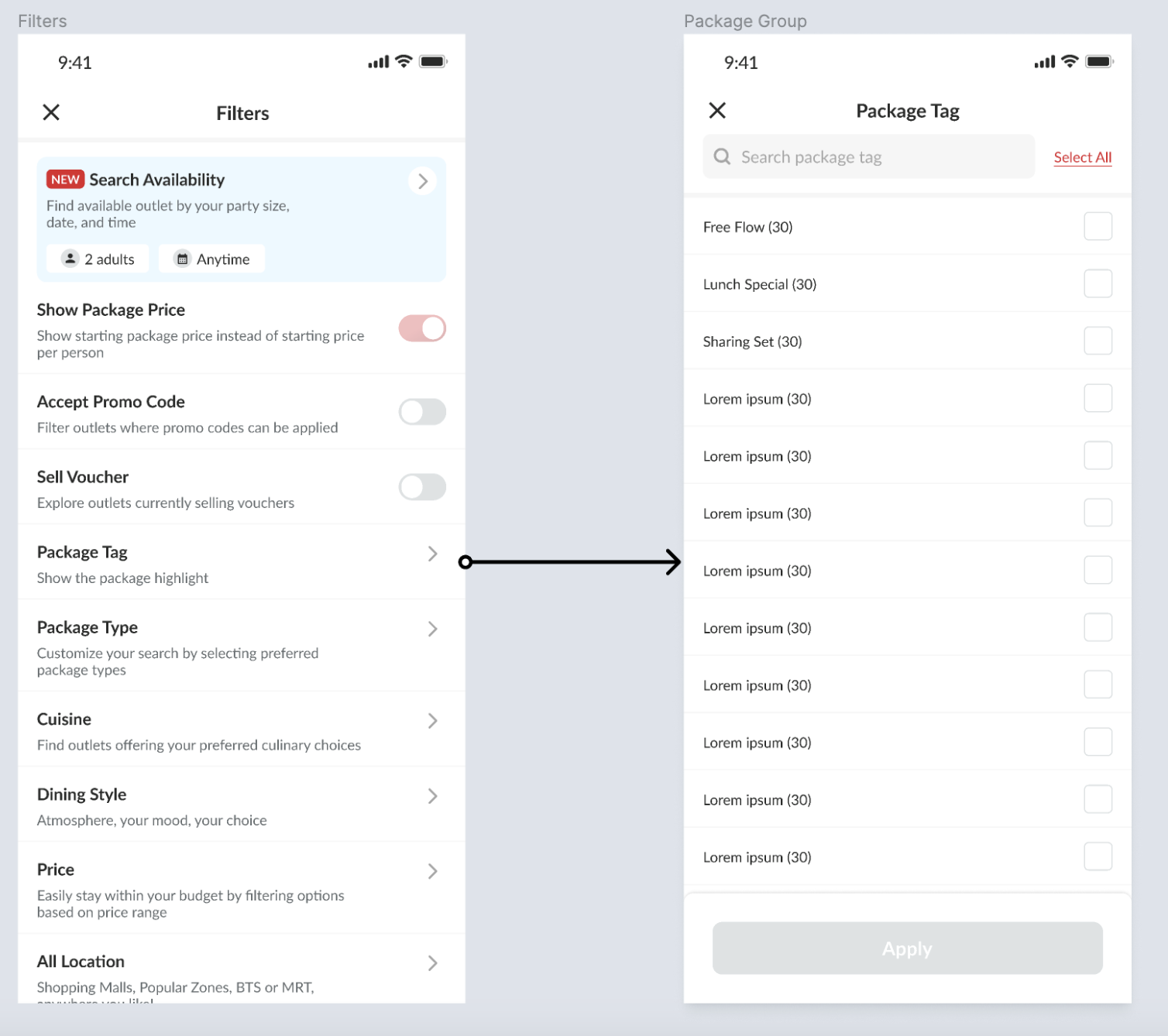 | Provide Package Tag menu on the filters pageProvide checkbox to select the required item Can choose more than 1 item |
| Mobile | Desktop |
|---|---|
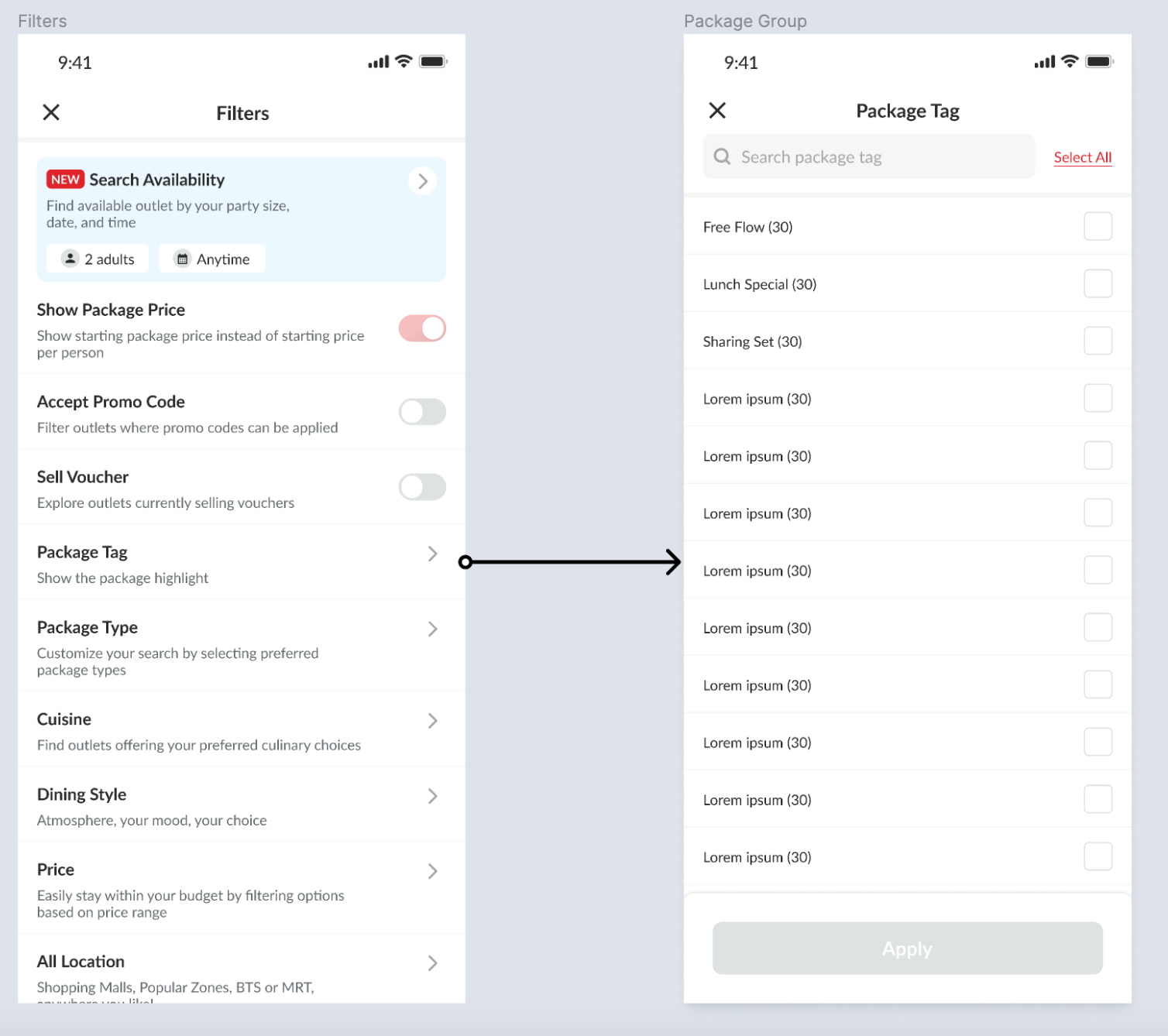 | 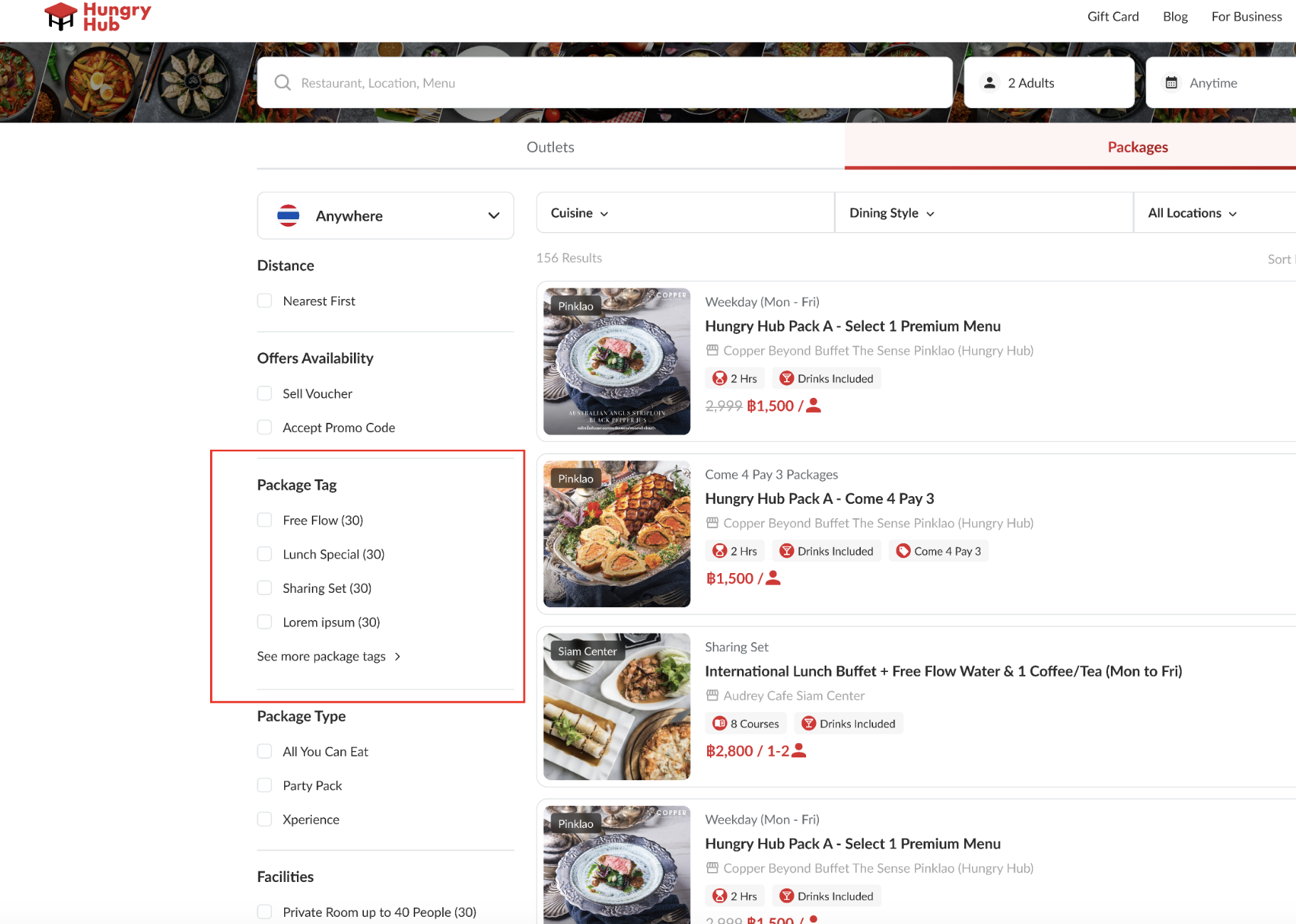 |
Confirmation Page
| User Story | Requirement |
|---|---|
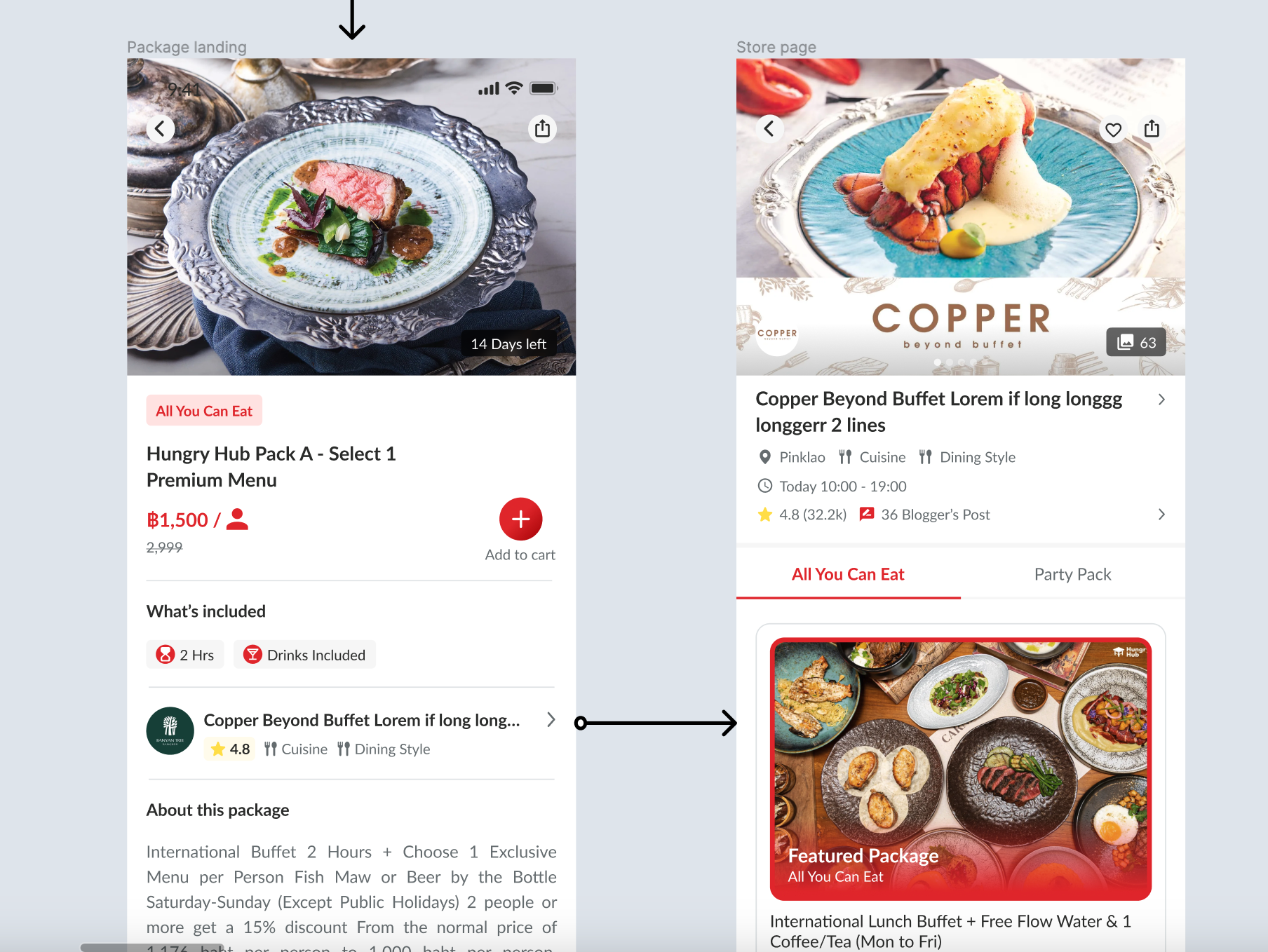
As a user, I want to check the restaurant that provides the package (on the package detail page)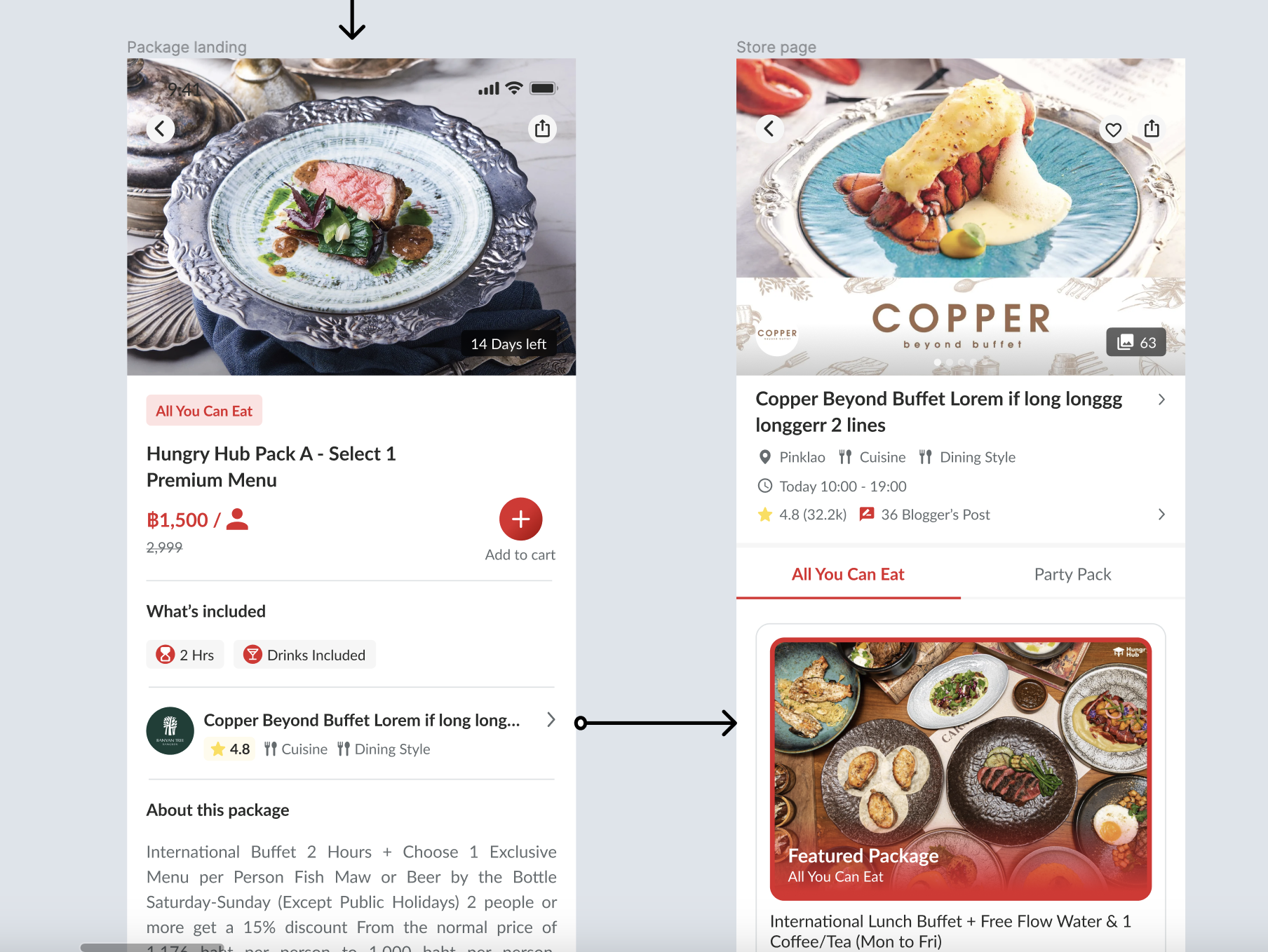 | Provide restaurant section on the package detail pageAfter clicked, it will be redirected to restaurant pageRestaurant section elements consist of Restaurant nameRating / New label (if new restaurant)Restaurant categoryArrow Right Icon |
| Mobile | Desktop |
|---|---|
 | 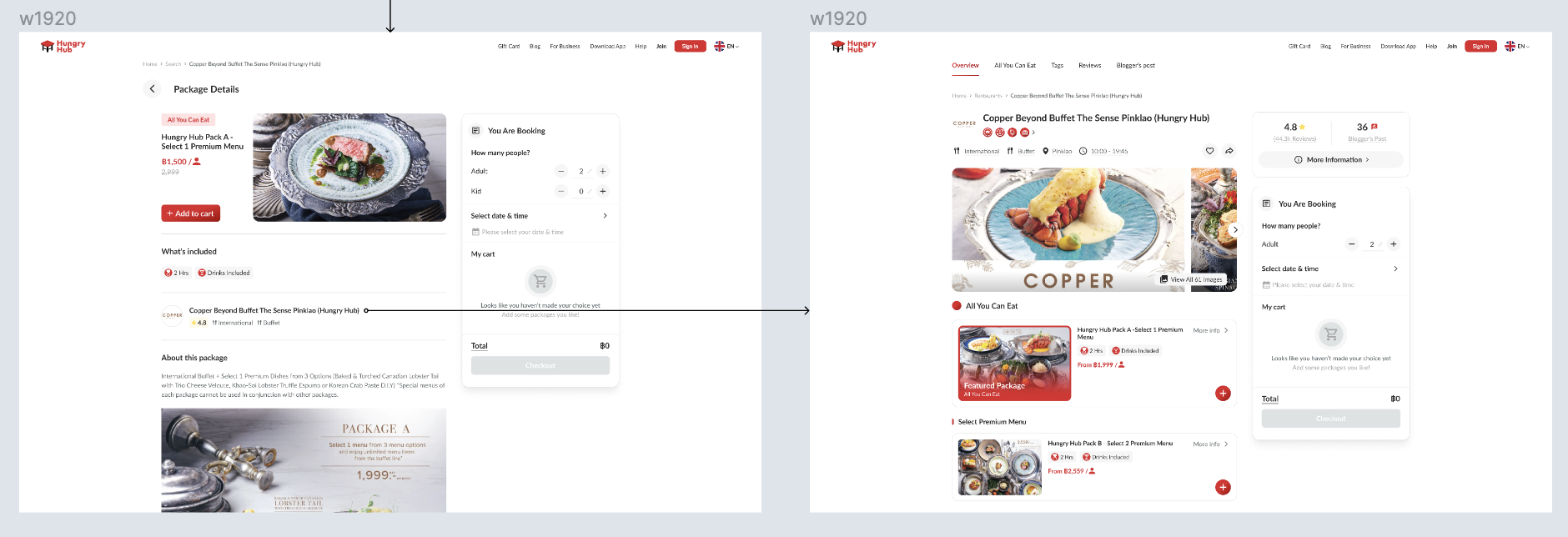 |
❓ FAQ
| Question | Answer |
|---|---|
| Why is it only applied to new store pages? | If this feature is implemented soon, we should need old and new store page. Because there is still no plans for implementation, we assume that all store pages will use the new store page in the future. |
| How about mobile view? | Mostly, the designs and flows are same, pls kindly check the figma |