Group Landing Page
🧾 History
| Date | Changes | Link | By |
|---|---|---|---|
| 26 March 2024 | List of Changes Implement Sorting and Filter on the group landing page Allow to display multiple tags | Private (https://app.clickup.com/9003122396/docs/8ca1fpw-7922/8ca1fpw-36336) | Umam |
| 8 May 2024 | List of Changes Add some cases Empty State Add detail information about the usage of filter and sorting | This PRD | Umam |
📕 About
| Context | Group landing page is a page created for a specific purpose, such as a marketing campaign or special event. At the moment, group landing page includes restaurants with specific tags, customer reviews and blogger reviews |
|---|---|
| Problem | Users may feel overwhelmed and struggle to find relevant information quickly due to the lack of organization and filtering options on the group landing page Limitation in setting only one tag per group landing page restricts the ability to effectively categorize and showcase restaurants |
| Solution | Users can use filter restaurants as existing system. Sorting options such as popularity, rating, or distance can further enhance the user experience by prioritizing relevant results Enhance the flexibility of the group landing page by allowing the display of multiple tags. This enables better categorization and organization, allowing users to easily identify restaurants that match their specific interests or requirements. By showcasing multiple tags, users can gain a comprehensive overview of each restaurant's features, specialties, and characteristics, facilitating informed decision-making |
| Name of Feature | Group Landing Page |
| Objective | Implement filter and sorting feature in group landing page Allow to display multiple tags in a group landing page |
| Gains | Once users become familiar with the new features, they can efficiently narrow down their restaurant choices based on their preferences the ability to view multiple tags enhances the overall organization and categorization of restaurants on the group landing page, making it easier for users to navigate and explore the available options |
| Pains | Implementing the display of multiple tags may require adjustments to the user interface and backend systems, potentially leading to technical challenges or bugs during the implementation phase. Users may initially find the additional filtering and sorting options overwhelming or confusing, especially if not implemented intuitively |
| Figma Link | https://www.figma.com/file/Ji8cN1UVYcYSVGfEA2hU4x/Group-Landing-Page-Enhancement?type=design&node-id=240%3A3760&mode=design&t=foPXckZ1K19J4Fbe-1 |
| Available Platform | Web (Desktop & Mobile view) |
| Sprint | TBD |
| Related PRD | Admin Side : |
| Out of Scope | TBD Homepage Setting on Admin Side Search by PDT (since hasn't released yet) View Package (since New UI hasn’t released yet) |
🎯 User Story & Requirement
Implement filter for restaurants in group landing page
| User Story | Requirement |
|---|---|
| As a user, I want to narrow my restaurant searching in group landing page with filters like on the search page | Provide filter for restaurants The filter will be same with the filter feature on the search page Implement filter only for restaurants (ignore for review and blogger post) Provide number of results 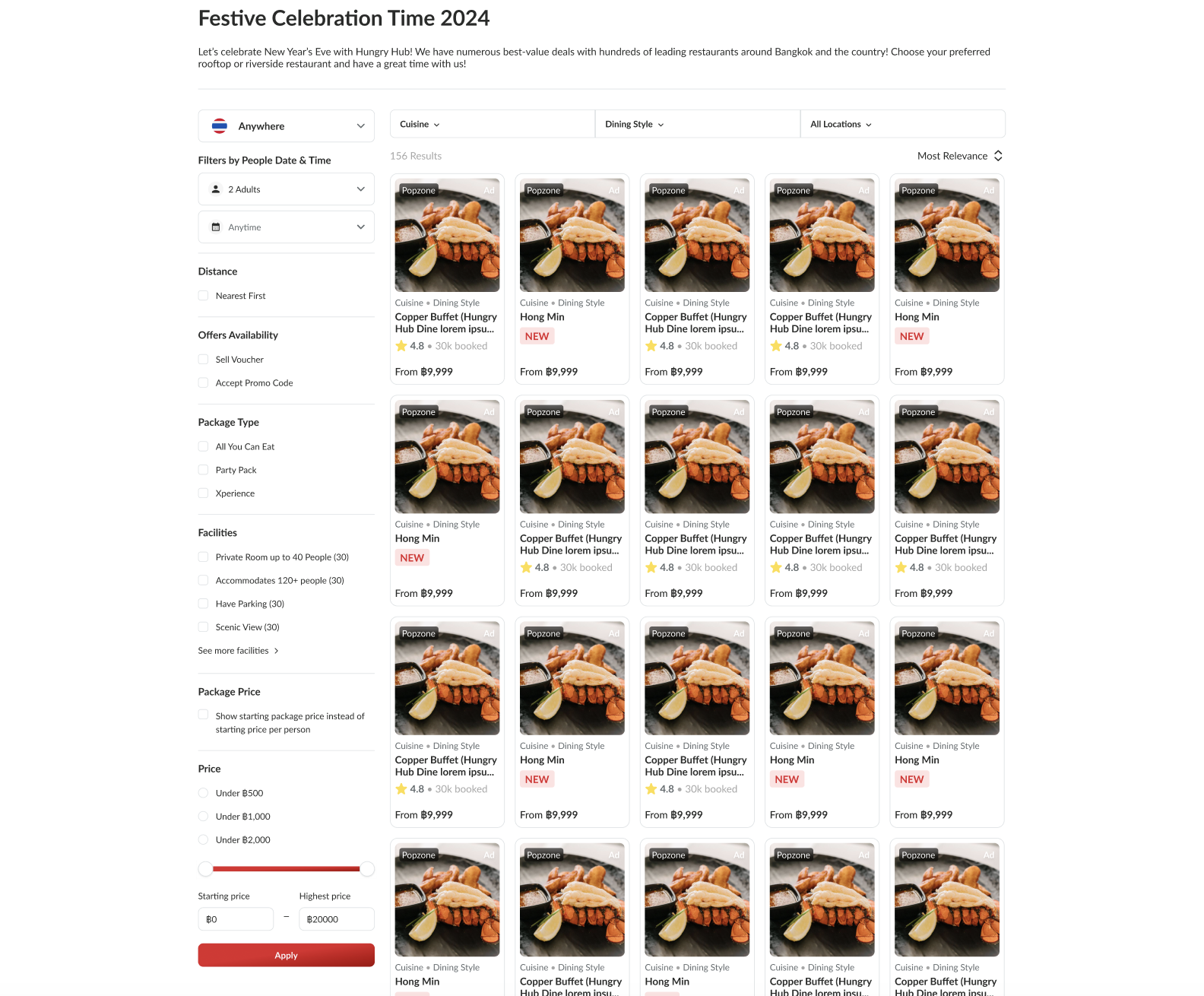 Provide Empty State if filter result is empty Only affect to restaurants list The elements Not Found Icon Title Description Clear All Filters button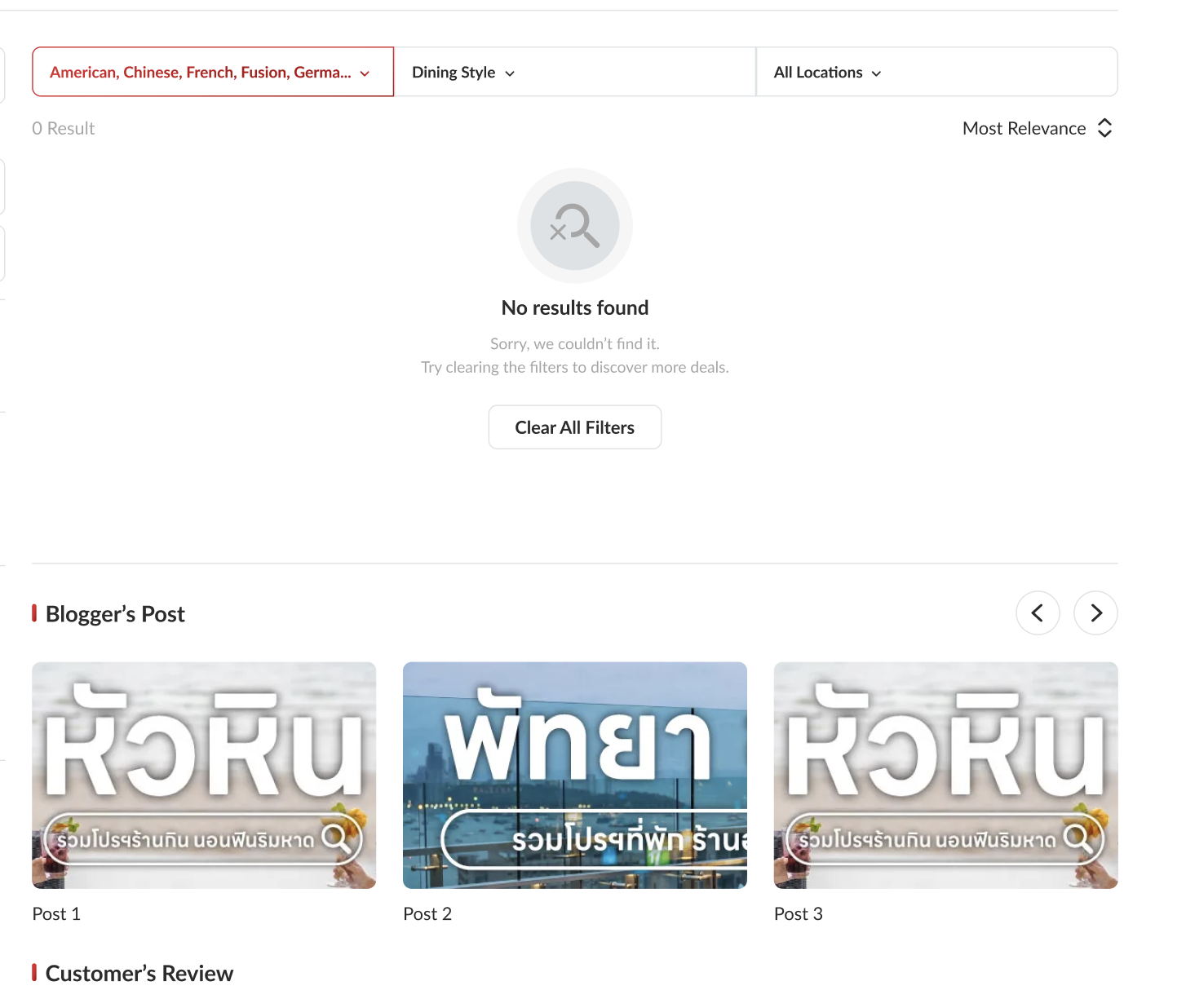 |
Implement sort feature for restaurants in group landing page
| User Story | Requirement |
|---|---|
| As a user, I want to sort my restaurant list in group landing page with filters like on the search page | Provide sort feature for restaurants The sort feature will be same with the filter feature on the search page Implement sort feature only for restaurants (ignore for review and blogger post) The options Most RelevanceIt depends on the admin side, there are 2 options : Rank by Default SortingAs our existing system; sort by GMV etc Rank by ManuallyAdmin is able to rank it by him/herself Lowest PriceHighest PriceMost LovedMost BookedNearest First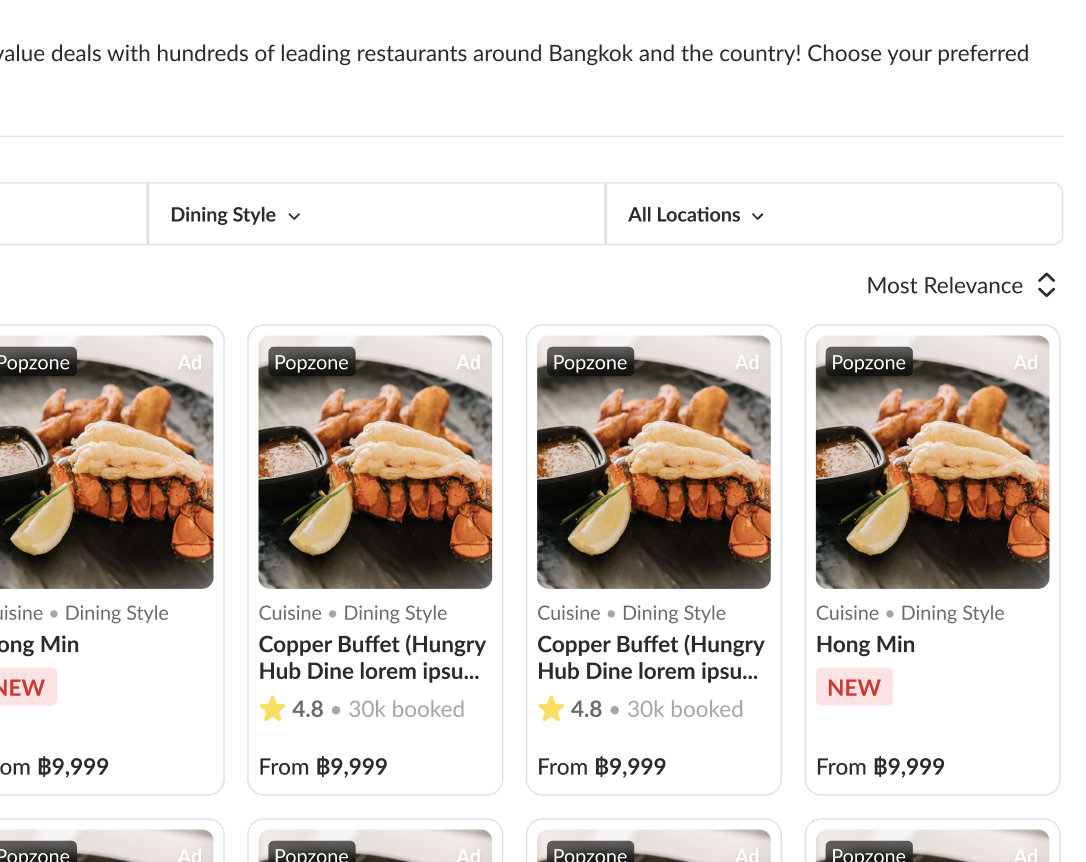 |
There are many restaurant tag groups
| User Story | Requirement |
|---|---|
| Currently, group landing page only has 1 restaurant tag group. that's why we need to make the multiple restaurant tag groups in only 1 group landing page. Example : Group Landing Page Name ➝ 2024 Celebration Restaurant Tag Group ➝ Christmas Celebration New Year Celebration | Provide many restaurant tag groups Add expand button for restaurant tag group if the restaurant list is exceeded ➝ See more outlets buttonNote : We have different requirement for displaying this case based on the screen. pls check the table below 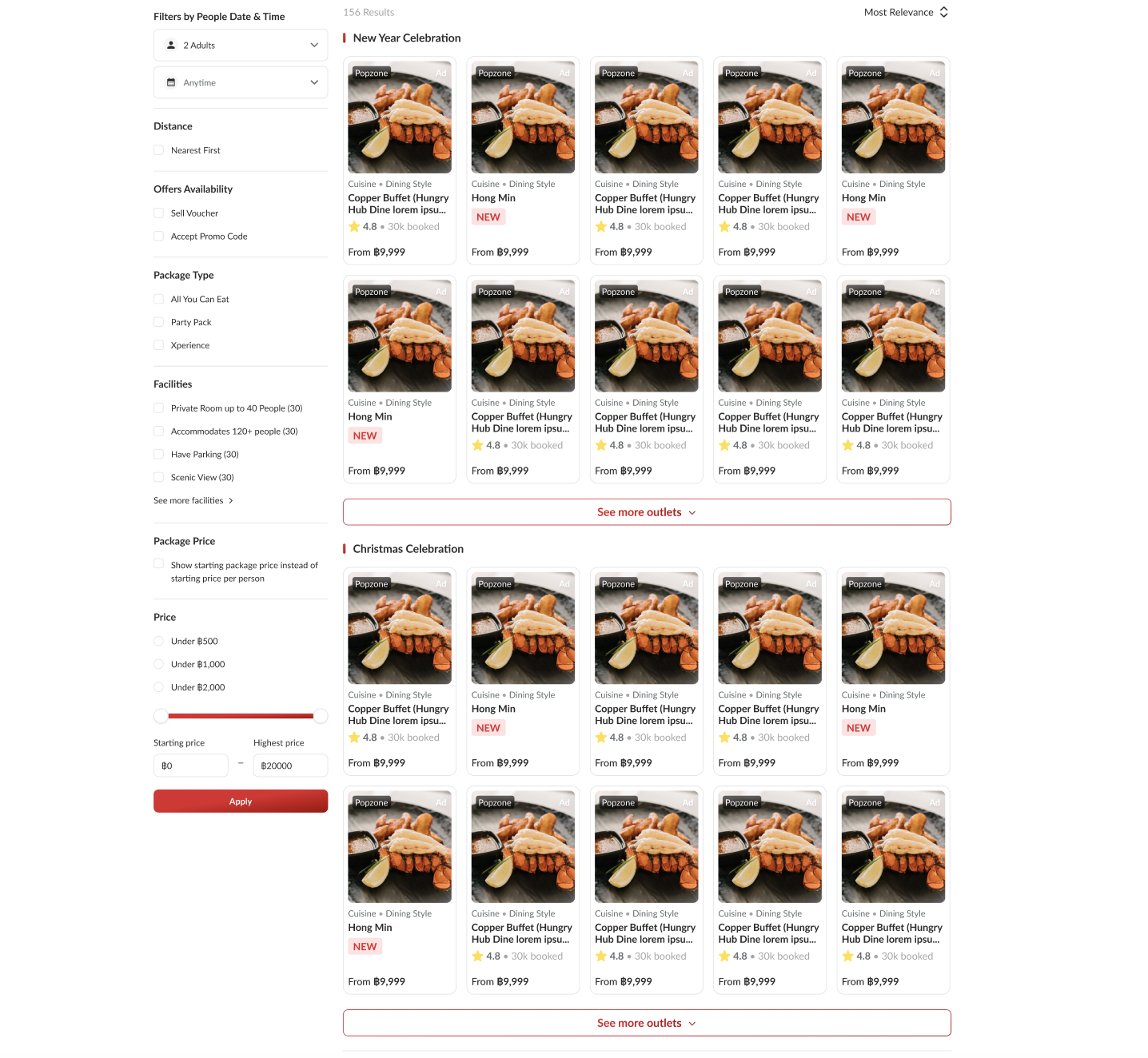 Add line on the left side of restaurant tag group  |
| Mobile | Desktop |
|---|---|
| Single restaurant tag group Maximum 10 restaurants to be displayed. if exceeded, provide See more outlets button to see moreMultiple restaurant tag groups Maximum 5 restaurants to be displayed. if exceeded, provide See more outlets button to see more | Single restaurant tag group Maximum 20 restaurants to be displayed. if exceeded, provide See more outlets button to see moreMultiple restaurant tag groups Maximum 10 restaurants to be displayed. if exceeded, provide See more outlets button to see more |
Implement Footer Description
| User Story | Requirement |
|---|---|
| As a user, I want to know the additional information for the group landing page. | Add footer description at the end of the page Place it under the review section 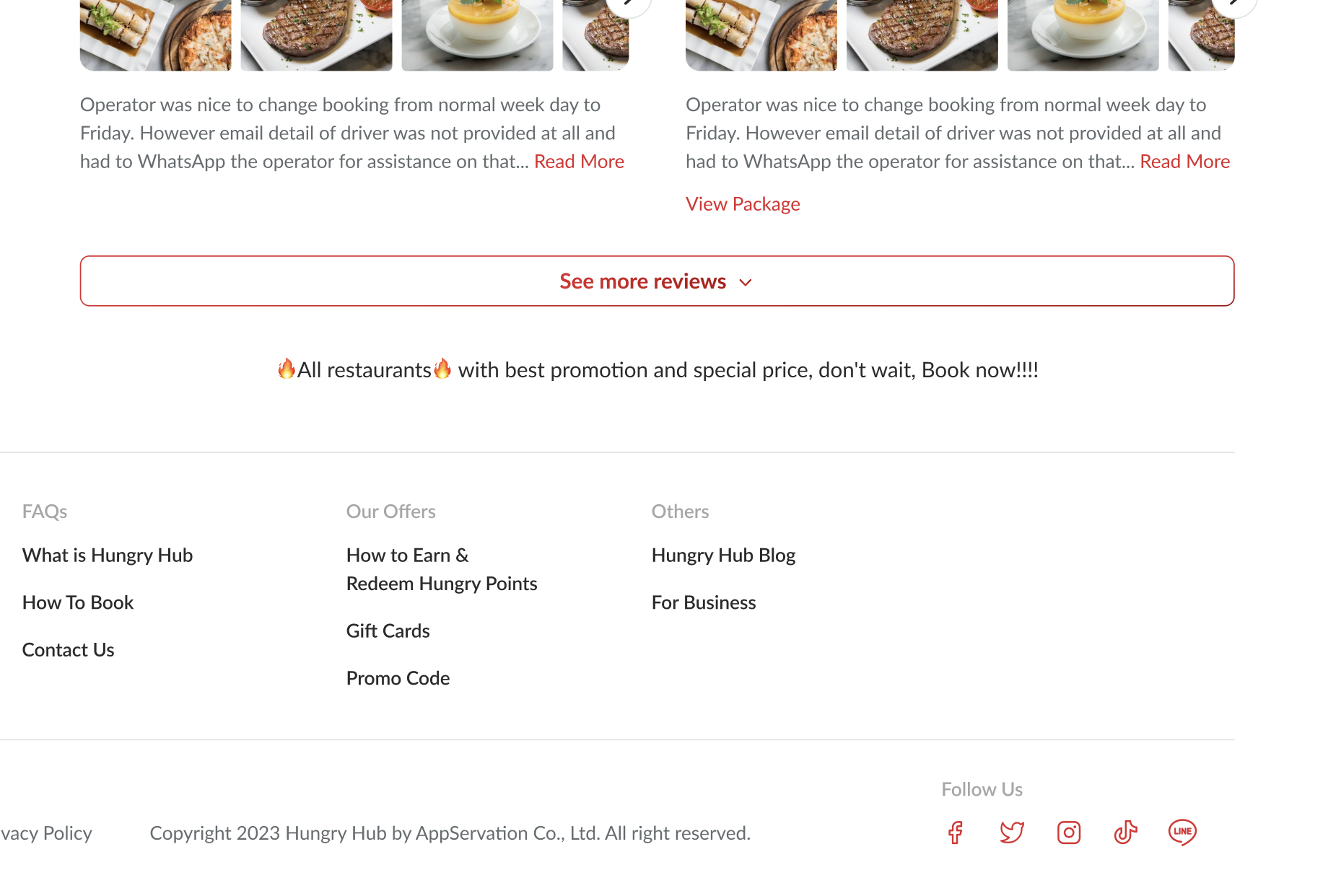 |
❓ FAQ
| Question | Answer |
|---|---|
| Insert into this if you have any question | I'll answer soon |