Active/Inactive Group Landing Pages
To ensure that group landing pages are hidden both from Google search results and the HungryHub website, the following steps and features should be implemented:
Toggle Behavior
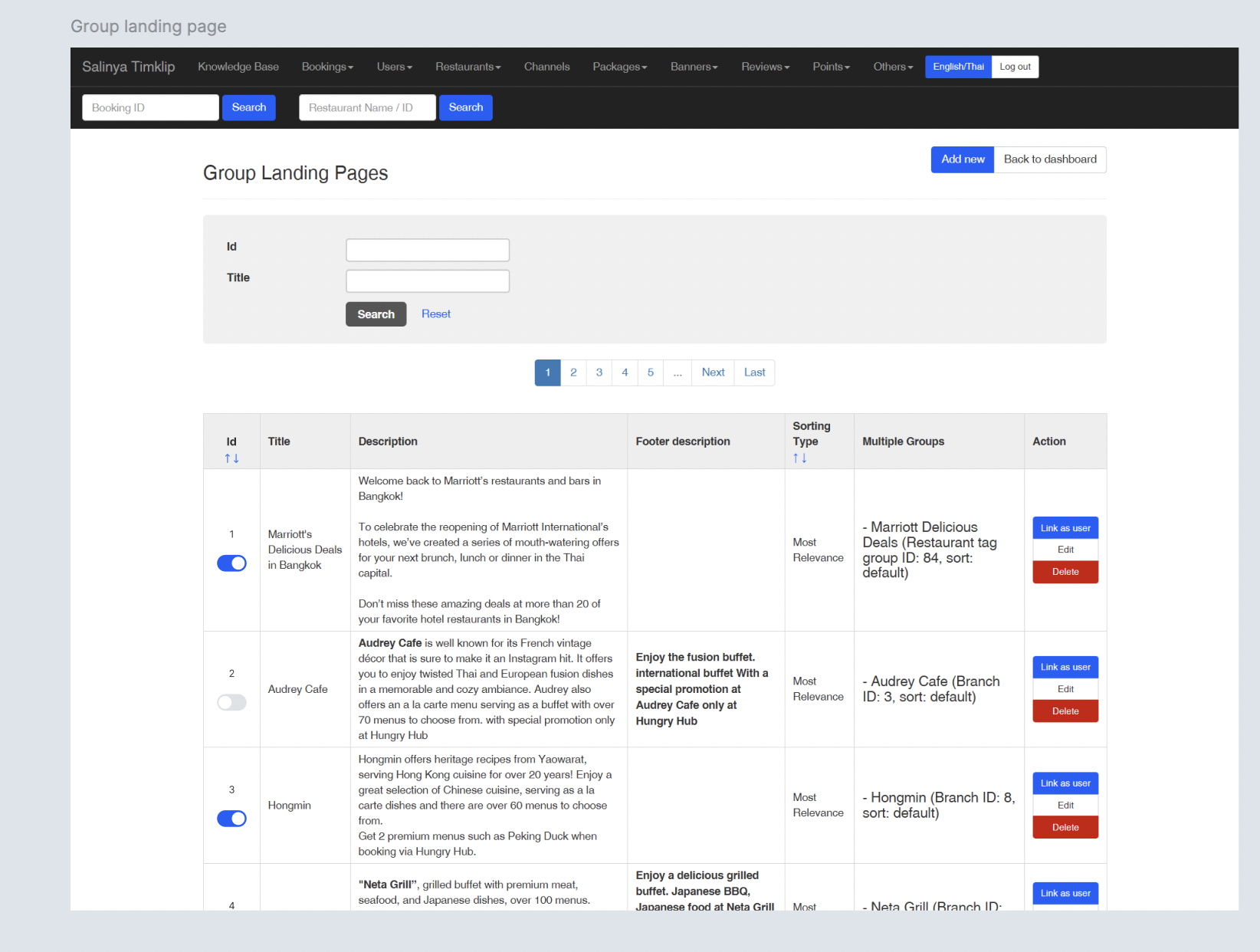 Toggle button to activate/deactivate the group landing page (like on homepage setting).
- Flow : Restaurant → Restaurant Group Landing Page
- Add
Statuscolumn to provide the toggle button - Options :
- Active
- Inactive
- Default Value: "Active"
Dropdown Behavior
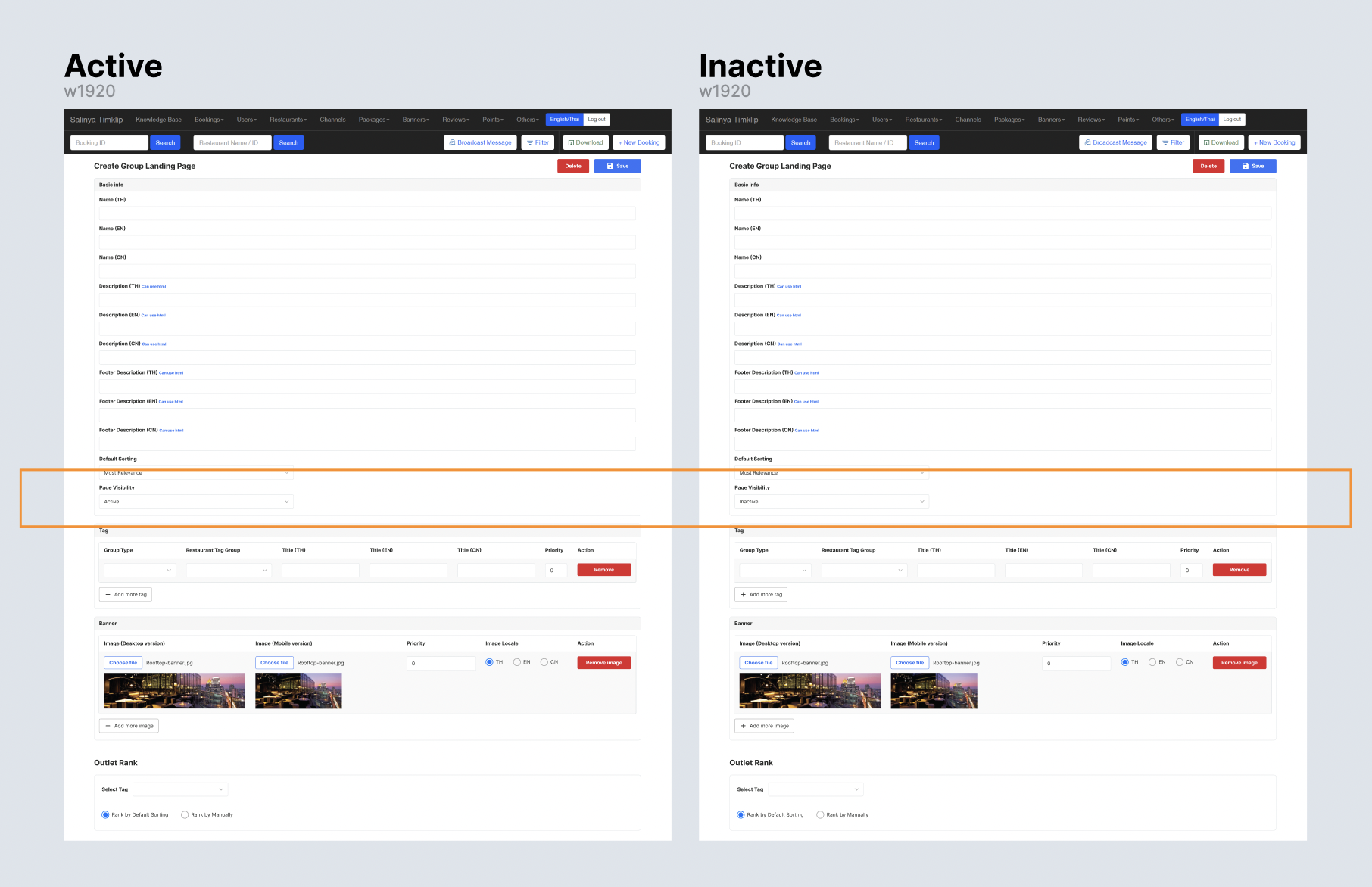
- The dropdown menu on Create/Edit group landing page for "Page Visibility" will have 2 options:
- Active (Default): The page is always visible.
- Inactive: The page is always hidden.
- Default Value: "Active" Note : Inactive page only can be accessed by hungry hub email (?) → security purposes
Backend Logic
The backend logic should handle visibility and active date conditions based on the dropdown selection:
- When Dropdown = Active:
- Ignore
Start DateandEnd Datevalues (even if they exist in the database). - Mark the page as visible on HungryHub and Google.
- Include the page in internal links and XML sitemaps.
- Ignore
- When Dropdown = Inactive:
- Ignore
Start DateandEnd Datevalues. - Mark the page as hidden from HungryHub and Google.
- Apply a
noindexmeta tag. - Exclude the page from internal links and XML sitemaps.
- Show
Page is not availablewhen non permitted user forces to access
- Ignore
Example Workflow
- Admin selects Active in the dropdown:
- The page becomes visible immediately.
- Admin selects Inactive in the dropdown:
- The page becomes hidden immediately.
Benefits
- Ensures expired content does not appear in search results or on the HungryHub website, improving user experience and SEO performance.
- Provides flexibility for admins to activate/inactivate the page
Design File : https://www.figma.com/design/Ji8cN1UVYcYSVGfEA2hU4x/Group-Landing-Page-Enhancement?node-id=2250-2686&t=uMXx9DJgffKNyFPL-1