Google End to End Journey (Google E2E)
🧾 History
| Date | Changes | Link | By |
|---|---|---|---|
| 28th March 2024 | List of Changes Integrate Google E2E with Hungry Hub | Private (https://app.clickup.com/9003122396/docs/8ca1fpw-7922/8ca1fpw-36936) | Umam |
| 10th June 2024 | List of Changes Add 2 conditions for payment Restaurant with Payment (Prepayment or deposits) Restaurant without payment Match the design for checkout page into new design | This PRD | Umam |
📕 About
| Context | Google E2E is a platform that enables users to make direct reservations for various services especially for restaurant without leaving Google search results or the Google Map. Since it will be integrated to Hungry Hub. We want to help user for making the booking. |
|---|---|
| Problem | User wants to make the booking at the restaurant without leaving Google search results or the Google Map |
| Solution | User can book using Google E2E and integrate it with Hungry Hub |
| Name of Feature | Reserve with Google (Google E2E) |
| Objective | Ensure the integration of Google E2E into Hungry Hub runs smoothly and meets the needs of user Provide the ability for users to choose package on the Google E2E |
| Gains | Integrating with Google E2E can increase the visibility of restaurants listed on Hungry Hub, as users can make direct reservations through Google search results and Google Maps. Users can easily make reservations without leaving the Google platform, resulting in a smoother and more convenient booking experience. |
| Pains | Integrating with Google E2E may require technical expertise and resources Relying on Google E2E for reservations means being dependent on the functionality and policies of a third-party platform, which could introduce risks if there are service disruptions or changes in policies |
| Figma Link | https://www.figma.com/file/ENTkVcEM6rwhxGGMCoCyAc/Pending-payment-for-Reserve-with-Google?type=design&node-id=0%3A1&mode=design&t=ol8CzzK0c5E1hIoK-1 |
| Available Platform | Web (Desktop & Mobile view) |
| Sprint | 36 |
| Related PRD | Client Side : Private (https://app.clickup.com/9003122396/docs/8ca1fpw-7922/8ca1fpw-36936) |
| Out of Scope | Sprint 36 : Send Email for Restaurant with payment (phase 2) |
🚩 User Flow
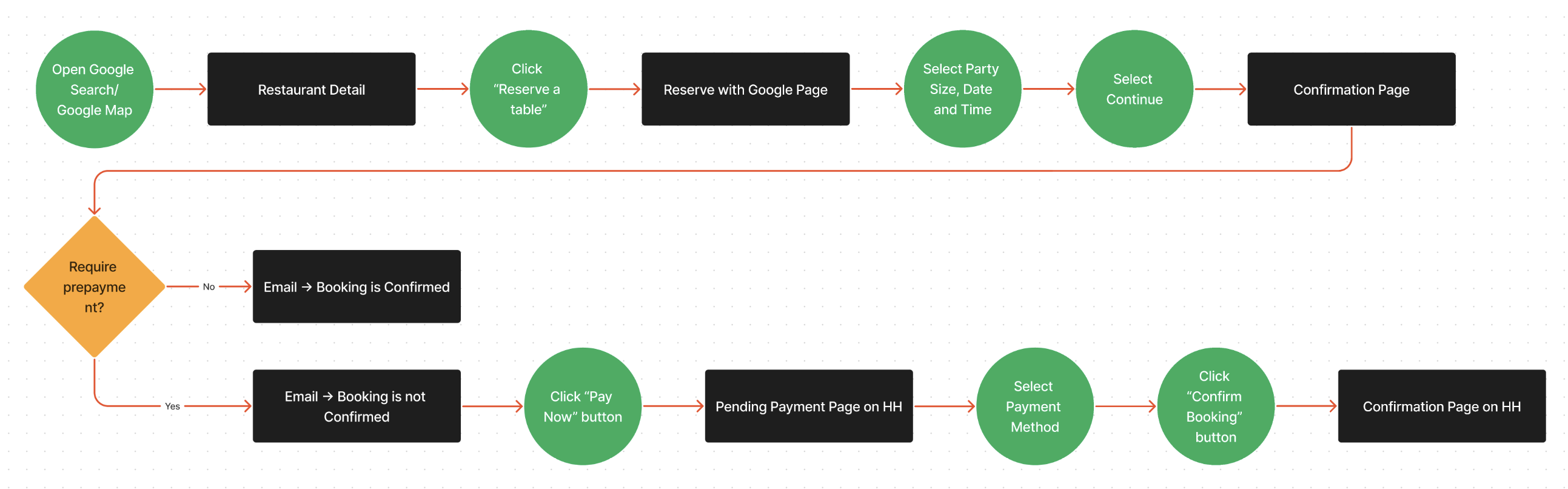
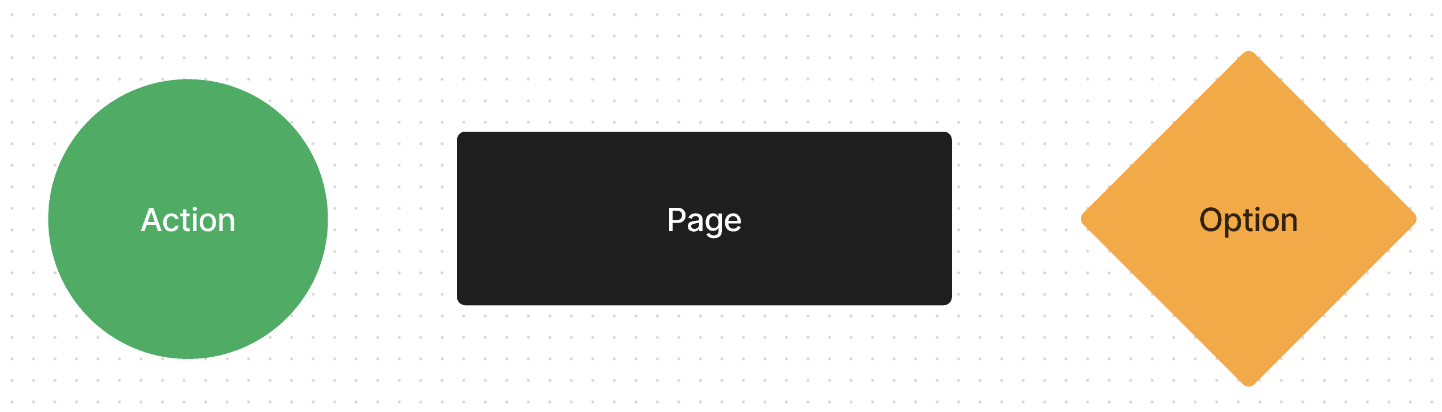
📚 Glosarium
Restaurant with payment ➝ Require prepayment Restaurant without payment ➝ Doesn't require prepayment
🎯 User Story & Requirement
Display Reserve a Table Button on the Google search results or the Google Maps
| User Story | Requirement |
|---|---|
As a user, i want to book restaurant (in hungyhub) on the Google E2E when i search on the google map or google search.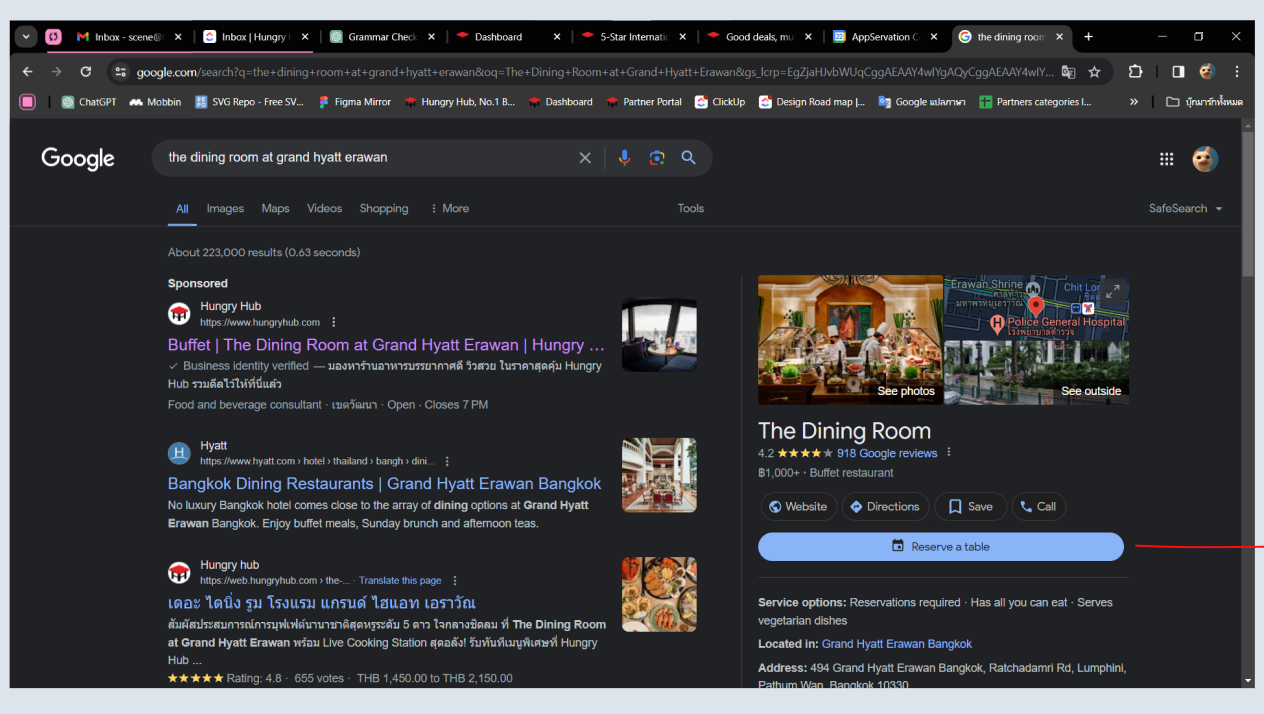 | Provide Reserve a Table Button on the restaurant detail/description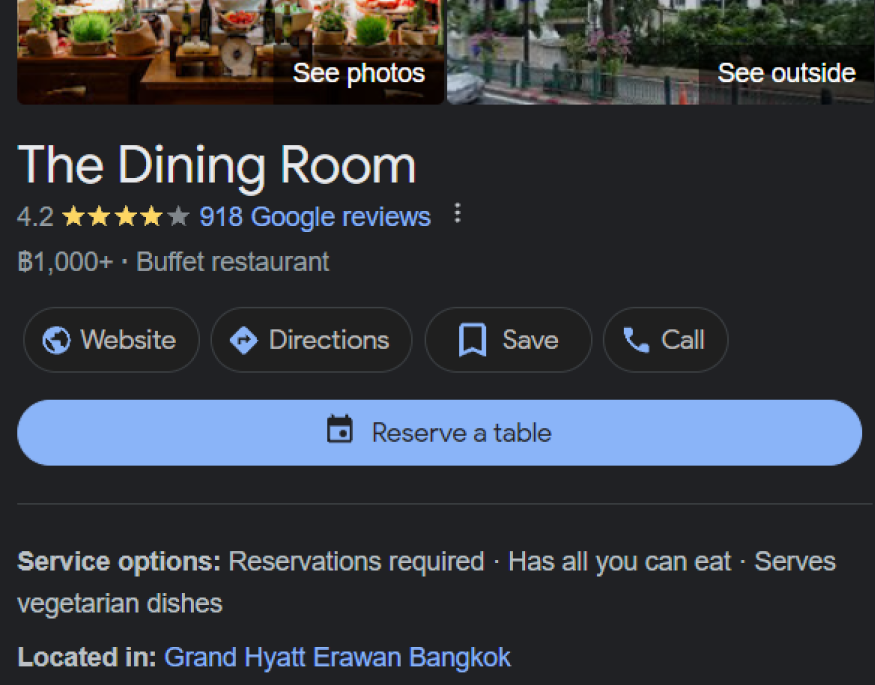 |
Reserve with Google Page
| User Story | Requirement |
|---|---|
As a user, after i click Reserve a Table Button, i will be redirected to Google E2E Page. i want to complete my booking.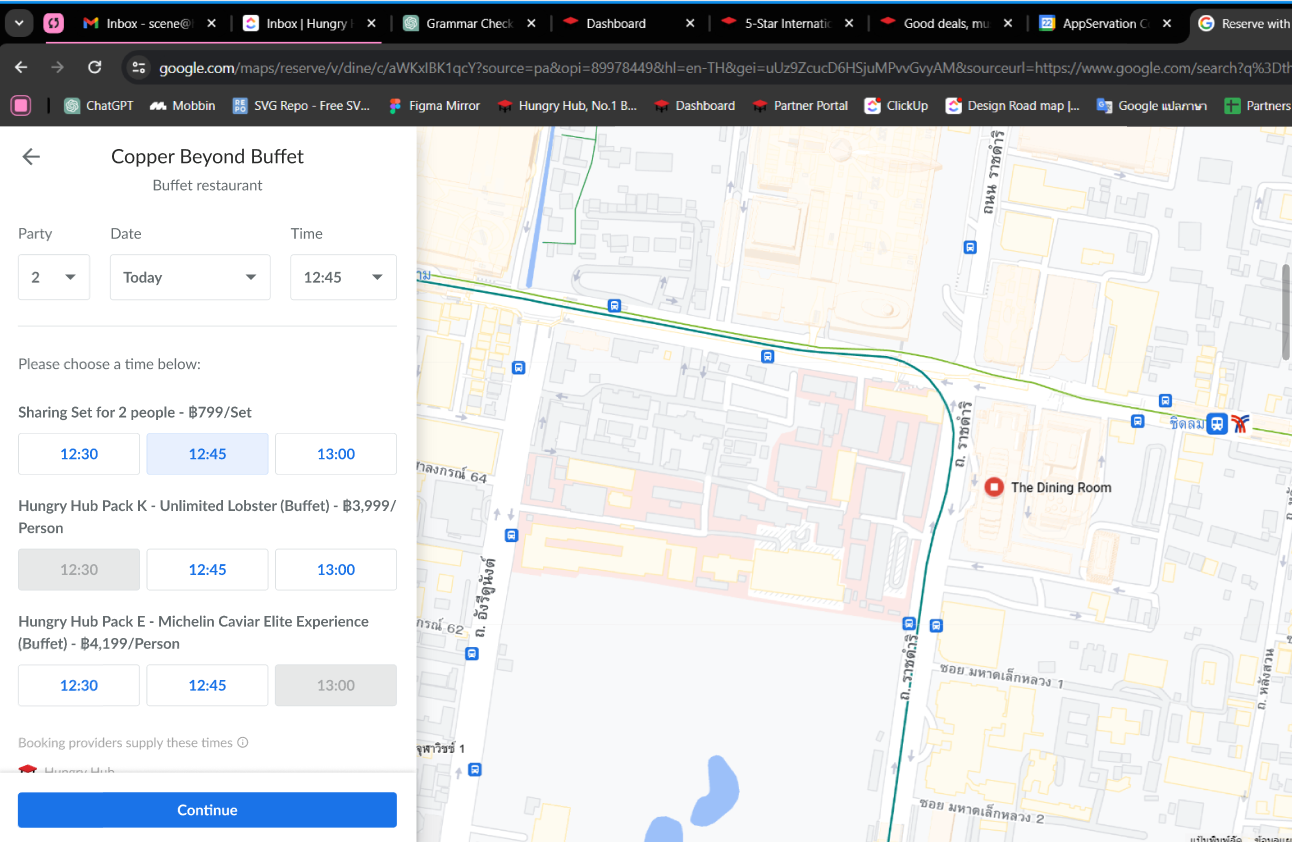 | Provide some options for dining date Party Size Date Time 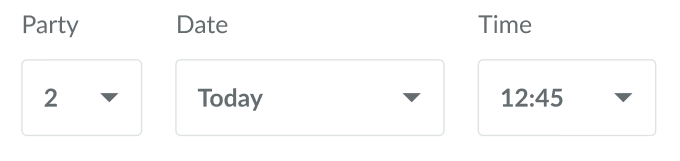 Display packages Package Name/Nickname We have format for displaying that, please kindly check the table below Available Time Provide 3 time slots 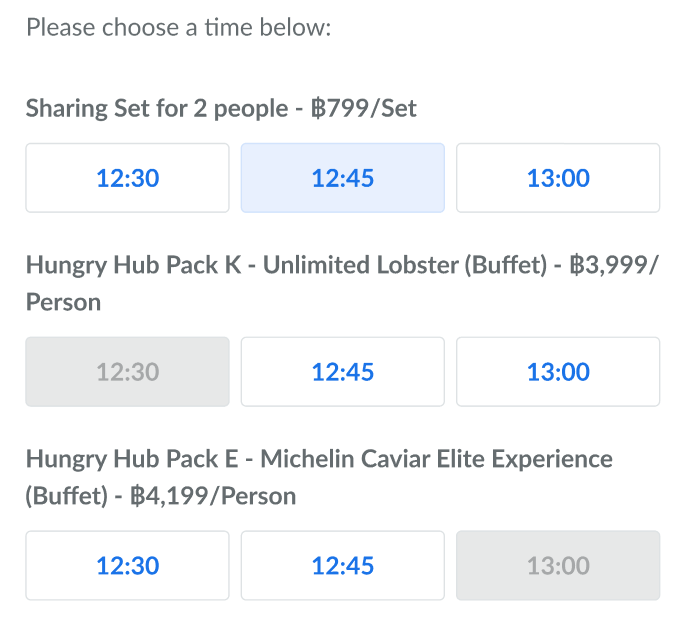 User can click Continue Button |
| All You Can Eat | Party Pack |
|---|---|
The displayed package will follow this format " Package name/nickname (Buffet) - ฿price/Person"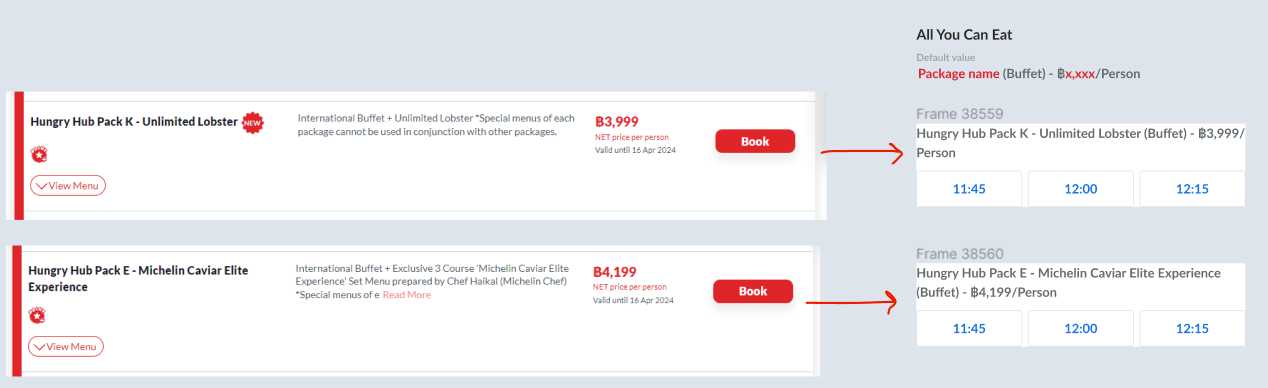 | The displayed package will follow this format "Sharing Set for number of party size people - ฿price/Set"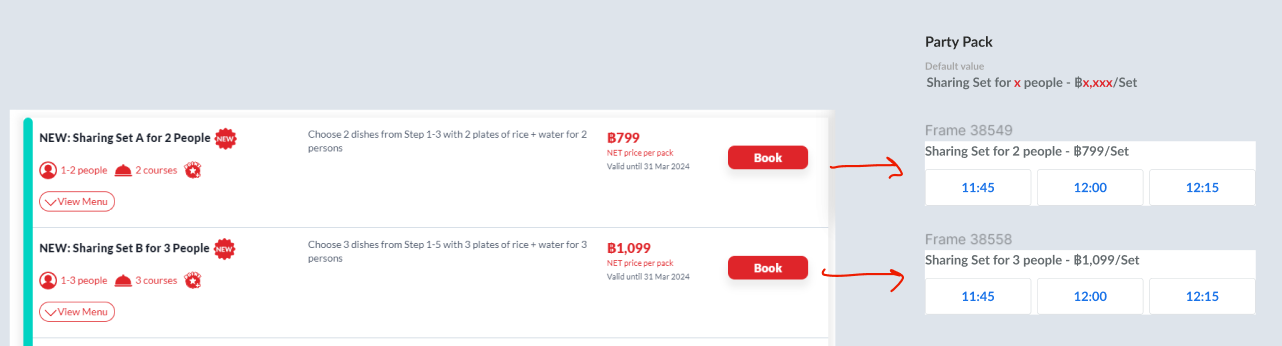 |
Confirmation Page
| User Story | Requirement |
|---|---|
As a user, after i click the Continue Button. the pop up will be appeared. i have to fill out all of the required information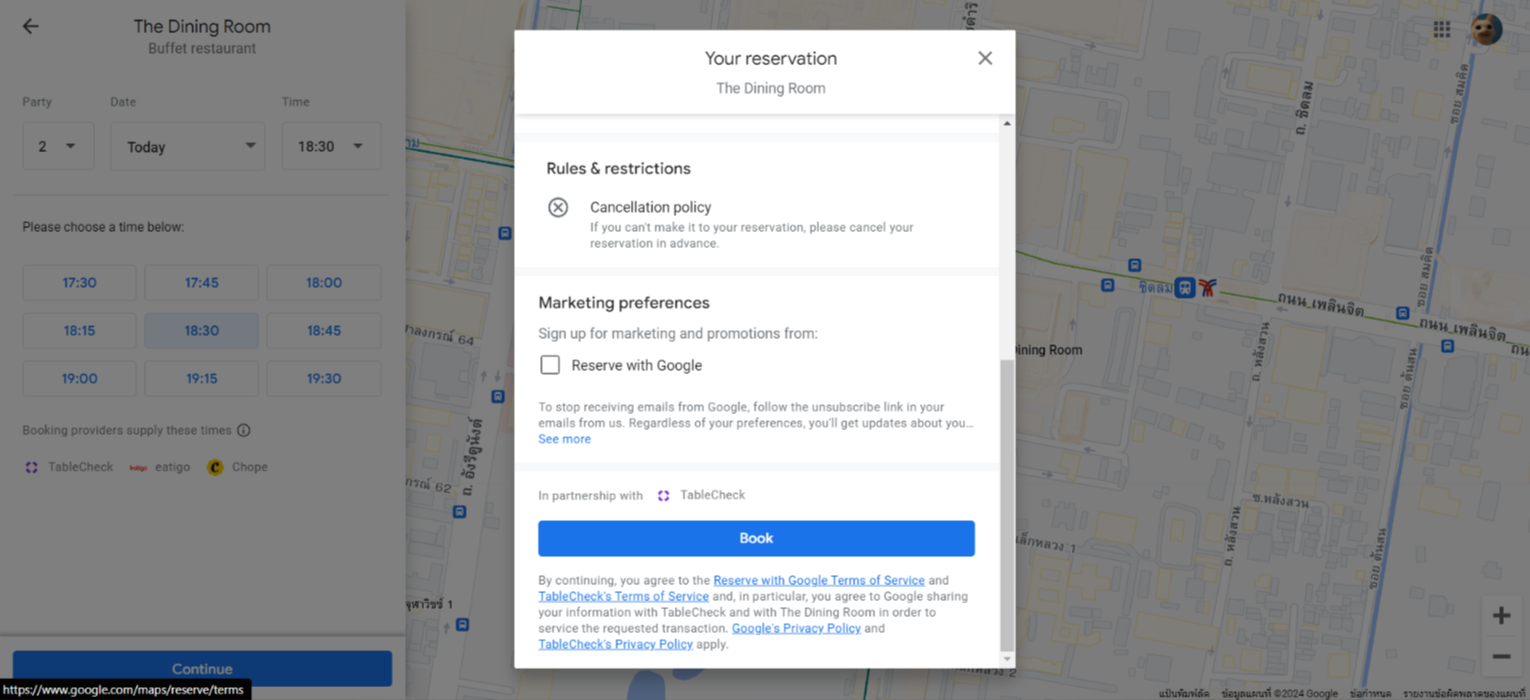 | Provide personal information formProvide book button |
Receive an Email
| User Story | Requirement |
|---|---|
As a user, after i click the book button. system will send the booking confirmationexample : 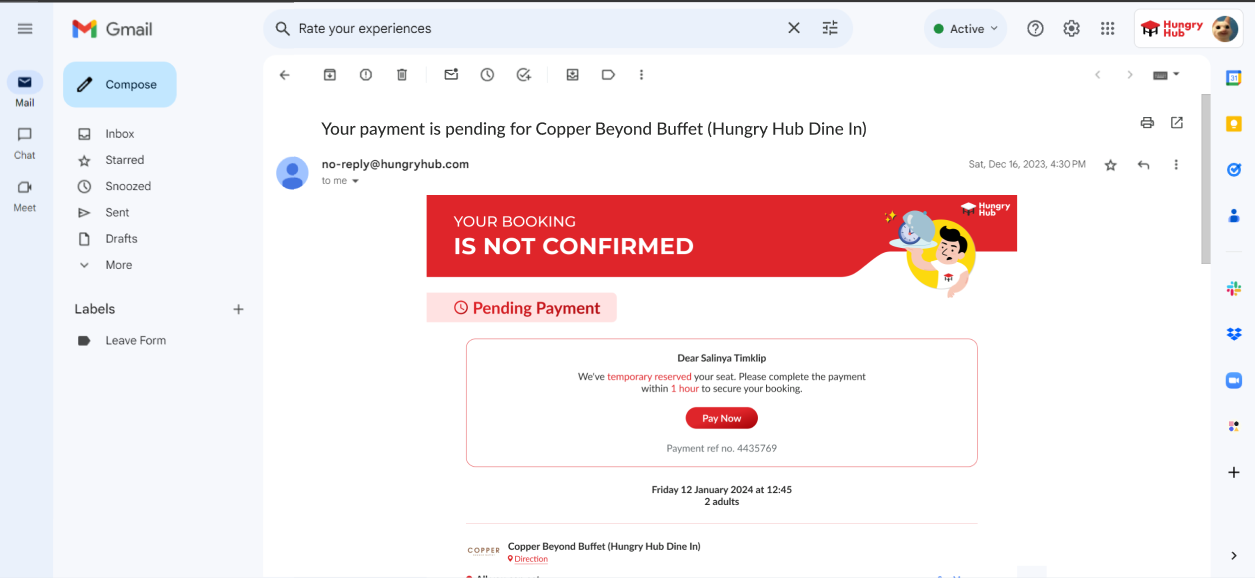 | User will receive the email based on 2 conditions Restaurant without payment System will send the email that indicates Booking is confirmed Restaurant with payment System will send the email that indicates Booking isn't confirmed For the detail, please check the table below |
| Restaurant without payment | Restaurant with payment |
|---|---|
It occurs for restaurants that don't have prepayment method on their packages The flow is same with the pay on site method. including the email confirmation. 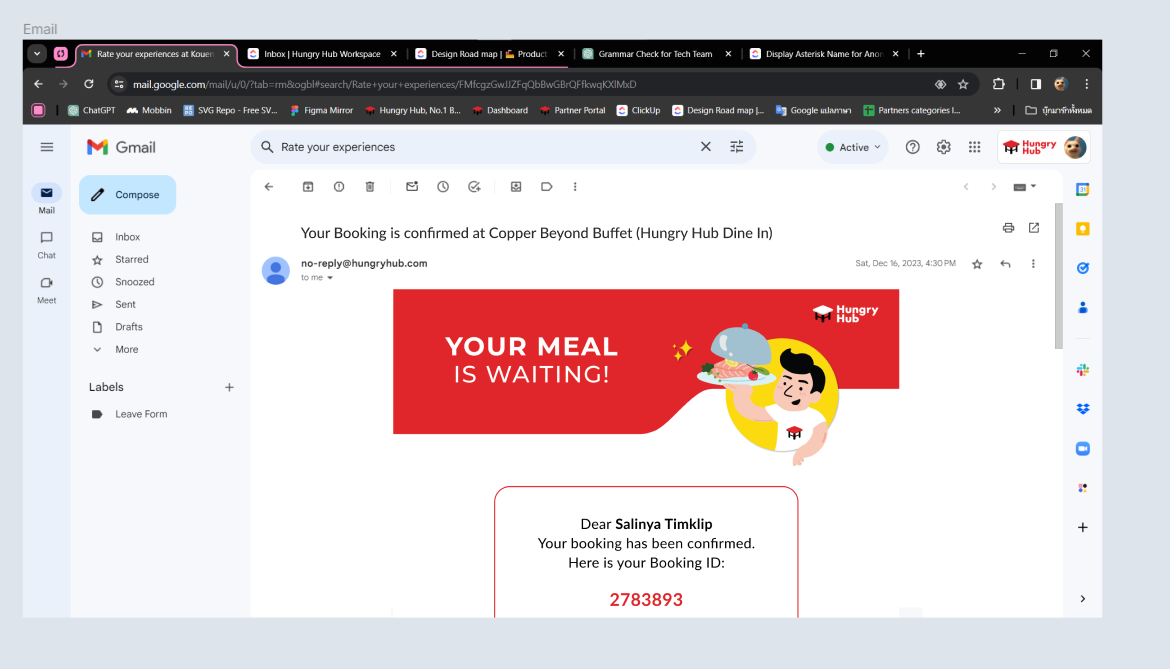 | There are some elements Title : YOUR BOOKING IS NOT CONFIRMEDStatus : Pending PaymentName of CustomerDetail Information : We've temporary reserved your seat. Please complete the paymentPay Now buttonParty Size, Date and TimePayment Ref.Other information as on existing systems Must complete the payment within 1 hour to secure the booking. It occurs for restaurants that have prepayment or deposit method on their packages Here is the flow System sends the email for pending payment. user must complete his/her payment within 1 hour after receiving the email 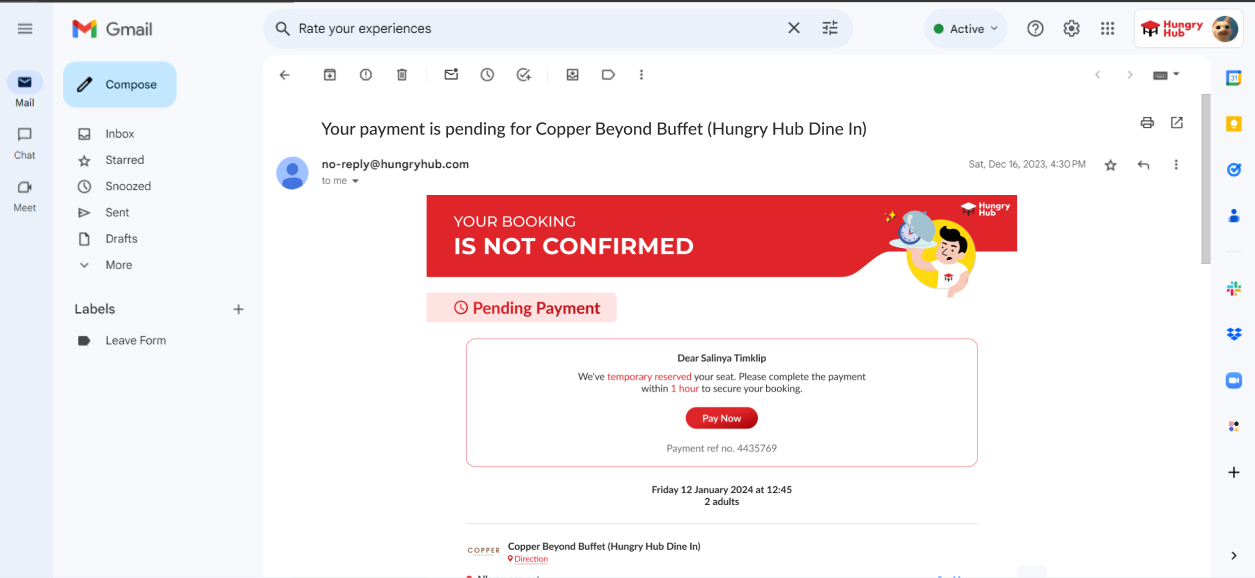 Click Pay Now button and it will redirect to Pending Payment page on HH website |
Pay Now (Signed In)
| User Story | Requirement |
|---|---|
I have signed in on the HH website. As a user, after i click the Pay Now button on the email, it will redirect to Pending Payment | Display overlay pop up on the Pending Payment page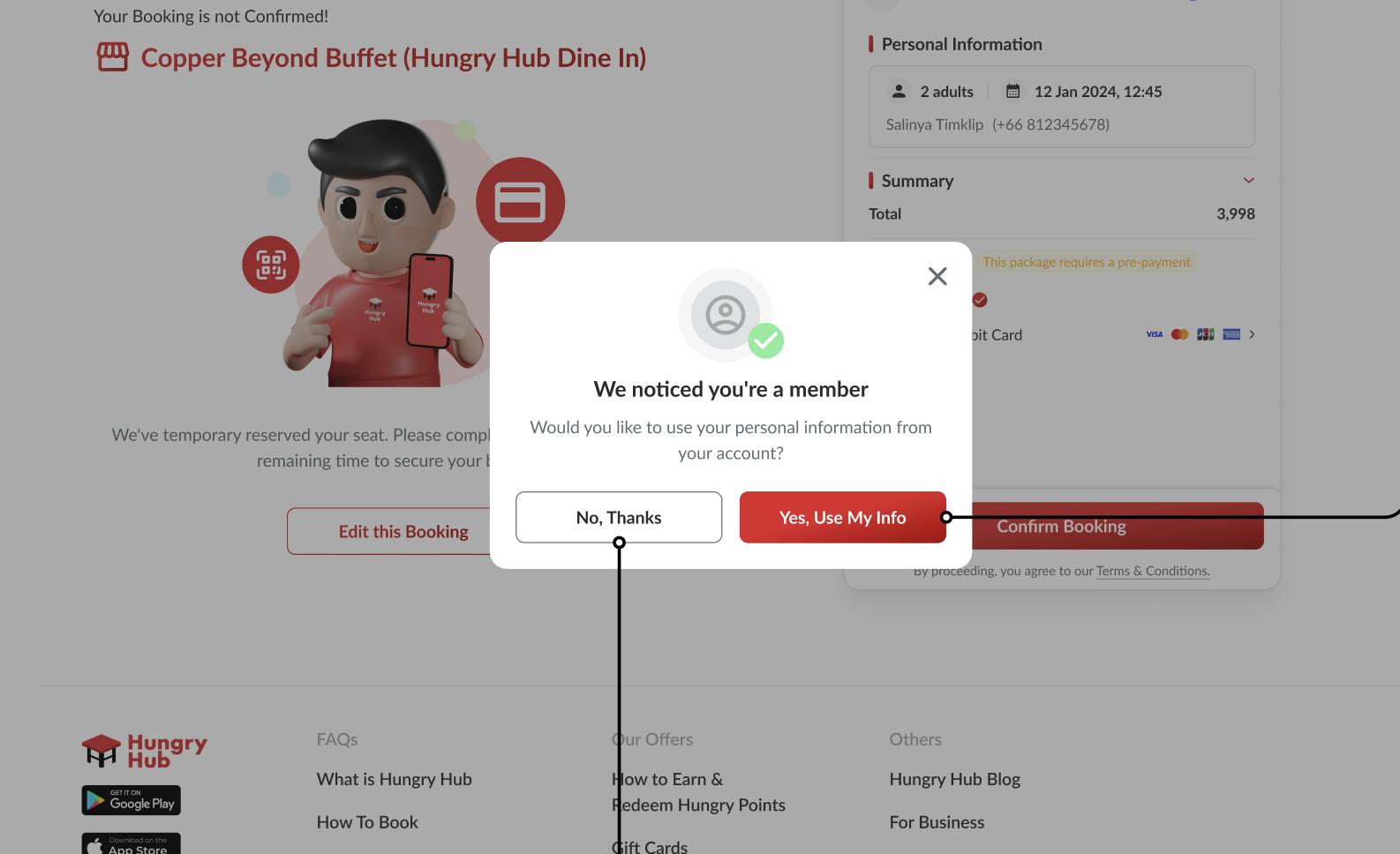 There are some elements in the pop up Close button Member icon We noticed you're a member titleWould you like to use your personal information from your account? descriptionNo, Thanks buttonUse personal information from google account Yes, Use My InfoUse personal information from HH account On the Pending Payment page, there are some elementsPending Payment titlePayment reference Your Booking is not Confirmed! textName of restaurant Illustration We've temporary reserved your seat. Please complete the payment within the remaining time to secure your booking. textEdit this booking buttonCheckout page |
| Desktop | Mobile |
|---|---|
| The requirement is same with the table above | Mostly the difference is the layout Remove the illustration For more detail, please check the design 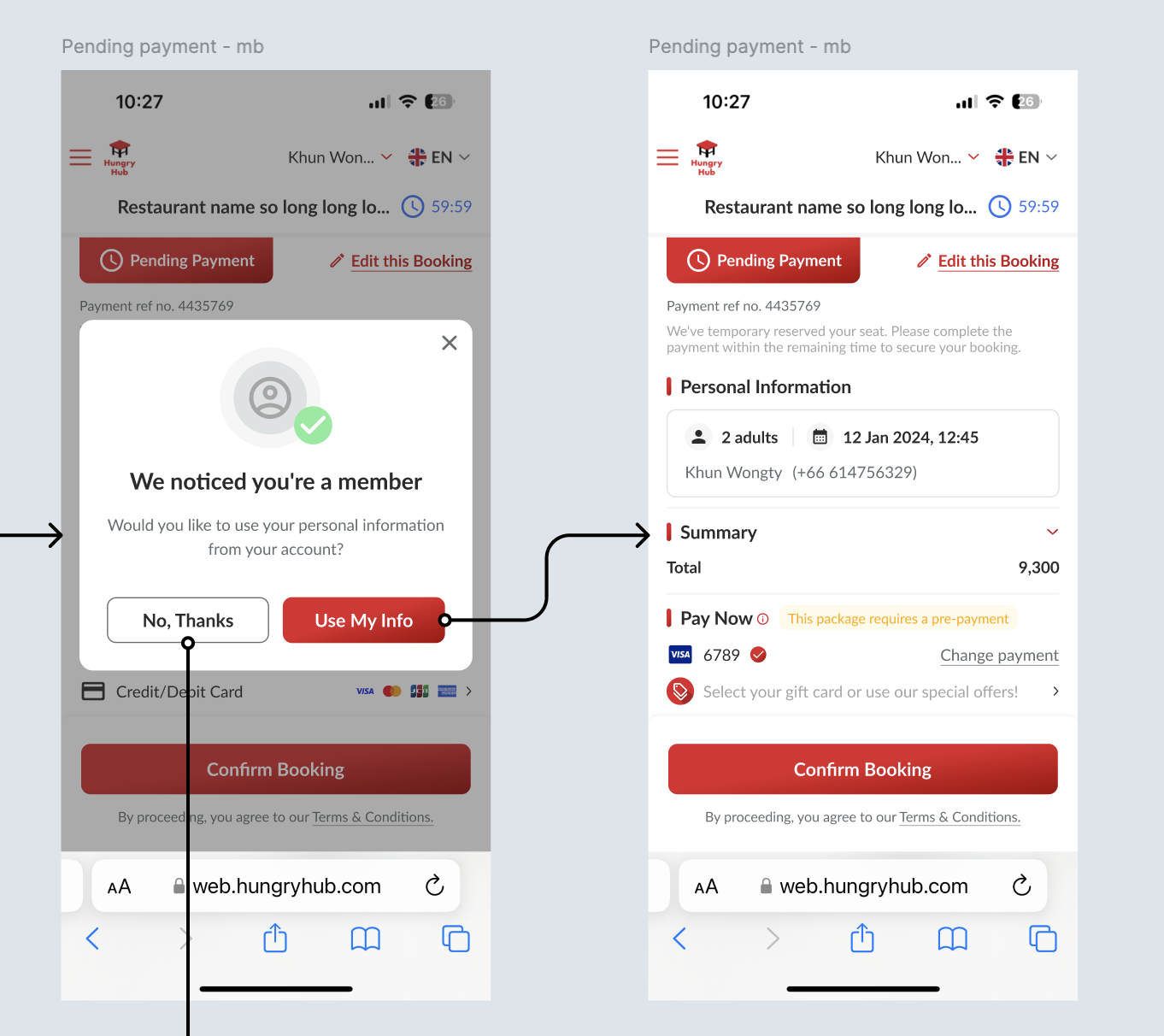 |
Pay Now (Guest)
| User Story | Requirement |
|---|---|
I haven't signed in yet on the HH website. As a guest, after i click the Pay Now button on the email, it will redirect to Pending Payment | Don't display the popup (like for Signed in User) On the Pending Payment page, there are some elementsPending Payment titlePayment reference Your Booking is not Confirmed! textName of restaurant Illustration We've temporary reserved your seat. Please complete the payment within the remaining time to secure your booking. textEdit this booking buttonCheckout page Get the personal information from Google E2E |
| Desktop | Mobile |
|---|---|
| The requirement is same with the table above | Mostly the difference is the layout Remove the illustration For more detail, please check the design 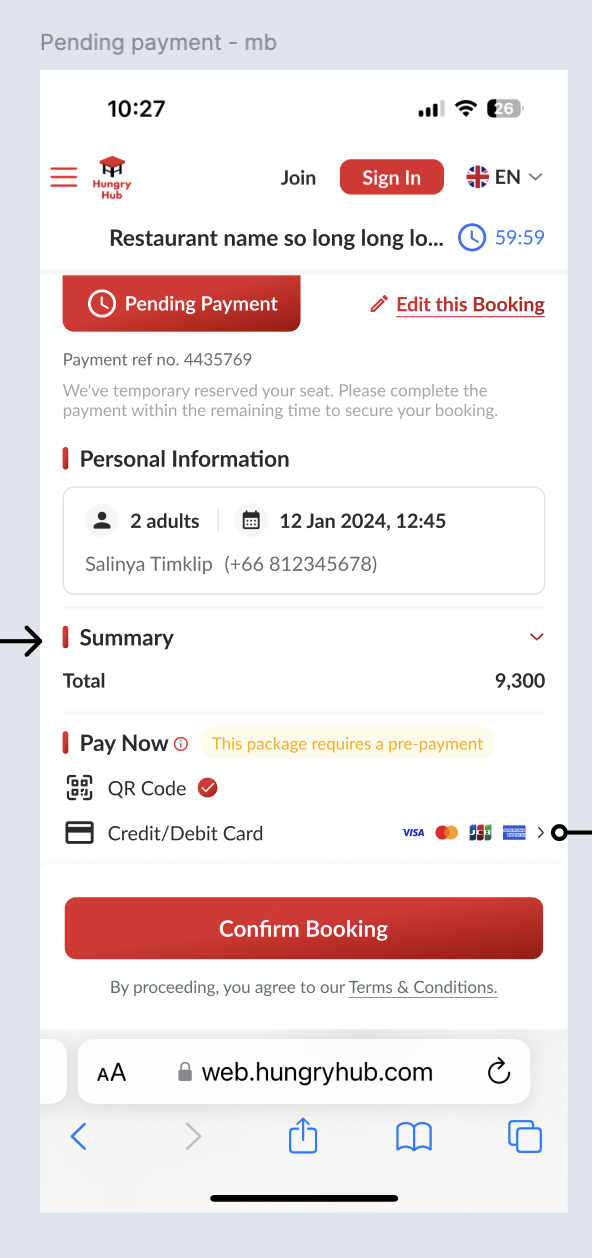 |
Edit booking
| User Story | Requirement |
|---|---|
After click the pay now button on the email. i will be.redirected to Pending Payment page. i want to edit my booking by clicking the Edit this Booking button | There is confirmation pop up Close button Are you sure you want to edit this booking titlePlease note that we will cancel this booking and create a new one for you. textBack buttonEdit Booking button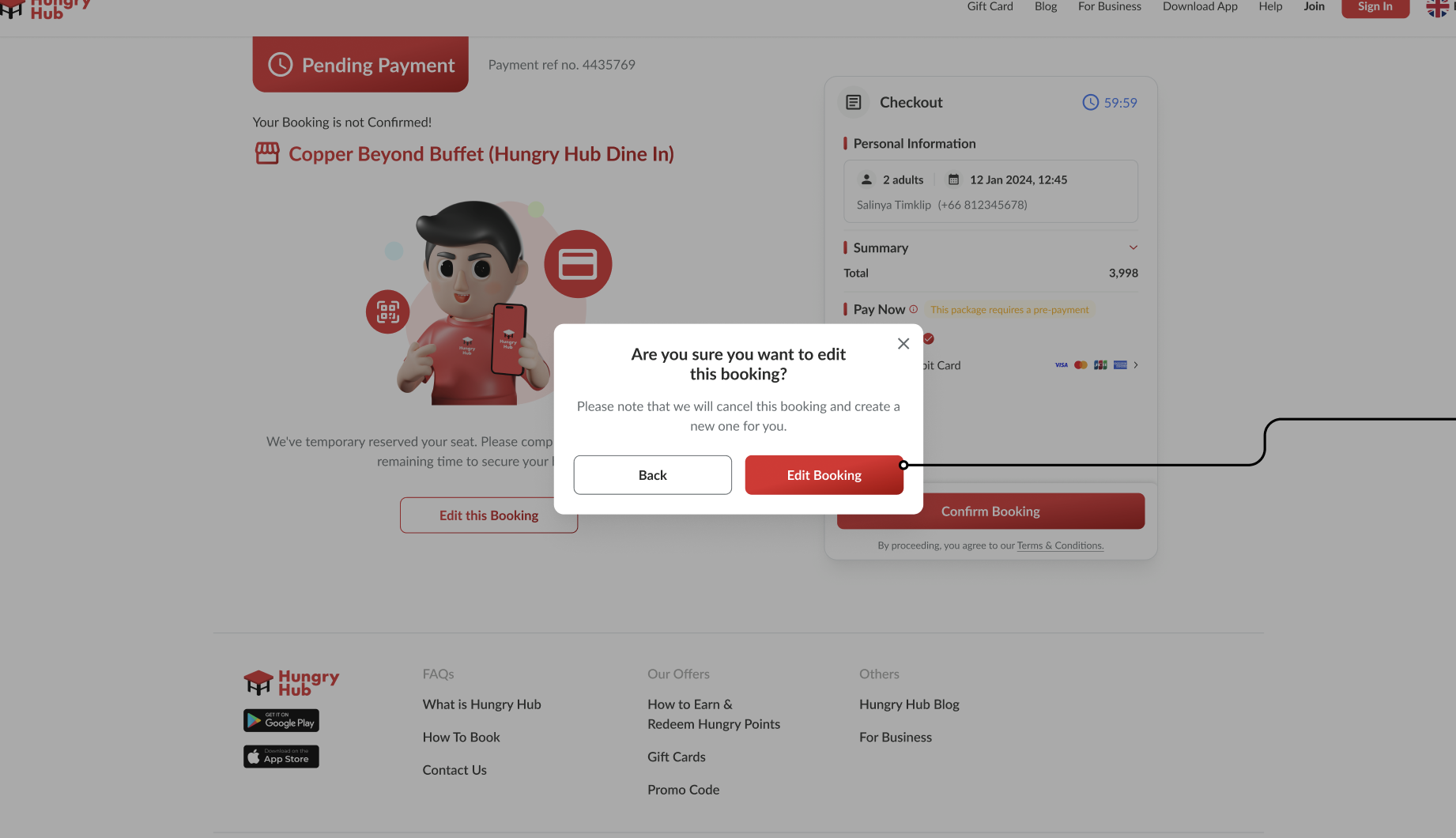 Redirect to store page (The information has updated automatically based on the google e2e information) Package, date & time, and party size were filled out User can change the information |
| Desktop | Mobile |
|---|---|
| The requirement is same with the table above | Mostly the difference is the layout For more detail, please check the design |
User can view the menus on the email
| User Story | Requirement |
|---|---|
As a user, I want to view the menus that i have booked after receiving the email. | There is See Menus button and it will redirect to menu gallery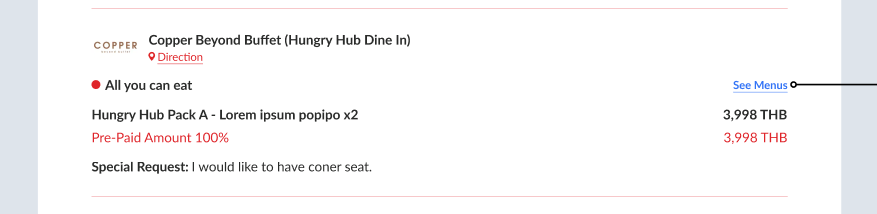 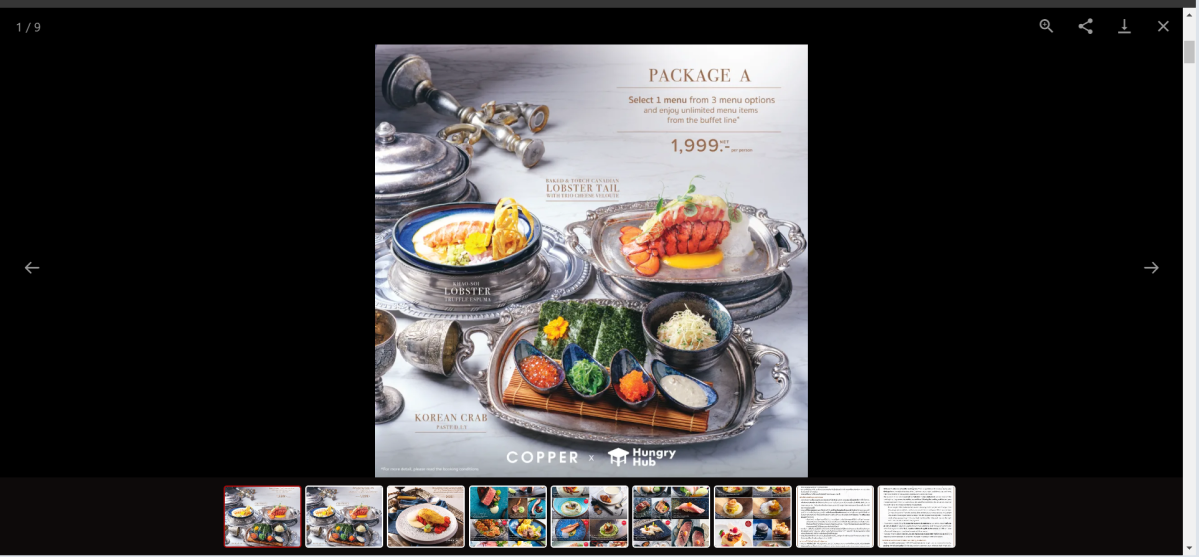 It would be better if we could leverage new store page. Since new store page has separate page for each package. So, user can be redirected to detail package page. we can do it in the future. |
❓ FAQ
| Question | Answer |
|---|---|
| when the nickname is empty, we should use English or Thai package's name? | for reaching universal user, prefer using english as priority. but can it be set based on the language being used when accessing Google? Google Setting : Thai ➝ Nickname : Thai Google Setting : English and all languages except Thai ➝ Nickname : English |
| What if the restaurant only has package that uses prepayment method? | For the 1st phase, As existing system, it will use business link , not Google E2E . Prepayment method takes more time to be implemented on the Google E2E .but in the future, we will implement to package that uses payment method and without payment method. Note : it is possible to use business link and google e2e at the same restaurant |
| How about mobile view? | Mostly, the designs and flows are same, pls kindly check the figma |
| How about client side? | Client Side : Private (https://app.clickup.com/9003122396/docs/8ca1fpw-7922/8ca1fpw-36936) |