Benefit Type
🧾 History
| Date | Changes | Link | By |
|---|---|---|---|
| June 9. 2025 | To clearly communicate exclusive offers and additional perks associated with specific packages. | This PRD | Umam |
📕 About
| Context | This task is about the Benefits section. Previously, when we had promotions that offered extra benefits for customers, we would include them in the artwork and upload them as part of the menu images. However, we’d like to create a section for this So, I’ve designed a new section on the package detail page. There will be two types of benefits: Extra Benefit: for perks beyond what’s offered in-store, e.g., one extra drink per person. Exclusive: for packages that are only available on Hungry Hub and not sold at the restaurant directly. |
|---|---|
| Problem | Historically, promotional perks such as free drinks were communicated via artwork and menu images. To streamline the experience and make these benefits clearer to users, we are introducing a dedicated Benefits section on the package detail page. |
| Solution | To clearly communicate exclusive offers and additional perks associated with specific packages. |
| Name of Feature | Benefit Type |
| Objective | Set the Benefit Type on Admin Dashboard Display Benefit Label on Store Page Display Benefit Label on Package Page |
| Gains | Improved visibility of special offers. Better customer understanding and engagement. More compelling package presentation. |
| Pains | Too much content make users can't focus with the goals |
| Figma Link | https://www.figma.com/design/T9kSuAj3GZW7khySGNq84m/Store-Page-Update?node-id=9139-1083&t=AlOErUnWeUQbXuRV-1 |
| Available Platform | Web and App |
| Sprint | TBD |
| Related PRD | - |
| Out of Scope | - |
🎯 User Story & Requirement
Set the Benefit Type on Admin Dashboard
| User Story | Requirement |
|---|---|
Benefit Type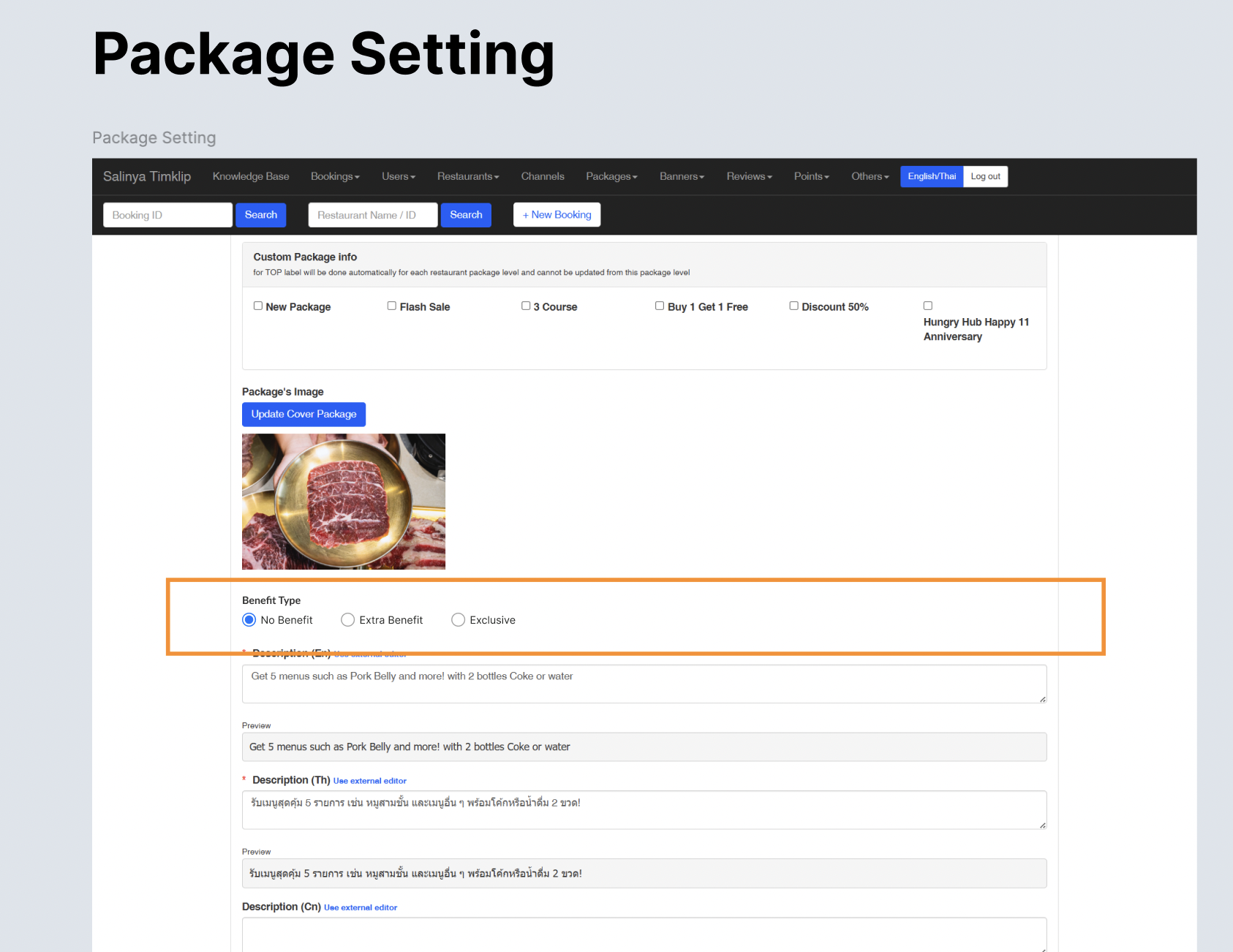 | There is a section to set the benefit type Can set only 1 of them Place it under the package's image field Options No Benefit Existing/Old Logic Extra Benefit Exclusive |
| Extra Benefit | This option is for label that indicates the package has extra benefit to be gotten by customer (example: free drink per person) Default (Once the option was selected) Show a field Limit max 80 characters per field 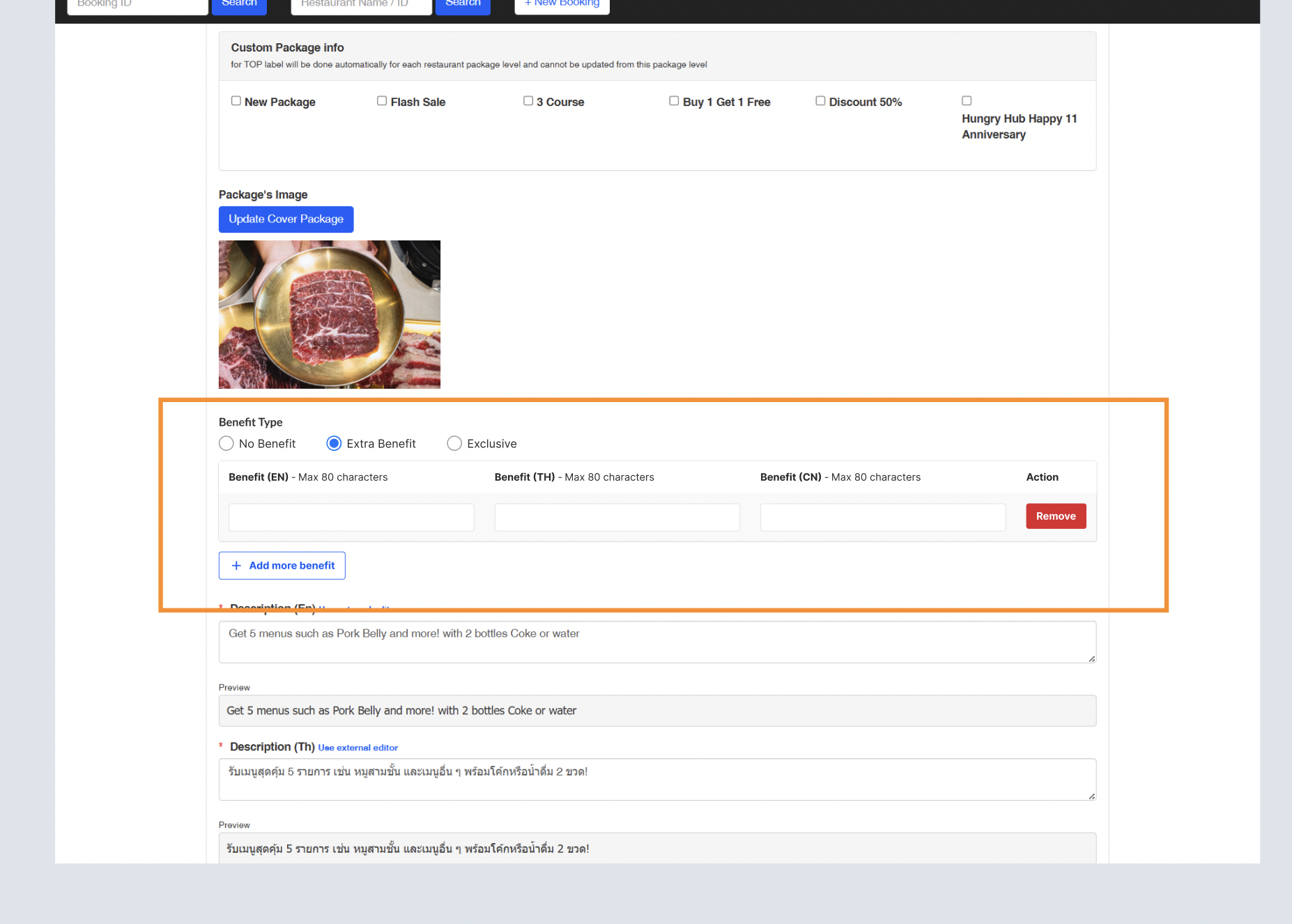 Add More Benefit Add a field under the existing field. it indicates the benefit may have more than 1 benefit If the field is blank, assume it as empty and hide it 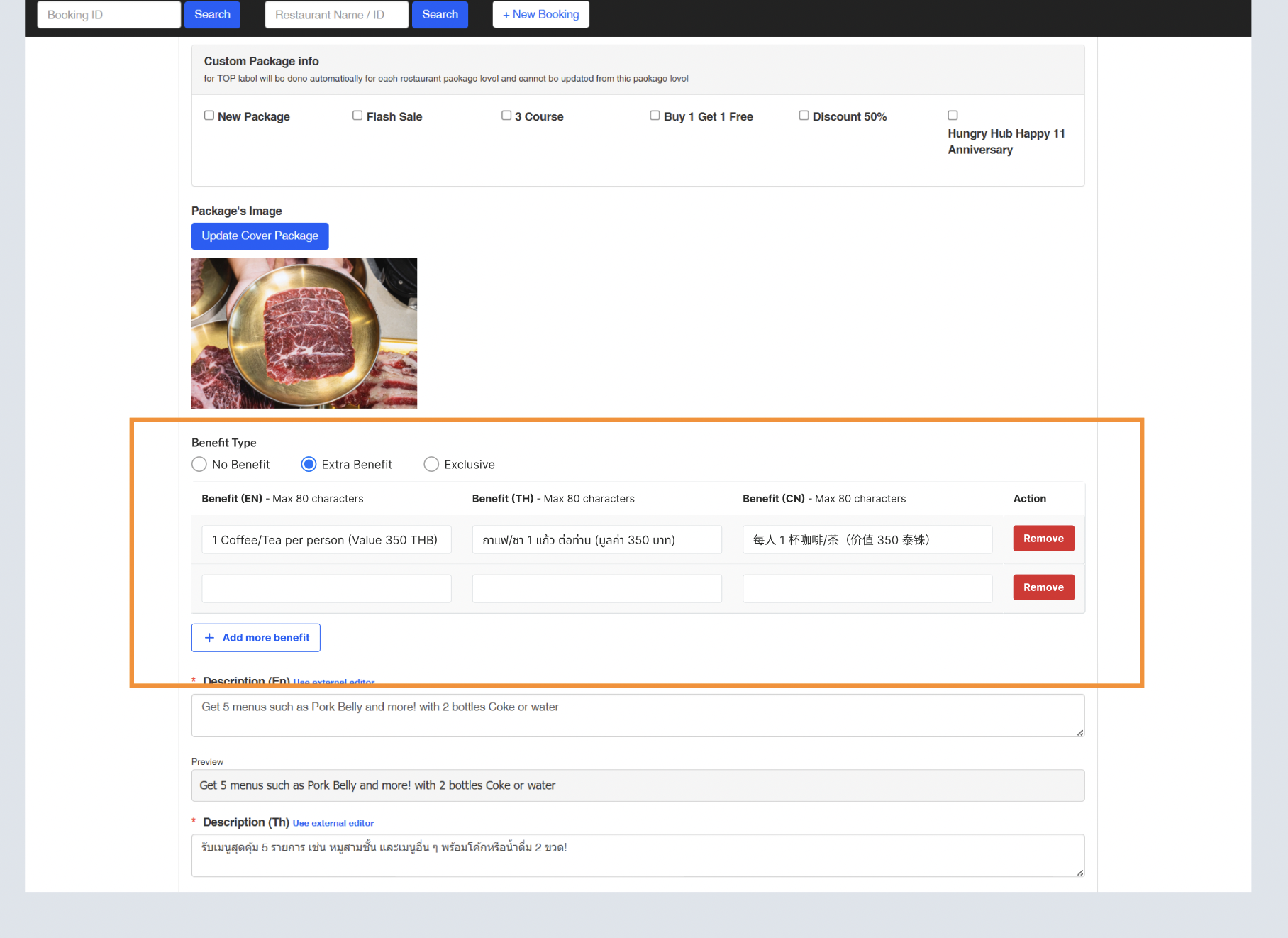 Please note that admin can remove the field  Show in 3 main languages Improvement when there are some languages (15 languages), can see in the last section Don't forget to fallback to english if there is blank field |
| Exclusive | This option is for label that indicates the package is only available on Hungry Hub. not available on restaurant directly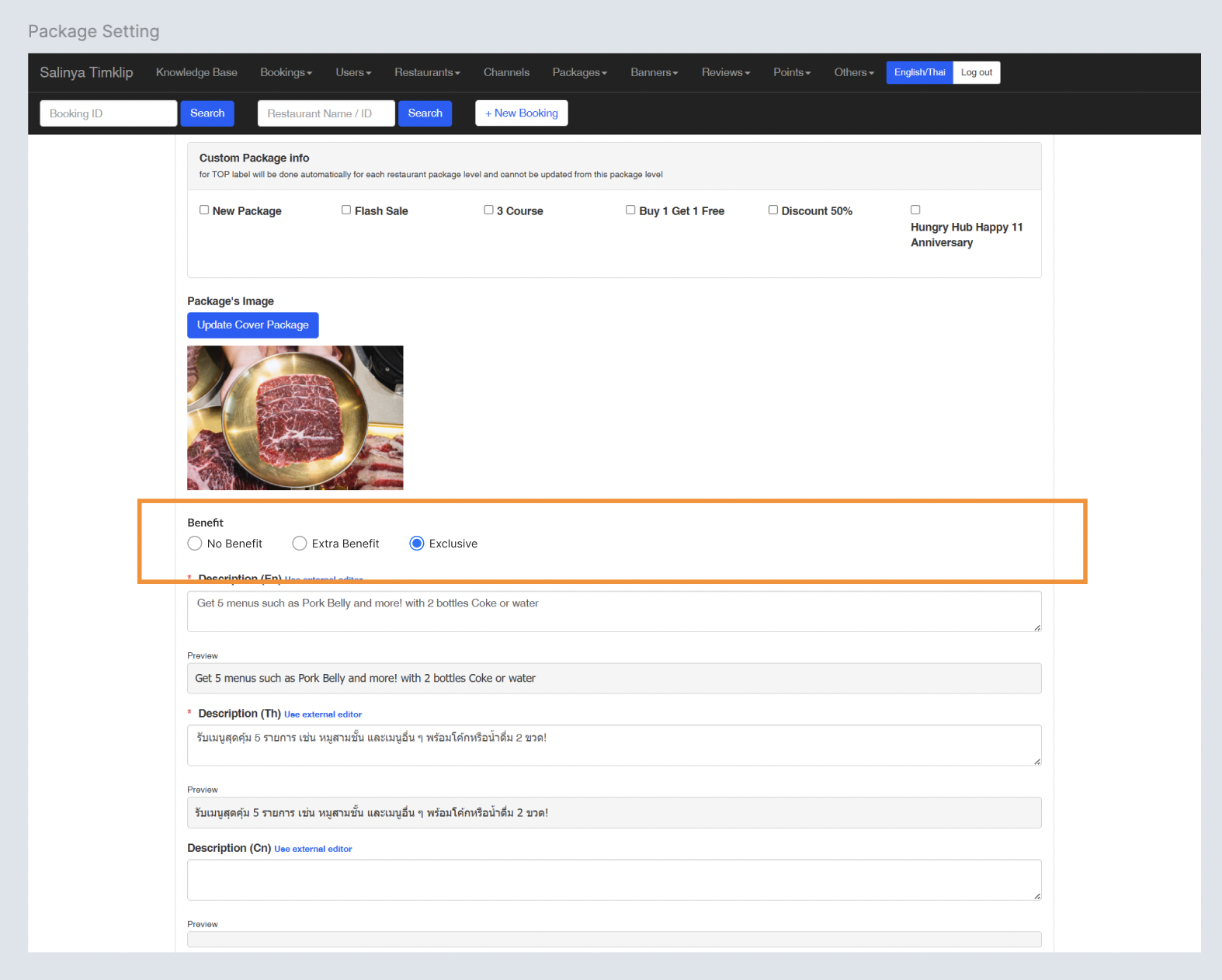 |
| Extra Benefit (Improvement) | Show 2 main languages (EN and TH) Set other languages using View All Languages button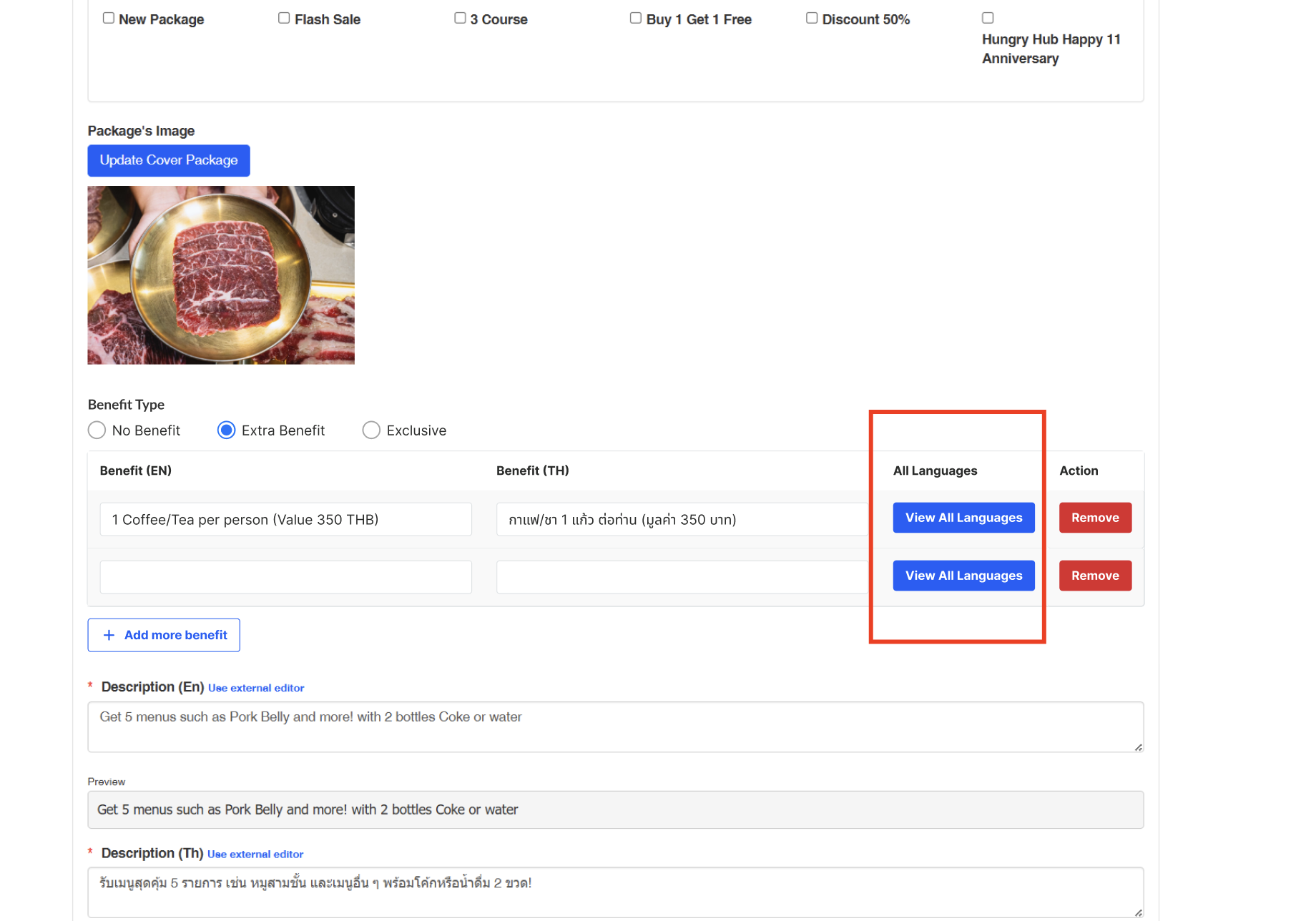 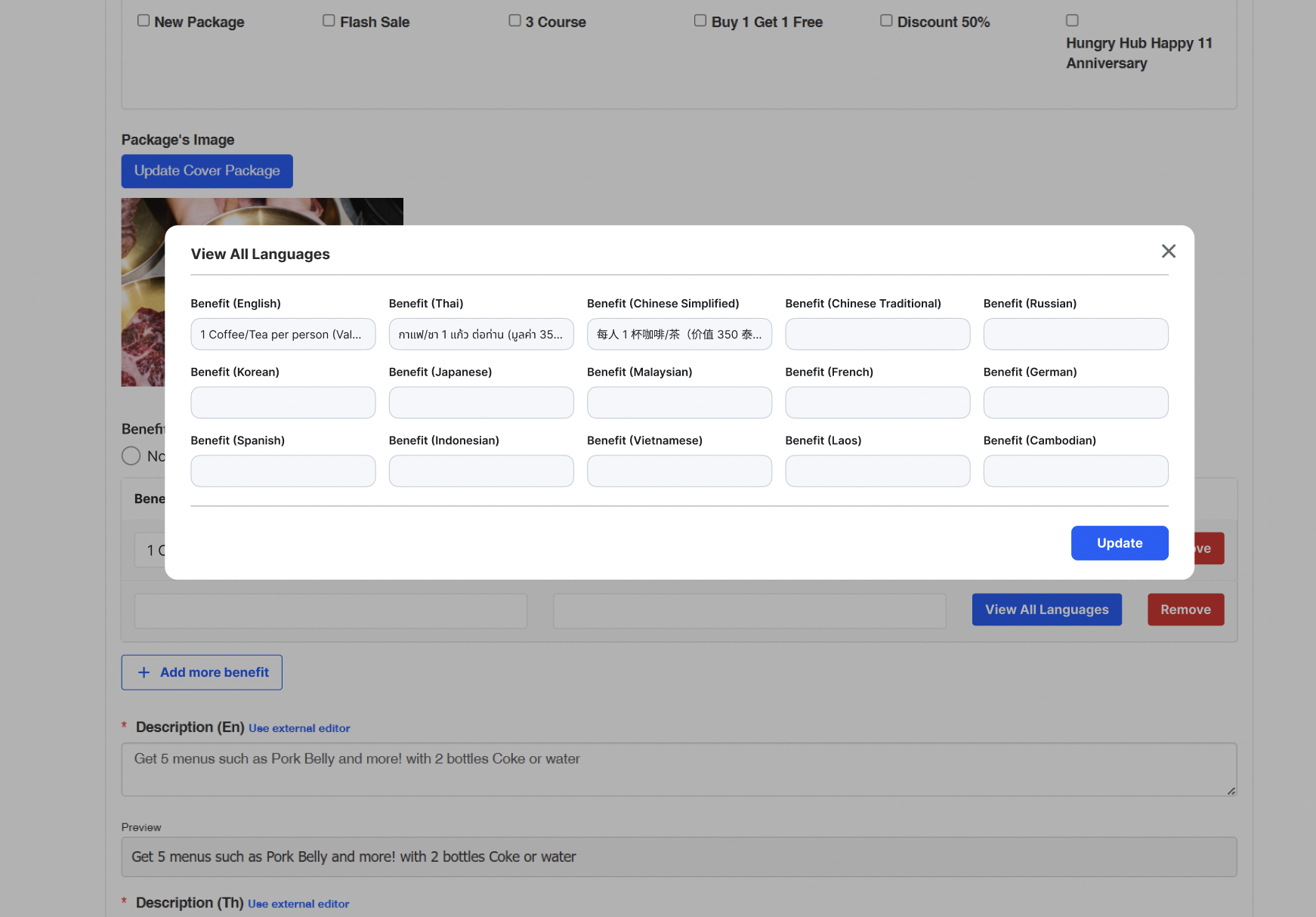 |
Display Benefit Label on Store Page
| User Story | Requirement |
|---|---|
| Extra Benefit | Available for all types of package Make sure the icon and text is displayed correctly 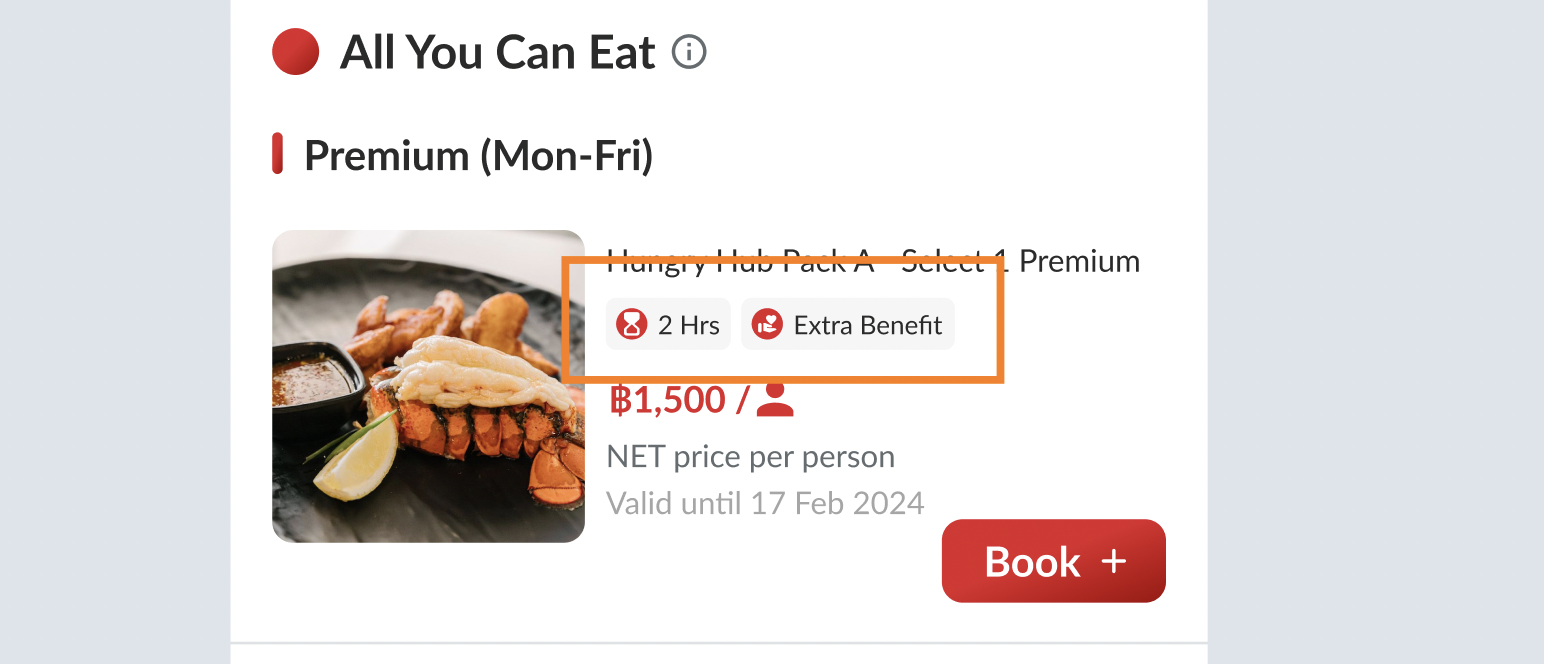 Special case for web desktop view When hovering, please display the tooltip Benefit 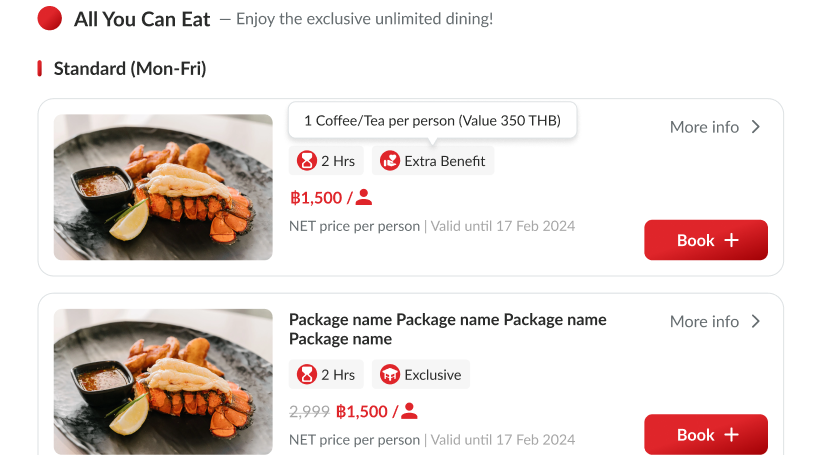 Benefits 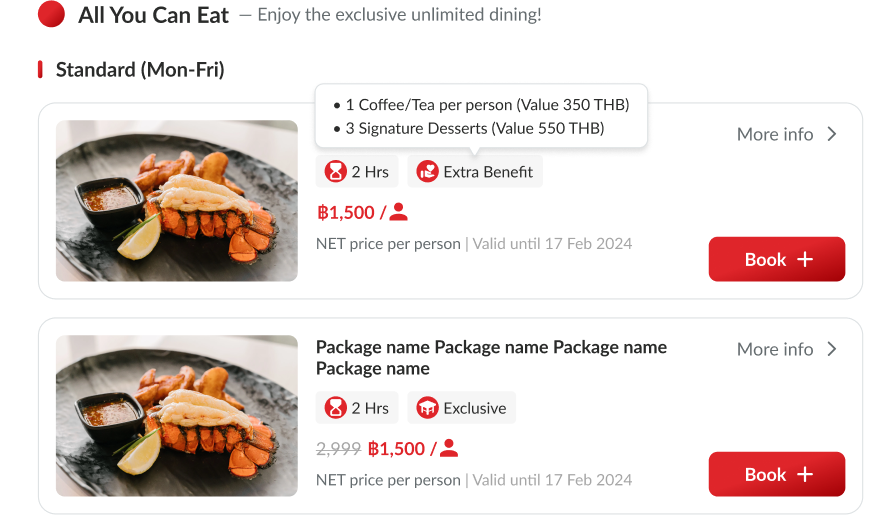 |
| Exclusive | Available for all types of package Make sure the icon and text is displayed correctly 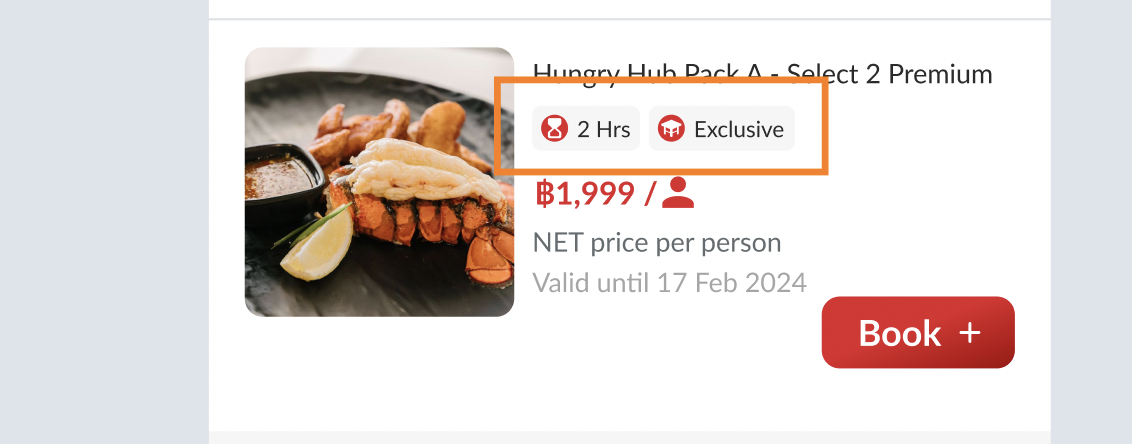 |
Display Benefit Label on Package Page
| User Story | Requirement |
|---|---|
| Extra Benefit | Display label on what's included sectionThere is additional section under About the package section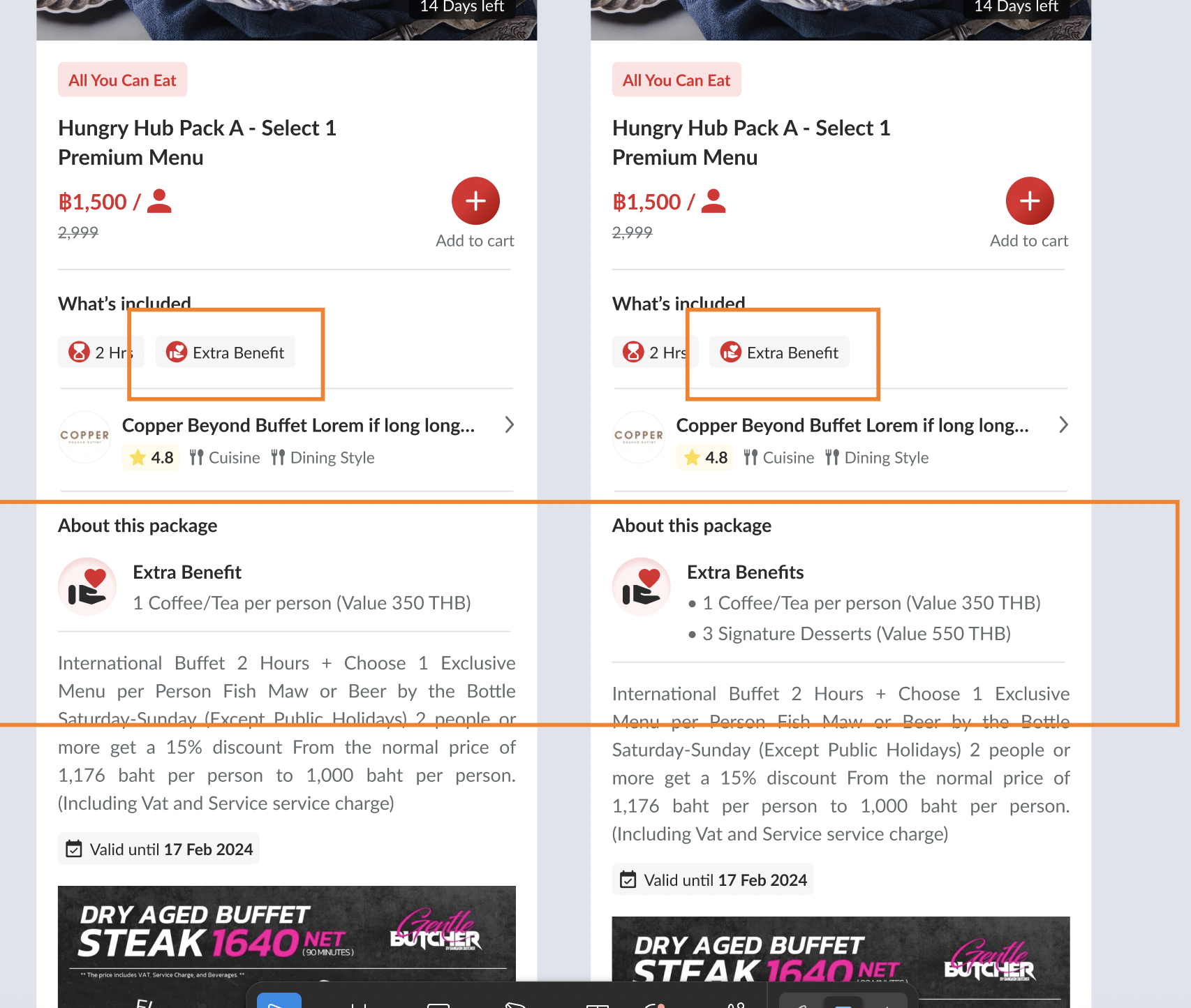 Extra Benefit Case If only 1 field is inputted (from admin dashboard), no need to use additional s in the last word of Extra BenefitIf have more than 1 field are inputted, use additional s in the last word of Extra Benefit → Extra BenefitsGive bulleted lists |
| Exclusive | Display label on what's included sectionThere is additional section under About the package sectionHard-coded, no setting related to admin dashboard 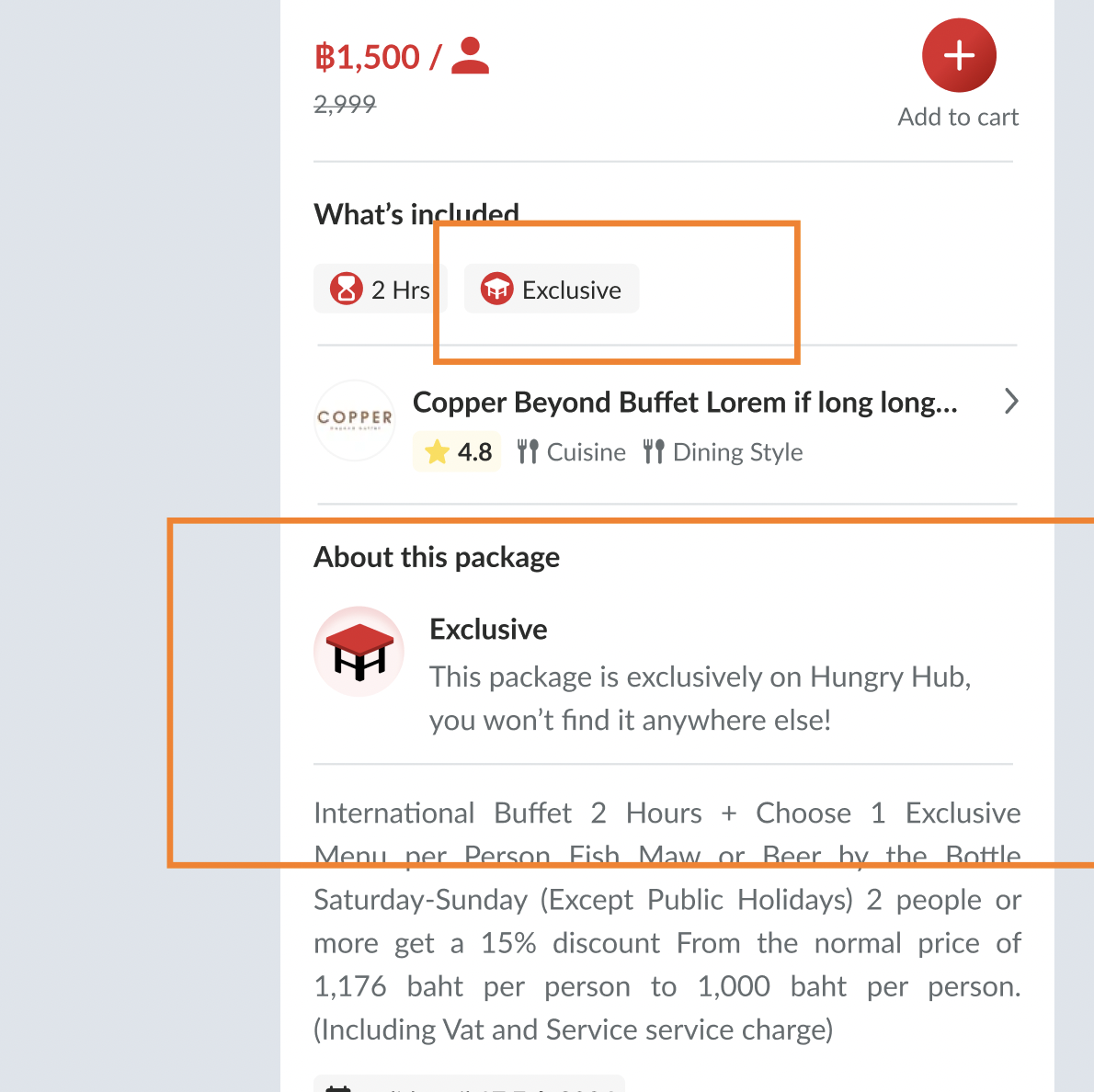 |
❓ FAQ
| Question | Answer |
|---|---|
| Translation |