Badge Promotion
🧾 History
| Date | Changes | Link | By |
|---|---|---|---|
| 4 Dec 2024 | Badge Promotion setting on Package Level Badge Promotion display on client side | This PRD | Umam |
📕 About
| Context | Marketing team have the campaign in special day. for example 20% off (discount) |
|---|---|
| Problem | There is no setting to set the promotion/discount campaign based |
| Solution | Should have the setting to show promotion/discount campaign |
| Name of Feature | Badge Promotion |
| Objective | Badge Promotion setting on Package Level Badge Promotion display on client side |
| Gains | Increase the engagement Increase user's click Help restaurant to get more customers |
| Pains | Consider the calculation and the priority badge's display |
| Figma Link | https://www.figma.com/design/5q2WPEzciWeE8pZa9SieFS/Dynamic-Pricing?node-id=1719-338&t=3r841i9HgG2W0sMp-1 |
| Available Platform | Web/Android/iOS |
| Sprint | TBD |
| Related PRD | - |
| Out of Scope |
🎯 User Story & Requirement
Badge Promotion Setting on Package Level
| User Story | Requirement |
|---|---|
| Price ➝ Price by day ➝ Public holidays / Special days | Provide checkbox button to display Promotion BadgeOnce the checkbox is active, show field to adjust the percentage of discount Required to fill There is no auto-calcule, just input it manually 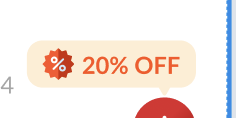 Badge display period is based on this setting. (only display when in the range of period)  Limit the percentage from 0 until 100 Error state → You can only 0 until 100 |
| Promotion → Come more pay less | There is no UI and logic changes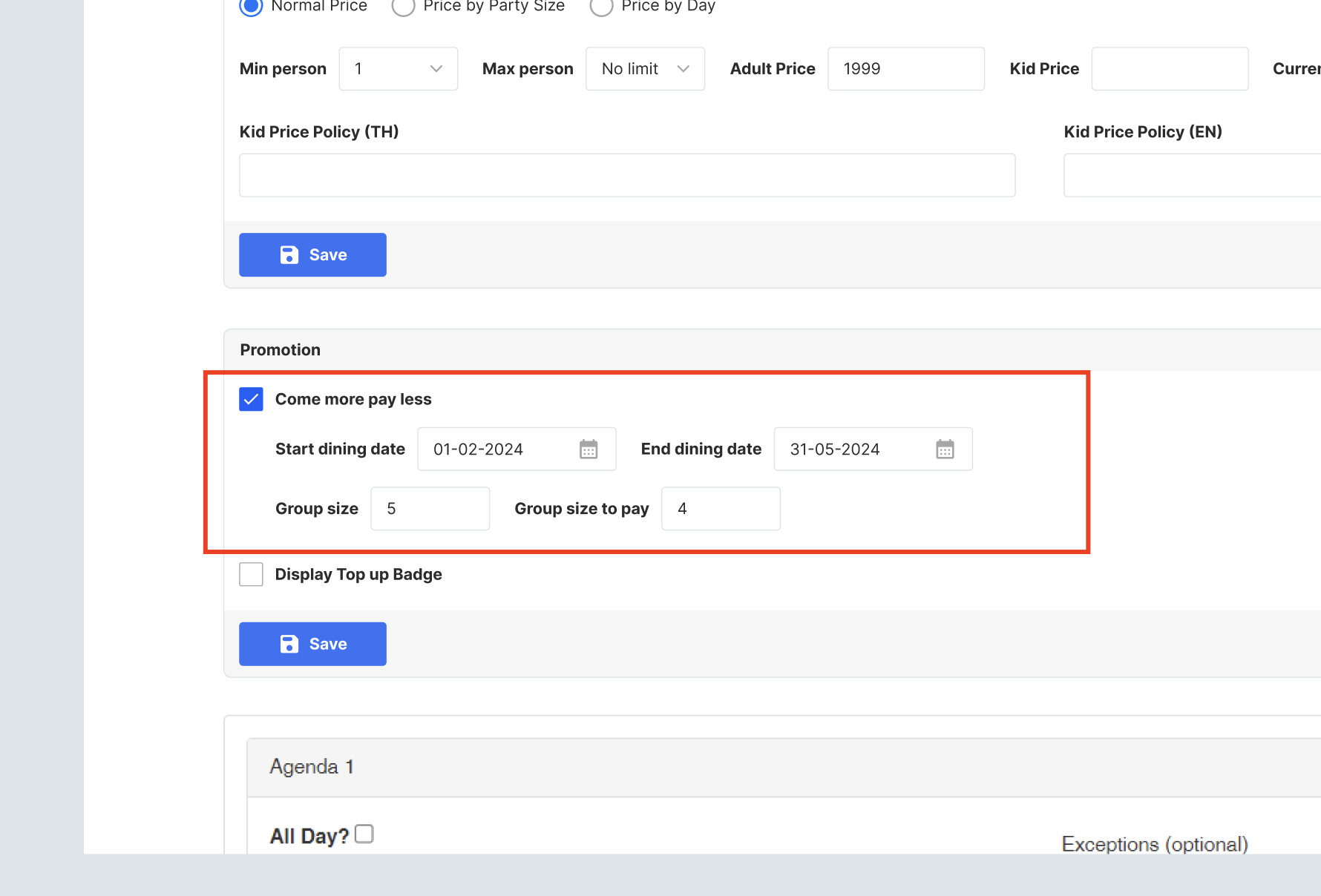 All fields required If the date is blank, should use the package expiry date (old default setting) → Improvement for Follow Package Date can see in the last section Show the UI → Come X pay Y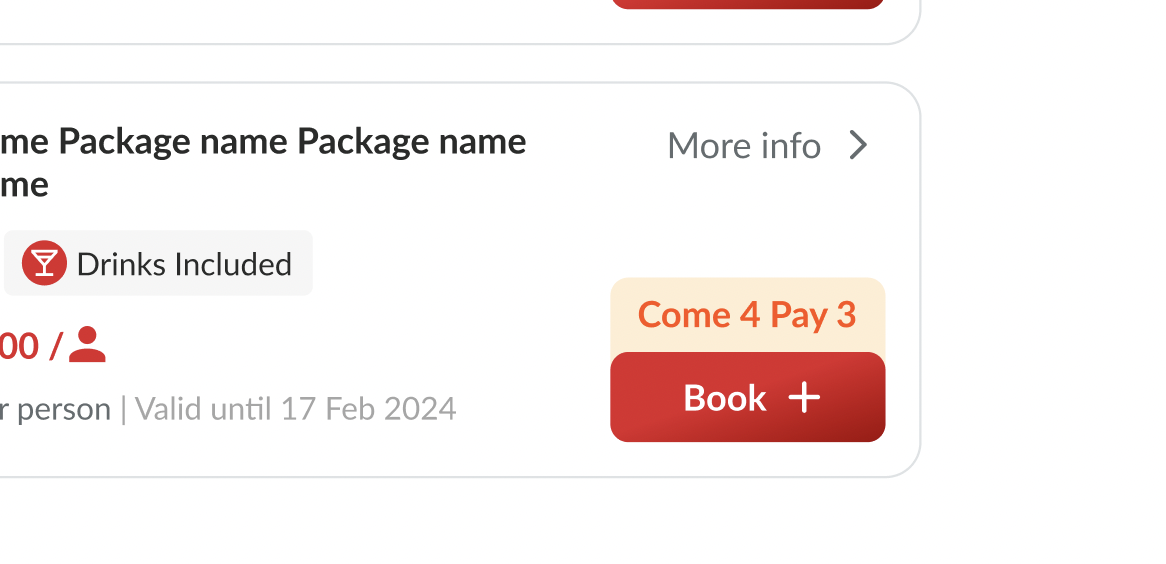 Can be used by Normal PricePrice by Party SizePrice by Day → Public holidays / Special daysIf there are discount promotion and come more pay less , should use one of the highest percentage between them (please check below for the details)Come more pay less can be assumed as percentage also to define the priority. it's used when there are some packages in a restaurant. please note that in the UI still shows the Come X pay Y not the Z% offFormula : 100% - ((Group size to pay / group size) *100%)Example : Come 4 pay 3 → 25% off Come 5 pay 4 → 20% off If there is combination between come more pay less + price by party size→ Promotion badge will use the higher percentage → The calculation logic still occurs like existing (Override by come more pay less when meets in the range of date) come more pay less + top up or price by day / special holiday or normal price→ Promotion badge will use the higher percentage → The calculation logic still occurs like existing system (no logic changes) |
| Promotion → Display Top Up Badge | Provide checkbox button inside the promotion section Display Top up Badge  There is no calculation occurs Can combine with come more pay less (use the highest percentage)Can be used by Normal PricePrice by Party SizePrice by DayPrice by Day → Public holidays / Special daysIf there are Top up, special day and come more pay less , should use one of the highest percentage between themLimit the percentage from 0 until 100 Error state → You must input 0 until 100 |
| Logic | There is no changes for the calculation logic. it's only the badge display For the priority, should use one of the highest percentage to decide which one to be displayed Required when the checkbox is active Top up badgeSpecial dayLimit the percentage from 0 until 100 Error state → You must input 0 until 100 |
Badge Promotion display on client side
| User Story | Requirement |
|---|---|
| Homepage | Display on the restaurant card that have the badge promotion in the package.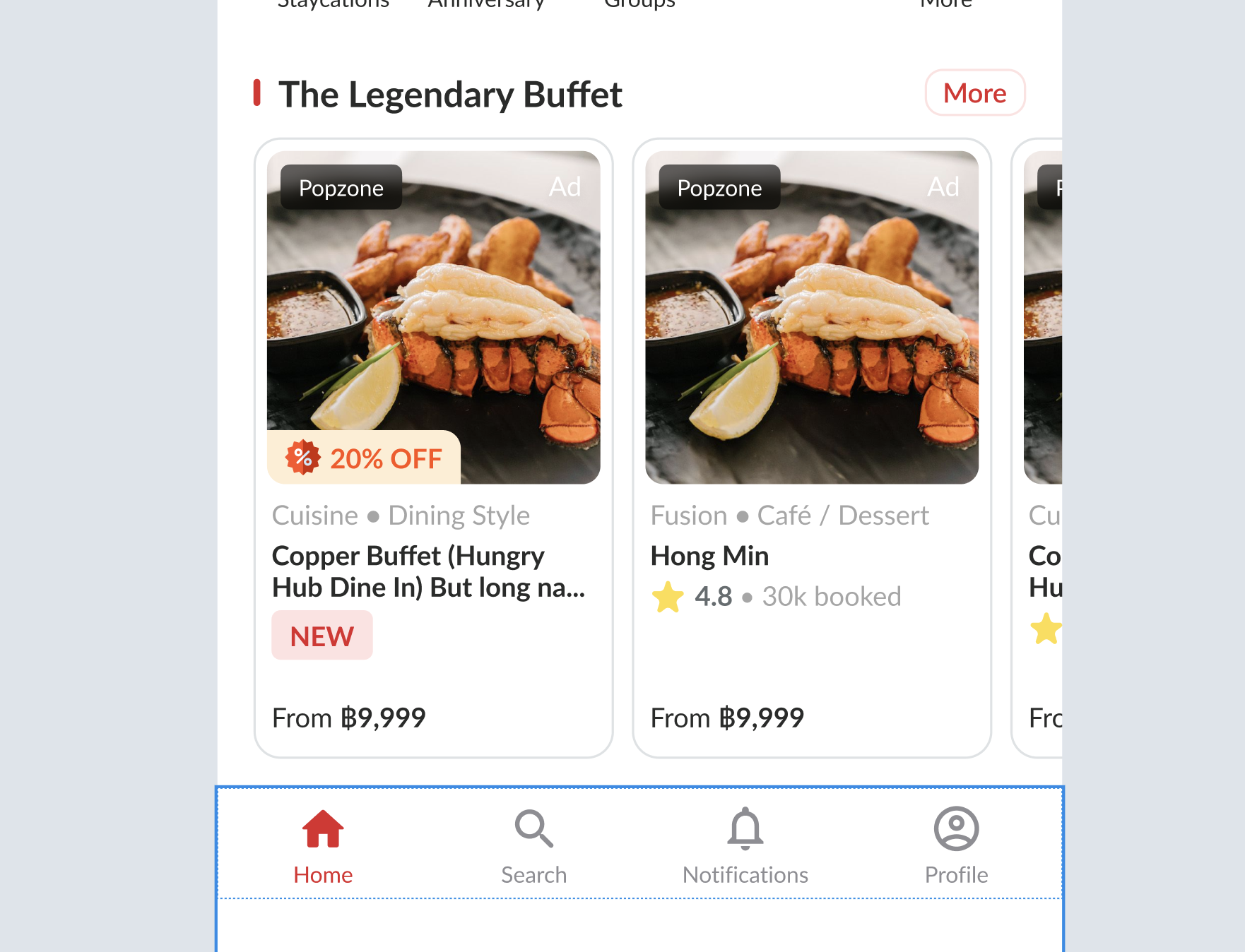 Restaurant has branches  Display the badge promotion when there is badge promotion in one of restaurant. Display the badge promotion when there is badge promotion in one of restaurant.Branch A Outlet A (Have badge) Outlet B So, branch A will display the Outlet A that have a badge Restaurant has more than a package that have a badge, should use one of the highest percentage of the badge Branch A Outlet A → 20% Outlet B → 40% Outlet C → 60% So, branch A will display the Outlet C that have the highest percentage Branch B Outlet A → 20% Outlet B → 40% Outlet C → come 2 pay 1 → 50% So, branch B will display the Outlet C that have the highest percentage |
| Search Page | Same behavior with *Homepage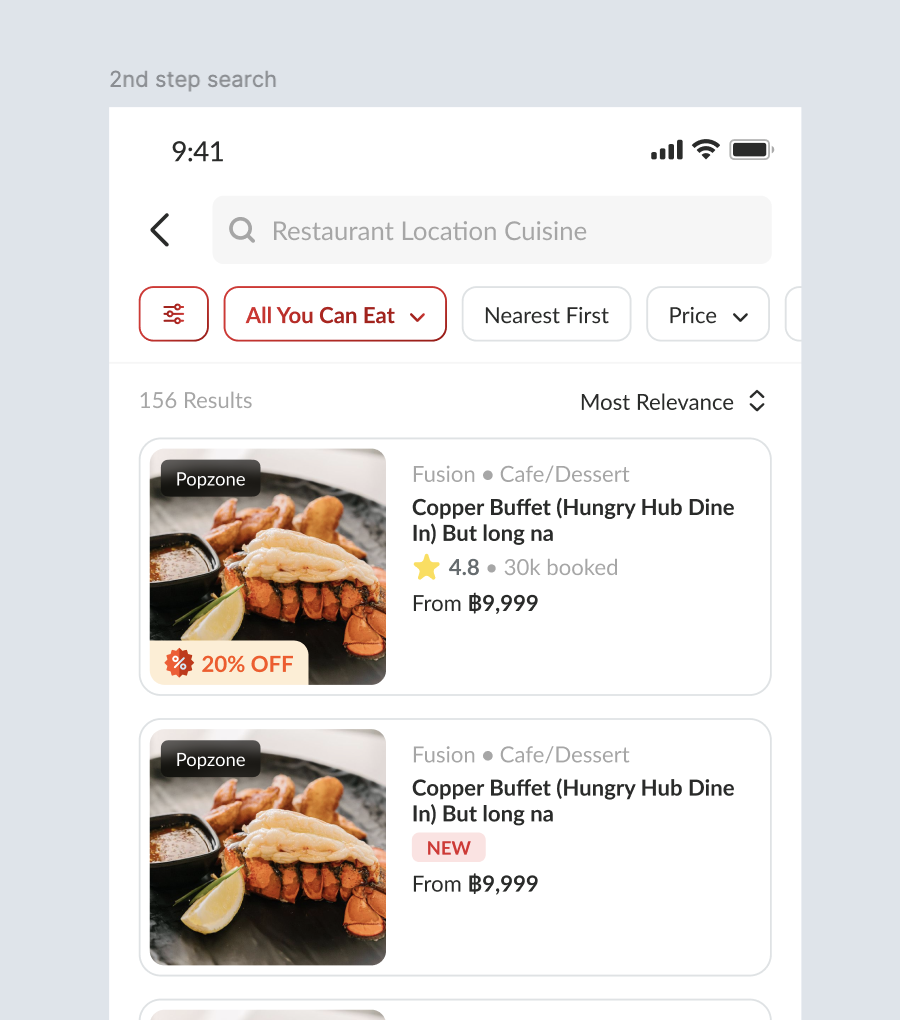 |
| Group Landing Page | Same behavior with *Homepage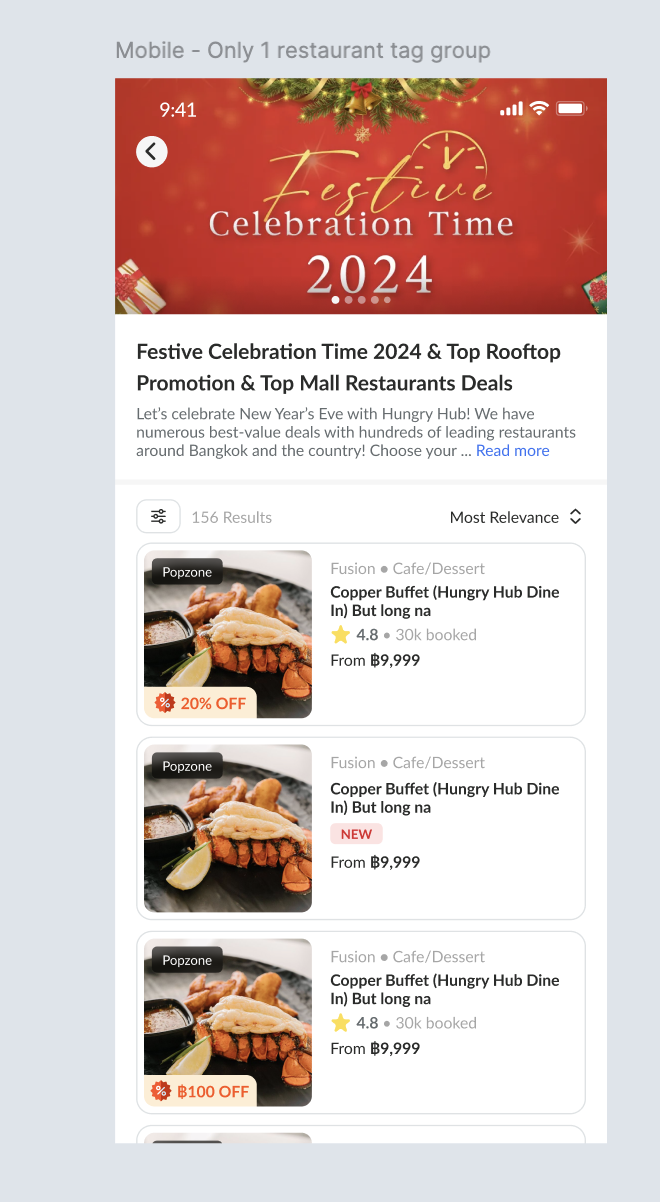 |
| Store Page | Display on the package card Default : 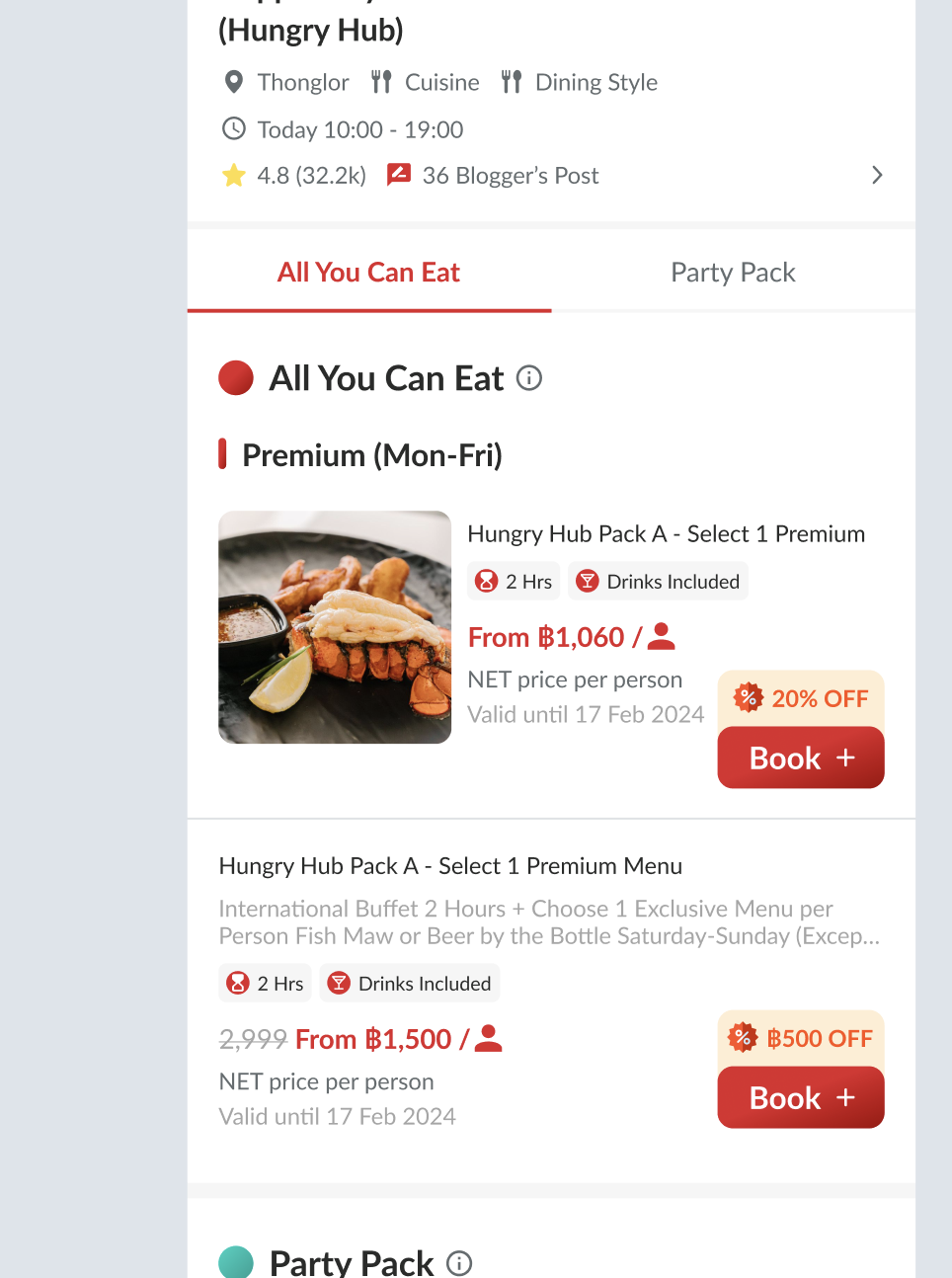 When there is selected package : 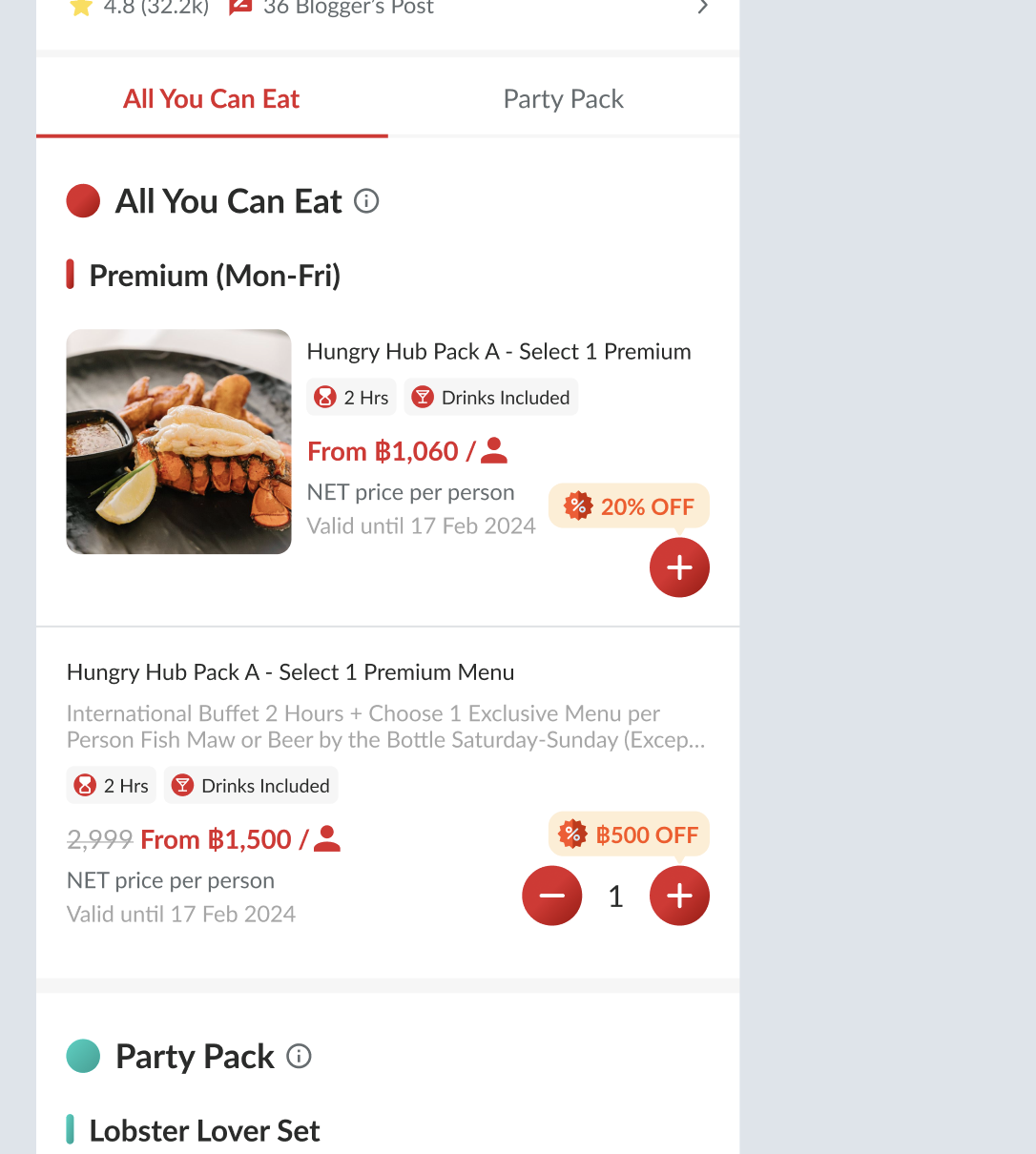 |
| Detail Package Page | Display the label on the price by day section (on the box) Only display the day box that has the badge setting 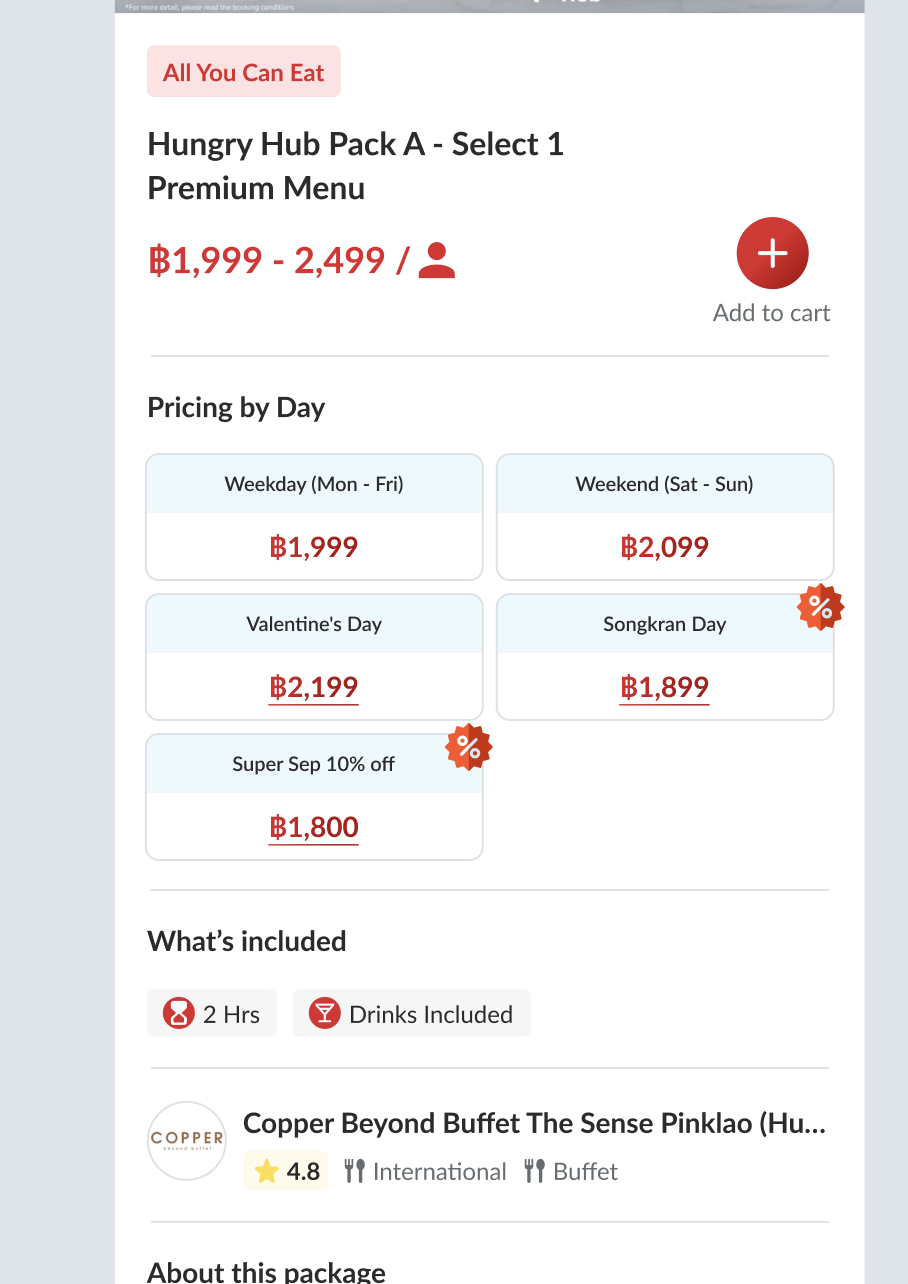 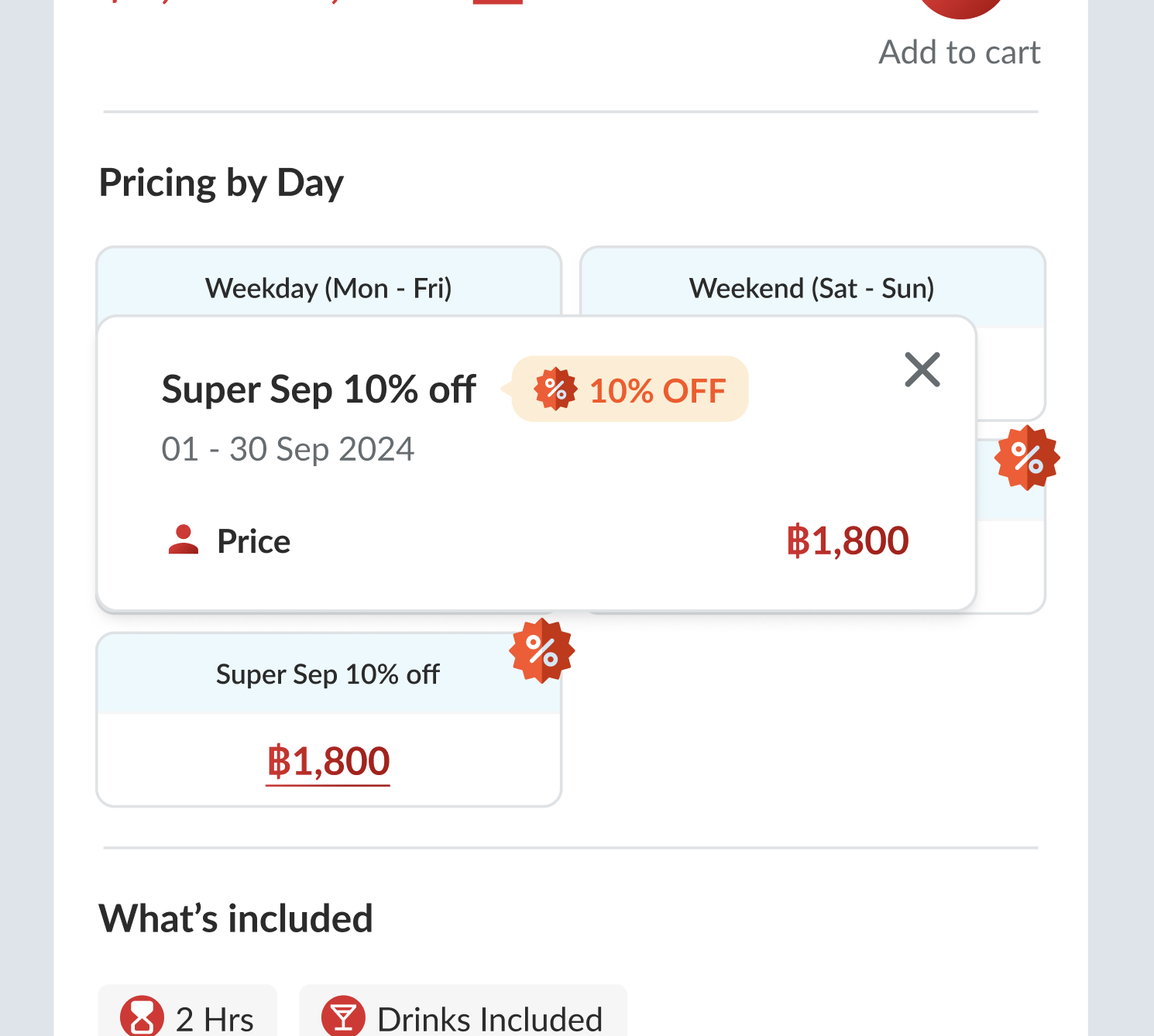 |
Follow Package Date (Improvement)
| User Story | Requirement |
|---|---|
| Follow Package Date in Come More Pay Less section | Need to add the checkbox to activate/deactivate the follow package dateActive → Follow the package start and end date (follow the start date and end date in the restaurant) All of the package with blank start and end date should migrate to follow package dateDisable the date field 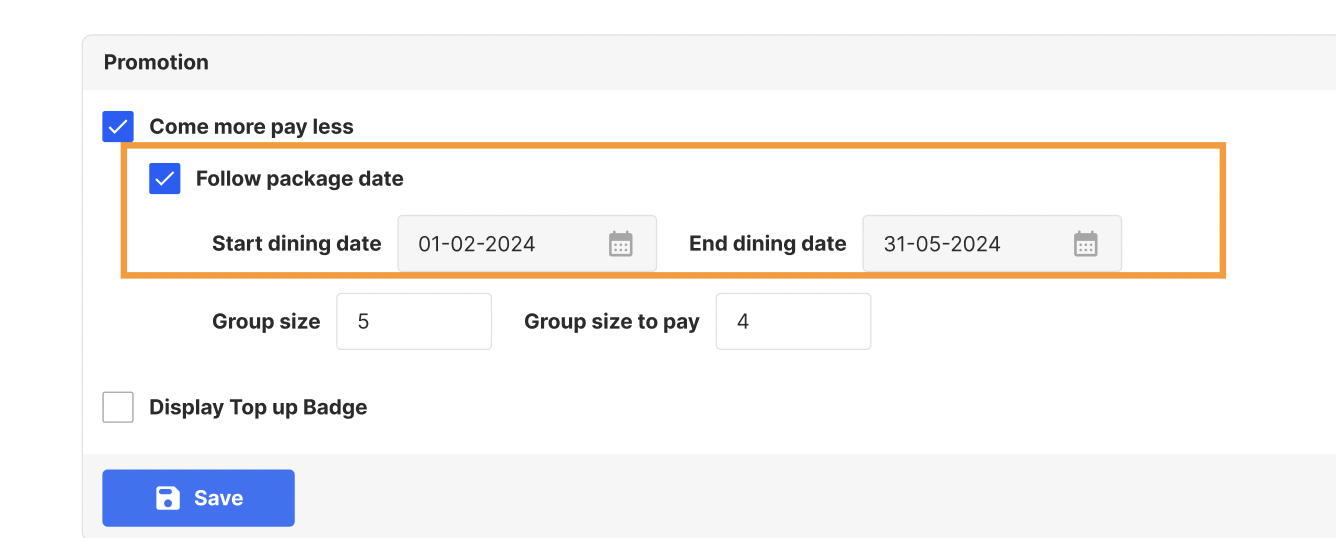 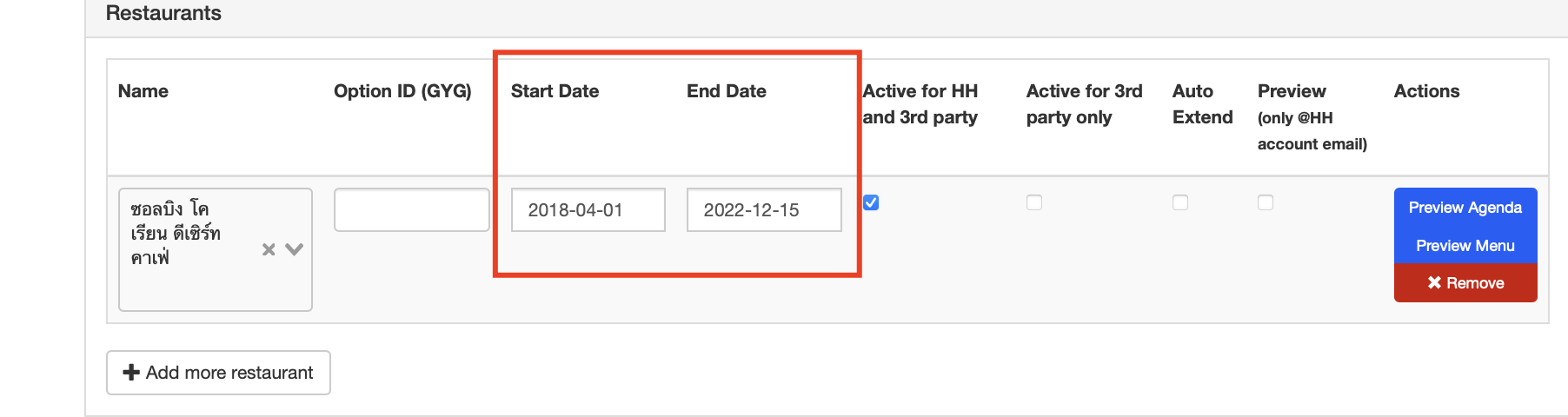 Inactive → Set the start and end date manually (required/mandatory) Enable the date field Can't be blank, should show error 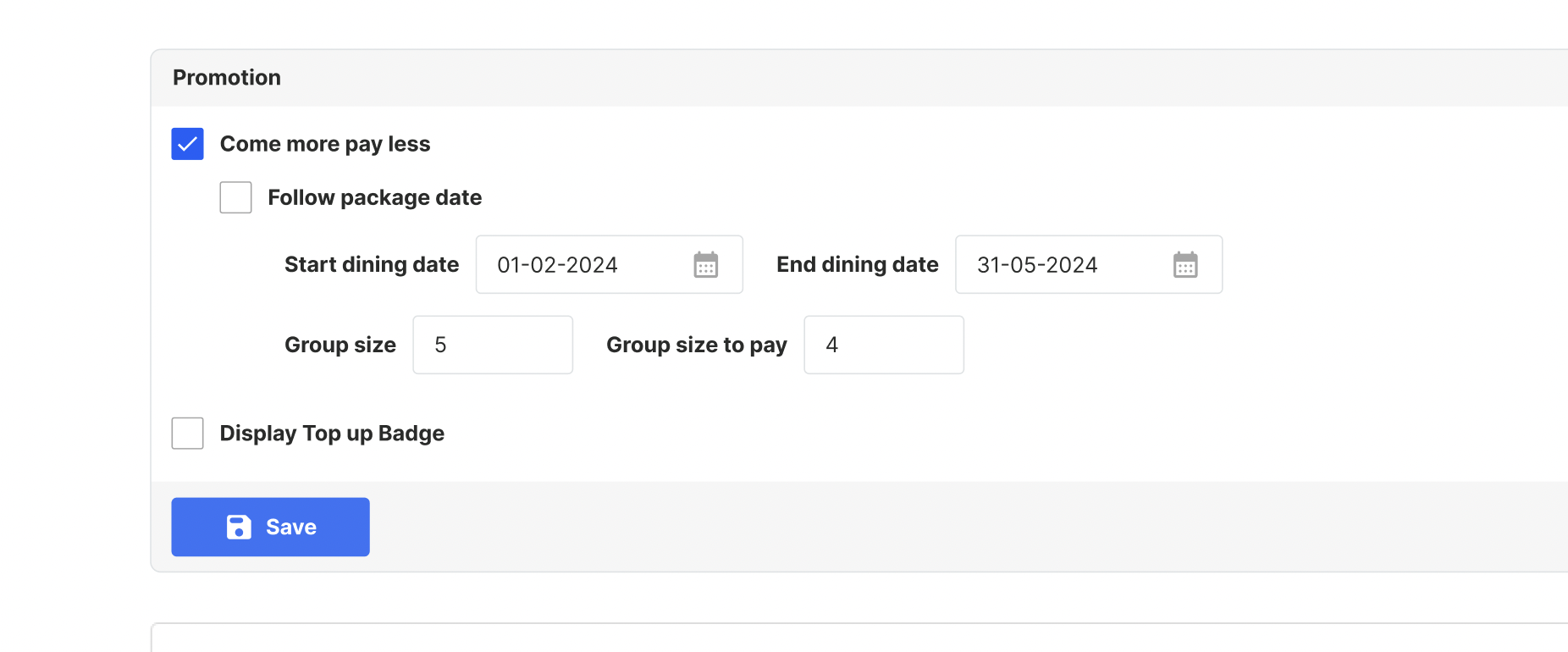 |
| what we suggest when the come more pay less date is blank | Should use only a restaurant Can use more than 1 restaurant but should use same start date and end date Fill out the come more pay less date |
❓ FAQ
| Question | Answer |
|---|---|
| Web version? | pls check on the figma |