Award Icon
🧾 History
| Date | Changes | Link | By |
|---|---|---|---|
| 25th Jan 2025 | Restaurant Tag Setting Restaurant List Setting Award Badge Award Type | This PRD | Umam |
📕 About
| Context | 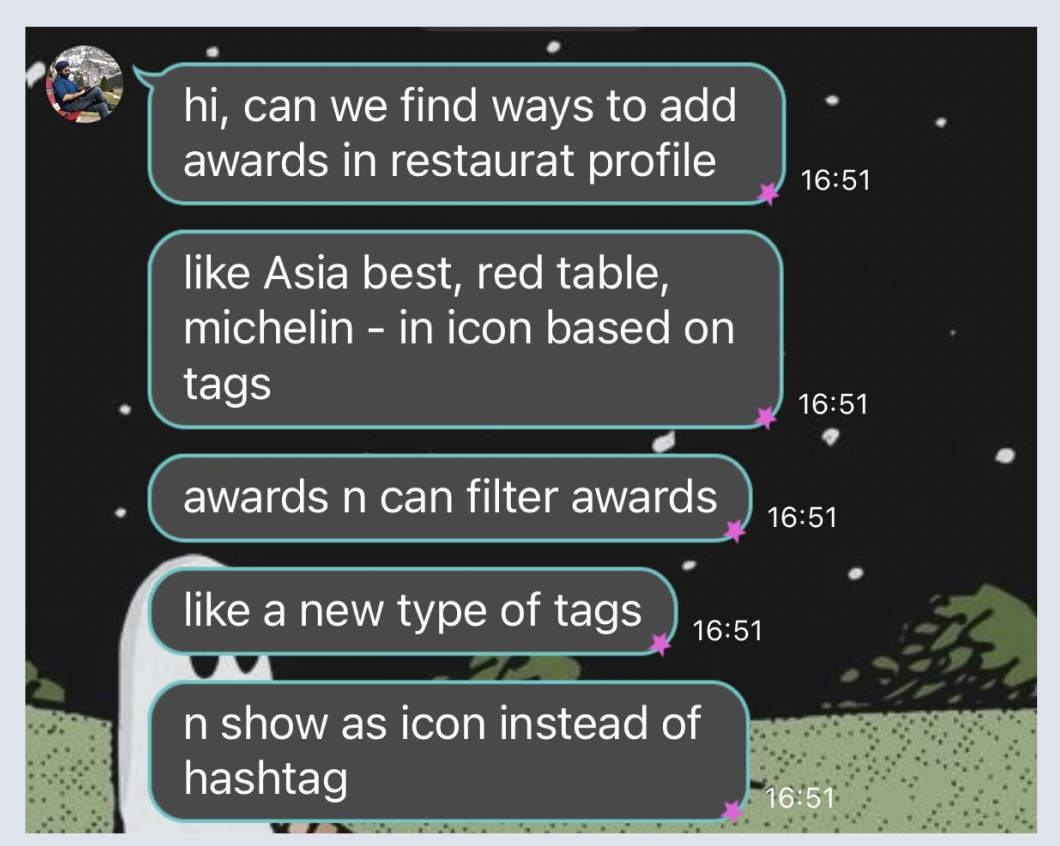 |
|---|---|
| Problem | Some restaurant have the achievement but it's not displayed on end user side |
| Solution | Need to show the achievement label on the end user side |
| Name of Feature | Award Icon |
| Objective | Restaurant Tag Setting Restaurant List Setting Award Badge Award Type |
| Gains | Get the more engagement Get the more click rate Get more conversion |
| Pains | Can't display the label if there is a promotion label |
| Figma Link | https://www.figma.com/design/gqO9x3ZImyRi2qLrRx0yGb/Award-winning-icon?node-id=0-1&t=8jLWM3jXDMf2jOhj-1 |
| Available Platform | Desktop, Mobile Web, Mobile App |
| Sprint | 54 |
| Related PRD | - |
| Out of Scope | - |
🎯 User Story & Requirement
Restaurant Tag Setting
| User Story | Requirement |
|---|---|
| Flow : Restaurant → Restaurant Tags | There are 2 additional tags Award Badge Award Type |
Award Type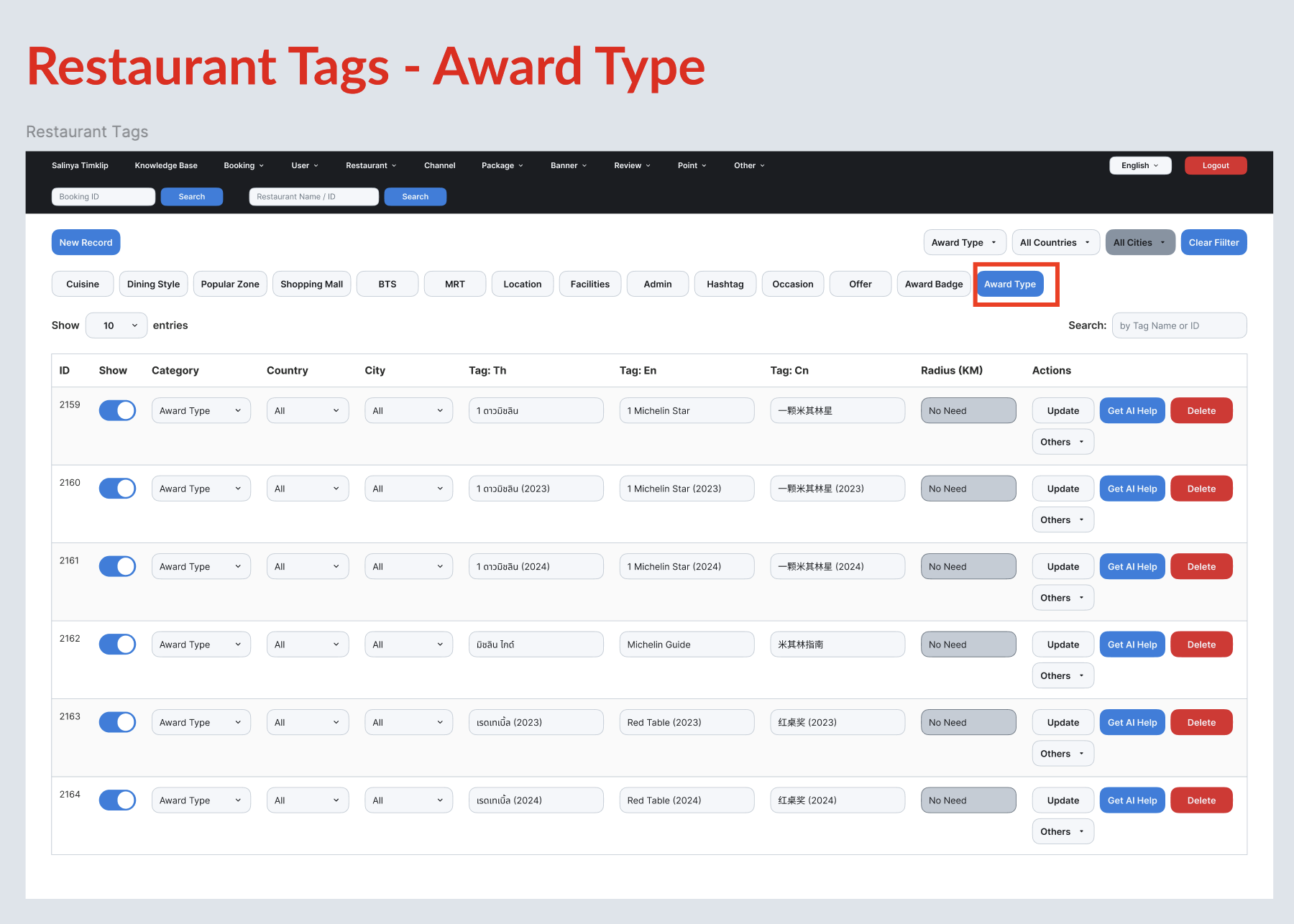 | There are some places to be displayed Store Page Restaurant Description Filter |
Award Badge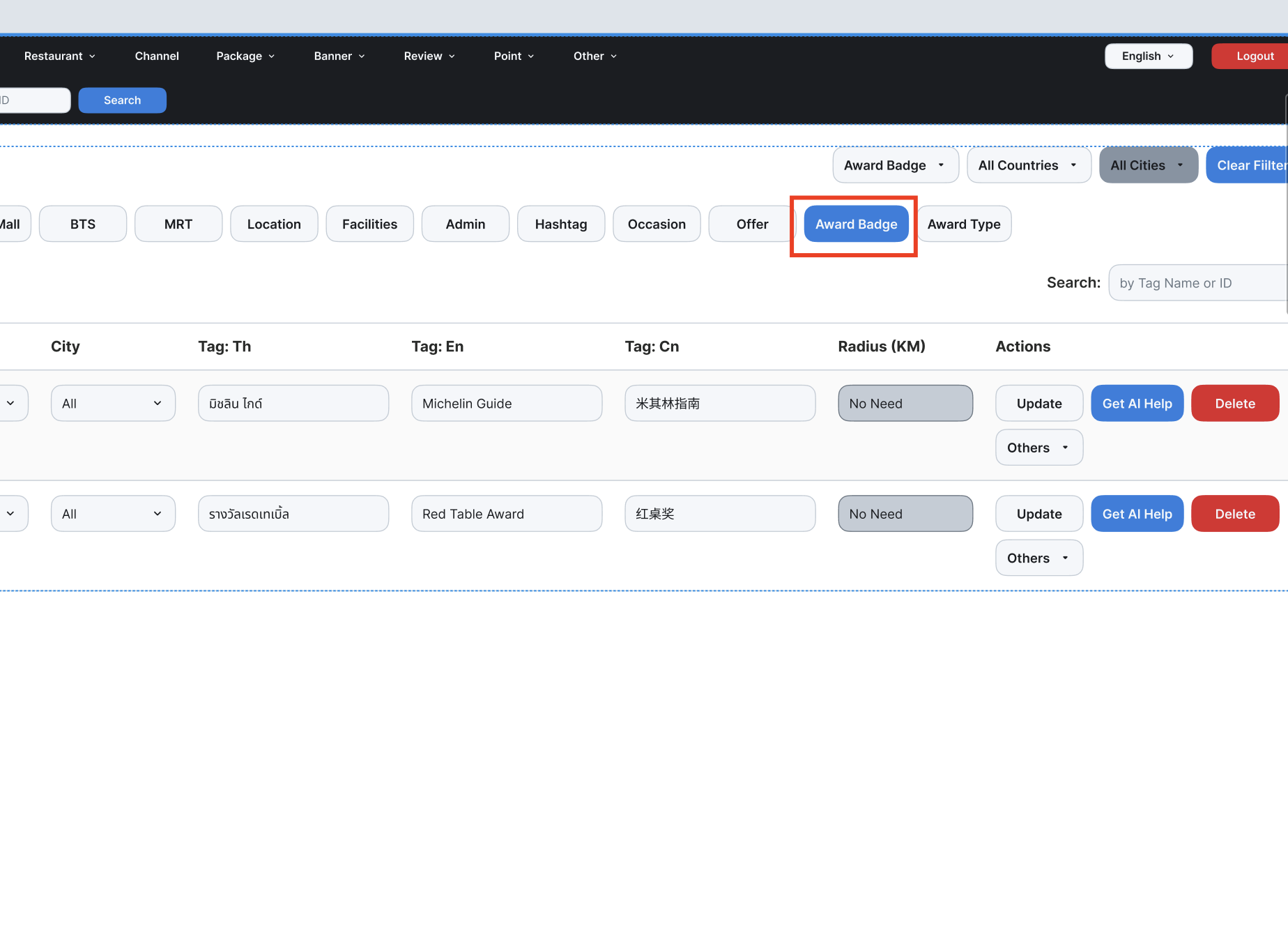 | There are some places to be displayed Homepage Search Page Group Landing Page |
| Create/edit tag | Same logic as existing Maximum characters is 18 for Award Badge → Not enough space if using more than thatError message → Display toast Maximum characters is 18 |
Restaurant List Setting
| User Story | Requirement |
|---|---|
| Facility & Awards Column | Facility ([Total Facilities])Award ([Total Awards])Award Badge DisplayPick one to display to end user side → Check on the Award Badge section belowAward Type DisplayPick one to display to end user side → Check on the Award Type section below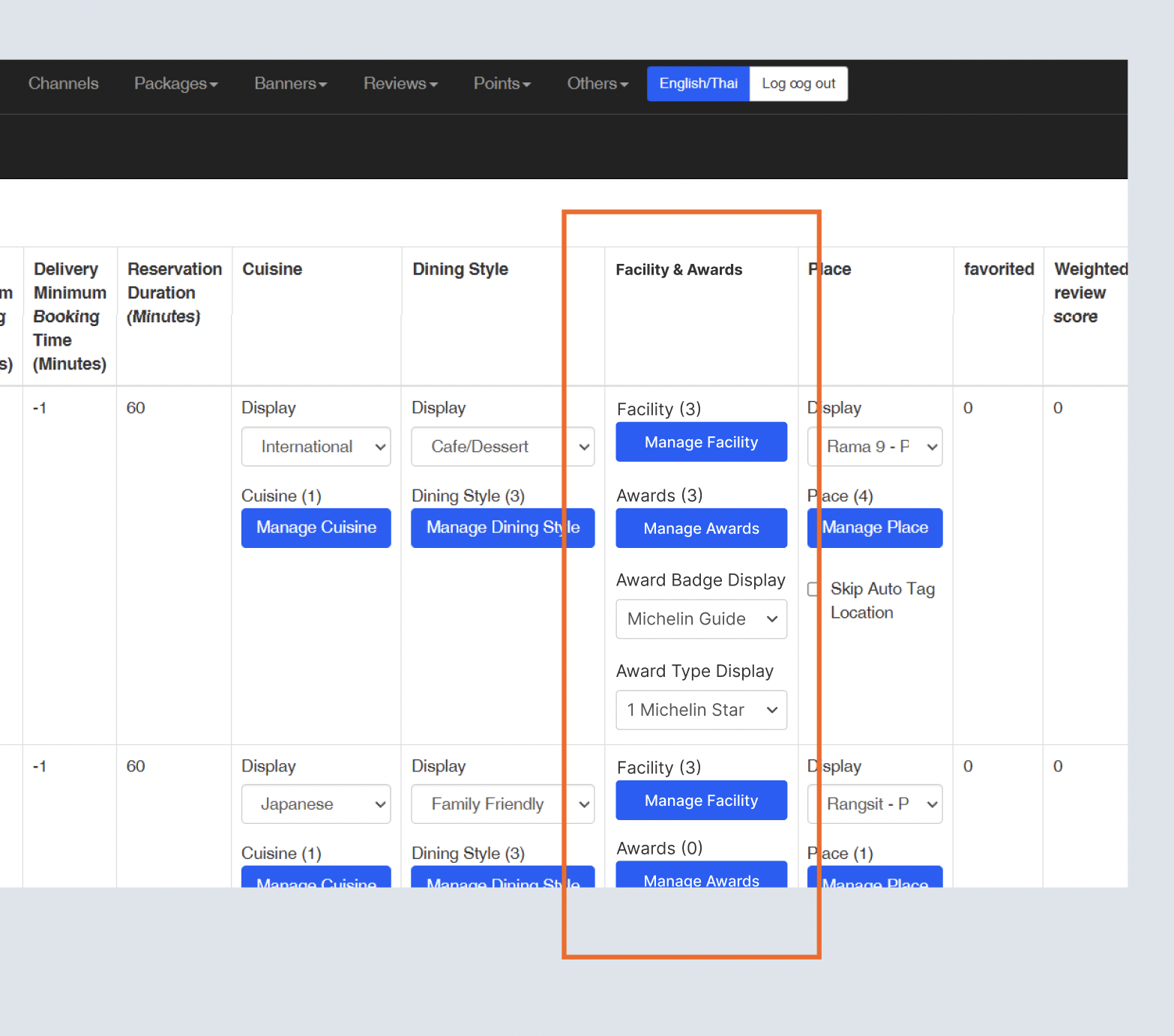 |
| Manage Awards | When click the Manage Awards button, will show the pop upCan select more than 1 (Checkbox) 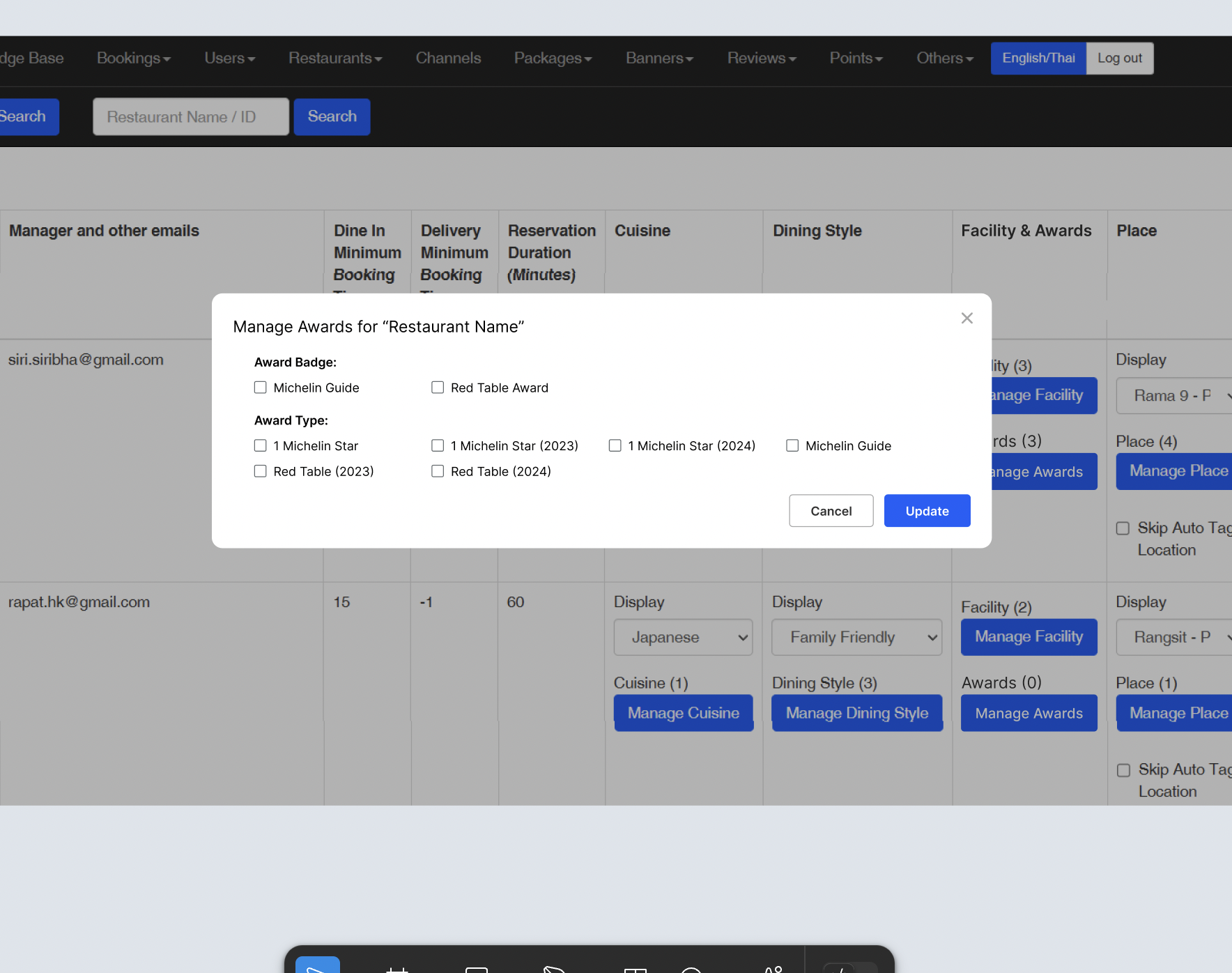 |
Award Badge
| User Story | Requirement |
|---|---|
| Homepage | Restaurant Card Display the Label from Award Badge Display setting on admin dashboard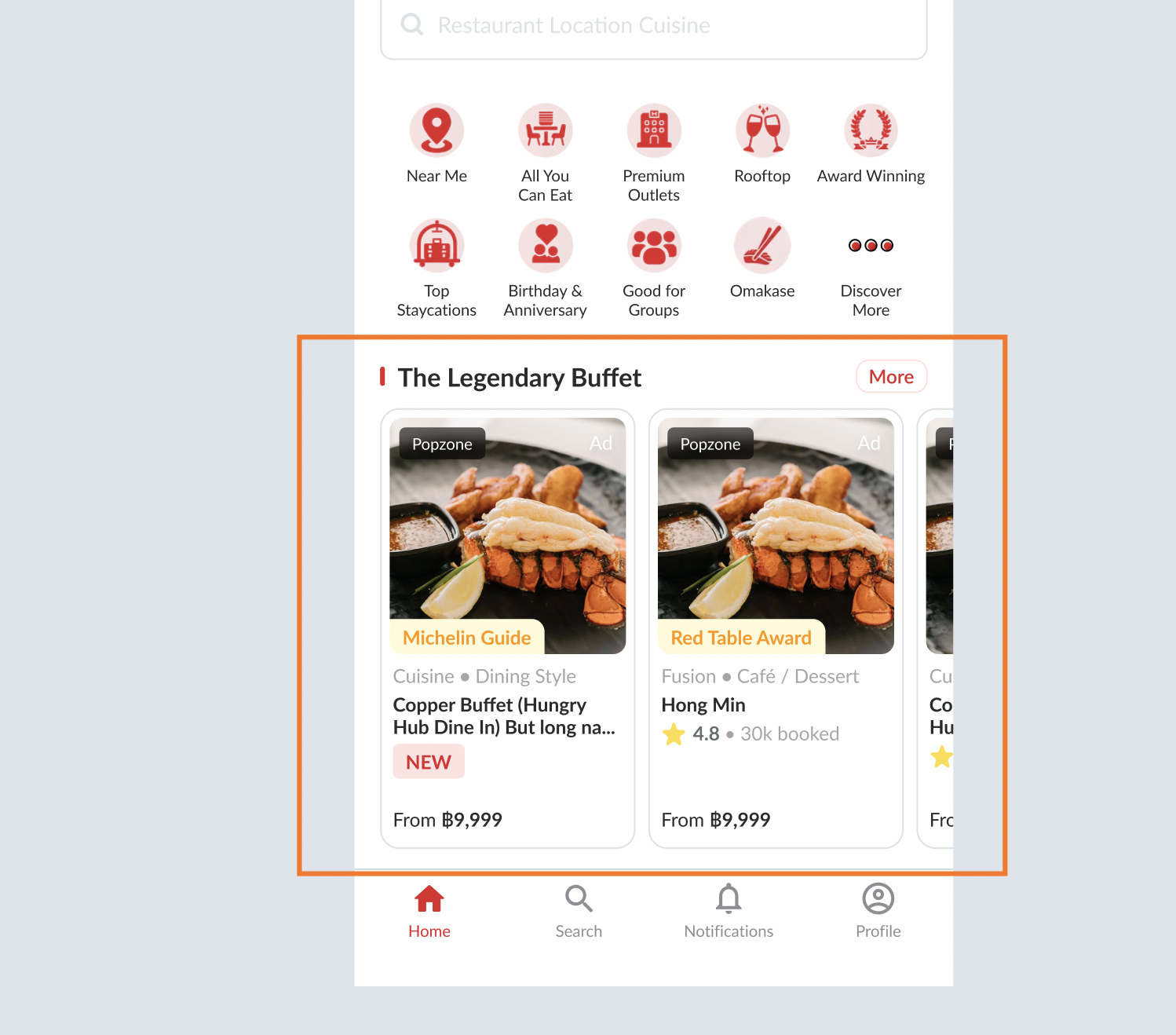 |
| Search Page | Display the label on the restaurant card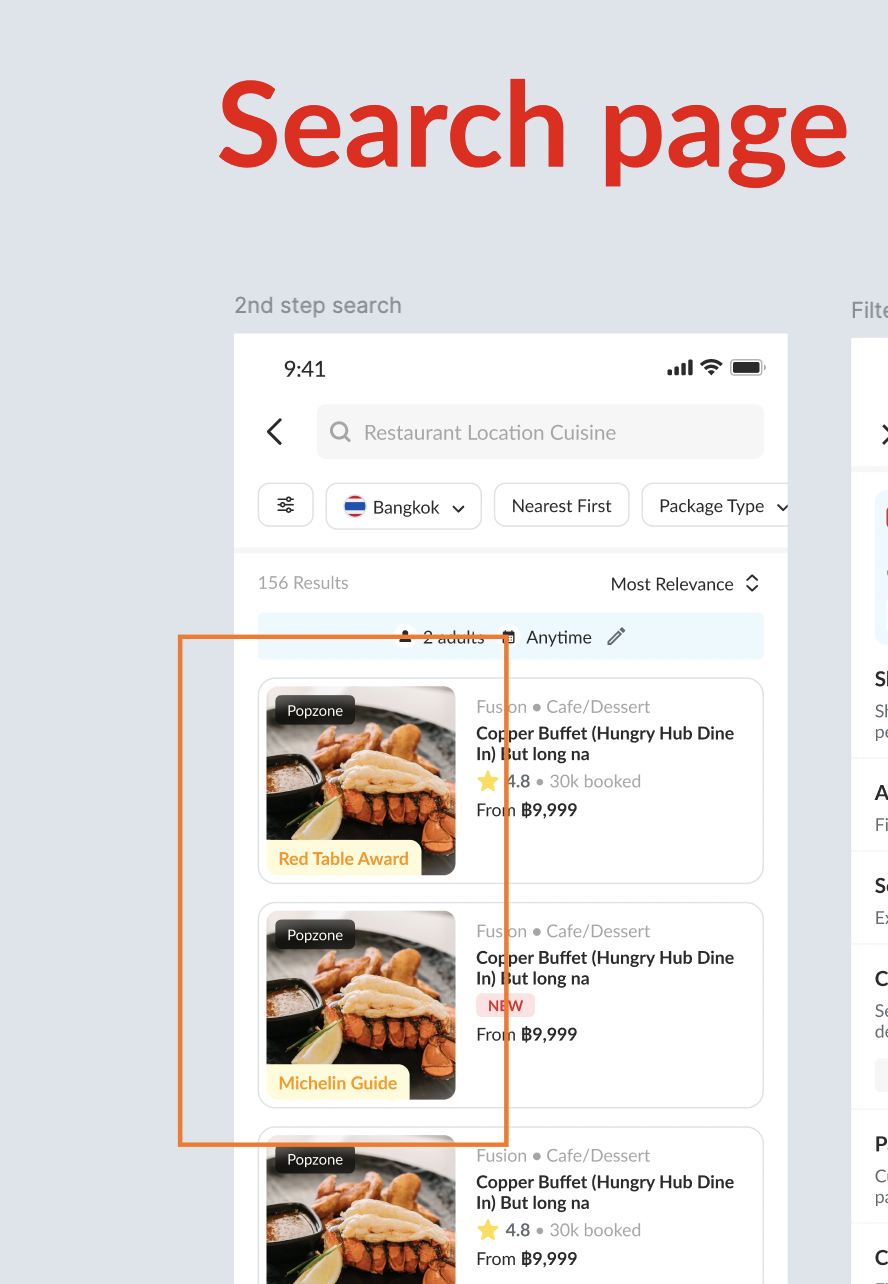 |
| Group Landing Page | Display the label on the restaurant card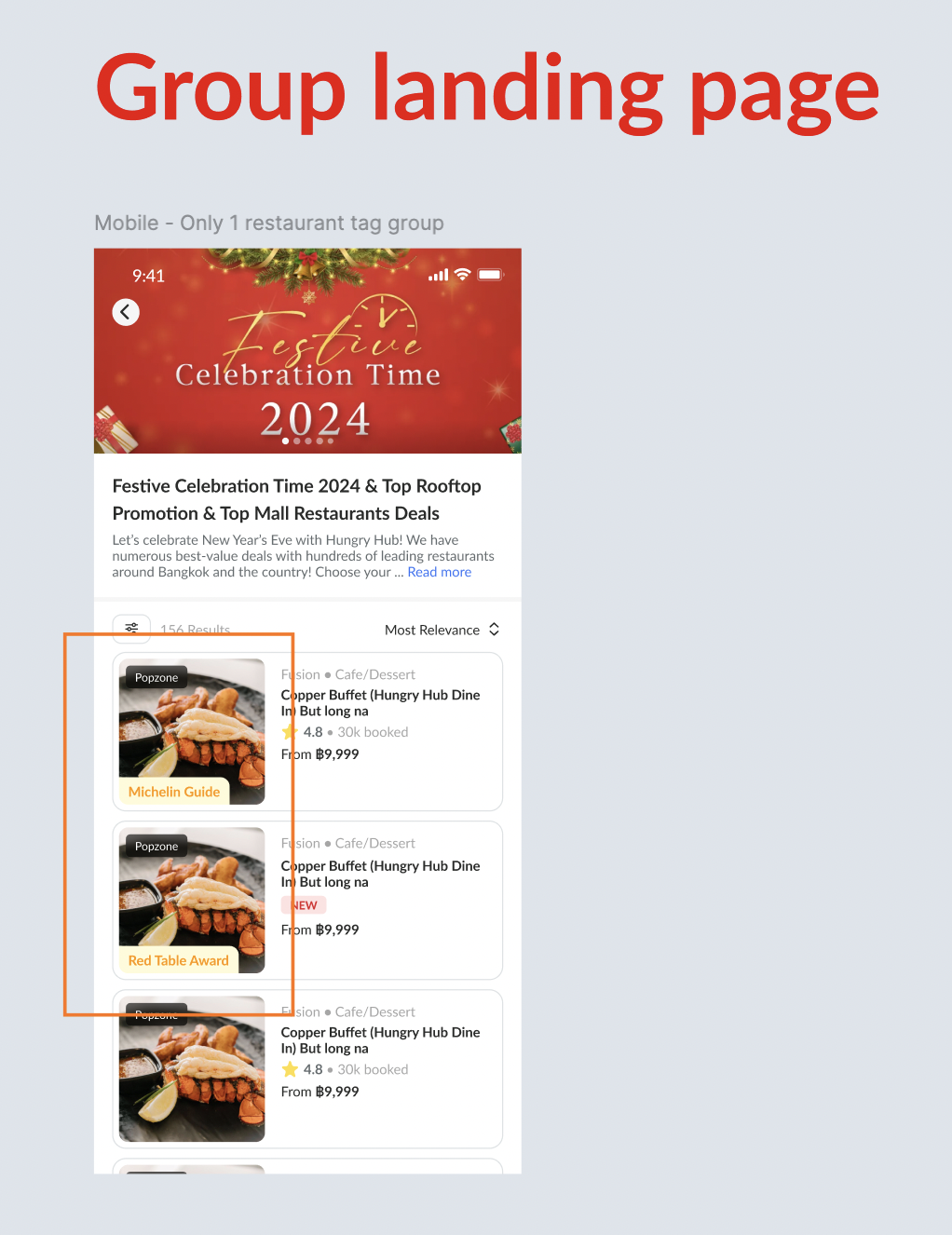 |
| Other's Restaurant Card Possibility | Can implement the label into all of the restaurant card on other's place Profile page etc |
| Discover More | Add the Award Winning on the pop up of discover more (website & app)Display the award badge No need for award type → because would show less results (refer to specific award) 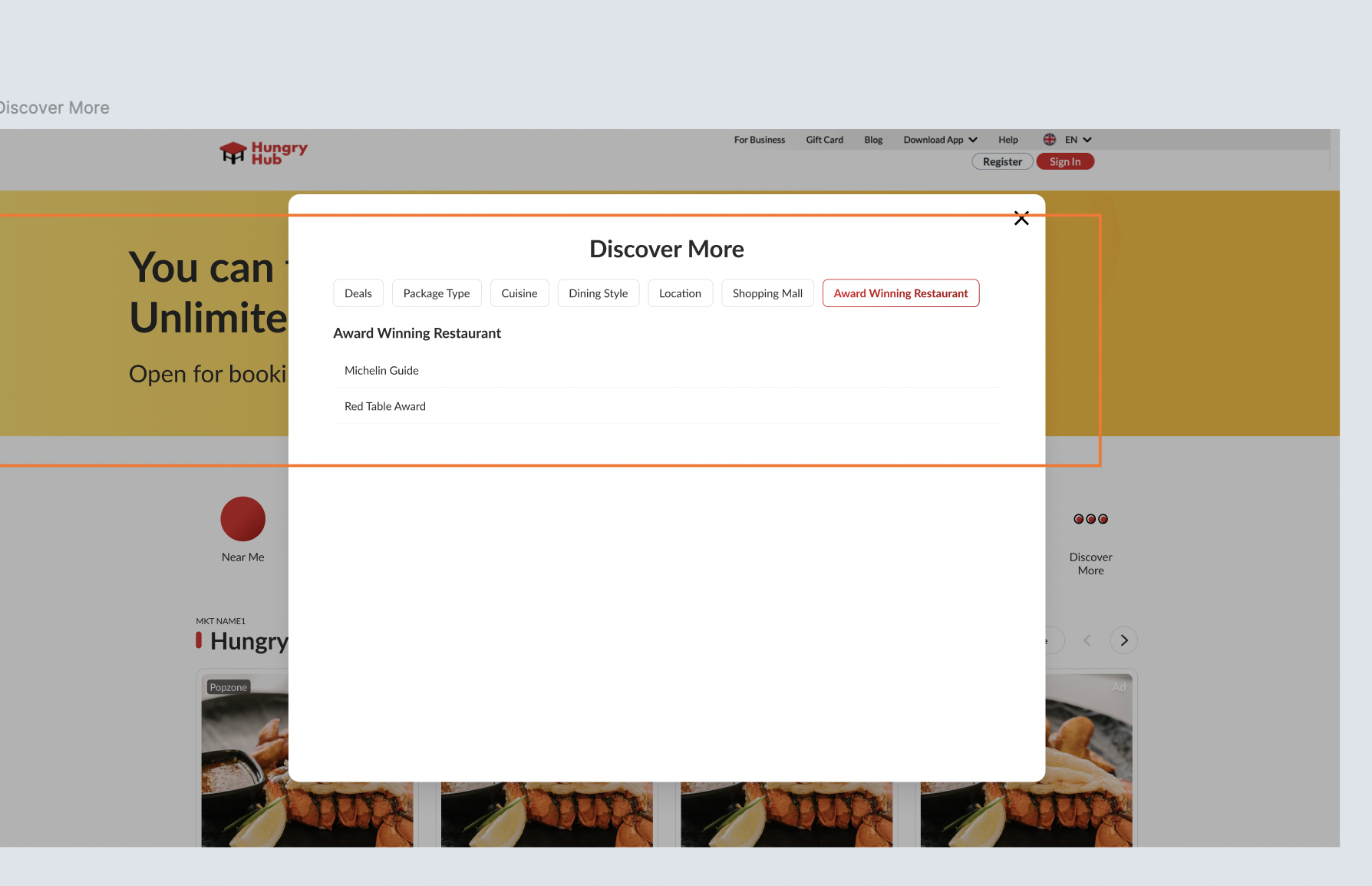 |
| Priority | There is priority for displaying the label Come More Pay Less Top Up Badge Award Icon |
Award Type
| User Story | Requirement |
|---|---|
| Store Page | Show the award icon on the profile photo (right bottom) Mobile 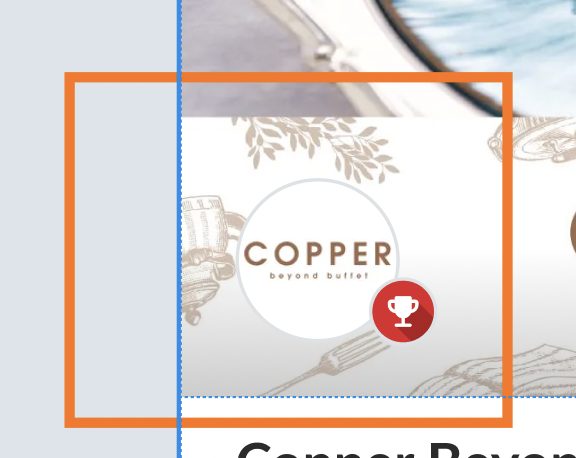 Desktop 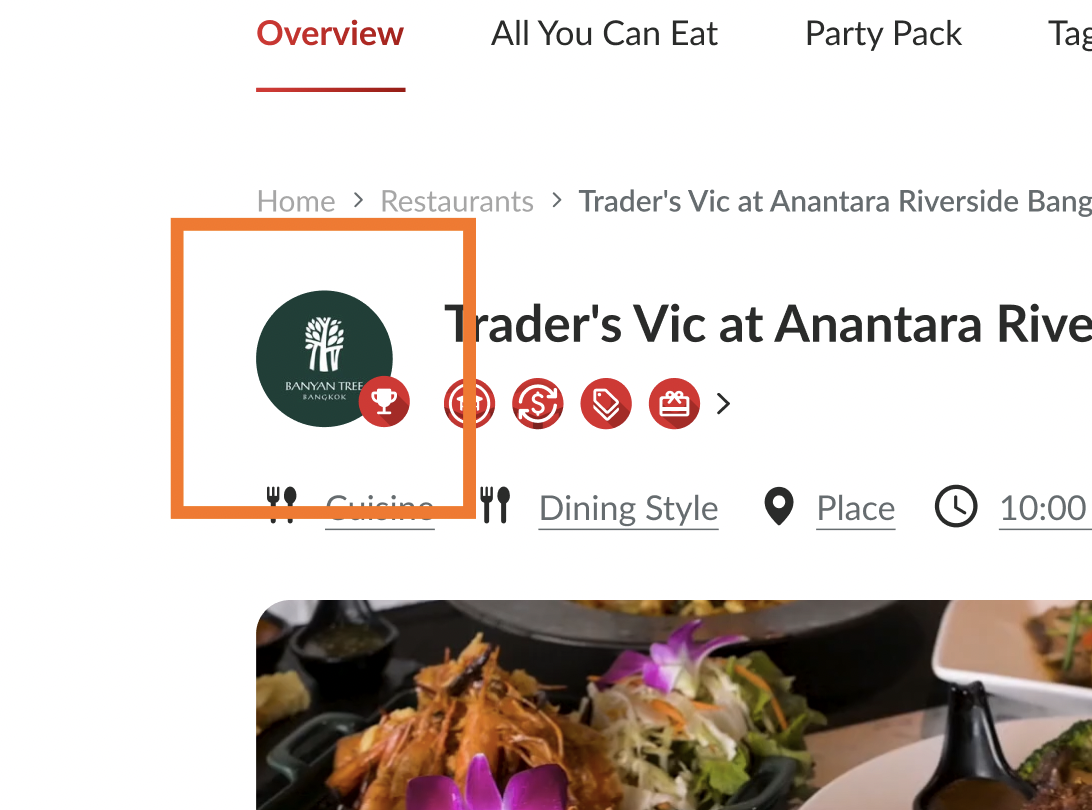 Award Label Display the Label from Award Type setting on admin dashboardMobile 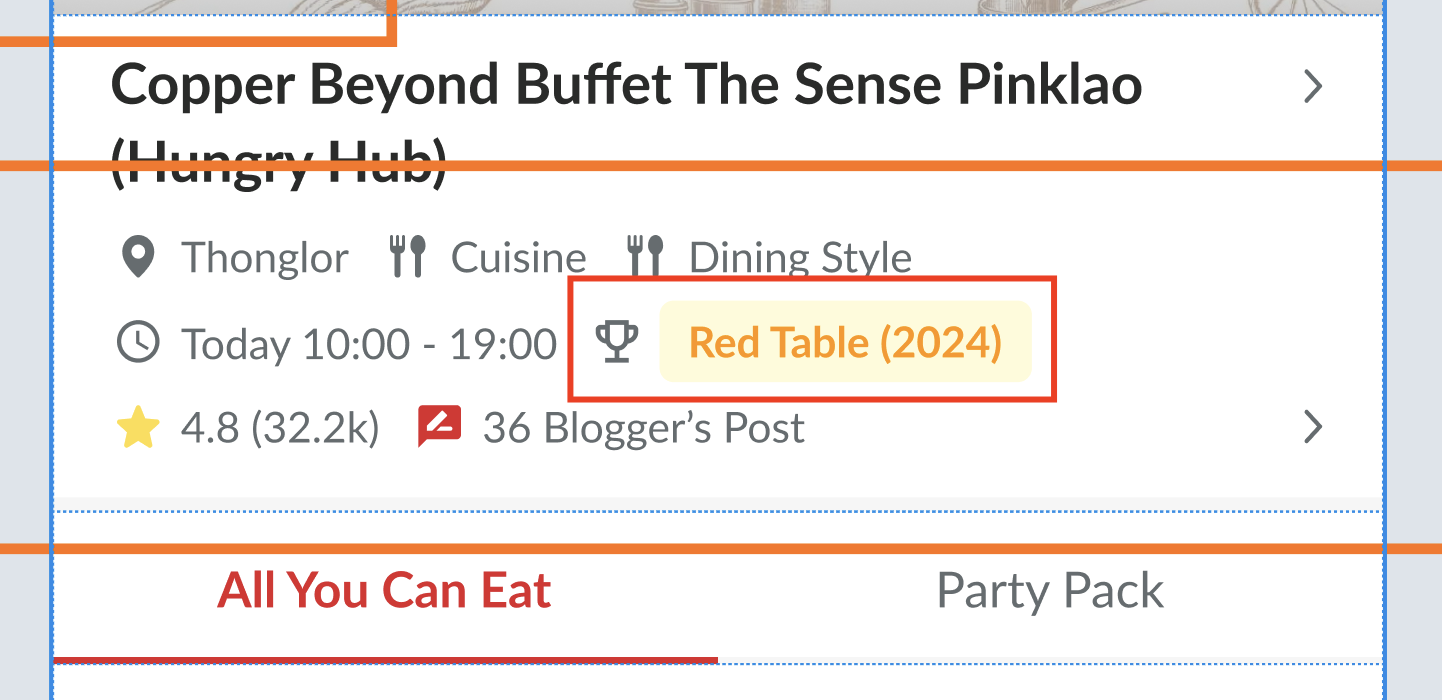 Desktop 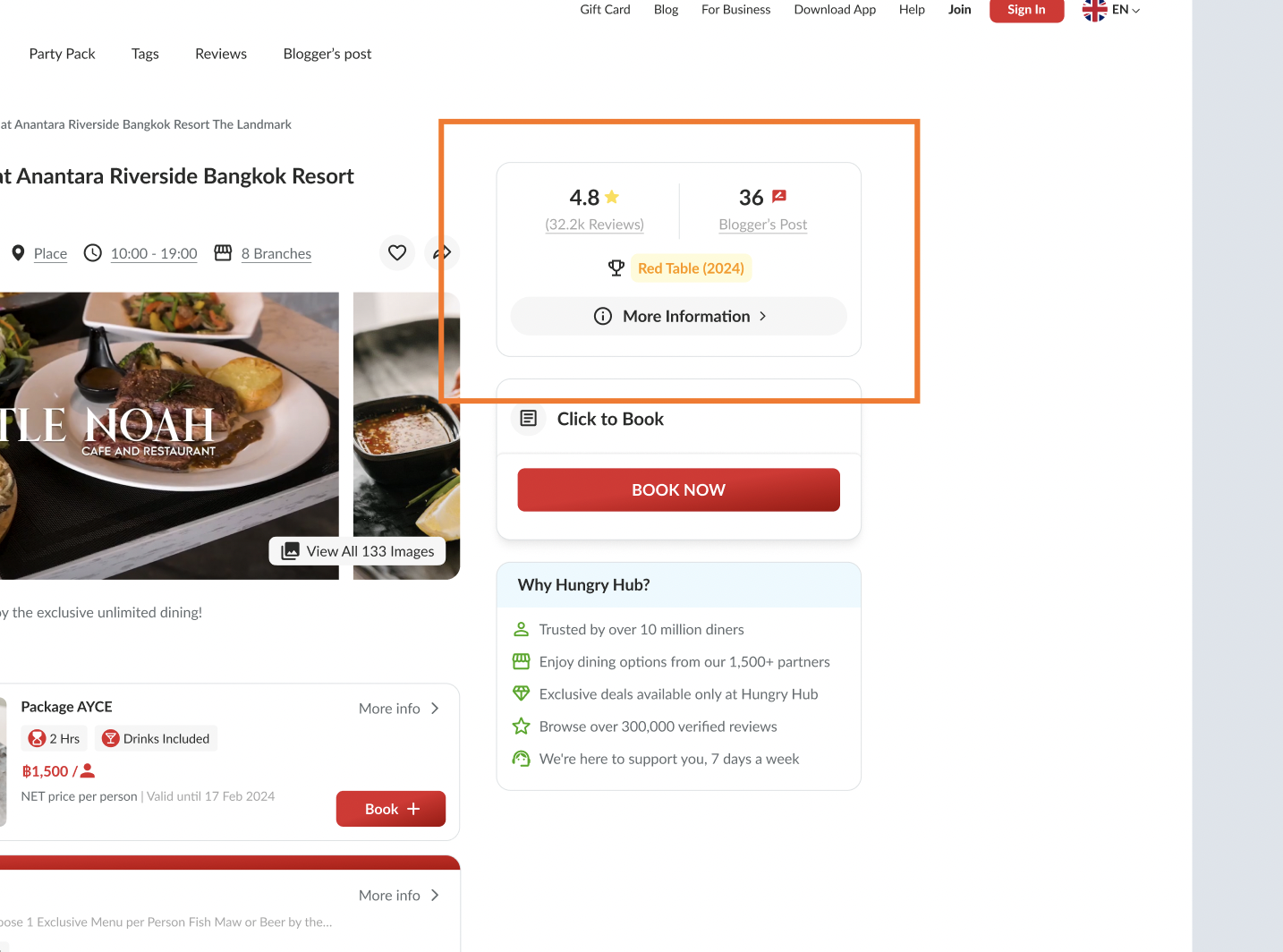 |
| Restaurant Description | Display on restaurant description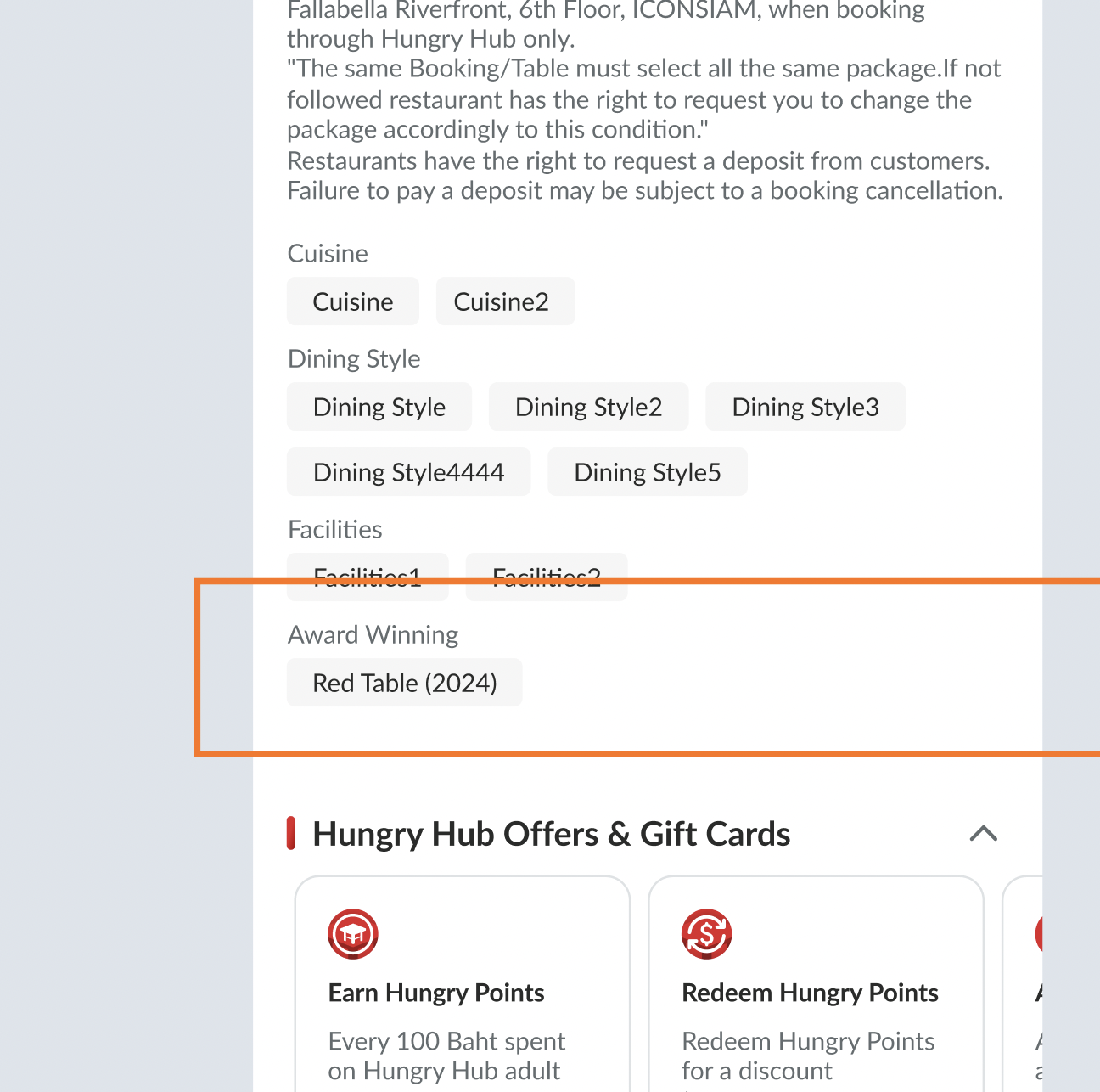 Can provide multiple label 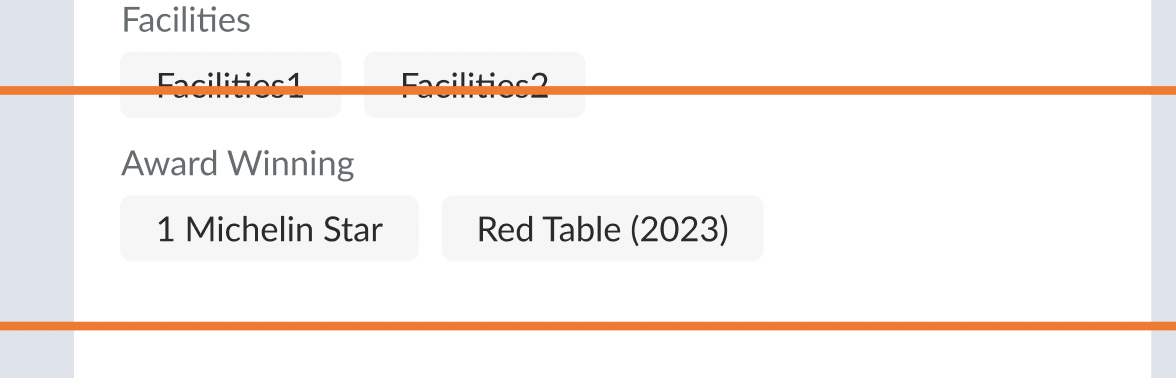 |
| Filter | Add the parameter to filter page (Desktop & Mobile also) Use the same logic as existing 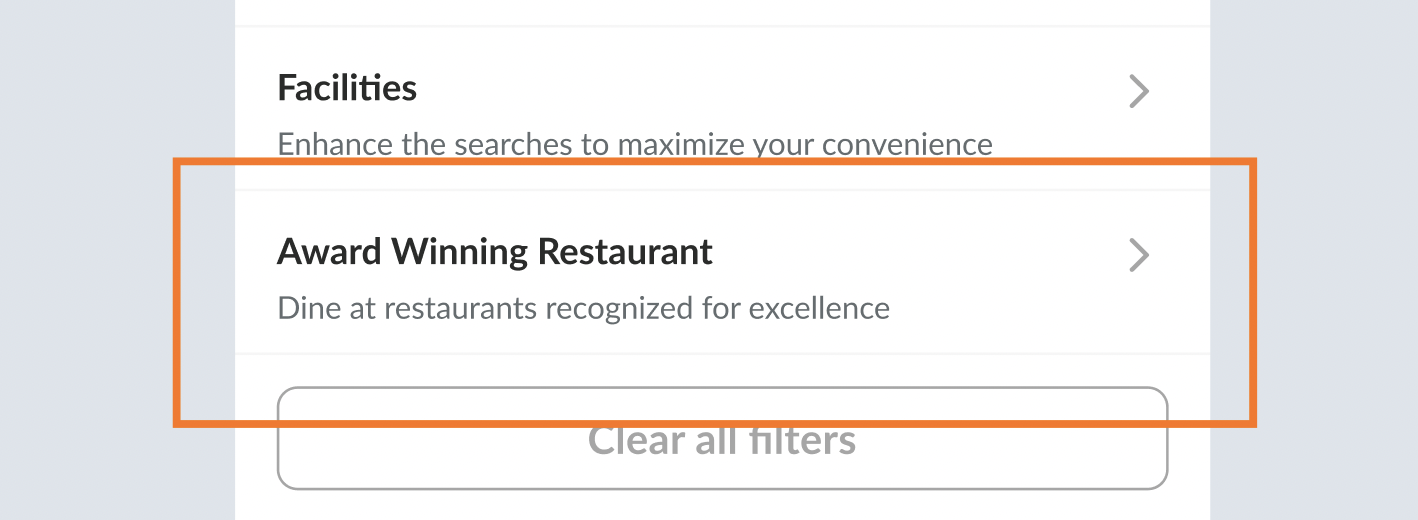 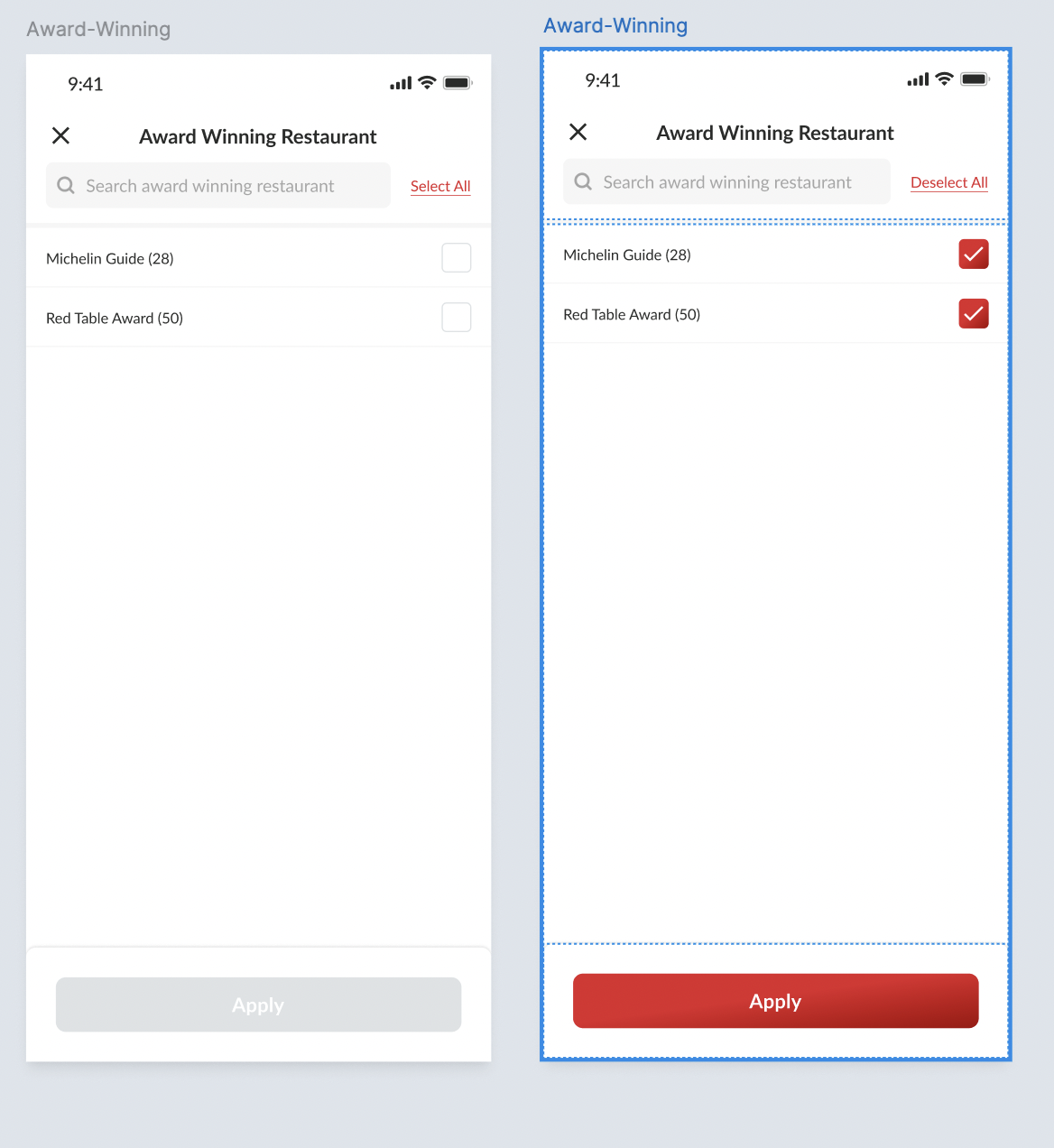 Translation Award Winning Restaurant : ร้านที่ได้รับรางวัล : 得獎餐廳 Award Winning : ชนะรางวัล : 獲獎 Dine at restaurants recognized for excellence : ร้านอาหารที่ได้รับการยอมรับในความเป็นเลิศ : 品味榮獲卓越獎項的餐廳 |
| Little Adjustment | Remove this icon since we have separated icon for each elements (gift card, voucher, point etc)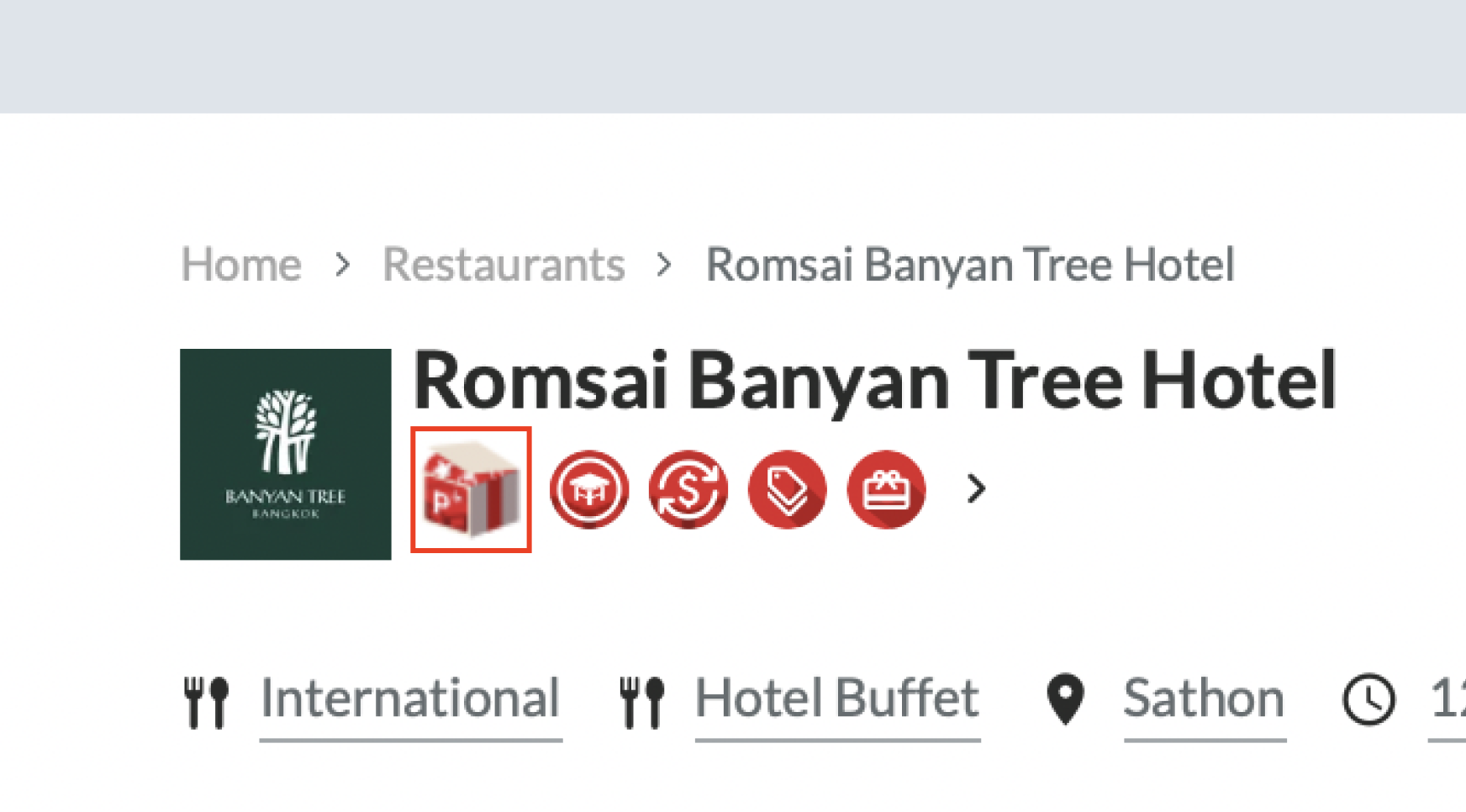 Result 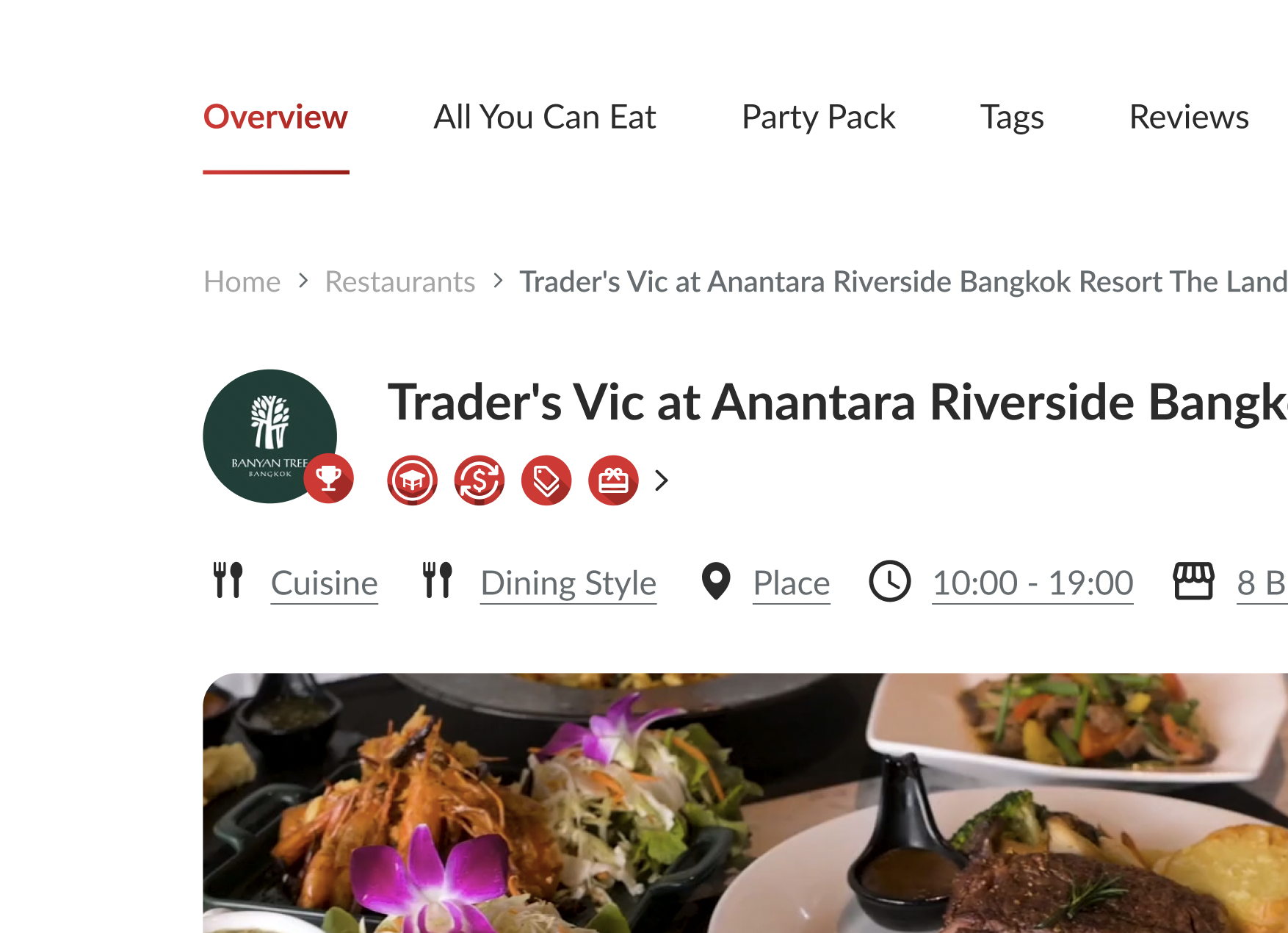 |
❓ FAQ
| Question | Answer |
|---|---|