Group Landing Page
🧾 History
| Date | Changes | Link | By |
|---|---|---|---|
| 26 March 2024 | List of Changes Add more restaurant tag group Add default sorting feature | Private (https://app.clickup.com/9003122396/docs/8ca1fpw-11562/8ca1fpw-36756) | Umam |
| 10th June 2024 | List of Changes Adjust outlet rank by default or manual Add more image banner Every added tag at the tag section will automatically add the item at the outlet rank section | This PRD | Umam |
📕 About
| Context | Group landing page is a page created for a specific purpose, such as a marketing campaign or special event. At the moment, group landing page includes restaurants with specific tags, customer reviews and blogger reviews |
|---|---|
| Problem | Admin can't set one of sorting option by default Admin can't add multiple restaurant tag groups Admin can't adjust rank of outlet manually |
| Solution | Provide option for admin to choose the sorting option to be displayed by default Provide option for admin to add multiple restaurant tag groups Provide option for admin to set rank of outlet manually |
| Name of Feature | Group Landing Page |
| Objective | Allow the admin to set a default sorting option for displaying restaurant lists Enable the admin to add multiple image banners Enable the admin to add multiple restaurant tag groups Provide the admin with the ability to manually adjust the ranking of outlets |
| Gains | Once users become familiar with the new features, they can efficiently narrow down their restaurant choices based on their preferences the ability to view multiple tags enhances the overall organization and categorization of restaurants on the group landing page, making it easier for users to navigate and explore the available options |
| Pains | Implementing the display of multiple tags may require adjustments to the user interface and backend systems, potentially leading to technical challenges or bugs during the implementation phase. Users may initially find the additional filtering and sorting options overwhelming or confusing, especially if not implemented intuitively |
| Figma Link | https://www.figma.com/file/Ji8cN1UVYcYSVGfEA2hU4x/Group-Landing-Page-Enhancement?type=design&node-id=240%3A3760&mode=design&t=foPXckZ1K19J4Fbe-1 |
| Available Platform | Web (Desktop) |
| Sprint | TBD |
| Related PRD | Client Side : Private (https://app.clickup.com/9003122396/docs/8ca1fpw-7922/8ca1fpw-38176) |
| Out of Scope | Sprint 38 All of the new features except outlet rank |
🎯 User Story & Requirement
Add Default Sorting form on the admin side
| User Story | Requirement |
|---|---|
| As an admin, i want to set sorting option as default. Here is the flow : Admin side ➝ Restaurant ➝ Restaurants Group Landing Page | Provide Default Sorting dropdown on the admin sideThere are some options that can be selected Most Relevance is default optionLowest PriceHighest PriceMost LovedMost BookedNearest FirstPlace it inside Basic info categoryPlace it under the Footer Description form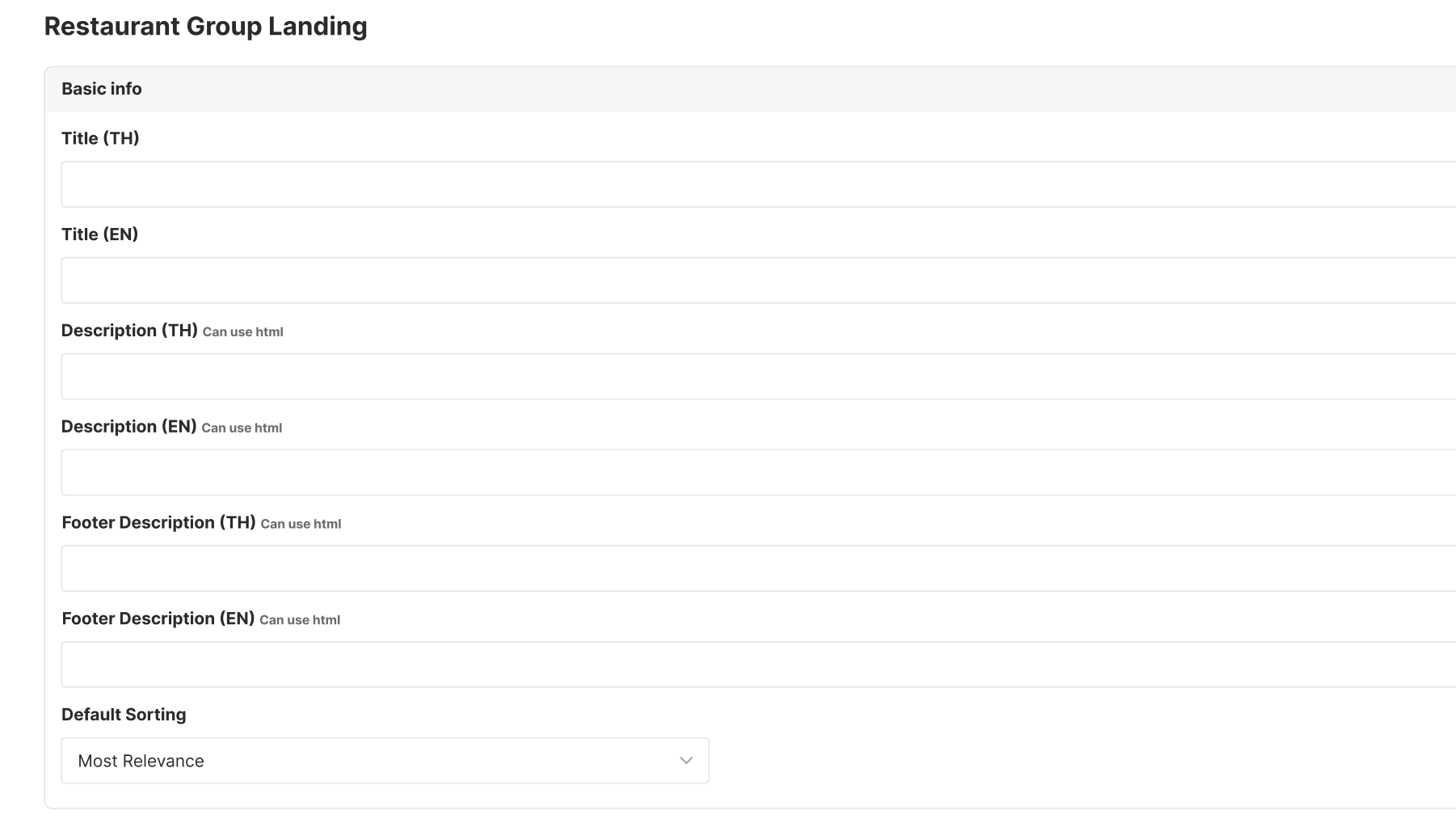 |
Allow admin to add restaurant tag group
| User Story | Requirement |
|---|---|
| As an admin, i want to add more restaurant group type in a group landing page. | Place it inside Tag categoryProvide Add More Tag button with plus iconThere are some element that can be filled to each restaurant group tag Group Type dropdownRestaurant Tag Group dropdownPriority formRemove ButtonAdmin can remove the tag in the list Here is the example for multiple tags : 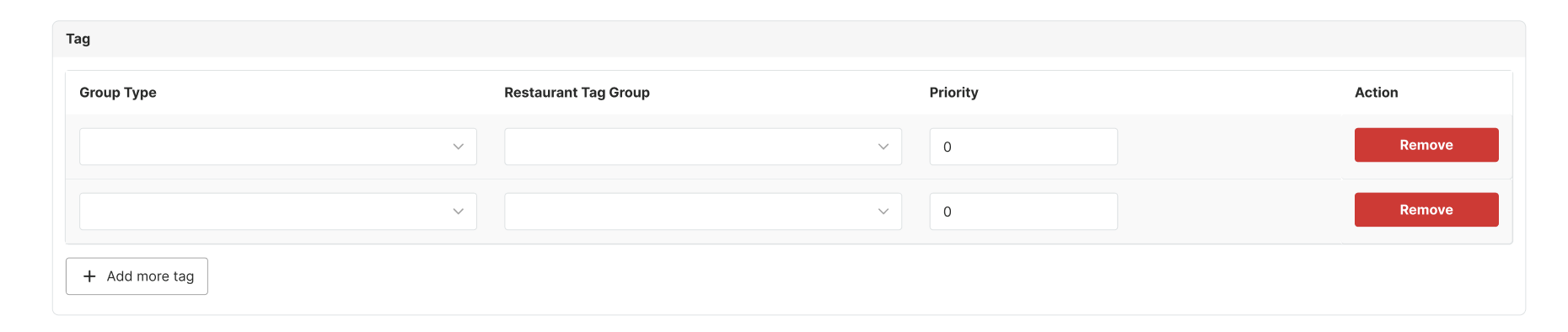 |
Allow admin to add image banner
| User Story | Requirement |
|---|---|
| As an admin, i want to add more image banner in a group landing page. | Place it inside Banner categoryProvide Add More Image button with plus iconThere are some element that can be filled to Choose file for Image (Desktop version)Choose file for Image (Mobile version)Priority formImage Locale radio buttonRemove ButtonAdmin can remove the image in the list Here is the example for multiple tags : 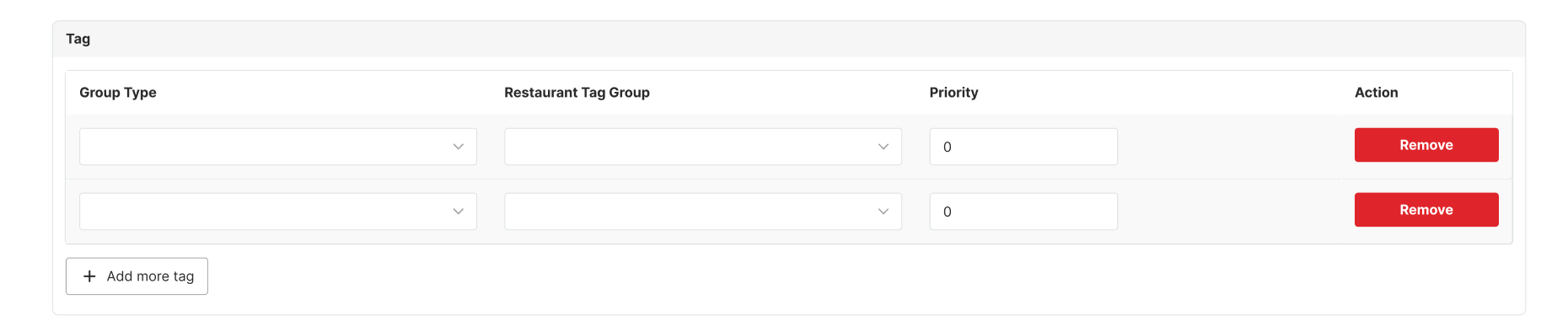 |
Adjust the Most Relevance sorting feature by manually
| User Story | Requirement |
|---|---|
As an admin, i want to adjust Most Relevance sorting feature by manually. | Place it inside Outlet Rank categoryProvide Add Field button with plus iconEvery added tag at the tag category will automatically add the item at the outlet rank category Provide radio buttons to adjust Most Relevance sorting featureRank by Default SortingUse the existing logic of our system Rank by ManuallyAdmin is able to adjust the rank manually Note : we have implement this in our system, there is no change for the logic All Compact Outlet dropdownShow the displayed outlet Rank formRemove ButtonAdmin can remove the outlet in the list 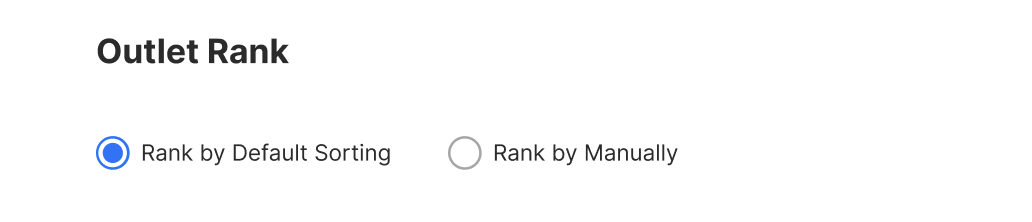 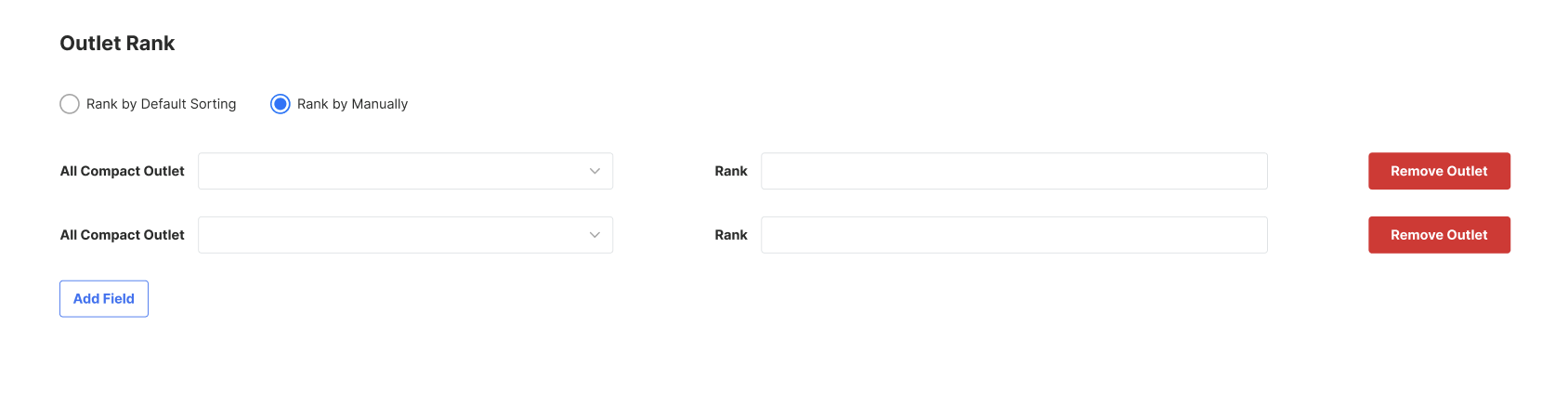 |
❓ FAQ
| Question | Answer |
|---|---|
| Insert into this if you have any question | I'll answer soon |