Used & Unused Status
🧾 History
| Date | Changes | Link | By |
|---|---|---|---|
| April 5, 2025 | Menu Master List Page Delete Menu Filter Menu | This PRD | Umam |
📕 About
| Context | There is a page to manage all of the menus. we named it menu master list. |
|---|---|
| Problem | There are some menus are not used on client side. the used menu meets some criteria: not expired and not linked to any packages. take a lot of times if want to check which menu is not used. |
| Solution | Add Used & Unused Status |
| Name of Feature | Used & Unused Status |
| Objective | Menu Master List Page Delete Menu Filter Menu |
| Gains | Delete the menu faster |
| Pains | Need to check the validation for linking the menu with the package that might be some conflicts if not aware |
| Figma Link | https://www.figma.com/design/xDfRikpW2KZ3OzuKOqvyb2/Manage-Menu-Master-List?node-id=0-1&t=0ENVSRRxbdoYMSQW-1 |
| Available Platform | Web Desktop |
| Sprint | TBD |
| Related PRD | - |
| Out of Scope | - |
🎯 User Story & Requirement
Menu Master List Page
| User Story | Requirement |
|---|---|
| Flow | Restaurant List → Create/Edit Restaurant → Create/Edit Menu Master List |
| Upload Time | Upload time use the date and time when the first time create the menu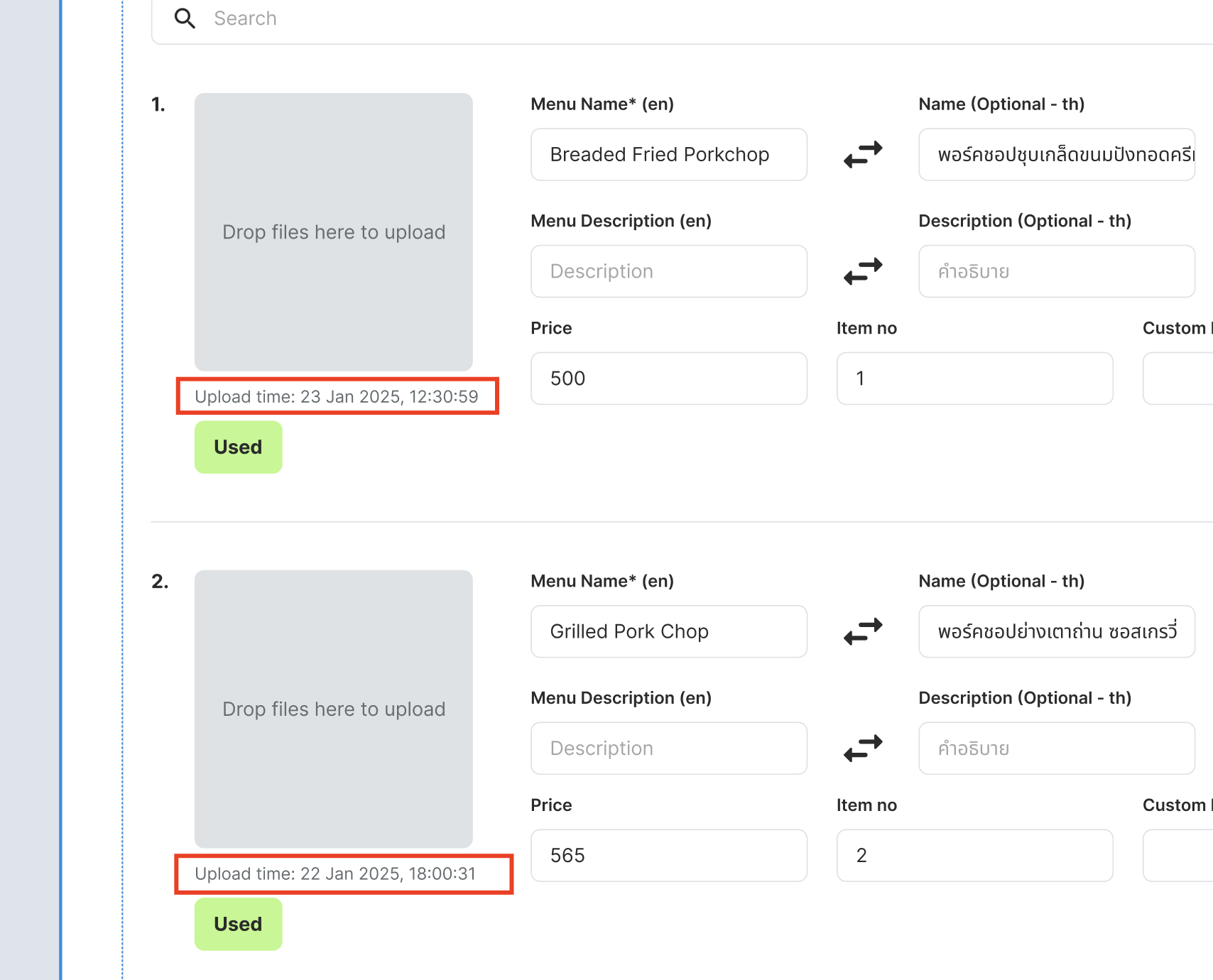 |
| Used and Unused Status | 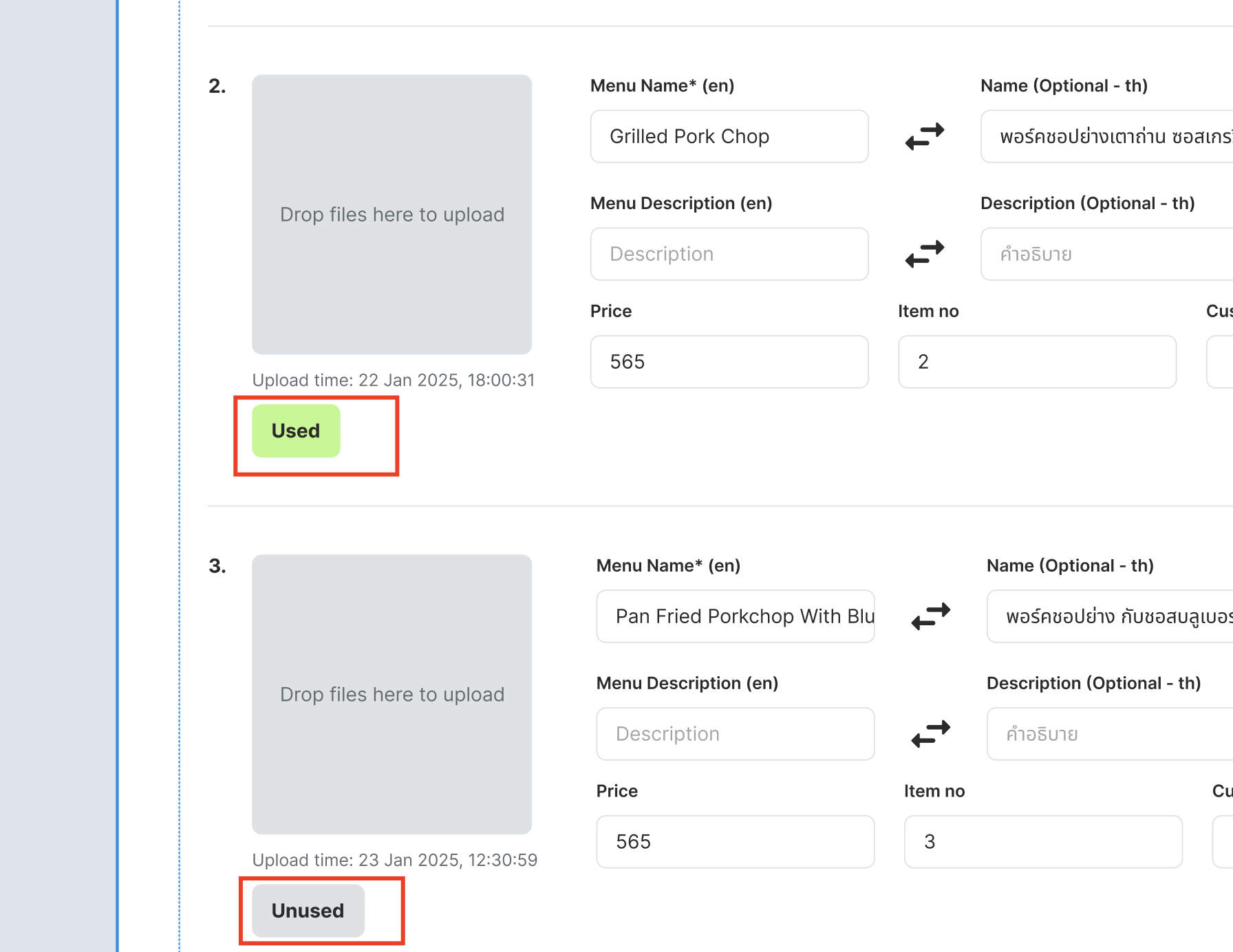 |
| Used Status | Package is not expired Linked to any package Result Display to partner portal and client side Partner Portal Menu Item Page Client Side QR code for menu Store page |
| Unused Status | Case 1 Package is expired Linked to any package Case 2 Package is expired Not linked to any package Case 3 Package is not expired Not linked to any package Result Don't display to partner portal and client side |
| Sorting Priority | Used → Unused Category (A-Z → Blank) Menu Name (A-Z) |
Delete Menu
| User Story | Requirement |
|---|---|
| Delete | There are 3 delete options Delete by upload time (New) Delete all unused menu (New) Delete all menu 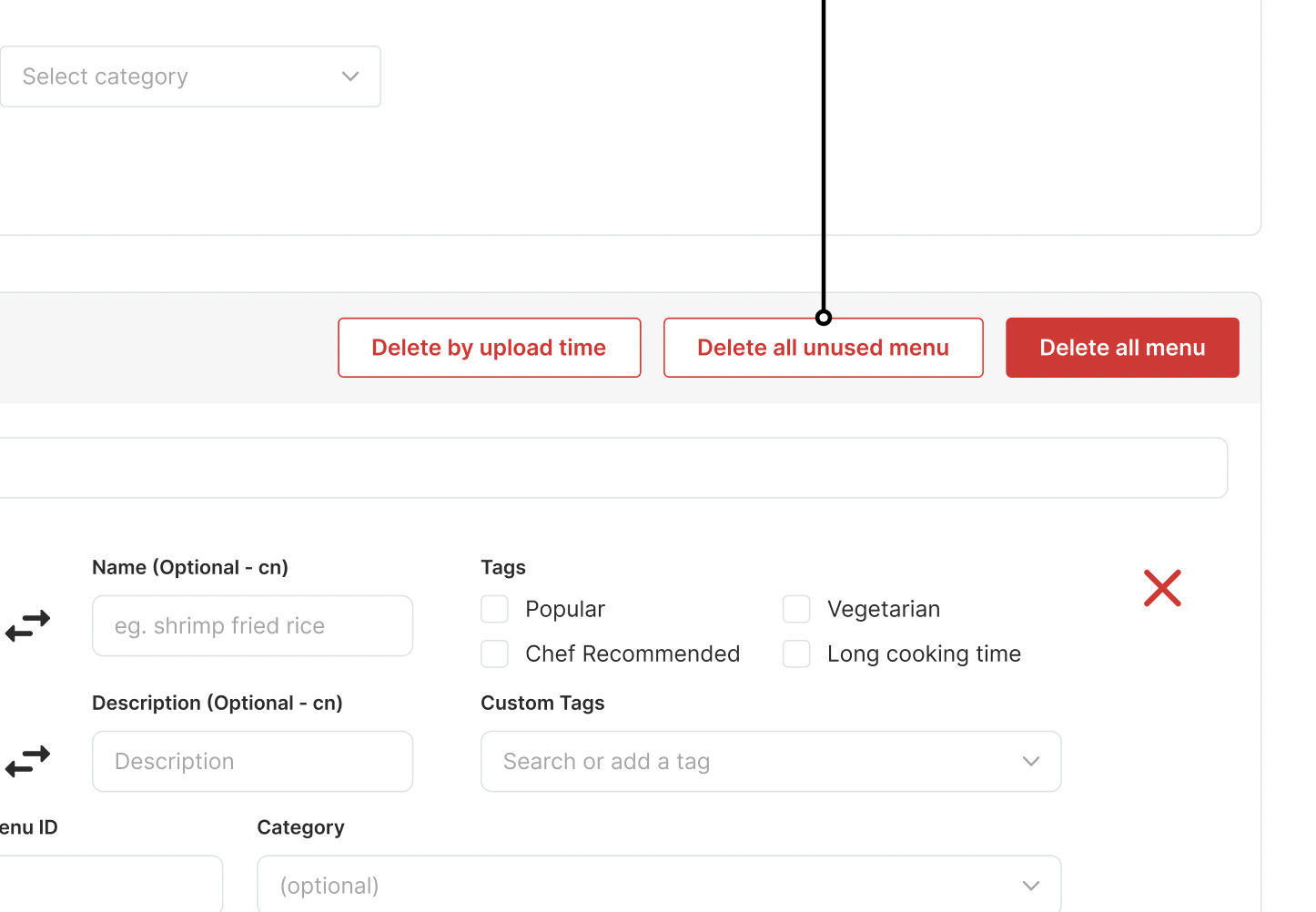 |
| Delete by upload time | By default, the dropdown item is blank When dropdown is clicked, show all the upload time that owned by menu Let's say there are 5 menus with some menus have same upload time 2 menus → 22 Jun 2025, 18:00:00 3 menus → 22 Jun 2025, 17:00:00 Display 2 items in the dropdown 22 Jun 2025, 18:00:00 22 Jun 2025, 17:00:00 When the upload time is selected, will delete all the menus with that upload time 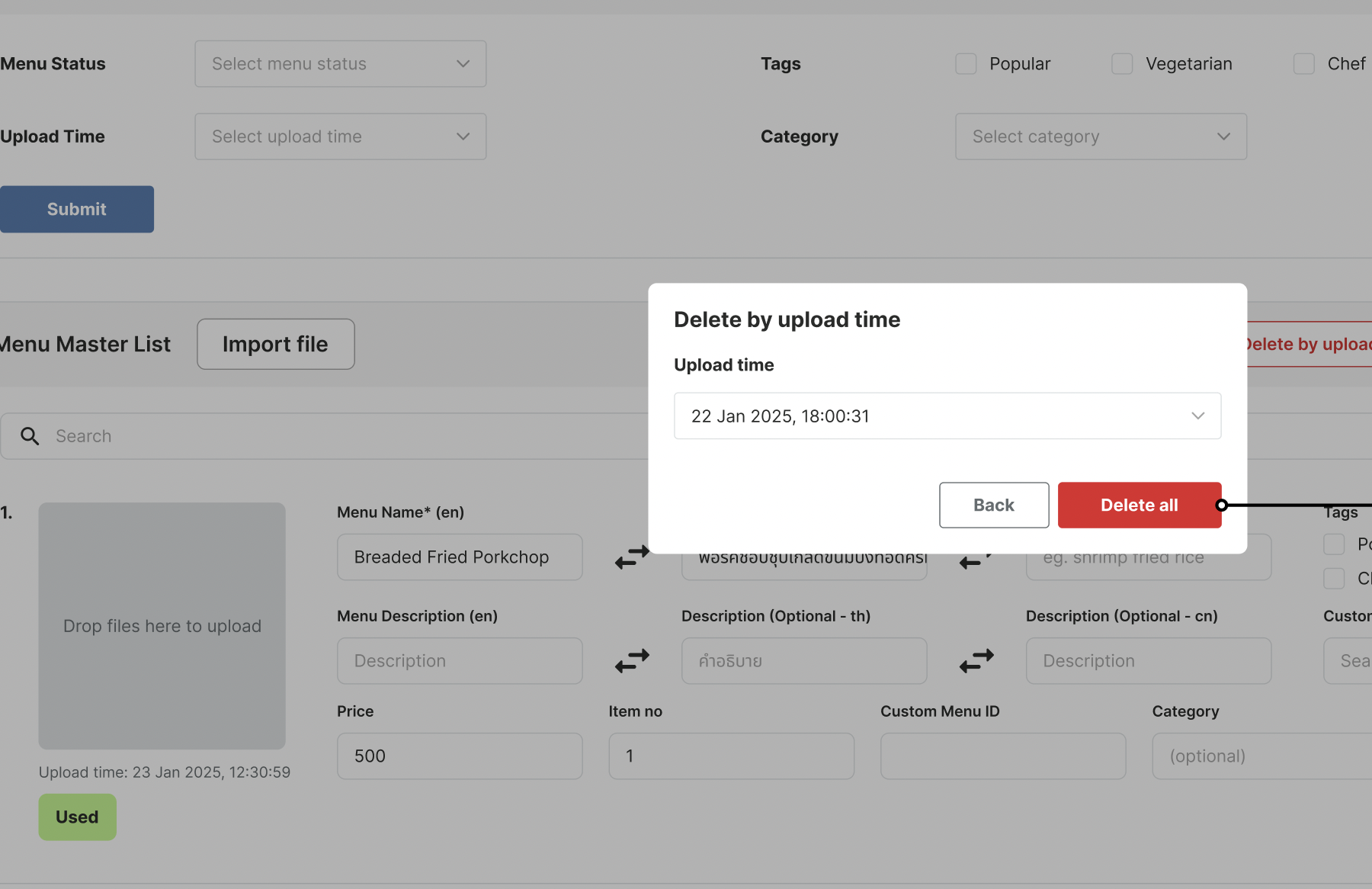 |
| Delete all unused menu | When click Delete all unused menu , delete all menu with the Unused status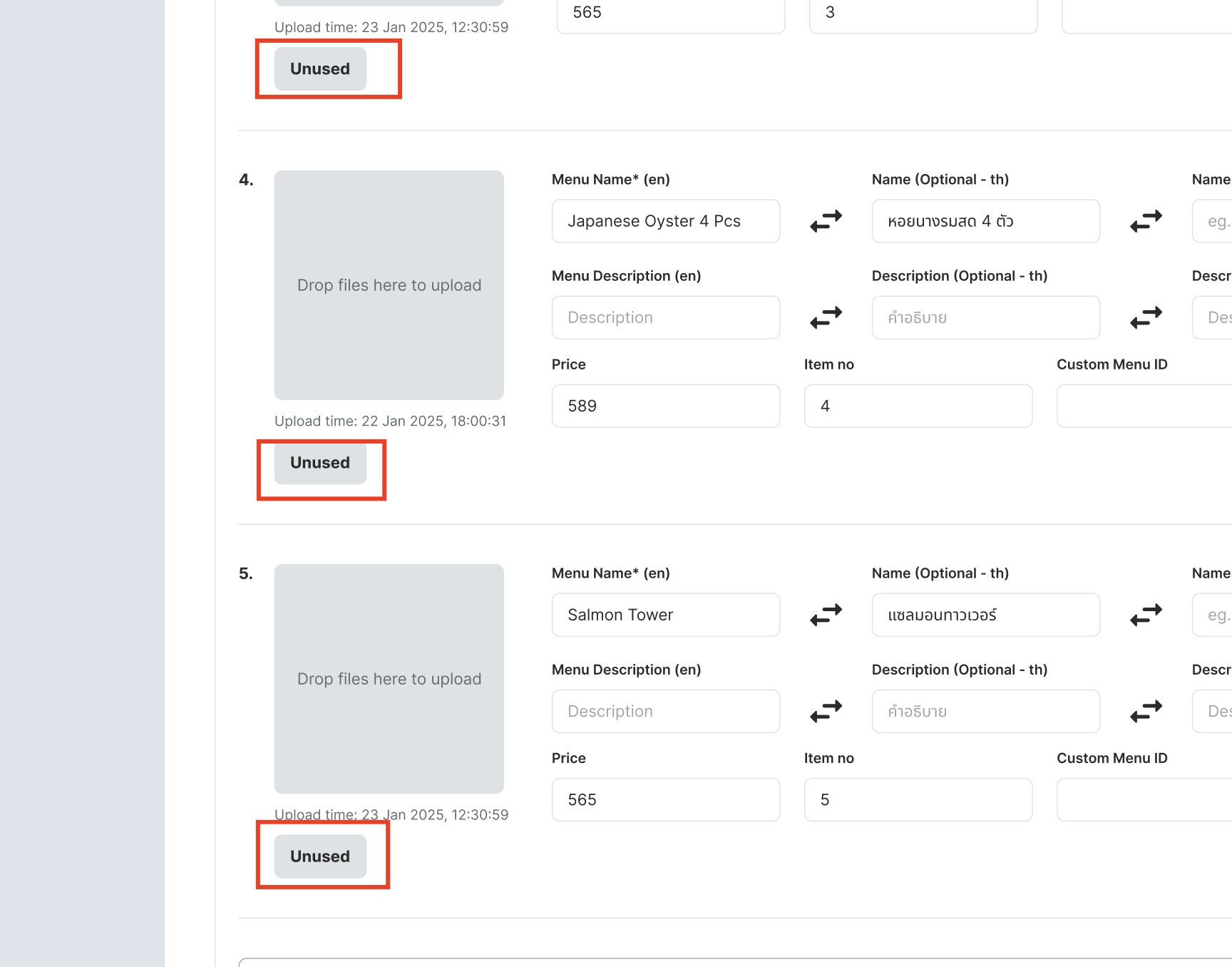 |
Filter Menu
| User Story | Requirement |
|---|---|
| Filter menu section | This section is for filtering some parameters Menu Status Upload Time Category Image Tags Click submit to filter by the parameters 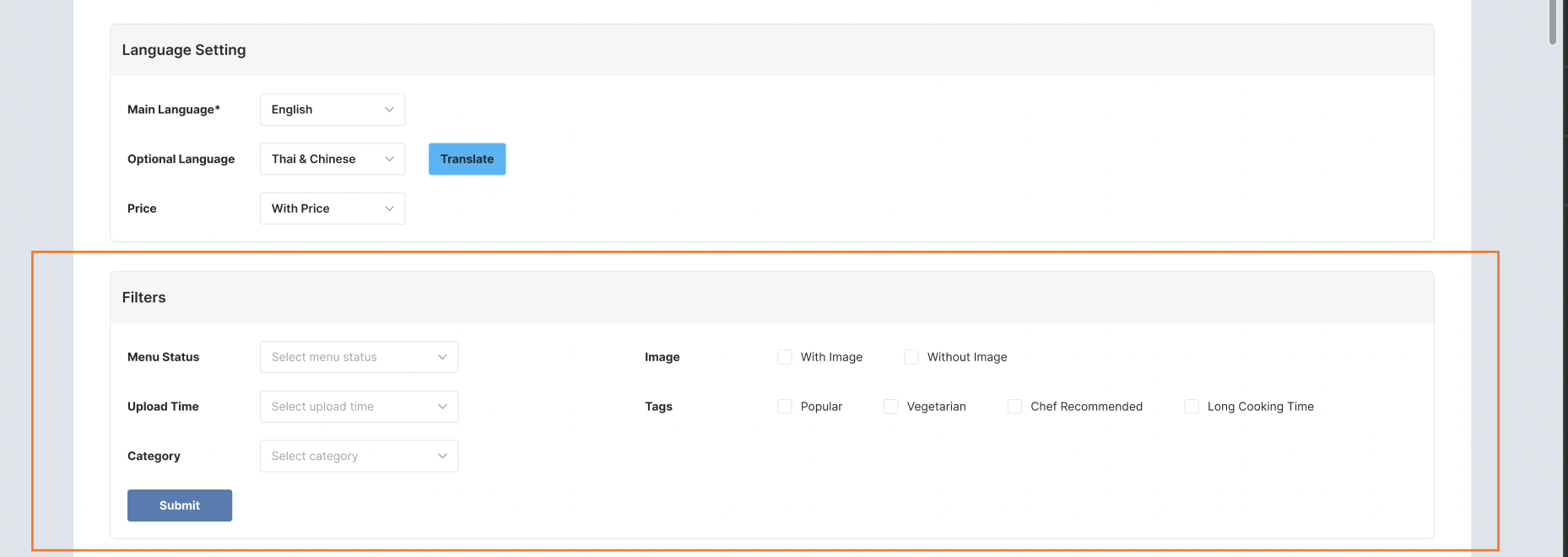 |
| Menu Status | Dropdown item Used Unused |
| Upload Time | Show all the upload time that owned by menu |
| Category | Show all the category that owned by menu |
| Image | Checkbox item With image Without image |
| Tags | Checkbox item Popular Vegetarian Chef Recommended Long Cooking Time |