Display menu to customers in a link format
🧾 History
| Date | Changes | Link | By |
|---|---|---|---|
| 5th July 2024 | Add the action button on the table of restaurant packages Display the menu without Hungryhub logo Display the menu without header and footer | This PRD | Umam |
📕 About
| Context | Restaurant can display the menu |
|---|---|
| Problem | In some cases, restaurants or the other platforms need the link that exclude the hungryhub logo or the header & footer on the menu |
| Solution | Provide the menu link for displaying without logo or header and footer |
| Name of Feature | Display menu to customers in a link format |
| Objective | Add the action button on the table of restaurant packages Display the link for menu without header and footer |
| Gains | The feature allows for better integration with other platforms that may have their branding guidelines |
| Pains | Hiding the header and footer could reduce brand visibility and awareness |
| Figma Link | https://www.figma.com/design/LnJAaKIKbHxxVlbyofKB4O/Hide-Logo-for-HH-Menu-v2?node-id=0-1&t=teIIBVUHutlq7G09-1 |
| Available Platform | Web |
| Sprint | TBD |
| Related PRD | - |
| Out of Scope | - |
🎯 User Story & Requirement
Add the action button on the table of restaurant packages
| User Story | Requirement |
|---|---|
| In some cases, restaurants or the other platforms need to exclude the hungryhub logo or the header & footer. As an admin, i want to manage it. Flow : Admin Dashboard ➝ Navbar ➝ Restaurants ➝ Restaurant List ➝ Action ➝ Packages | Add the dropdown button on the action columnThis is the element of dropdown button View Menu ButtonAfter clicked, display the pop up for providing some options Full View itemDisplay the menu like the existing menu Without header and footer itemDisplay the menu without header and footer Note : Without header and footer item are only implemented (only display view menu item) to HH menu v2 , HH menu v2 and image and HH menu v2 and imenupro .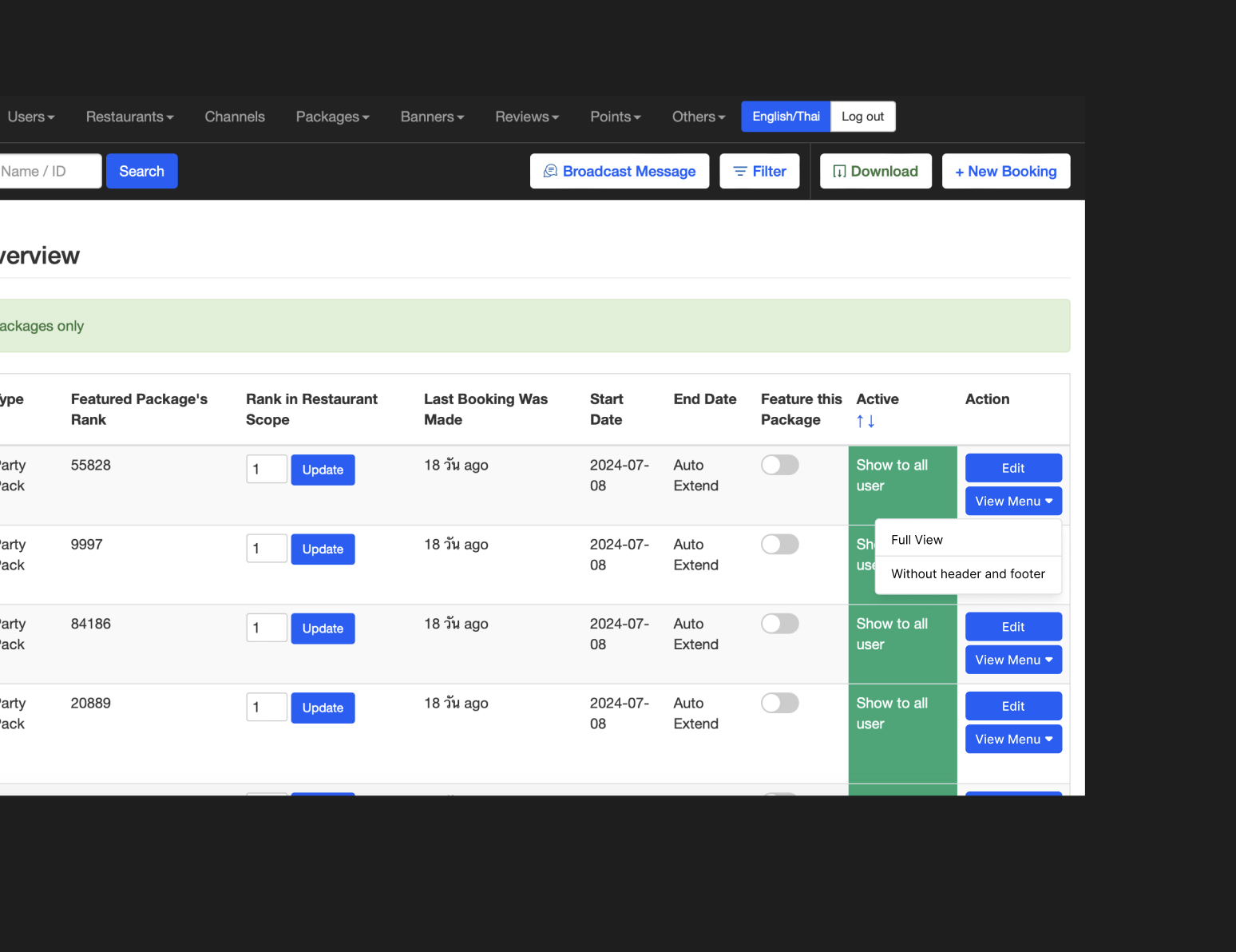 |
Display the link for menu without header and footer
| User Story | Requirement |
|---|---|
After clicked the without header and footer item, it will redirect to new tab for displaying the menu | Hide the header and footer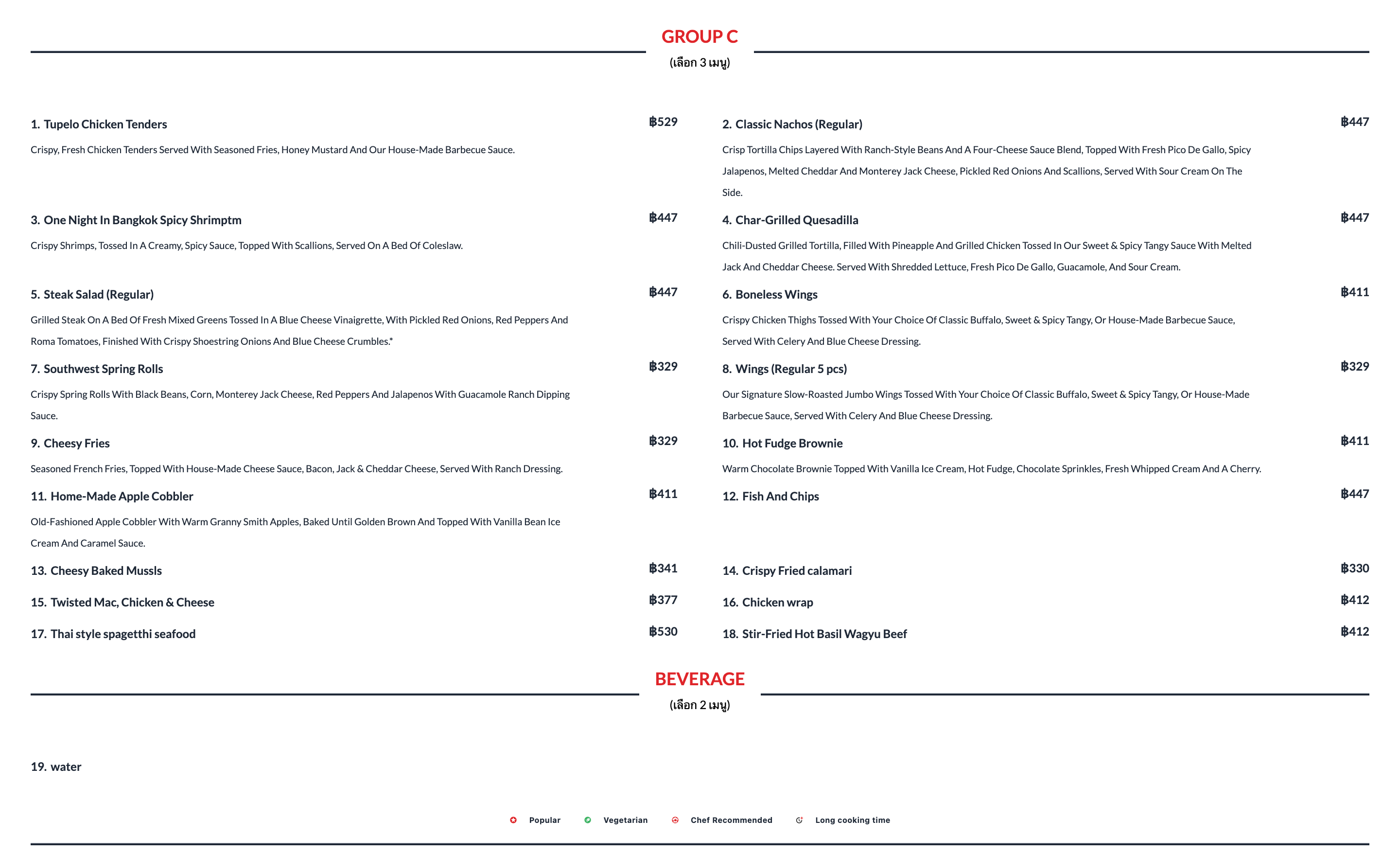 Add the params &header_footer=falseExample : https://hh-menu.hungryhub.com/layout?token=oMCL6foQ5hEeHlWCE1hSirketccSypEmdwdw_Oiu9VM&price=true&restaurant_package_id=5728&layout_id=1&recommended=&lang=thai&restaurant_package_server_id=37778&restaurant_id=4712 &header_footer=false |
❓ FAQ
| Question | Answer |
|---|---|
| Is that only for HH menu v2? | No, isn't. For displaying the menu in a link format, all of the menu type must be able. Note : but, the hide logo or header and footer only doable for HH menu v2. don't do anything for the others (but still can display in a link format). |