Search Personalization/Metarank Deployment Plan
QA Test Staging
Terraform
- Create terraform helm deployment @Luthfi
- Deploy metarank to to prod-support environment @Luthfi
- Fix deployment issue @Irfan Wicaksana
ISSUE: It works fine when accessing via port forwarding. However, it fails when using the domain metarank.hhstaging.dev. Maybe the issue is with the load balancer. Please help resolve it, Mas @Irfan Wicaksana.
- Review Terraform PR @Irfan Wicaksana
- Release Terraform Apply PROD @Irfan Wicaksana
Setup Kafka @Luthfi
- Create topics
- Engineering
- Prod Support
- Production
- Setup S3 Sink Connector
- Engineering
- Staging (no need)
- Production
Jupyter Notebook @Luthfi
- Exec create s3 shell (cancelled, use terraform instead)
HH-Personalize Server @Luthfi
HH-Search Server @Luthfi
Check & Re-check @Luthfi
Note: waiting for the metarank release to prod
- Health check metarank
-
https://metarank.hungryhub.com/health -
https://metarank.hungryhub.com/metrics
-
HH-Pegasus @afif
Don’t release until all the above tasks are completed, but you can review it first.
Note: waiting for HH-Pegasus release to prod
- BullMQ check events
https://personalize.hungryhub.com/bullmq- Impression Event
- Interaction Event
Post Release @Luthfi
- Disable Impression & Interaction event worker
- Load restaurants data
- Load users data
- Enable Impression & Interaction event worker
- Wait for the data collection for 1 or 1/2 day for initial training
NOTE: To train Metarank, impression events are necessary. Currently, we do not have these events, so we need to collect them before training the model.
- Validate the training data
- Pull the data from s3 using jupyter notebook
- Validate the data
- Train the model (try in local standalone cmd first)
- Train the model (production)
- Test the API using production build preview
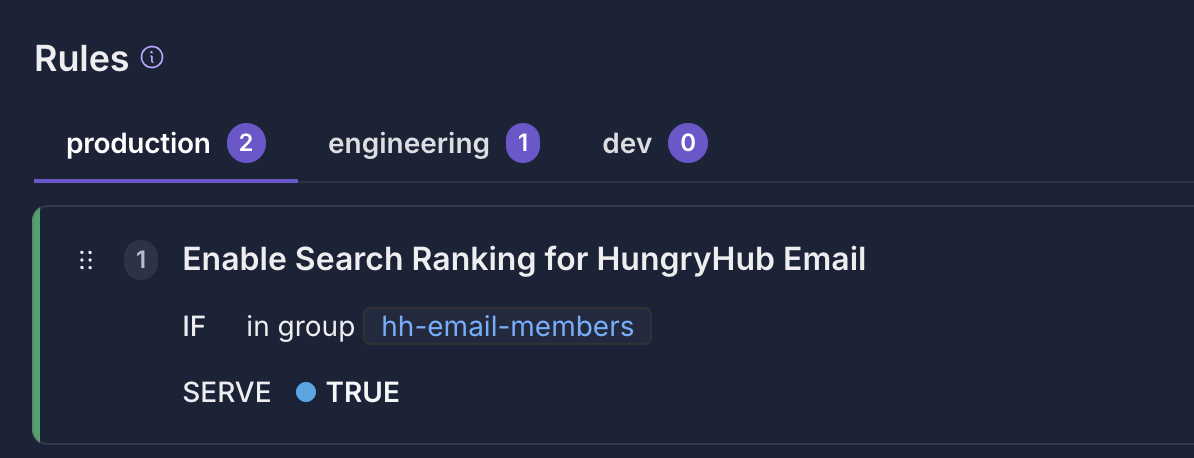
- Enable the Growthbook Feature Flag
https://growthbook.hungryhub.com/features/search-ranking
- All users with “@hungryhub.com” email addresses will always get personalized search results.
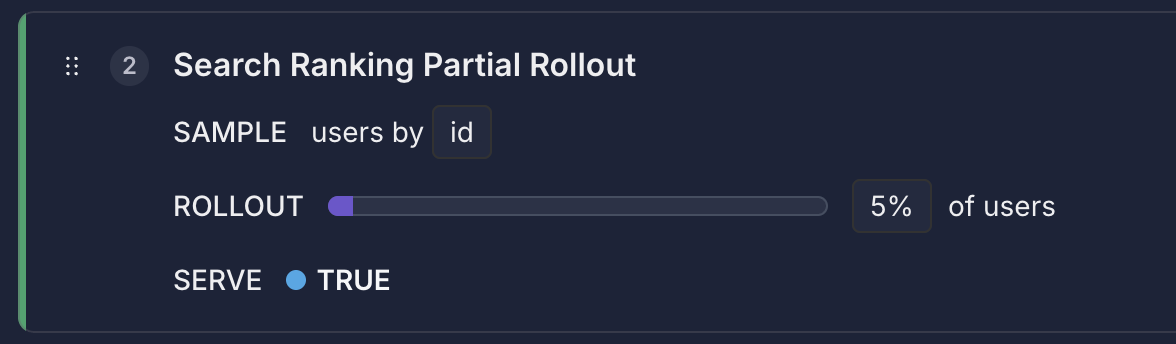
- Then, we’ll gradually roll out to other users, starting with 5% and gradually increasing while monitoring the service.
Live Review QA
- Sharing Session @Luthfi
- QA: @Bernadetta Kusumadewi @wiwik @Rina Apriani
- Team Product
- Monitor server @Luthfi
- HH-Personalize
- HH-Search
- HH-Metarank
- Monitor worker @Luthfi
- HH-Personalize
- Monitor auto train