Referral Code
How to get Referral Code
- Log in with Registered Account
- Access Profile page
- Find the Referral Code on Profile page
How to use Referral Code:
- Process a Booking
- Reach final Checkout page (step 5 booking)
- Find Offer section
- Click Offer section
- Type the Referral Code on Offers - Enter Promo Code Here
How to check Referral Code validity on Admin Dashboard via Users menu:
- Open Admin Dashboard
- Click Users menu
- Click Users Overview sub menu
- Type the Referral Code on the Referral Code / My Referral Code typebar (sample on production: REF-8NBWASH391)
- Click Search button
- Find the User’s detail displayed alongside with his/her Referral Code
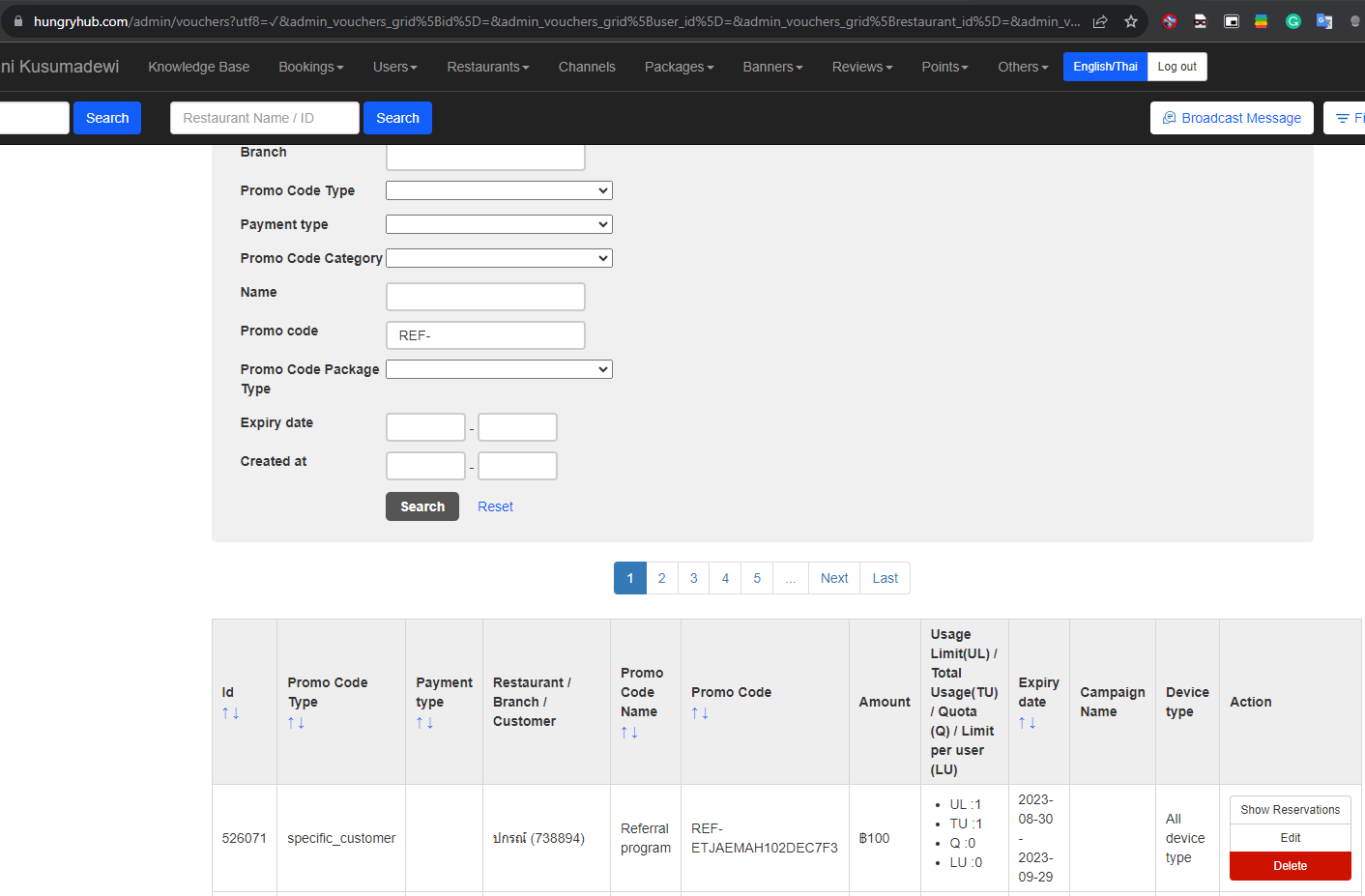
How to check Referral Code usage via Promo Code sub menu:
- Open Admin Dashboard
- Click Others Menu
- Click Promo Code sub menu
- Find Promo Code typebar
- Type the Referral Code there
- Click Search button
- Find the detailed information of Referral Code usage on the reservation