Reservation General Flow And Explanation
Before make a booking make sure you already run this on your local, if you want to check on local HH has 2 reservation categories:
- Book
- Has 2 categories for pax booking, Group, and non-group.
- Group booking will need restaurant confirmation before proceeding with the booking process.
- Order
- Has 2 services, delivery and self-pick-up. You can check the flow on this link: https://miro.com/app/board/uXjVOkprPMM=
💡 Note: Reservation flow is dynamic and we can set the flow by date first / package first from the admin dashboard https://app.clickup.com/9003122396/docs/8ca1fpw-29816/8ca1fpw-32756
The following action after reservation:
- Cancel: Reservation is canceled.
- No show: Customer does not come during booking time. if restaurant didn’t change the status into no show for next 24 hrs after reservation time, the reservation will automatically turn into arrived on the report and restaurant will get charges for that reservation.
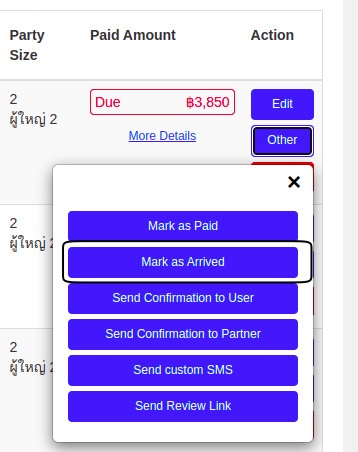
- Arrived: Customer arrived during booking time. Admin or Owner can “mark as arrived” customer manually on their dashboard when they arrived during booking time.
- Edited: Edited status will show when reservation was edited.
- temporary : Temporary booking means user already pick package and booking date time, but they didn’t choose payment method yet.
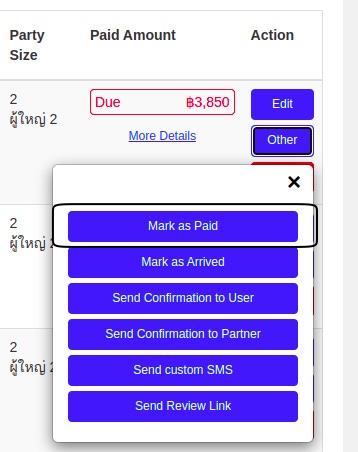
- paid : Admin can “mark as paid” manually on reservation admin page if they have to make the reservation paid.
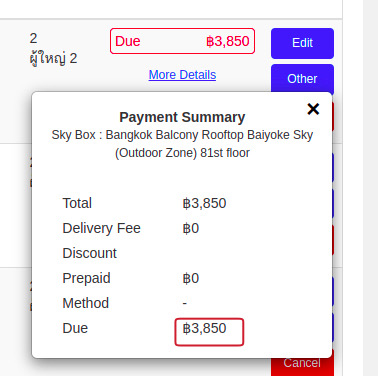
- unpaid: Booking can be unpaid means that user didn’t pay the reservation yet.
- pay at the restaurant : For unpaid reservation they can paid when they come to restaurants, and it’ll show the due amount that they should paid on reservations page on admin or owner dashboard.
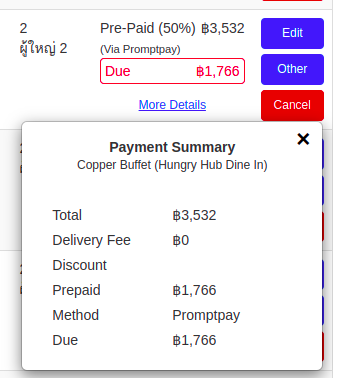
- Prepaid : Some reservation need to be prepaid, its means they have to pay at least 50% of the total reservation amount when they booking.
Temporary Booking :
When user already pick package + date + time, on the FE side they will send the reservation details to BE and it will saved as temporary booking that means is_temporary and for_locking_system was true.
Why this type booking is exist? because we need to secure the date and time for that reservation, technically to reduce seat such as they already book, so when customer choose payment method and make payment they shouldn’t worry about they didn’t get the table, because we already secure the table for them.
When customer already paid or choose payment method (for pay at the restaurant) the booking will updated to active booking.
On the technical side booking is divided into 2 type of process:
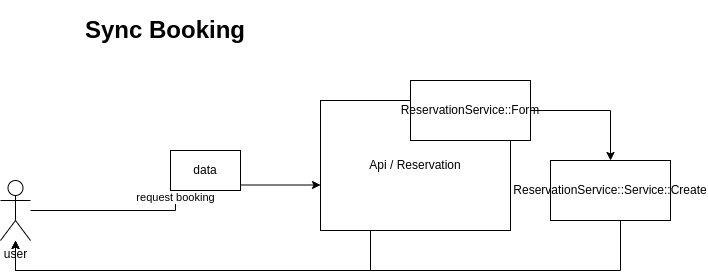
Sync Booking : For this booking BE execute immediately.
Async Booking : For this booking the booking process will be proceed on sidekiq server, BE send request to sidekiq server to run the booking process.In async process, there is loading page, to wait for sidekiq to process the queues.
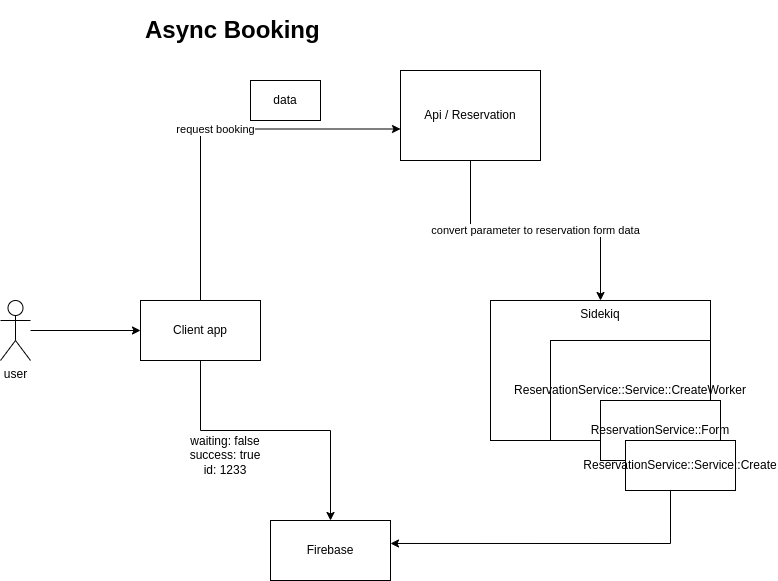
We use Firebase to make real-time features, such as updating the client app that the booking payment has been accepted by the bank, so the client app can redirect the user to the booking confirmation page. See more at Firebase