- Open Admin Dashboard
- Open menu Others ➝ Bloggers / Partners
- Pick the Blogger ➝ Click Login to dashboard
- Open menu Generate referral link
- Pick the Restaurant Type (Restaurant, Restaurant Branch or Restaurant Group)
- Pick the Restaurant name
- Click Submit
- And you will get the referral link, with the expired date like this:
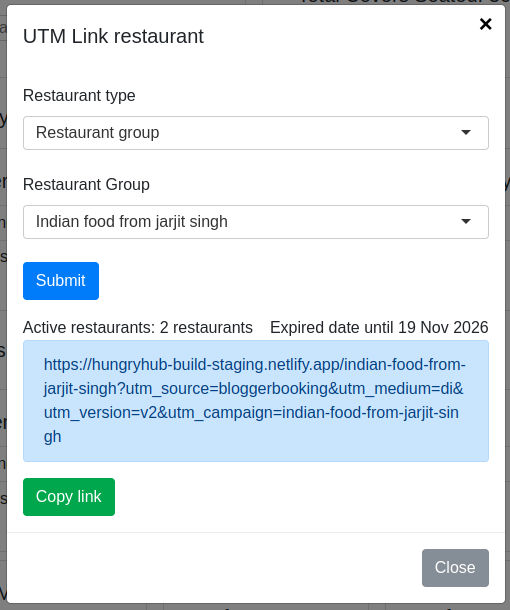
Example: https://hungryhub-build-staging.netlify.app/indian-food-from-jarjit-singh?utm_source=bloggerbooking&utm_medium=di&utm_version=v2&utm_campaign=indian-food-from-jarjit-singh
- Click The link, and you will redirect to HungryHub website
- Pick the restaurant (if the link was restaurant group or branch)
- Then you can book as usual