Kid Price
Description / Background
In our platform, many restaurants offer All You Can Eat (AYCE) packages with similar base options. However, the key differentiator between these packages often lies in the special menus they include. This overlap creates redundancy in the package offerings and may lead to confusion for users who are trying to compare similar AYCE options. To address this, we introduced a Mix & Match feature for AYCE packages, enabling users to combine special menu items from different AYCE sets into a single, customizable package. This approach not only streamlines the selection process but also enhances user experience by offering greater flexibility and personalization. As a further improvement, we aim to support kid-specific pricing within the Mix & Match AYCE structure. This ensures fairness and clarity in pricing, making the platform more family-friendly and accommodating a wider range of customer needs.
Objectives
- Users can book a package with kids
- Users get kids price when they book a package for kids
- Users cannot book a package with only kids
- Users will get adult price if the restaurant doesn’t have kids price
- Users can read the kids price policy for each restaurant
- The minimum person per booking doesn’t count the kids
- Admins can set the package if they have kids price
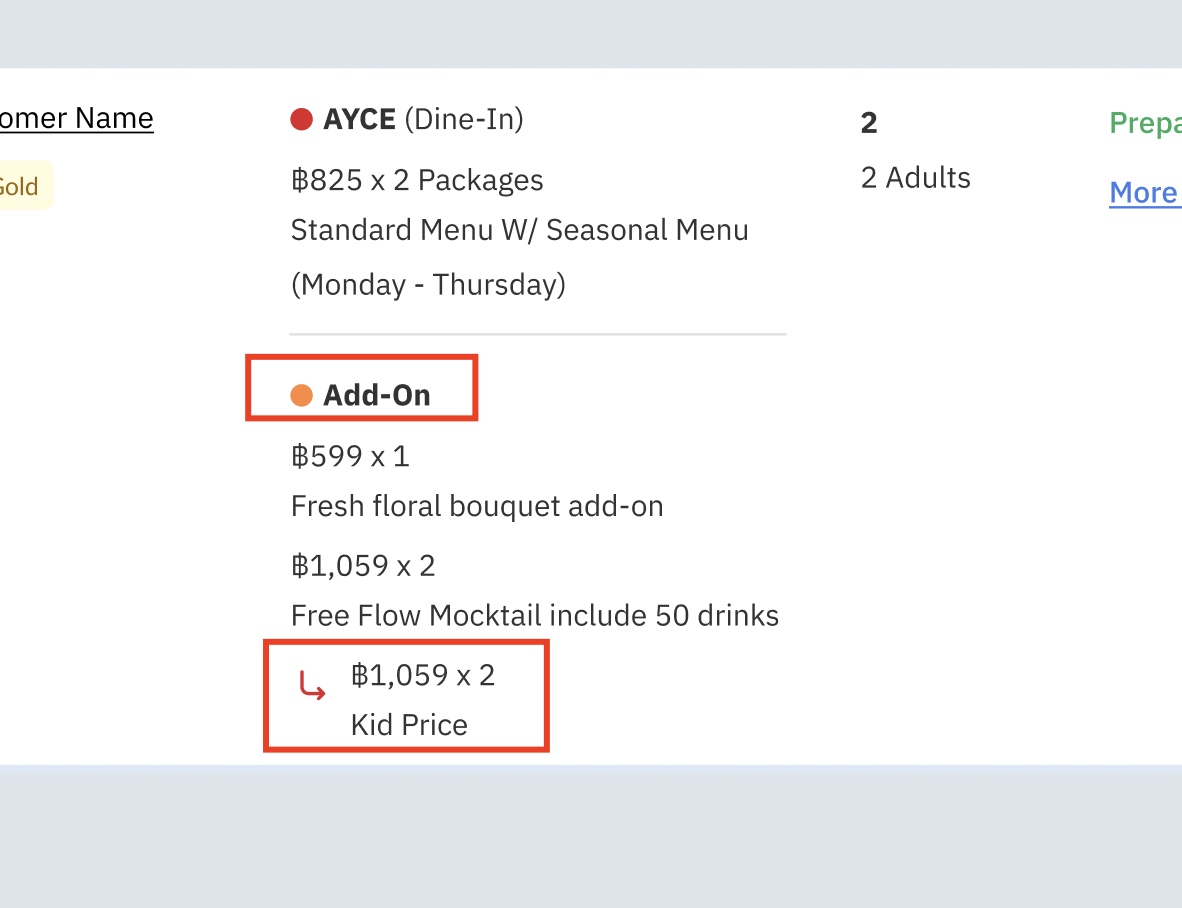
- Admins can see the kids price on the booking list
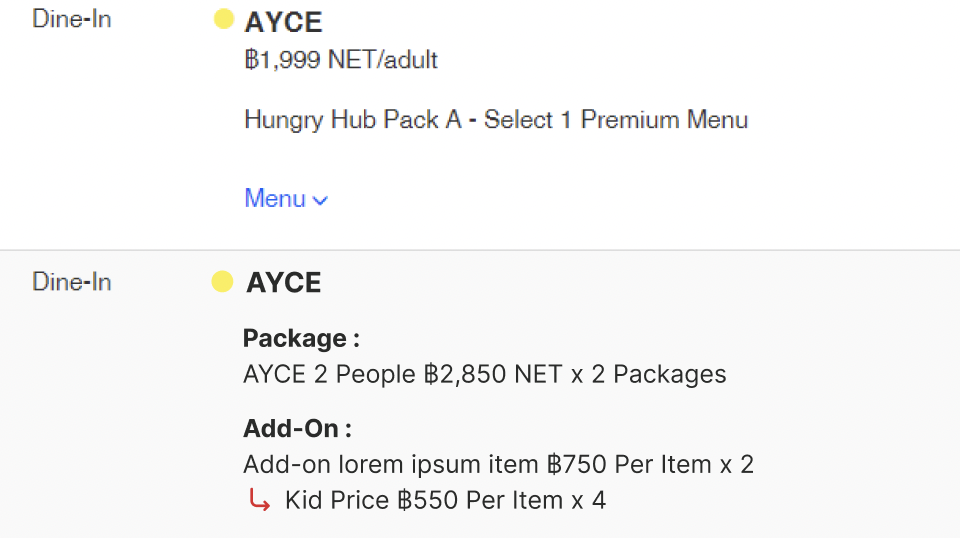
- Owner can see the kids price on the booking list
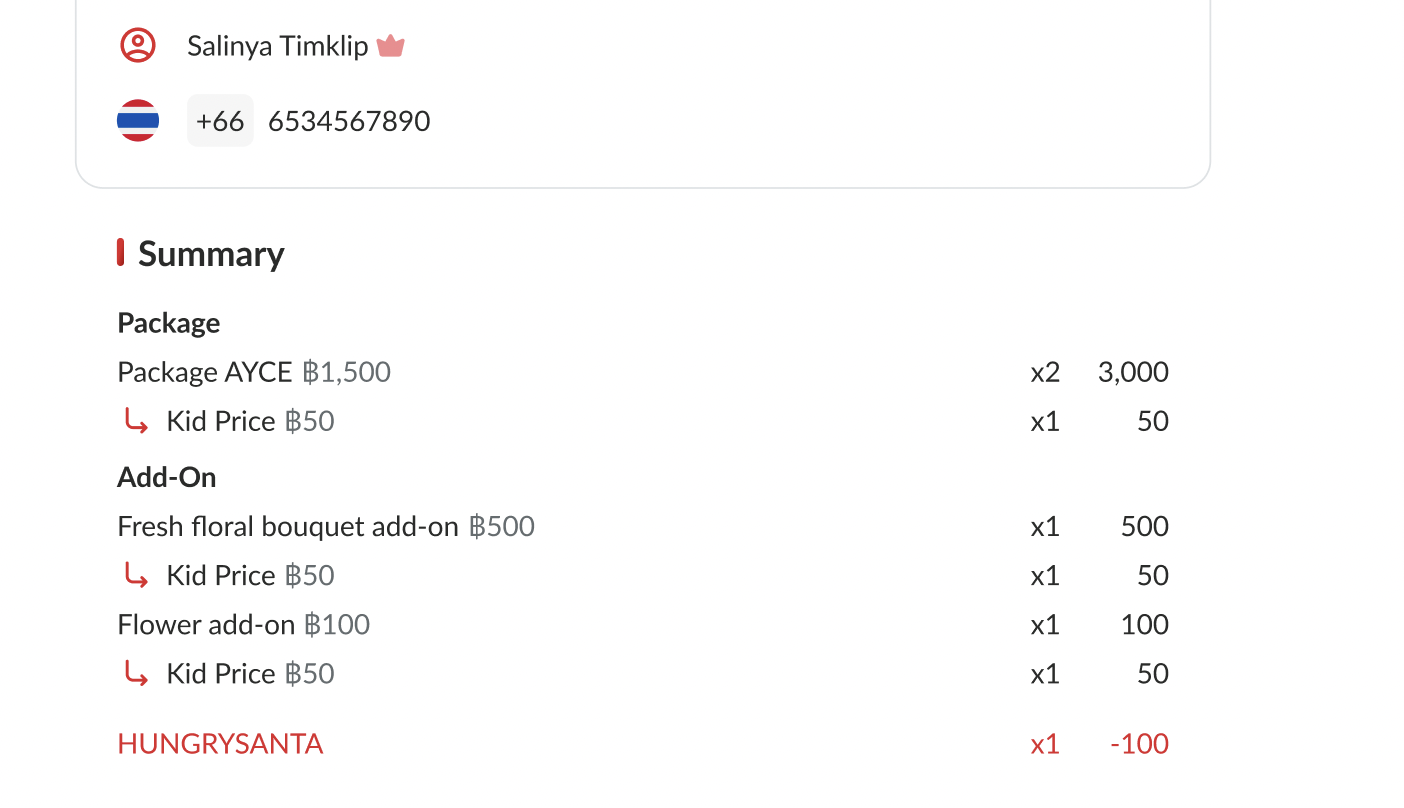
- User can see the kids price on the booking confirmation email
- Owner can see the kids price on the booking confirmation email
- User can see the kids price on the booking confirmation page
Detail
kids price on mix and match rule: Case 1 package didn’t have kids price:
- Package A ➝ adult 2000
- Package B ➝ adult 1500 book 2 adults, 2 kids Use highest price Package A = 1 adult + 2 kids = 6000 Package B = 1 adult = 1500 total 7500
Case 2 one of the package have kids price:
- Package A ➝ adult 2000
- Package B ➝ adult 1500, kids 500 , 400 , 300 book 2 adults, 2 kids Use highest kids price Package A = 1 adult = 2000 Package B = 1 adult + 2 kids = 1500 + (2*500) total 4500
Case 3 all the package have kids price:
- Package A ➝ adult 2000, kids 1000
- Package B ➝ adult 1500, kids 500, 400, 300 book 2 adult, 2 kids Use highest kids price Package A = 1 adult + 2 kids = 2000 + (2*1000) = 4000 Package B = 1 adult = 1500 total 5500
Location
N/A
Sequence Diagram / Flow
N/A
ERD
N/A
Backend Implementation
N/A
Hybrid Implementation
N/A
Frontend Implementation
N/A
no PRD
https://app.clickup.com/t/86cy8ckng
Design
Client Side Link → Pages → Kid Price : https://www.figma.com/design/HFWUL1wrPoe92uMxPJDYml/Add-On-Client-Side?node-id=2390-14706&t=7NLanIQpsXO3Bzh2-1
Partner Portal Link → Pages → Partner Portal : https://www.figma.com/design/2AifYqyASQ7bw1YpAshoiL/Add-On-Admin-Owner-Dashboard?node-id=1252-8&t=HdxiHkCAu2cogoka-1
Partner Portal Link → Pages → Partner Portal : https://www.figma.com/design/2AifYqyASQ7bw1YpAshoiL/Add-On-Admin-Owner-Dashboard?node-id=1252-8&t=HdxiHkCAu2cogoka-1
API Blueprint
| Method | Path | URL | Description | Payload |
|---|---|---|---|---|
New Query
DB Schema / Database Migration
Improvement:
| Feature Name | Date | What Changed | Description |
|---|---|---|---|
| Kid price refinement |