Allow Minus on “Minutes in Advance Dine in Close”
Description / Background
Some restaurants are implementing the “Minutes in Advance Dine in Close” feature. This feature serves to set the latest time users can make a reservation.
In some cases, restaurants want to allow users to make reservations even if they exceed the available schedule. the Minutes in Advance Dine in Close feature does not allow exceeding the available schedule. This poses a constraint as some users may wish to book last-minute slots or even exceed the available schedule.
This new feature allows the admin to set the Minutes in Advance Dine in Close setting to a negative value. This setting allows the user to book even if the booking time has already started.
Glossary
https://app.clickup.com/9003122396/docs/8ca1fpw-35796/8ca1fpw-41516
Objectives
- Admin can set negative number on
Minutes in Advance Dine in Close - User can see new alert
This outlet allows you to book xx minutes past the start dining time. However the starting dining time count will start based on selected timeif the restaurant set theMinutes in Advance Dine in Closewith negative number - User can see the old alert
- User can book even if the time is already in the past, with a time limitation set by
Minutes in Advance Dine in Close - User can see the number
Minutes in Advance Dine in Closeon alert - The user can see the
Minutes in Advance Dine in Closevalue displayed in one of four formats: minutes, hours, days, or weeks:- number < 60 = minutes
- number > 60 = hour
- number > 1440 = days
- number > 10080 = week
- number > 43800 = month
- If admin input -15 on
Minutes in Advance Dine in Close
Seat available 4 PM, Now 4.05 PM
The user can still book the table for 4 pm until the clock is 4.15 pm because the restaurant has added -15 to “minutes in advance” so it gives the user more time to book the table.
- If admin input 15 on
Minutes in Advance Dine in Close
Seat available 4 PM, Now 4.05 PM
Users cannot book a table for 4 pm. With this setting, users can book a table for 4 pm with a maximum booking time of 3.45 pm.
Scope
- Edit restaurant on
Minutes in Advance Dine in Closeparam - New alert on time availability
- User booking time (should be same as on admin)
Location
Admin Dashboard > Restaurant Settings > Minutes in Advance Dine in Close
Sequence Diagram / Flow
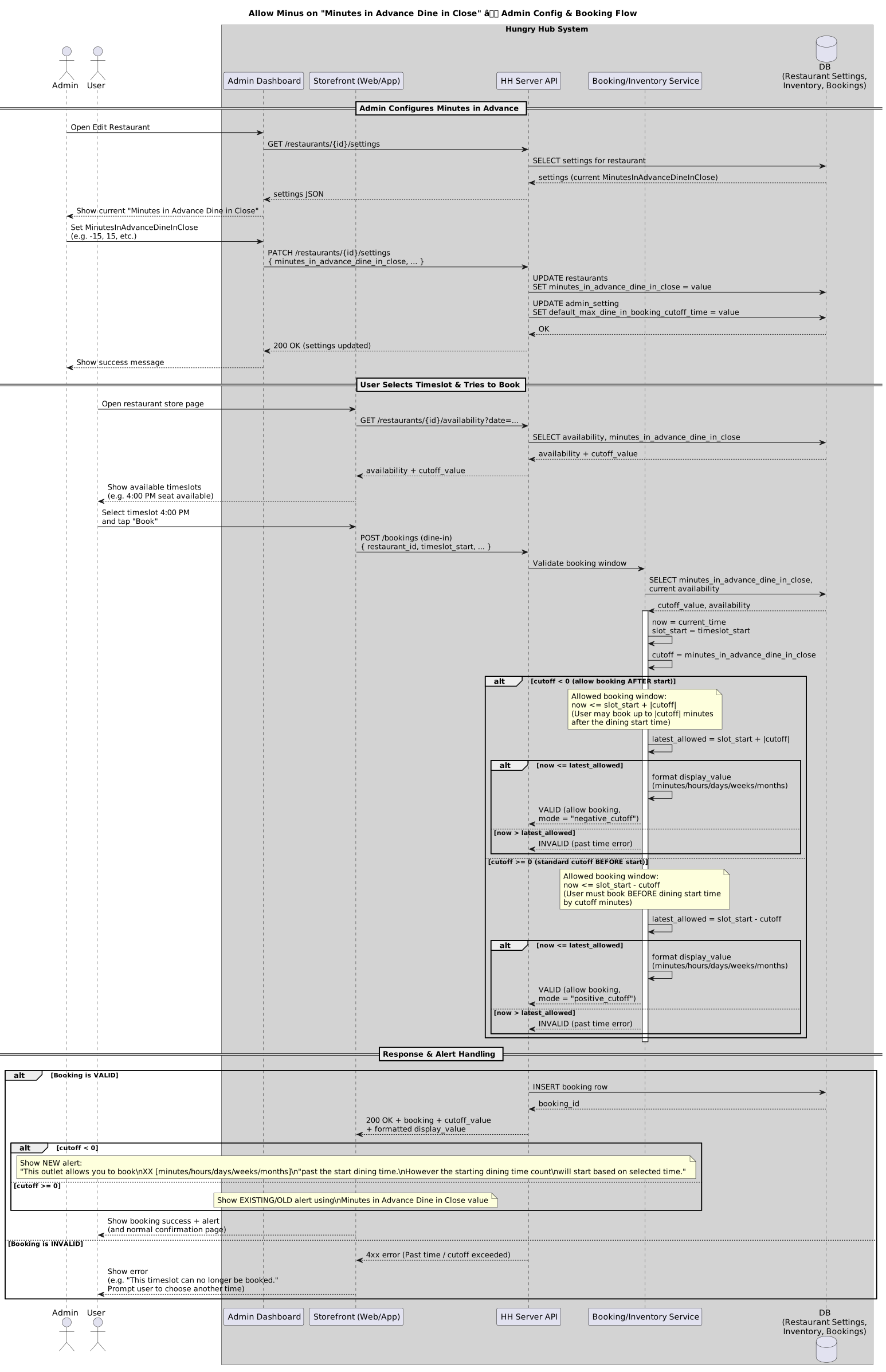
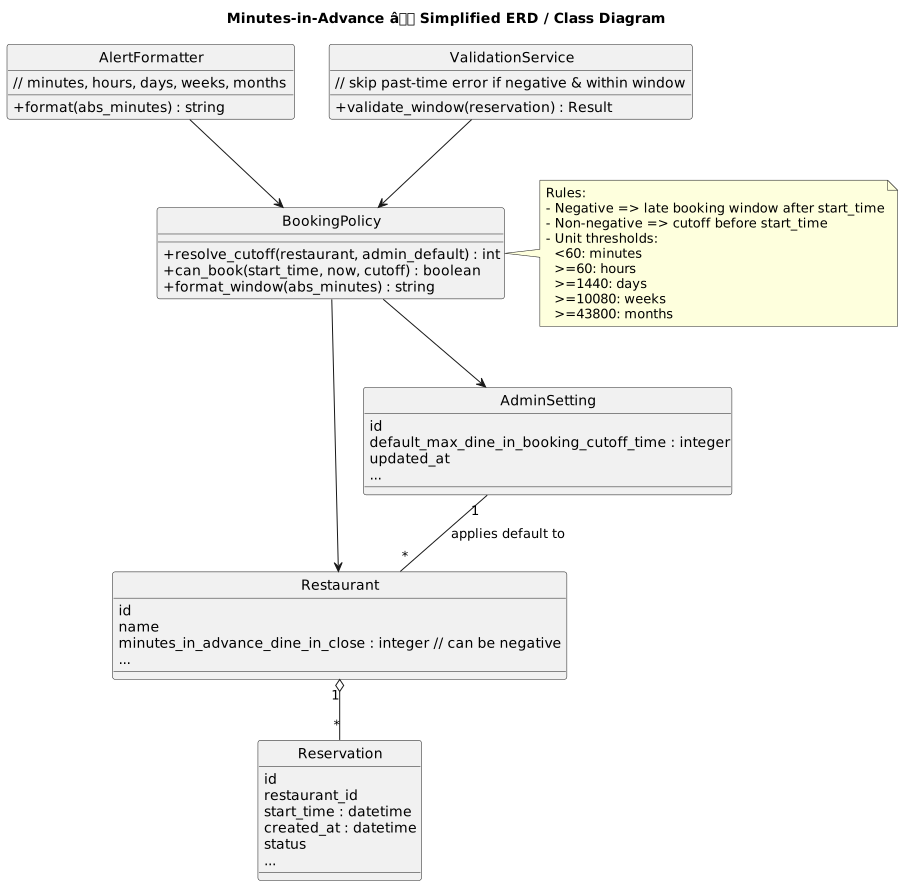
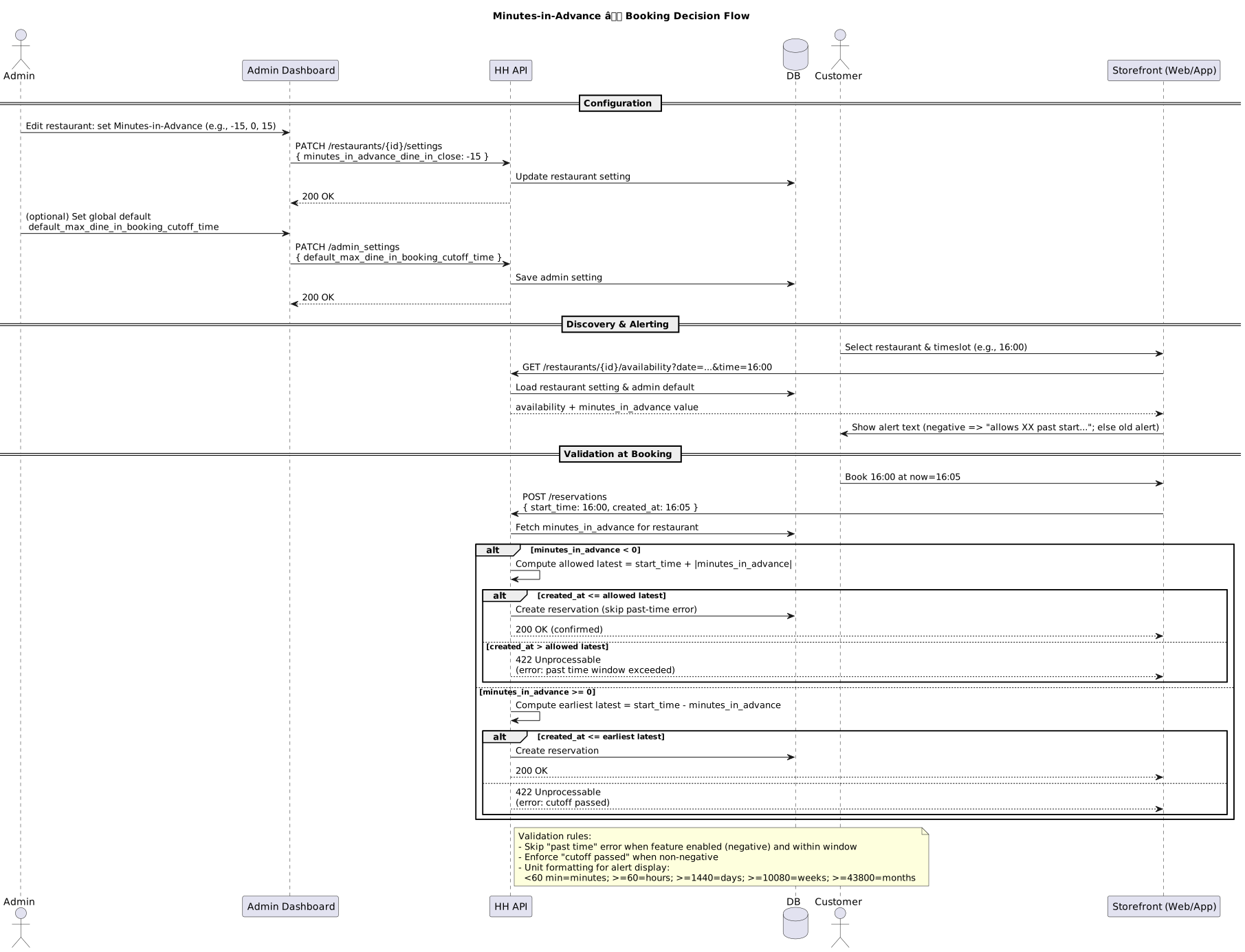
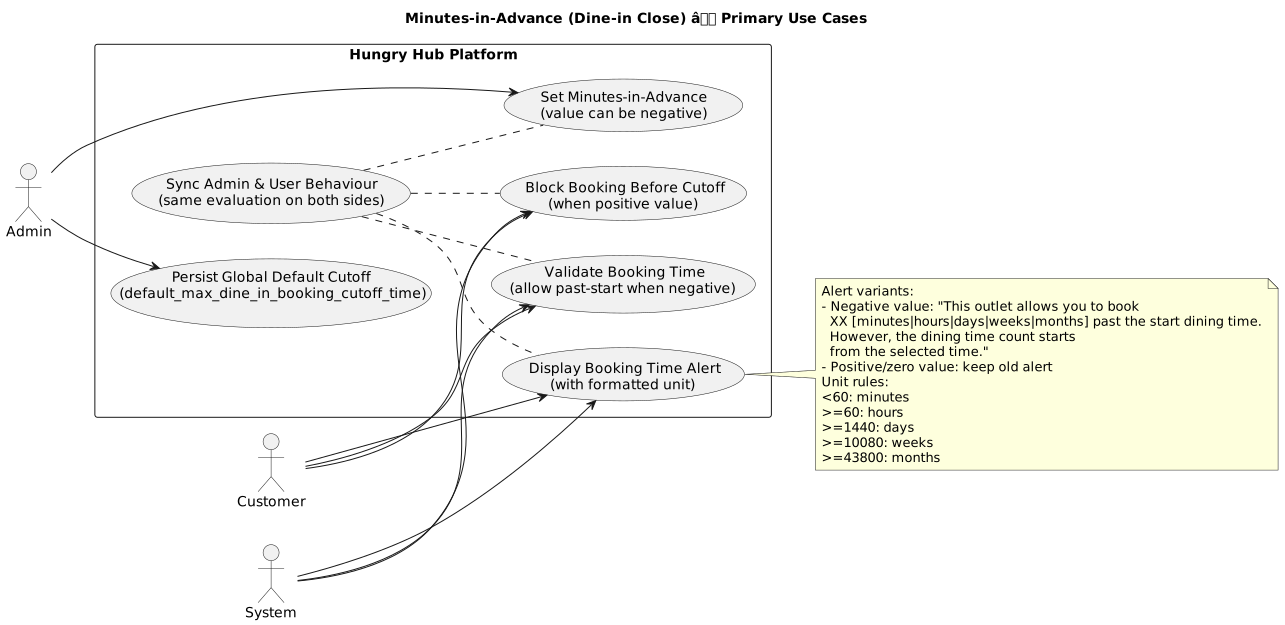
ERD
This feature does not require schema changes as it reuses the existing minutes_in_advance_dine_in_close field on the restaurant settings table, extending it to accept negative values.
Backend Implementation
- Add
default_max_dine_in_booking_cutoff_timeon Admin Setting - Skip past time error when the restaurant use this feature
- Add validation if the booking was made in the right booking time using allow minus booking time
- Add
Minutes in Advance Dine in Closeon edit restaurant
https://github.com/hungryhub-team/hh-server/pull/5763
Frontend Implementation
See PR for details: -
PRD & Task
https://app.clickup.com/t/86cv7abh8
Design
Minutes in Advance Dine in Close Design
API Blueprint
This feature extends the existing restaurant settings API. No new endpoints are required.
New Query
N/A
DB Schema / Database Migration
-
Improvement:
-