All About User Point
Description / Background
This document explains how, when, and why users earn points.
Objectives
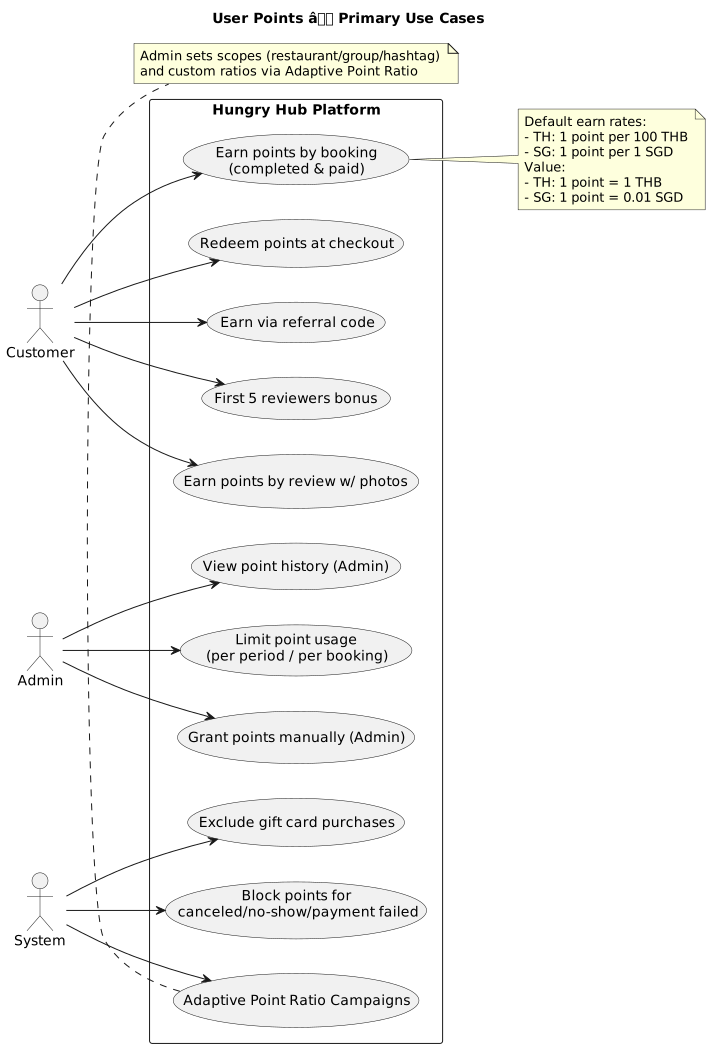
- Users will get points by buying a package.
- Users will get points by reviewing the restaurant with photos after the booking.
- Users will get points for the first five people to review the restaurant after the booking.
- Users will earn points by encouraging other users to use our app with their referral code.
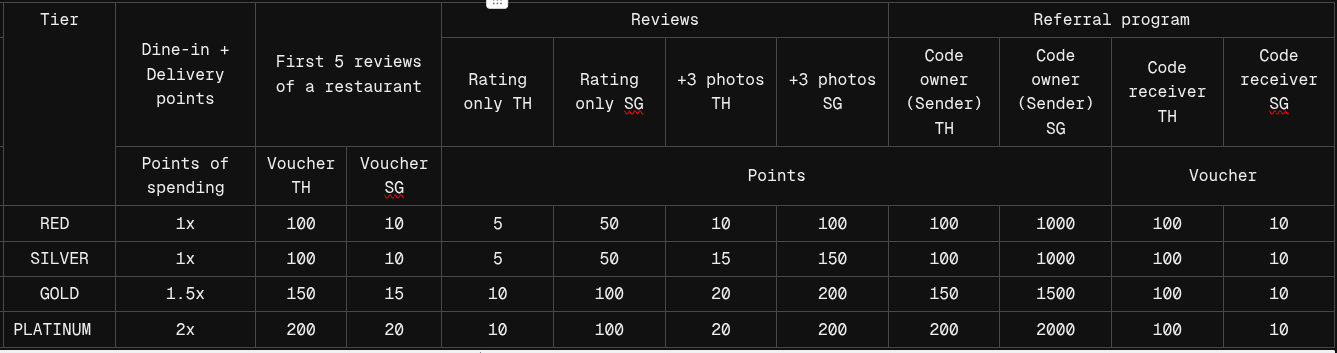
- The number of points a user gets depends on their tier.
https://app.clickup.com/9003122396/docs/8ca1fpw-21762/8ca1fpw-26482
- By default:
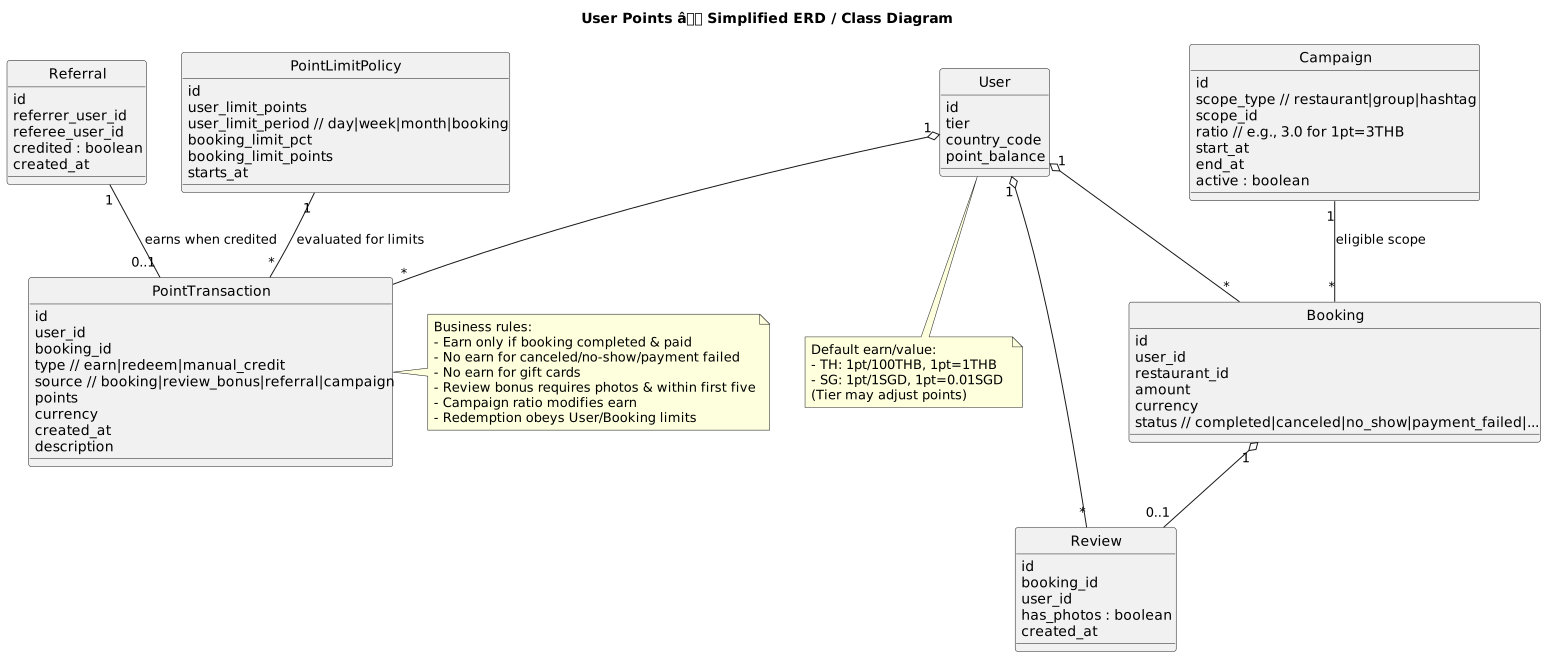
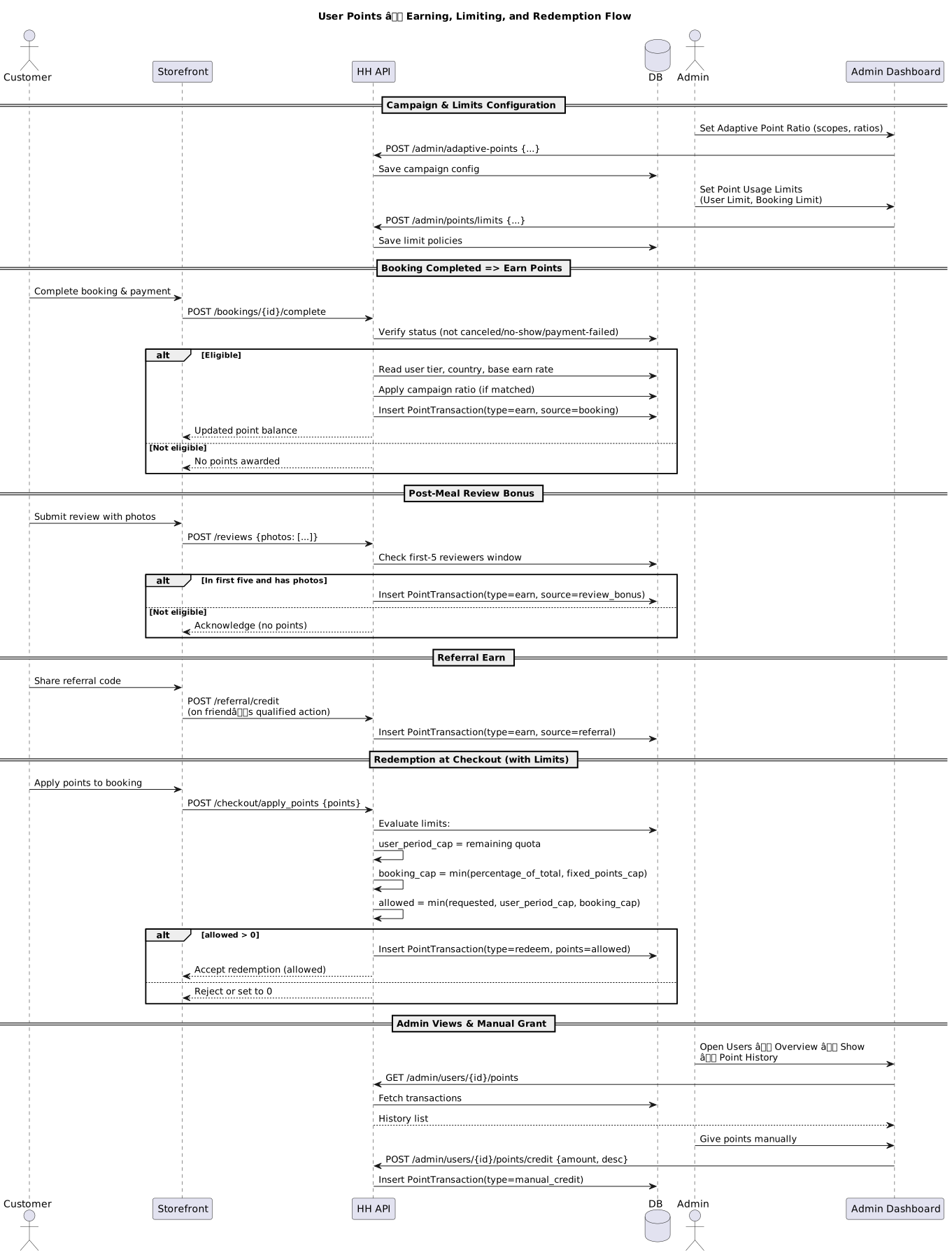
- per 100 Baht booking, user receive 1 TH point.
- per 1 SGD booking, user receive 1 SG point.
- 1 TH point = 1 THB
- 1 SG point = 1 cents or 0.01 S$
- If a booking is canceled, marked as no show, or payment failed, the user does not receive the points.
- User did not receive points for purchasing a gift card.
- Users can get points through campaigns:
- The campaign can be applied to a specific restaurant, restaurant group, or hashtag.
- The campaign function allows you to change the point value, example:
- The default is 1 point = 1 baht, but you can change it to 1 point = 3 baht for a specific campaign.
- the campaign point can be setting on the Adaptive Point Ratio menu on admin dashboard https://hungryhub.com/admin/adaptive_points?locale=en .
- the point transaction that came from the campaign will listed on Manage Point Redemption menu https://hungryhub.com/admin/points_redemptions?locale=en .
- Admin can limit the user point usage:
- Admin can limit the user point usage by setting it on the Limit Point Usage Adjustment menu.
- Admin can limit the user point usage by:
- User Limit Usage This section defines the maximum number of points a user can use within a specified period.
- Point’s Limit:
- The maximum number of points a user can use.
- Example in image:
1000points.
- Per (Dropdown):
- Defines the period or unit of time for the limit.
- Example options might include: per day, per week, per month, per booking, etc. example: If set to “per week”, the user can use up to 1000 points every week.
- Booking Limit Usage This section limits how many points can be applied per booking.
- % of Total Spending:
- Limits the points usage to a percentage of the total booking cost.
- Example in image:
25%→ User can use points worth up to 25% of the booking value.
- Points:
- Alternatively, a hard cap on points per booking.
- Example in image:
1000points max. example: The system may enforce the lesser of these two limits: either 25% of the total cost or 1000 points per booking.
- Example of limit point usage:
- A user can use up to 1000 points per week.
- In any single booking, they can use up to 25% of the total cost, but not more than 1000 points.
- These rules become active on a specific future date and time once the form is submitted.
- For more explanation about limit point usage you can read this doc: https://app.clickup.com/9003122396/docs/8ca1fpw-2000/8ca1fpw-1440
How to know the user point history
- Open Admin Dashboard https://hungryhub.com/admin/dashboard?locale=en
- Open Users menu →Users Overview

- Pick the User → Action → Show

- Open the Point History
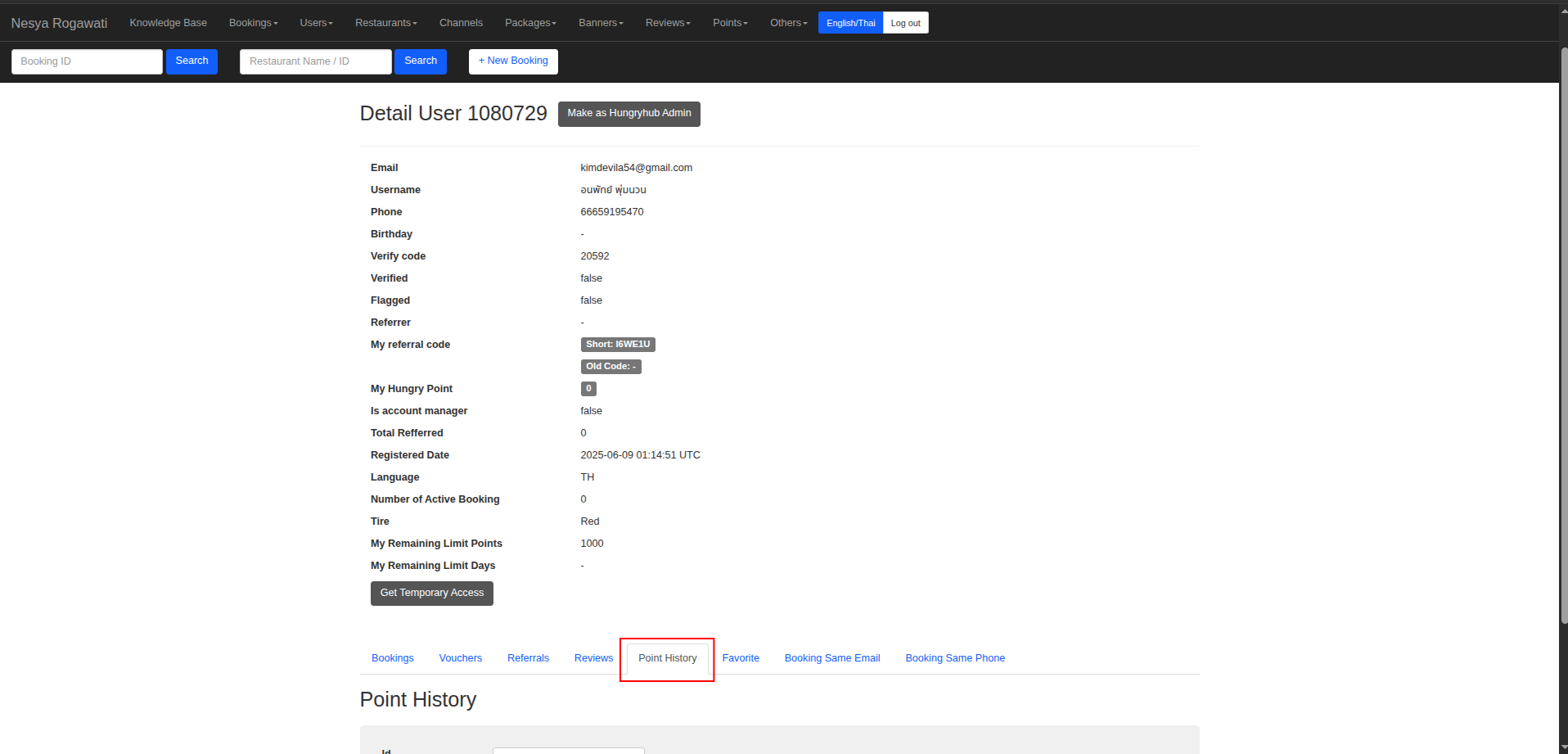
- You can see all the user point history there.
How to give user point manually
- Open Admin Dashboard https://hungryhub.com/admin/dashboard?locale=en
- Open Users menu → Give points manually

- Insert the USER ID, the point amount in the credit amount field, and the description of the point type the user receives
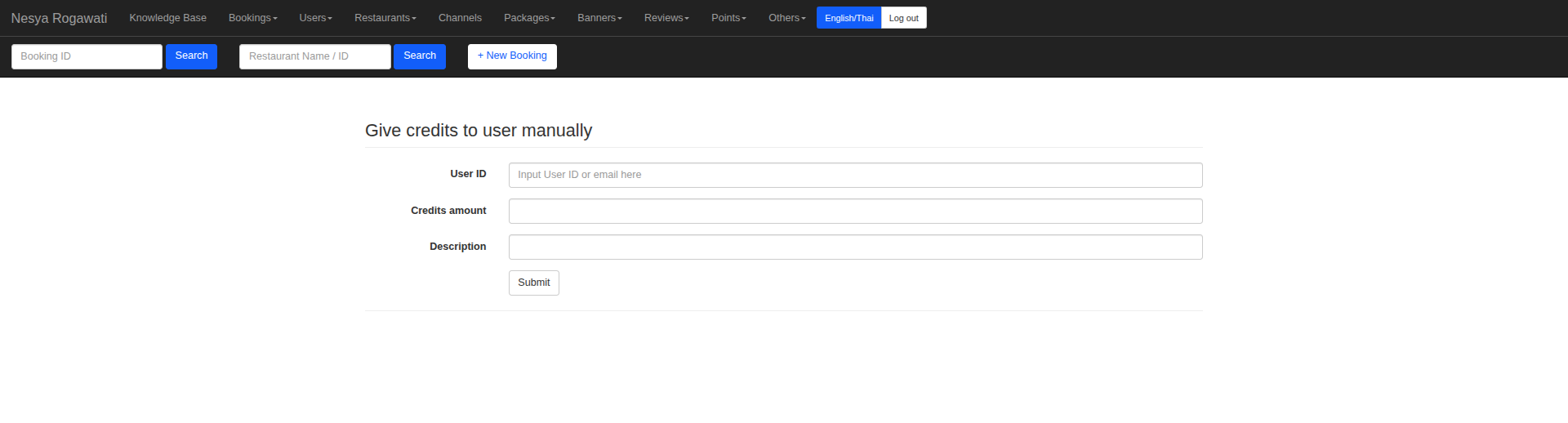
- Click Submit, and the point will send to user.
Diagram