Partner Portal Dashboard
Description / Background
We have developed a new partner portal for restaurant owners, featuring a modern design and enhanced functionality.
Glossary
https://app.clickup.com/9003122396/docs/8ca1fpw-35796/8ca1fpw-41516
Objectives
- Partner can login as individual
- Partner can login as group
- Partner can see the allotment from each branch
- Partner can see the Billing report for each branch
- Partner can see the dashboard report for each branch
- Partner can see the branch name on each booking
- Partner can filter booking, voucher, review, package list by branch
- Partner can create booking from specific branch
- Partner can see the branch name on package list
- Partner can see the branch name on review list
- Partner can see the branch name on voucher list and voucher history list
- Partner can see the branch list on account management
- Partner can export the booking, billing, voucher list, voucher history, package by branch
- The Rating Score and Overall Score should match on the main dashboard
- Today’s booking, booking should sort by Booking Time
- Remove H@H Pending Arrival, Delivery Completed, and Order Received from filter booking
- Remove Delivery, and Self Pick up from filter booking
- Specific package need to be dropdown type from filter booking
- When create booking partner need to know the Package Price
- When exporting the data partner need to know created date and dining date
- Partner can’t create voucher
- Partner can’t manage package (read only)
- Partner can print the package menu
- Partner can see allotment by full day mode
- Partner can sort the package by GMV on analytics page
- Partner can see Primary to Display Tag, Dropdown behavior same as admin dashboard on store page
- Partner can see Secondary to Sub Tag, Dropdown behavior same as admin dashboard on store page
- Partner can see dining style on store page
- Admin can see Place, Shopping Mall and Location section, Dropdown behavior same as admin dashboard on store page
- If the partner account is from OpenRice, show the Ref. Booking ID on the booking page.
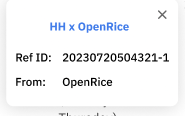
- Partner can see the channel that user create the booking on booking page
- Partner can see the special menu on package details on booking page
- Partner can see the offer that user using on booking page
- Partner can see user payment details on booking page
- Partner can see special request and occasion on booking page
Location
Partner Portal : https://partners.hungryhub.com/ for production https://partners.hh-engineering.my.id/ for staging
How to create account
- Ask BE team to create the account from console
- On partner portal we are using user from staff table
- Run this code on console (this code is creating staff user, so they can open the partner portal)
staff = Staff.new name: 'HH Team', email: 'surasit-copper-group@hungryhub.com'
staff.password = 'zxcvzxcv'
staff.password_confirmation = 'zxcvzxcv'
staff.confirmed_at = Time.zone.now
staff.save!

# assign a restaurant
restaurant = Restaurant.find(837)
role = staff.roles.build restaurant: restaurant, role: :staff
role.save!