Guide: HH WebView Integration v3
Requirement for Partners:
We need every partner to provide 2 APIs:
- API to provide user information
- API to receive webhook from HungryHub whenever a booking has been created/modified
HungryHub WebView Documentation
Base URL
Production: https://web.hungryhub.com/ Staging: https://hh-pegasus-venus.pages.dev/
Requirement
- Use the mobile view or a screen size below 767px before accessing. Currently, we detect whether it's mobile or not based on the screen size.
URL & Query Params
Example url in staging :
https://hh-pegasus-venus.pages.dev/?locale=en&env=venus&partner=tagthai&token=5b7da2a52b22999c7bd530c67ac365c3287564056e70ebb8648c576c1b2d9beC&layout=plain
Example url in production :
https://web.hungryhub.com/?locale=en&partner=tagthai&token=5b7da2a52b22999c7bd530c67ac365c3287564056e70ebb8648c576c1b2d9beC&layout=plain
Payment Methods
You can use the following payment methods for testing purposes:
Credit/Debit Card
Card Test UAT (Server Test)
| Card Number | MM/YY | CVV | Name |
|---|---|---|---|
| 4535 0177 1053 5741 | 05/28 | 184 | Tagthai User |
Card Test UAT (Server Test)
| Card Number | MM/YY | CVV | Name |
|---|---|---|---|
| 5258 8606 8990 5862 | 02/25 | 950 | Tagthai User |
True Wallet
True Wallet test number:
no: 0830443596
otp: 123456
QR Code
After making the payment with the QR Code, upload the QR Code to the link below:
http://qrtool.globalprimepay.com/qr
Manage Reservations Data as Restaurant Staff
This functionality is provided for testing only On production, partners can access the booking data by using another portal, see
Restaurant Owner Dashboard
Use the following links and login details to access the Restaurant Owner Dashboard to manage reservations.
Login Page: https://hhstaging.dev/dashboard/v2/owners/sign_in?locale=en
- Restaurant: The Seafood Cafe & Restaurant
Email: seafood_cafe@hungryhub.com
Password: nasigorengspesial
Email: theearthkitchen@hungryhub.com
Password: nasigorengspesial
Video Demo
How to Modify Booking
To modify your booking, you can use the Modify Booking WebView. Please follow these steps:
- Retrieve the modify_url from the response of the following API call:
{{base_url}}/api/vendor/v1/reservations/276400.json
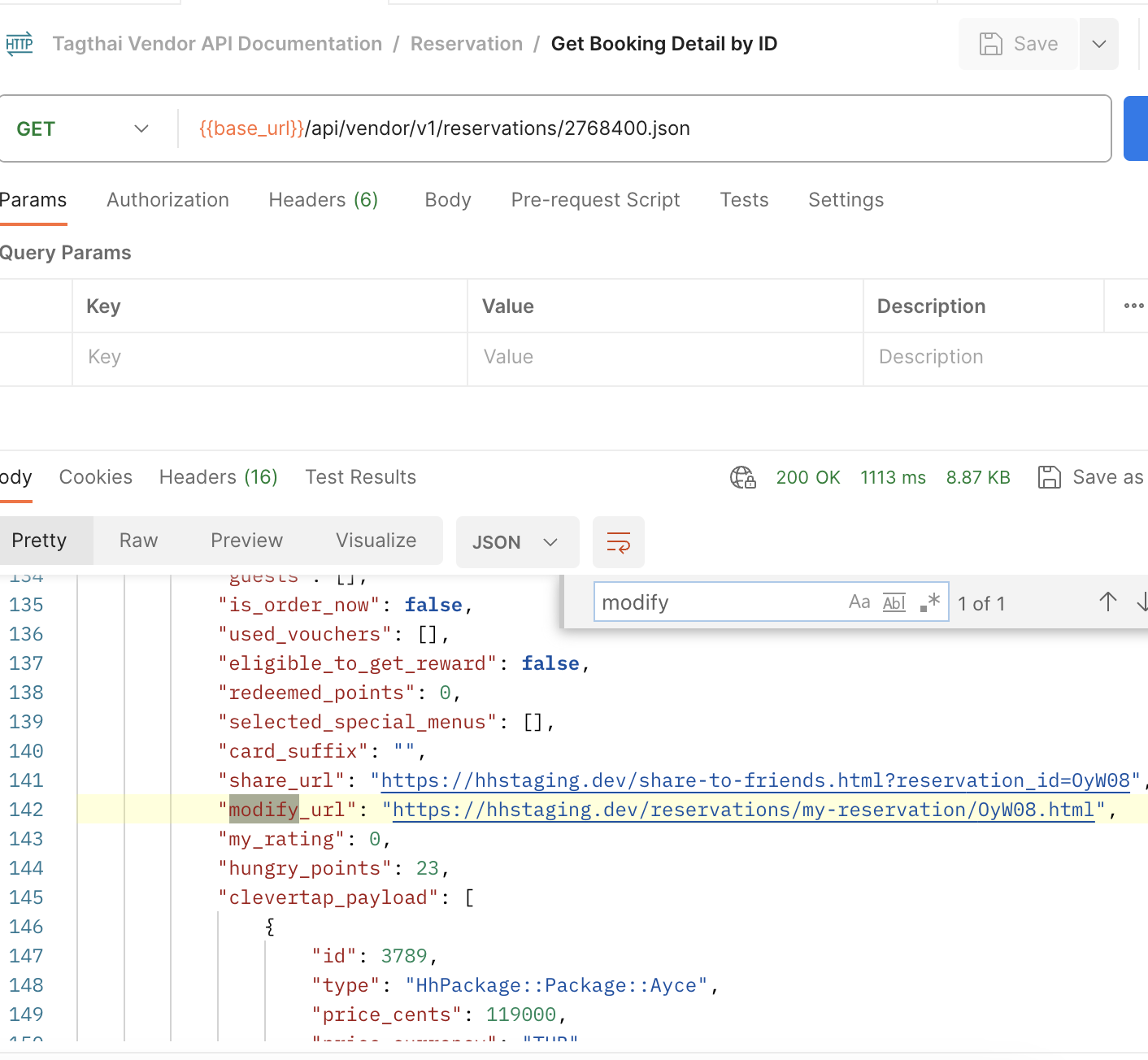
- Add query params
partner=tagthai&locale=en/th
Example:
https://hhstaging.dev/reservations/my-reservation/OyW08.html?locale=en&partner=tagthai
- Visit the
modify_url, and you will be directed to this WebView.
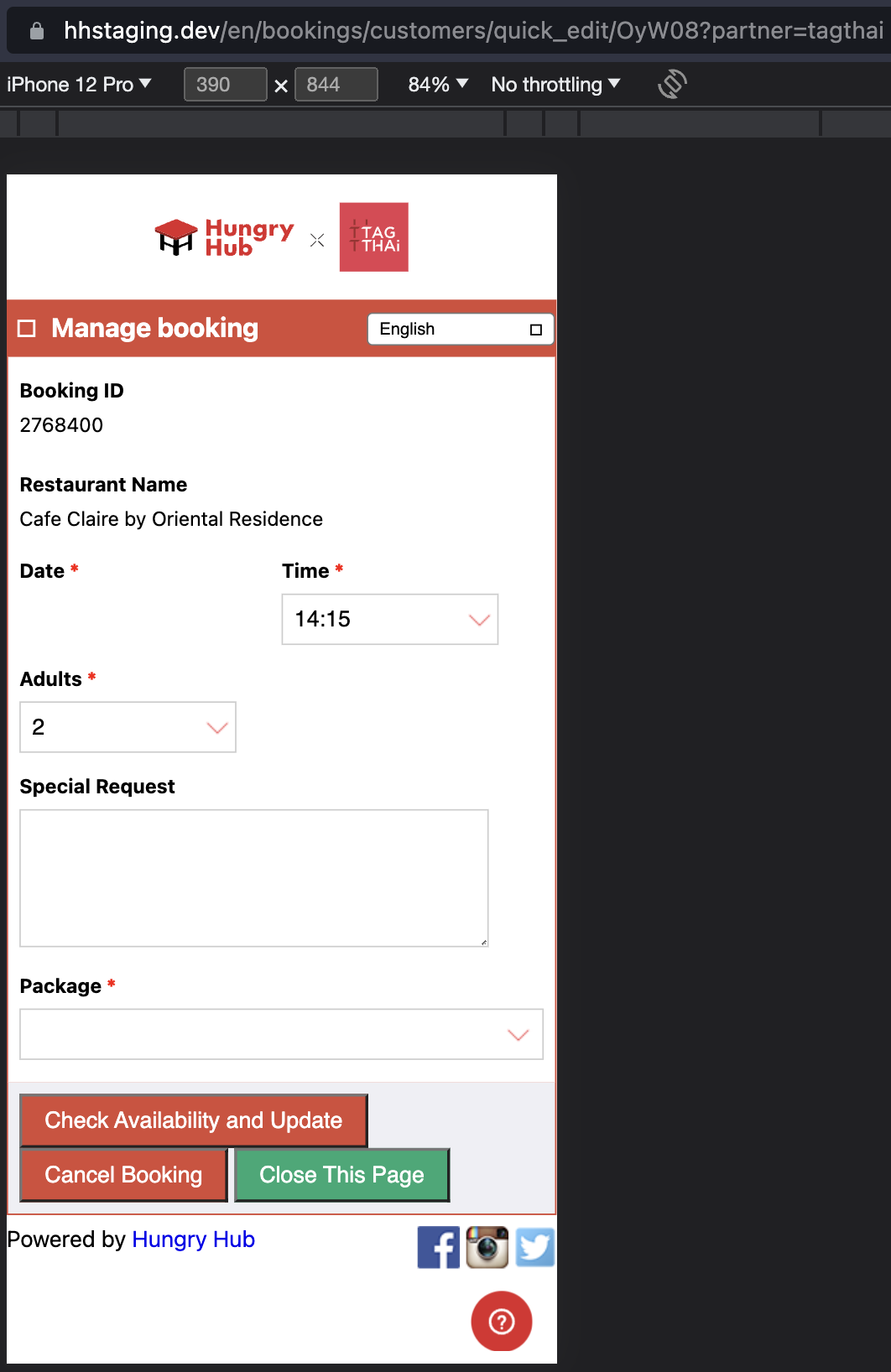
- You can make changes to your booking in the WebView.