Weeloy Dashboard Statuses Documentation
This document outlines the various statuses displayed on the Weeloy dashboard, including the status when a blockage is created, when a booking is confirmed, and other statuses related to cancellations, arrivals, and no-shows.
Status Categories
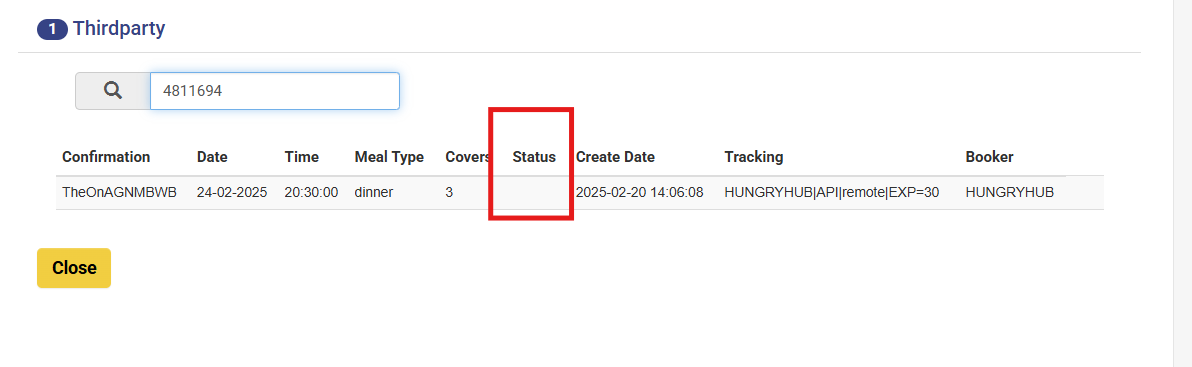
1) Booking Confirmation Status
Description: This status is displayed when a booking has been successfully confirmed
example
Status from HH : PENDING ARRIVAL
 Status in Weeloy Dashboard: Empty
2) Cancellation Status
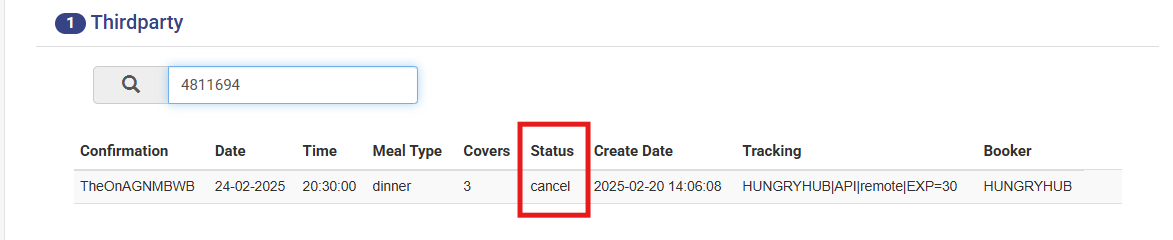
This status is used when a confirmed booking is canceled by the customer or the restaurant or updated from weeloy side.
Status from HH : Cancel
 Status in weeloy dashboard: Cancel
3) No-Show Status
Marks a booking where the guest did not show up. (no show only updated from weeloy dashboard)
Status in HH : NO SHOW
Status in Weeloy Dashboard: NO SHOW

4) Blockage Status
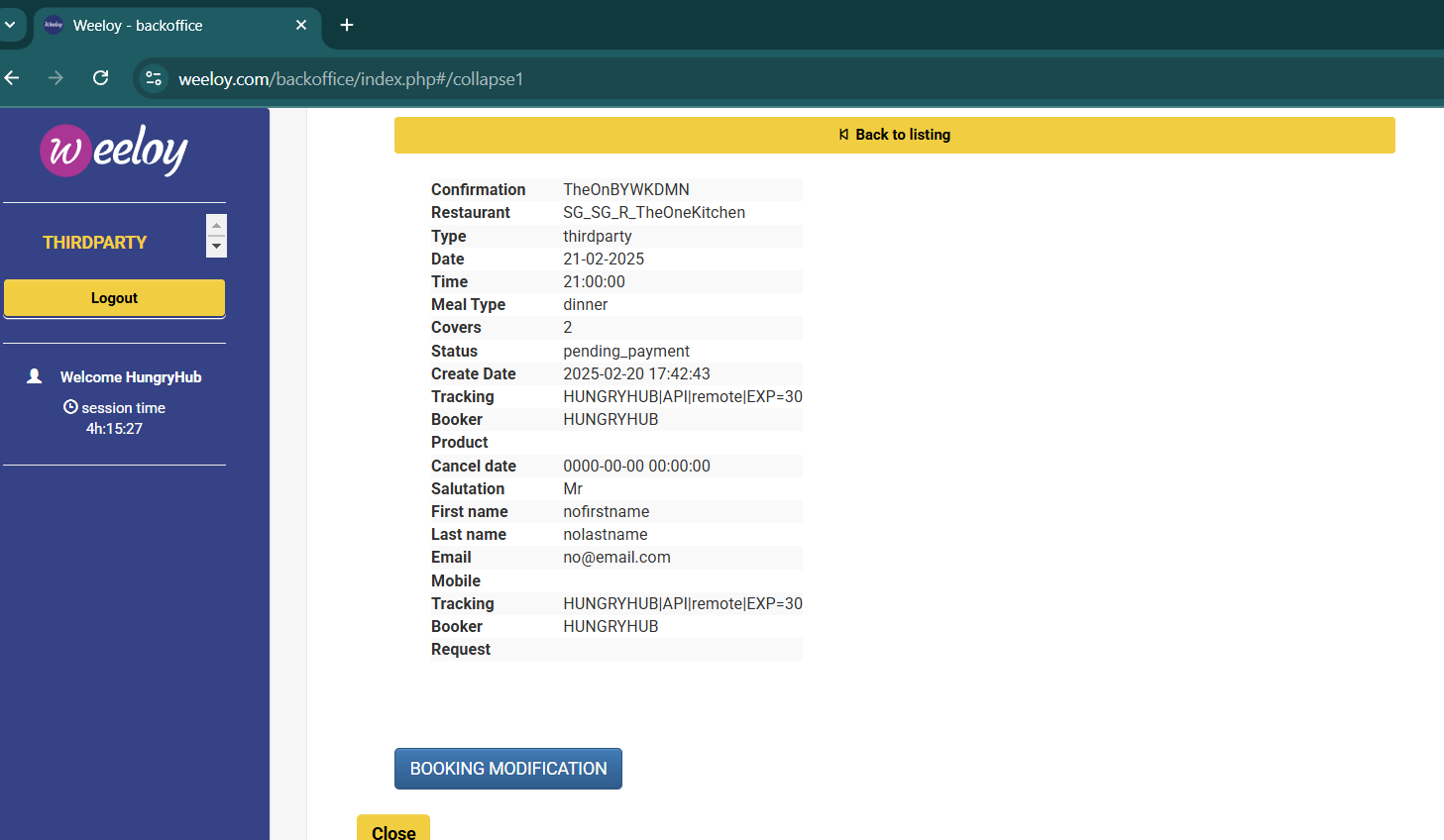
Status Name: Pending Payment
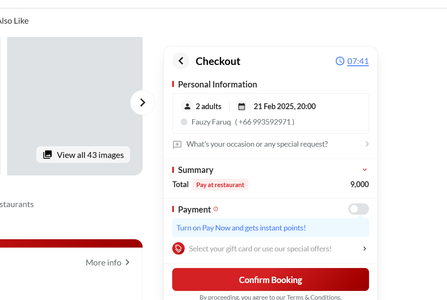
- Description: This status appears when a blockage is created for a specific time slot or table when the client as a guest clicks the checkout page.
- Triggers: Guest clicks the checkout page
- Additional Notes:
- There is no reservation ID, temporary ID, or blockage ID.
- First name and last name are stored as:
- First Name: nofirstname
- Last Name: nolastname
- Email: no@email.com
- The status is set to "pending_payment" when a blockage is created
| First name | nofirstname |
|---|---|
| Last name | nolastname |
| no@email.com |