TAGTHAi Booking Webhook Integrations
This document is currently a work in progress, and it is possible that there will be changes made to it in the future to improve its content and completeness
This document explains TAGTHAI Booking Webhook Integrations with the HungryHub system
HungryHub reservation status matching (suggestion)
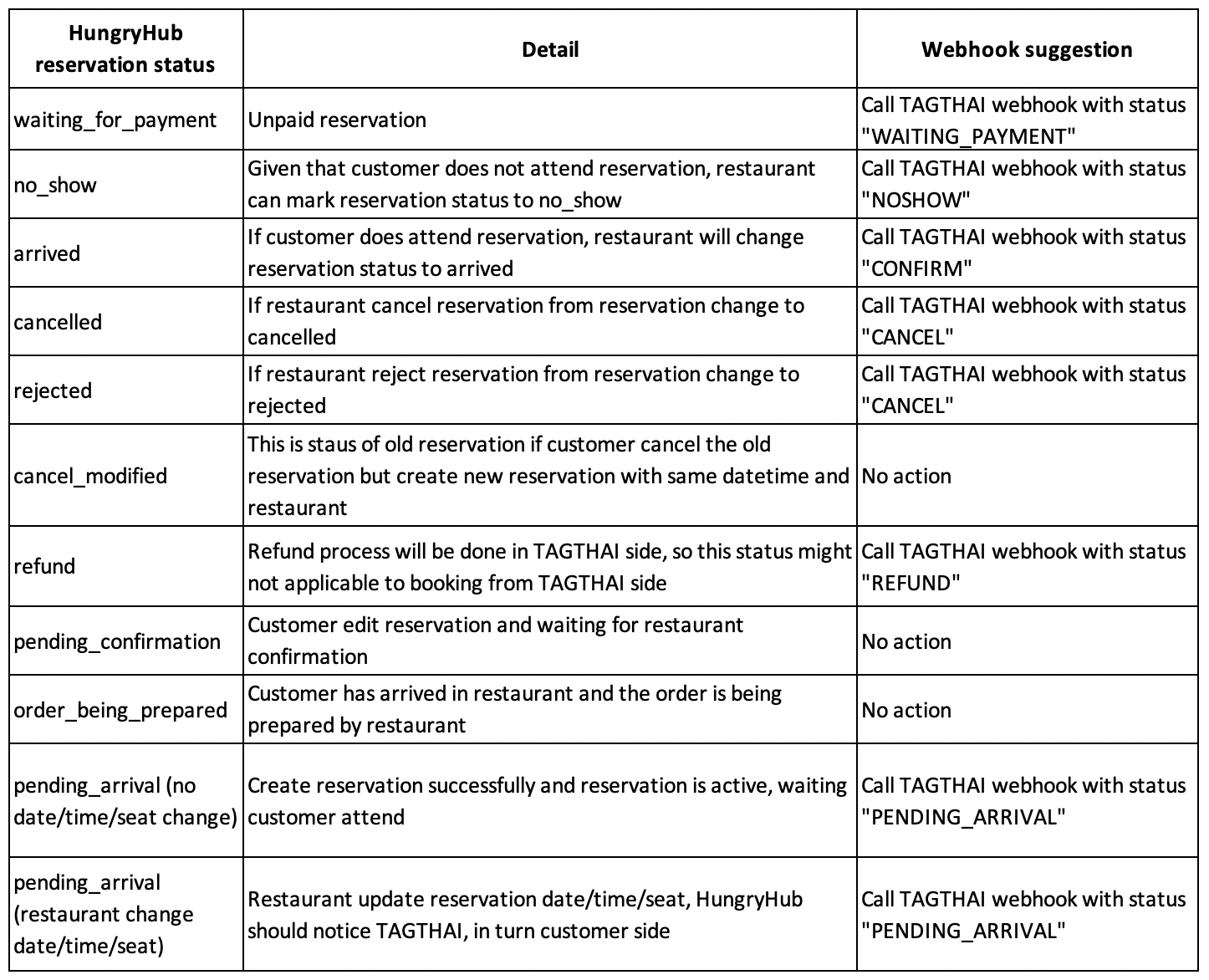
Here is an important remark from TAGTHAI about the general rules of reservation status change for partners which will implement webhook on the partner side. 1. If the partner side already calls the webhook API with either NOSHOW / CONFIRM / CANCEL status for a particular booking to TAGTHAI and returns success = true, the reservation status will stay permanent based on the request status. No further status change afterward even partner calls more webhook requests on the same booking. 2. There is a general rule of “Auto-confirm” in TAGTHAI, i.e. if the booking time passed 48 hours but the TAGTHAI system did not receive any CONFIRM/NOSHOW webhook request from the HungryHub side, the booking status will automatically become “CONFIRM”. The booking status will not be further updated even after calling NOSHOW webhook requests. Please contact and discuss with TAGTHAI business/product staff if the partner wants to implement different practices.
Swagger documentation for the Notification Callback API
tgth-hungryhub-callback-service-0-0-2.yaml
How to Test the Integrations?
- TT create a new reservation (ref. Guide: HH WebView Integration (https://doc.clickup.com/d/h/8ca1fpw-17382/1fd93c108607919/8ca1fpw-21042))
- TT login into the restaurant (owner) dashboard using the given account
- TT update, cancel, or mark arrived the reservation in the restaurant dashboard then the HH system will send the changes of reservation status to TT webhook
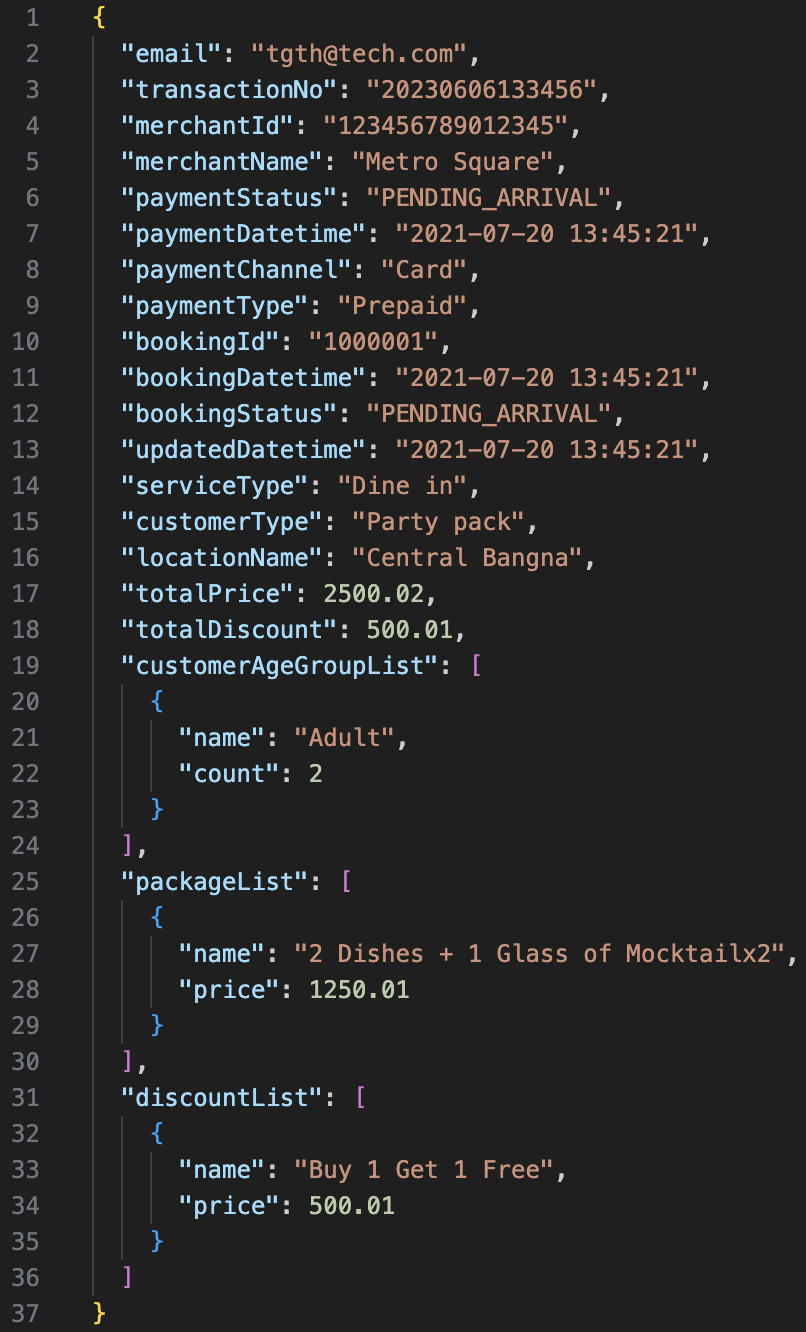
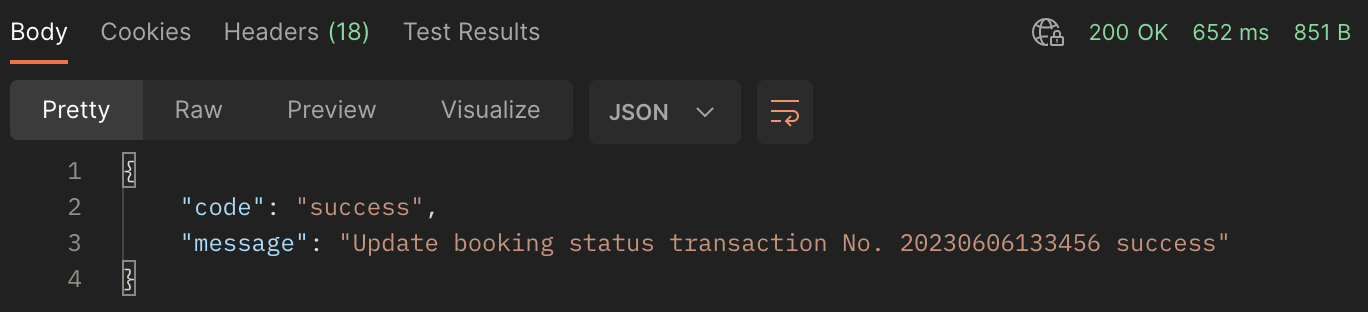
- TT system receives the request and returns the response
Example request
Example response
- TT check the reservation status on their system and the status should be changed as expected
Restaurants Account for Testing
Use the following links and login details to access the Restaurant Owner Dashboard to manage reservations.
Login Page: https://hhstaging.dev/dashboard/v2/owners/sign_in?locale=en
- Restaurant (ID: 1433): The Seafood Cafe & Restaurant
Email: seafood_cafe@hungryhub.com
Password: nasigorengspesial
- Restaurant (ID: 3546): The Earth Kitchen at Zenseana Resort and Spa (Phuket)
Email: theearthkitchen@hungryhub.com
Password: nasigorengspesial
You can log in to the restaurant dashboard using the Login URL and fill out the email and password. Example:
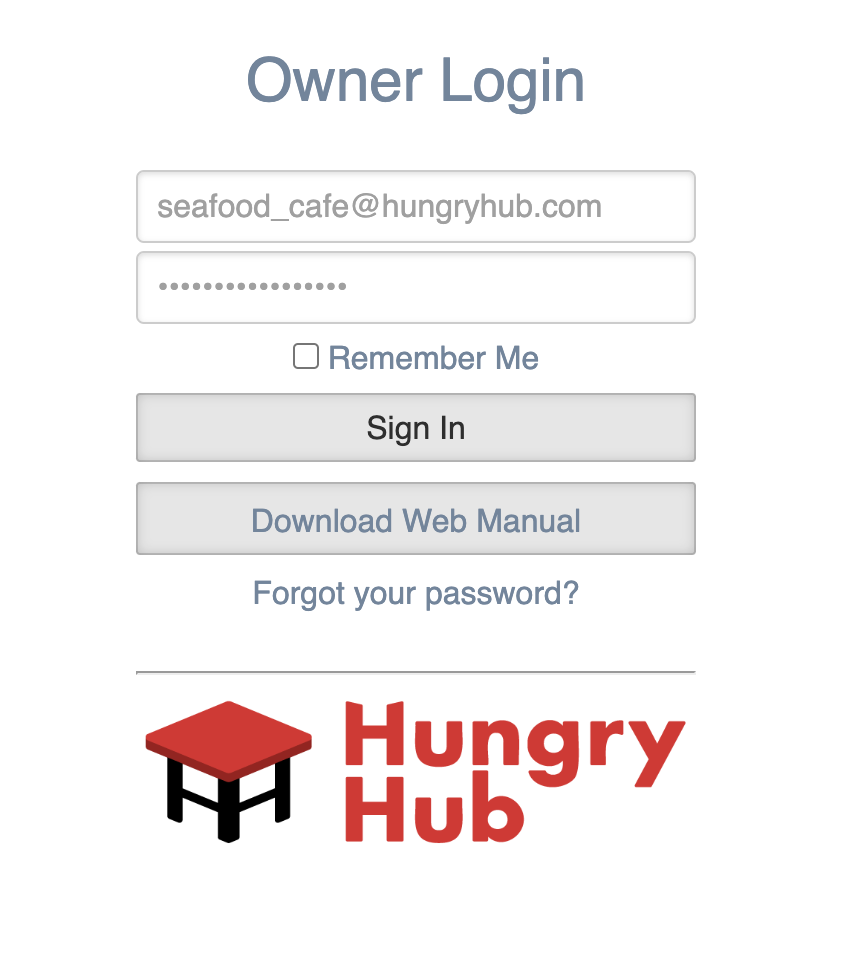
Once you already logged in then you can go to the Bookings menu and see the list of the reservations
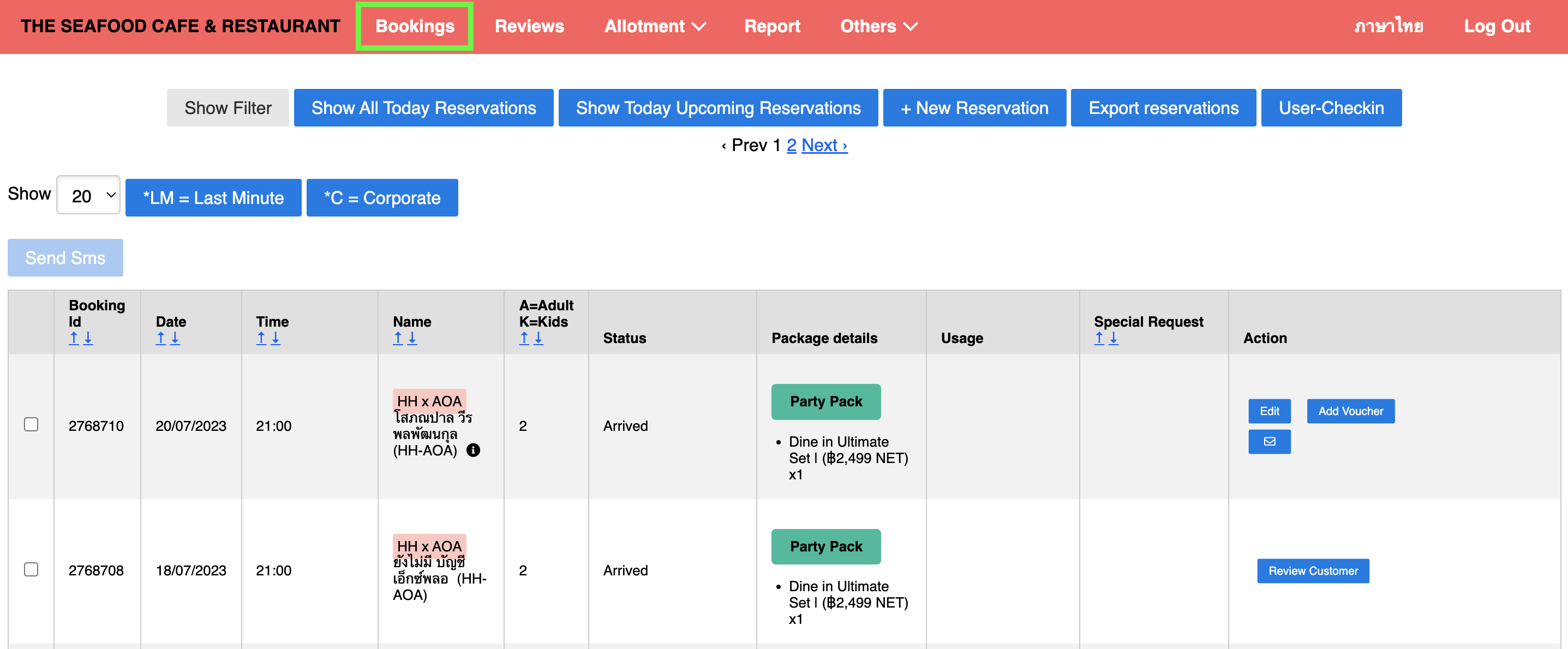
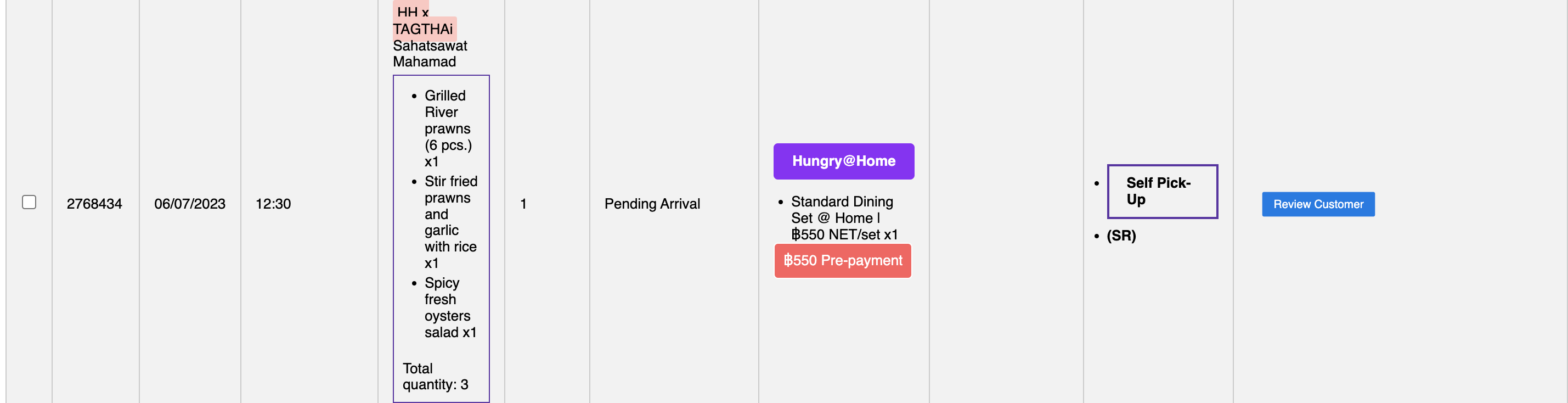
You can see TT bookings in the Name column are marked with the name HH x TAGTHAI like this
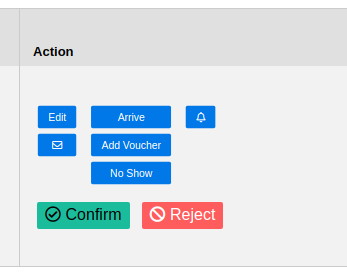
Now you can edit, cancel, confirm, reject, mark no show, and mark as arrived the reservations (ref. see the reservation status matching suggestion section)
Notes that we send the request to TAGTHAI Webhook using Worker (running in the background) so there would be a delay. During normal operation, it takes max 3 seconds to process, but if there is a peak time, it takes max 10 seconds to process.