SevenRooms Reservation Requests Feature for HungryHub Big Group Event
Description
The Reservation Request feature on Seven Rooms, utilized within HungryHub, is designed specifically to manage large group events efficiently. This feature allows users to submit reservation requests for several guests exceeding the available capacity at a given date and time. The system enables restaurant owners to review and respond to these requests promptly, either accepting or declining them based on various factors.
Key features
- Reservation Request can be made through the Reservation Requests endpoint via the Concierge API (Get Details, Update, and Delete): https://concierge-api-docs.sevenrooms.com/openapi/reference/tag/Reservation-Requests/
- Request Submission: Users can submit reservation requests through the Seven Rooms platform specifying the date, time, and number of guests (X) for their event. This feature is particularly useful for organizing large group gatherings or events.
- Capacity Management: The system intelligently manages the capacity limitations by allowing users to request reservations for more guests than the available capacity at a given time slot. This ensures flexibility for accommodating diverse event requirements.
- Administrative Review: All reservation requests are routed to administrators or designated personnel responsible for managing reservations. Administrators can access a dedicated dashboard or interface to review pending requests.
- Decision Making: Administrators are empowered to make informed decisions regarding each reservation request. They can assess factors such as overall venue capacity, existing bookings, and the feasibility of accommodating additional guests before accepting or declining a request.
- There are three states of the actions that can be done by the owner if there is any reservation request coming.
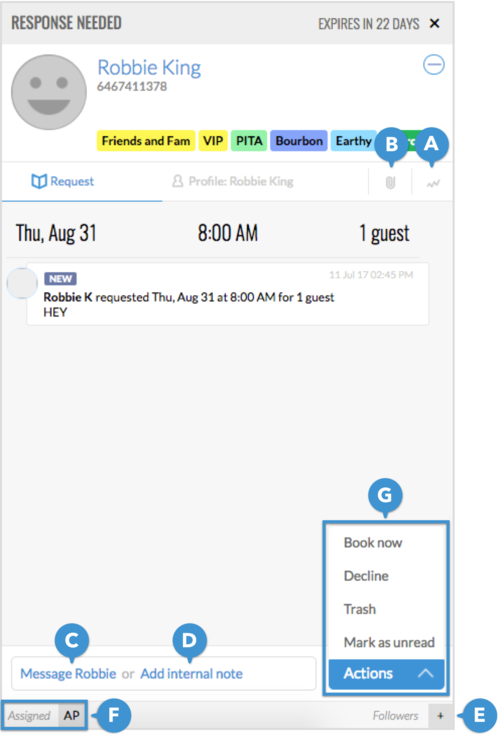
- Book now means Accept the request and the request becomes an active reservation
- Decline means Reject the request and send a notification to user
- Trash means Reject the request but not send any notif to the user
- Mark as unread means keep the NEW tag attached to the Request.
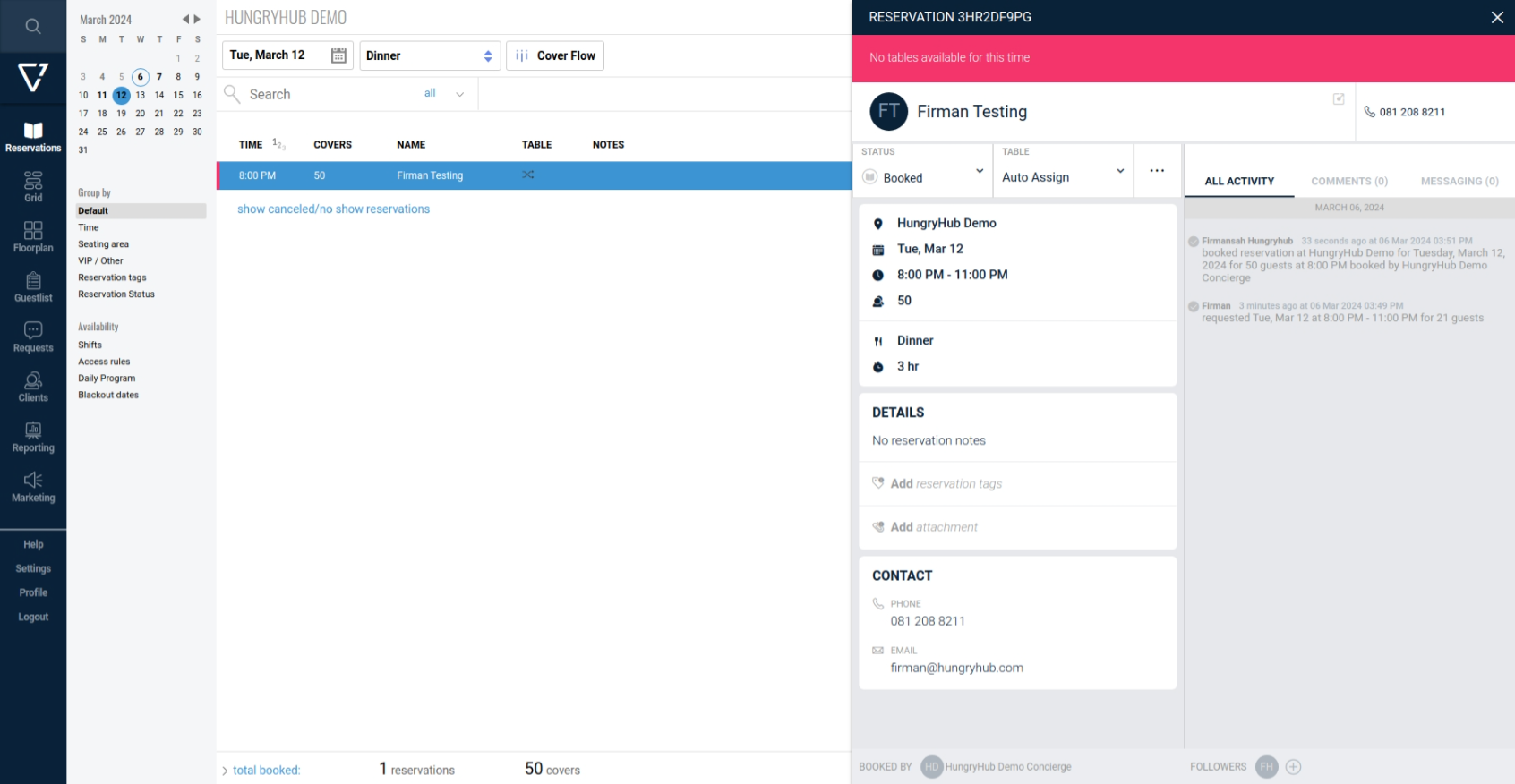
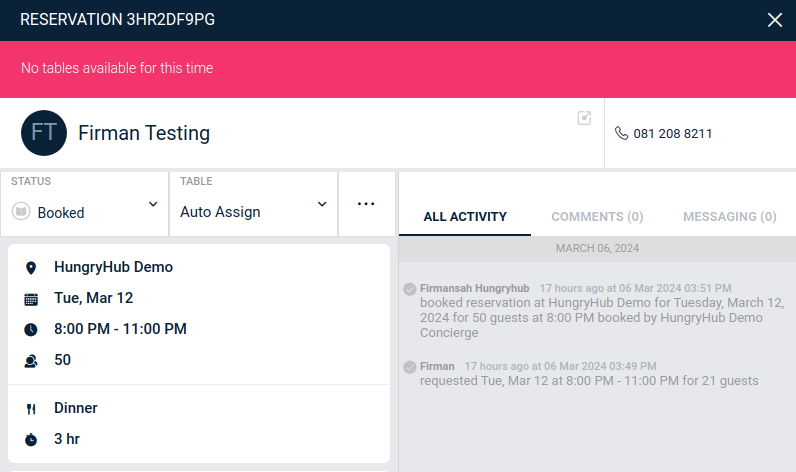
- If the owner accepts the request then it will become an active reservation and it will not check the availability on that date and time. But if the number of people is greater than available people on that date and time there will be a warning "No tables available for this time".
- Availability Indicator: If you can accommodate the request, a green check mark will appear under the Available column so your team can easily distinguish which requests you can accommodate at a glance.

Note: this feature is not available for Nightlife venues.
- The Concierge Reservation Requests feature can only be disabled by a setting by the SevenRooms team in their backend per venue.
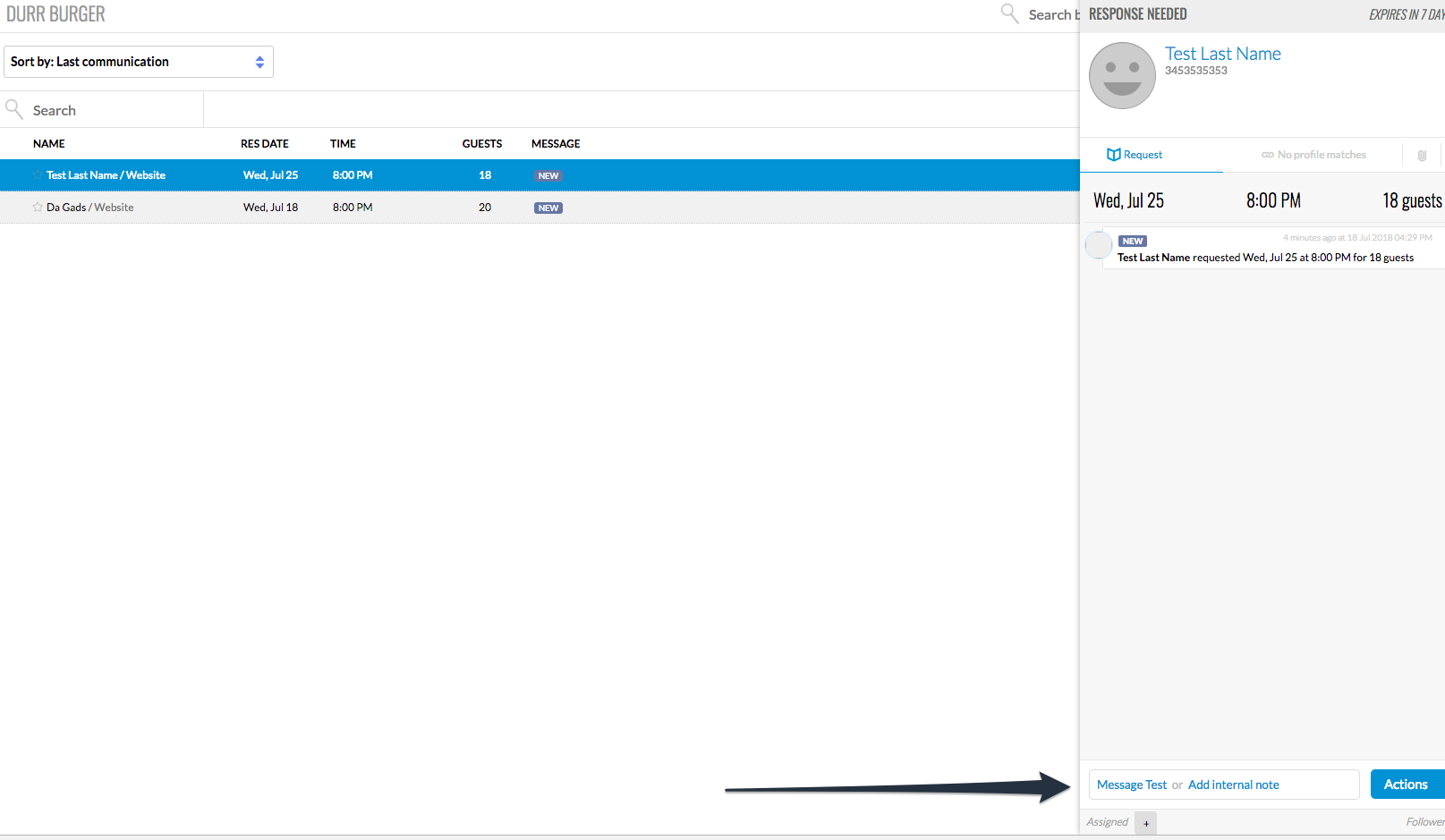
- Communication with the user:
- Navigate to Requests
- Click on the guest's name
- On the slideout, click Request
- Click Message [Name]
- Type your message, add any attachments, and click Send message
The message will be sent as an email to the client, and replies will appear in this chat stream, so you and your team have a record of all correspondence with the client.
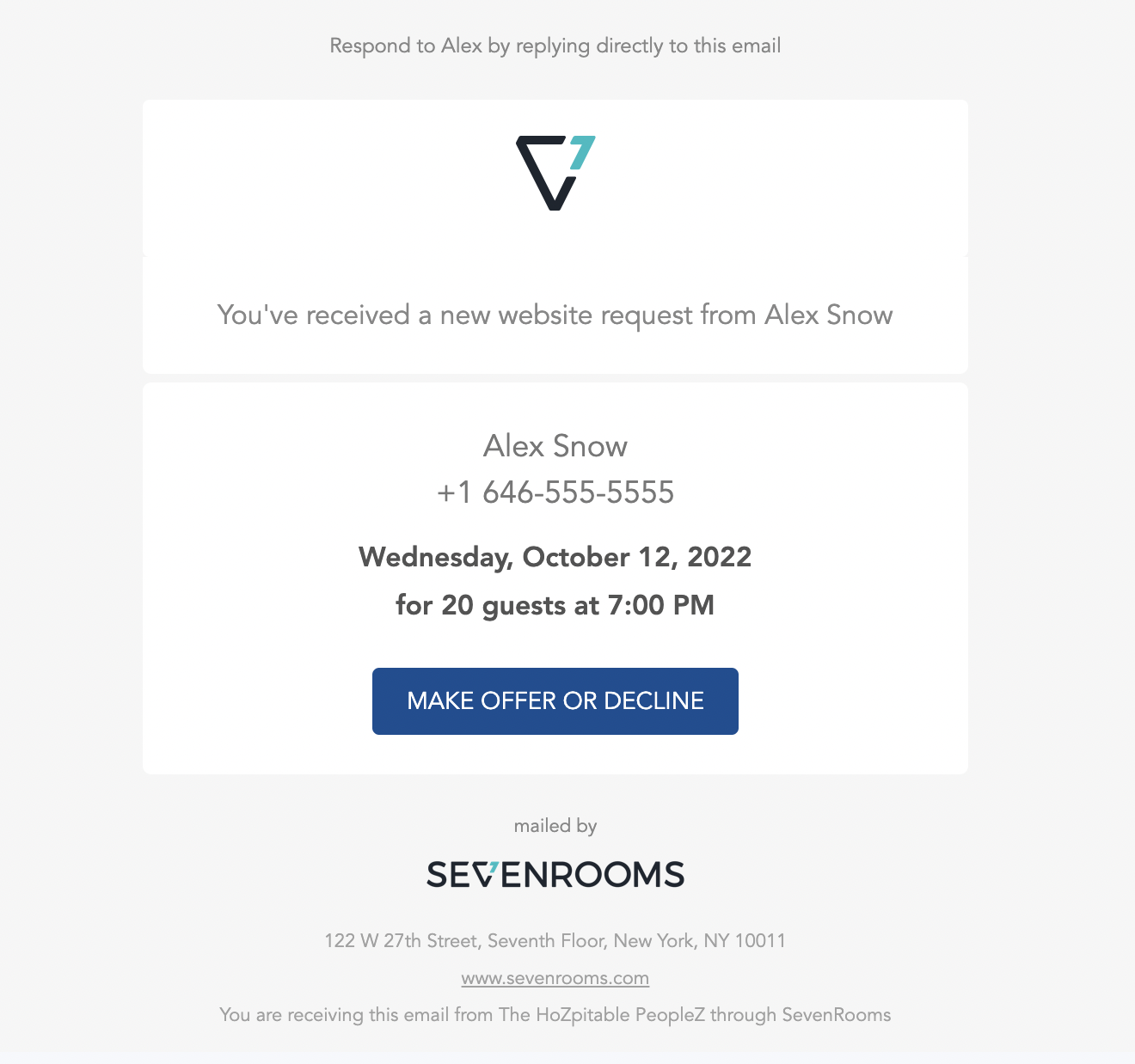
 10. Notification: Notifications for new reservation Requests will appear on the SevenRooms mobile app and are sent via email.
 11. Requests made through the SevenRooms Concierge portal automatically expire 24 hours after submission regardless of the requested reservation date.
Conclusion
The Reservation Request feature on Seven Rooms, integrated within HungryHub, serves as a valuable tool for managing large group events effectively. By offering flexibility, efficiency, and enhanced user experience, this feature empowers administrators to handle reservation requests with confidence while providing users with a seamless booking process for their events.