How to Setup Integration
LOGIN https://integrator.getyourguide.com/login
username: engineering@hungryhub.com
password: zxcvzxcv
After Login you can go to this link https://integrator.getyourguide.com/setup#/test_configuration
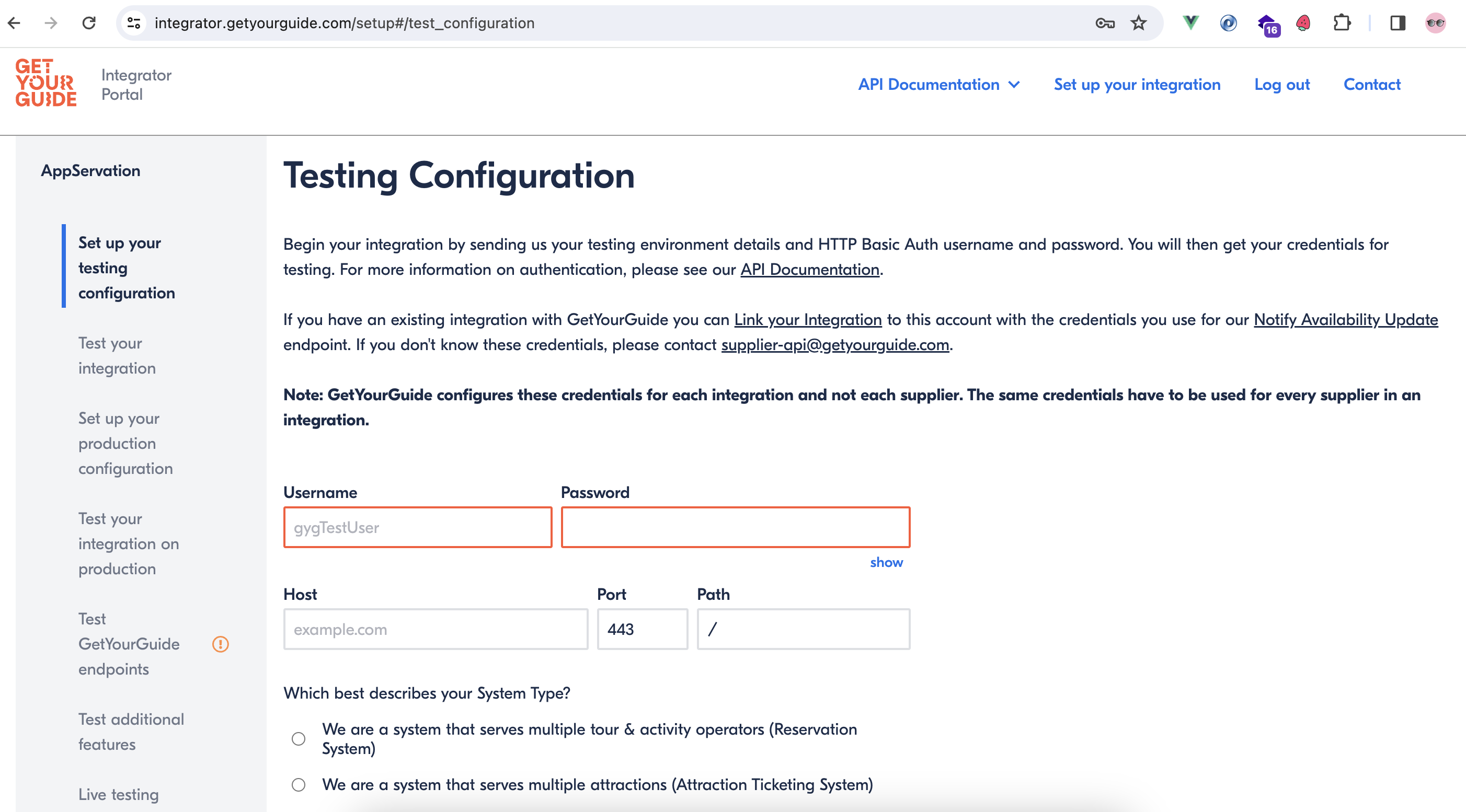 there are several steps that must be completed
/
there are several steps that must be completed
/
-
Set up your testing configuration
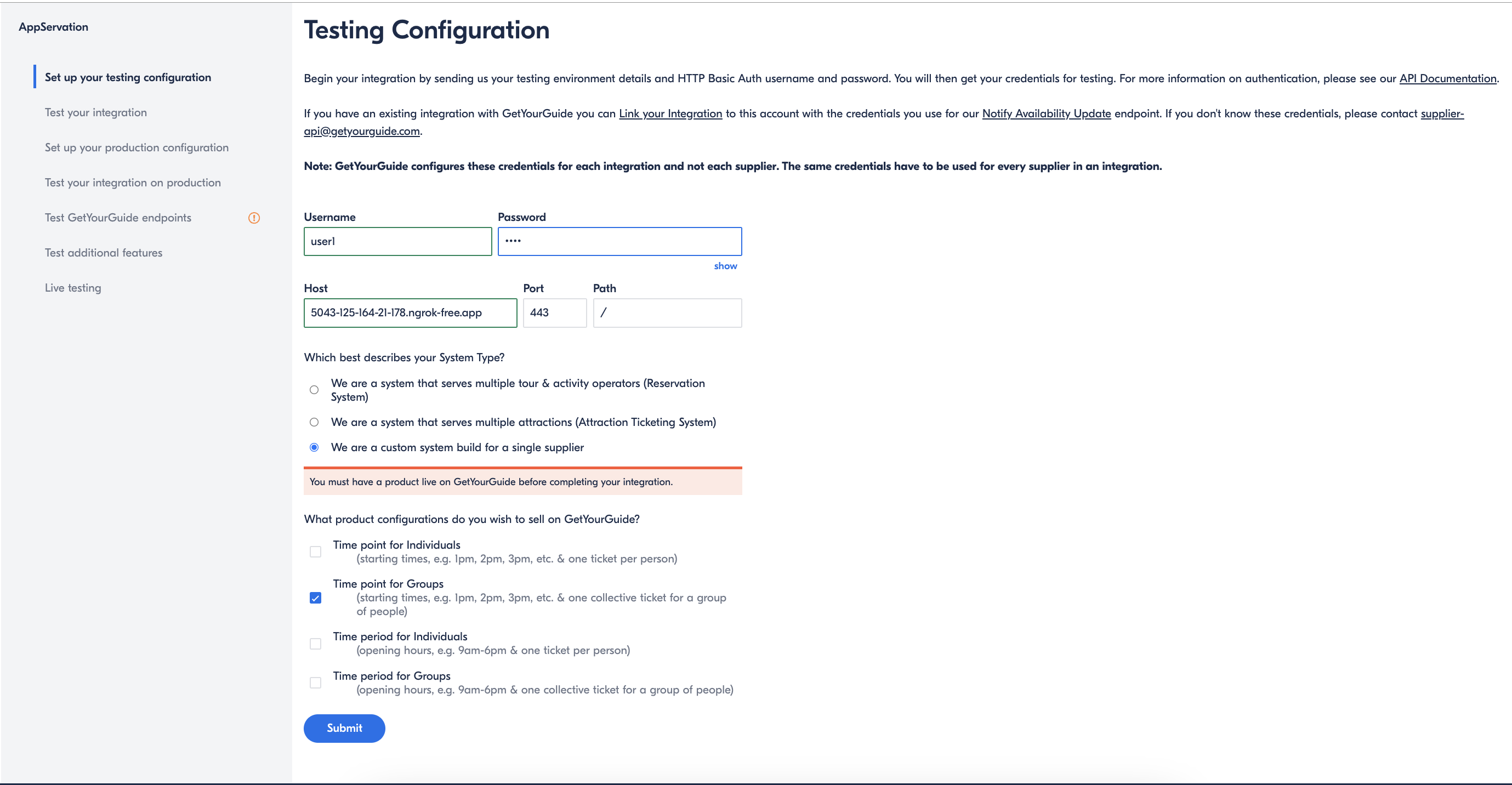
in this step you must field the username & password using basic auth account from our system and choose We are a custom system build for a single supplier for Time point for Groups
we only need to choose Time points for Groups

reason:

Timepoint: it is basically separate inventory for each timeslots, same like hungryhub

Timeperiod: it is inventory for whole period of time, could be whole day, or shifts, or hours range. HungryHub doesn't use this.

Individuals: When there's a user ordering a package / product for 5 people, then we need to issue a response 5 ticketCodes but can with the same booking ID. ( price per_person )

Groups: when there is a user book a package/product for 5 people, then we need to issue 1 booking ID only, same as our current logic in our system. ( price per_pack )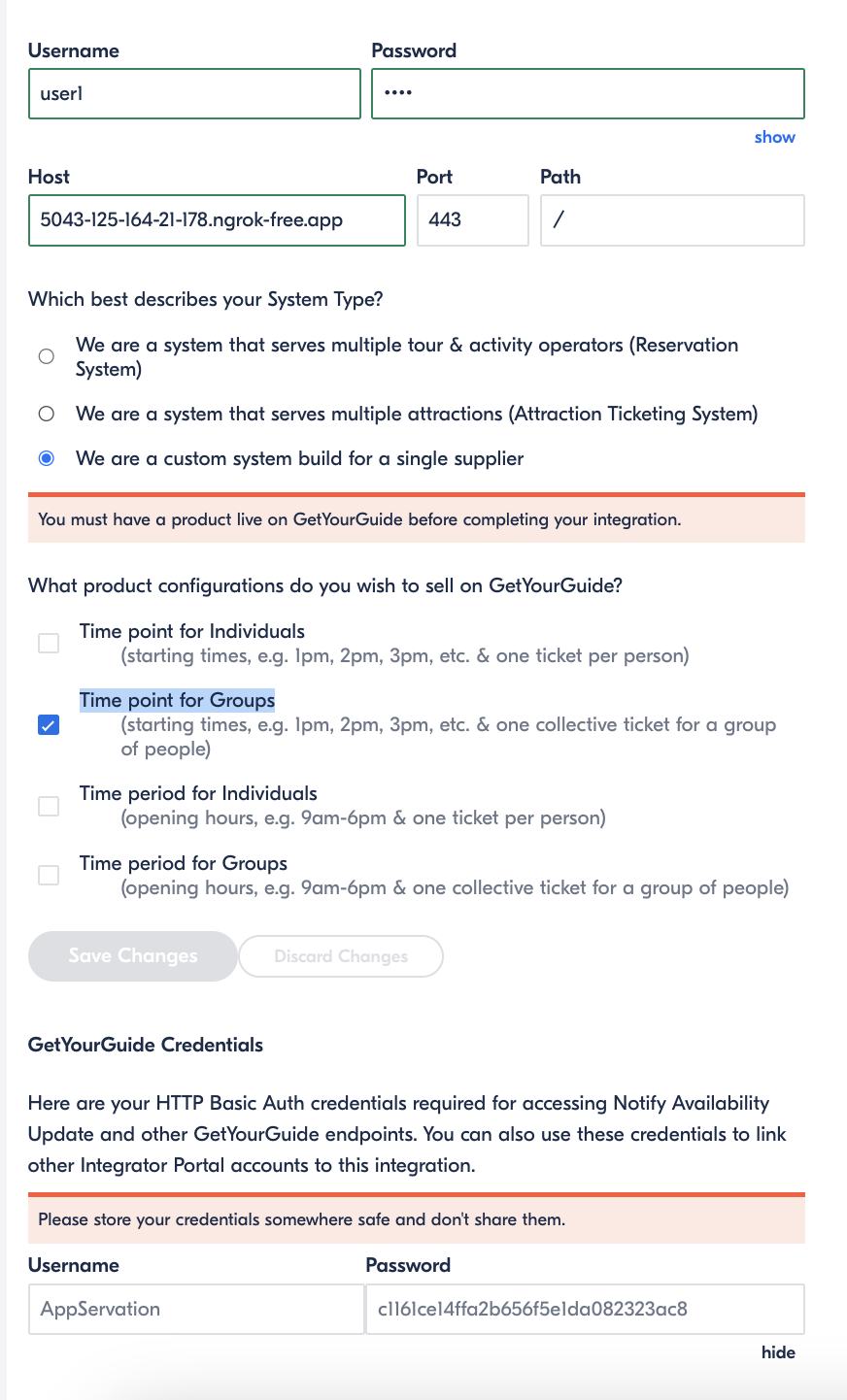
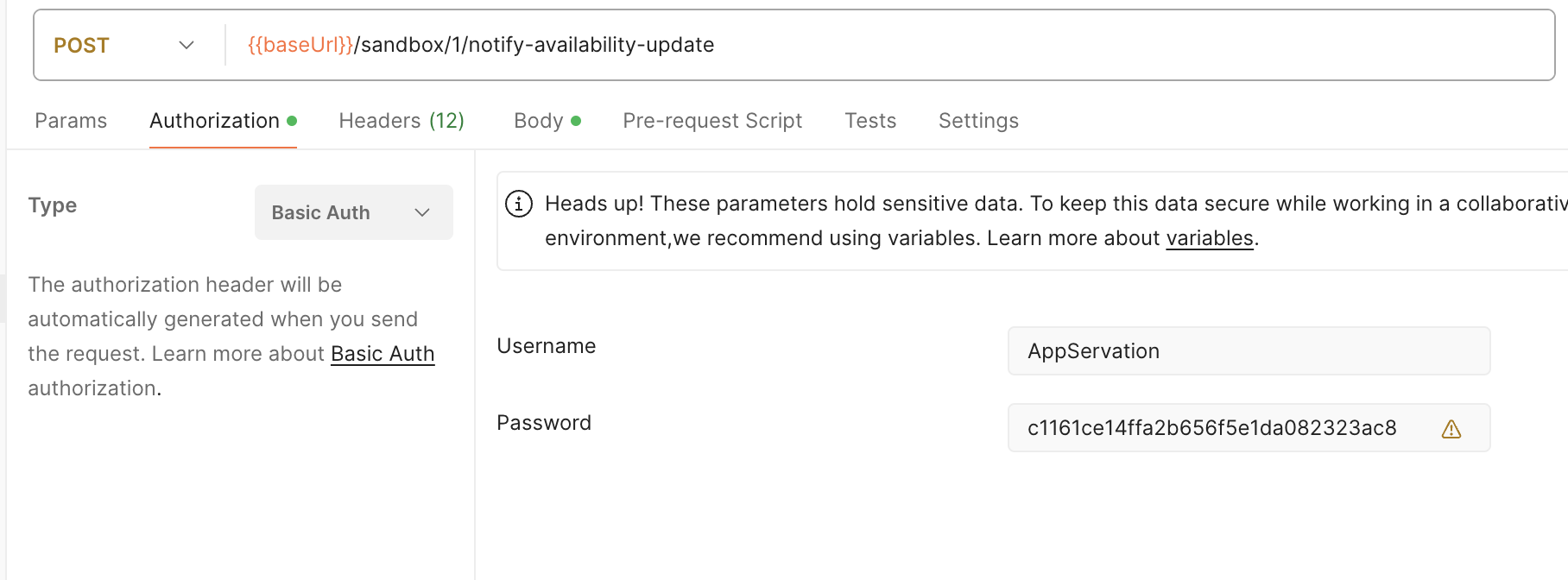
After clicking save, you will get an account to carry out testing in step 5: Test GetYourGuide endpoints
username : AppServation
password : c1161ce14ffa2b656f5e1da082323ac8
-
Test Your Integration
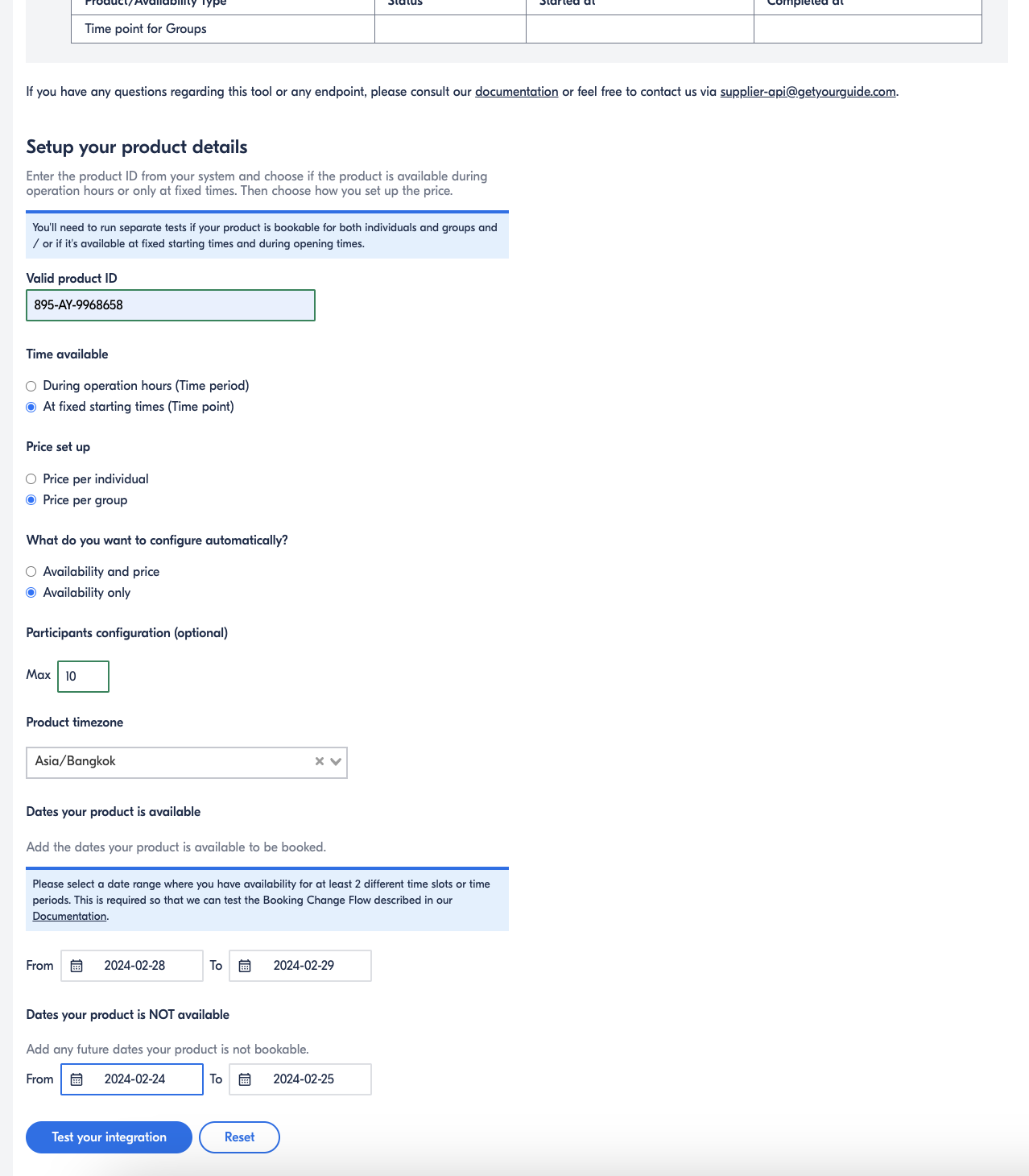
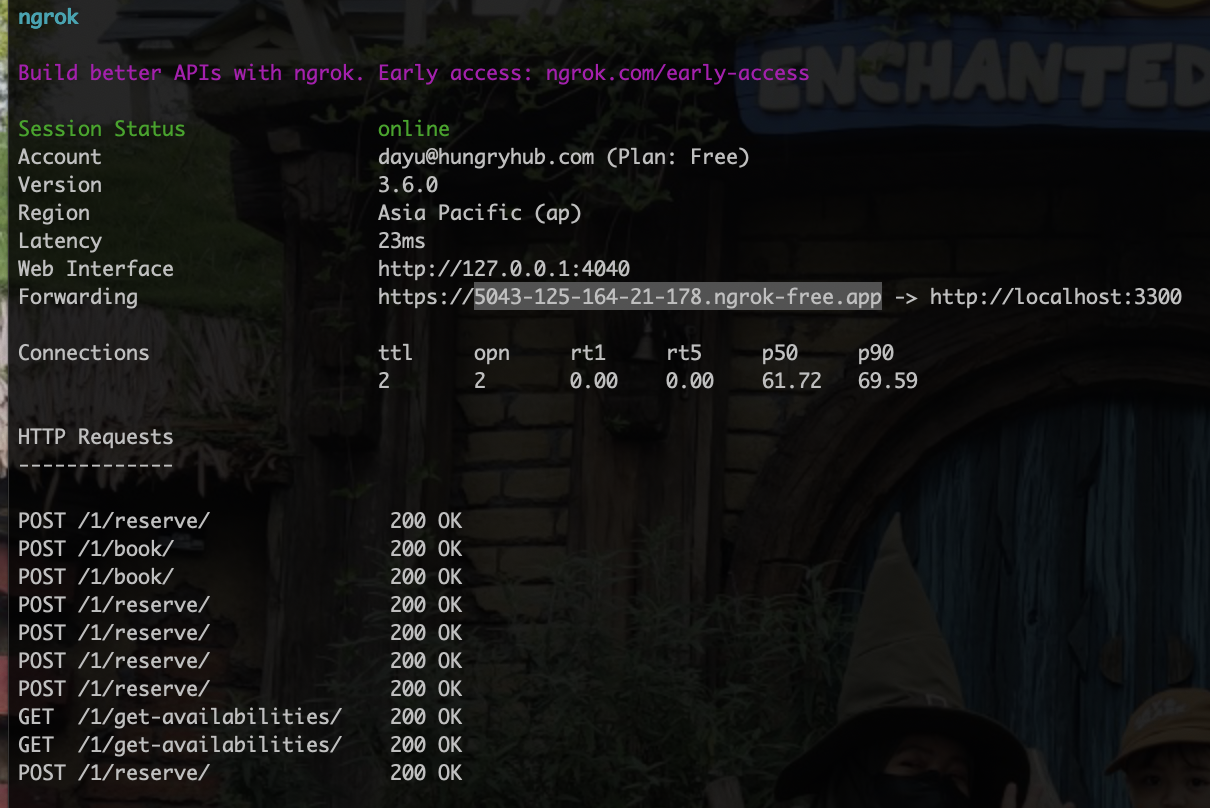
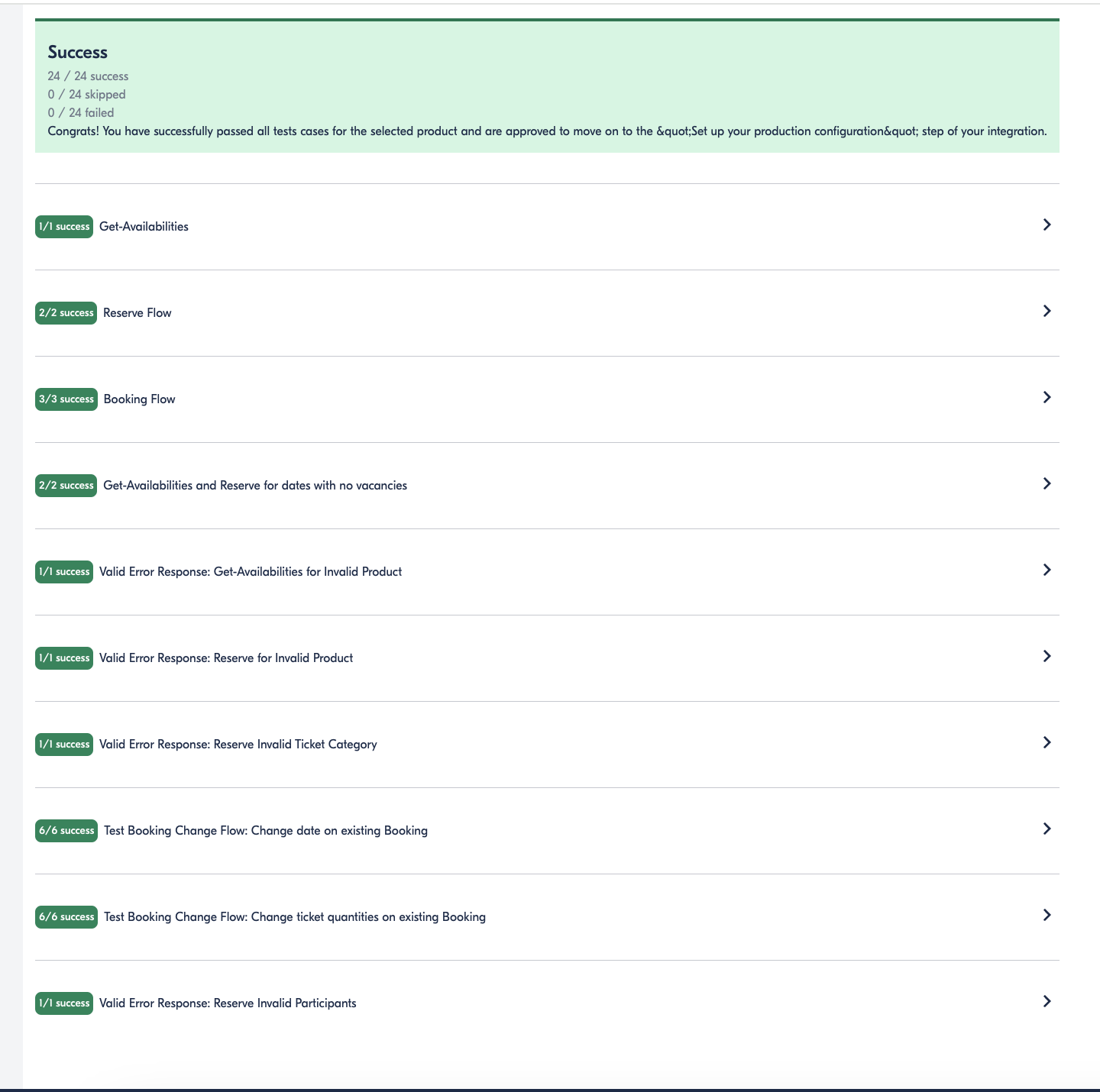
field column testing and click test your integration to test code in our local
-
Set up your production configuration
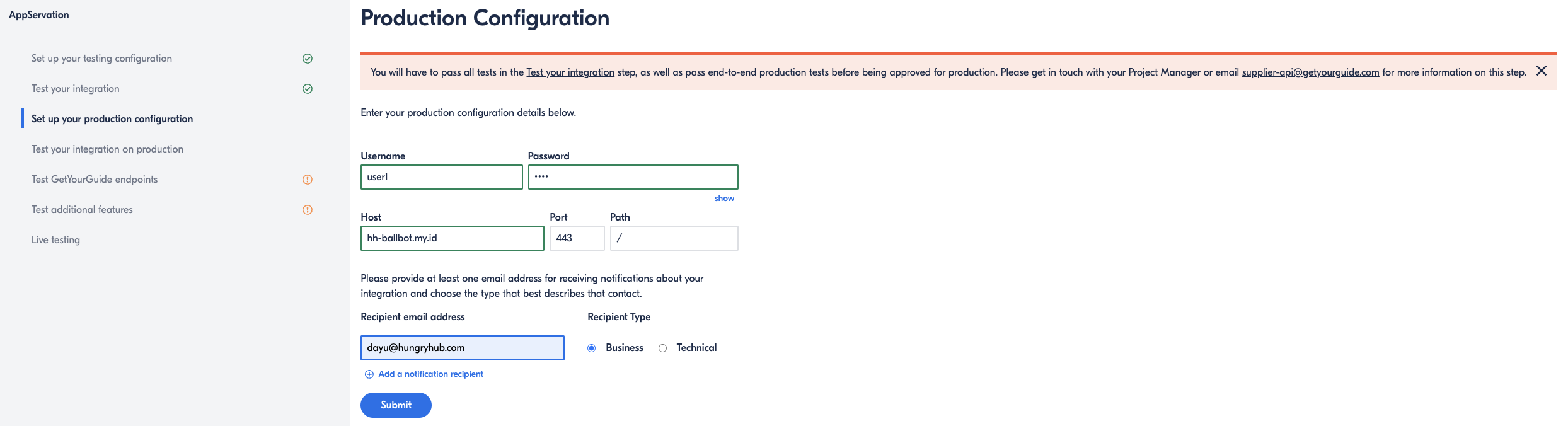
in this step you should setting for testing in our staging
username : user1
password : 1234
-
Test your integration on production
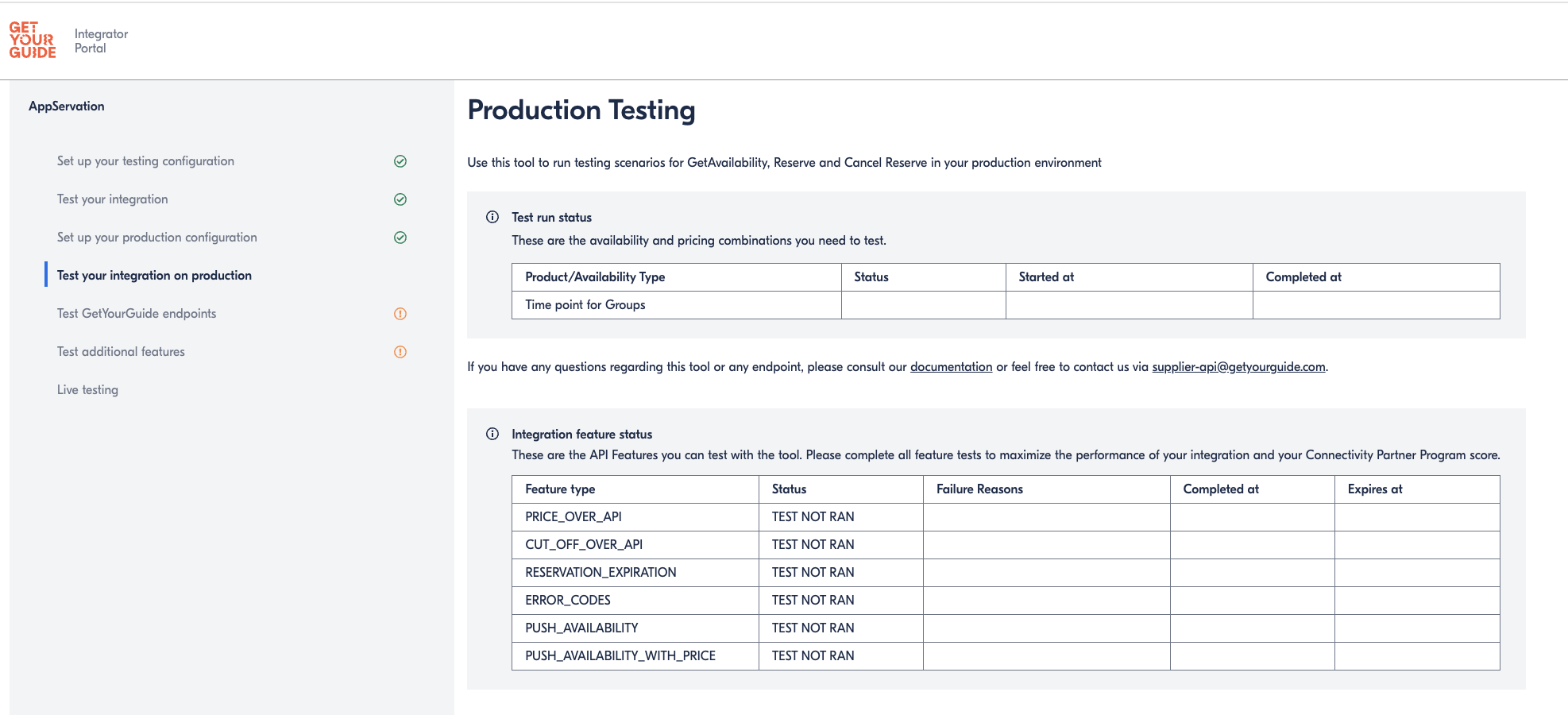
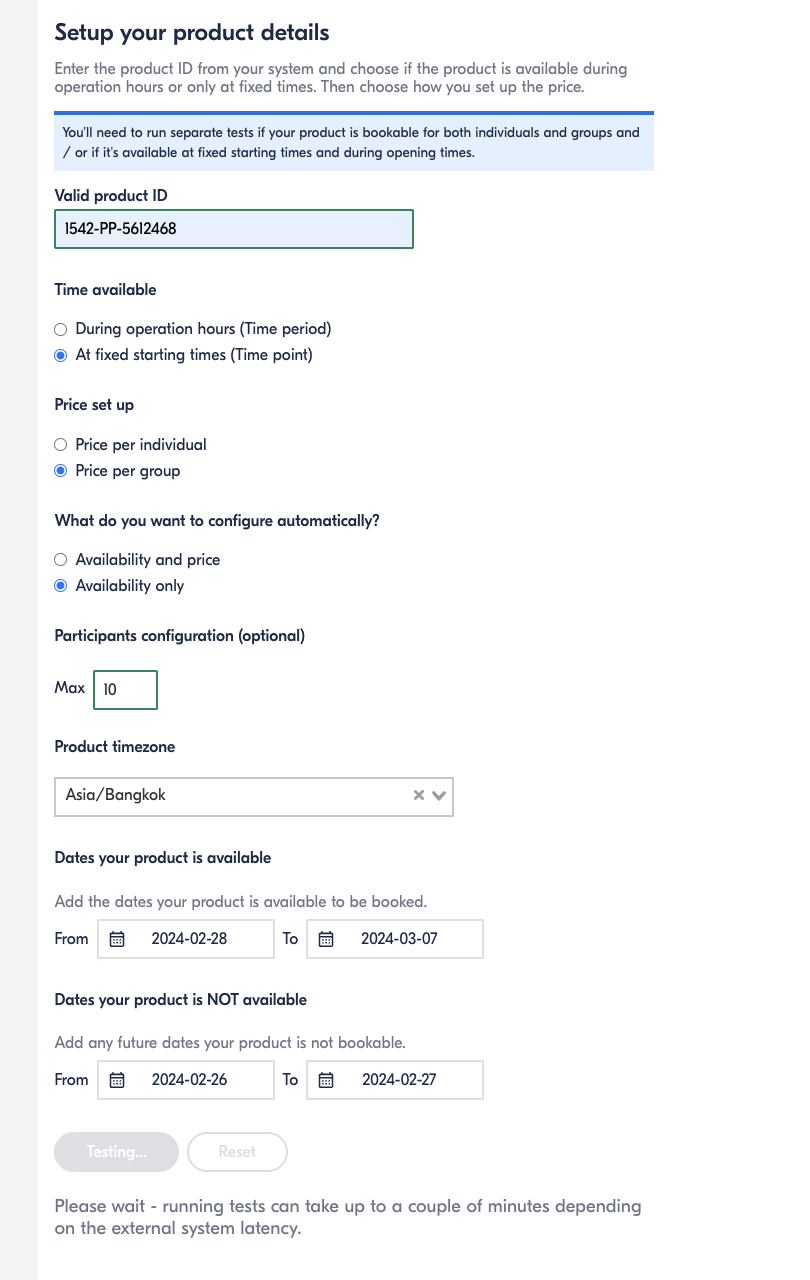
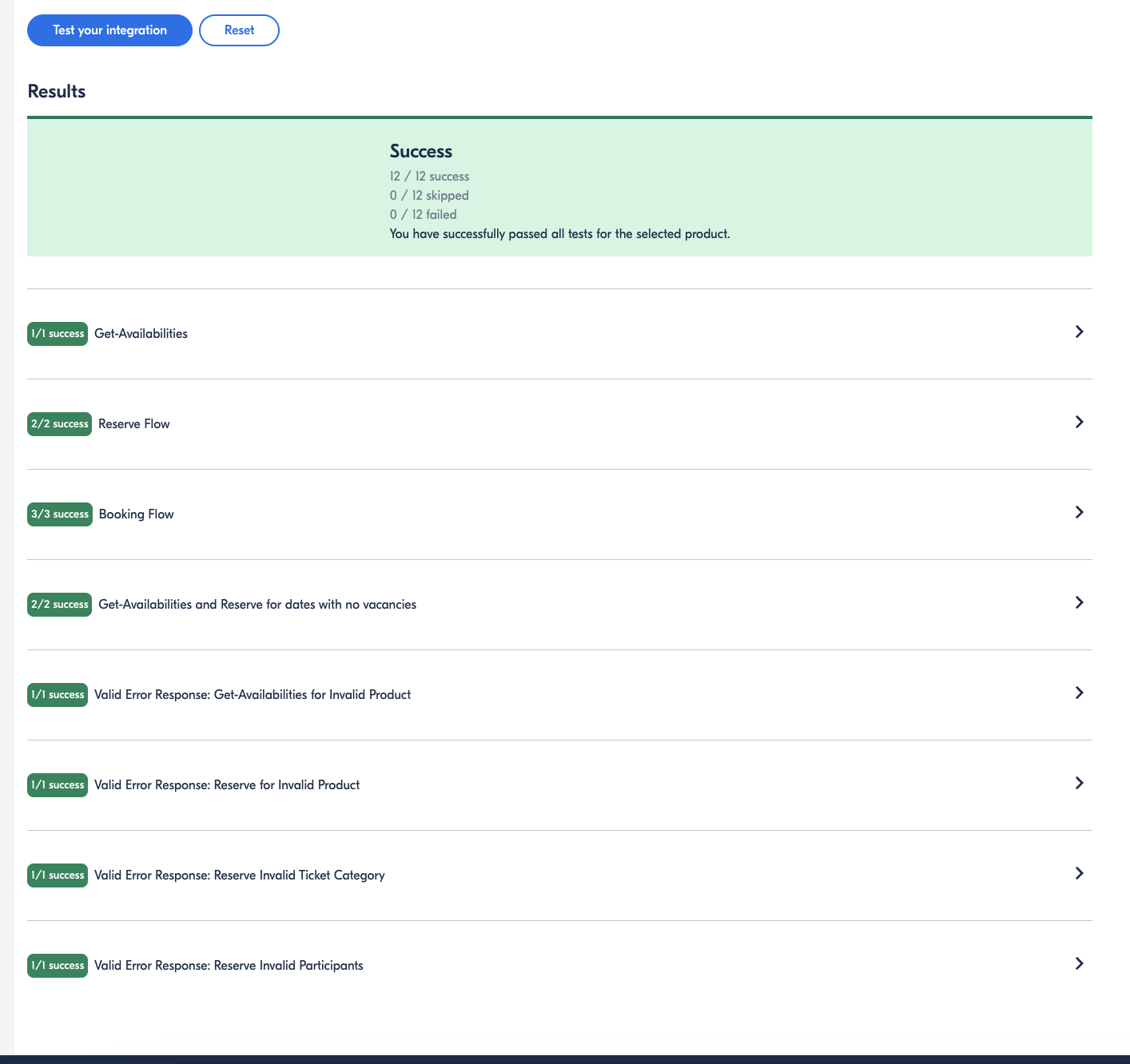
-
Test GetYourGuide endpoints
before
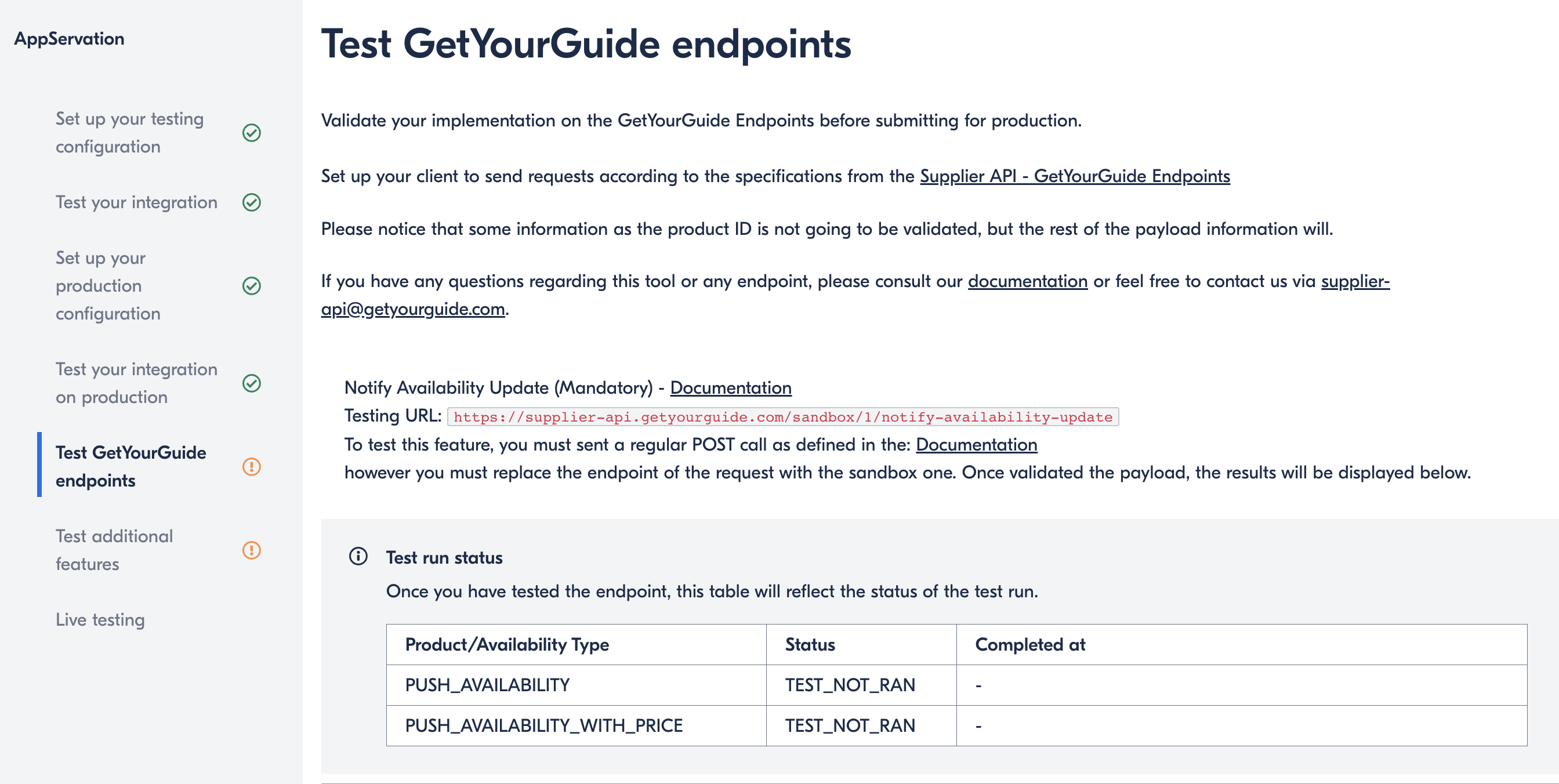
test on postman
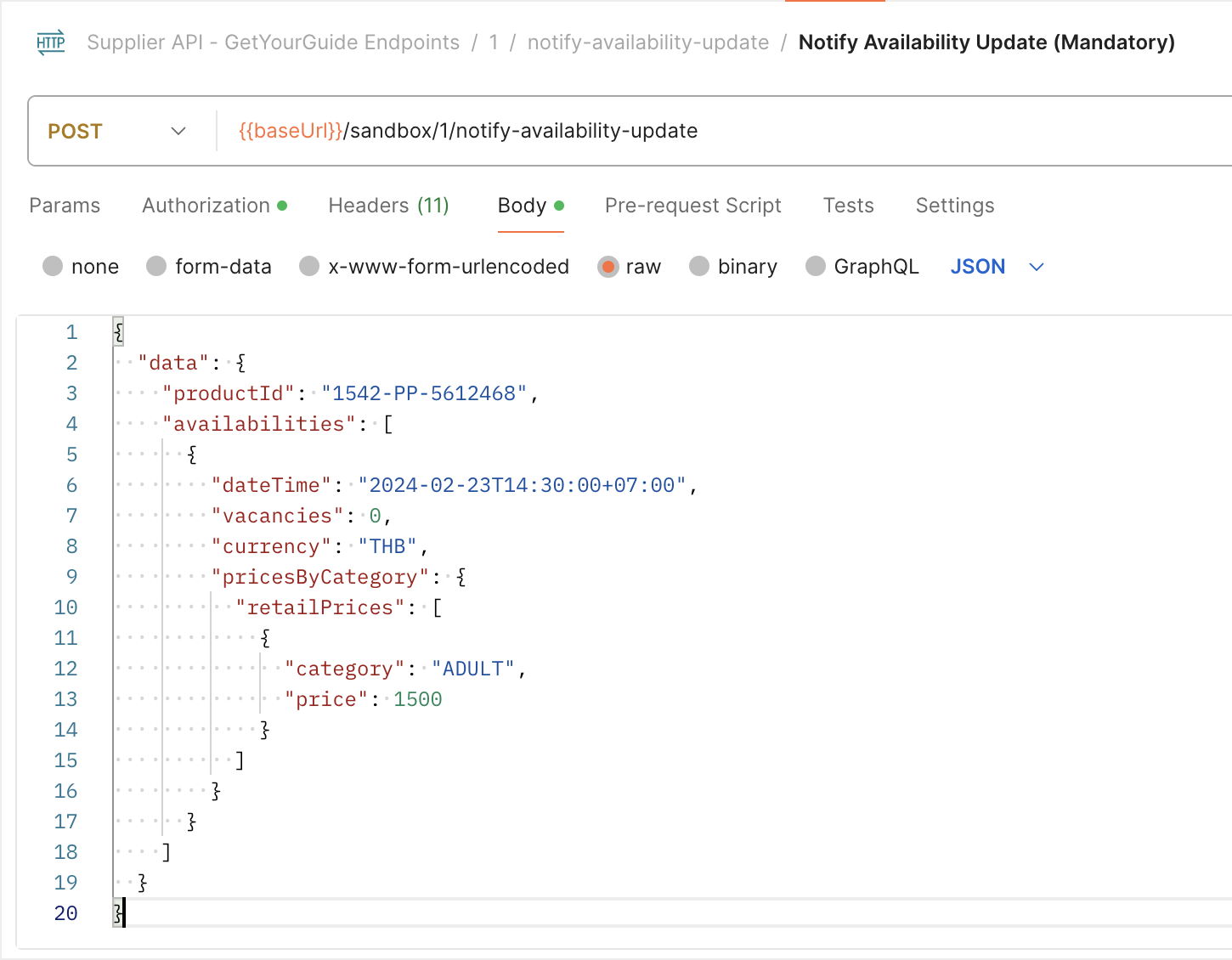
result
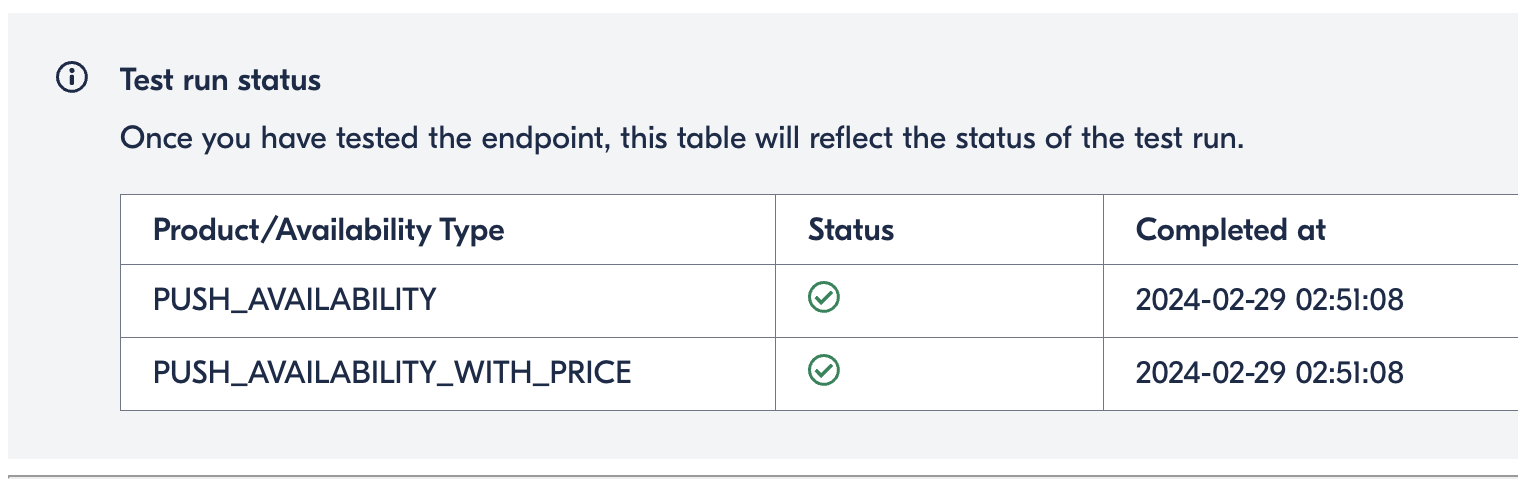
-
Test Additional features (optional)
we don't need this test
-
Live Testing