How to Create Product on GetYourGuide
GetYourGuide Package Page Attributes
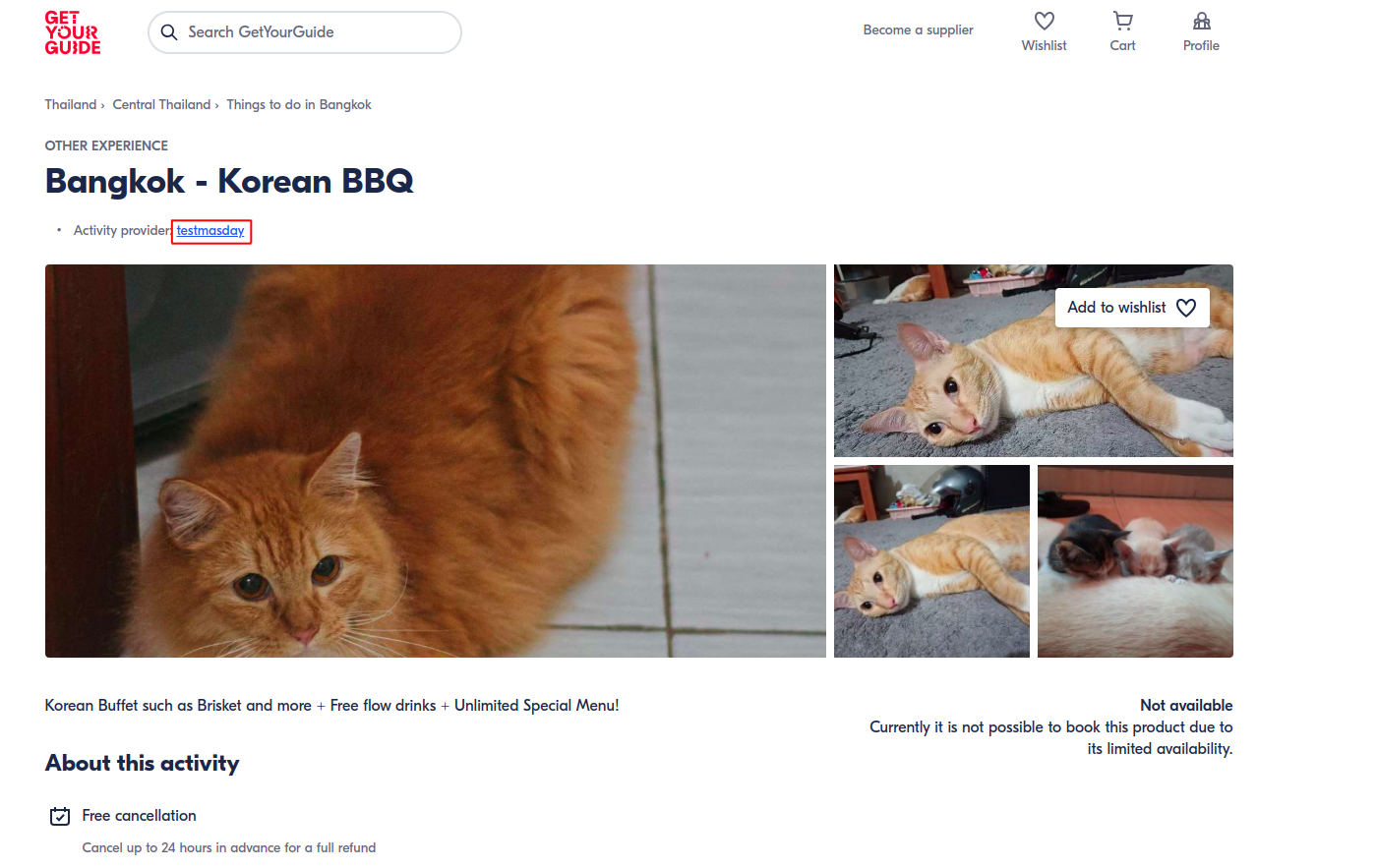
- Your GetYourGuide account name will be displayed here:
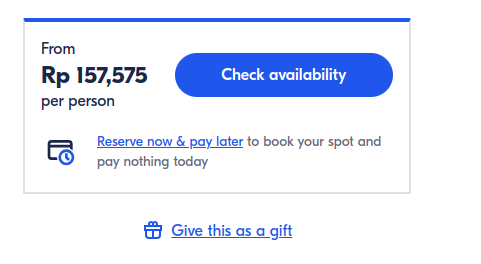
- The price will automatically converted by customer currency even though you input it using baht
Tutorial
- Open https://supplier.getyourguide.com/
- Login using Supplier GetYourGuide Account (https://doc.clickup.com/d/h/8ca1fpw-32336/36c5bde072e3f4c/8ca1fpw-36816)
- Click Create ➝ New Product
- On this page, pick Other ➝ click Continue Button
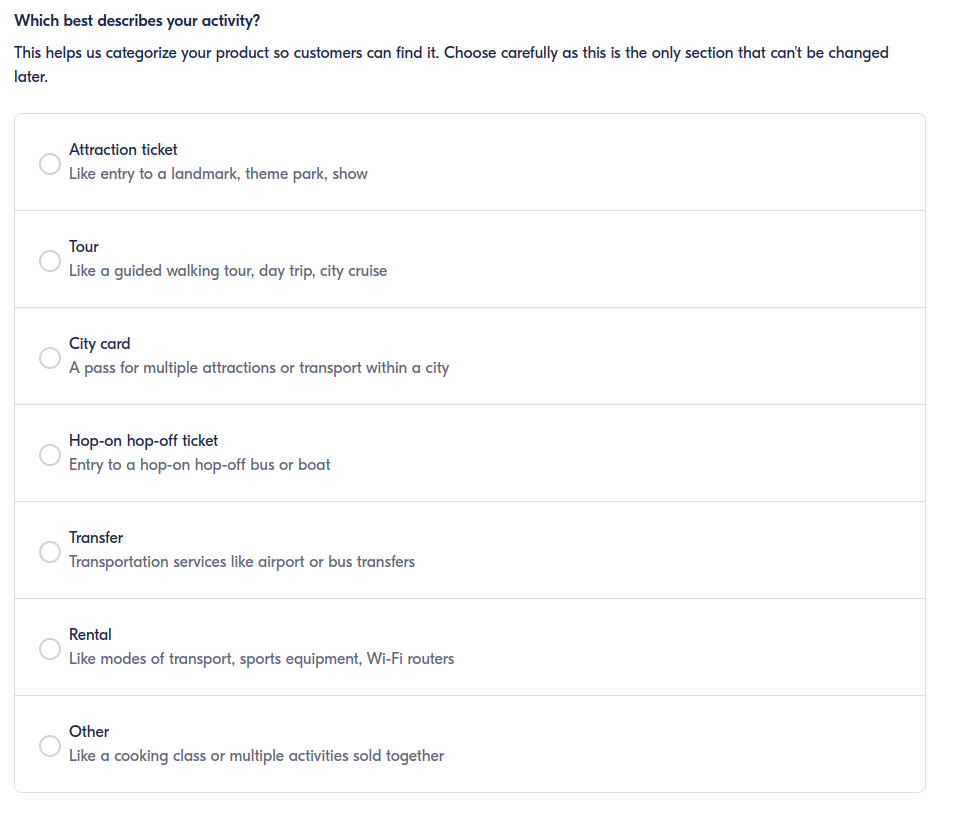
- Click Continue in here
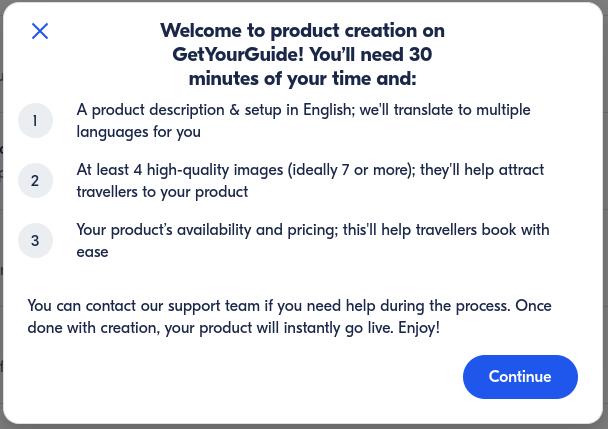
- And you will redirected to this page
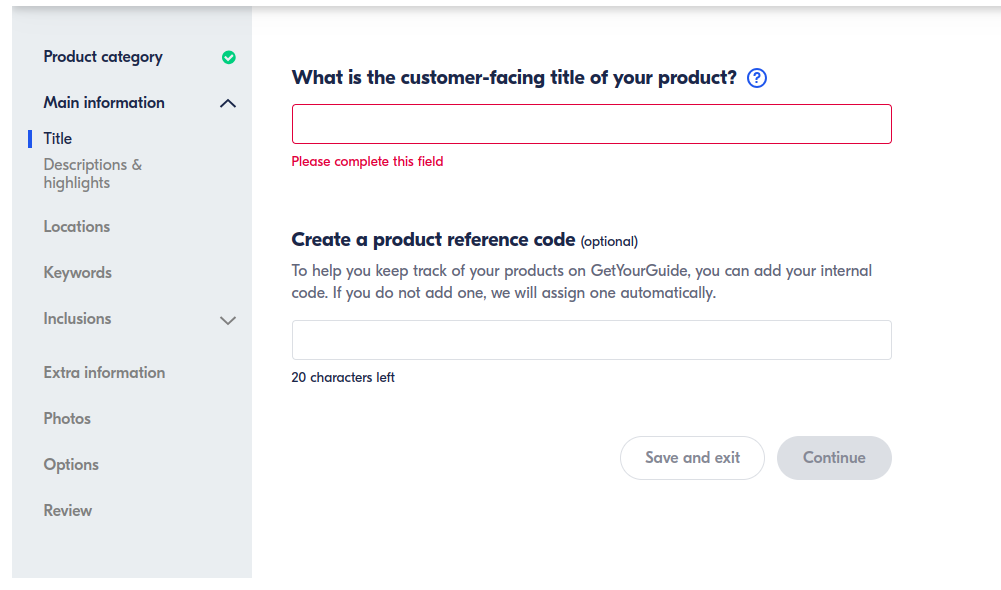
- Input the package title on What is the customer-facing title of your product?
The title will show like this on customer side:
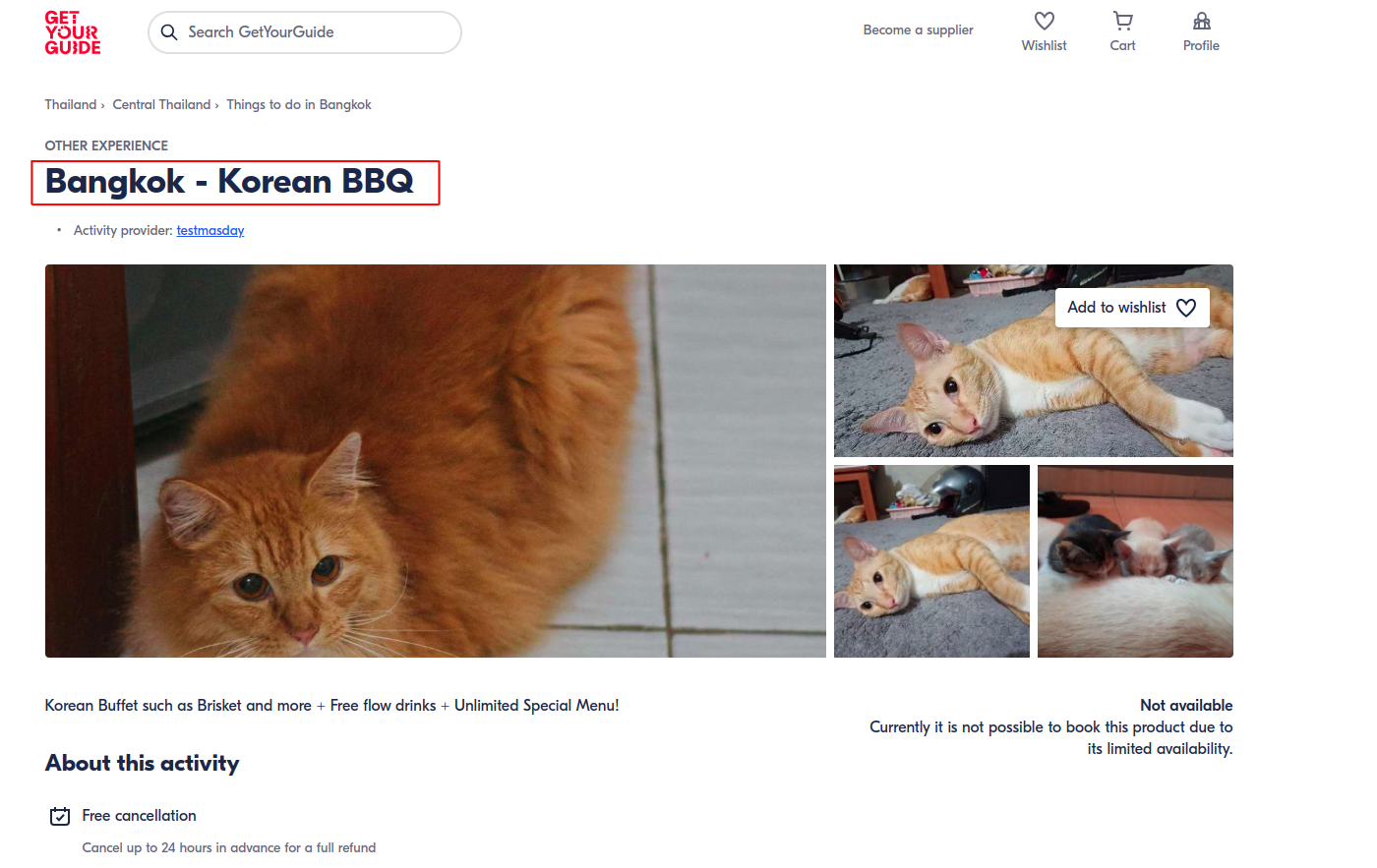
- Input the
package idon Create a product reference code so we can connect the product to our system. You can get the package id here: How to get Package ID (https://doc.clickup.com/d/h/8ca1fpw-32336/36c5bde072e3f4c/8ca1fpw-41716) - Click Continue
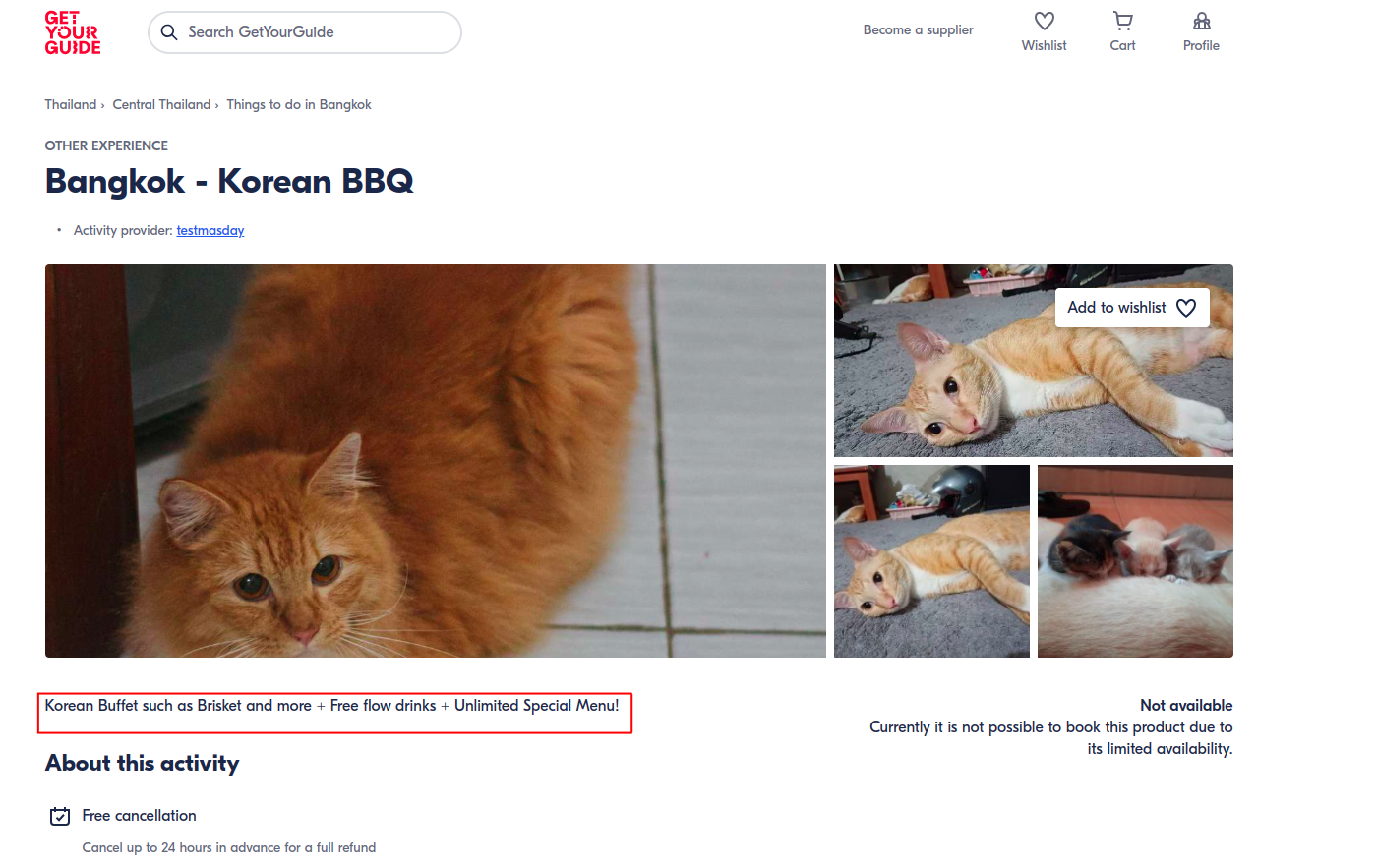
- Input Package description (200 characters) on Introduce your product.
The package description will show like this on customer side:
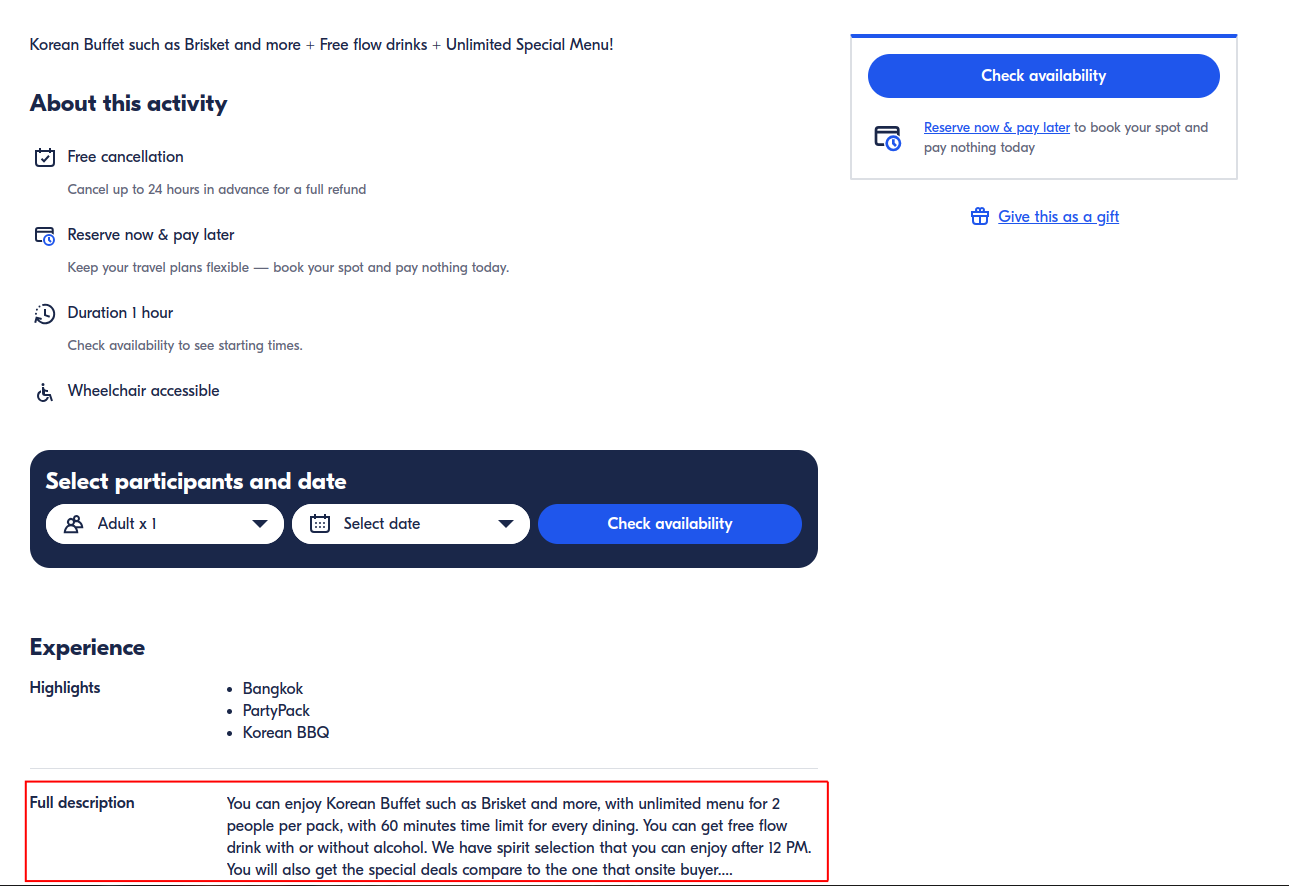
- Input Full package description (write all package details, min 500 characters) on Add a full description.
The full description will show like this on customer side:
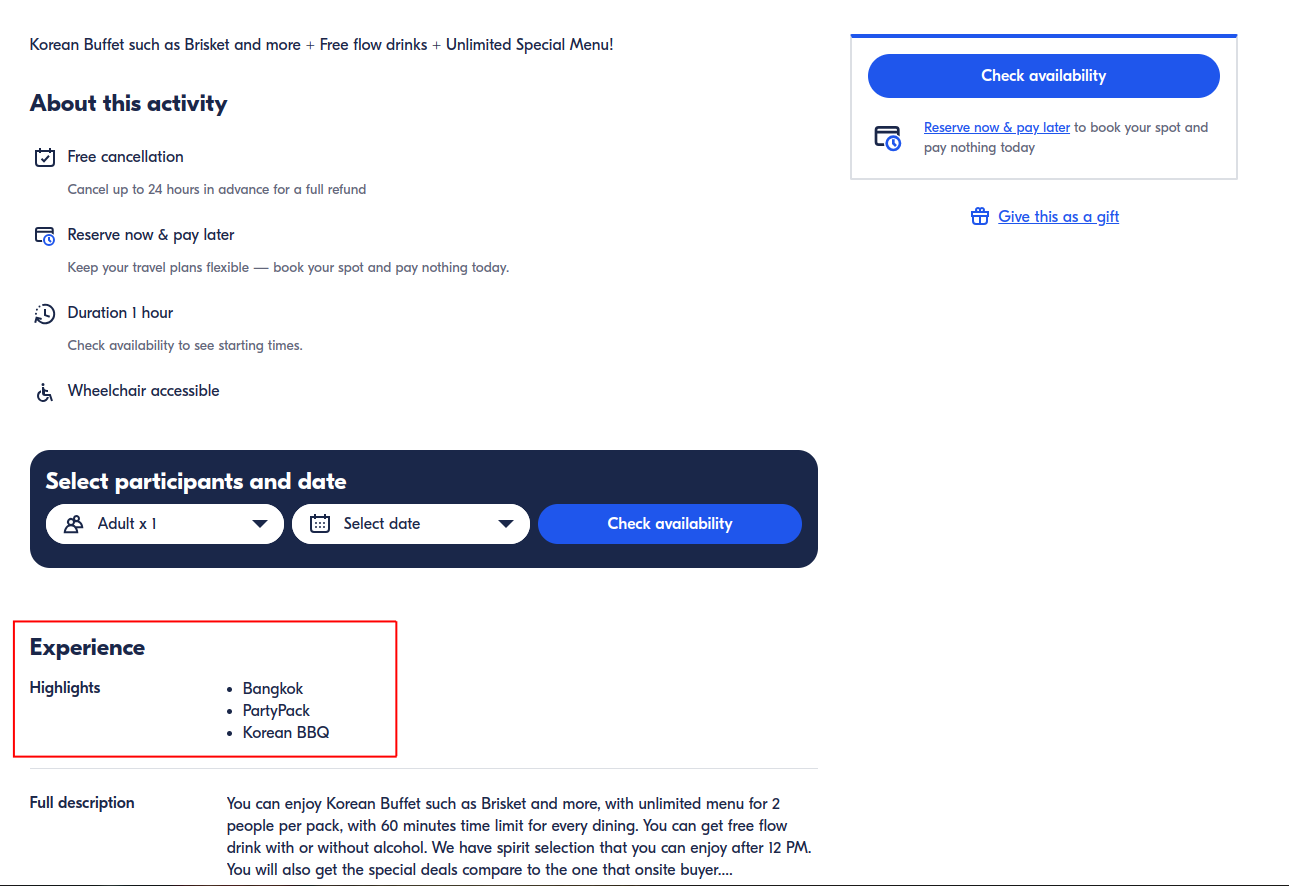
- Input Cuisine, Dining style, Restaurant tag and package info (80 characters each sentence) on Summarize the highlights
( Write 3-5 sentences explaining what makes your activity special and stand out from the competition. Customers will use these to compare between different activities. )
The highlights will show like this on customer side:
-
Click Continue
-
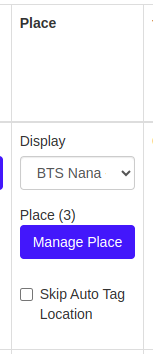
Input Restaurant Place (Location Tag) on Where will customers visit? Restaurant place
-
Click Continue
-
Add Keyword for searching purpose on Add keywords to your product
 click this button for more keywords
- Click Continue
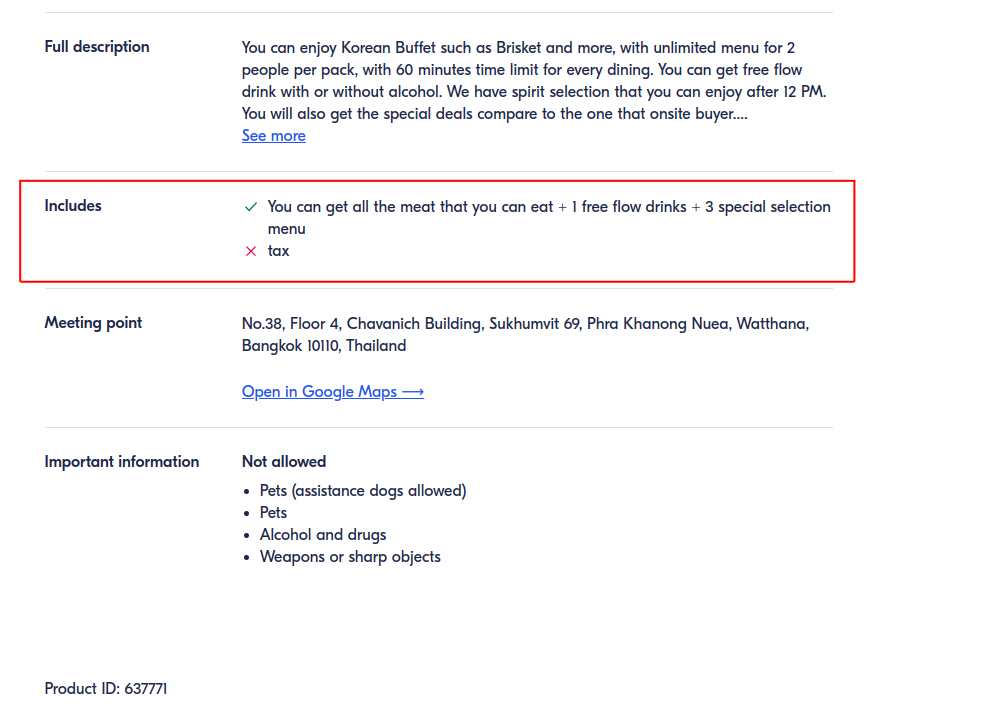
- Input What is included? and What is not included?
The includes section will show like this on customer side:
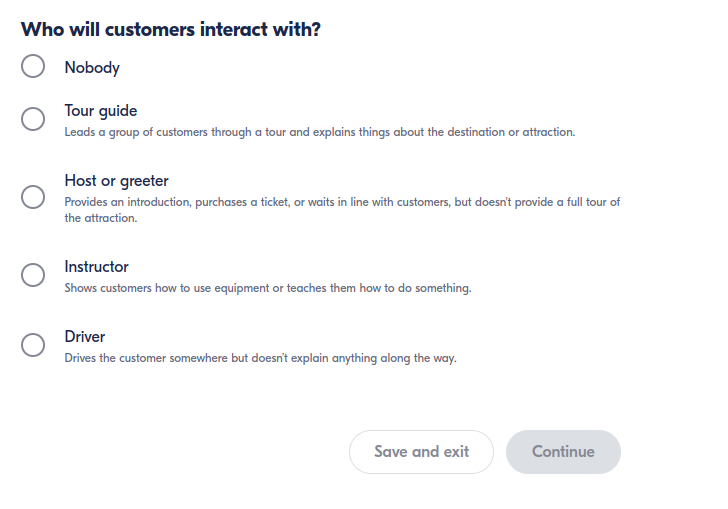
- Pick Who will customers interact with? (Pick one if any or pick Nobody)
- Click Continue
- Pick YES on Is food included in your activity?
- Pick Type of meal based on restaurant opening hours
- Pick Format based on dining style (pick which one is the closest one from full meal, food testing, cooking class, buffet, snack, picnic, packed meal, BBQ)
- Insert Dietary Restrictions if any

- Click Continue
- Pick NO on Is transportation used during this activity?
- Click Continue
- Add Who is this activity not suitable for? (if any)
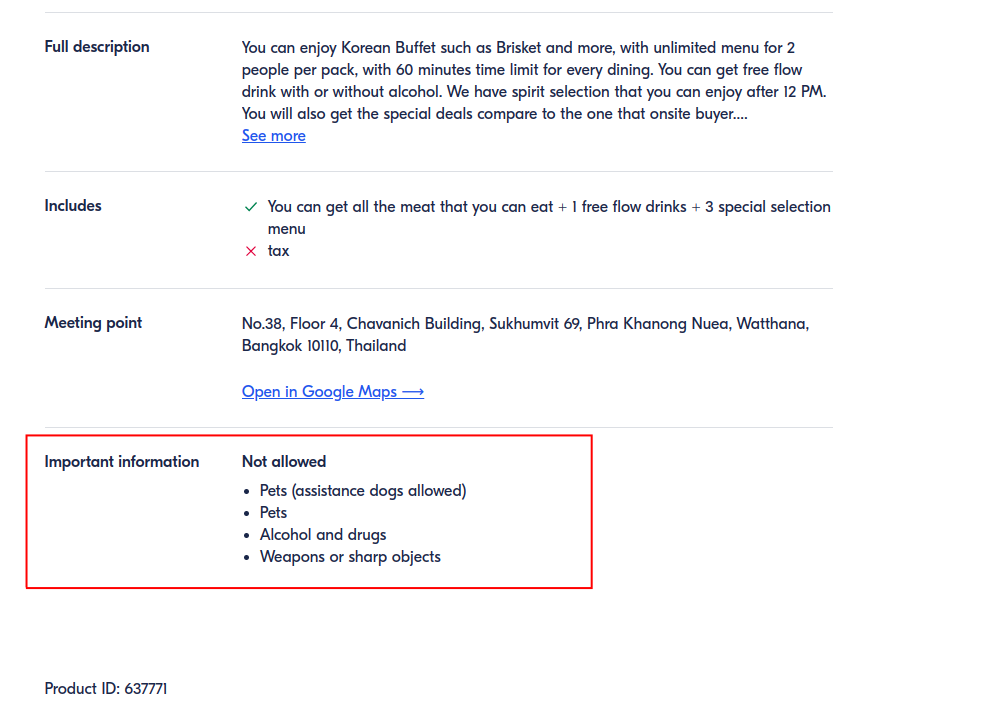
- Add List of customer object, clothing or action that not allowed on What’s not allowed.
The not allowed list will show on important information section like this on customer side:
- Add What mandatory items must the customer bring with them? (if any)
- Add custom information before booking (if any)
- Add Restaurant Phone or HH contact number on How can customers contact you in case of an emergency? (if any)
- Add What else do customers need to know before your activity? (if any)
- Click Continue
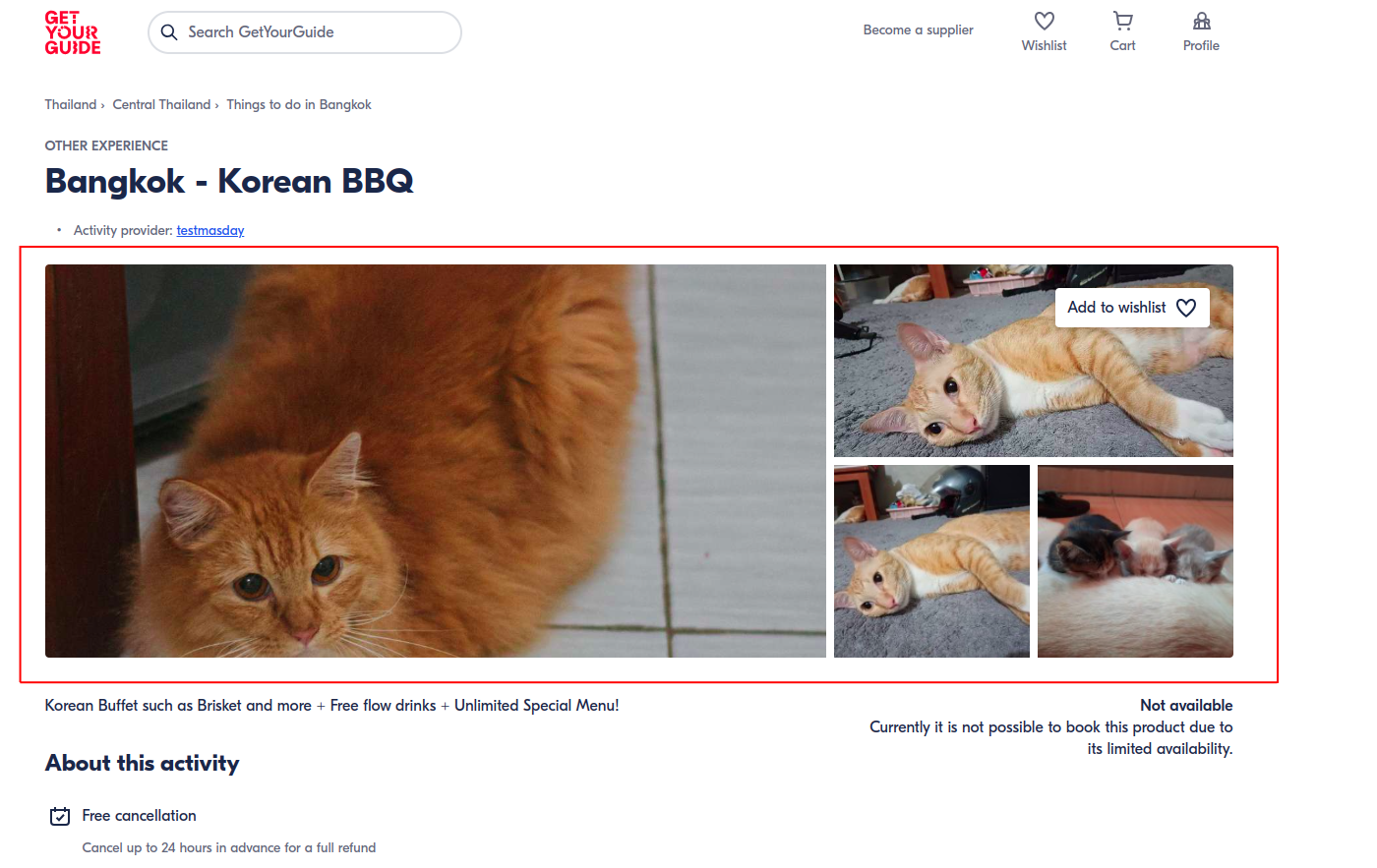
- Add 4 - 10 Restaurant Logo and Images
Image T&C:
- Landscape images that are a minimum of 1280 pixels wide.
- JPG, JPEG, PNG, or GIF file types (max 7MB).
- No photographer watermarks, logos, or readable license plates.
- Avoid screenshots/photos of printed maps or branded bus routes.
- No portrait/vertical format, selfies, or black and white images.
- Click Continue
- Click Create new option
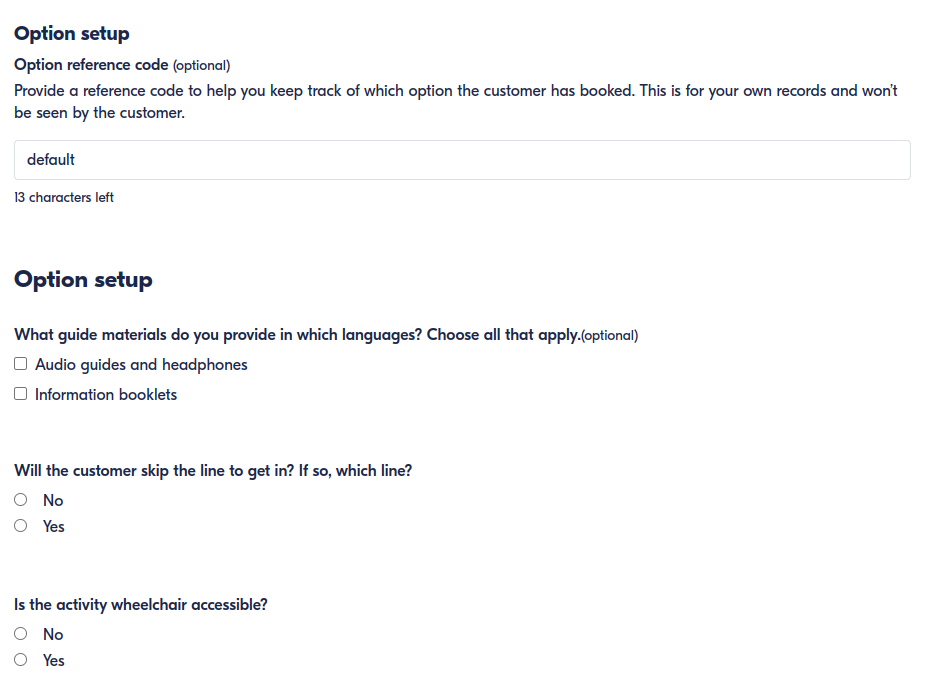
- Pick Option Setup (if any)
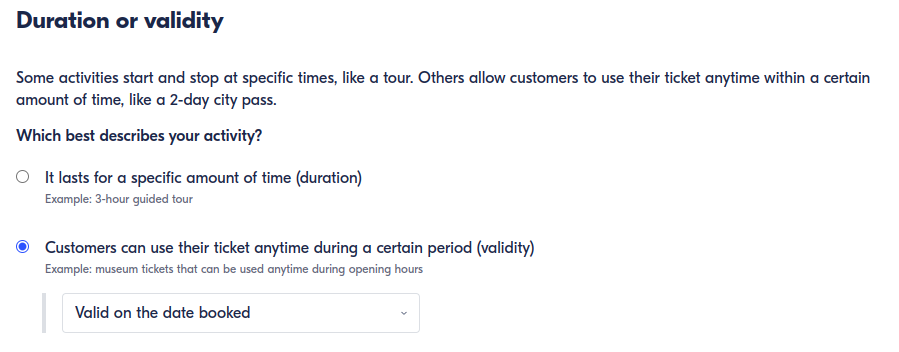
- Pick duration or validity of booking
- Insert Minimum Advance Booking in minutes on Cut-off time
- Click Continue
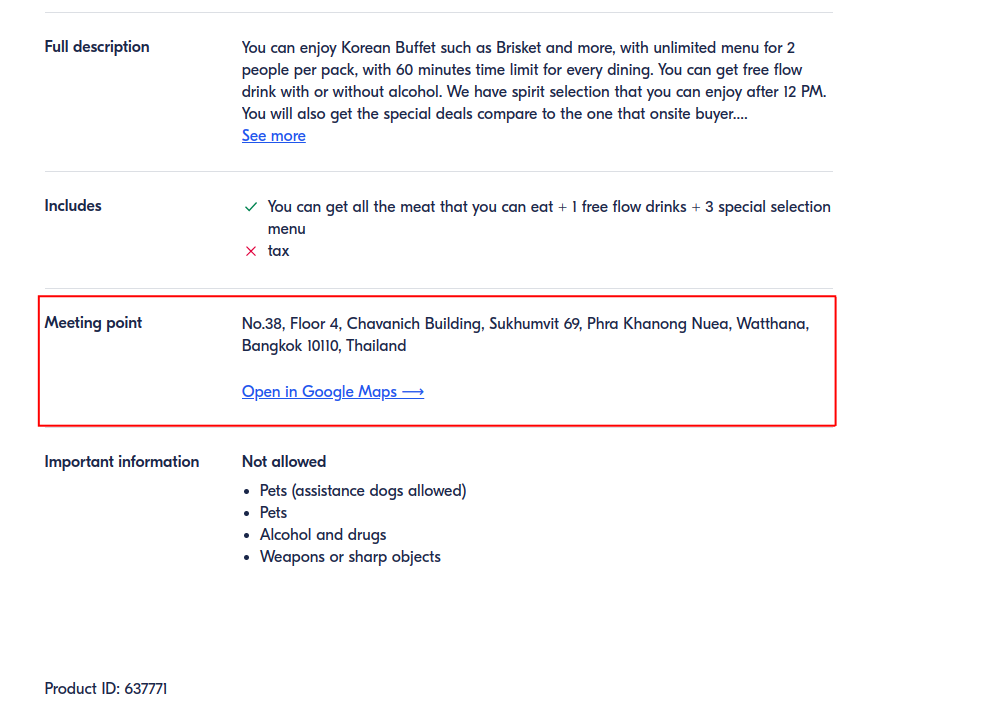
- Input Restaurant Address on Meeting point or pickup
- Pick They go to a set meeting point
- Add Restaurant Address
- Add Restaurant address description (if any)
- Add When do customers need to arrive? (Do customers need to arrive early to be ready for their activity)
- Pick No drop-off service, the customer stays at the site or destination or At the same place you met them for Drop-off
- Click Continue
- Pick No,I don't for Do you use an online reservation system?
- Click Continue
- Pick operating hours on Does your activity have fixed time slots or operating hours?
- Pick Package price type (per person or per group(pack) ) on How do you set your prices?
- Click Add new schedule
- Add schedule name on Name your schedule
- Add Package start date on What’s the starting date of your activity?
- If package have end date check My activity has an end date and pick the date
- Add Package agenda First Bookable Time and Last Bookable Time or Restaurant Opening hours on Standard weekly schedule
- Add Package Exception on Exceptions
- Click Save and Continue
- Pick Price type , same for all or depends on age, eg: adult and kids price
- If you pick depends on age you can add the pricing categories like this
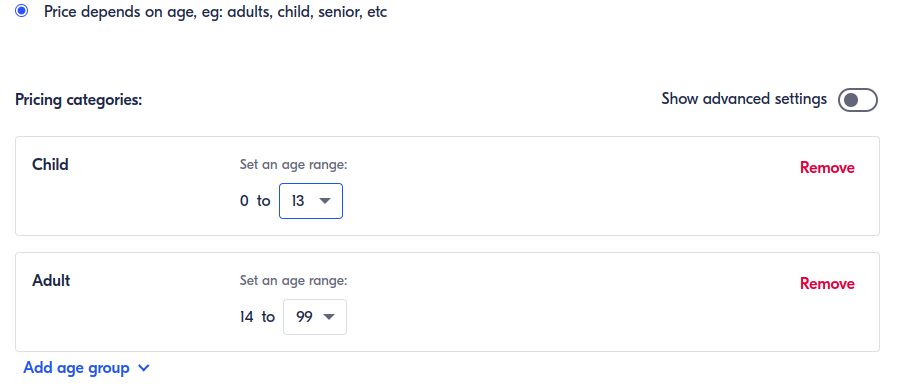
- If you pick depends on age you can add the pricing categories like this
- Add Minimum party size on Min # of participants
- Add Largest Table on Max # of participants
- Add the Price by pricing type
- If you pick depends on age it will shows like this
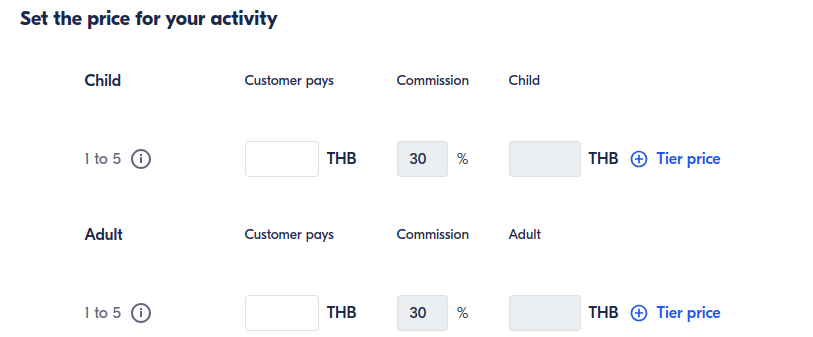
- If you pick same for all, it will shows like this
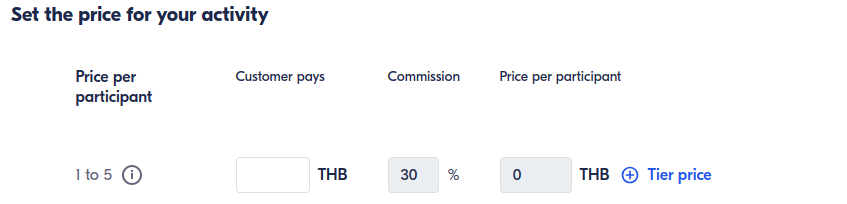
- You can add the pricing tier too, if you need
- If you pick depends on age it will shows like this
- Click Save and Continue
- You can add Add-ons (if any)
- You can write the add-on and click add "add-on name" if your add-on is not available in the list

- And the add-on will shows like this, insert the quantity and price
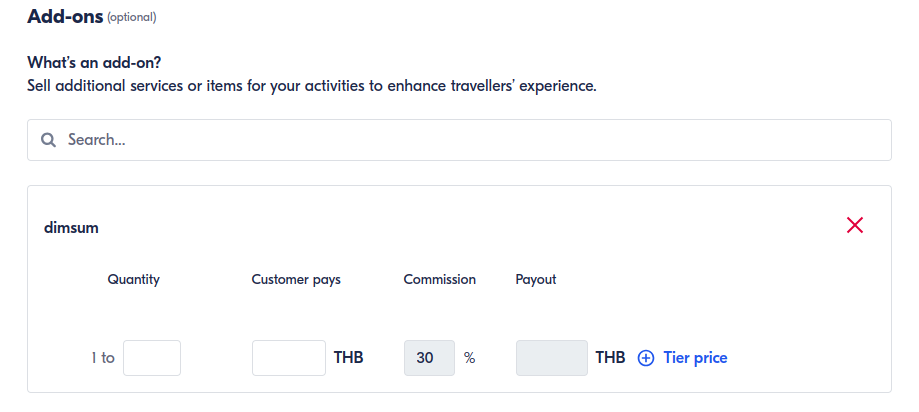
- You can write the add-on and click add "add-on name" if your add-on is not available in the list
- Click Finish
- Your schedule will shows like this, and you can add more than 1 schedule.
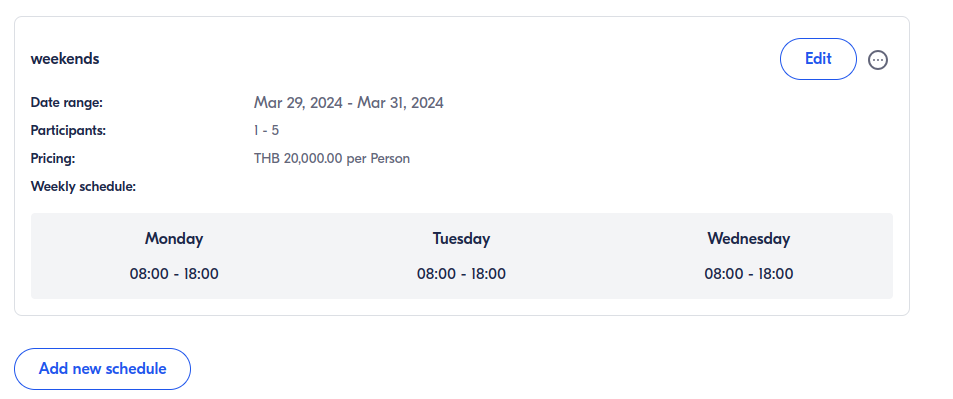
- Click Continue
- Add itinerary if any, or skip this step
- Review your Product
- Click Save and Publish
- Click menu Manage ➝ Product
- Wait several seconds until your product is bookable

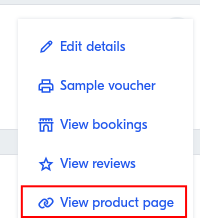
- Click
 Pick View product page to see your product in GetYourGuide
Result Example
Example Product:
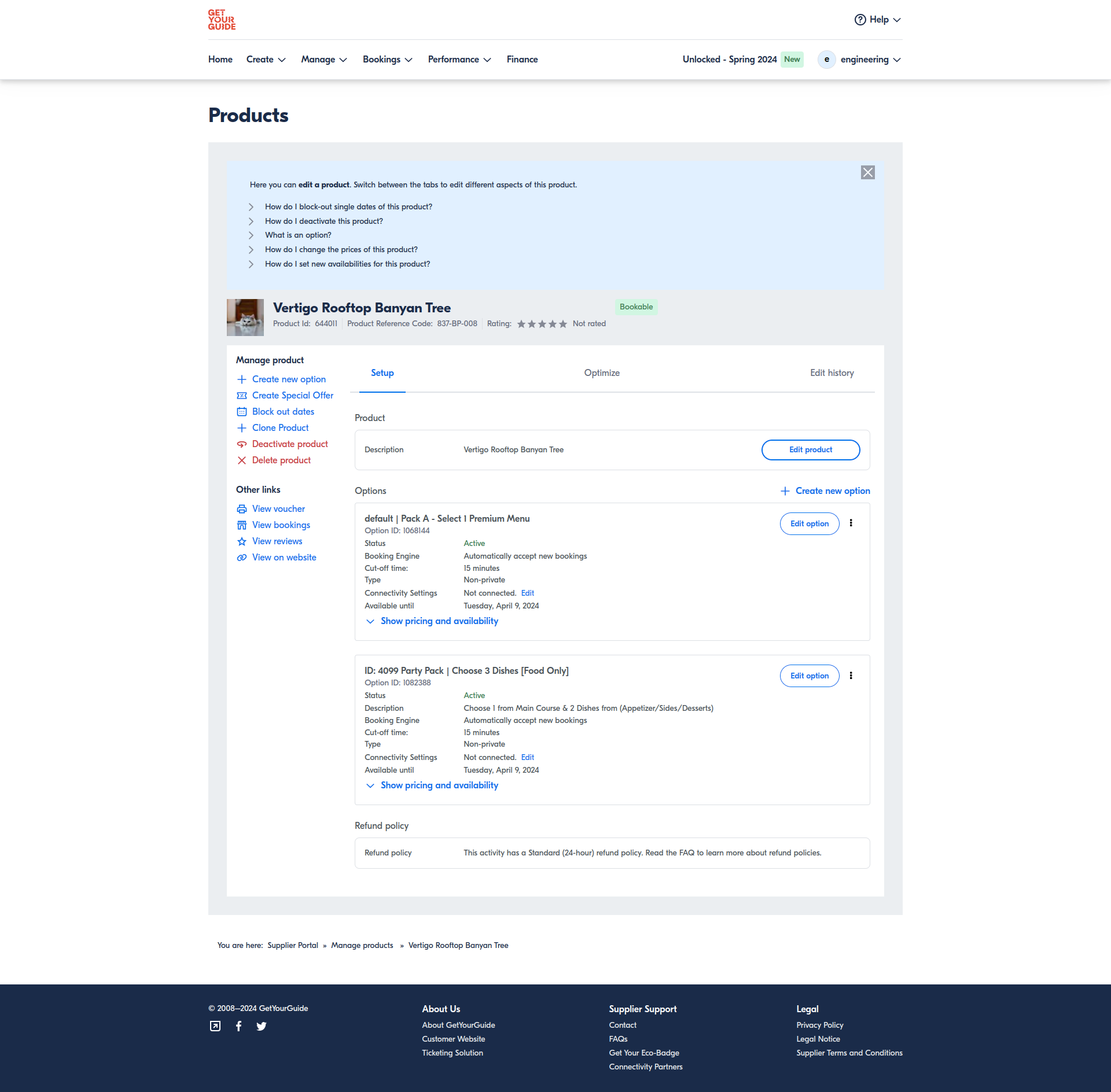
Example Result:
[
www.getyourguide.com
https://www.getyourguide.com/bangkok-l169/pack-a-select-1-premium-menu-t644011/?preview=JU2YF5ED6O6IW0MXOFVTLUDHBBIQW3LN
](https://www.getyourguide.com/bangkok-l169/pack-a-select-1-premium-menu-t644011/?preview=JU2YF5ED6O6IW0MXOFVTLUDHBBIQW3LN)
[
jam.dev
https://jam.dev/c/31195c1e-5640-41ef-b829-be2a7db3e722
](https://jam.dev/c/31195c1e-5640-41ef-b829-be2a7db3e722)