End To End Flow Dianping X HH Integration
Data Voucher Preparation
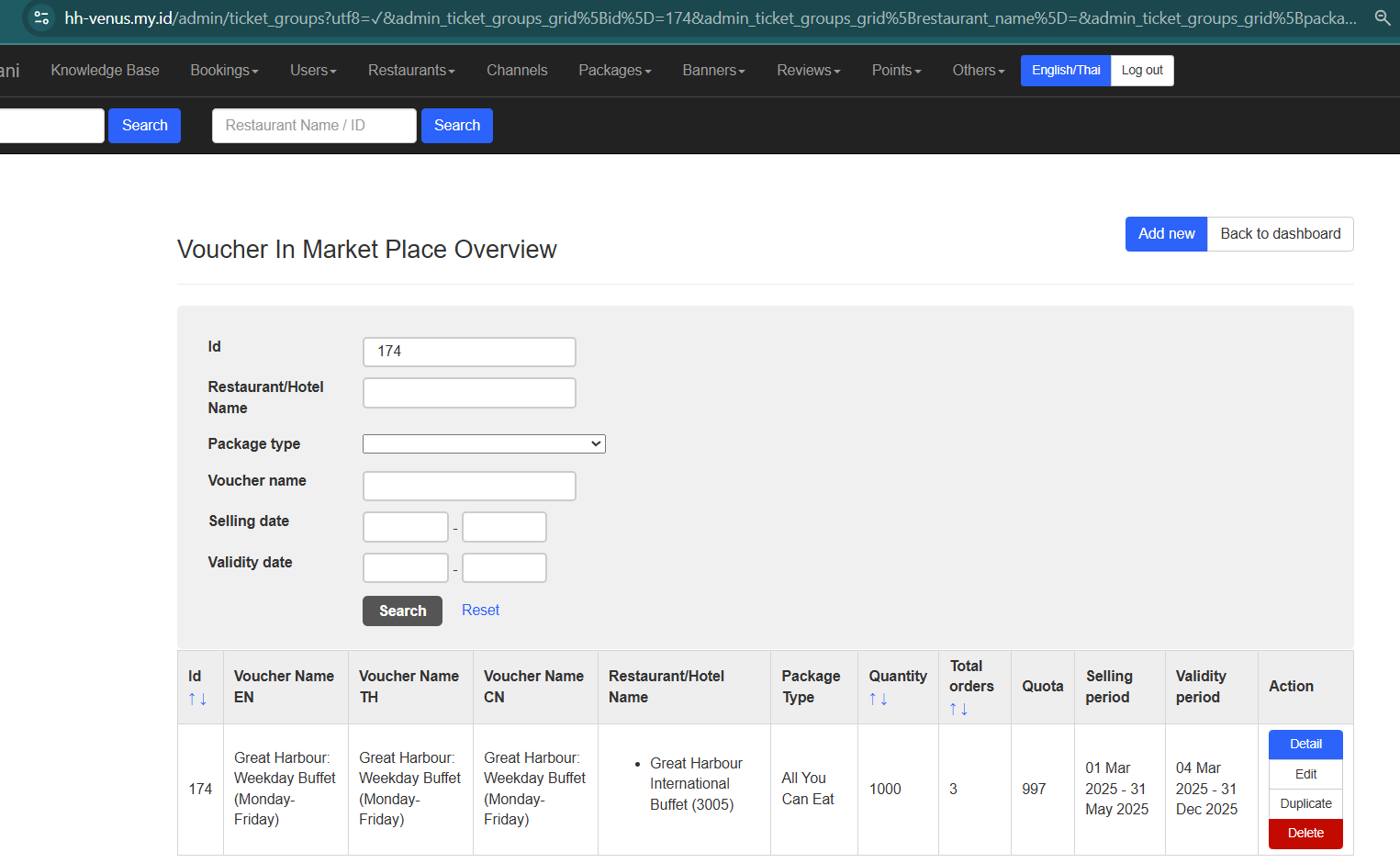
- Create Voucher in Market Place from Hungryhub admin dashboard
- Configuration on Voucher
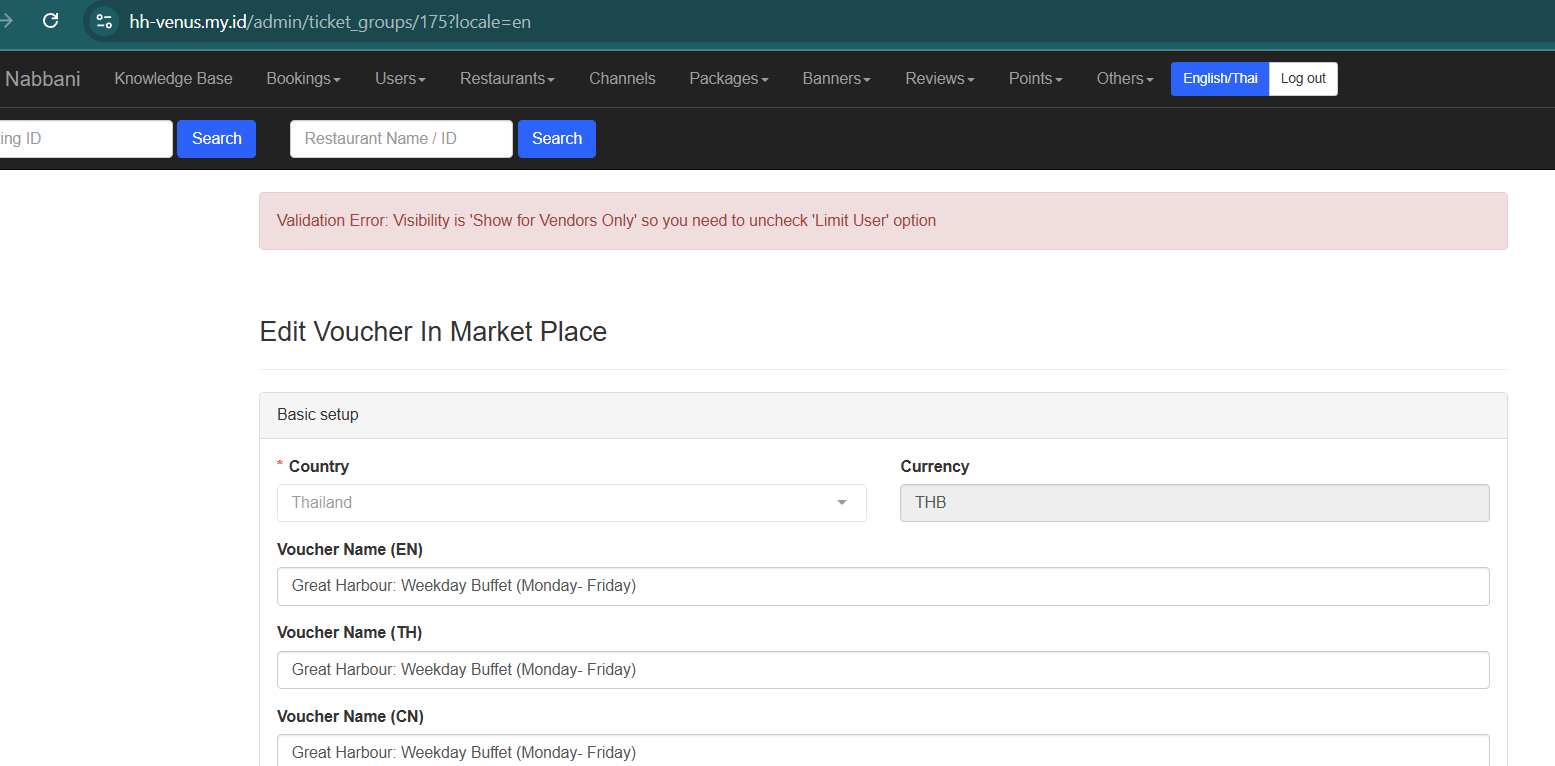
In the voucher detail configuration, ensure that "Show Vendor Only" is selected and "Limit User" is unchecked.
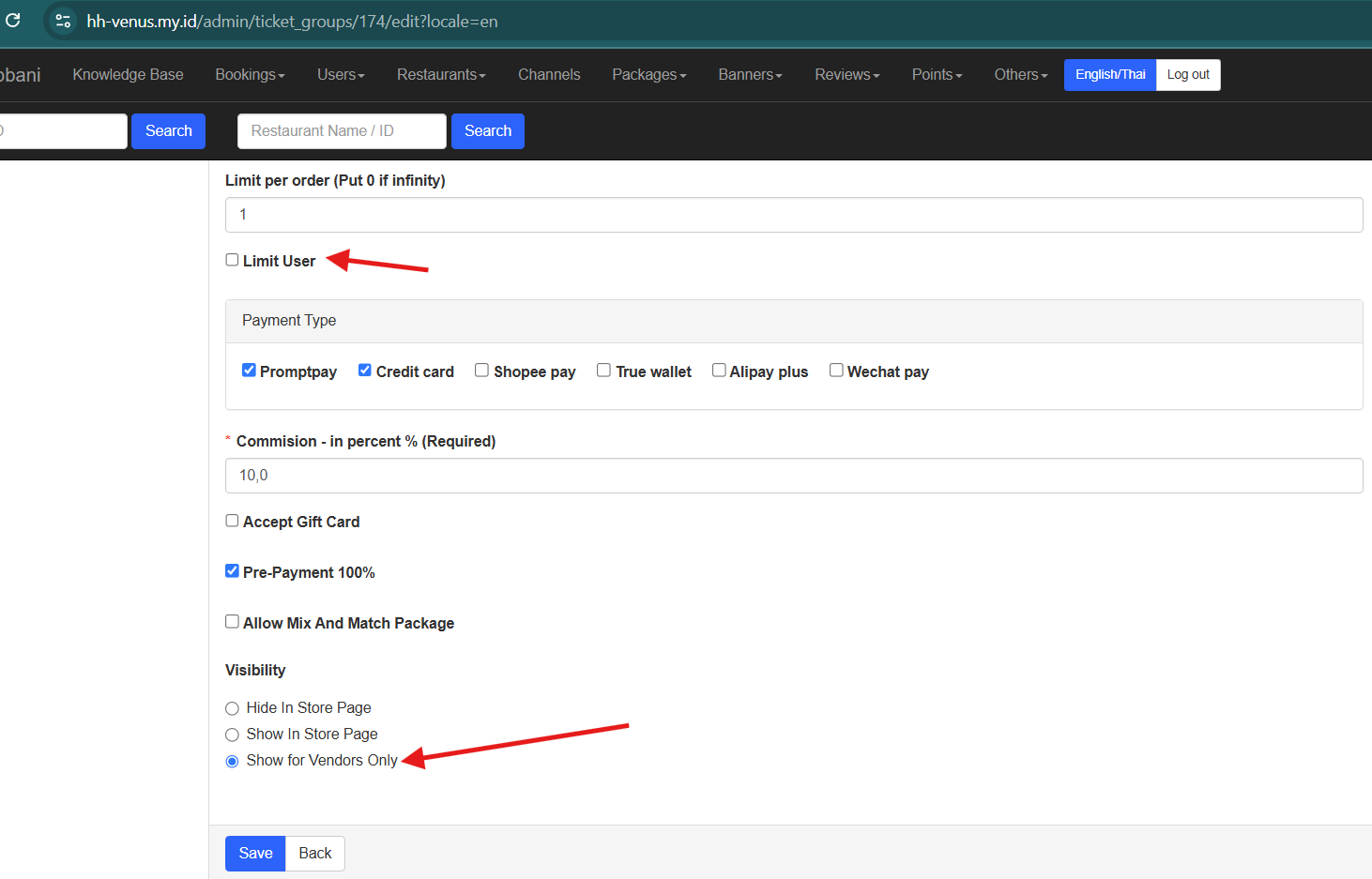 If "Show Vendor Only" is selected while "Limit User" remains checked, saving the configuration will result in an error:
"Validation Error: Visibility is 'Show for Vendors Only' so you need to uncheck 'Limit User' option"
If "Show Vendor Only" is selected while "Limit User" remains checked, saving the configuration will result in an error:
"Validation Error: Visibility is 'Show for Vendors Only' so you need to uncheck 'Limit User' option"
Buy Voucher from Dianping
refer to this document for access to the dianping dashboard Private (https://app.clickup.com/9003122396/v/dc/8ca1fpw-47876)
1. Setup Placeholder
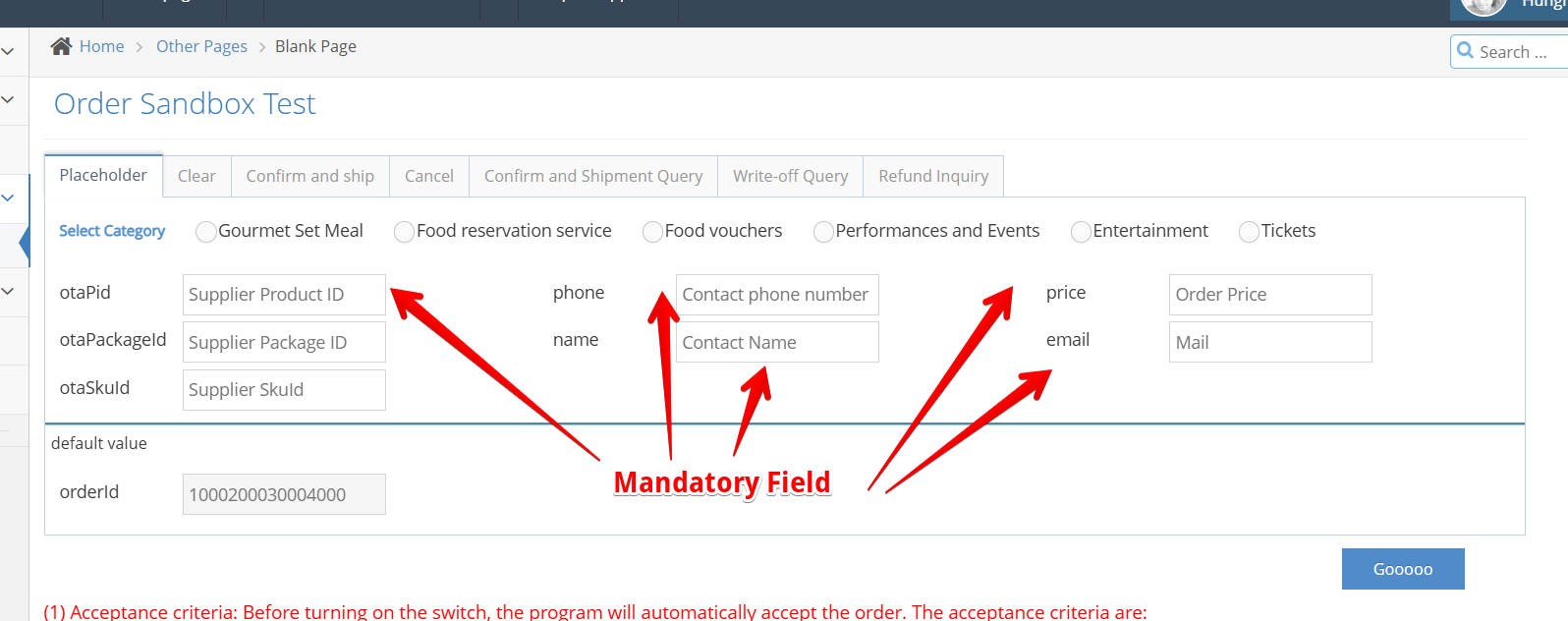
| Attribute | Description | Example Value |
|---|---|---|
| OtaPid | is the identifier for the voucher ID that will be created. It follows the format: HH-VG-{ticket_group_id}. You can find the ticket_group_id at: https://hungryhub.com/admin/ticket_groups?locale=en | HH-VG-{ticket_group_id} |
| Phone | we can use any number | +6287779123 |
| Name | we can use any name | Hungryhub QA |
| Price | set to 1 | 1 |
| we can use any email | hungryhubqa@testmail.com | |
| Select category | Food Voucher |
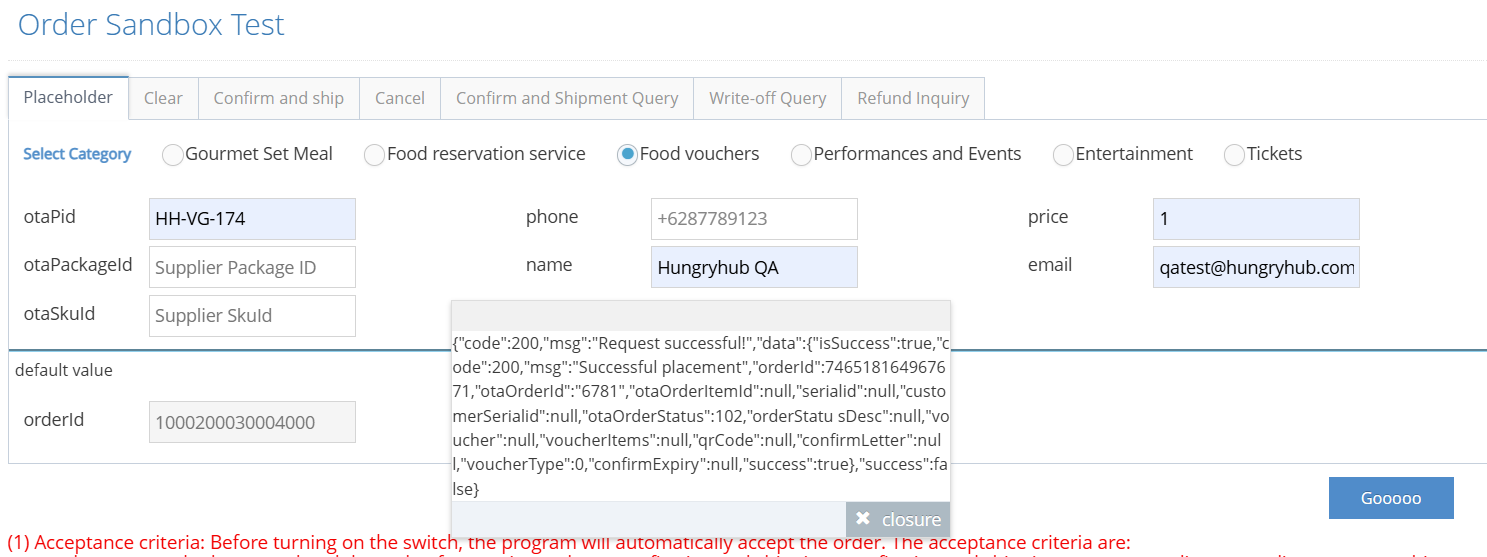
{"code":200,"msg":"Request successful!","data":{"isSuccess":true,"code":200,"msg":"Successful placement","orderId":746518164967671,"otaOrderId":"6781","otaOrderItemId":null,"serialid":null,"customerSerialid":null,"otaOrderStatus":102,"orderStatu sDesc":null,"voucher":null,"voucherItems":null,"qrCode":null,"confirmLetter":null,"voucherType":0,"confirmExpiry":null,"success":true},"success":false}
- Placeholder status : Success and will get orderId , example: 746518164967671
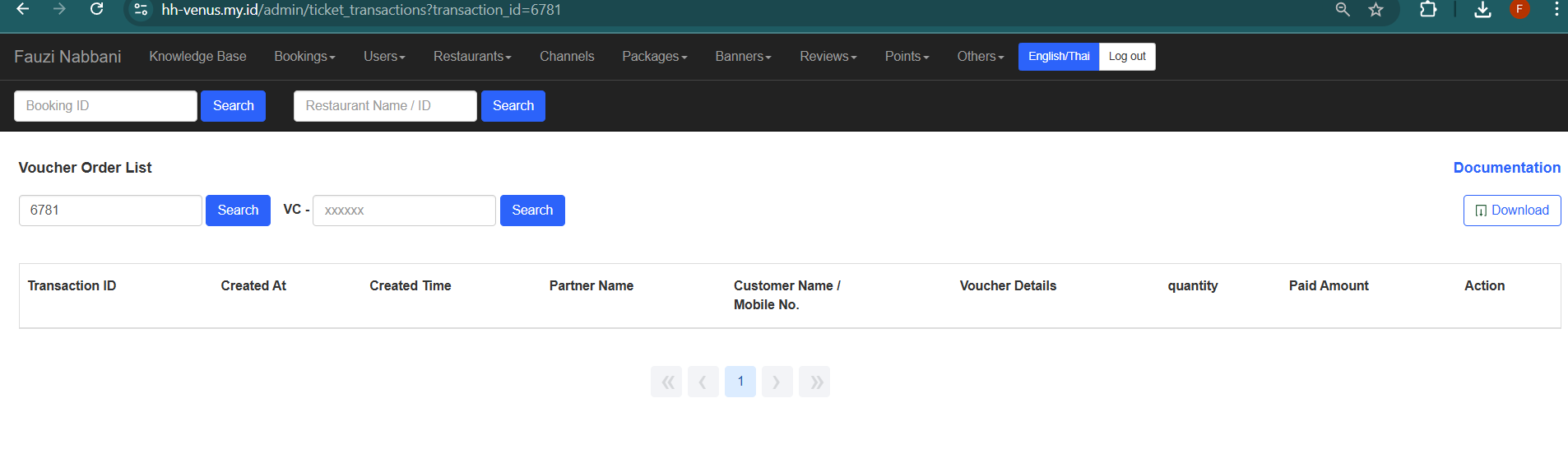
and OtaOrder id mean voucher Transaction ID example 6781
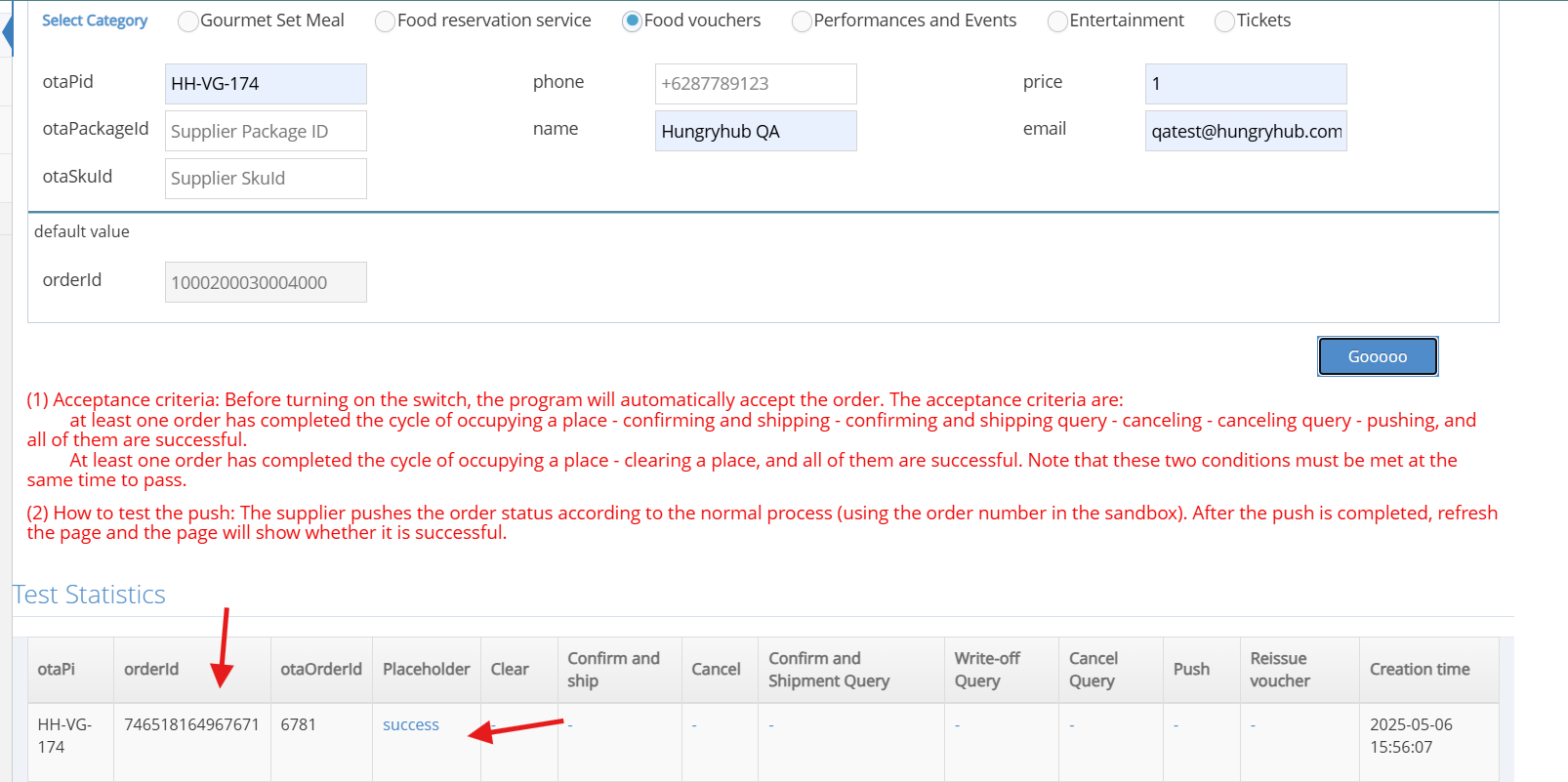
- in HH side still not showing because it's still temporary
2. Confirm and Ship
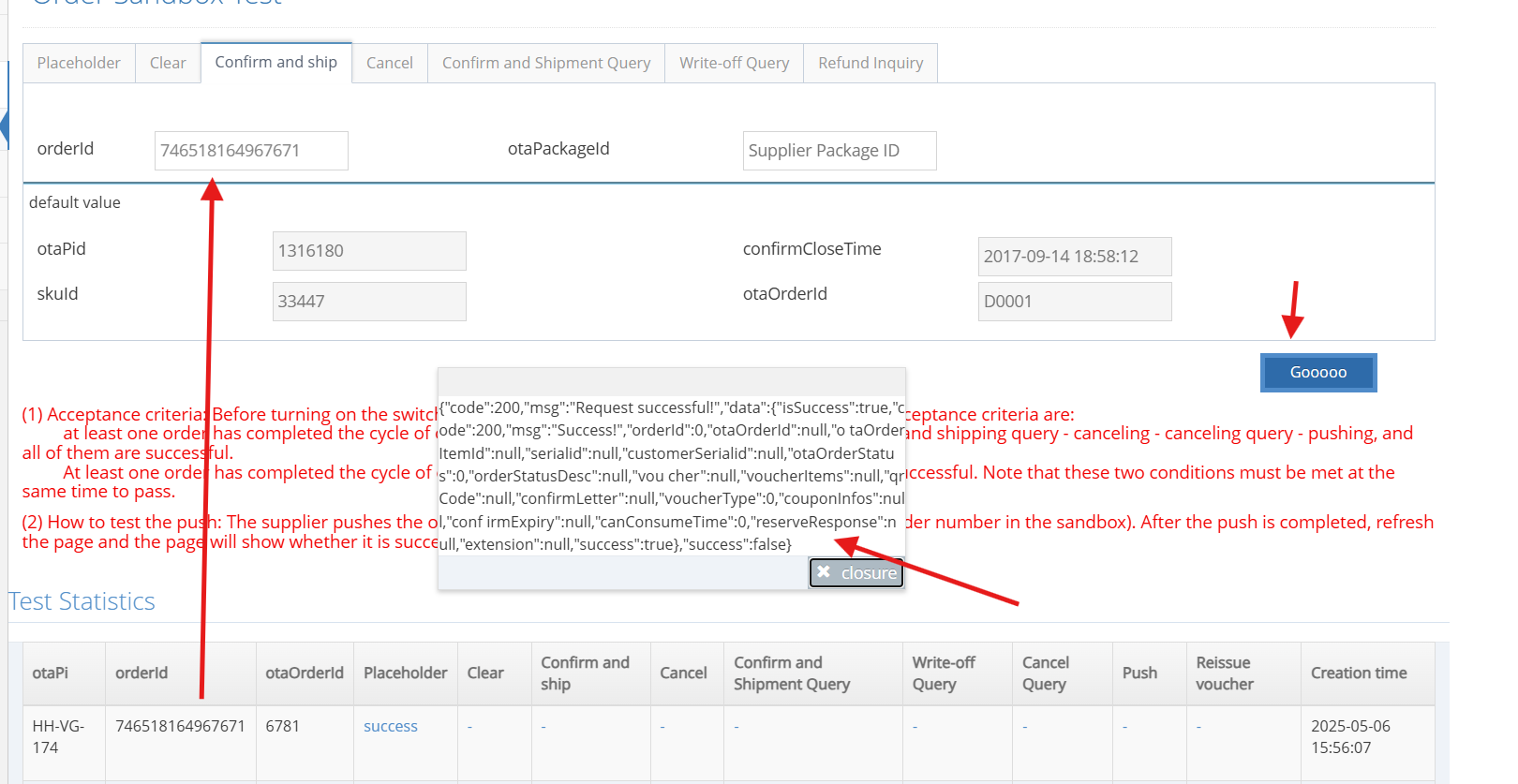
{"code":200,"msg":"Request successful!","data":{"isSuccess":true,"code":200,"msg":"Success!","orderId":0,"otaOrderId":null,"o taOrderItemId":null,"serialid":null,"customerSerialid":null,"otaOrderStatus":0,"orderStatusDesc":null,"vou cher":null,"voucherItems":null,"qrCode":null,"confirmLetter":null,"voucherType":0,"couponInfos":null,"conf irmExpiry":null,"canConsumeTime":0,"reserveResponse":null,"extension":null,"success":true},"success":false}
- status become success for confirm and ship,
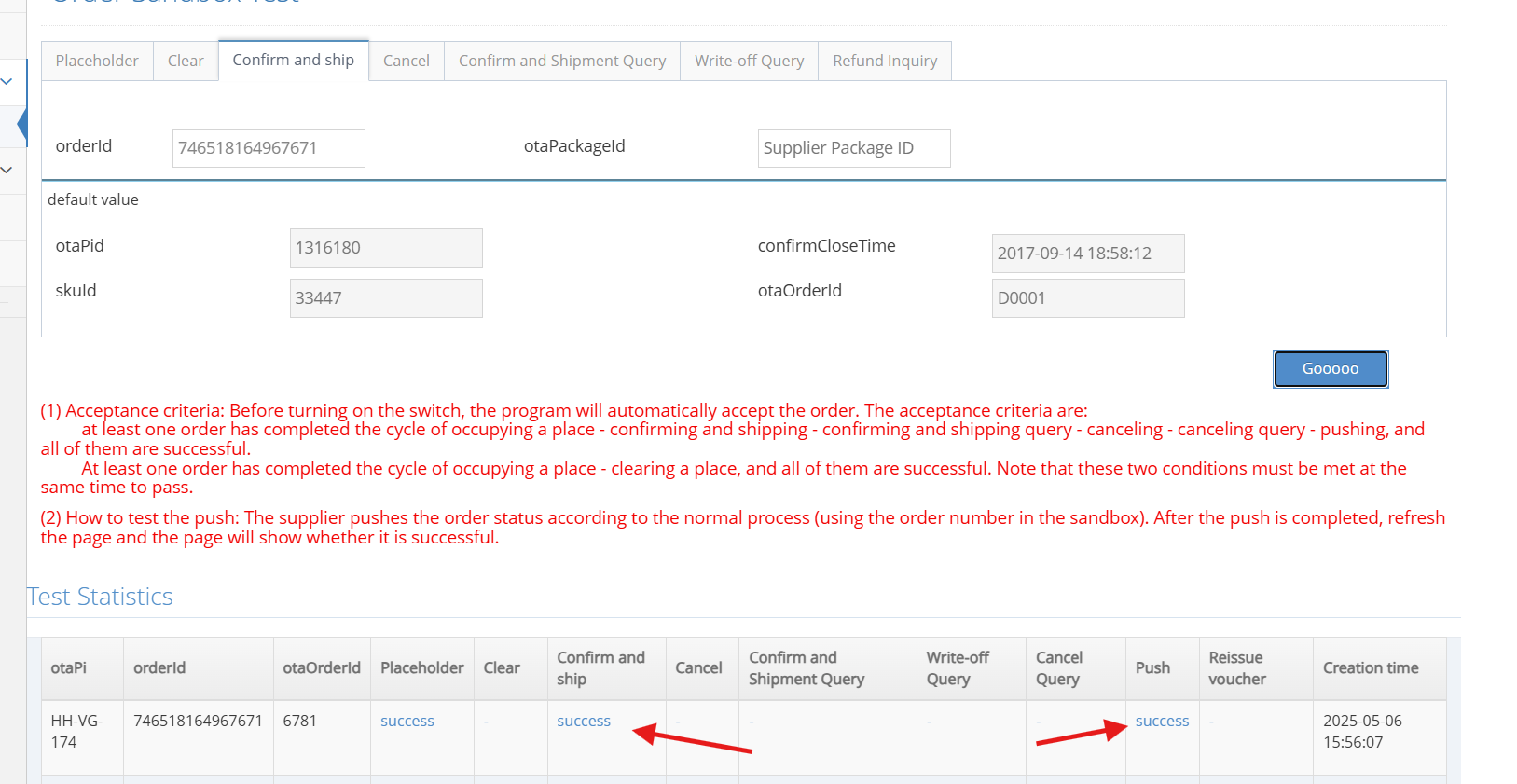
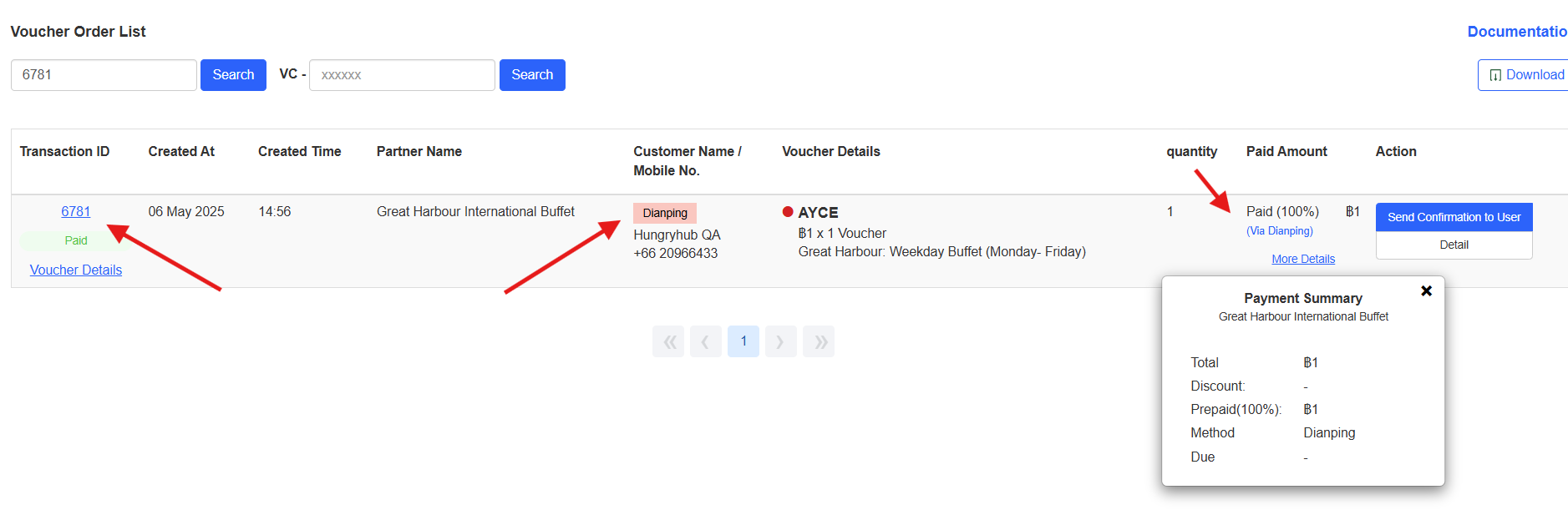
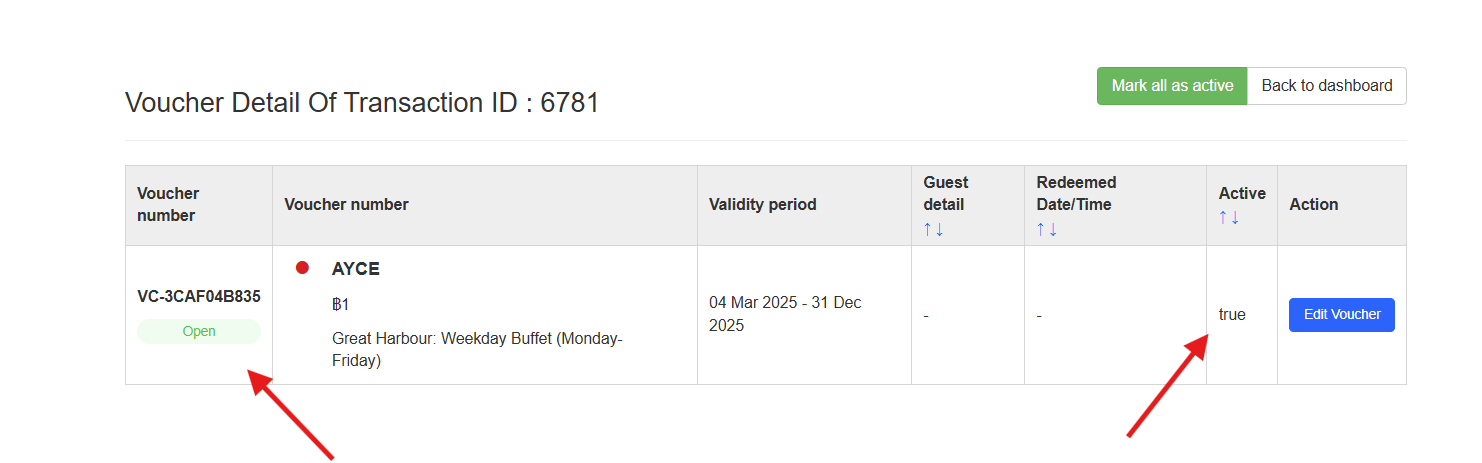
- and we can check in hungryhub admin side use otaOrderId, with status paid
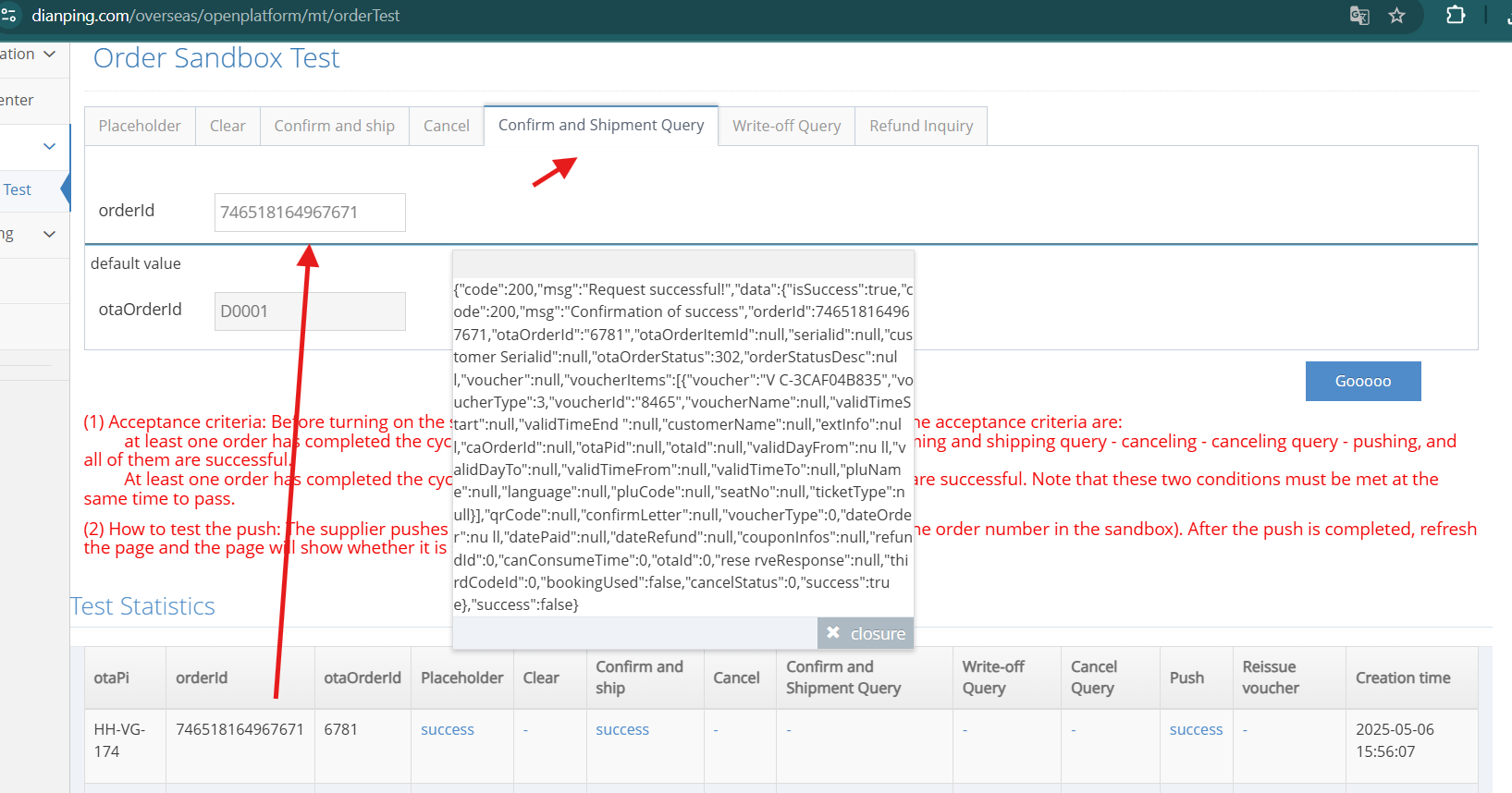
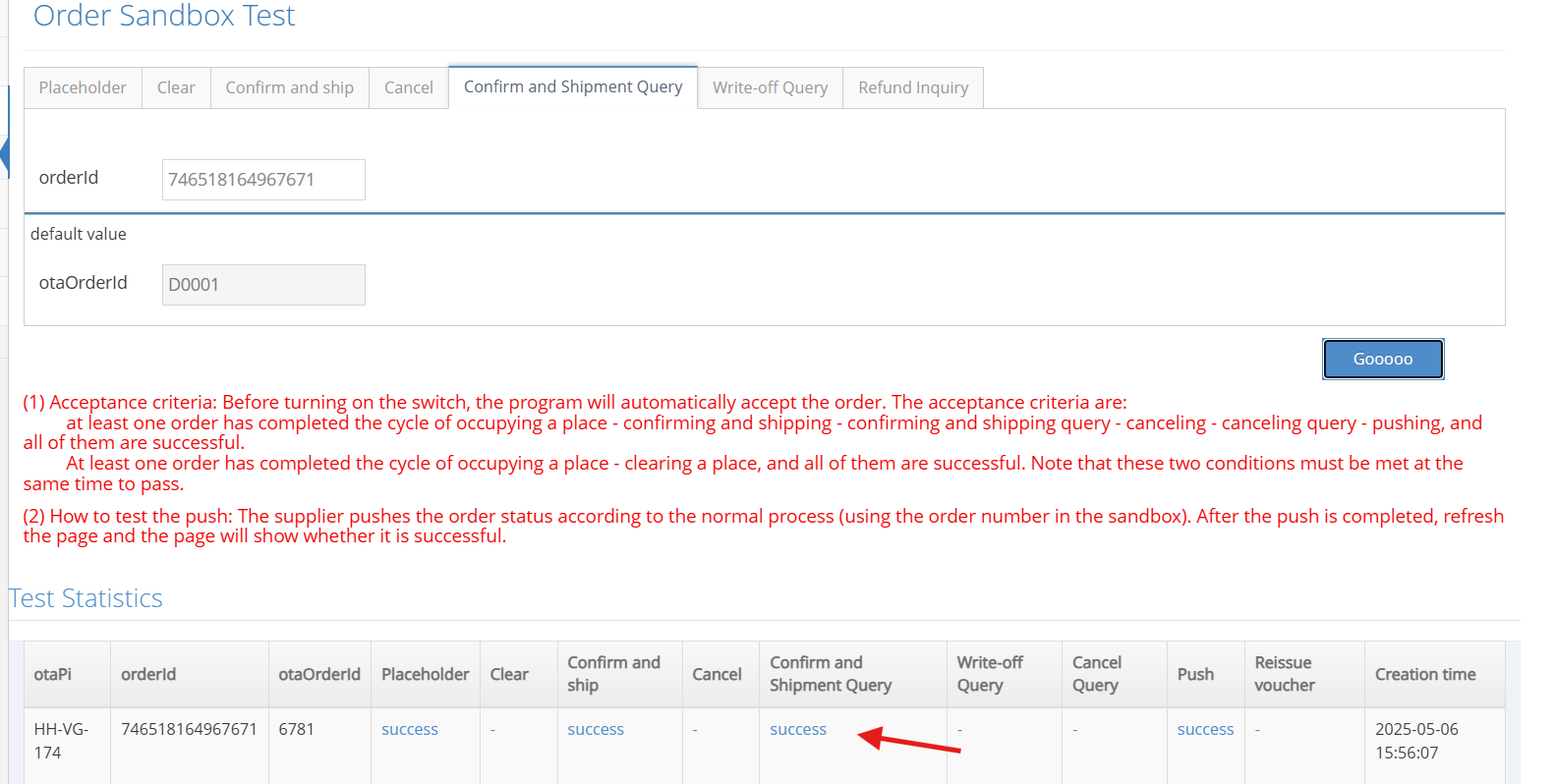
3. Confirm and Shipment Query
4. Write-off Query (redeem voucher)
- get the voucher id that still active or not used
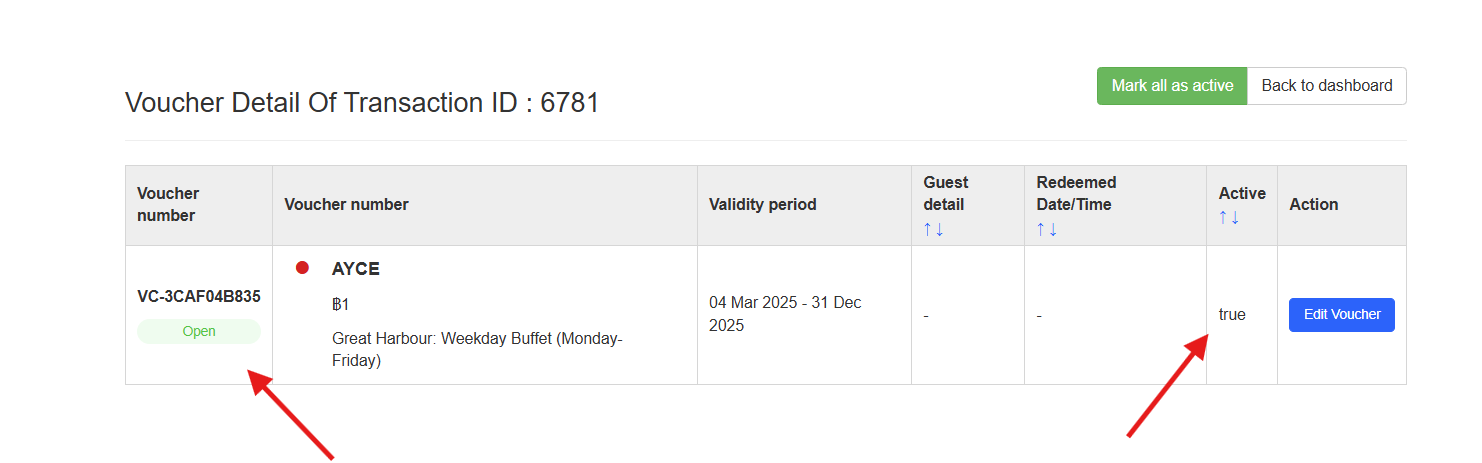
- we can redeem the voucher through login v2
before redeem
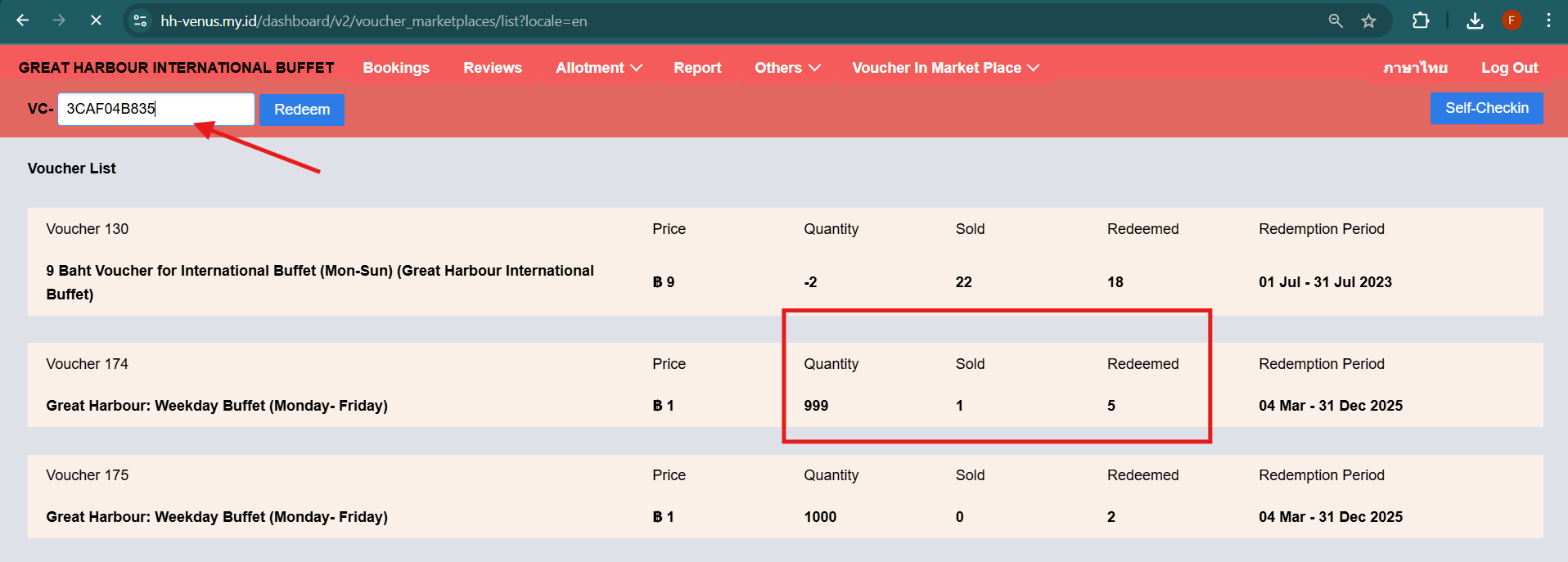
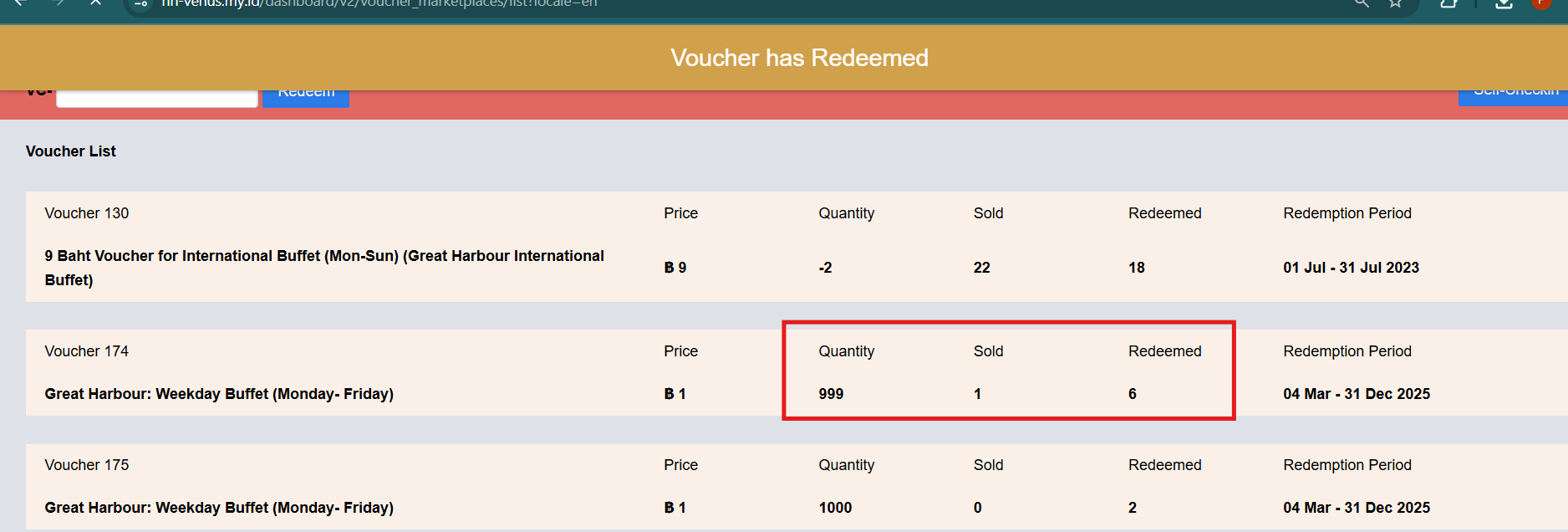
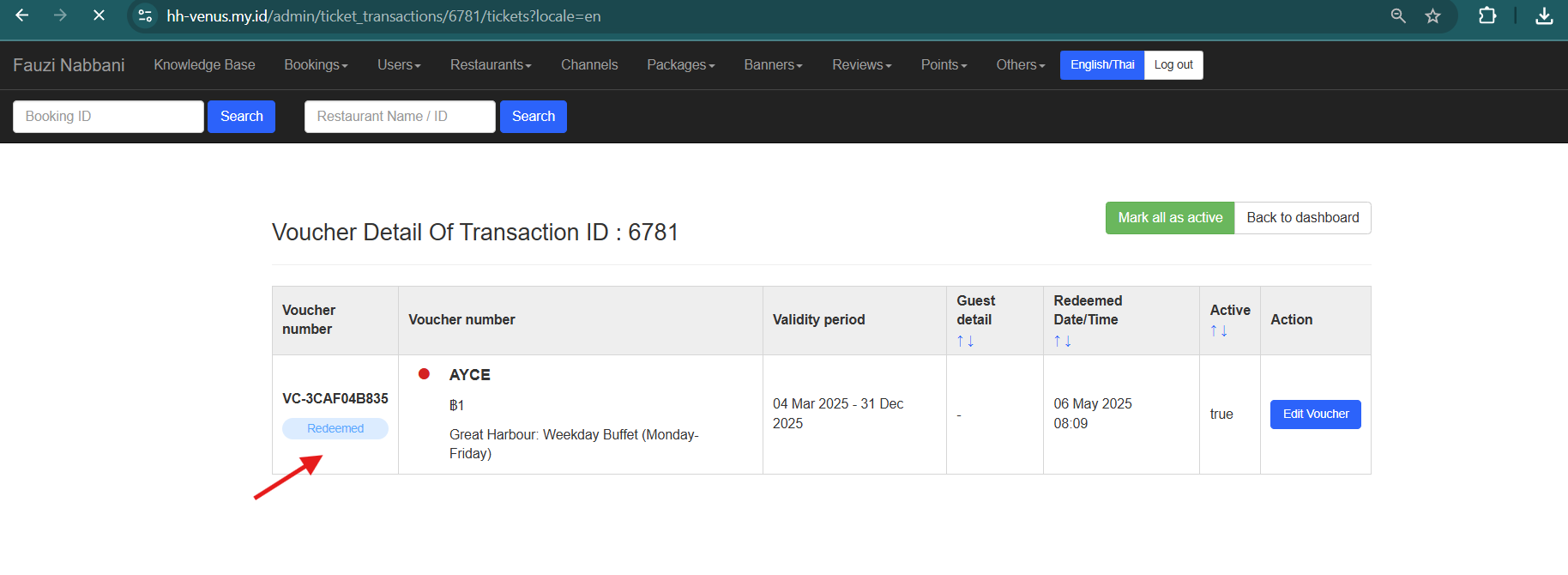
- go to dianping dashboard for check redeem is success or not
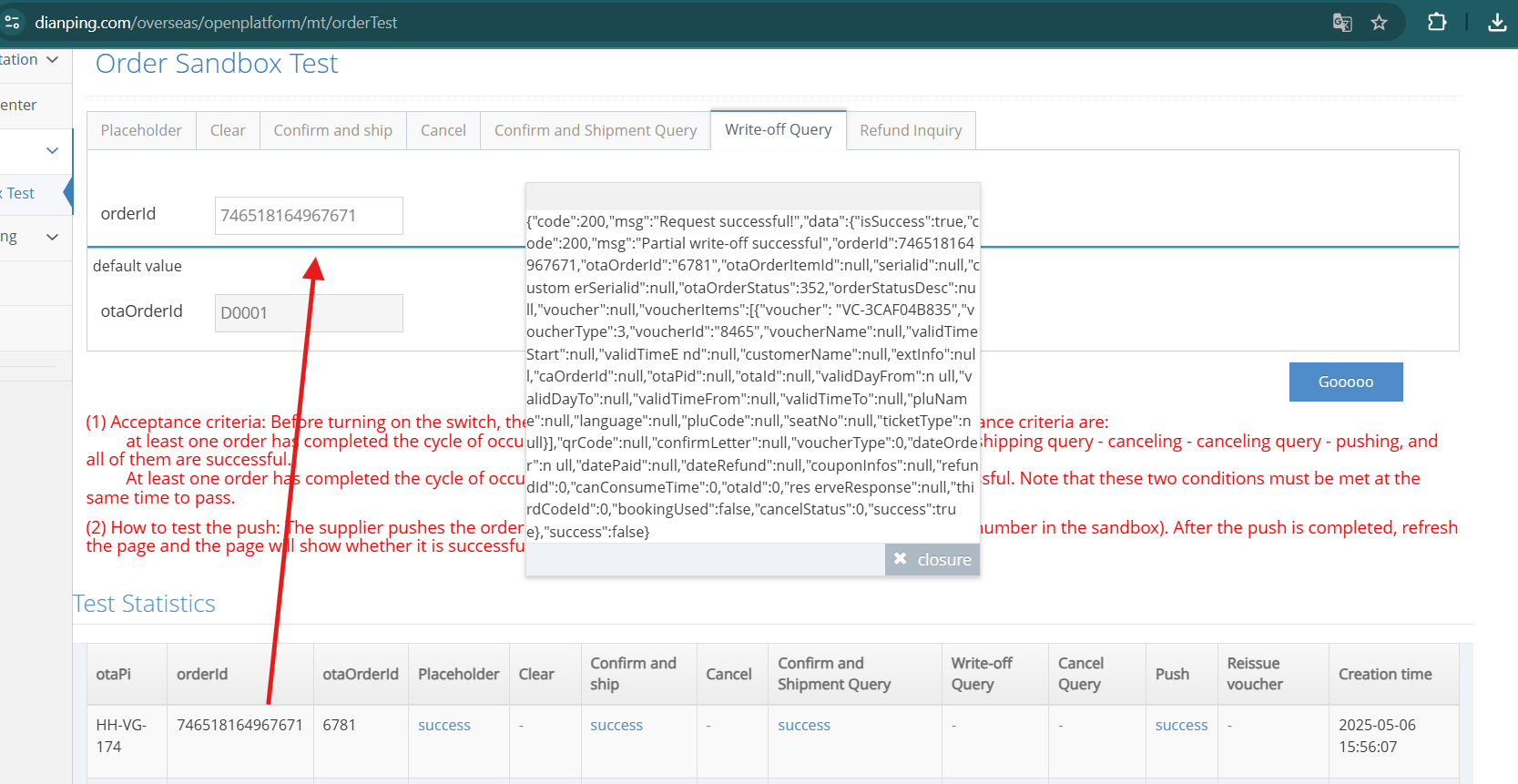
{"code":200,"msg":"Request successful!","data":{"isSuccess":true,"code":200,"msg":"Partial write-off successful","orderId":746518164967671,"otaOrderId":"6781","otaOrderItemId":null,"serialid":null,"custom erSerialid":null,"otaOrderStatus":352,"orderStatusDesc":null,"voucher":null,"voucherItems":[{"voucher": "VC-3CAF04B835","voucherType":3,"voucherId":"8465","voucherName":null,"validTimeStart":null,"validTimeE nd":null,"customerName":null,"extInfo":null,"caOrderId":null,"otaPid":null,"otaId":null,"validDayFrom":n ull,"validDayTo":null,"validTimeFrom":null,"validTimeTo":null,"pluName":null,"language":null,"pluCode":null,"seatNo":null,"ticketType":null}],"qrCode":null,"confirmLetter":null,"voucherType":0,"dateOrder":n ull,"datePaid":null,"dateRefund":null,"couponInfos":null,"refundId":0,"canConsumeTime":0,"otaId":0,"res erveResponse":null,"thirdCodeId":0,"bookingUsed":false,"cancelStatus":0,"success":true},"success":false}
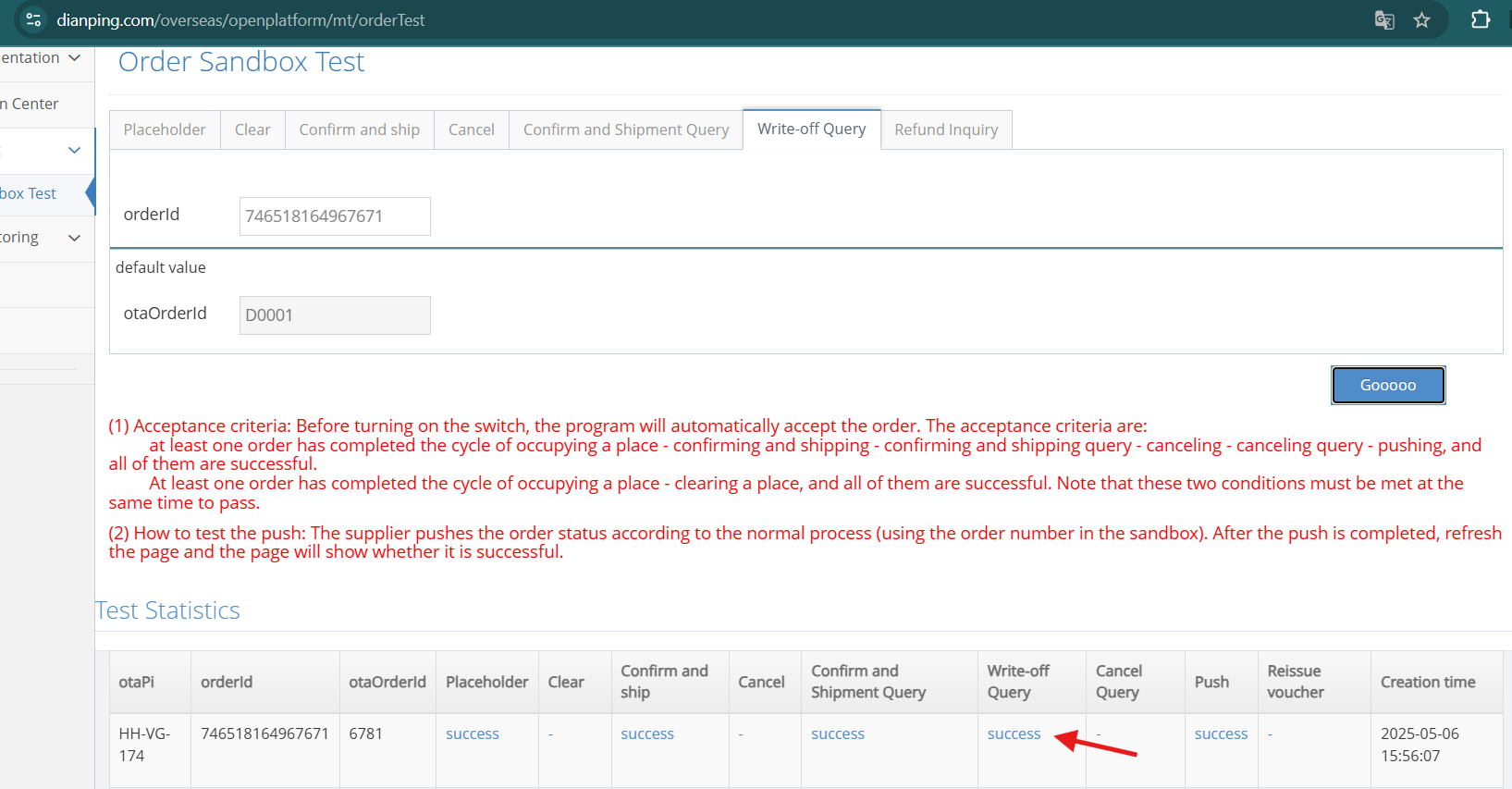
5. It should fail when canceling a voucher that has been redeemed
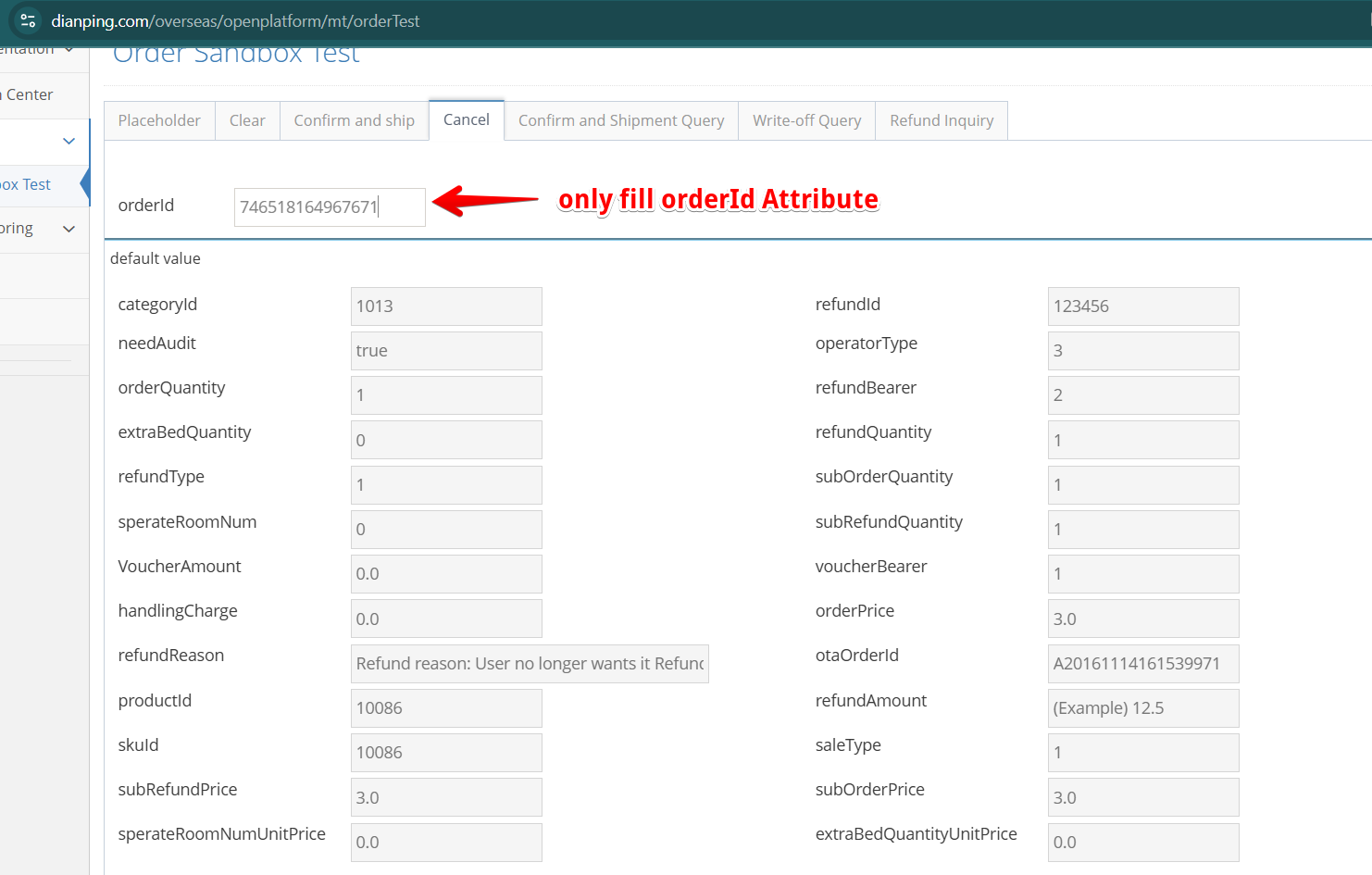 return response
{"code":200,"msg":"Request successful!","data":{"isSuccess":true,"code":200,"msg":"Success!","orderId":0,"otaOrderId":null,"otaOr derItemId":null,"serialid":null,"customerSerialid":null,"otaOrderStatus":0,"orderStatusDesc":null,"voucher":nul l,"voucherItems":null,"qrCode":null,"confirmLetter":null,"voucherType":0,"refundStatus":0,"canRefund":0,"refund Note":null,"refundAmout":0,"refundCharge":0,"refundId":0,"cancelSuccess":false,"success":true},"success":false}
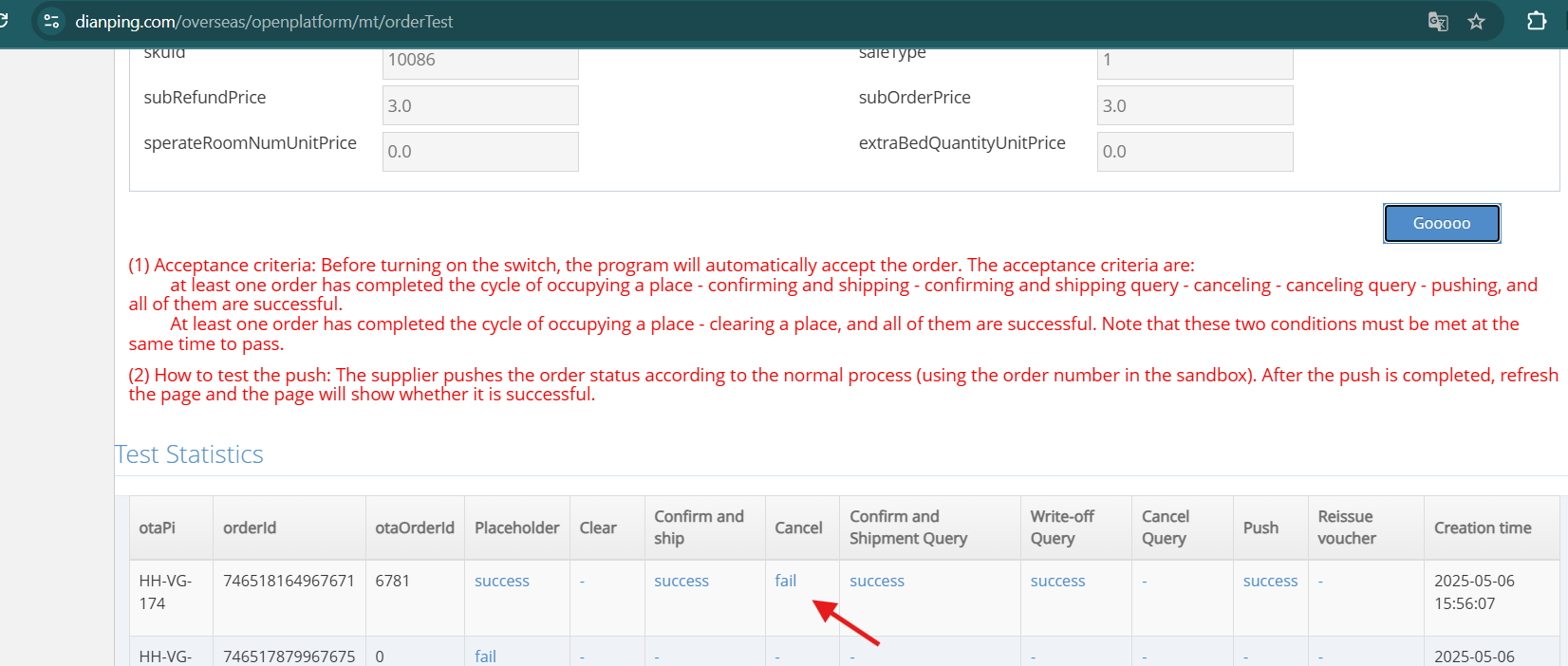
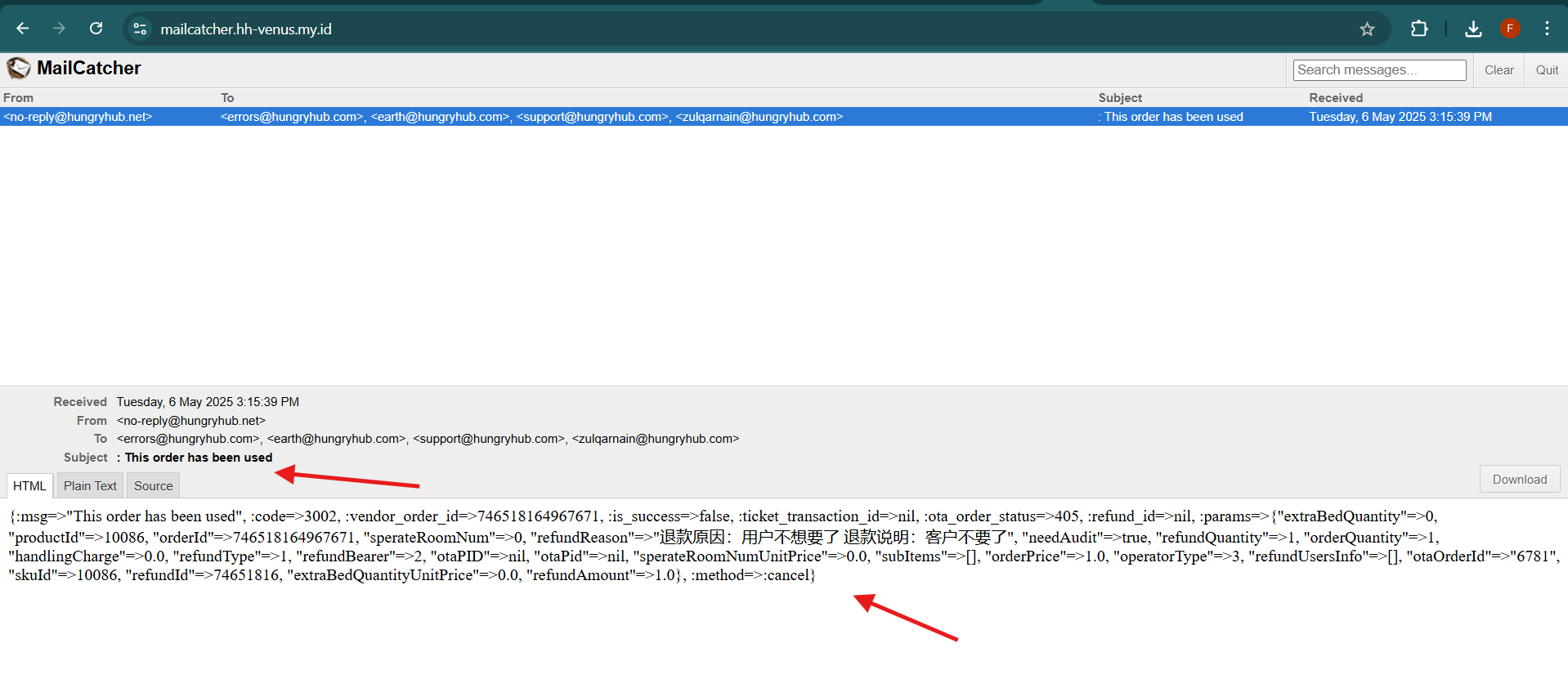
- it will send email error "This order has been used"
6. Cancel vouchers that have been paid
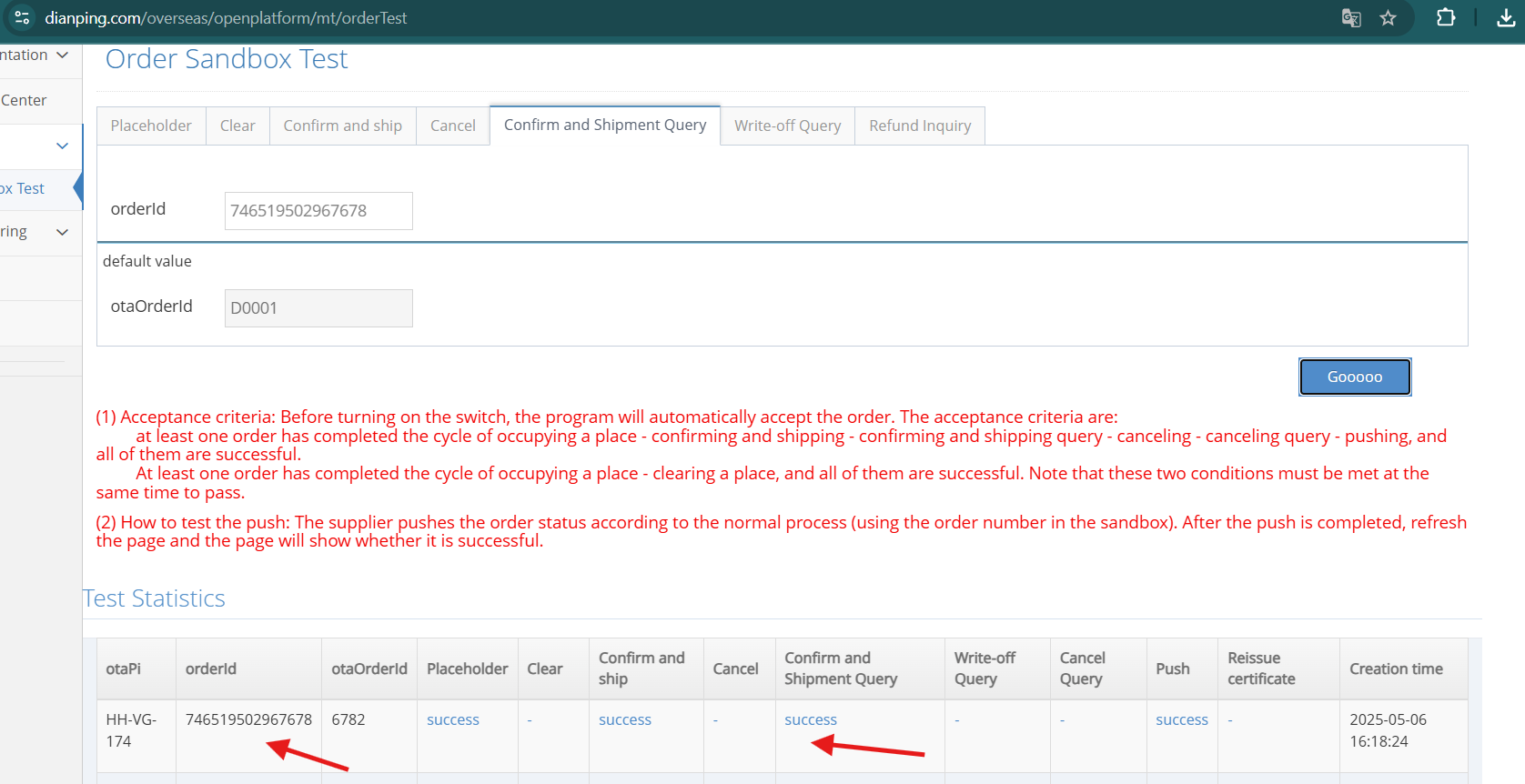
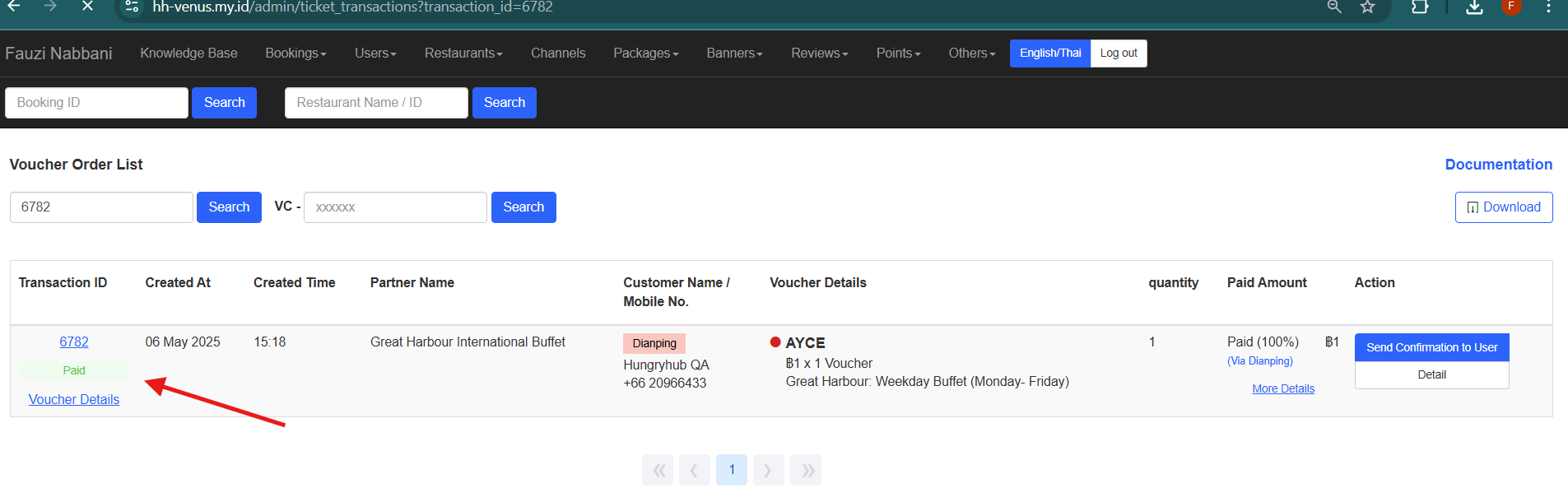
- cancel from dianping dashboard
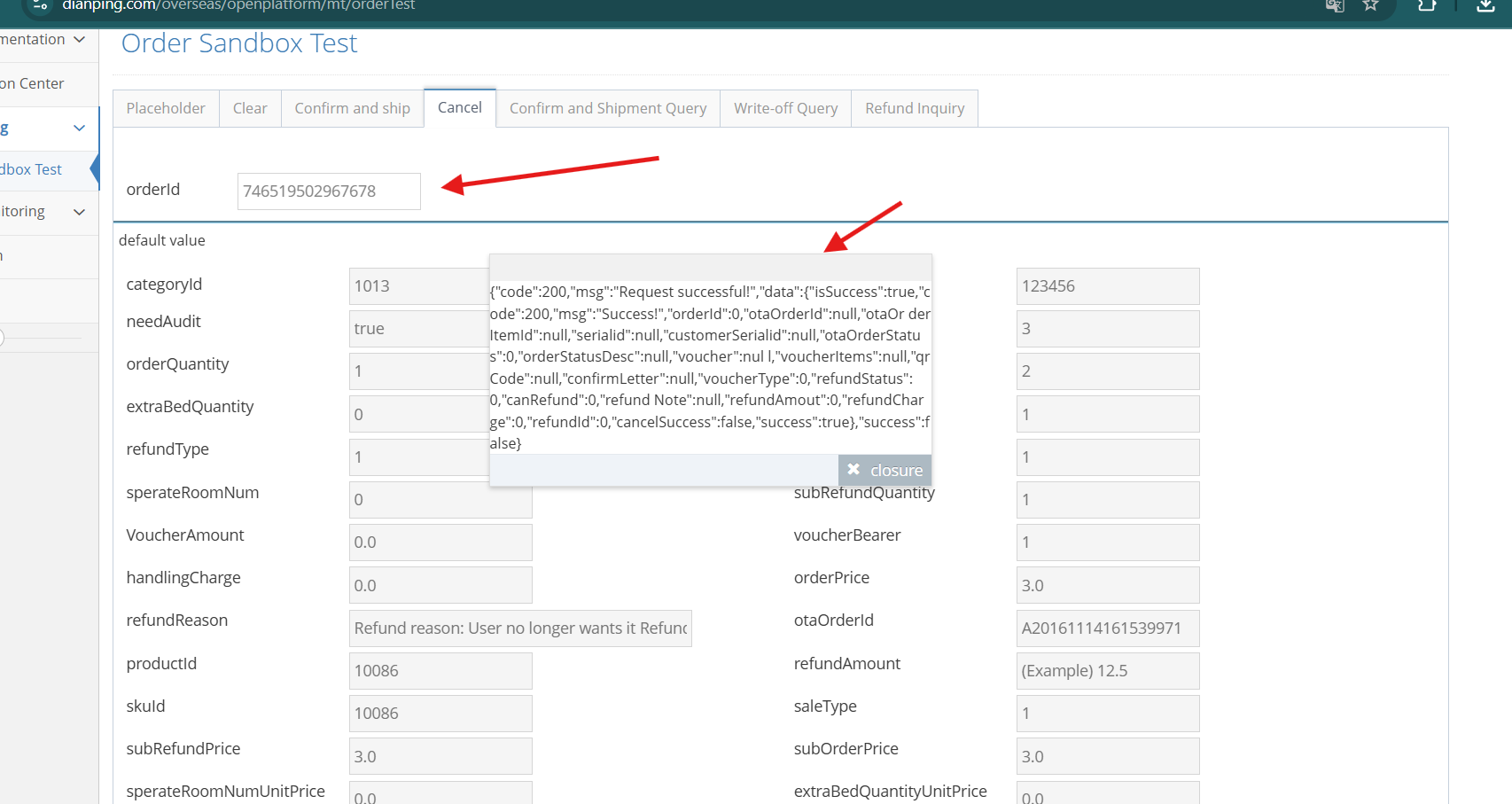
{"code":200,"msg":"Request successful!","data":{"isSuccess":true,"code":200,"msg":"Success!","orderId":0,"otaOrderId":null,"otaOr derItemId":null,"serialid":null,"customerSerialid":null,"otaOrderStatus":0,"orderStatusDesc":null,"voucher":nul l,"voucherItems":null,"qrCode":null,"confirmLetter":null,"voucherType":0,"refundStatus":0,"canRefund":0,"refund Note":null,"refundAmout":0,"refundCharge":0,"refundId":0,"cancelSuccess":false,"success":true},"success":false}
- in cancel column should be success
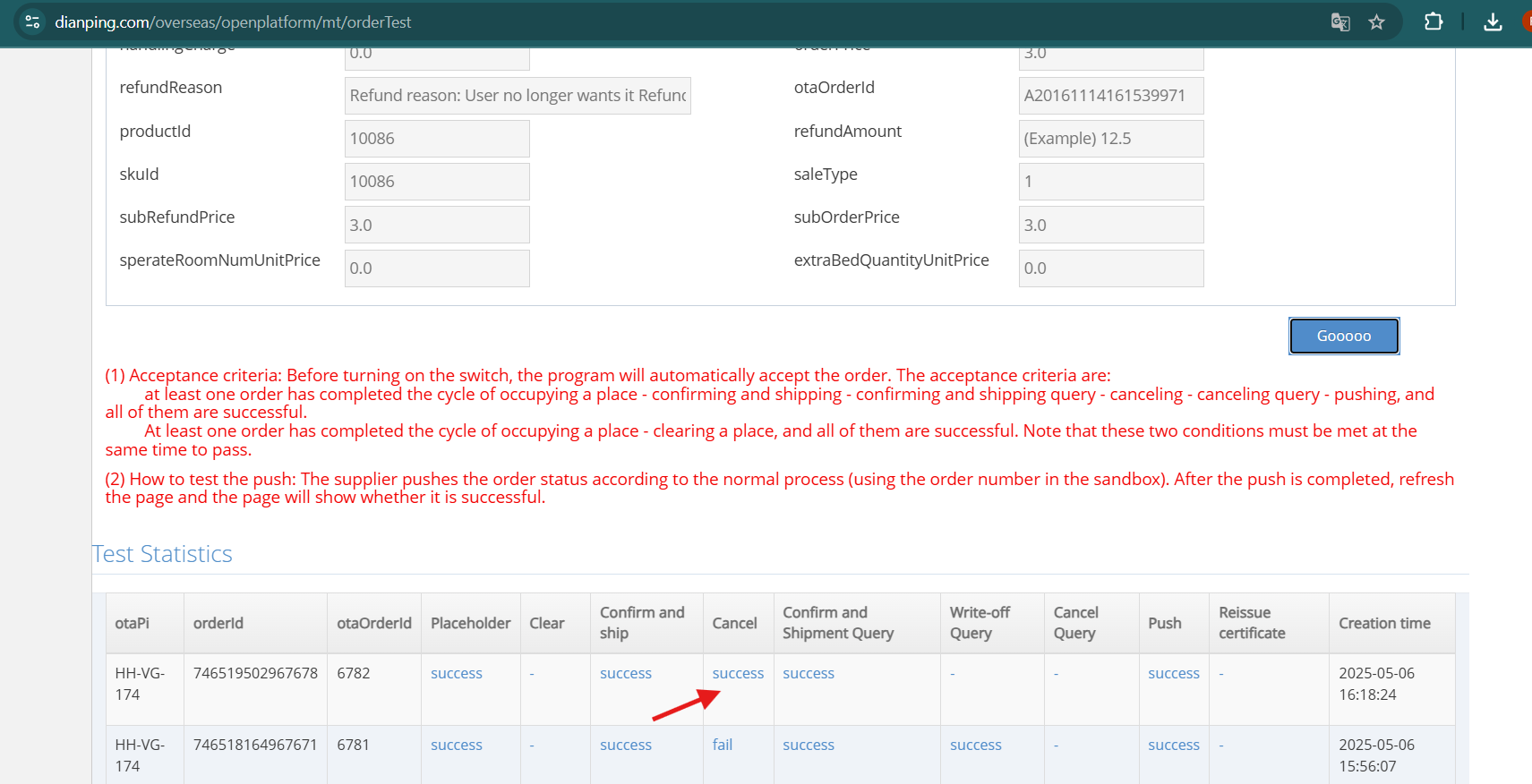
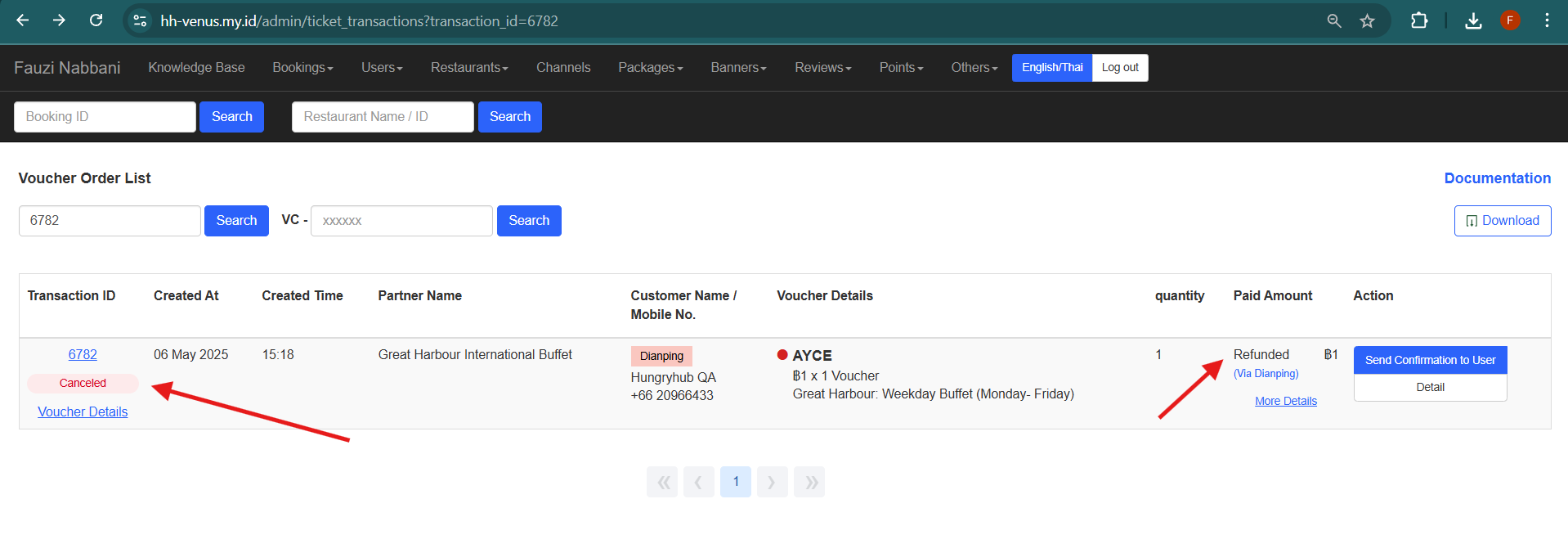
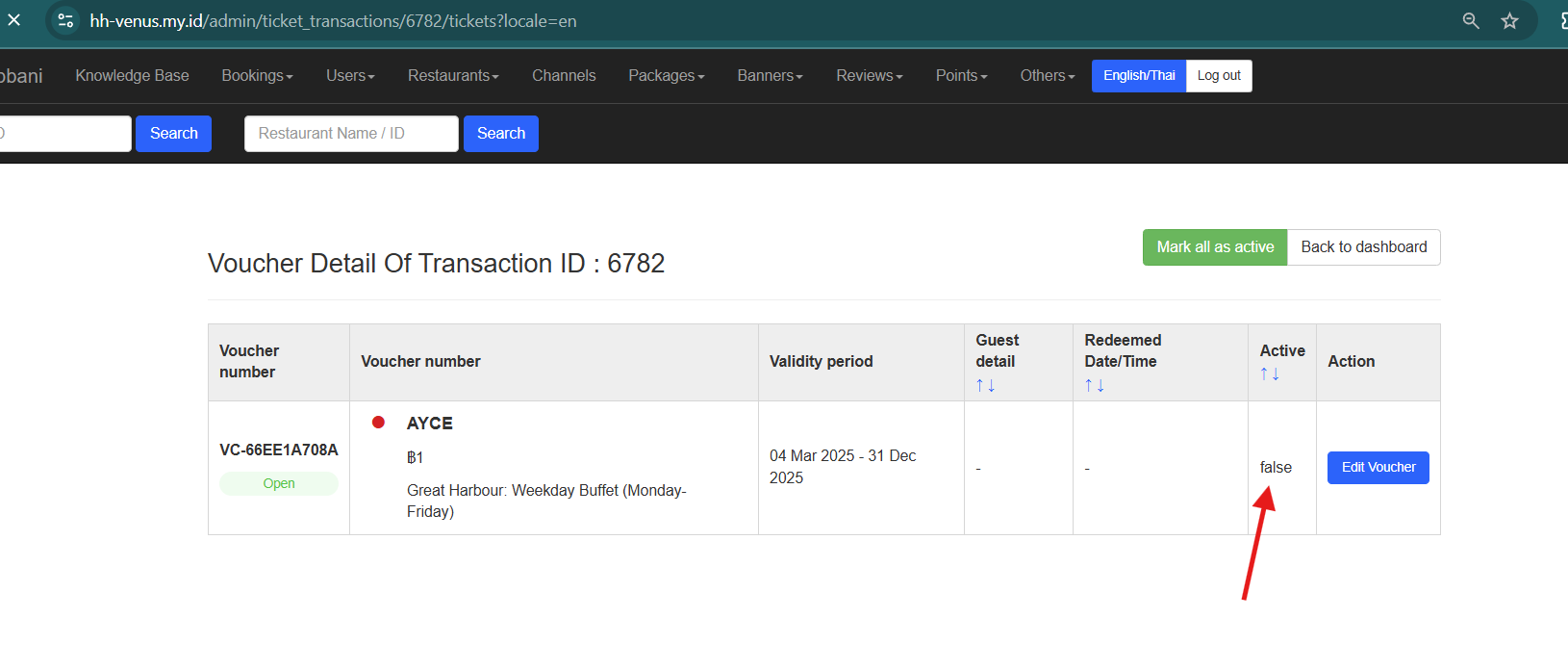
- in voucher detail status become "cancelled" and Paid amount "Refunded"