Export History Section
🧾 History
| Date | Changes | Link | By |
|---|---|---|---|
| 4th July 2024 | Add an item on the side navbar Provide export history page | This PRD | Umam |
📕 About
| Context | Restaurant staff can export (generating the billing, package, voucher etc. report) and send to email to view the report (based on the certain period) |
|---|---|
| Problem | Sometimes, exporting the report need more time. we don't know the progress (is it sent or pending?) |
| Solution | Provide export history page to view the progress of export |
| Name of Feature | Export History Section |
| Objective | Add an item on the side navbar Provide export history page |
| Gains | Staff can monitor the progress of export generation Faster access to reports and download Real-time status updates on export generation provide clarity Detailed logs and statuses help in troubleshooting and tracking report issues |
| Pains | Develop the new feature might requires time and effort Staff might need training to understand and efficiently use the new feature |
| Figma Link | https://www.figma.com/design/ZkVeV8Qvd174j3Jfp9u90u/Export-History-Page?node-id=0-1&t=mrnDw6A3vvxfphyN-1 |
| Available Platform | Web and Mobile |
| Sprint | TBD |
| Related PRD | Private (https://app.clickup.com/9003122396/docs/8ca1fpw-30456/8ca1fpw-35836) |
| Out of Scope | - |
🎯 User Story & Requirement
Add an item on the side navbar
| User Story | Requirement |
|---|---|
| As a restaurant staff, i usually export the report and download it via email. but for exporting the report sometimes need more time. i need to check the progress of the export. Flow : Login ➝ Side Navbar ➝ Export History | On the navbar, add an itemExport History IconExport History Title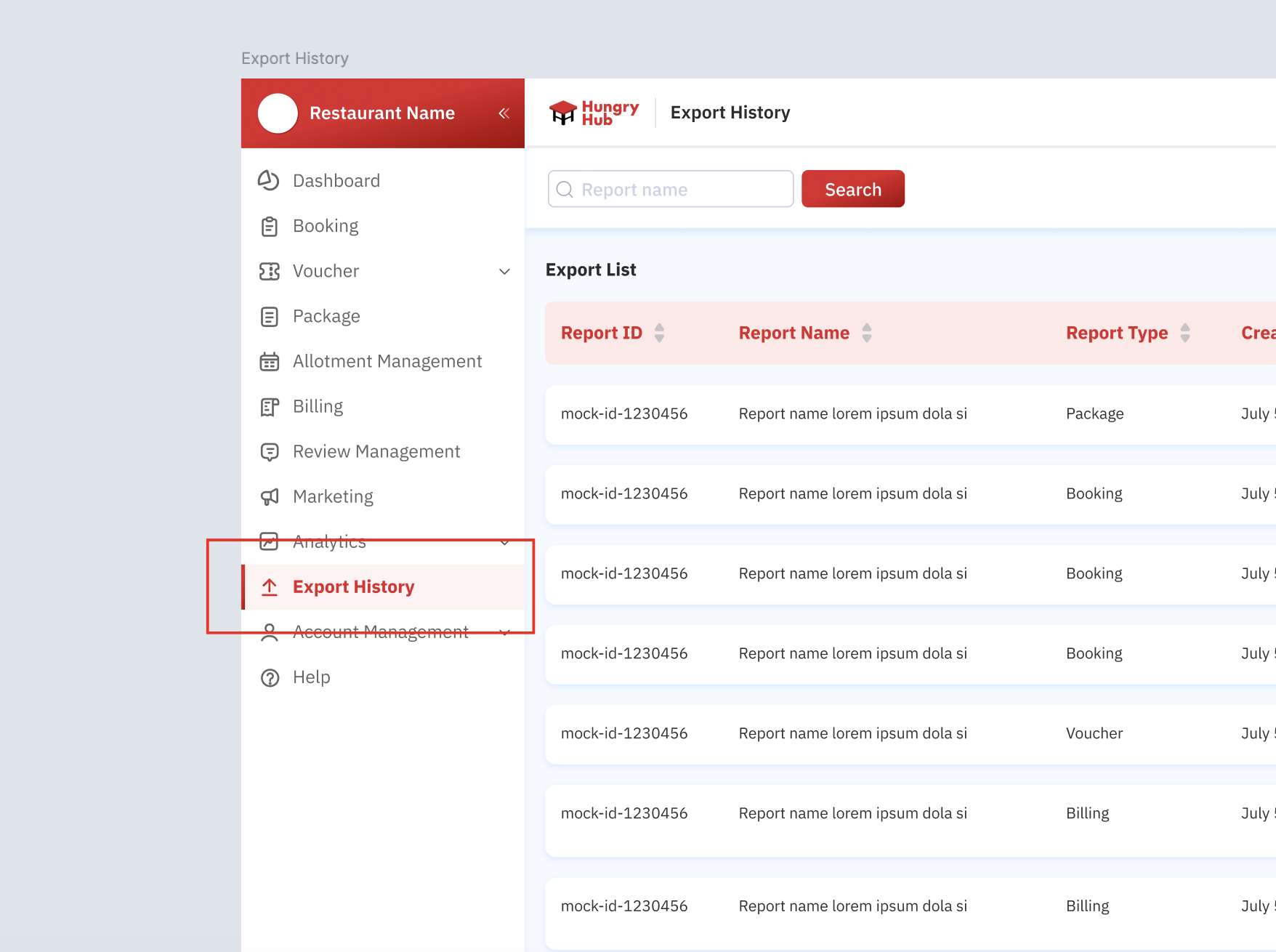 |
Provide export history page
| User Story | Requirement |
|---|---|
| After i clicked the export history item on the side navbar. i will be redirected to export history page. Full View : 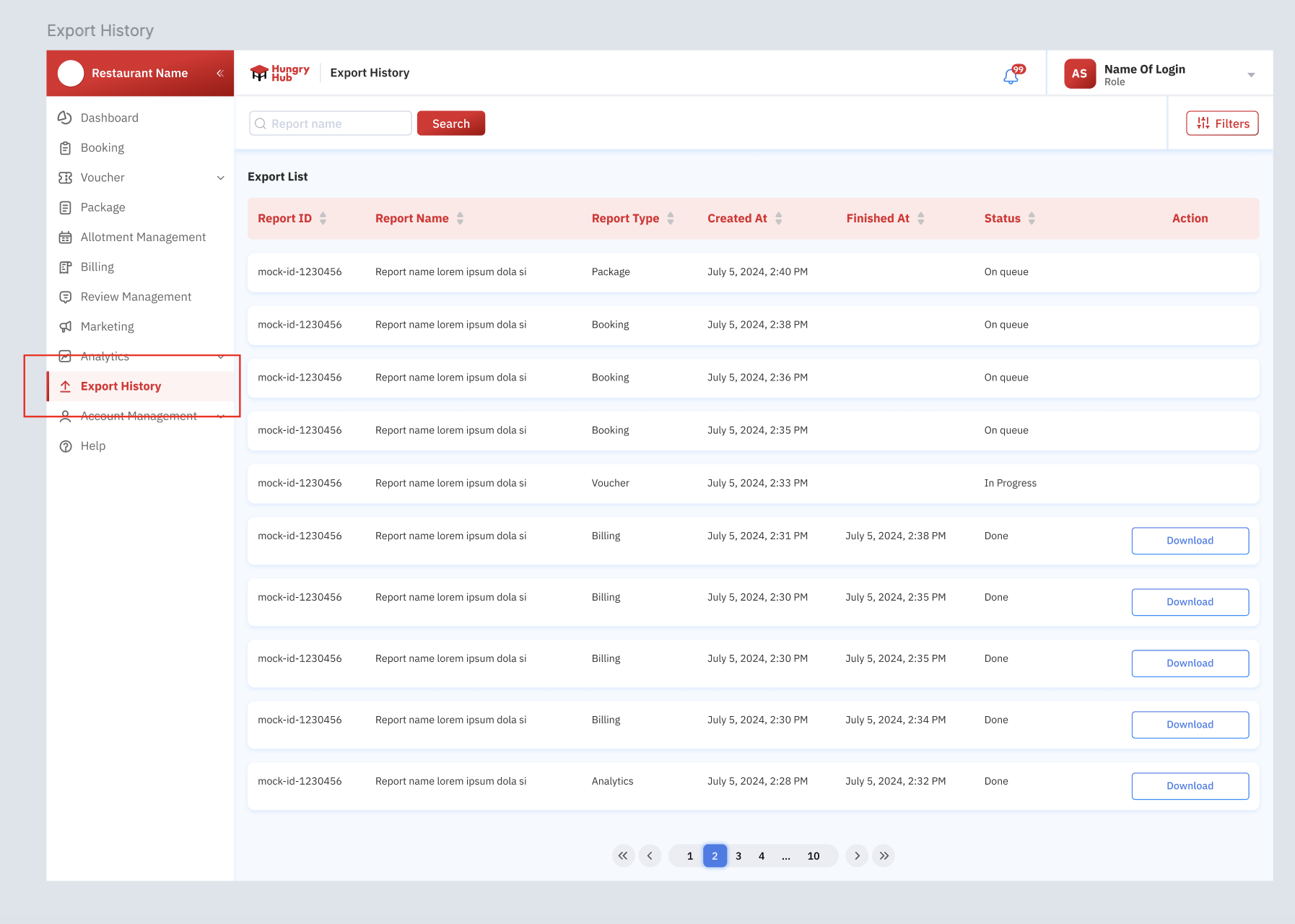 Filter : 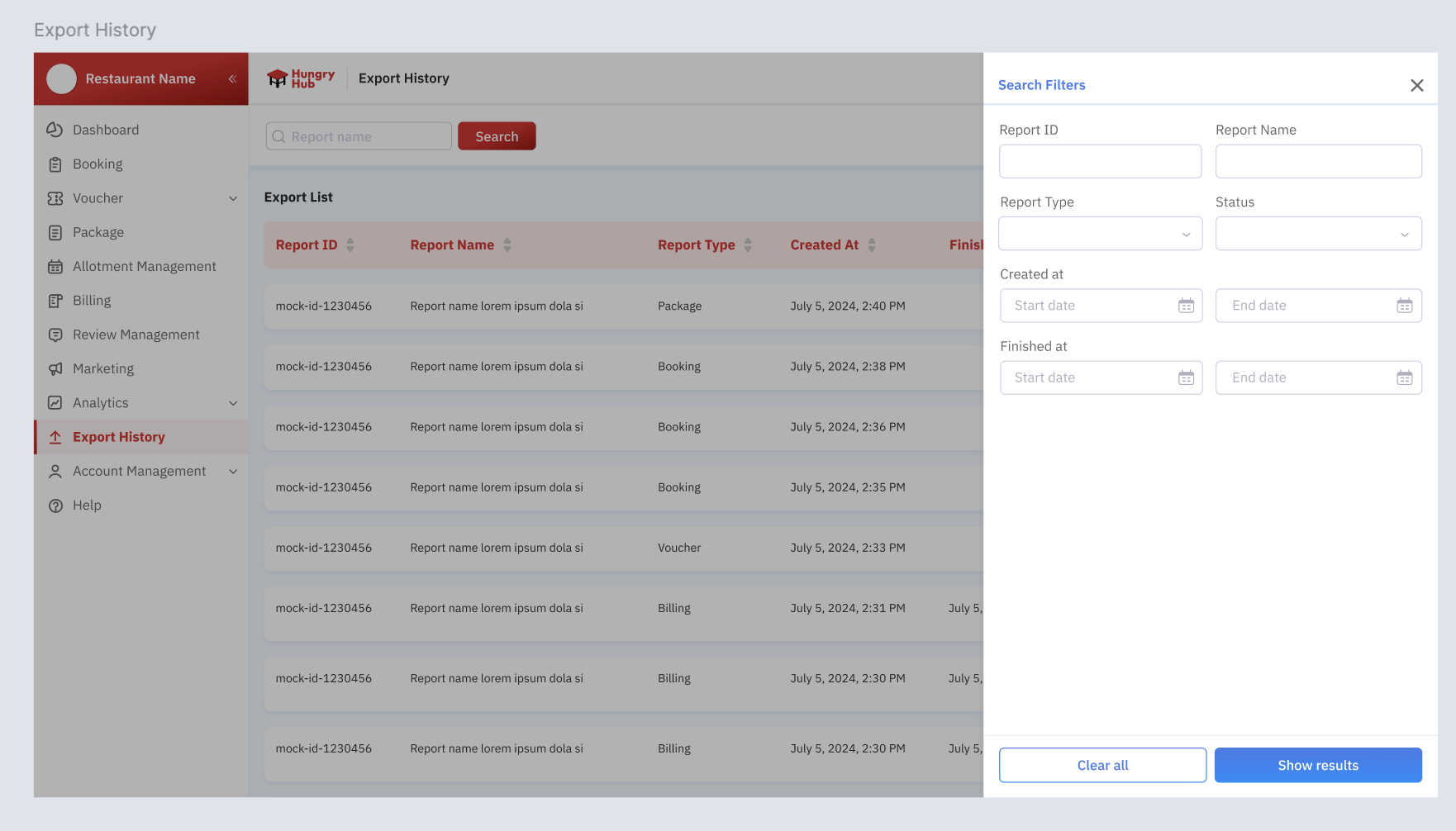 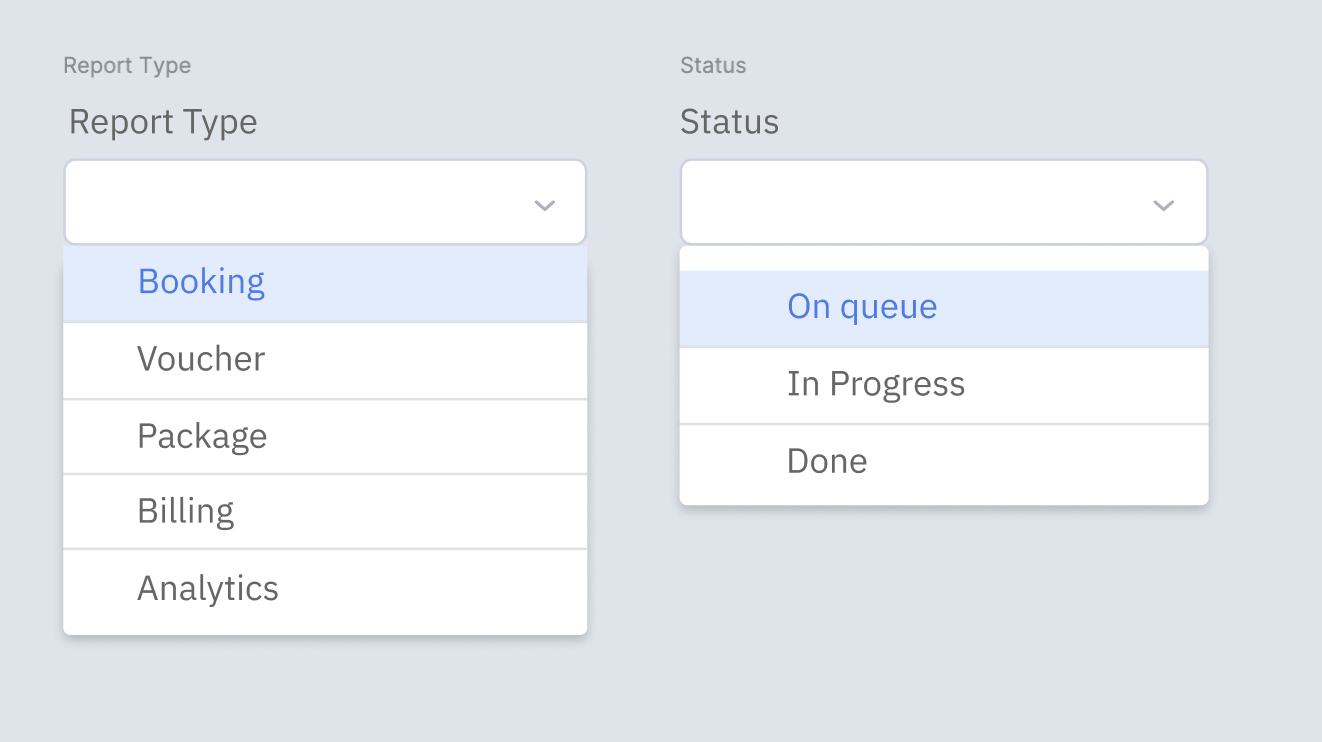 Table : 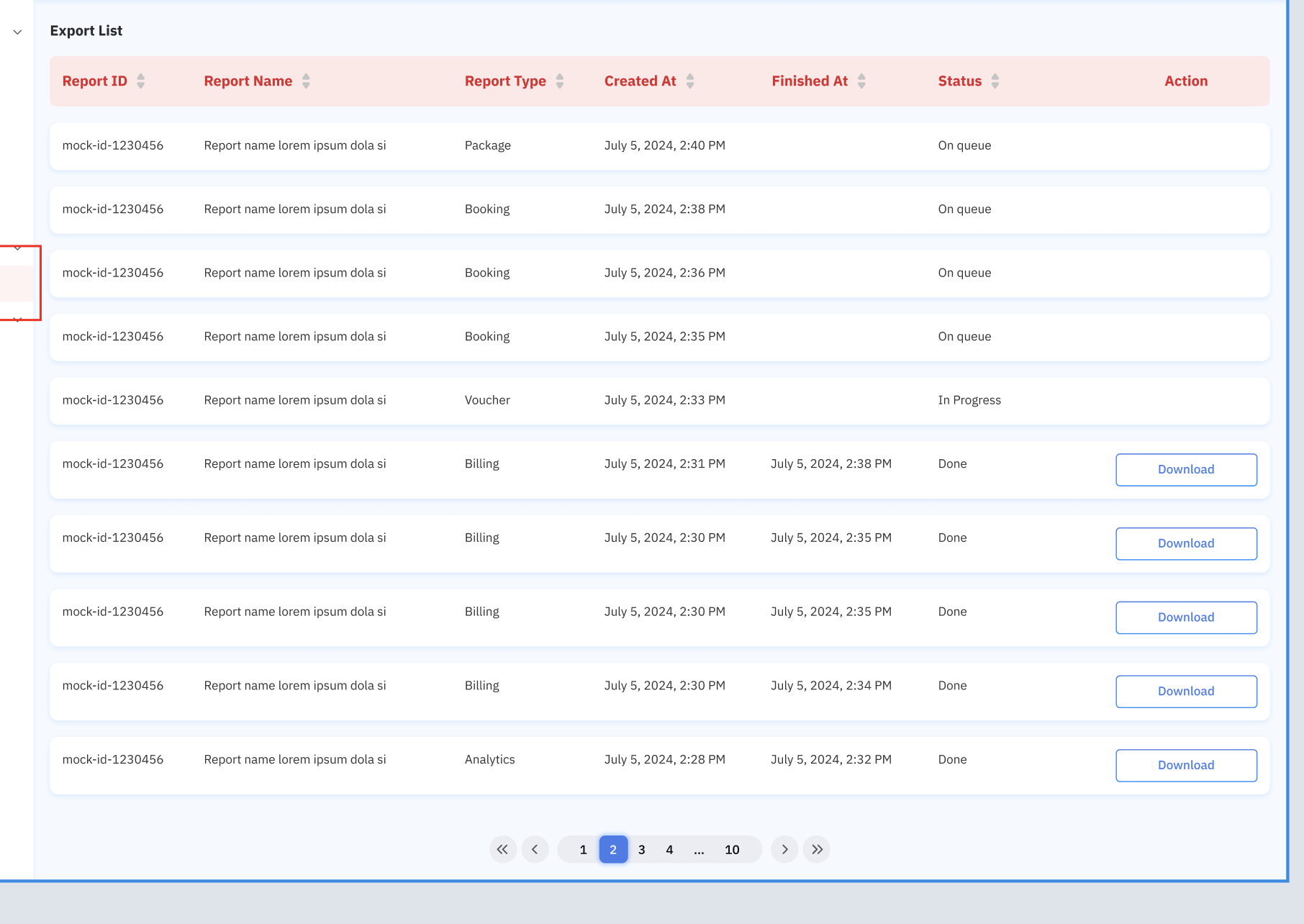 | There are some elements Header (Only change the title to Export History)Search Feature Search by Report name (Placeholder Report Name)Filters Report ID input formReport Name input formReport Type dropdownBookingVoucherPackageBillingAnalyticsCreated atStart Date FormEnd Date FormFinished atStart Date FormEnd Date FormStatus dropdownOn queue (label)Still pending or not generated yet In Progress (label)Still generating Done (label)Table For table, there are some columns Report IDReport NameReport TypeBookingVoucherPackageBillingAnalyticsCreated atDate of submitting/exporting Example : July 5, 2024, 2:30 PMFinished atDate of successfully sent/done Example : July 5, 2024, 2:30 PMStatusOn queue (label)Still pending or not generated yet In Progress (label)Still generating Done (label)ActionDownload Button (provide button if the status is Done) |
❓ FAQ
| Question | Answer |
|---|---|
| How about group login? | It should be provided on this PRD : Private (https://app.clickup.com/9003122396/docs/8ca1fpw-30456/8ca1fpw-35836) Add branch field on the export section 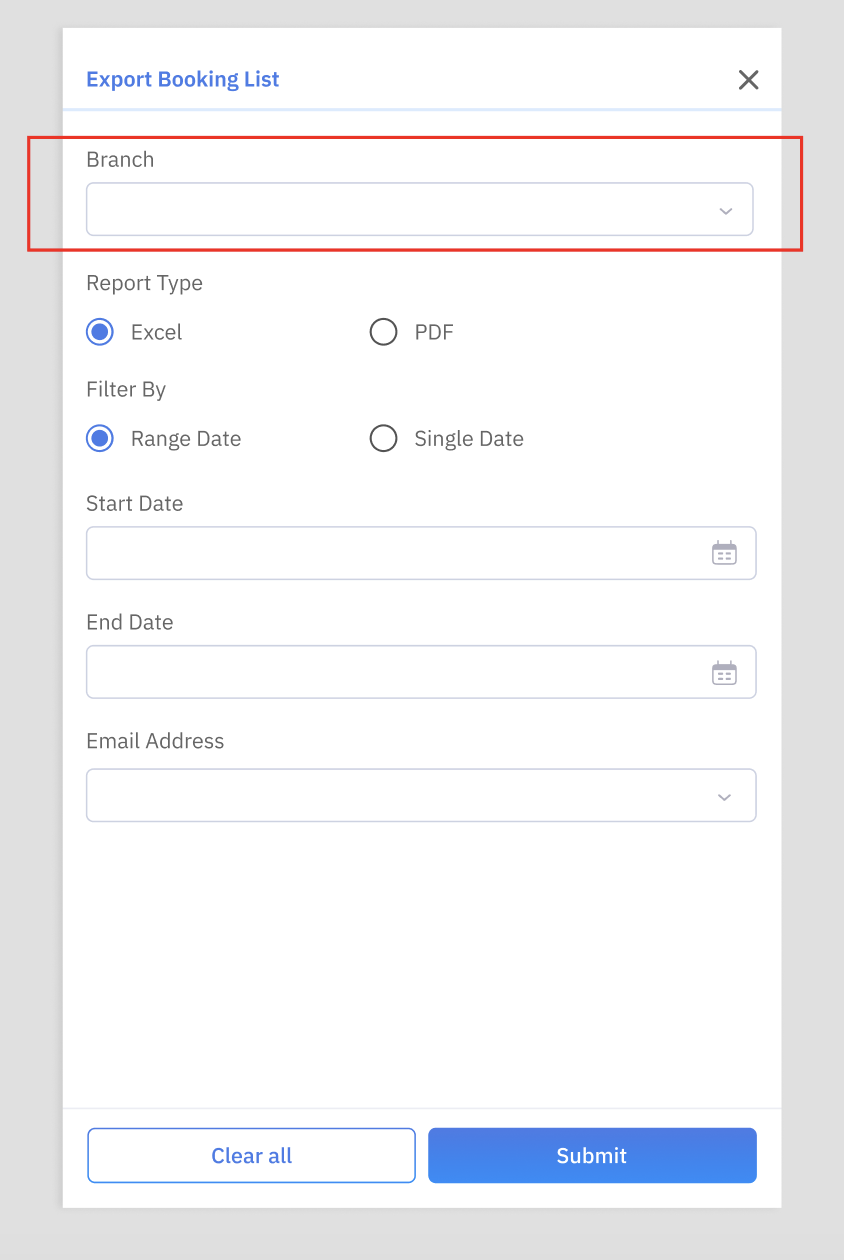 Add branch field on the filter section 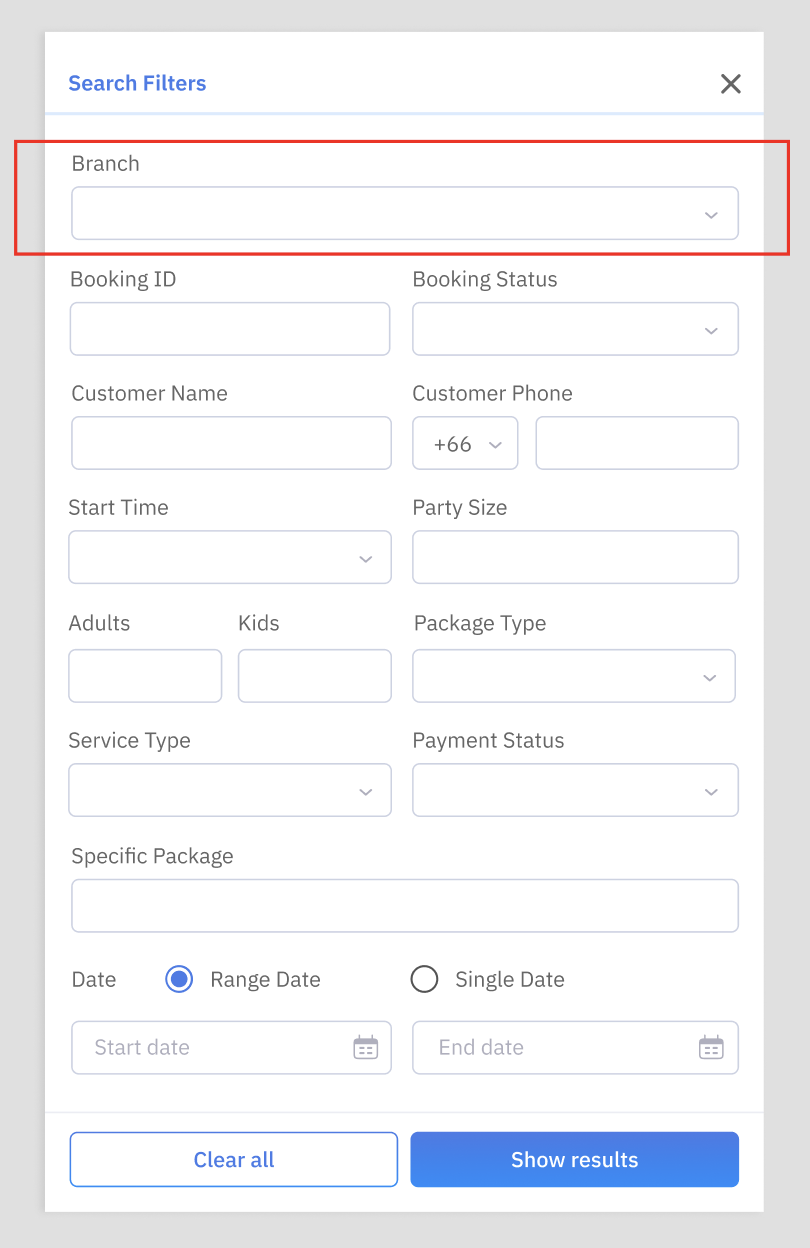 |