PRD template
🧾 History
| Date | Changes | Link | By |
|---|---|---|---|
| 2 March 2024 | List of Changes Add google review score on the restaurant card on the home page Add google review score on the restaurant card on the search page Add google review score on the restaurant card on the store page | This PRD | Umam |
📕 About
| Context | Google Reviews is a feature that allows Google users to provide reviews and ratings especially for restaurants on the google map. By inserting the Google review, users can be more confident in making their choice, especially for restaurants that are labeled as New on HH. |
|---|---|
| Problem | Users want to get score/review information about new restaurant from Google reviews |
| Solution | Enhance user confidence and decision-making process when choosing new restaurants labeled as New by inserting Google Reviews into the restaurant descriptions, providing users with score and review information directly. |
| Name of Feature | Google Review Score for New Restaurants |
| Objective | Increase the confident of making choice |
| Gains | Users can save time and effort by having all the relevant information they need in one place With access to additional information from Google reviews, users can make more informed decisions about where to dine |
| Pains | Users may not entirely trust the reviews on Google or might want more validation from different sources before making a decision If it is not automatically integrated with Google, it will prone to errors. It may require significant effort to keep the information updated and accurate. |
| Figma Link | https://www.figma.com/file/HuGeRSHE1QNMKMP1F7YGVL/Google-review-score?type=design&node-id=0%3A1&mode=design&t=xUw1jTbC3V73Smad-1 |
| Available Platform | Web/iOS/Android |
| Sprint | TBD |
| Related PRD | Admin Side : Private (https://app.clickup.com/9003122396/docs/8ca1fpw-11562/8ca1fpw-37256) |
| Out of Scope | Old Store Page |
🎯 User Story & Requirement
Restaurant Card on the Homepage
| User Story | Requirement |
|---|---|
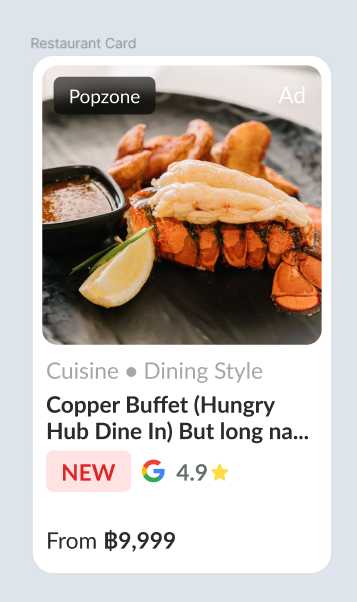
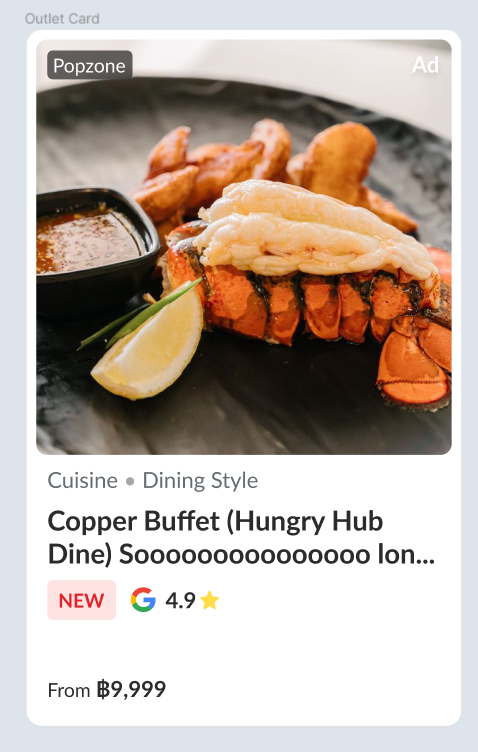
| As an user, when i am searching for new restaurant, I want to access additional information from Google reviews directly on the homepage a. Mobile 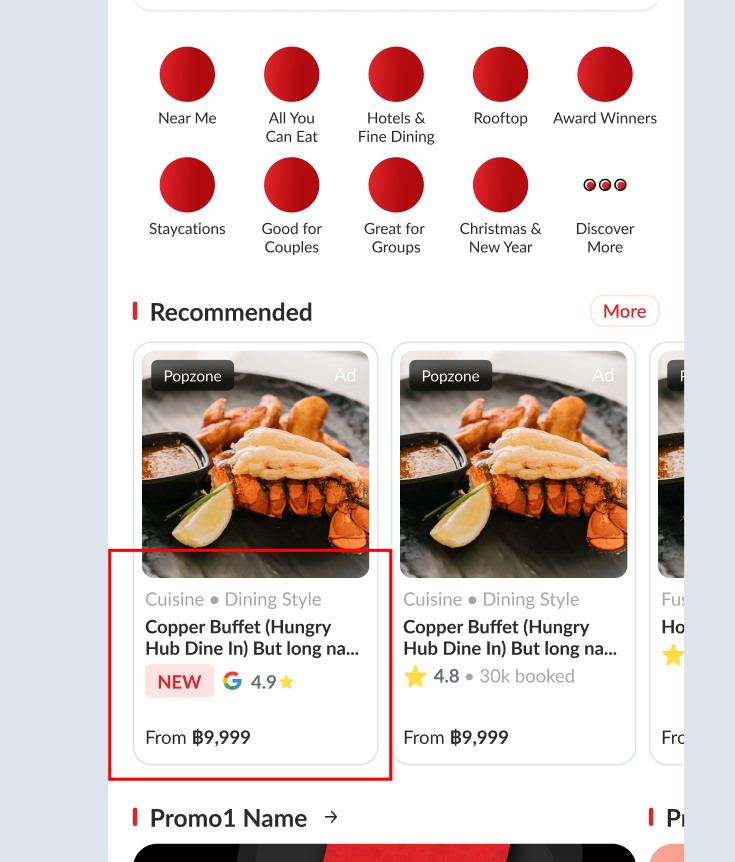 b. Web 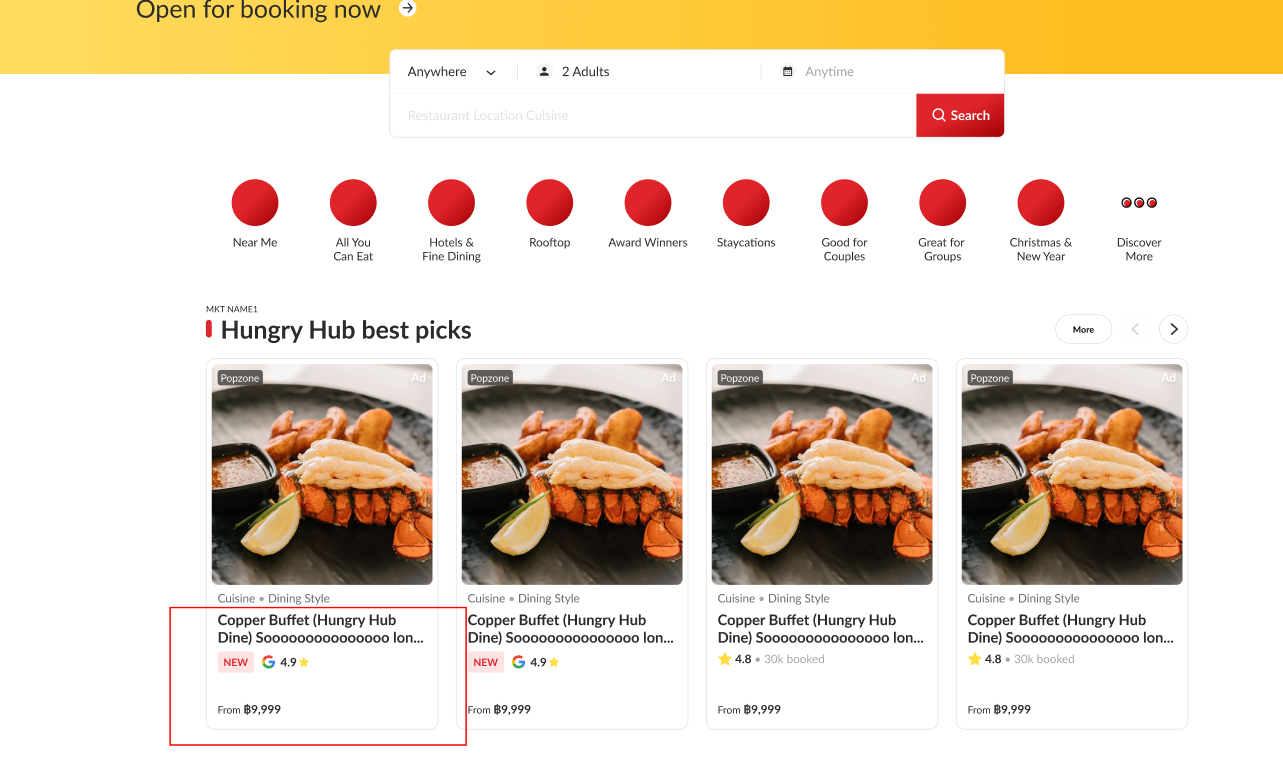 | Display review score from google on the restaurant card on the homepage The Google review score will be placed on the restaurant card The Google review score consists of the Google logoaverage review scorestar iconGoogle review score only will be implemented for new restaurants (Has NEW label)Google review score will be placed beside NEW label |
| Mobile | Web |
|---|---|
 |  |
Restaurant Card on the Search Page
| User Story | Requirement |
|---|---|
| As an user, when i am searching for restaurant, I want to access additional information from Google reviews directly on the search page a. Mobile 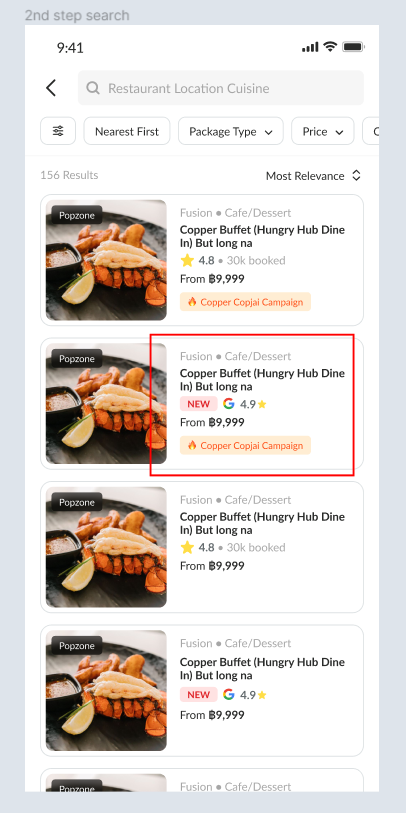 b. Web 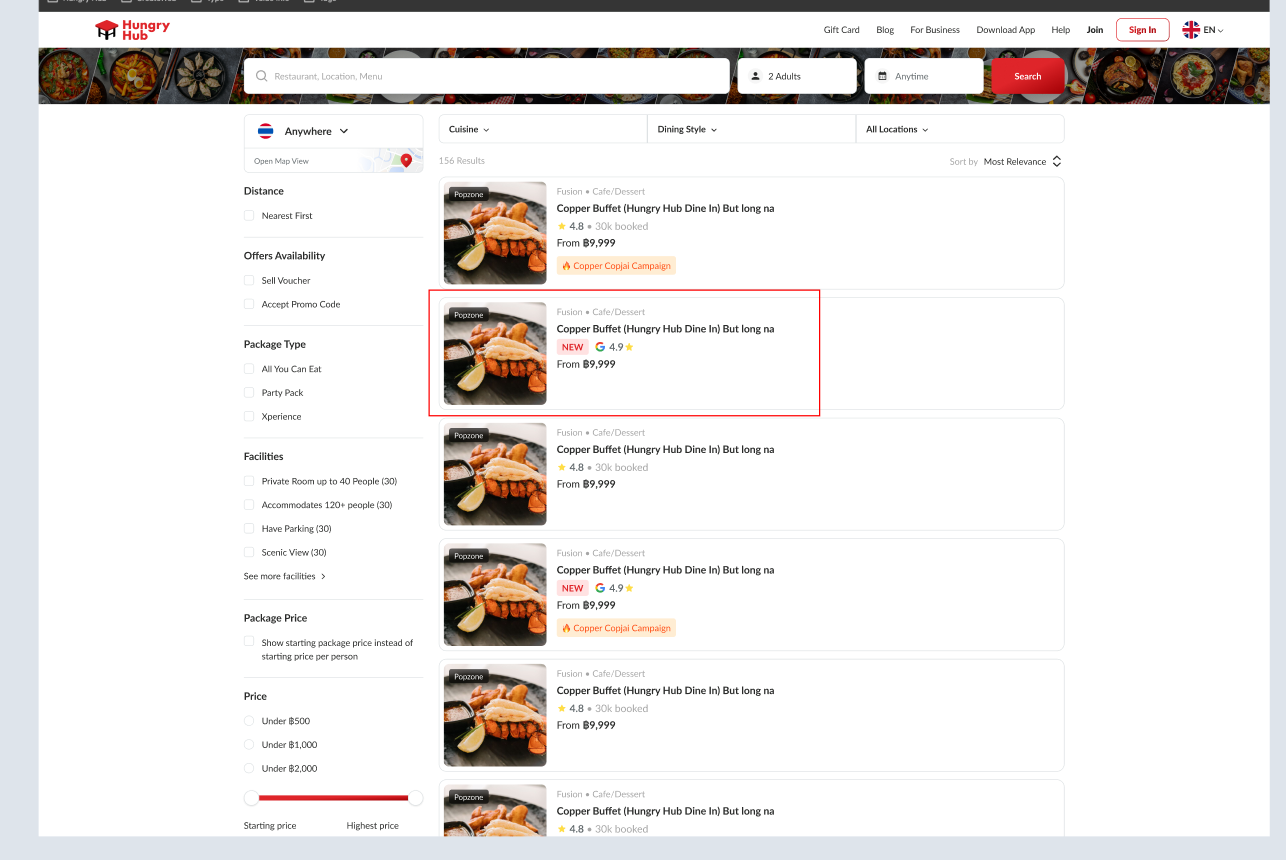 | Display review score from google on the restaurant card on the search result page User searches for restaurants, and then there are some restaurants to be displayed (including new restaurants) The Google review score will be placed on the restaurant card The Google review score consists of the Google logoaverage review scorestar iconGoogle review score only will be implemented for new restaurants (Has NEW label)Google review score will be placed beside NEW label |
| Mobile | Web |
|---|---|
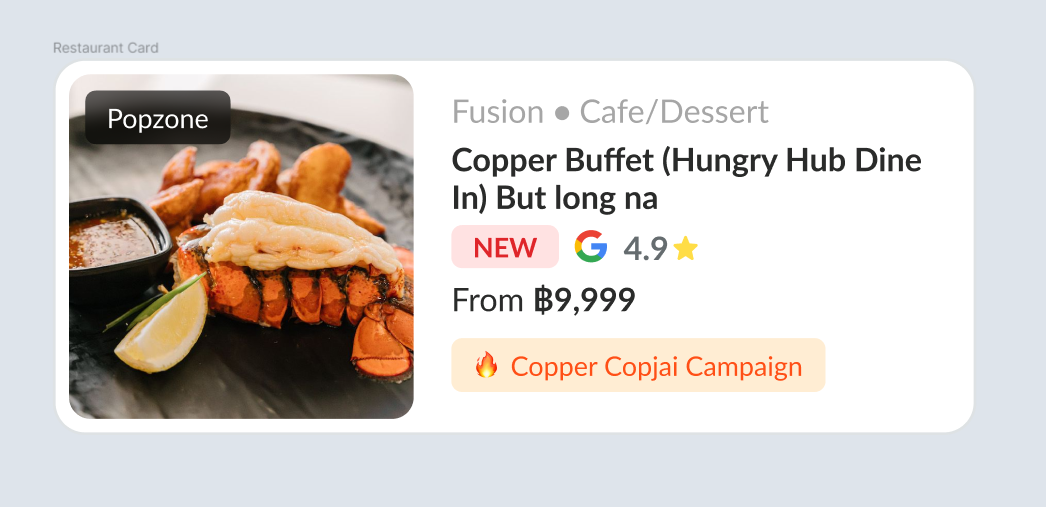 | 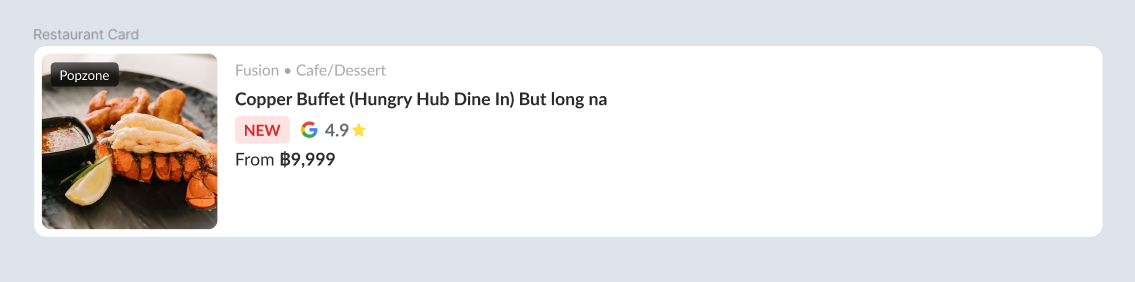 |
Restaurant Card on the Store Page
| User Story | Requirement |
|---|---|
| As a user, when i am searching for restaurant, I want to access additional information from Google reviews directly on the store page a. Mobile 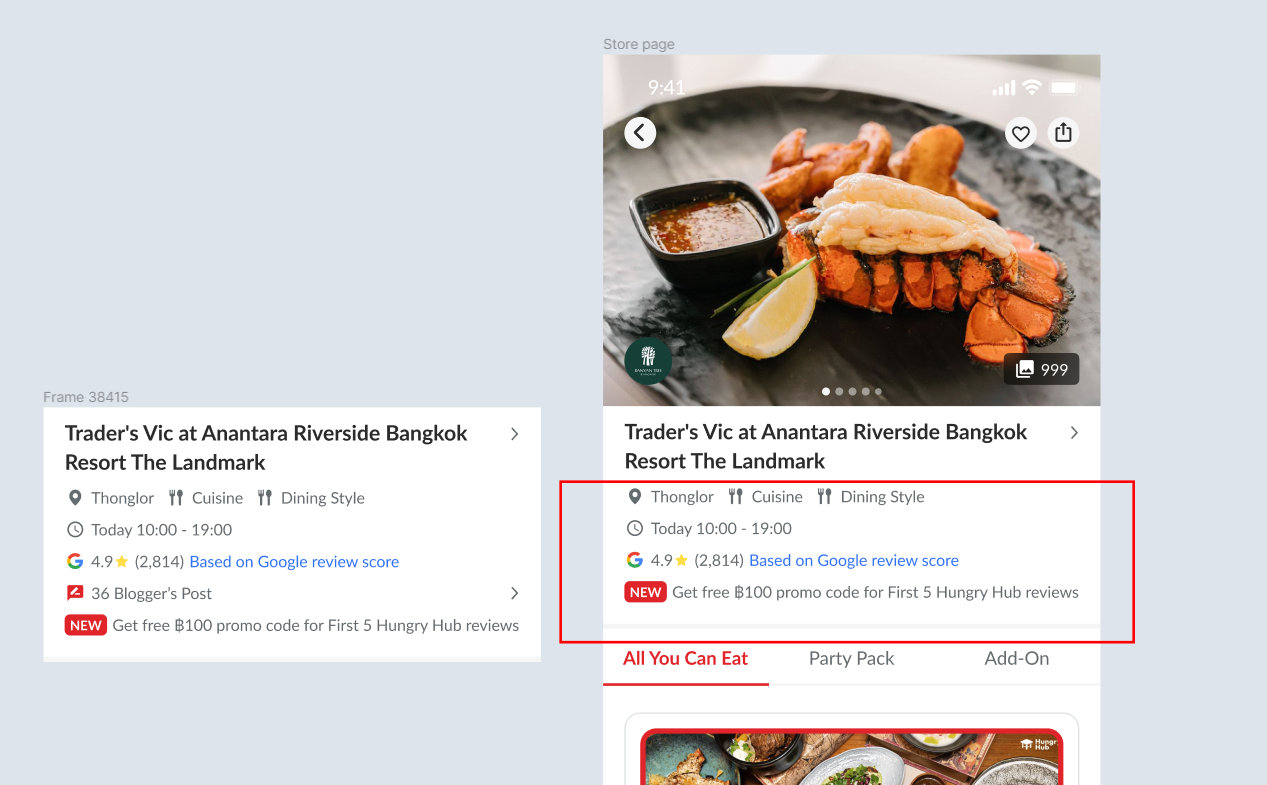 b. Web 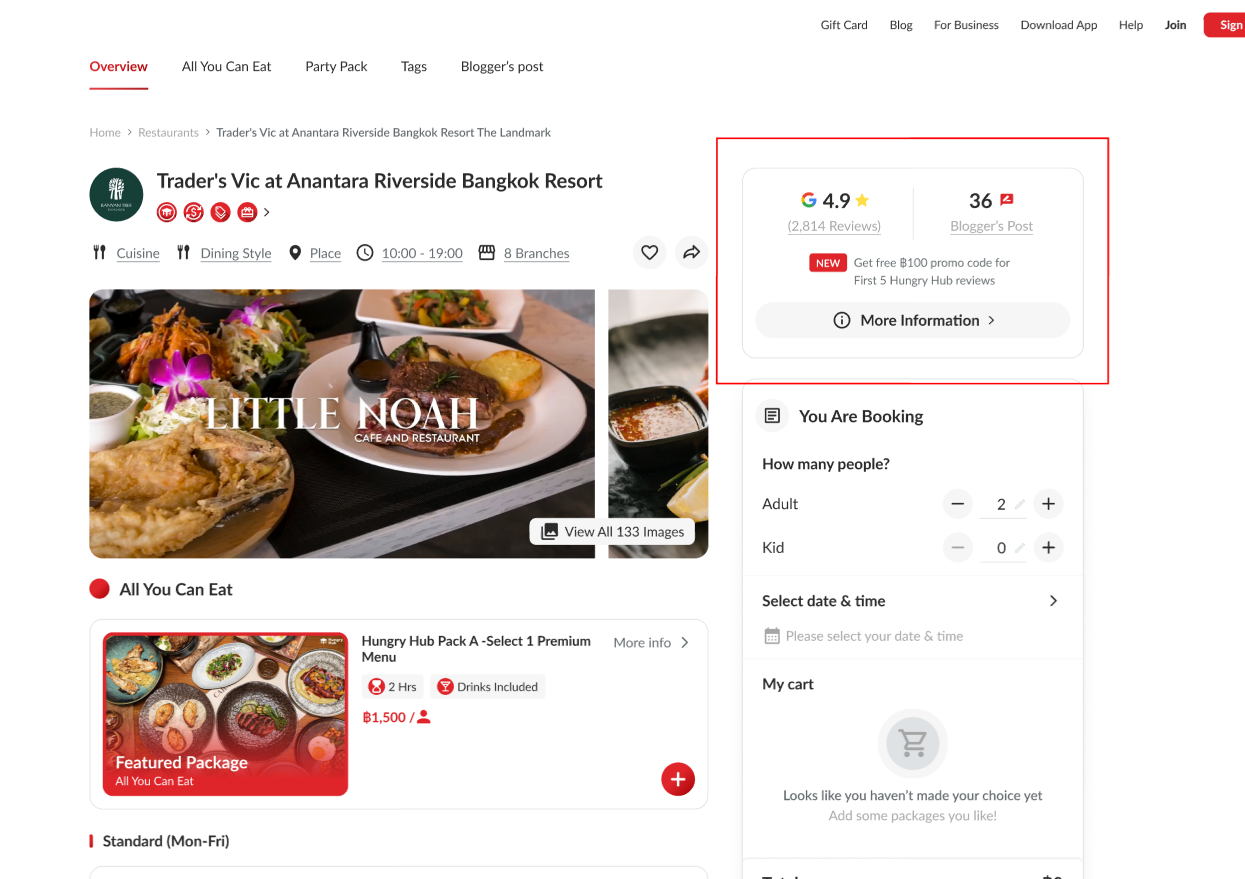 | Display review score from google on the restaurant card on the store page User tap/click on the one of restaurants to view the detail information The Google review score consists of the Google logoaverage review scorestar iconTotal ReviewerGoogle review score only will be implemented for new restaurants (Has NEW label) |
| Mobile | Web |
|---|---|
The Google review score will be placed above the NEW label on the store descriptionThe Google review score will be placed under the available timeIf there is Blogger's post, The Google review score will be placed under the Blogger's postThere is Blue text "Based on Google review score"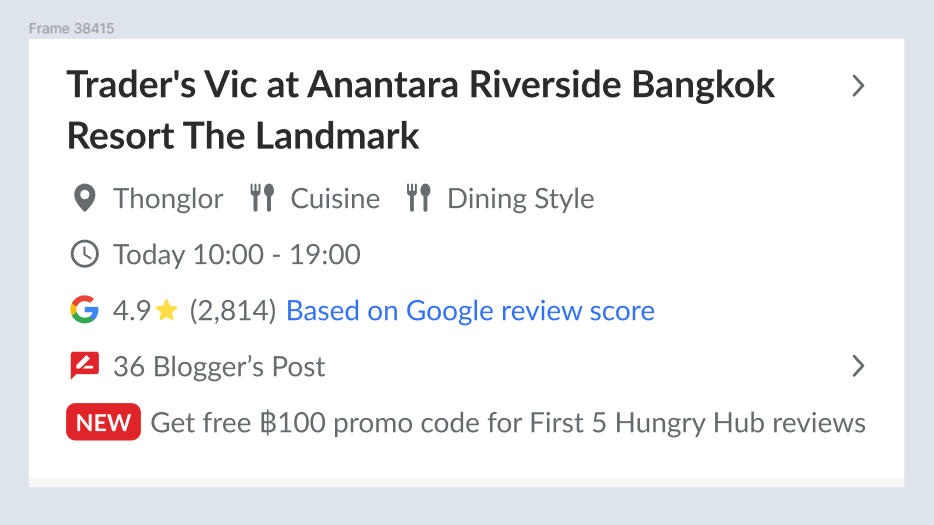 | The Google review score will be placed on the right side (beside store section and above the checkout page) Google logo, average review score ,star icon is placed parallel and the total review is placed under themThe Google review score will be placed above the NEW labelThe Google review score will be placed in the left side (beside Blogger's Post)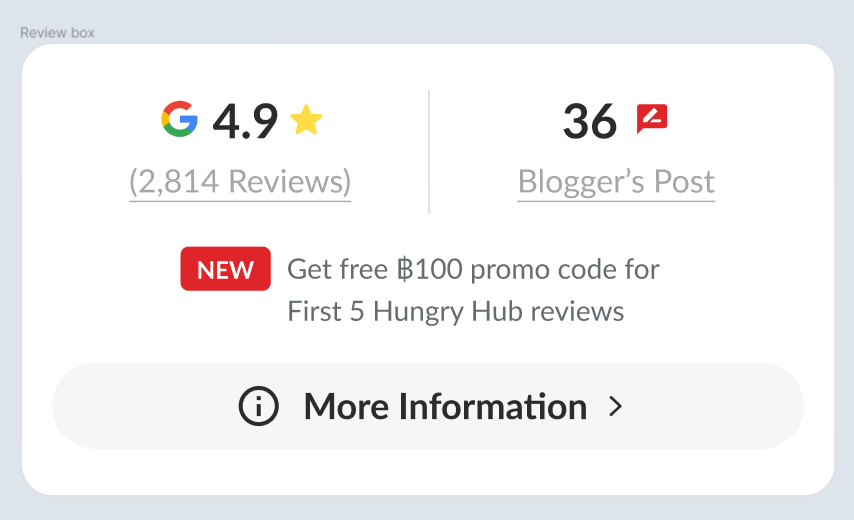 If user clicks the total review , the tooltip will be appeared "Based on Google review score"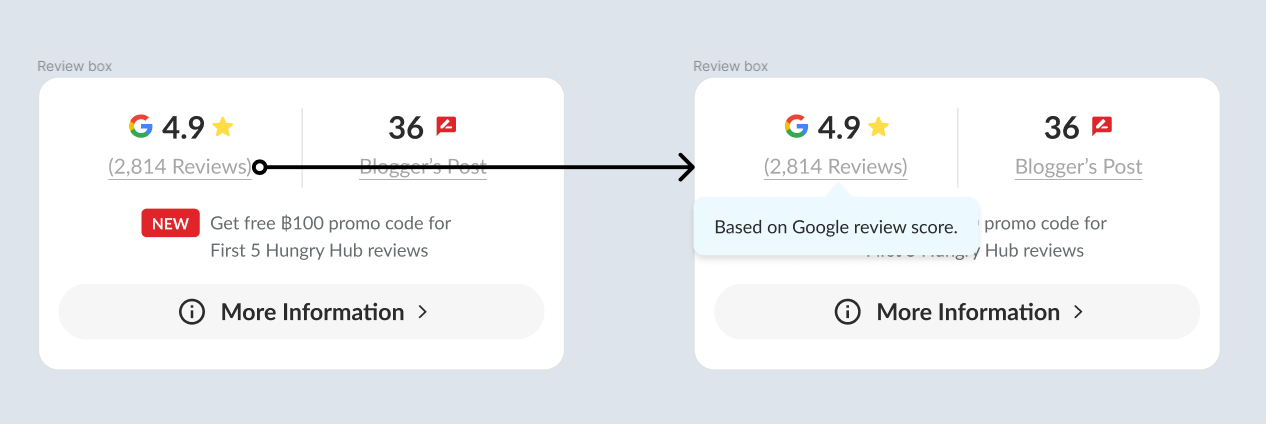 |
❓ FAQ
| Question | Answer |
|---|---|
| Why is it only applied to new store pages? | If this feature is implemented soon, we should need an old and new store page. Because there is still no plans for implementation, we assume that all store pages will use the new store page in the future. |
| How about admin side? | Admin Side : Private (https://app.clickup.com/9003122396/docs/8ca1fpw-11562/8ca1fpw-37256) |