Translate Button on Review Section
Overview
| Product Name | Translate Button on the Review Section |
|---|---|
| Epic | The translation feature on the review section can help users to translate reviews based on his/her preference language |
| Team Channel | |
| Product Manager | [@Umam Syarief](javascript: void;) |
| Designer | [@Scene](javascript: void;) |
| Engineer | |
| QA Engineer | [@team-qa](javascript: void;) |
| Technical Writer |
Objective
The Language Translation Feature aims to facilitate communication between reviewers and users by enabling the translation of non-native languages used in reviews to the language set on the website. This feature will enhance user experience and comprehension, especially in multilingual environments where the website supports languages like English and Thai.
Background
Language barriers can hinder effective communication and user engagement, particularly in platforms where user-generated content such as reviews plays a crucial role. Without adequate language support, users may encounter difficulties understanding reviews written in different languages.
Possibilities
Gain
- The Language Translation Feature enhances accessibility for users to be more comfortable reading reviews in their native language.
- Allow users to translate reviews improves comprehension and engagement, leading to increased user satisfaction and loyalty.
Pain
- There might be concerns regarding the accuracy of translations, especially for languages with complex grammar
- The feature relies on third-party translation APIs, posing a risk of service disruptions
Goals & Success Metrics
What are the goals or objectives of this product? What are the success metrics that indicate the goals have been achieved?
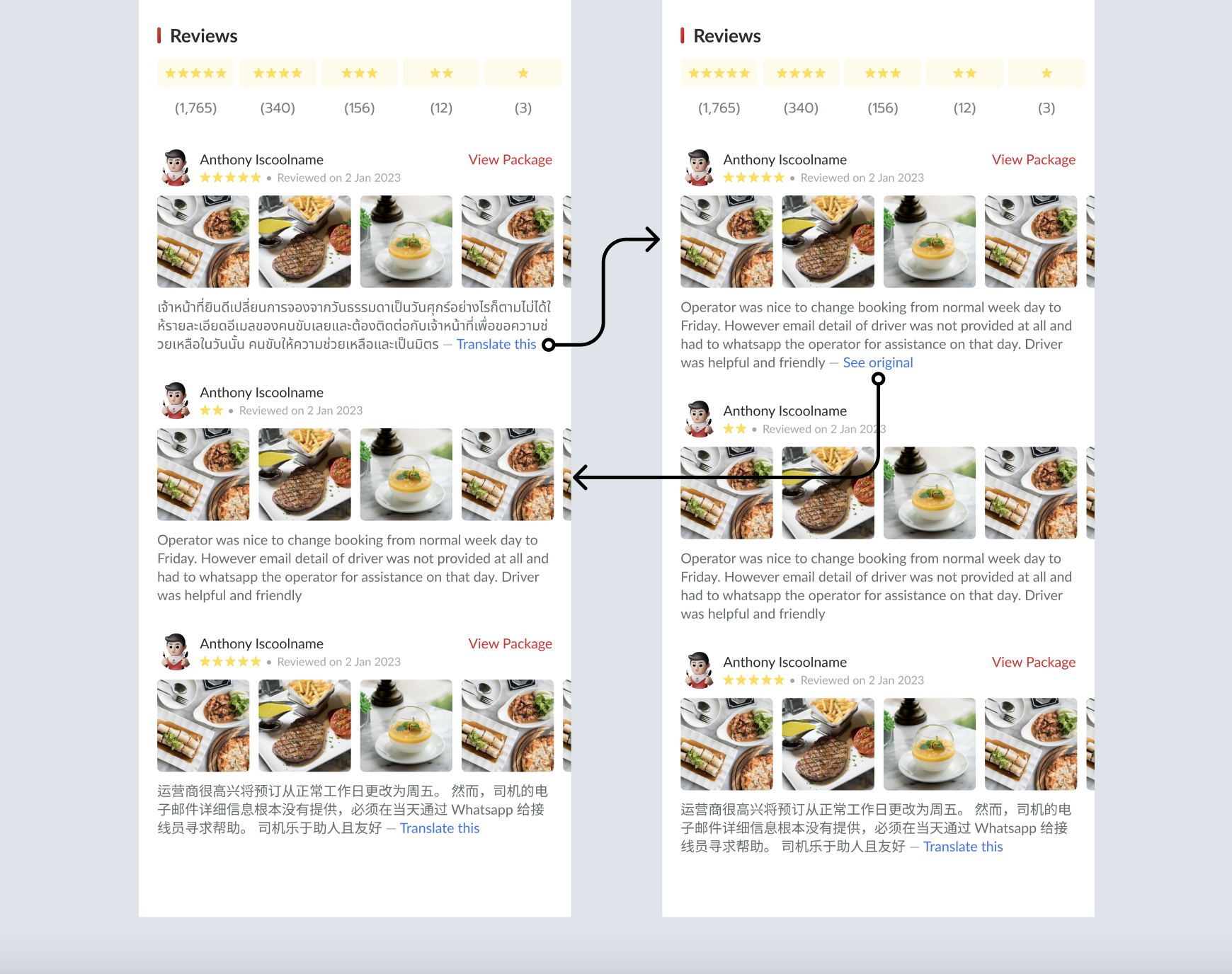
- When a review is detected in a language (e.g., Thai) different from the language settings (e.g., English), display a "Translate This" button alongside the review.
- Upon clicking the "Translate This" button, translate the review text into the language settings (e.g., English).
- Change the button label to "See Original" after translation, allowing users to revert to the original review text if needed.
- When a review is detected in a language (e.g., English) that is the same as the language settings (e.g., English), Don't display a "Translate This" button.
This is the preview :
 https://www.figma.com/file/iPlgvGgg0nRHCOCMxlsrIv/Translate-button-in-Review-section?type=design&node-id=0%3A1&mode=design&t=NYUzgwqF7y4JDyL9-1
FAQ & Considerations
What happens if the language used in the review is not Thai or English (as provided in the website language settings)?
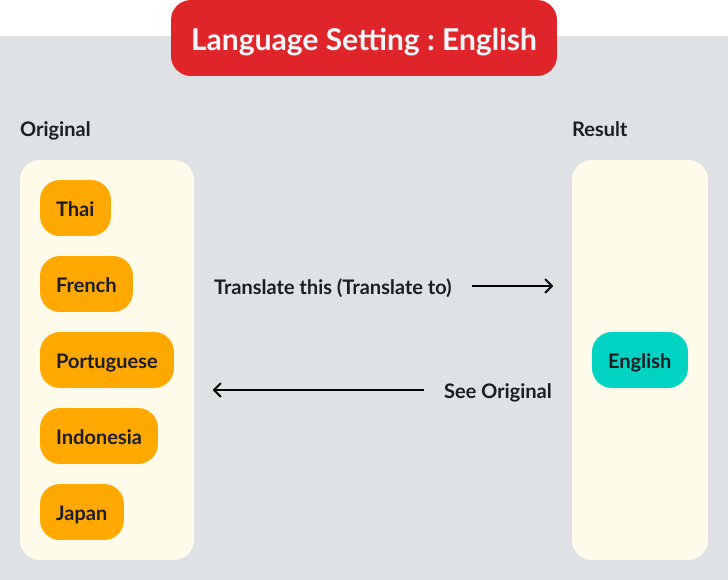
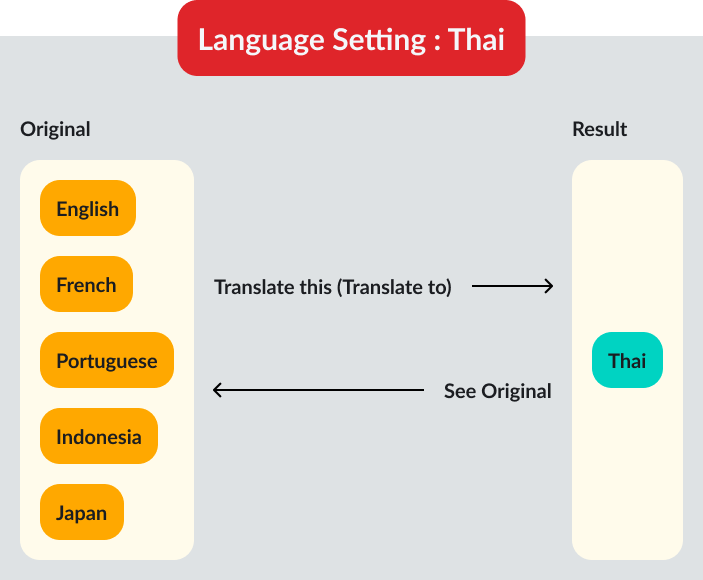
For example, user has set English in the website language settings, but the review is in indonesia. The system still displays "Translate This" button and makes translation from Indonesia to English, based on the website language settings.
You can check the illustration here :
Timeline
Sprint TBD