Refund Guarantee
🧾 History
| Date | Changes | Link | By |
|---|---|---|---|
| June 17, 2025 | Add "Accept Guarantee" Option on Package Setting Refund guarantee section on the checkout page Refund Guarantee on Booking Confirmation Refund Guarantee on Booking List on Profile Page Refund Guarantee on Email Confirmation | This PRD | Umam |
📕 About
| Context | The Refund Guarantee is an opt-in add‑on offered at checkout that allows diners to claim a full refund (via promo code) if they cancel at least 24 hours before their scheduled reservation. This promise builds customer trust by reducing booking risk and differentiates Hungry Hub from competitors offering rigid or partial cancellation policies like Booking.com or hotels |
|---|---|
| Problem | Users hesitate to pre‑pay for buffet or set‑menu bookings without risk of losing money if plans change. Business misses potential bookings due to restrictive or unclear cancellation policies and lacks a competitive edge. |
| Solution | Implement the Refund Guarantee |
| Name of Feature | Refund Guarantee |
| Objective | Add "Accept Guarantee" Option on Package Setting Refund guarantee section on the checkout page Refund Guarantee on Booking Confirmation Refund Guarantee on Booking List on Profile Page Refund Guarantee on Email Confirmation |
| Gains | To increase conversion by reducing friction and uncertainty for users. To improve satisfaction and brand loyalty through flexible booking assurance . To monetize flexibility, generate incremental revenue while managing potential refund exposure. |
| Pains | Adding another selection and refund step may complicate the booking flow. If the UI is unclear, users may choose incorrectly or accidentally skip the guarantee If refunds are given as promo code credit instead of direct cash, users may feel it’s less valuable or being misled. Some may view it as a bait‐and‐switch Users might misunderstand the fine-print details |
| Figma Link | https://www.figma.com/design/suDZ8JohloPf0kpLZ9AuL7/Checkout-Page?node-id=7197-2345&t=dYD29w4xEt2YGFZZ-1 |
| Available Platform | Web and App |
| Sprint | TBD |
| Related PRD | - |
| Out of Scope | - |
🎯 User Story & Requirement
Add "Accept Guarantee" Option on Package Setting
| User Story | Requirement |
|---|---|
| Admin can enable a Refund Guarantee option for a package (main and add on) | Checkbox: “Accept Refund Guarantee?” Fee Type Choice (radio): Percentage of package price (%) Fixed price (THB / SGD) At checkout, total = package price × quantity + refund fee (percentage or fixed). Percentage is calculated based on the package price Example : package price is 100 THB. and the percentage of refund fee is 10%.. so the refund fee is 10 THB Calculate all the refund guarantee from package price (if have multiple packages) Implement for booking list report/export for this calculation Exclude this additional calculation for restaurant partner portal (booking list, billing, monthly report) 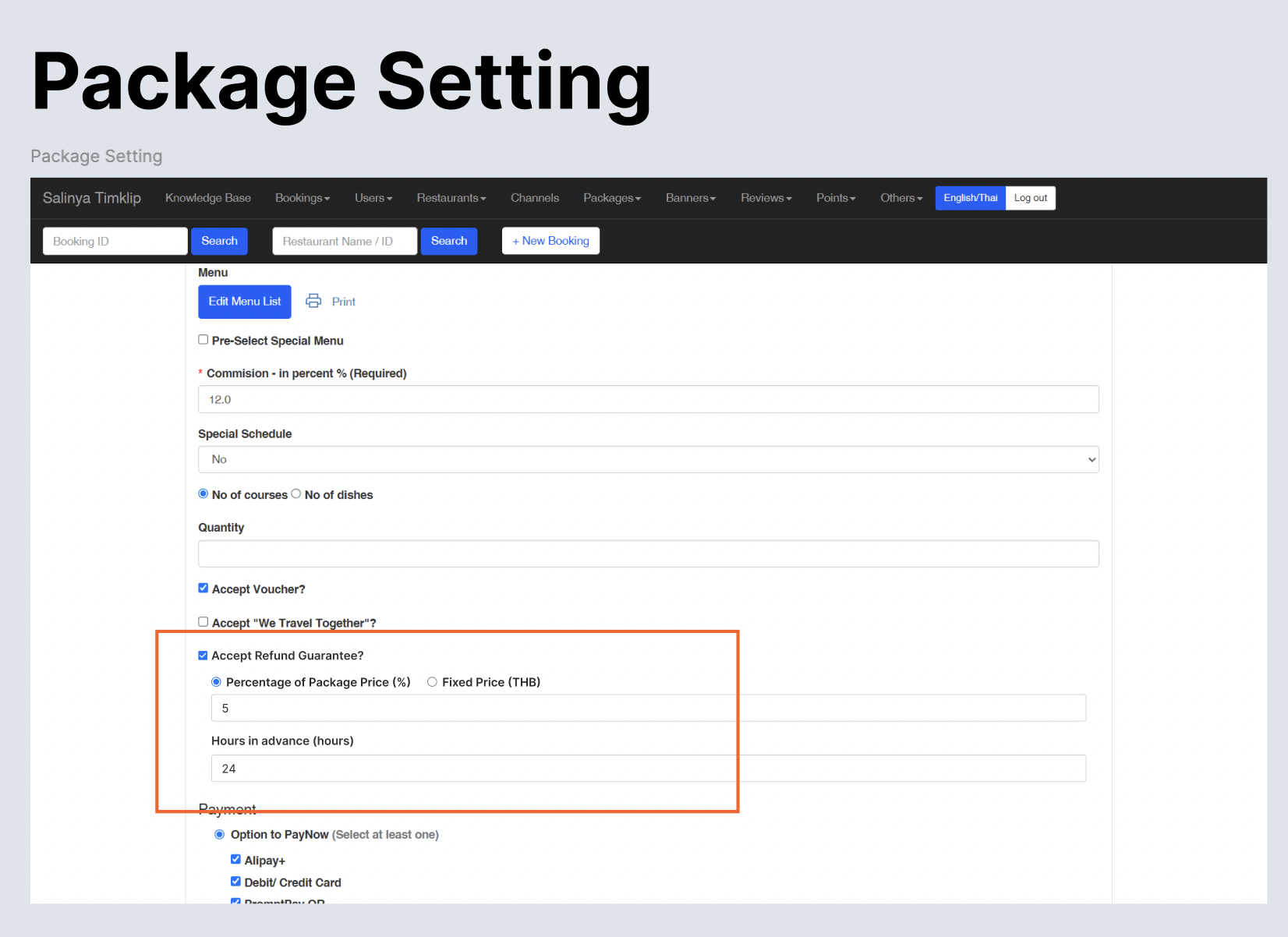 |
| User books with refund guarantee. it will display on the booking list on admin dashboard | Display the refund guarantee label on booking listRefund GuaranteeBefore {date and time} Based on the dining date hours in advance Example : 24 hours in advance Dining date : June 25, 2025 18.00 Claim before : June 24, 2025 18.00 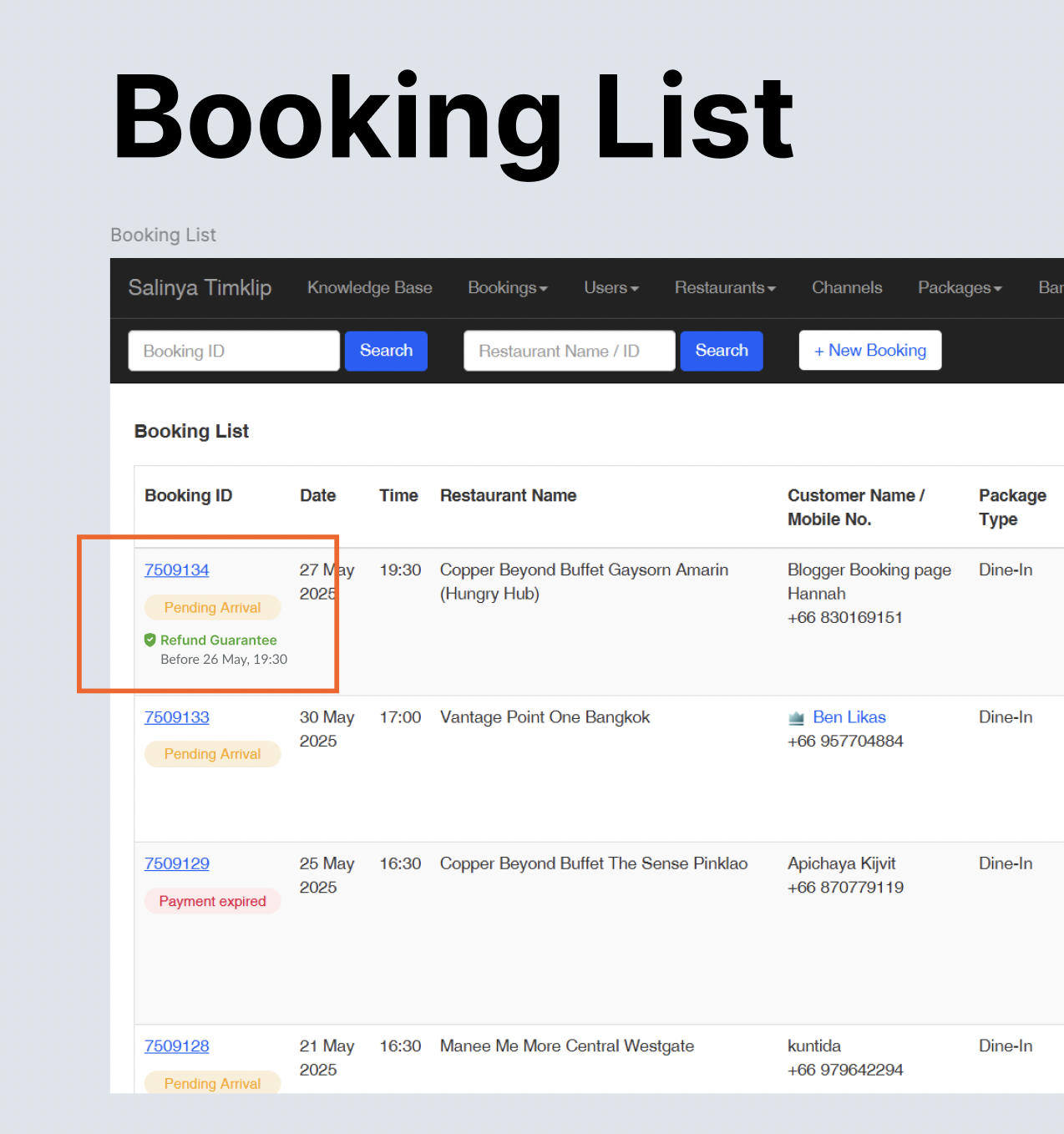 |
| Admin cancel the user's booking (via admin dashboard side) | When cancel the booking, add the option to claim the refundRefund guarantee option on radio button option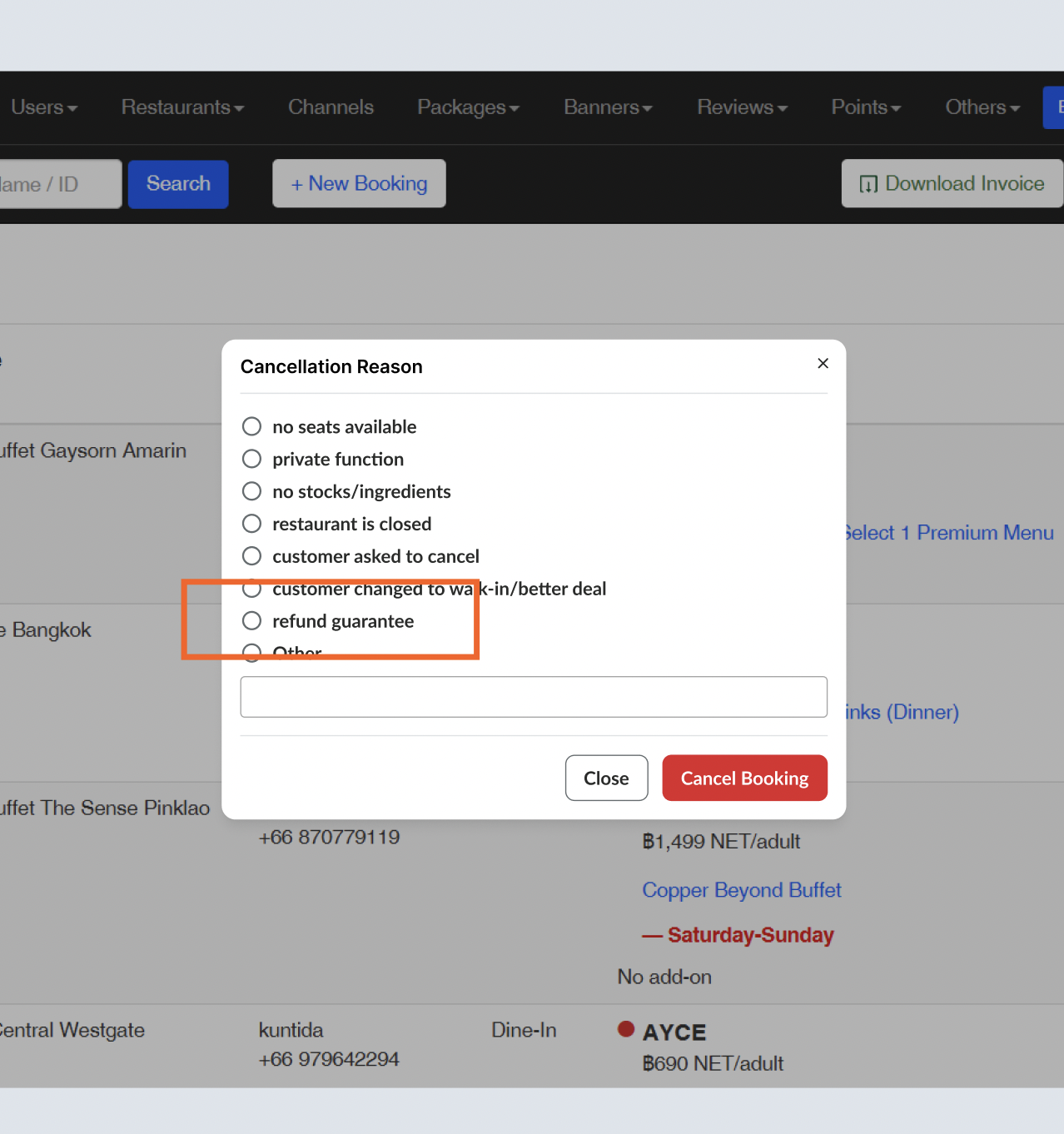 |
| Cancelled the booking by admin or by user | There are some condition for cancellation Cancel but out of refund period Use Cancelled with refund labelCancel & refund Use Cancelled labelautomatically refunded via promo code directly (make sure it's showing on promo code table as well) 100% promo code from subtotal price after discounts (excluding Refund Guarantee) Special case : If there are 2 packages, package A with refund guarantee but Package B not. users can't make a booking with refund guarantee. Can use the promo code that valid for 3 months (1 time use) 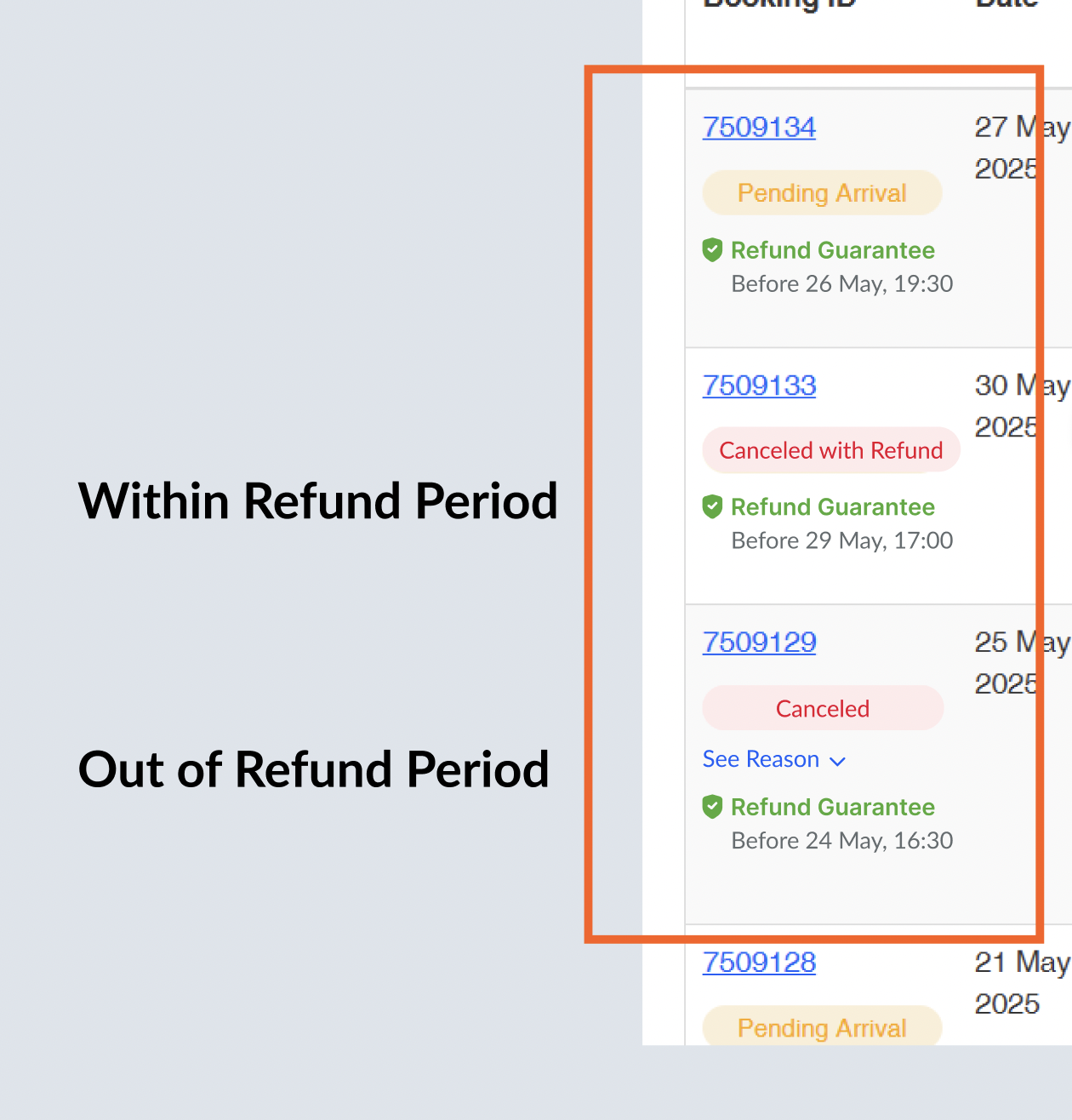 |
Refund guarantee section on the checkout page
| User Story | Requirement |
|---|---|
| Users want to add the refund guarantee on their booking on the checkout page | Add the section on the checkout page Refund guarantee based on the refund guarantee price (percentage / fixed) Skip the Refund Guarantee Refund guarantee should use the prepayment method 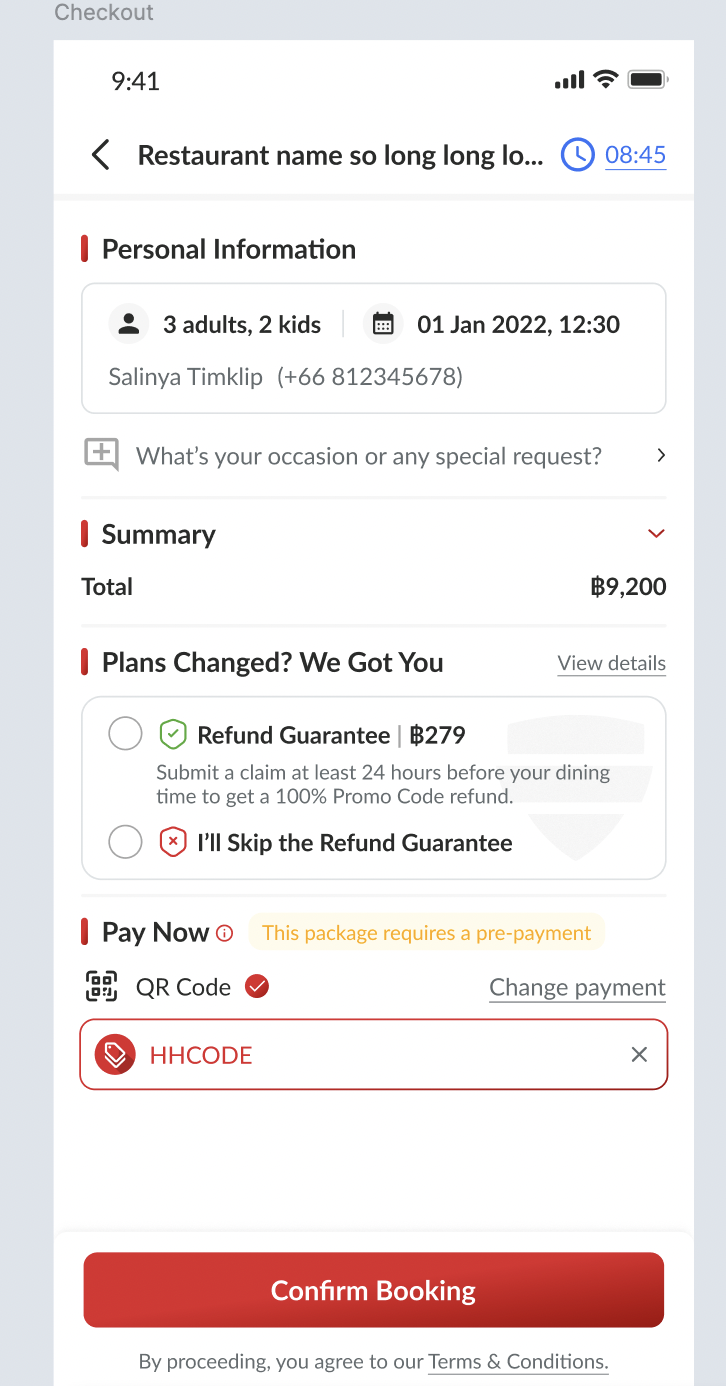 |
| Microinteraction | There are some interactions based on the options selected Guarantee : use the green stroke 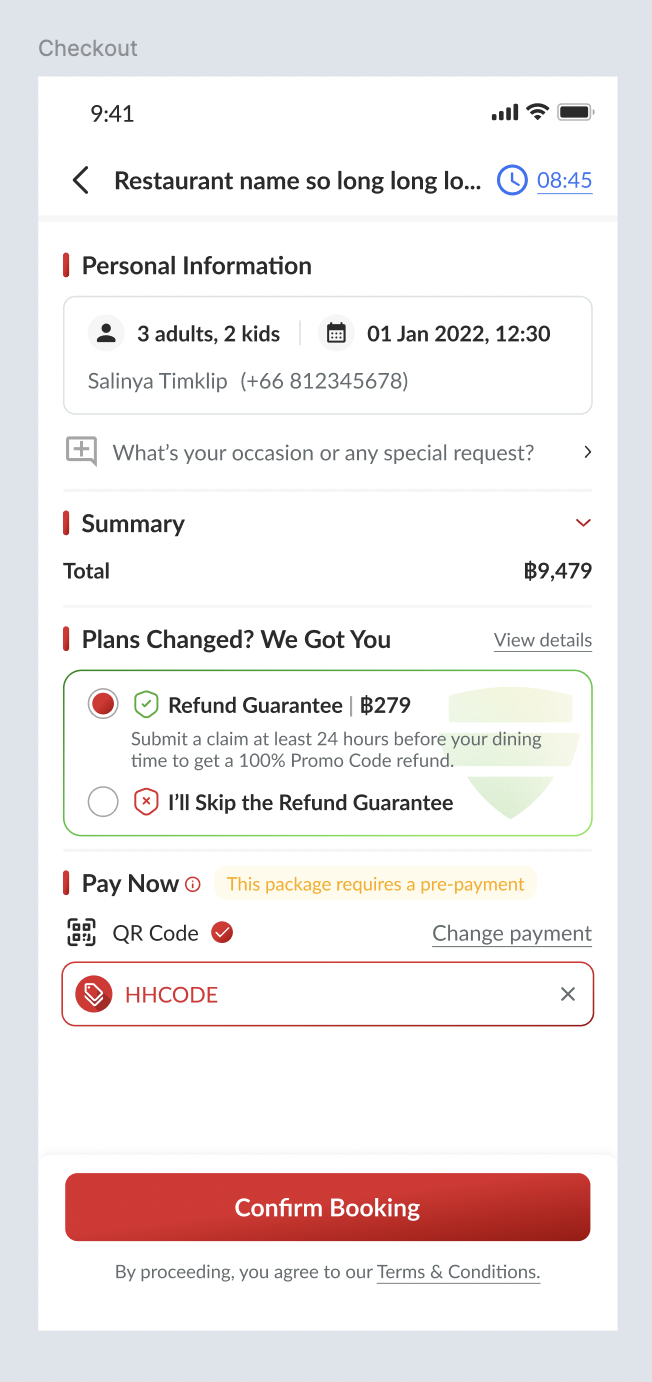 Skip Guarantee : use the red stroke 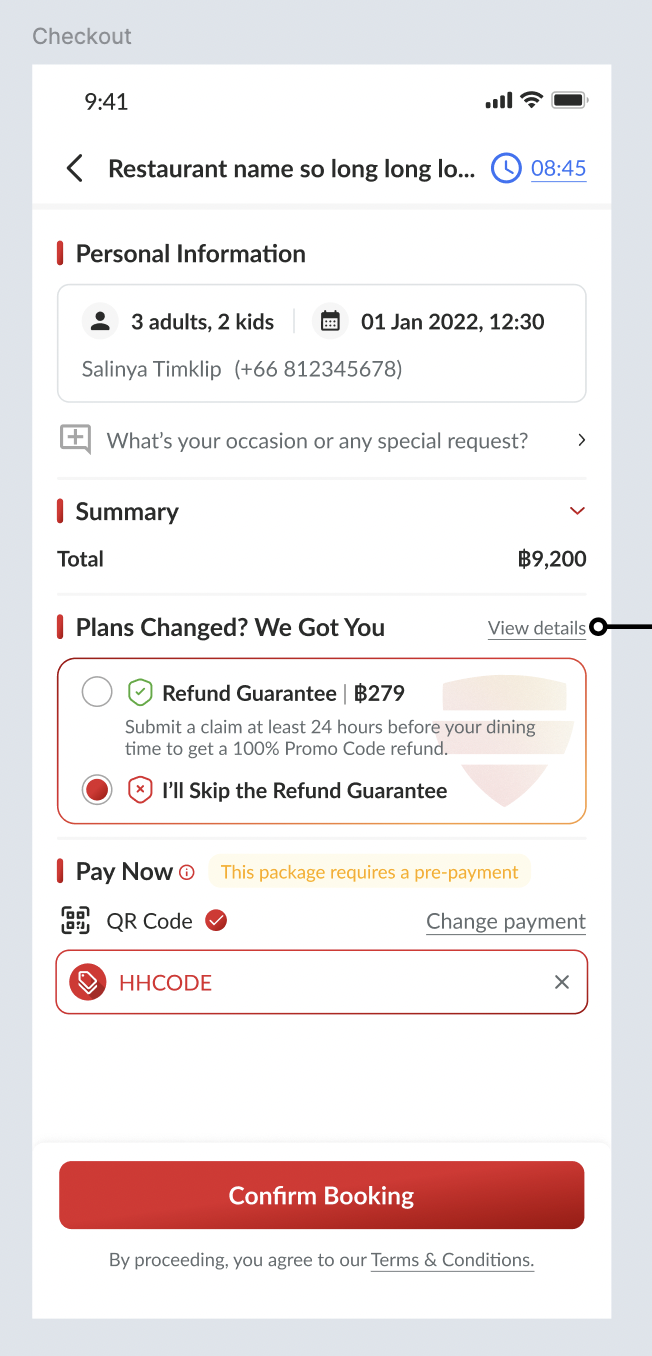 |
| User can view the terms and condition of refund guarantee | Click the view details button and go to the Refund Guarantee pageOnly information there is no clickable button 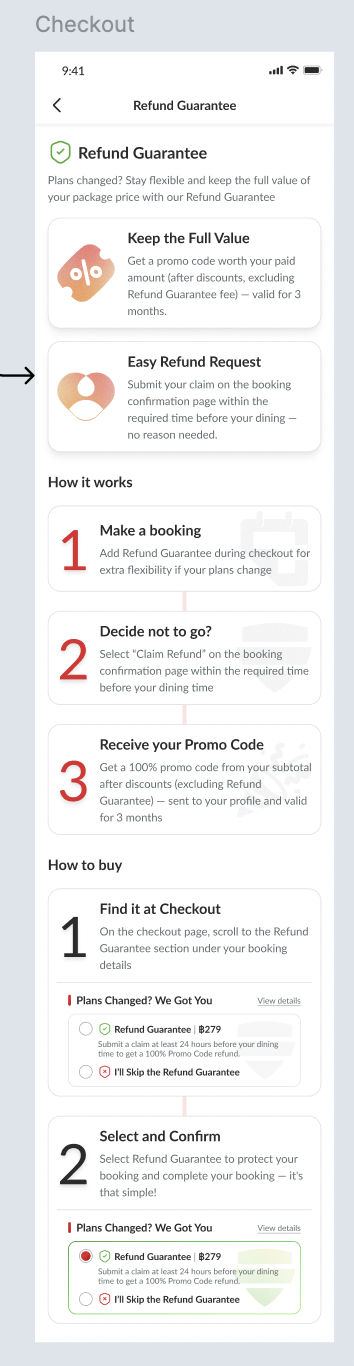 |
| Special Case for Gift Card | There is a new UI for that (implement to all) Add NB below the How It Works sectionNB: For purchases made using a Gift Card, any eligible refund will be returned to your Gift Card balance. 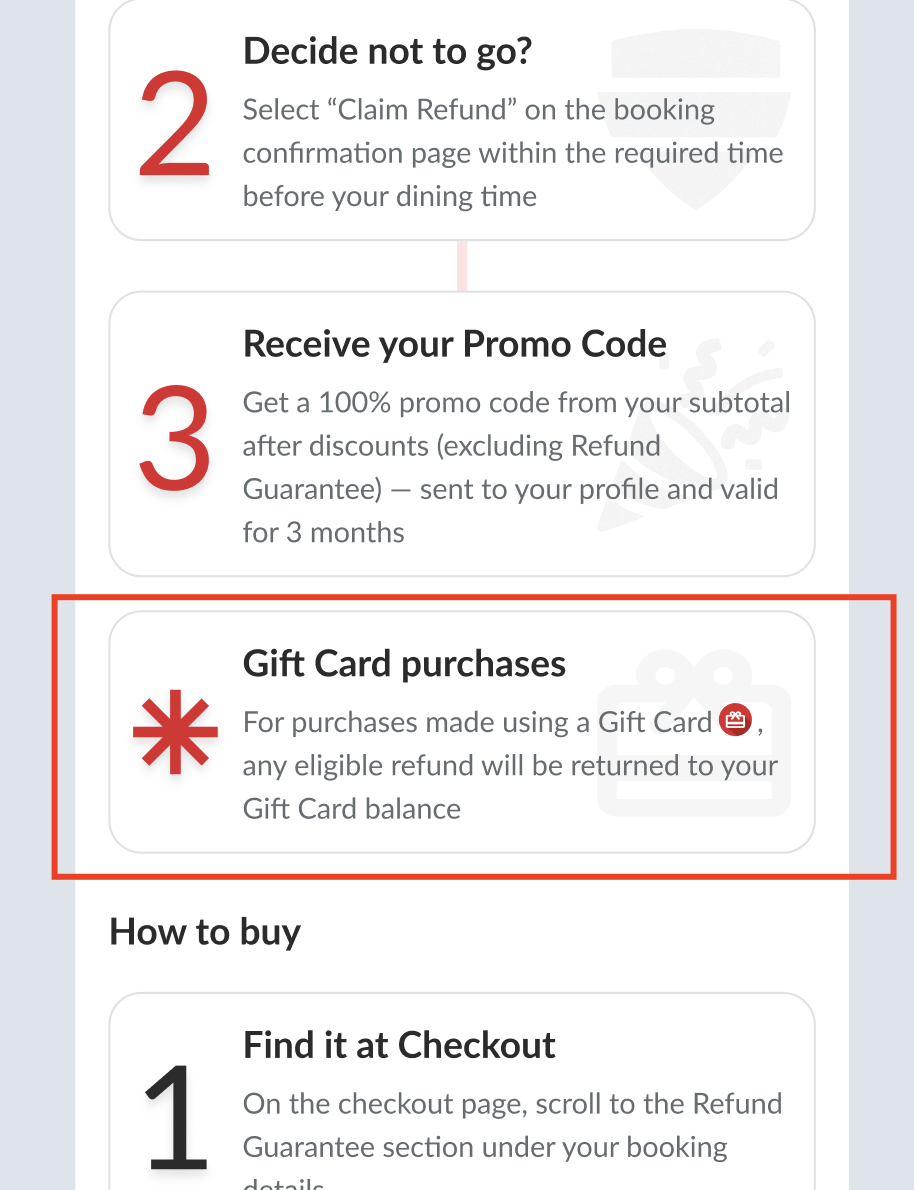 |
Refund Guarantee on Booking Confirmation
| User Story | Requirement |
|---|---|
| Summary | Add extra coverage section Refund guarantee with the price, and quantity Make sure the prepaid amount should include the refund guarantee price Payment method Add the refund guarantee detail that's clickable → will open to the new page\ Change the Cancel button to Claim Refund (only for user's that claim the refund)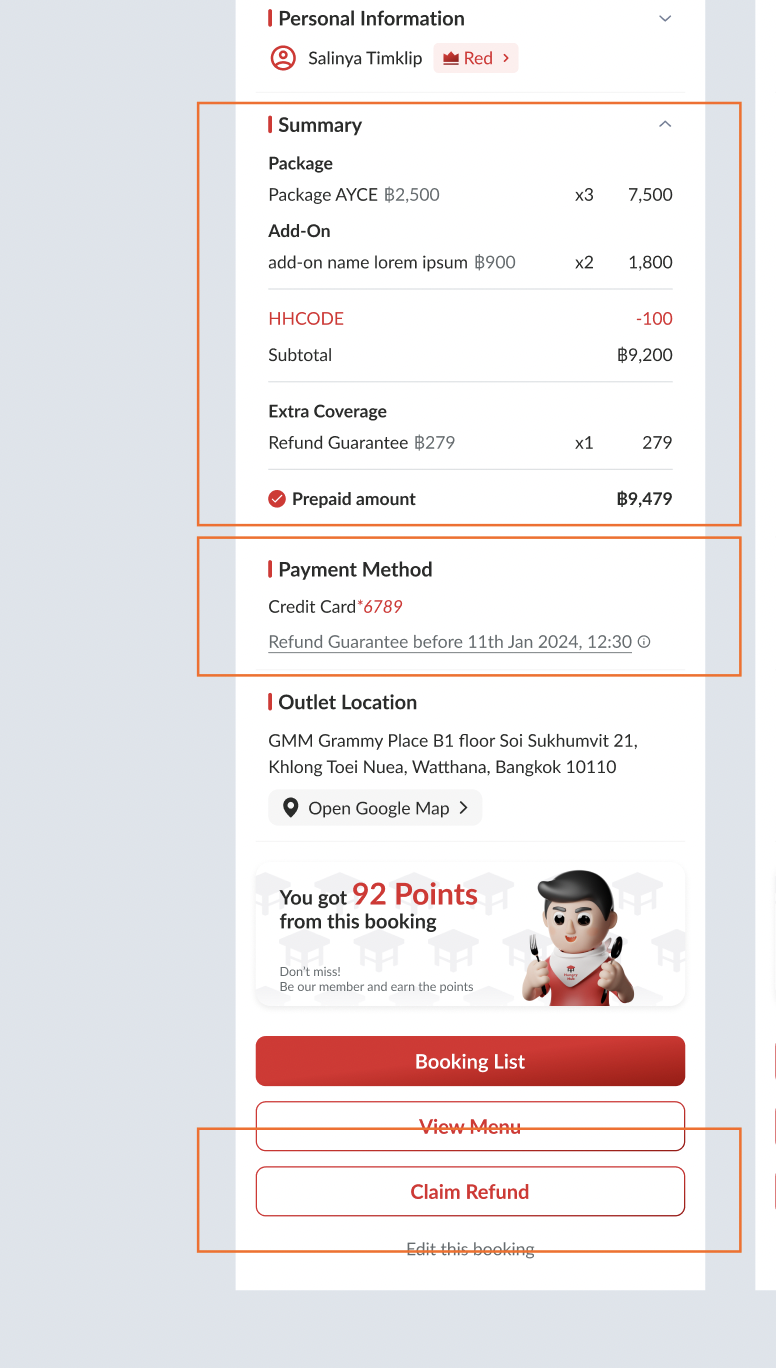 |
| Users want to know the quick information about the refund guarantee | Add the information tooltip after the text (information icon) Show the tooltip when users click the text or the icon 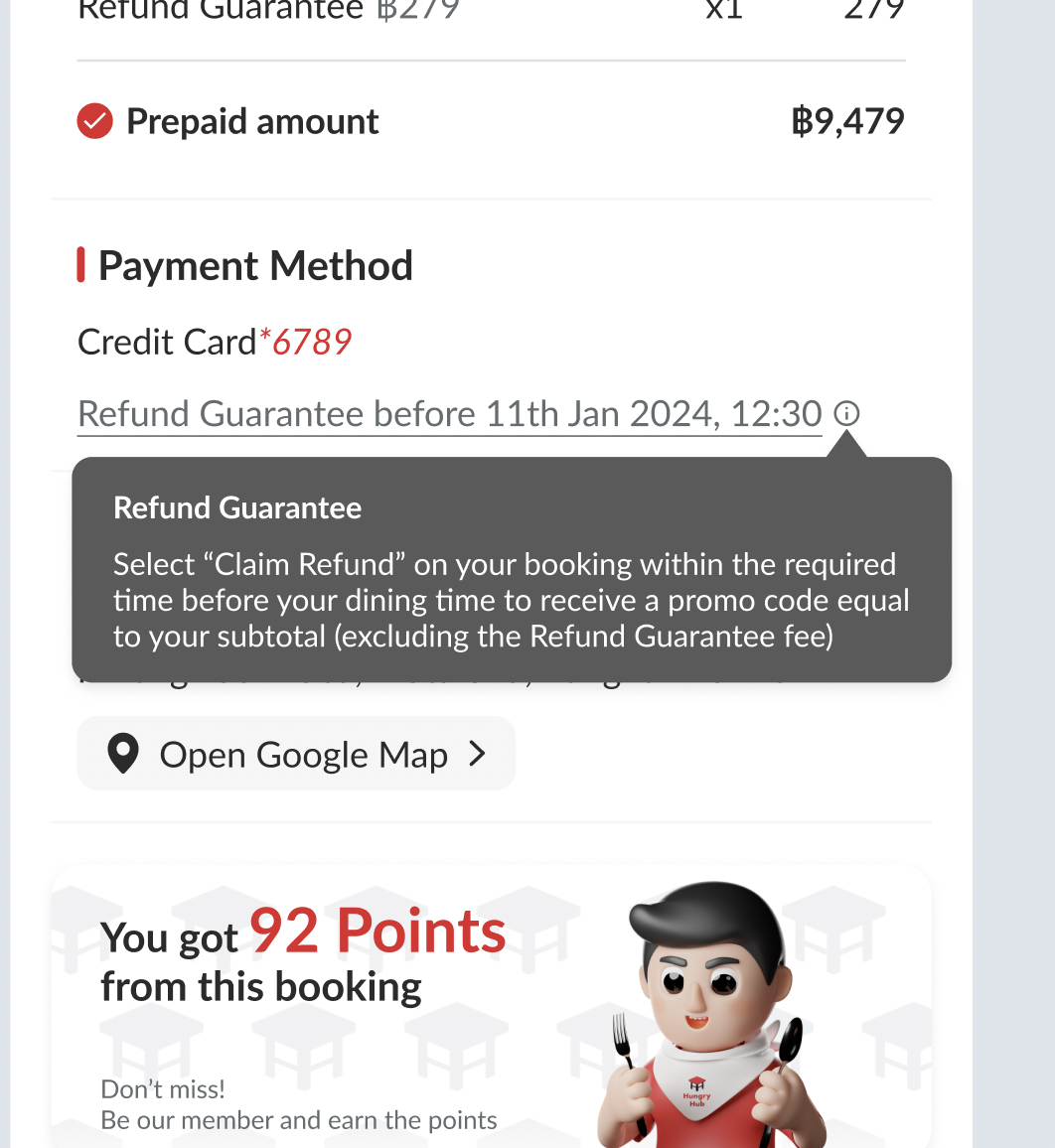 |
| Users cancel the booking and want to claim the refund | Show the pop up when user click the Claim Refund buttonOnce clicked, users will instantly get the promo code into their profile The promo code amount based on the setting on admin dashboard 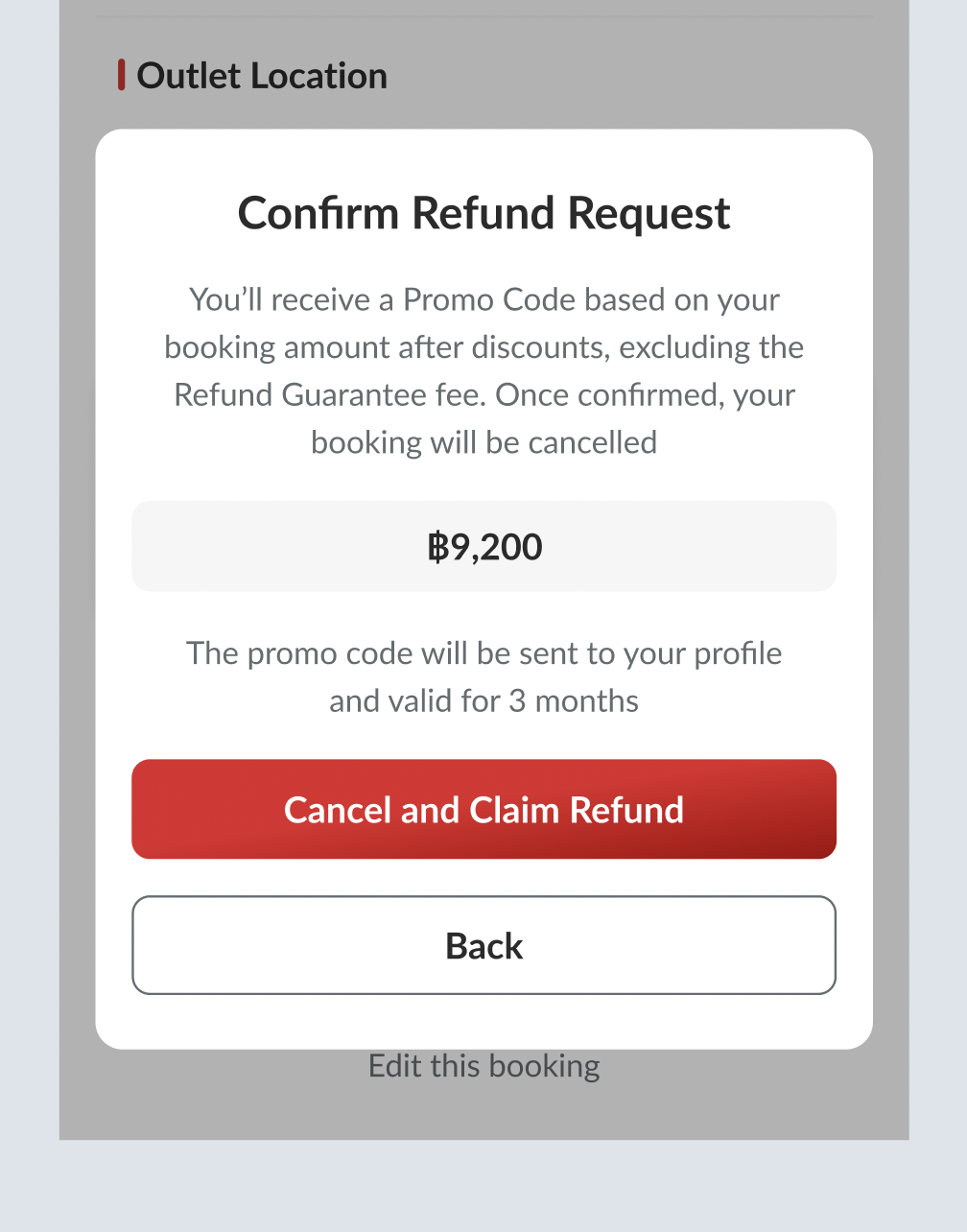 Implement also on the edit booking Cancel Booking and Claim Refund If not in claim refund period, go back to Cancel Booking button & logic 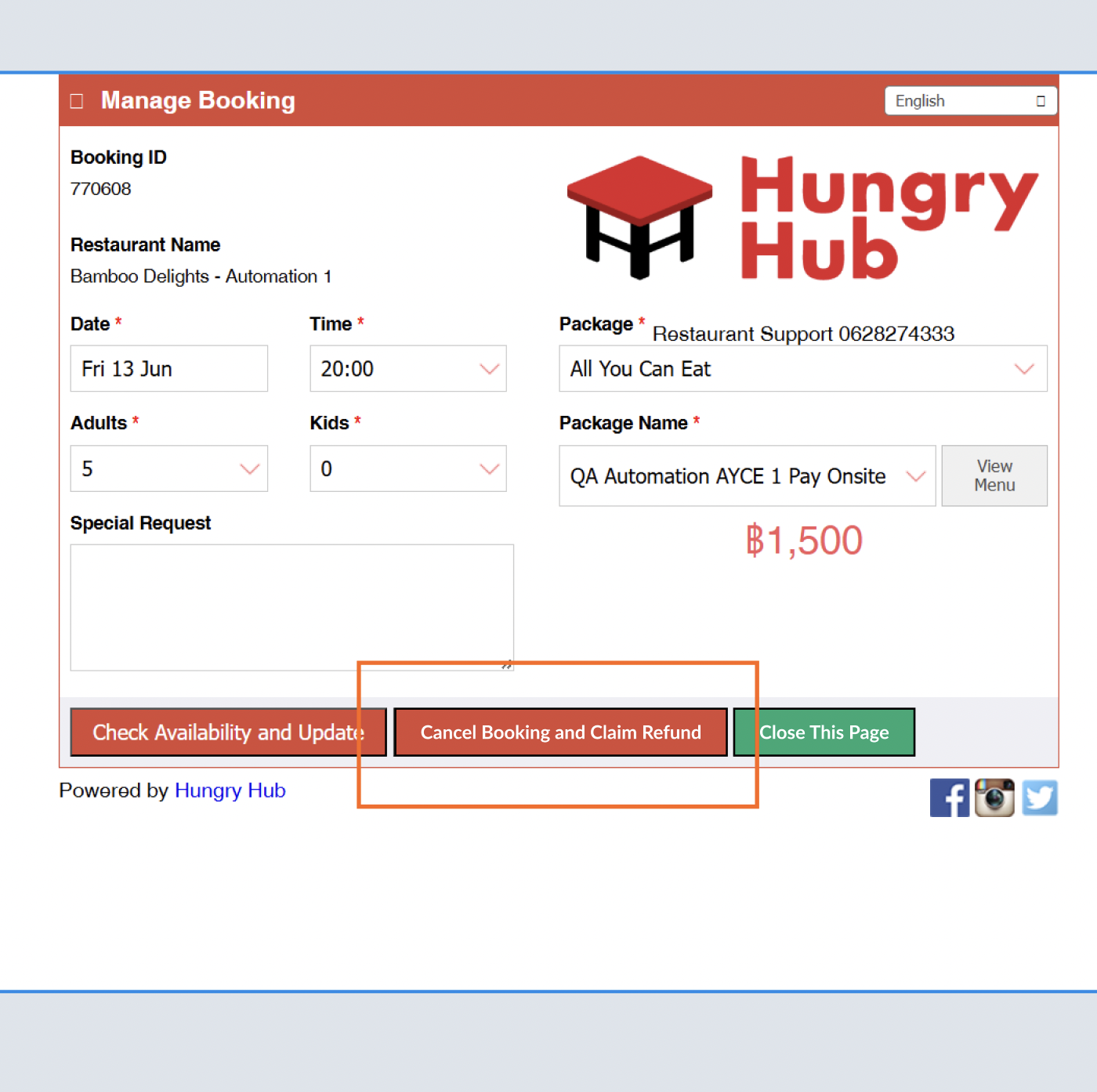 |
| Can't claim refund due to period ended | Still there is Claim Refund button (but with information icon)Inactive state but still clickable When clicked, will show the pop up that user can't claim 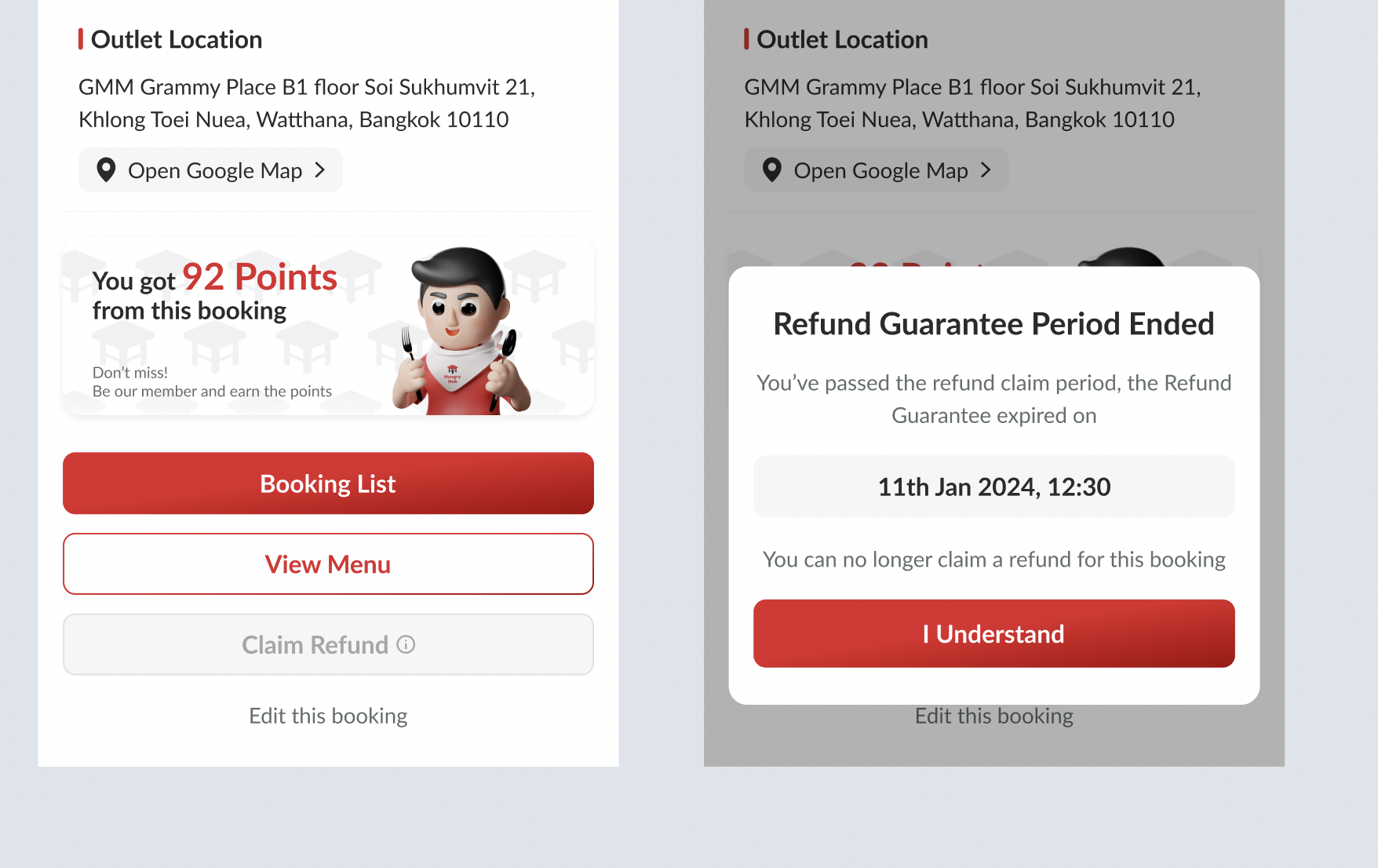 |
| There is different hours in advance for Claim Refund Cancel & Claim Refund Cancel Existing Cancel Logic P.S. : Cancel should have shorter than claim refund (to avoid the error) | User still can cancel the booking and claim the refund as long as the claim refund period still available Can cancel via edit booking (like existing) and claim the refund automatically User still can cancel the booking but can't claim the refund when the claim refund period ended Can cancel via edit booking (like existing) User can't cancel the booking and can't claim the refund when the cancel period ended Can't cancel via edit booking (like existing) |
Refund Guarantee on Booking List on Profile Page
| User Story | Requirement |
|---|---|
| Users want to check the upcoming booking | There is guarantee label before the restaurant name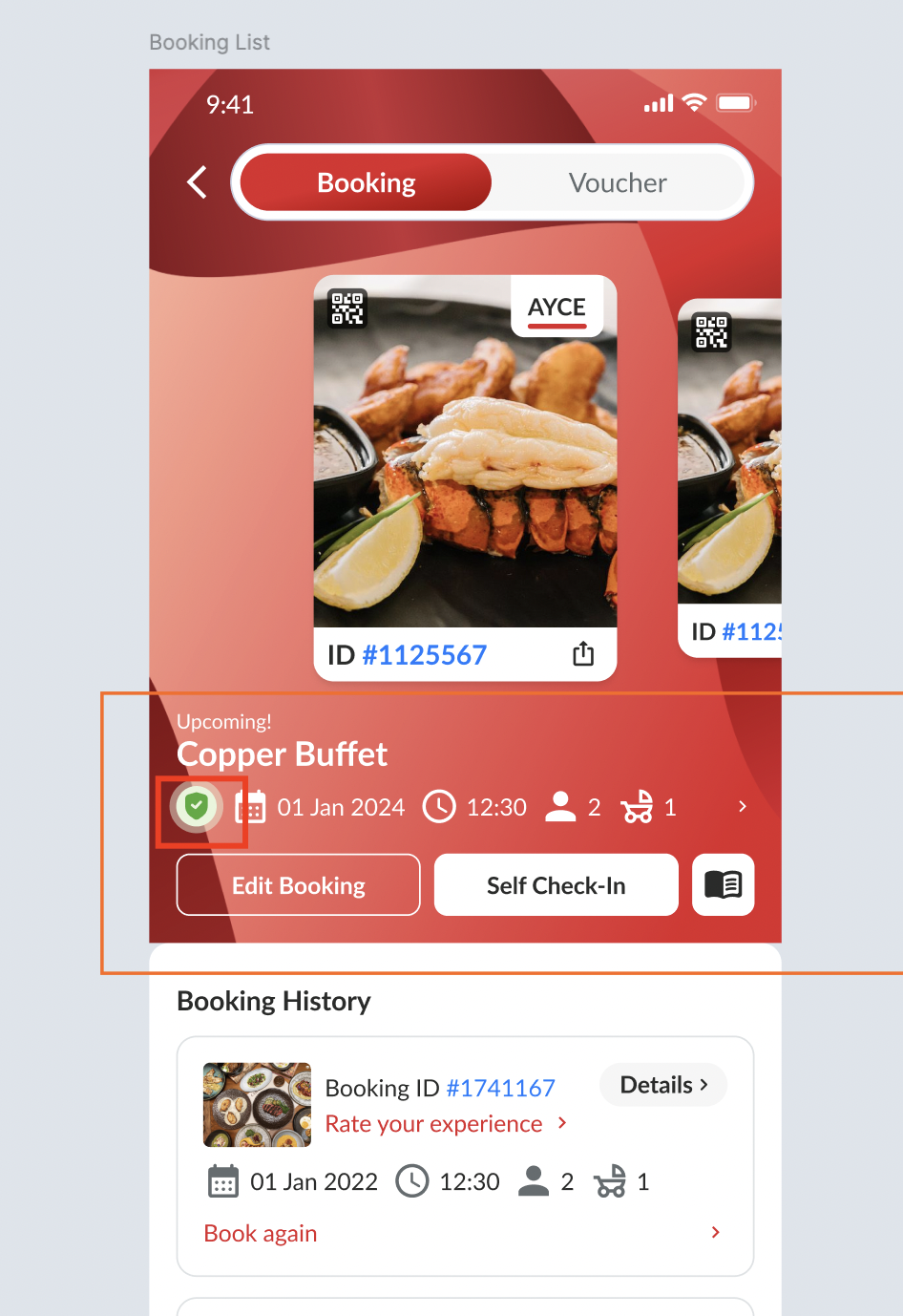 No need to show when not in the refund guarantee period 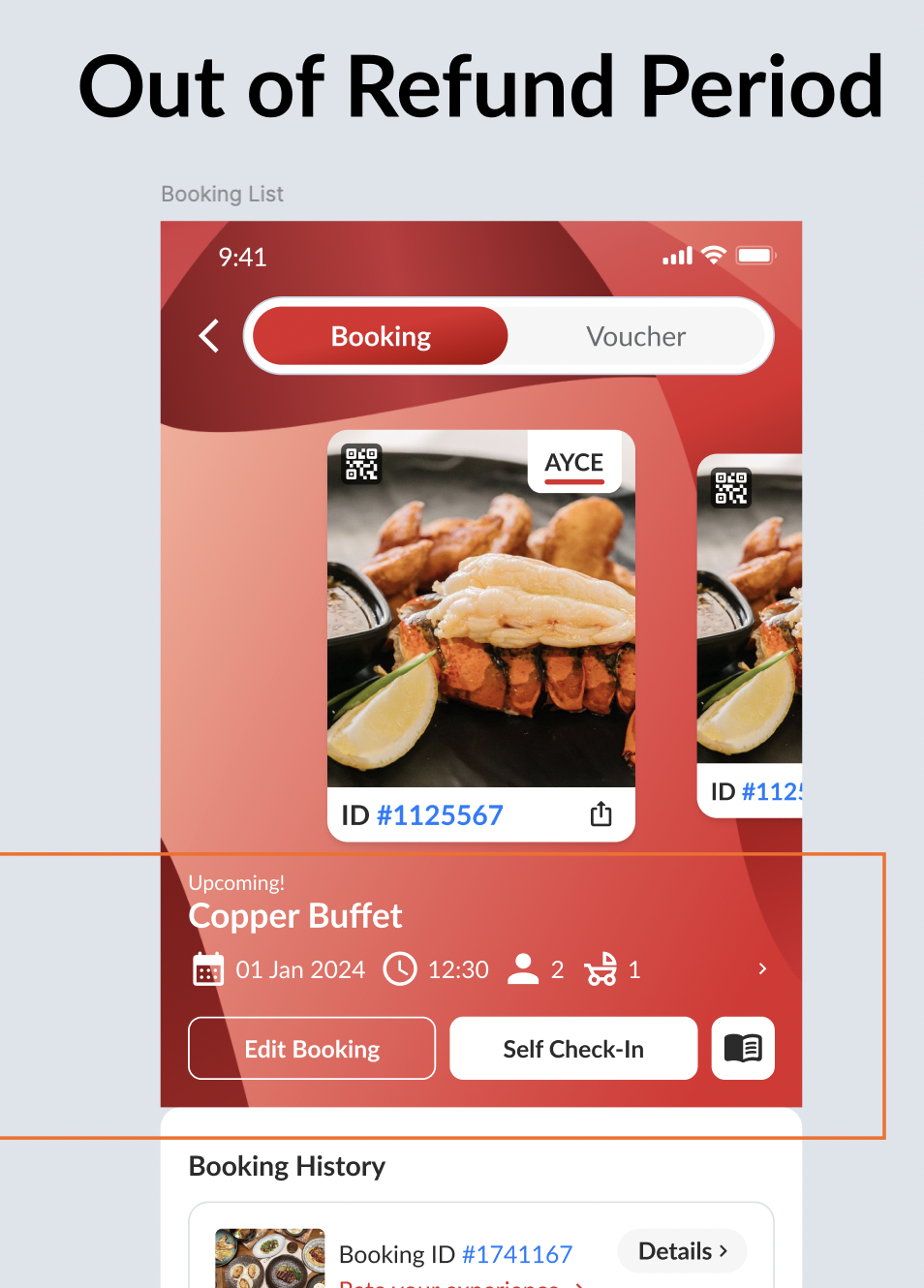 |
| Users cancelled the booking | Use Cancelled with Refund text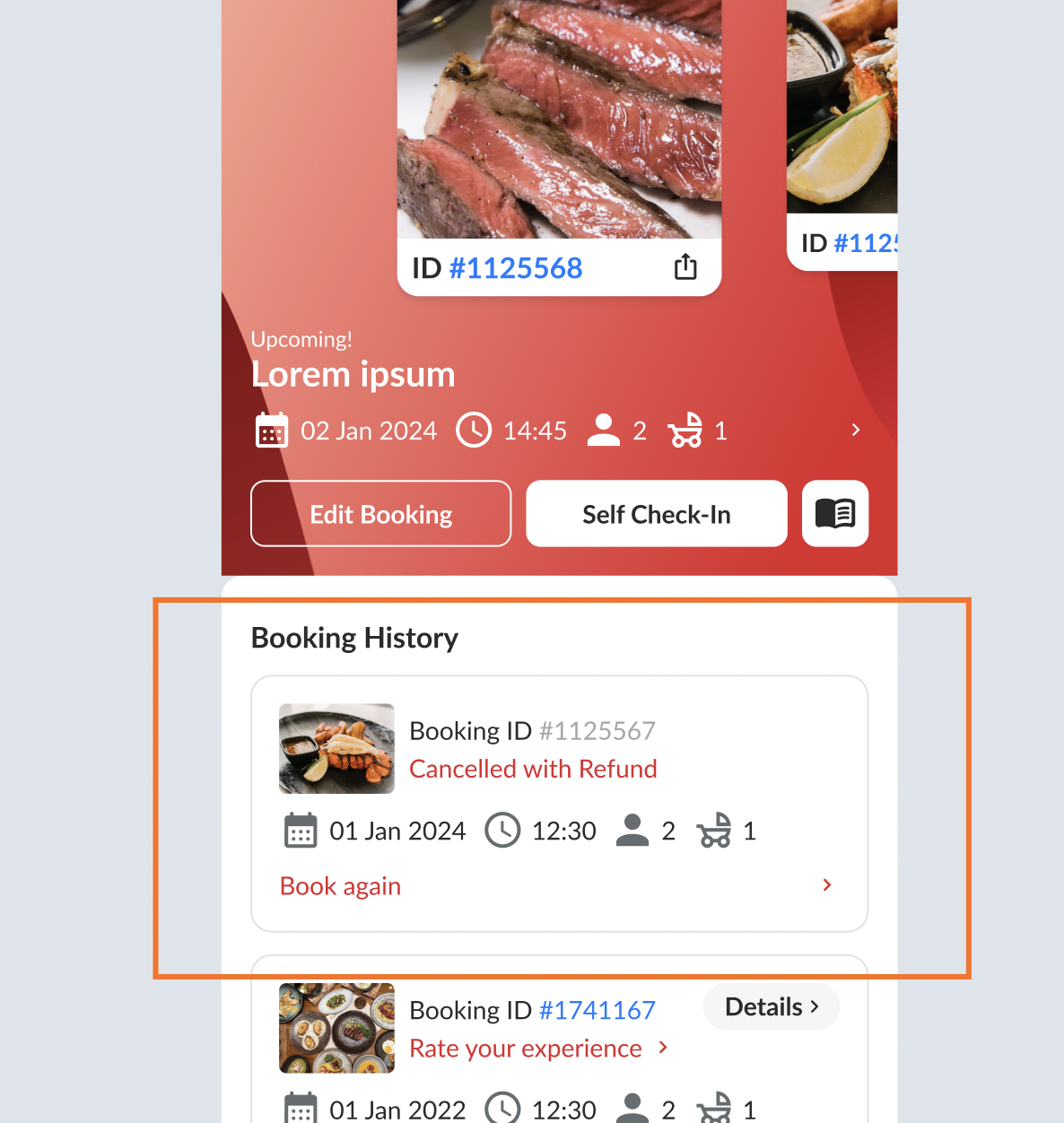 |
Refund Guarantee on Email Confirmation
| User Story | Requirement |
|---|---|
| Users get the email after booking | Add the Cancel Booking and Claim Refund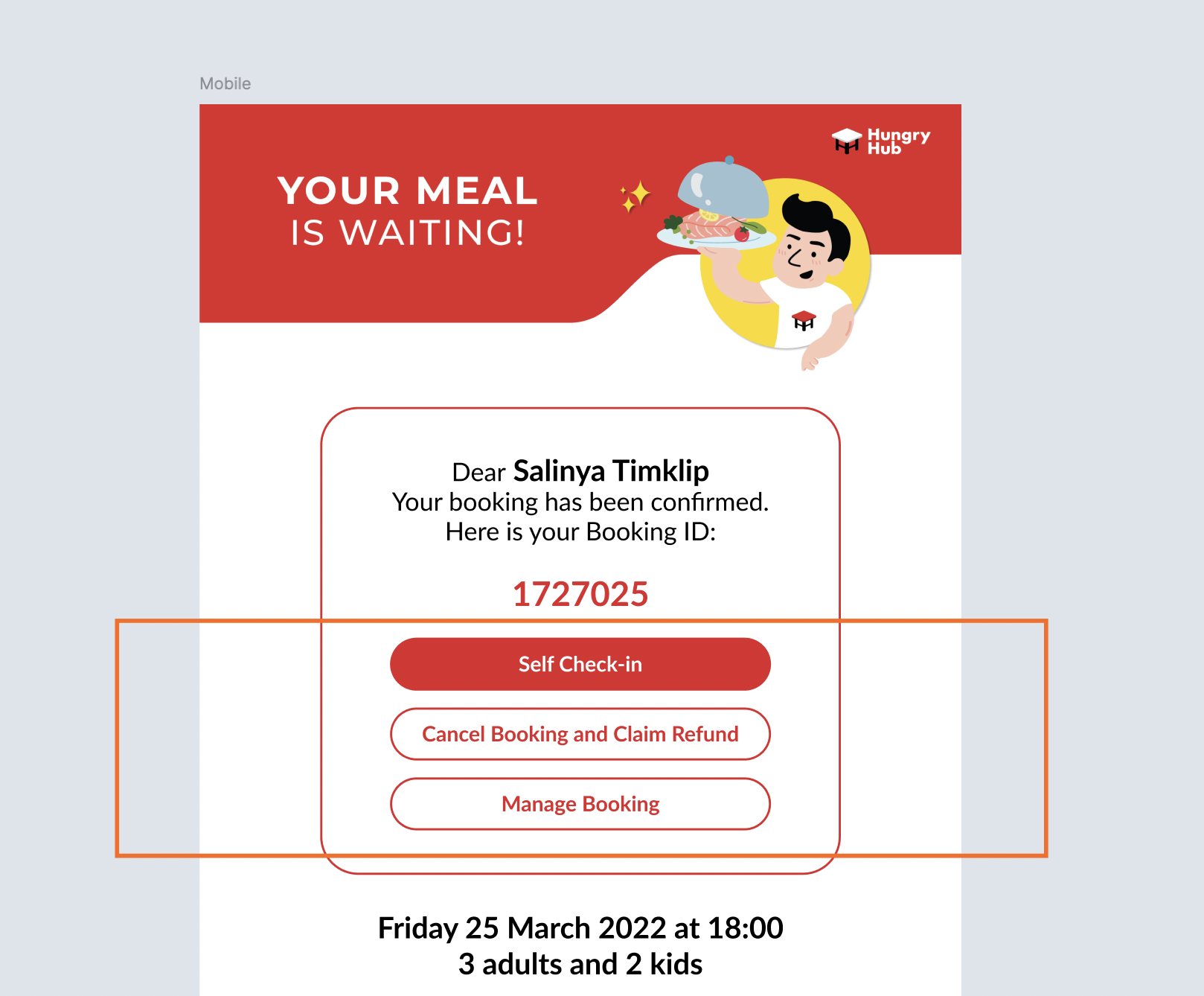 When clicked, go to this page 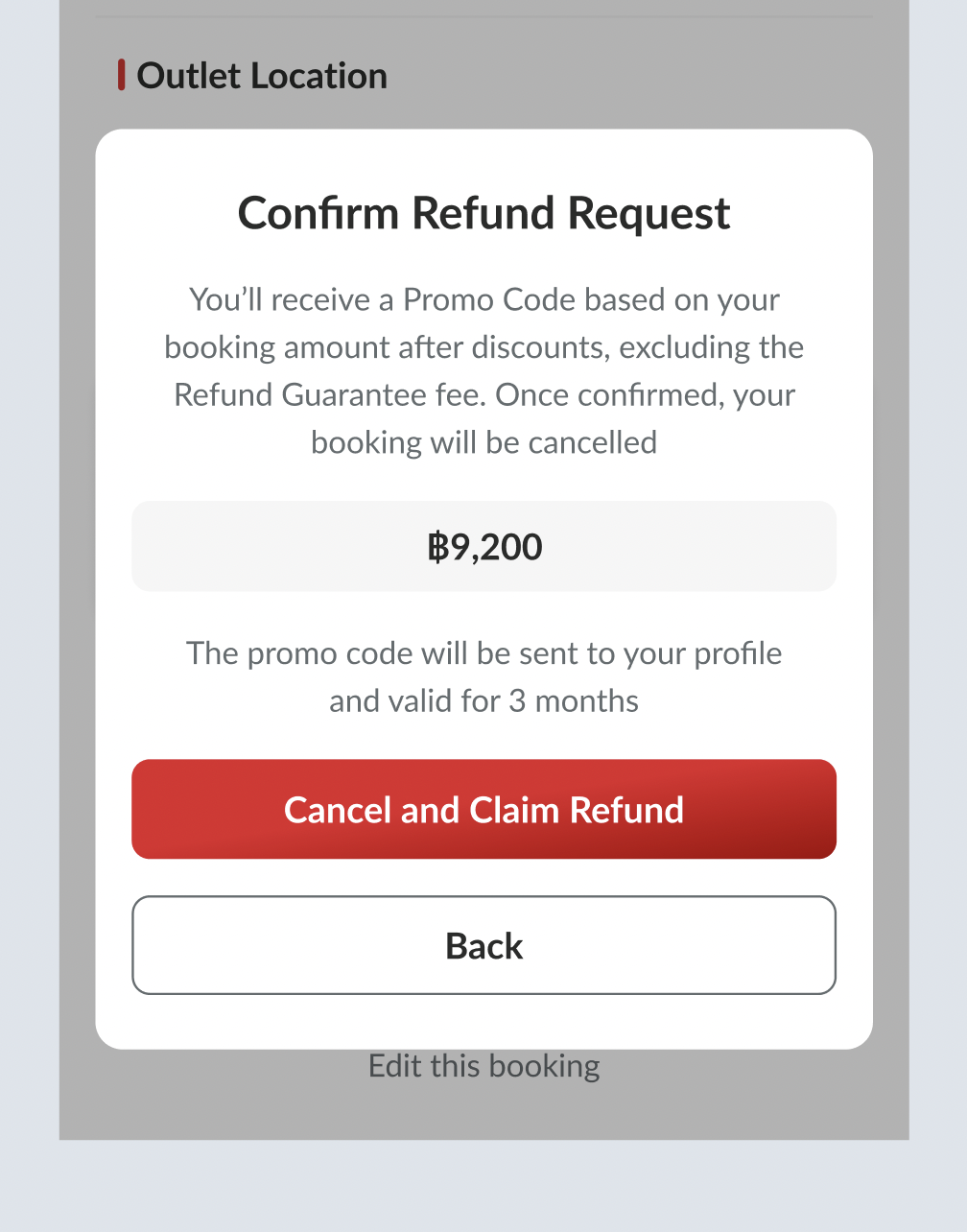 There are some details added Extra coverage Refund Guarantee in advance Refund Guarantee detail 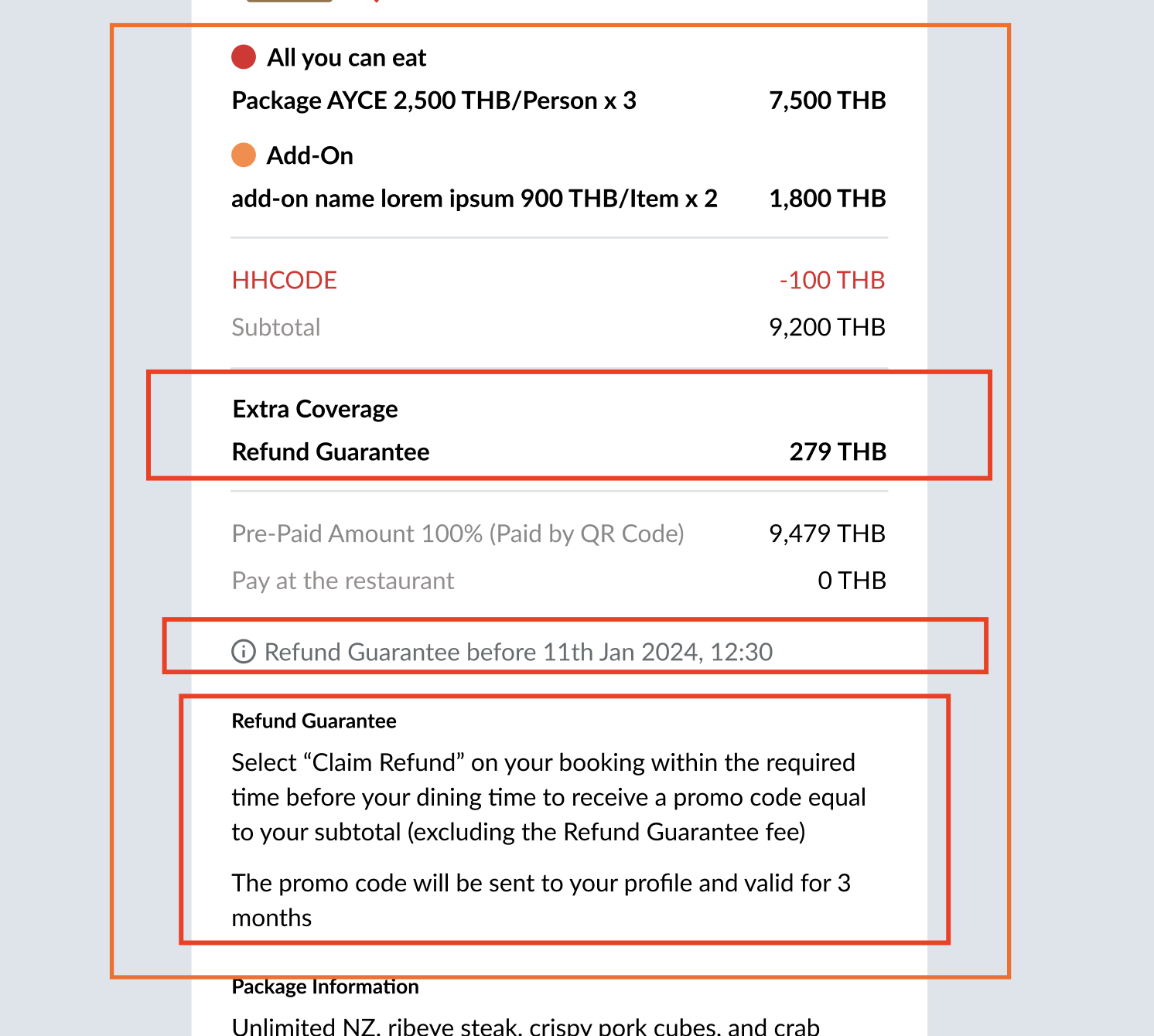 |
❓ FAQ
| Question | Answer |
|---|---|
| Insert into this if you have any question | I'll answer soon |