New Menu on Detail Package Page
🧾 History
| Date | Changes | Link | By |
|---|---|---|---|
| 7th Nov 2024 | Replace old HH menu UI into new HH menu UI on detail package Redirect to HH menu page (new page) | This PRD | Umam |
📕 About
| Context | Currently, on the store page, the HH menu is displayed as image. along sprint 45, we've implemented QR code for menu. which the display more understandable and grouped better. |
|---|---|
| Problem | HH menu display (as image) need to redesign to better UI (like QR code for menu feature) |
| Solution | Use same component as QR code for menu |
| Name of Feature | New Menu on Store Page |
| Objective | Replace old HH menu UI into new HH menu UI on detail package Redirect to HH menu page (new page) |
| Gains | Introducing new components and a more interactive menu might impact the page load time, potentially affecting user experience for those with slower connections. |
| Pains | With a more understandable and grouped menu layout, users can navigate and access information about menu items more easily, leading to a more satisfying experience. |
| Figma Link | https://www.figma.com/design/T9kSuAj3GZW7khySGNq84m/Store-Page-Update?node-id=7813-5586&t=VnkMw55G6C5aNdnh-1 |
| Available Platform | Web and App |
| Sprint | Sprint 46 |
| Related PRD | Private (https://app.clickup.com/9003122396/docs/8ca1fpw-7922/8ca1fpw-42436) |
| Out of Scope | - |
🎯 User Story & Requirement
Replace old HH menu UI into new HH menu UI on detail package
| User Story | Requirement |
|---|---|
| New HH menu UI | Put the HH menu section under about sectionPut the HH menu section under the Package comparison section (if any)In the Maximum, only 1 menu sections will be displayed Name of menu (Choose {number} items)In the maximum, only 3 menus will be displayed Just display it, if less than that Keep displaying View full menu buttonRedirect to HH menu page (new page) 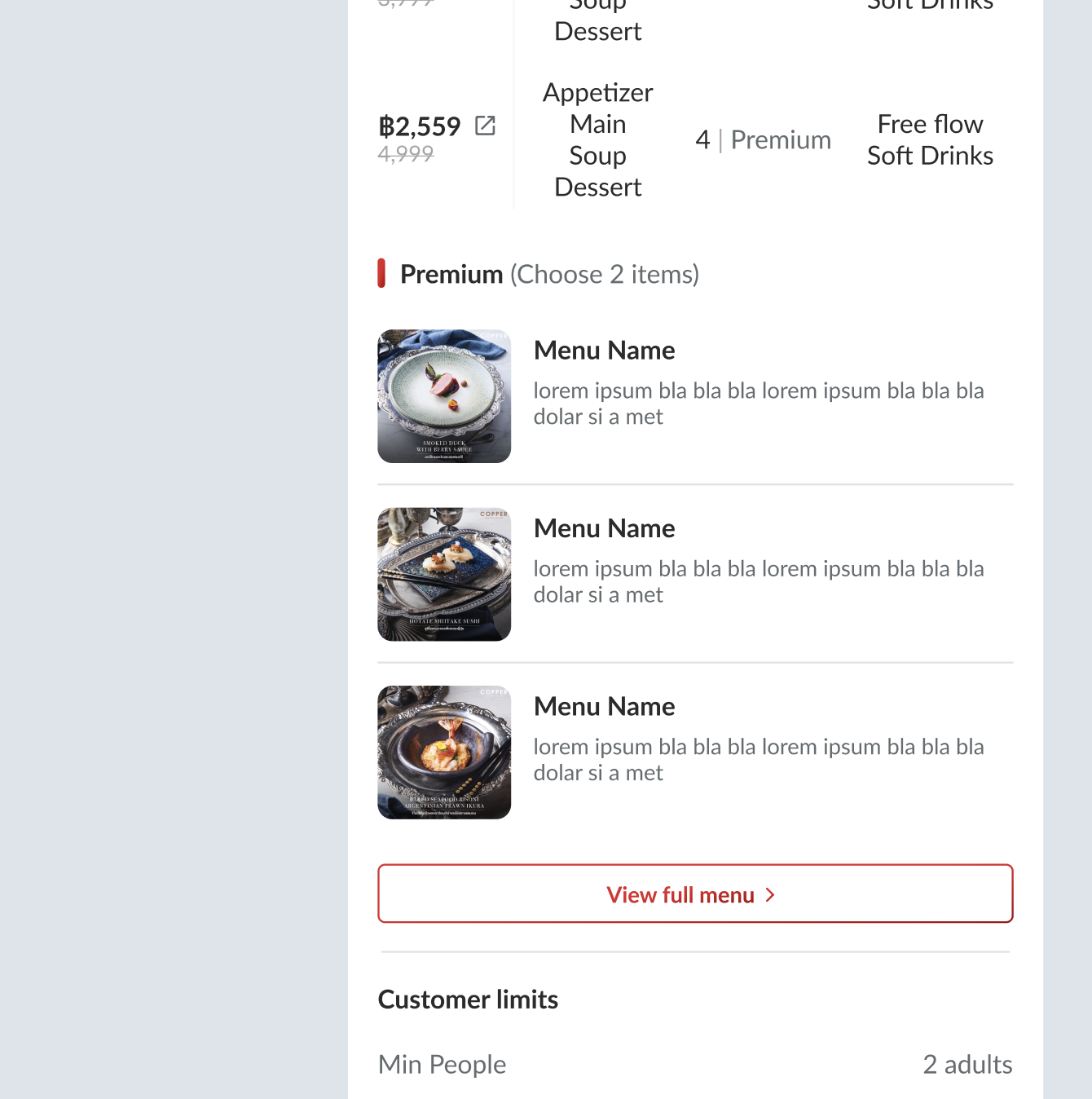 |
Redirect to HH menu page (new page)
| User Story | Requirement |
|---|---|
| HH menu page (new page) | Use QR code for menu component to be used on HH menu page (new page) All of the behaviors are same with QR Code for menu Explained only the changes/different from the existing |
| Changes | No need quantity of package Change the wording Note: Quantities below are per pack.Change TnC to View comparison tableRedirect to Package detail page pop up  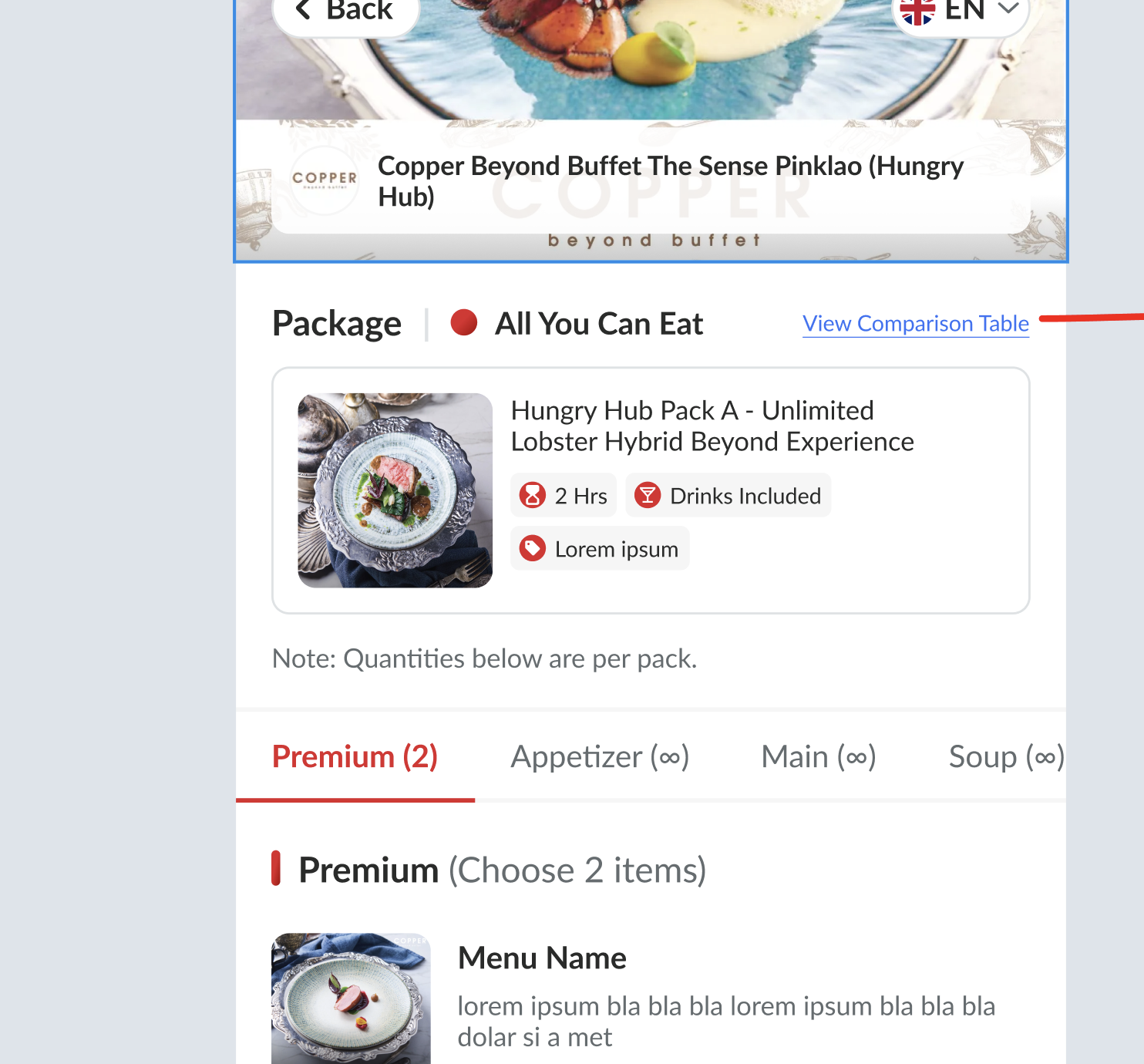 Package detail page pop up Can close by clicking the close button or black overlay If only image menu, just expand/collapse (like the existing) |
Video simulation :
❓ FAQ
| Question | Answer |
|---|---|
| How about desktop view? | We've provided it, pls check the design on figma |