Highlight the tier
🧾 History
| Date | Changes | Link | By |
|---|---|---|---|
| 9th July 2024 | Add one more page at the last slides on onboarding page (app only) Display the tier on the homepage Additional cases for tier on the homepage Display the tier on the checkout page Display the tier on the booking confirmation page Display the tier on the booking confirmation email Logic Improvement Alert Before 1 Week Expired Date | This PRD | Umam |
📕 About
| Context | Tier is a stage of loyalty program that represents the customer's status based on their achievement |
|---|---|
| Problem | Many users don't know what their tier is |
| Solution | Make the tier more prominent |
| Name of Feature | Highlight the tier |
| Objective | Add one more page at the last slides on onboarding page (app only) Display the tier on the homepage Additional cases for tier on the homepage Display the tier on the checkout page Display the tier on the booking confirmation page Display the tier on the booking confirmation email Logic Improvement Alert Before 1 Week Expired Date |
| Gains | Making the tier more prominent ensures users are aware of their loyalty status, which can enhance engagement with the app |
| Pains | Displaying additional information might slightly affect the app’s performance, especially on older devices |
| Figma Link | https://www.figma.com/design/GNLGhwVWQubxZHCrHAf5qd/Highlight-the-Tier?node-id=0-1&t=tGfLEHk1lhrkknTB-1 |
| Available Platform | Web and App |
| Sprint | 42 |
| Related PRD | Private (https://app.clickup.com/9003122396/docs/8ca1fpw-7922/8ca1fpw-39056) |
| Out of Scope | - |
🎯 User Story & Requirement
Add one more page at the last slides on onboarding page (app only)
| User Story | Requirement |
|---|---|
As a user, after i open the app, i will be redirected to onboarding page. there are some short explanation about the app.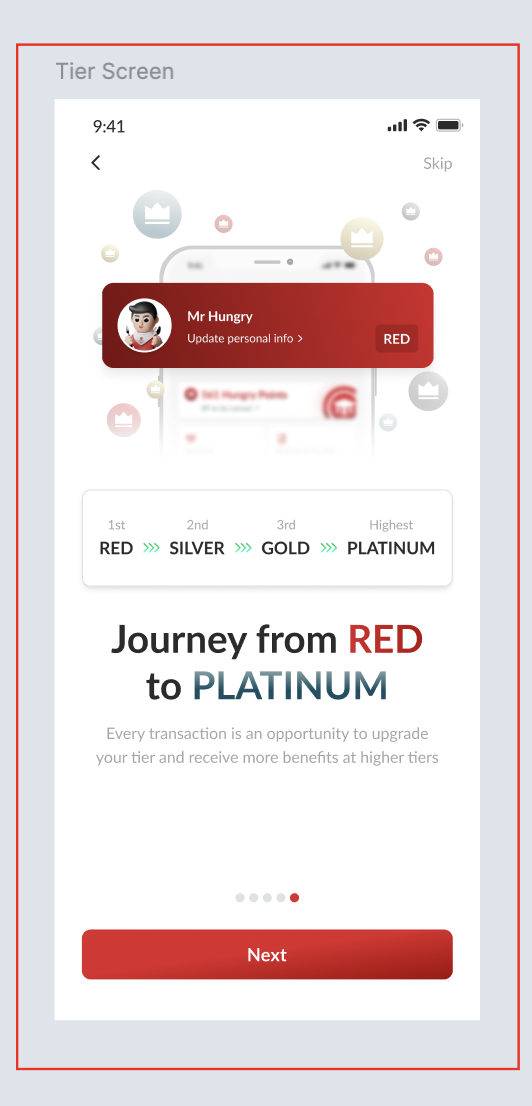 | Add one more page at the last slides on onboarding page (so, we will have 5 slides) There are some elements in a page Back button Skip button Image Title Every transaction is an opportunity to upgrade your tier and receive more benefits at higher tiers DescriptionSlider Make sure that has 5 slides  Next buttonGo to the login page |
Display the tier on the homepage
| User Story | Requirement |
|---|---|
| After login, it will redirect to homepage. tier will be displayed in the some places | Add tier section under the search section Display the tier and the total of points 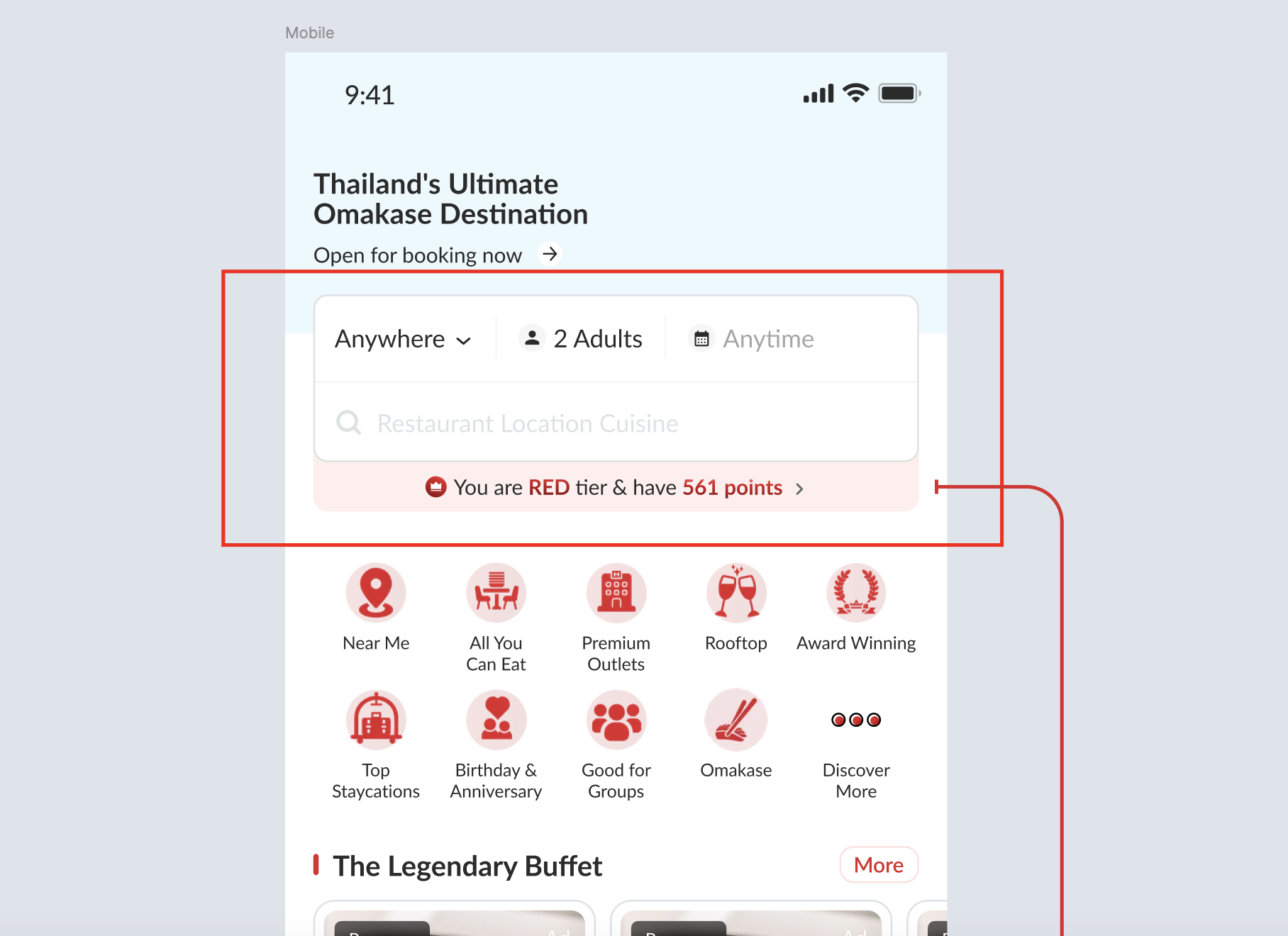 Display image and tier on the profile navbar (member only) 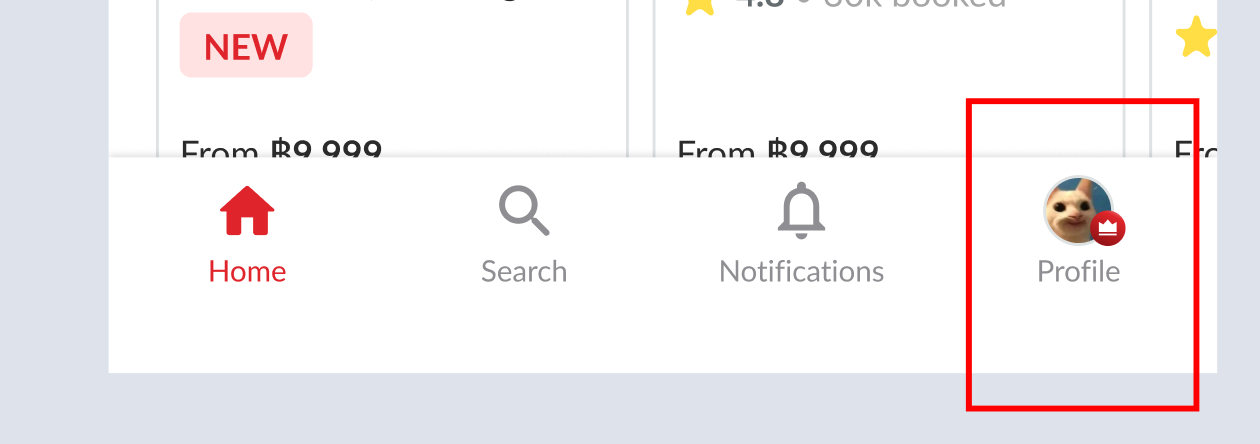 Make sure each tier is displayed correctly (Red, Silver, Gold Platinum) When the profile is active, turn Profile text to red color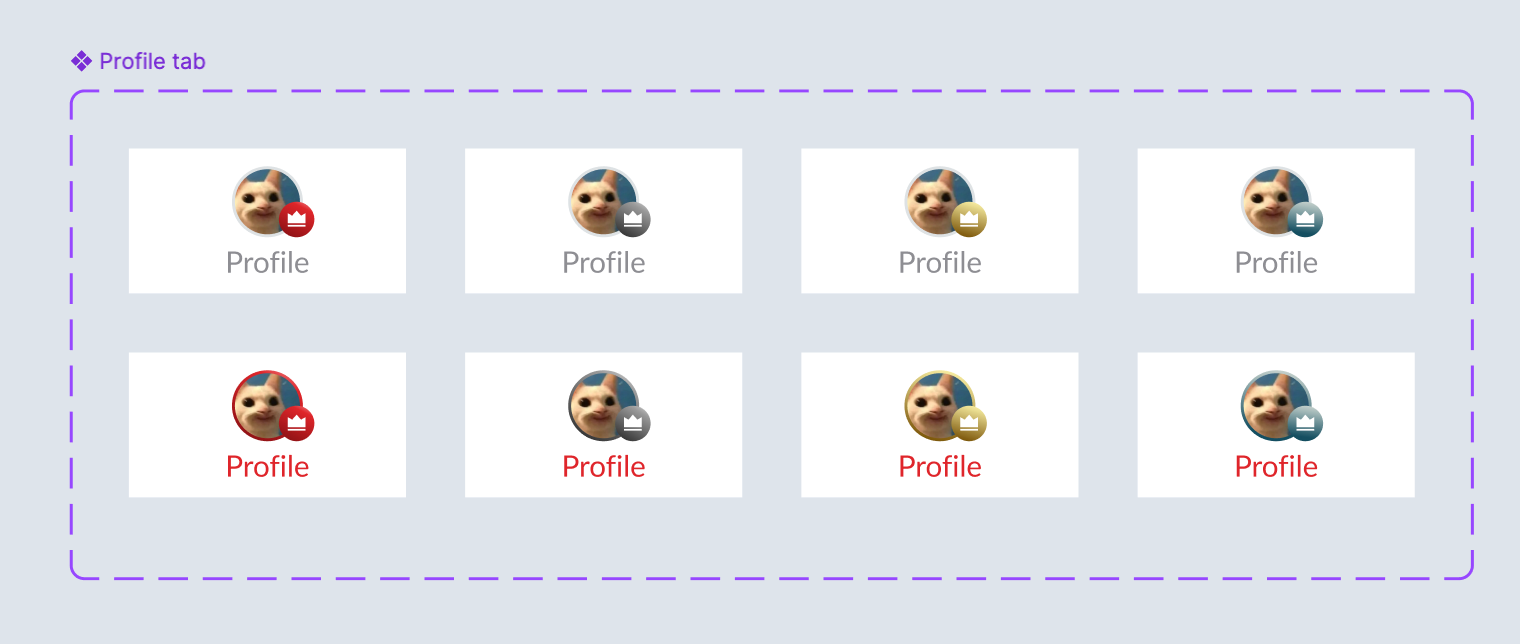 For the difference between app and website, please check the table below If click the tier label, it will redirect to benefits page on the profile page (example is the new profile page) 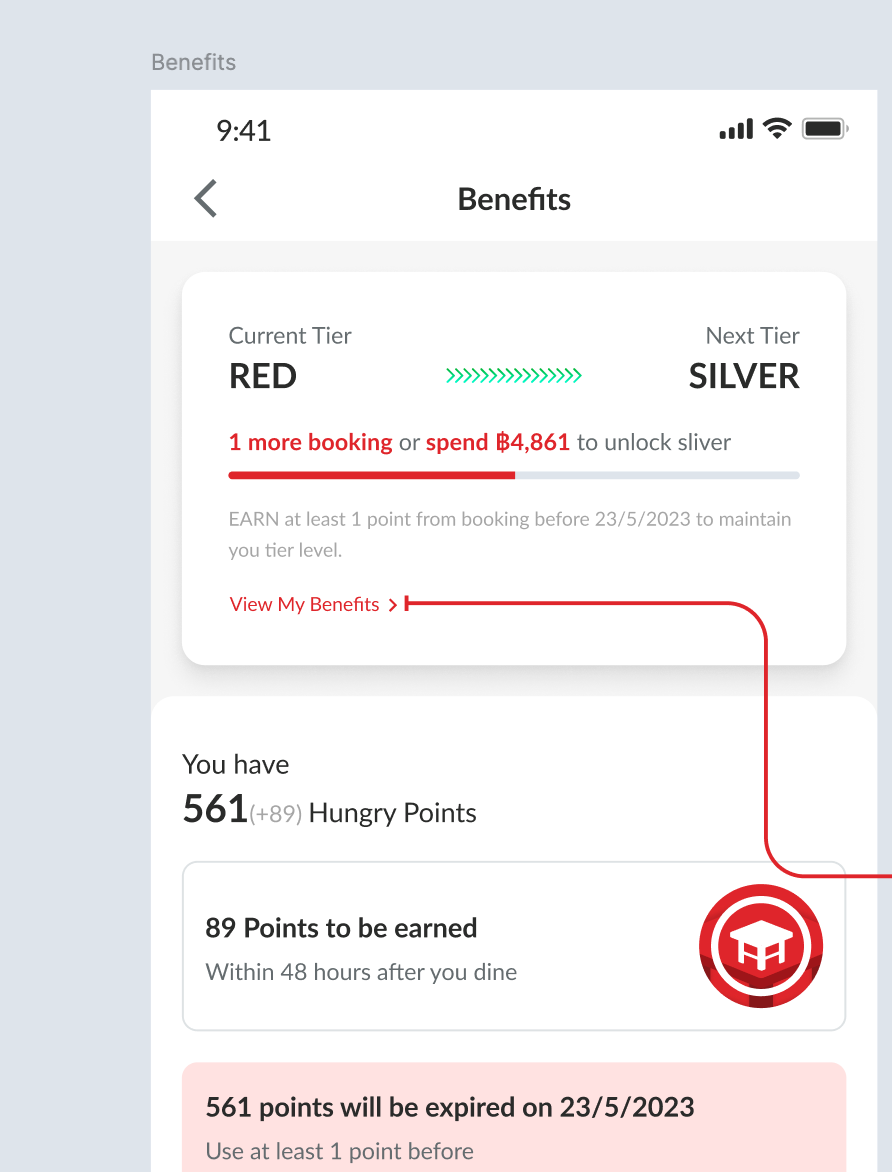 |
| App | Website |
|---|---|
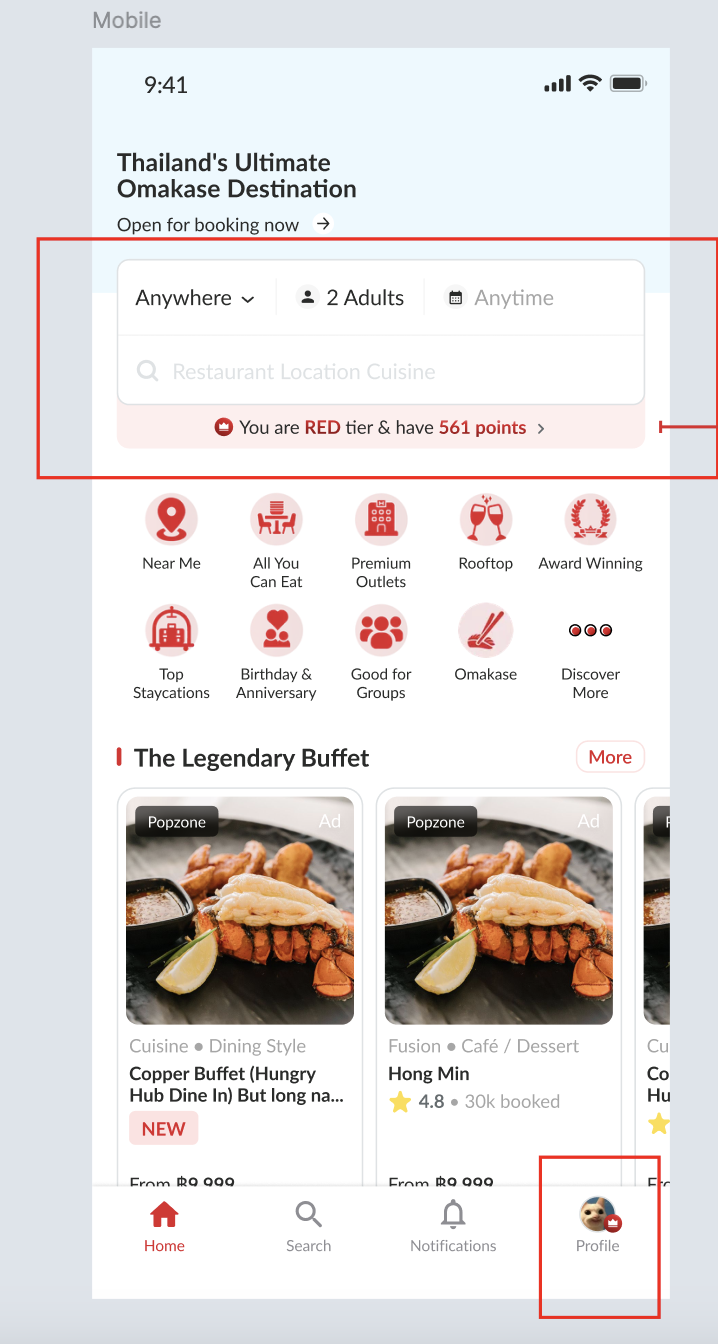 | Desktop Website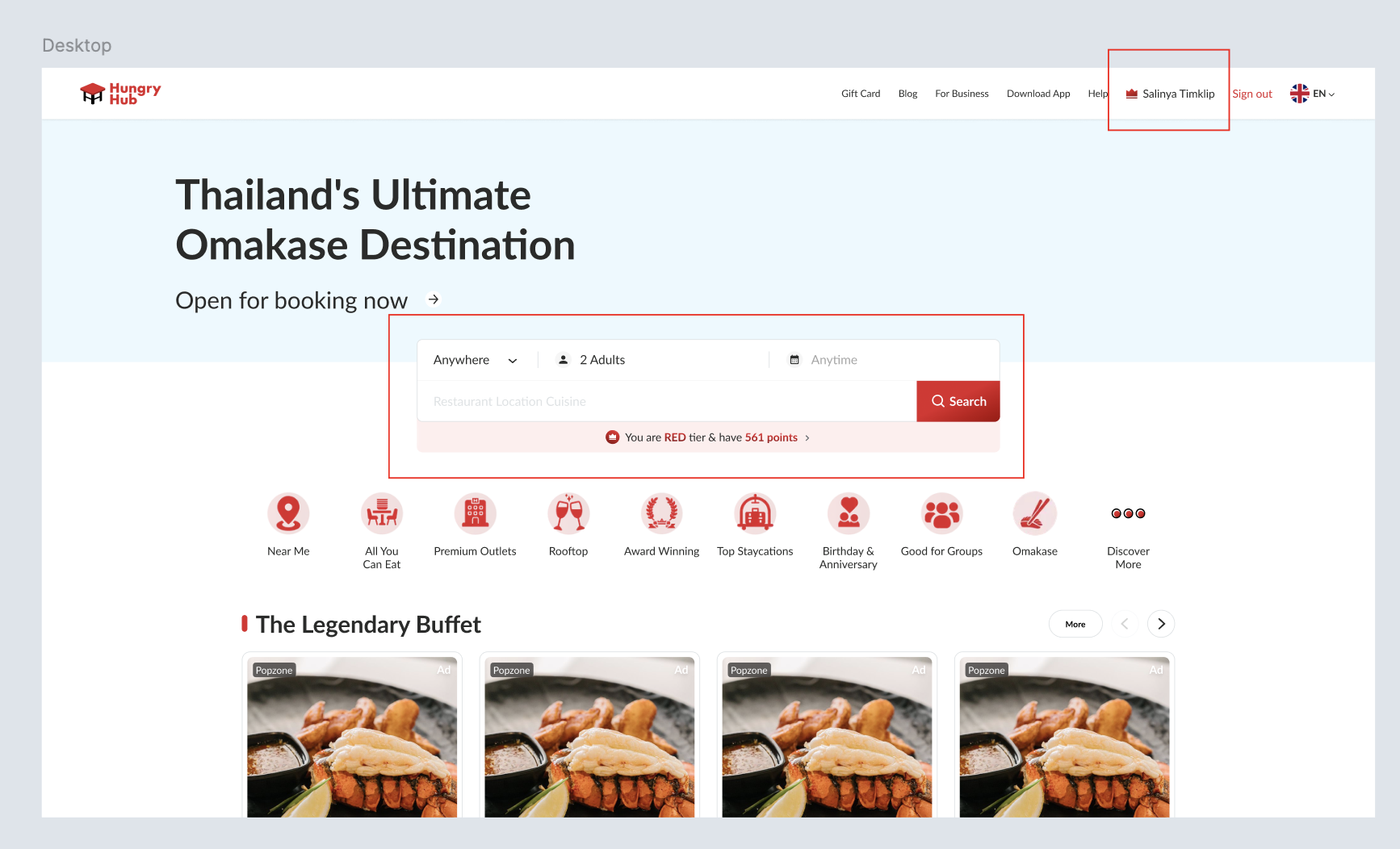 Mobile Website 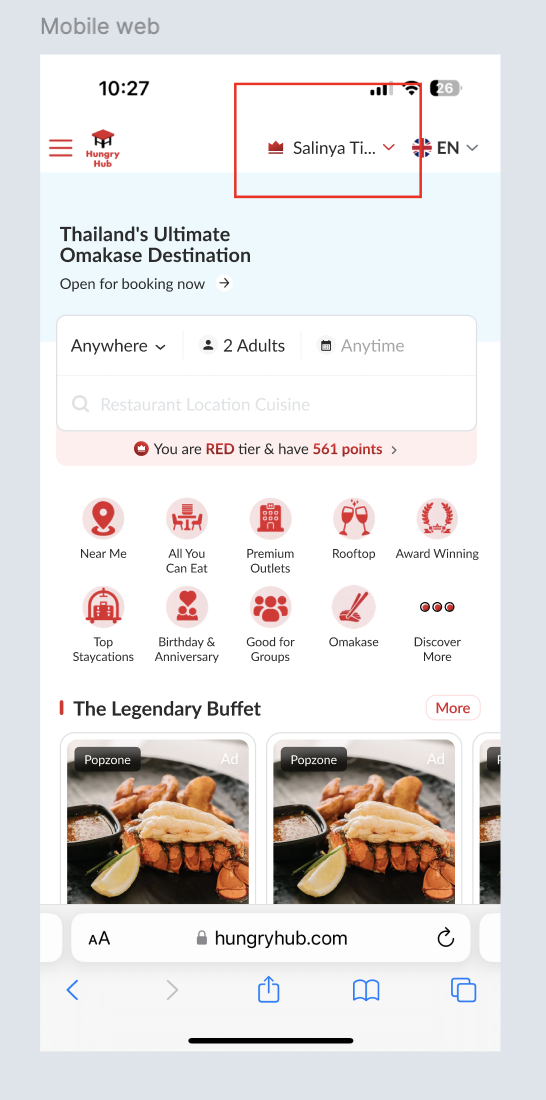 |
Additional cases for tier on the homepage
| User Story | Requirement |
|---|---|
Default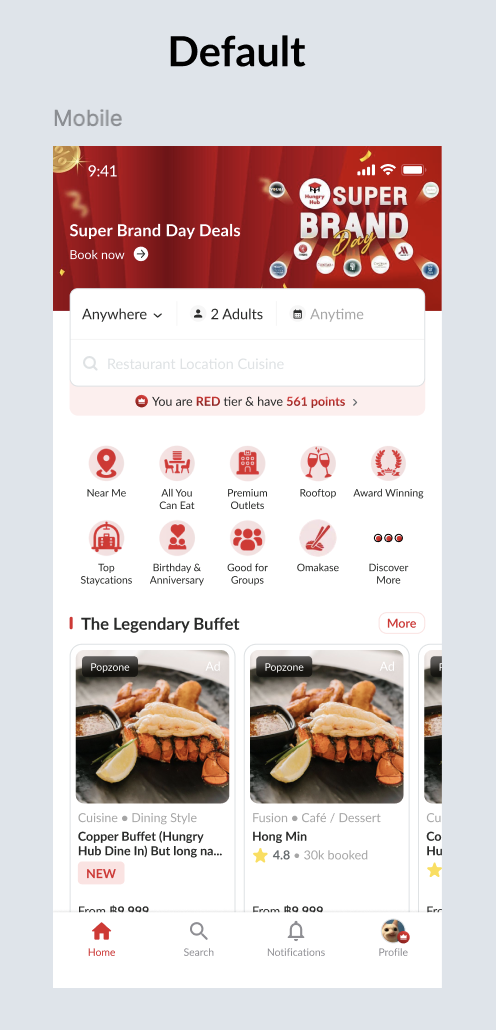 | Display the tier and total of pointsYou are RED tier & have 561 points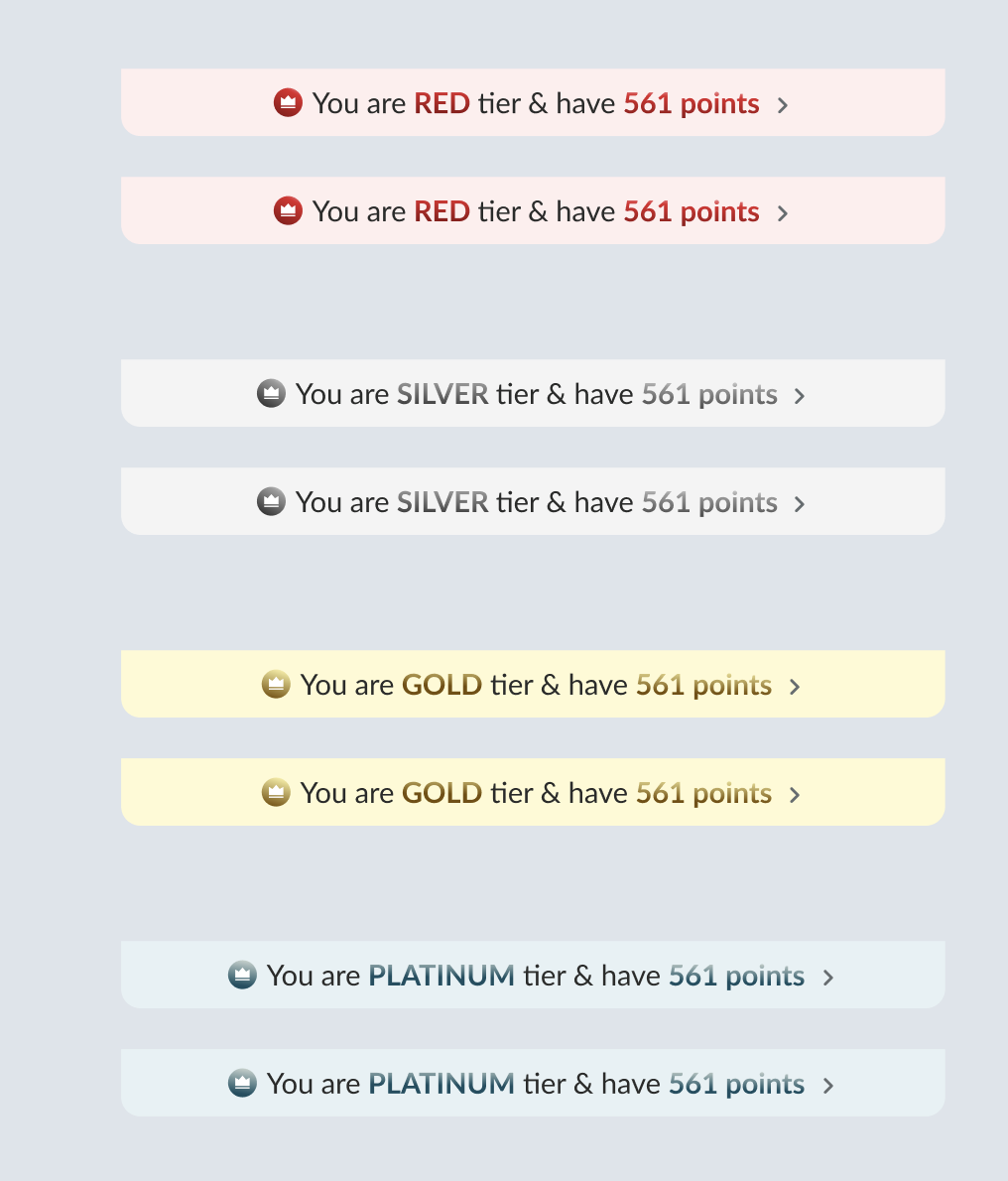 |
For 30 days before the user's points expire, display an alert. (for users that have points)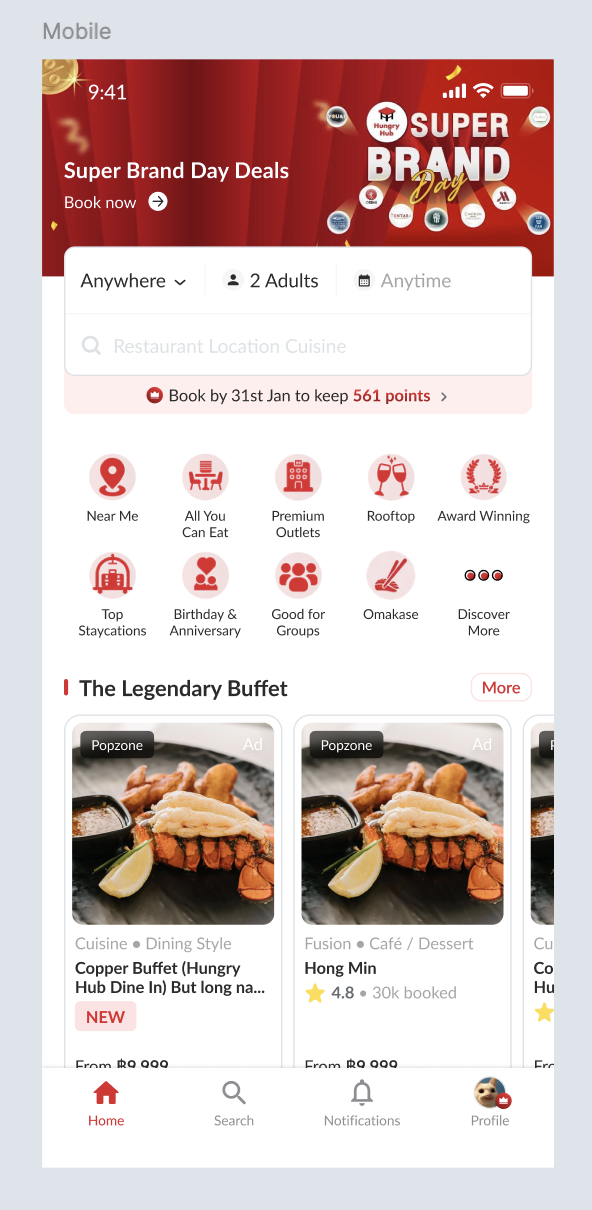 | Display the tier, expired date and total of points Red Tier Book by 31st Jan to keep 561 points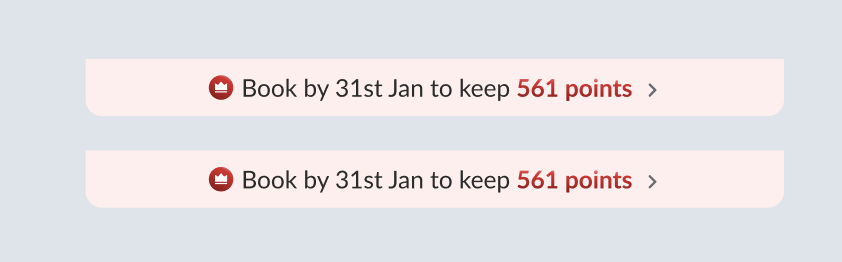 Silver, Gold and Platinum Tier Book by 31st Jan to keep 561 points & SILVER tier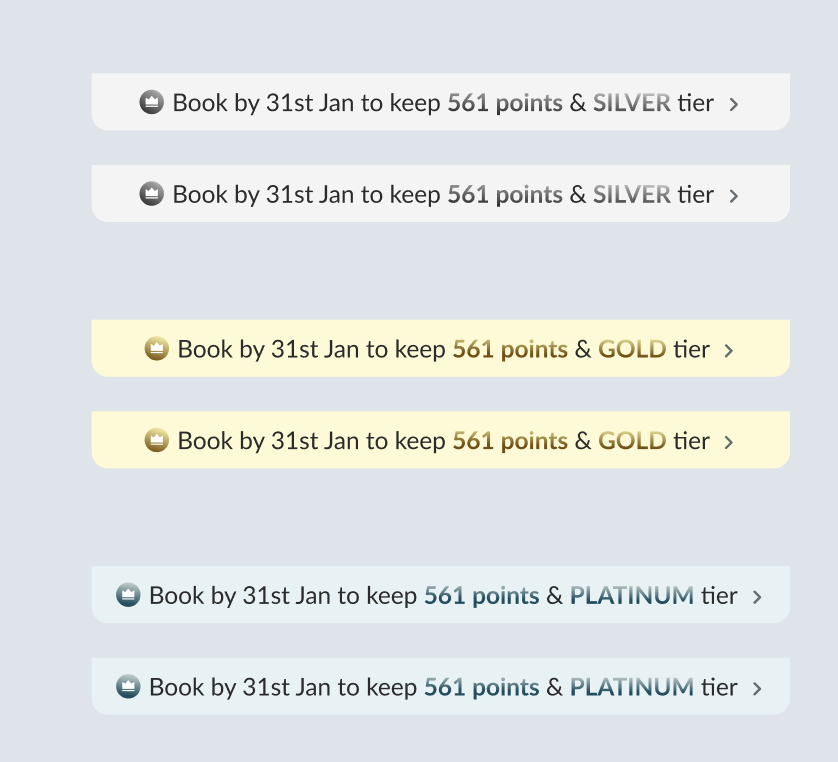 |
if user is in the RED tier & doesn't have point (0 point)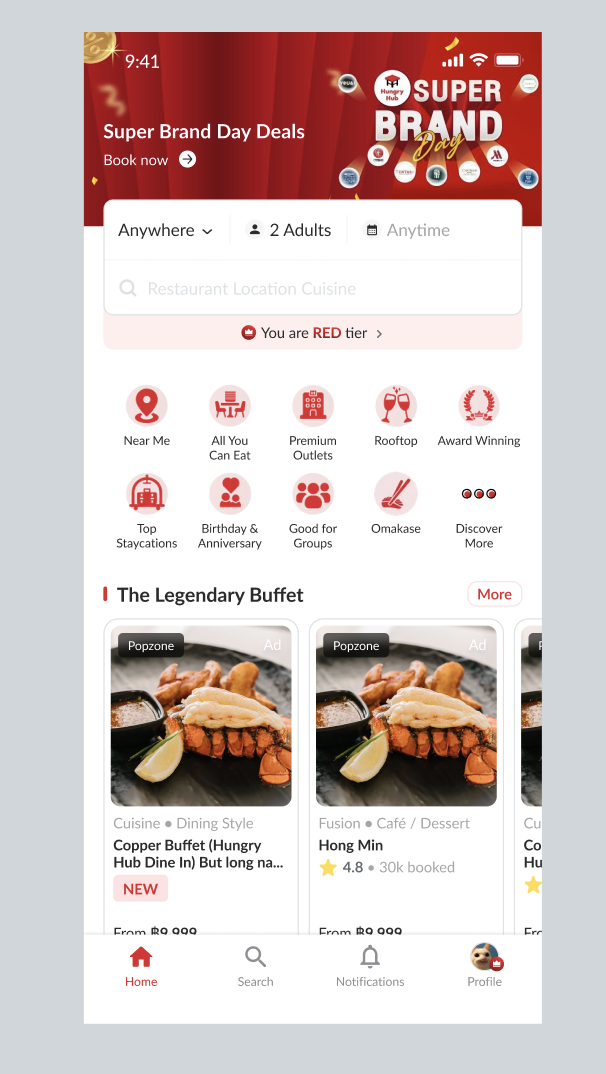 | Display just RED tier (without point)You are Red tierNo need the alert about the expired date |
if user is in the silver, gold or platinum tier & doesn't have point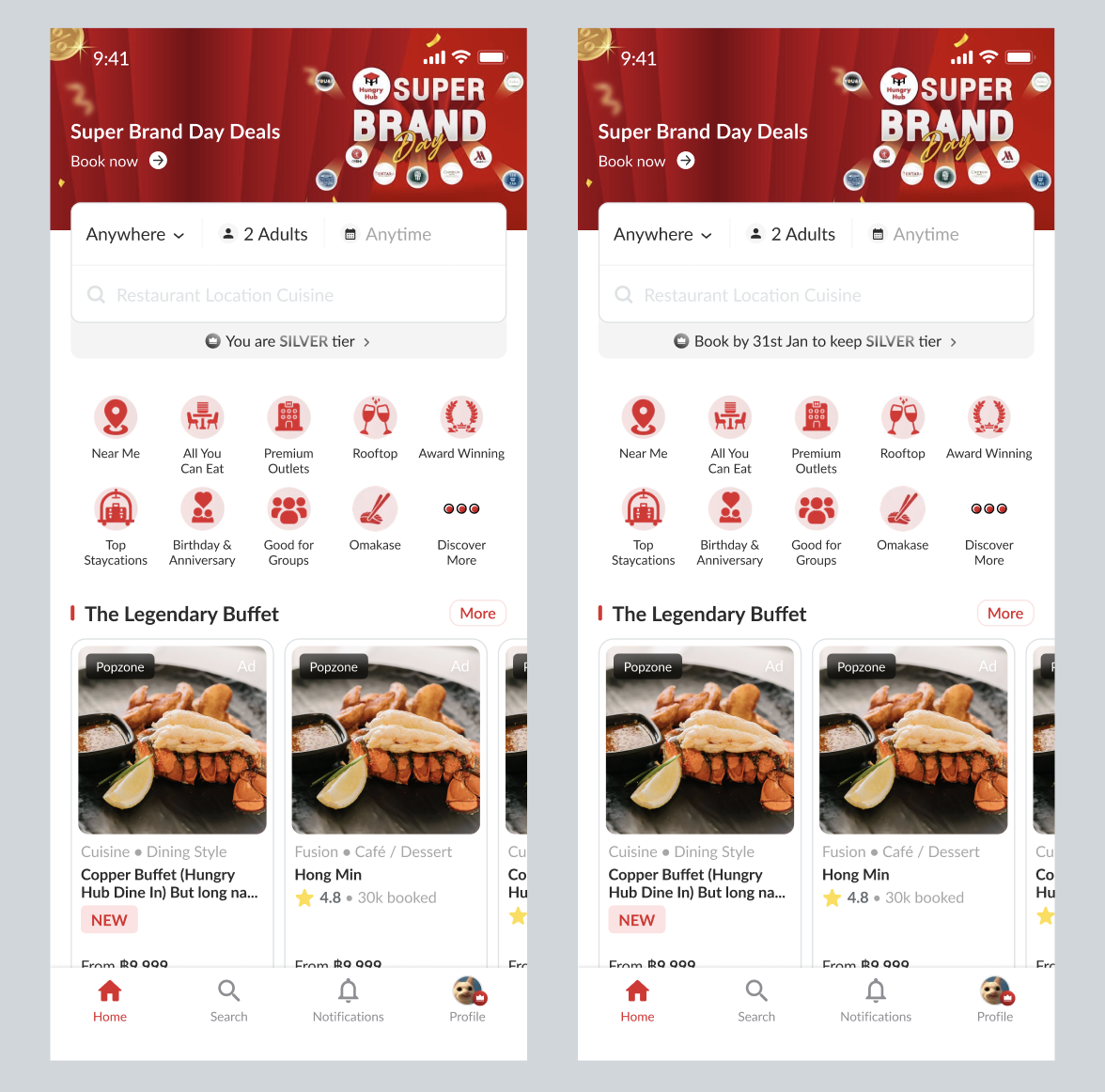 | Display just only the tier (without point)You are Silver tier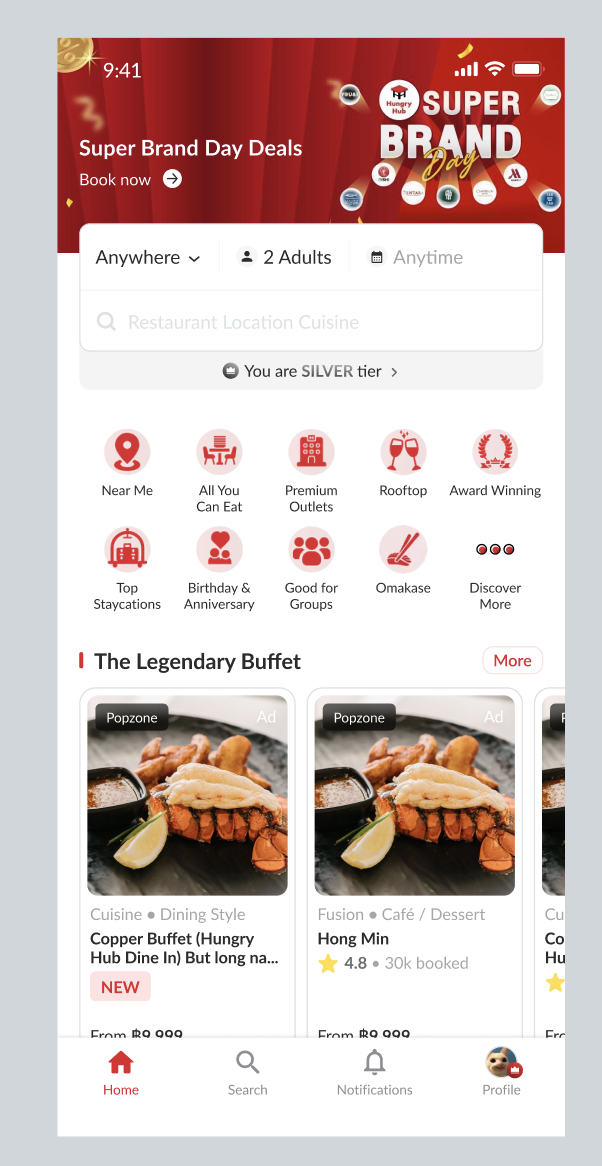 For 30 days before the user's points expire, display an alert (without points) Book by 31st Jan to keep SILVER tier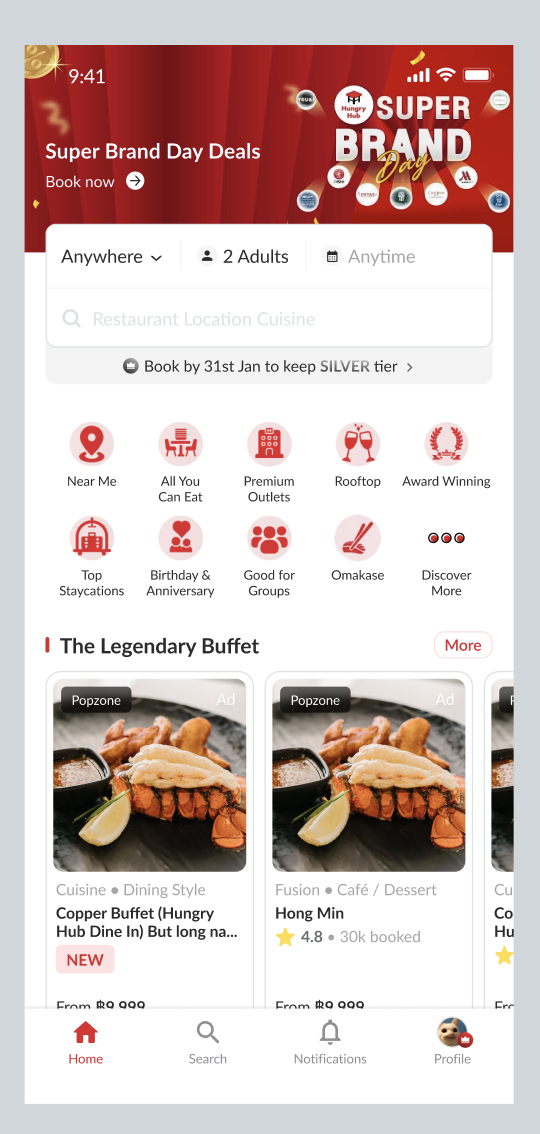 |
Display the tier on the checkout page
| User Story | Requirement |
|---|---|
| After choose the package, i will be redirected to checkout page | Display the tier beside the name (left side of the name)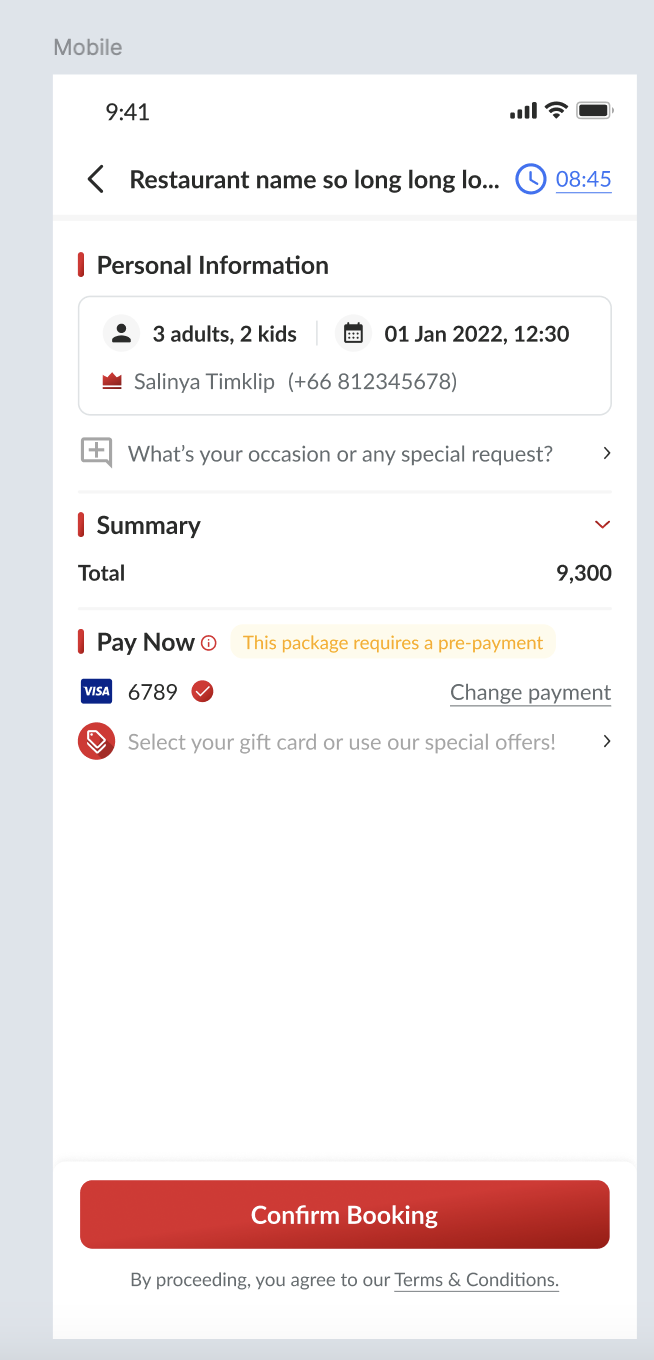 Make sure the tier icon is correct 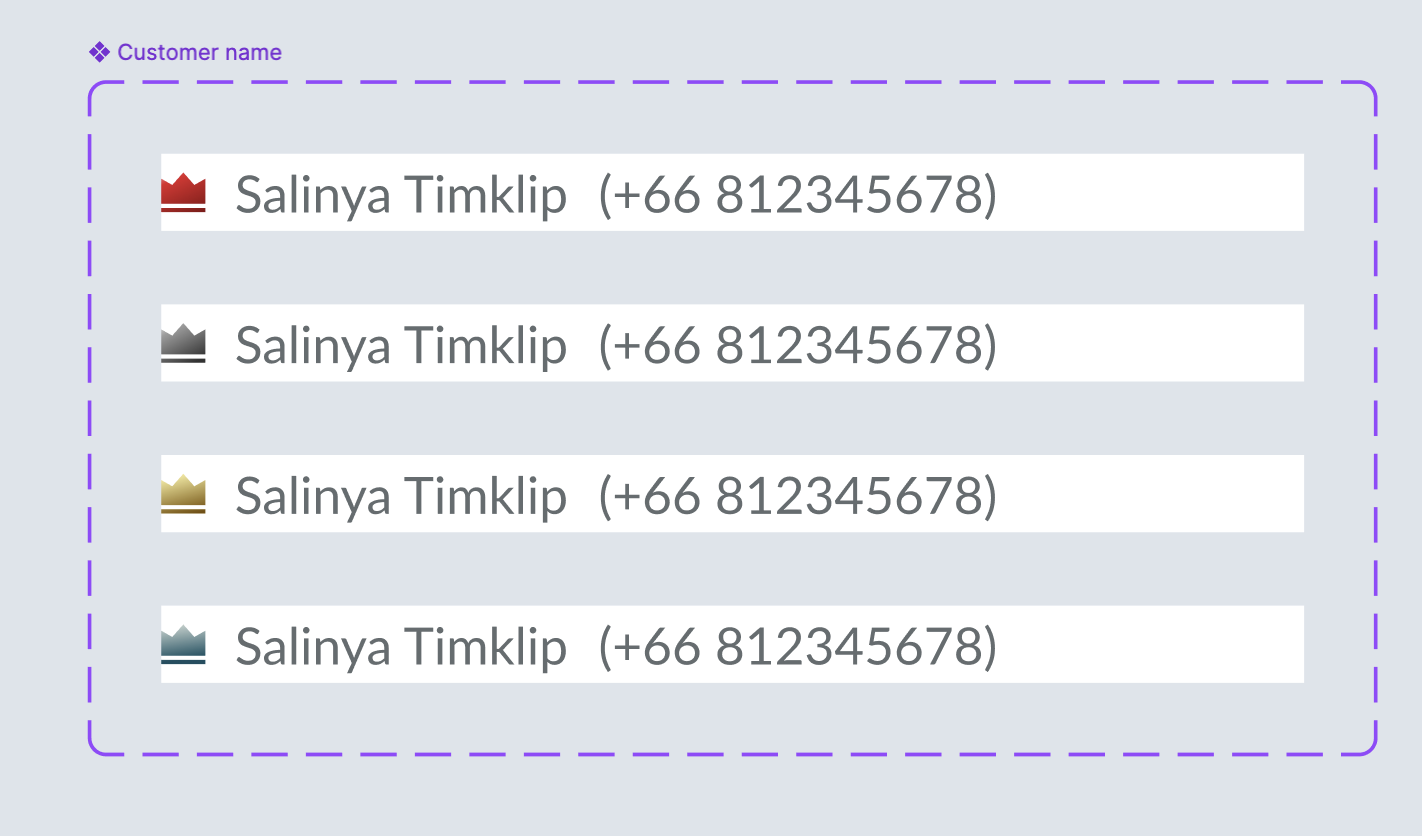 |
Display the tier on the booking confirmation
| User Story | Requirement |
|---|---|
| After my booking is confirmed, i will be redirected to booking confirmation page. | Display the tier label beside the name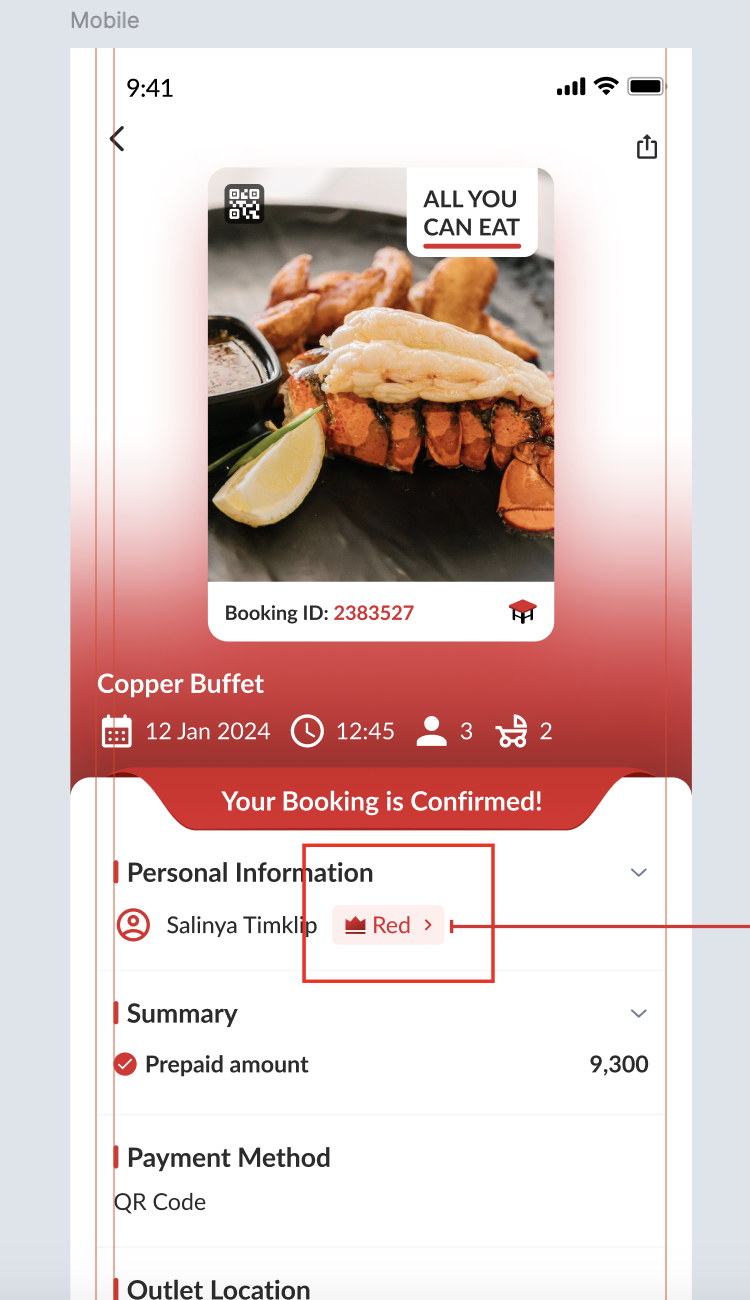 Make sure that the tier is correct 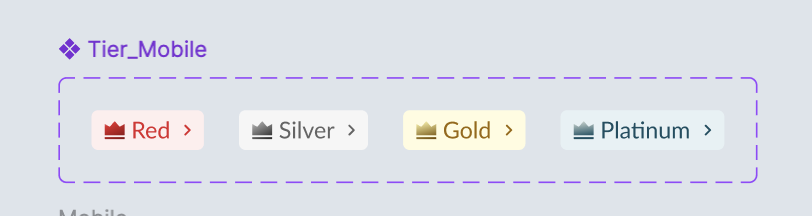 This is the example for website 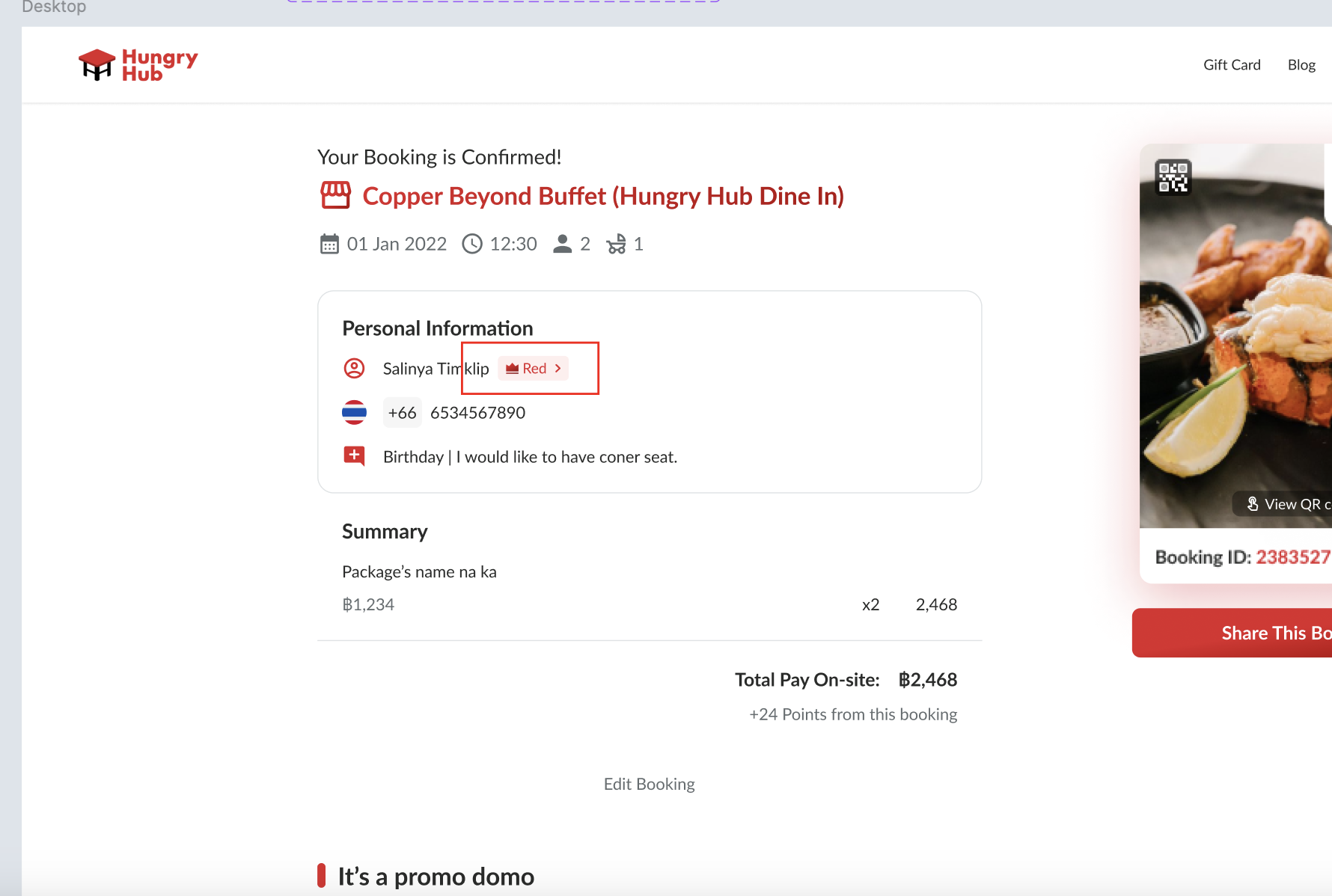 If click the tier label, it will redirect to benefits page on the profile page (example is the new profile page) 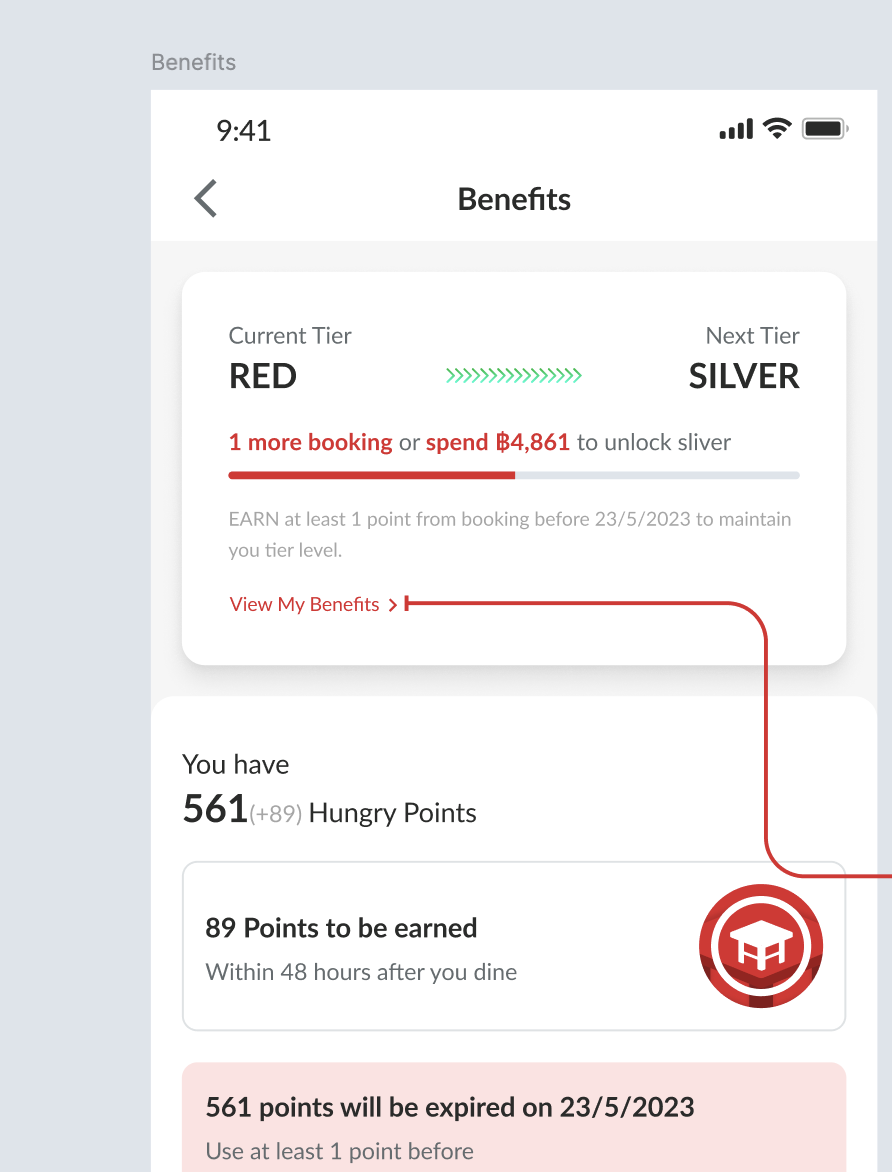 |
Display the tier on the booking confirmation email
| User Story | Requirement |
|---|---|
| After my booking is confirmed, i will get the booking confirmation email. | Change the content of loyalty program section and move it under the terms and conditions section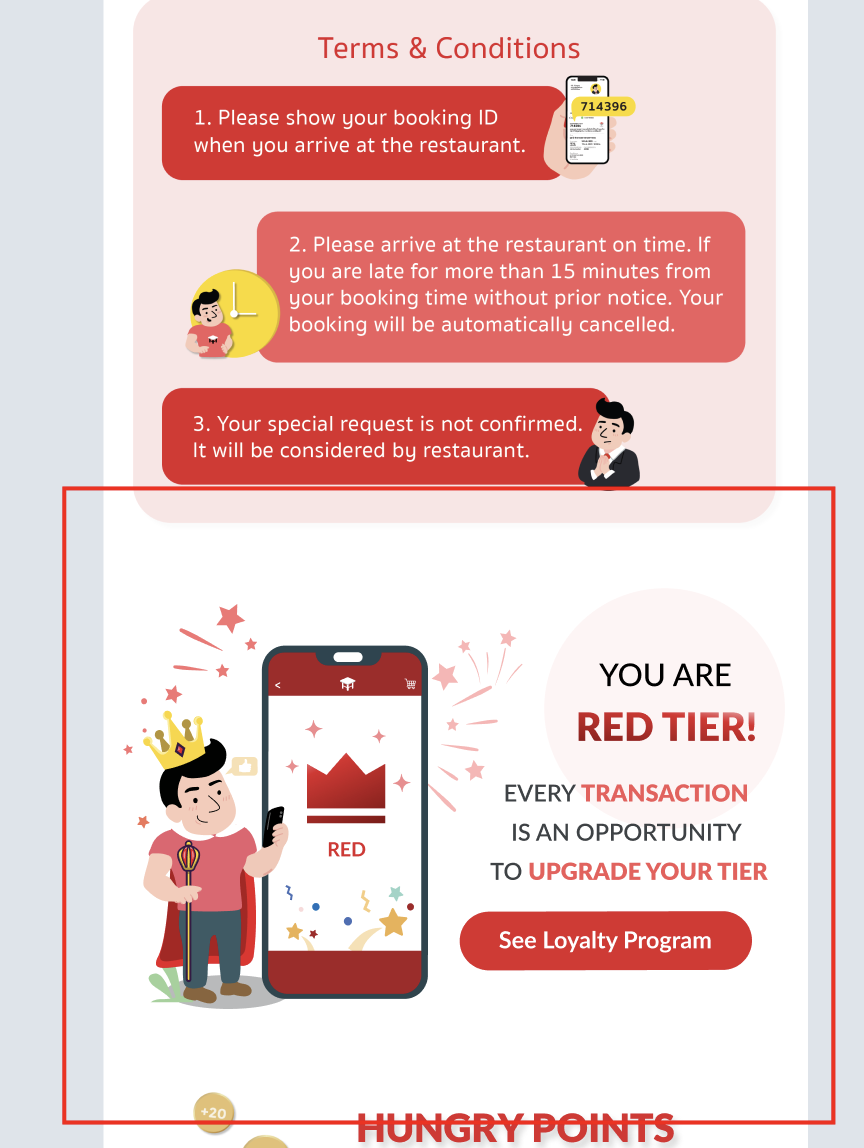 This is the wording for each tier Red, Silver and Gold Tier Every transactionis an opportunityto upgrade your tierPlatinum Tier You've reachedhighest tierEnjoy your benefits!Provide the See Loyalty Program button that will redirect to FAQ page on the zendesk |
Alert Before 1 Week Expired Date
| User Story | Requirement |
|---|---|
| App Notification | Alert before the points and tier are dropped (Silver, Gold and Platinum Tier)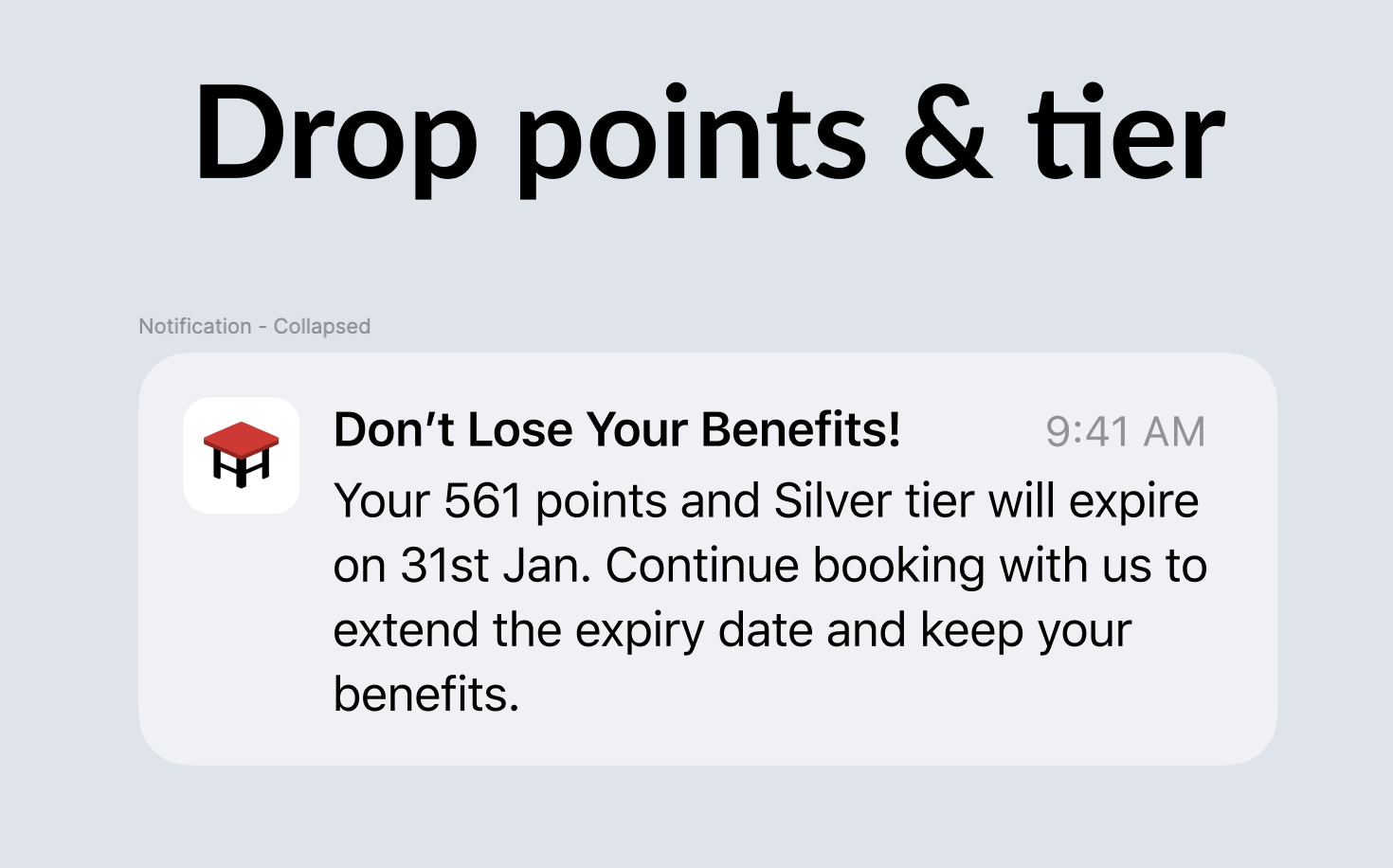 Alert before the only point is dropped (Red Tier) 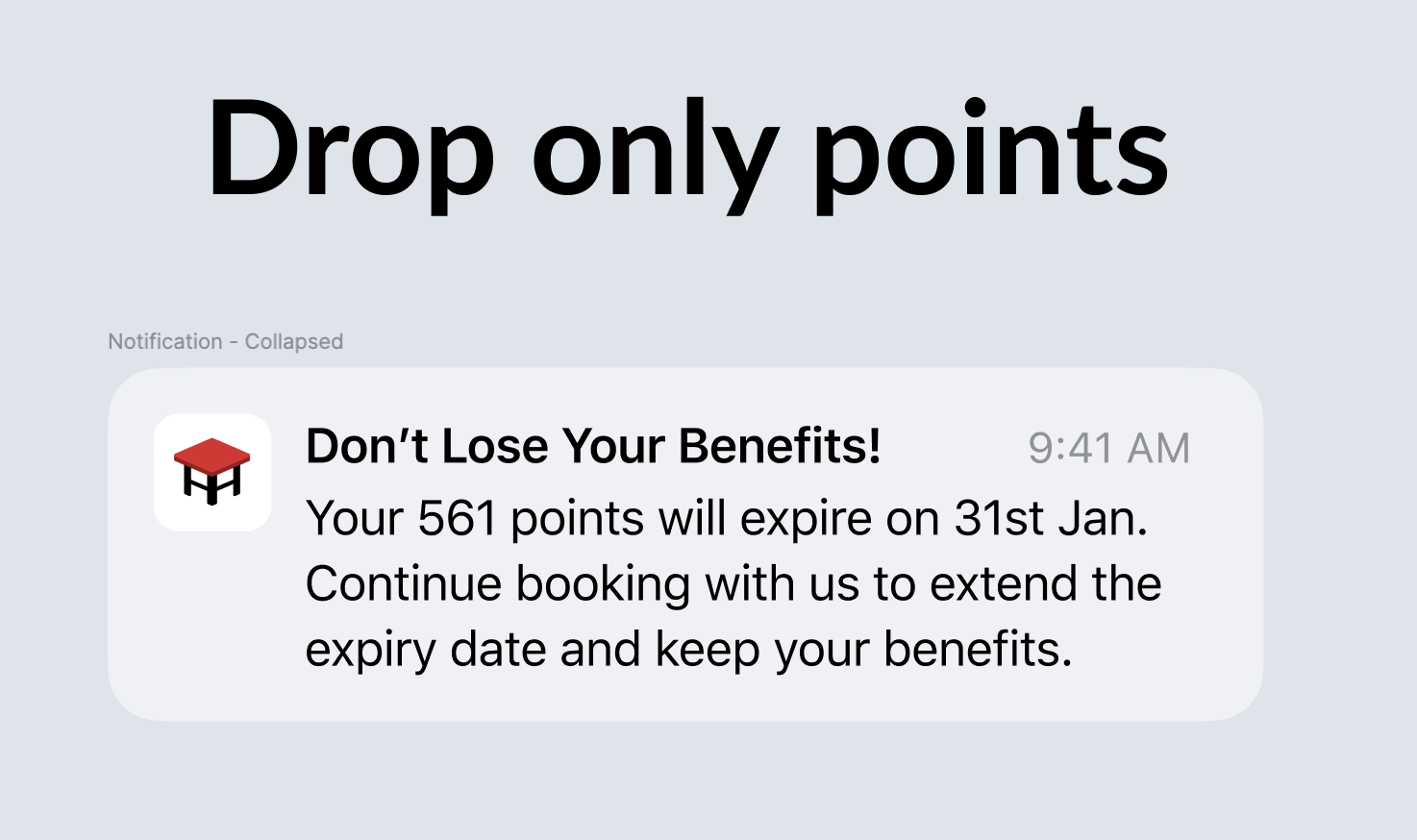 Alert before the only tier is dropped (When the point is 0) 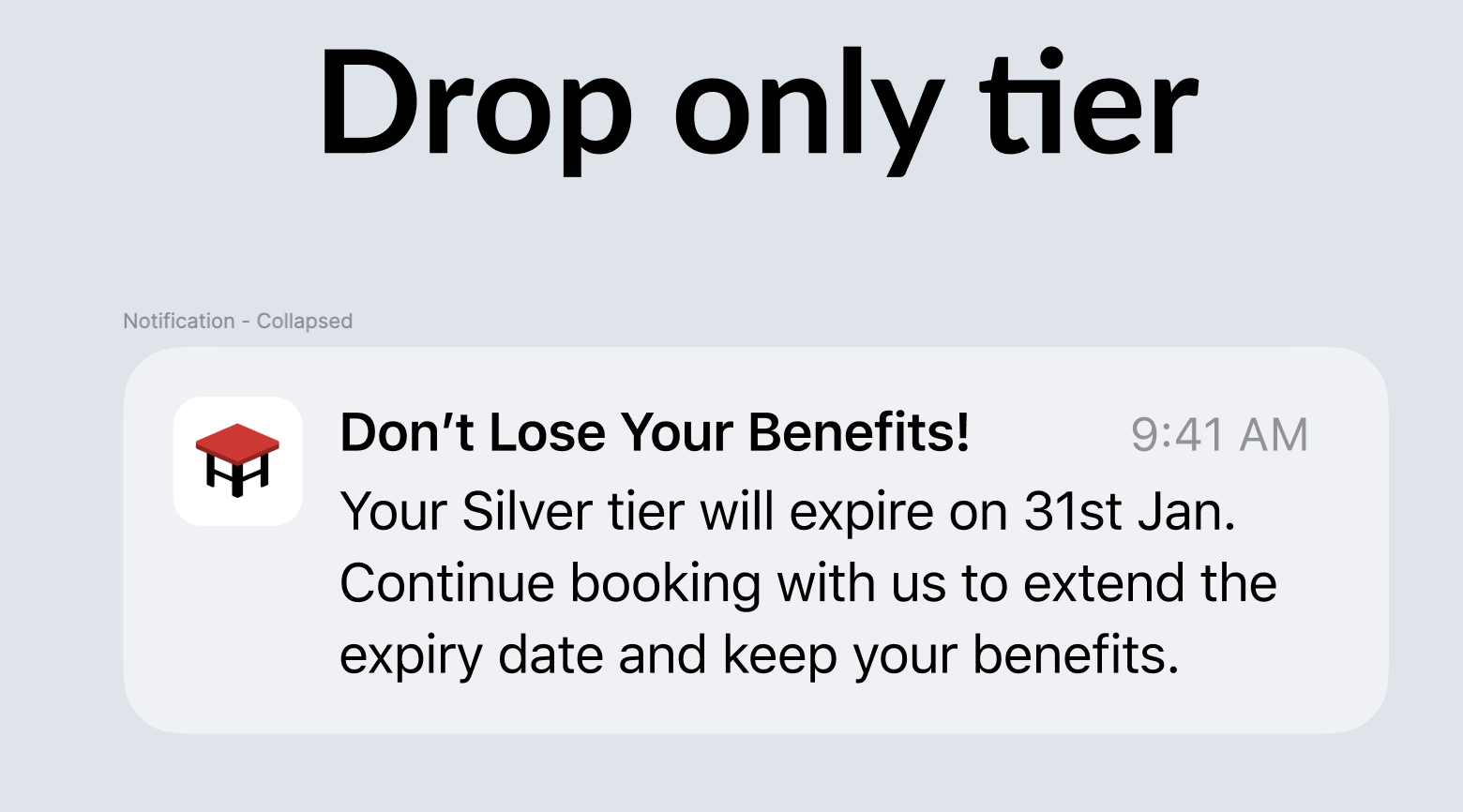 Once clicked, redirect to benefits page on the profile page |
| Email Design Base (Full) 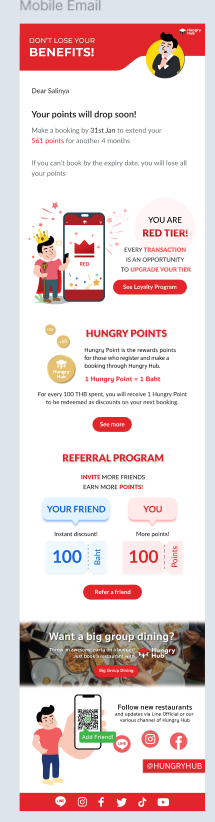 | Alert before the points and tier are dropped (Silver, Gold and Platinum Tier)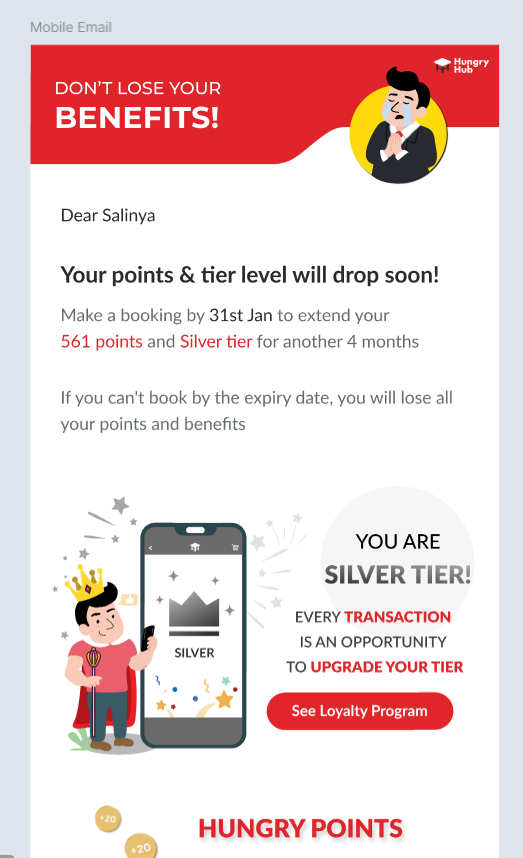 Alert before the only point is dropped (Red Tier) 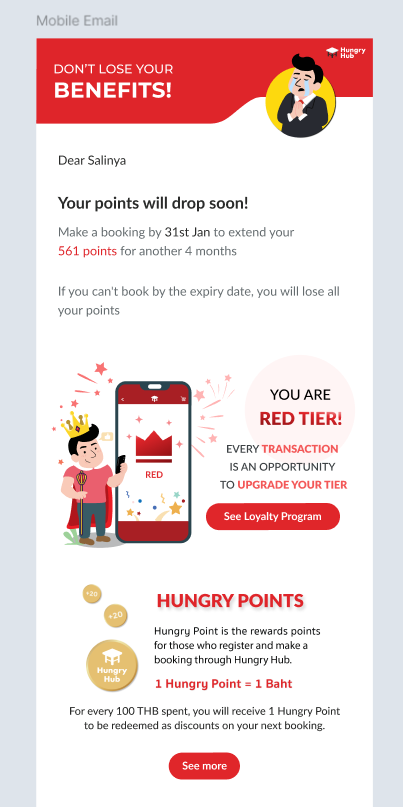 Alert before the only tier is dropped (When the point is 0) 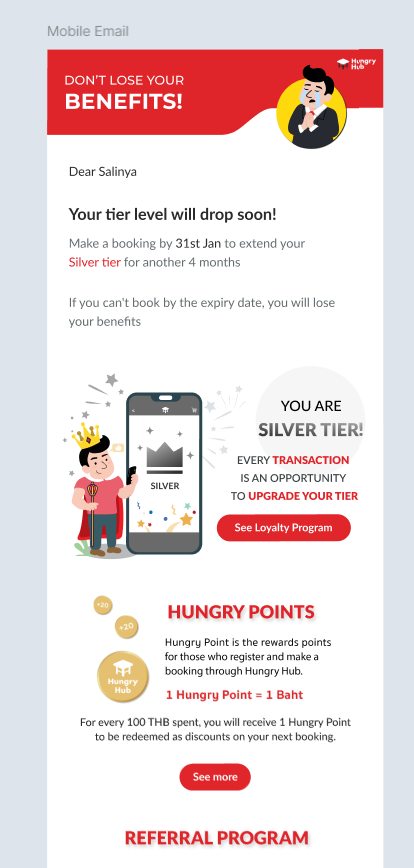 |
Logic Improvement
| User Story | Requirement |
|---|---|
| Expiration date and points | the expiration date will follow the latest period and all of the points will be calculated. so, once the date is exceeded, all of the points should be 0 and the tier will be dropped. |
| Expiration date | Every booking will extend the expiration date by 4 months of the dining date. based on dining date, not the created date (booking date). Special case for extending the expiration date by booking date → User book and use prepayment Expiration date will be rounded up to the end of the month Example : expiration date is 15th october, so it should be rounded up to 31st october Since this rules will be announced at 1st september 2024, all of the expiration dates in august will be extended until 30th september 2024 Scenario :  |
❓ FAQ
| Question | Answer |
|---|---|
| How about guest? | Guest doesn't have tier. so, don't display tier (don't change anything). Example : 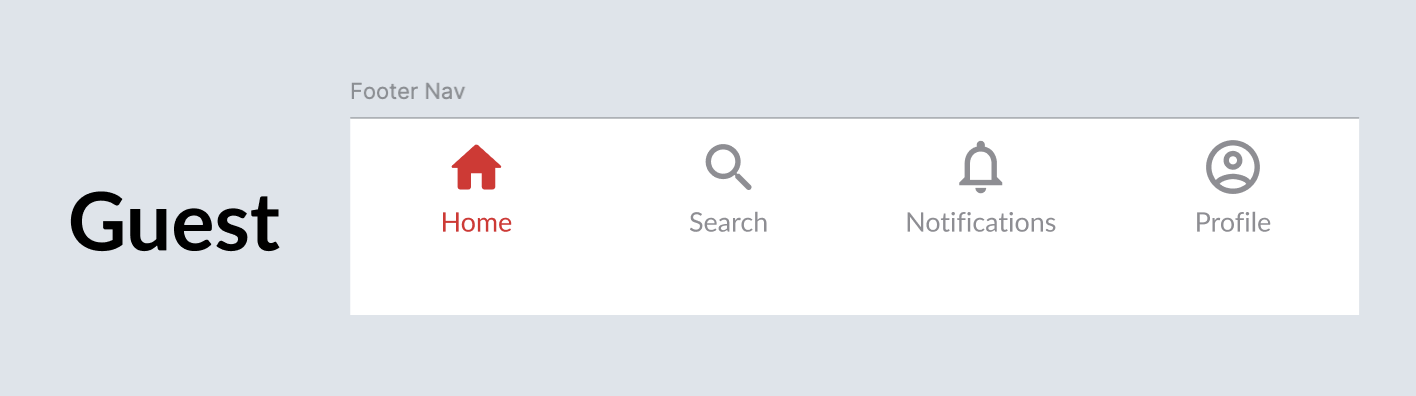 |
📊 Metric
Please provide it on the google analytics
- Track the user's click on tier section on the homepage
- Track the user's click on tier section on the booking confirmation
- The percentage of users who move to a higher tier
- The percentage of users who move to a lower tier
- The percentage of users who keep on their existing tier