Hero banner by city
🧾 History
| Date | Changes | Link | By |
|---|---|---|---|
| 28 August 2024 | List of Changes | This PRD | Umam |
📕 About
| Context | |
|---|---|
| Problem | |
| Solution | |
| Name of Feature | Hero banner by city |
| Objective | |
| Gains | |
| Pains | |
| Figma Link | |
| Available Platform | Web |
| Sprint | TBD |
| Related PRD | - |
| Out of Scope | - |
🎯 User Story & Requirement
Activate RwG business link on the restaurant list
| User Story | Requirement |
|---|---|
| As an admin, i want to activate RwG business link on the admin dashboard Admin Dashboard ➝ Restaurant ➝ Restaurant List ➝ Action ➝ Edit Flow : Go to the Navbar Click Restaurant Dropdown Click RwG business link itemRedirect to RwG business link page | Provide RwG business link item on the dropdown item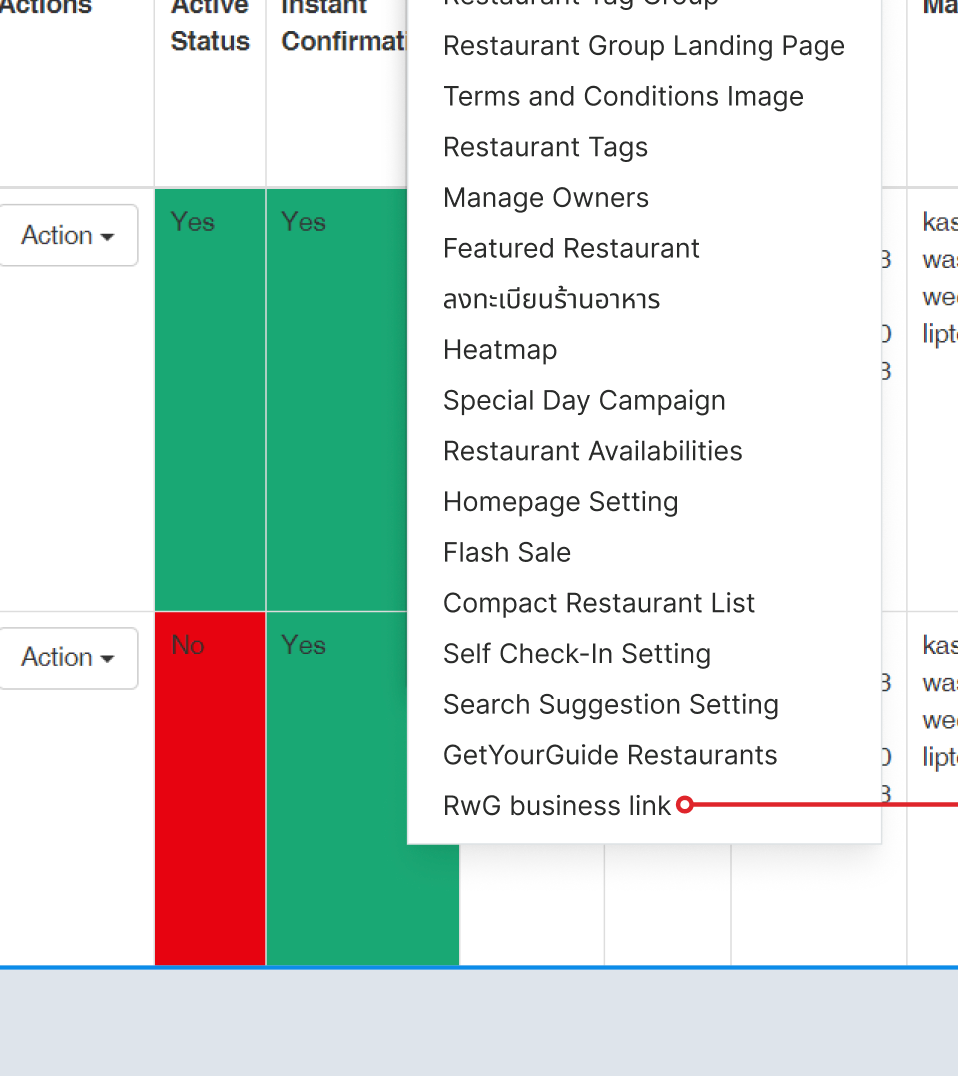 Provide Activate RwG business link checkbox button in this section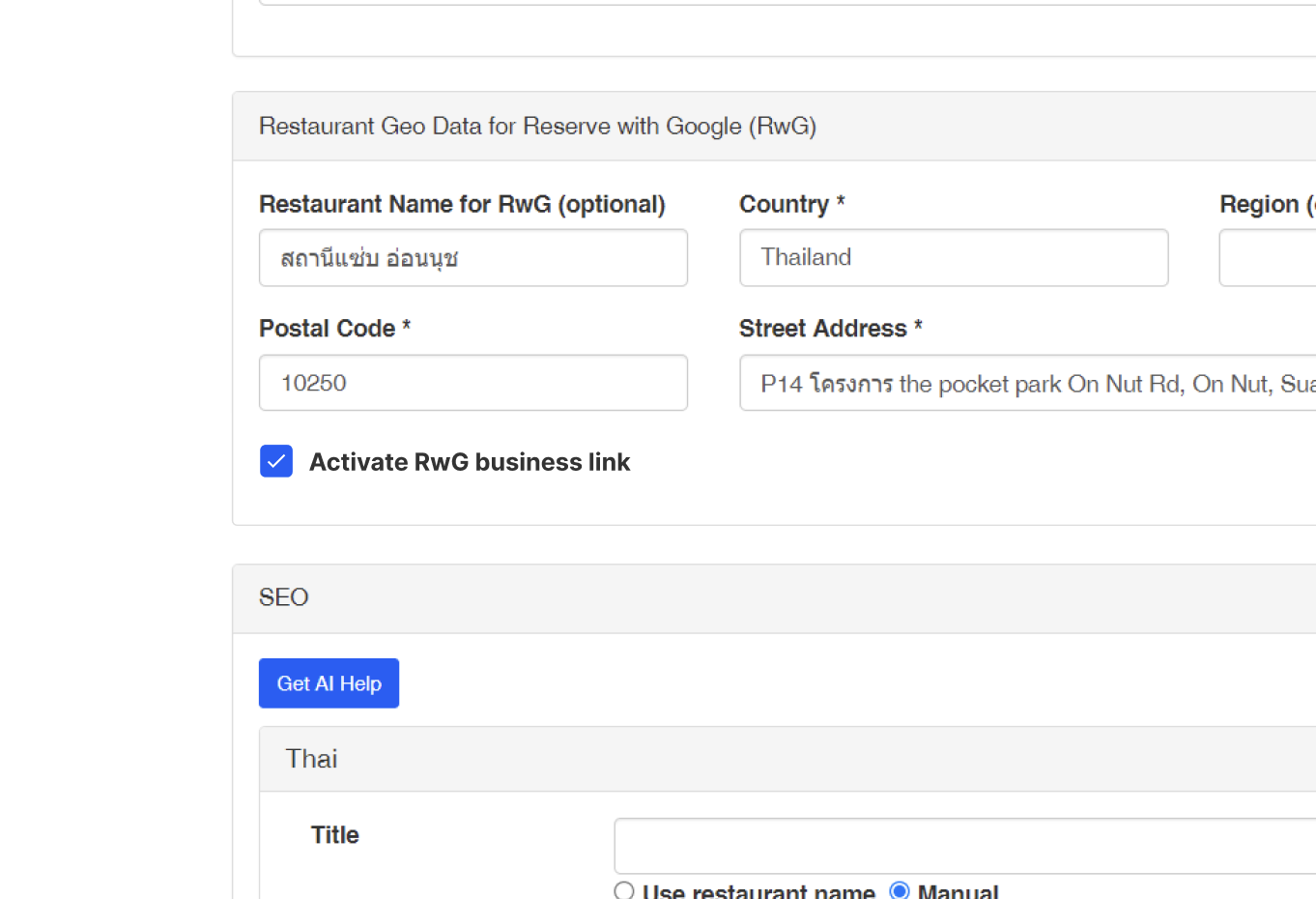 By default, RwG business link should be active Once activated, the link for business link should work 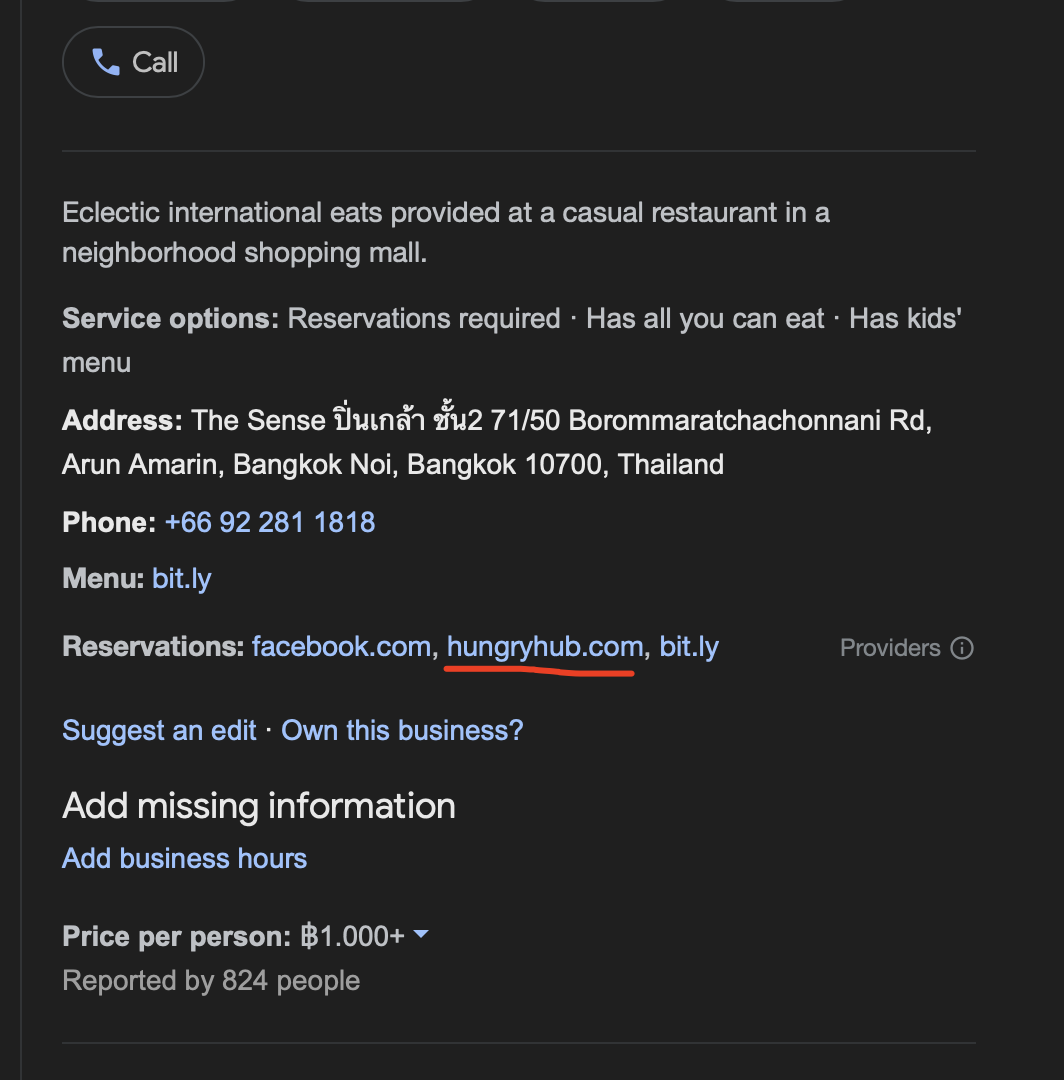 |
Show Restaurant List that use RwG business link
| User Story | Requirement |
|---|---|
| As an admin, I want to choose which restaurants will be integrated with RwG business link Flow : Go to the Navbar Click Restaurant Dropdown Click RwG business link itemRedirect to RwG business link page | There are 2 tablesIntegrated RestaurantsNot IntegratedIn each table there are several columns Restaurant IDRestaurant NameStatusShow restaurants that are currently active or inactive ActionThere are different cases, please kindly check the table below Provide Pagination Provide Search Feature Provide Save button to update changesOnce activated, the link for business link should work 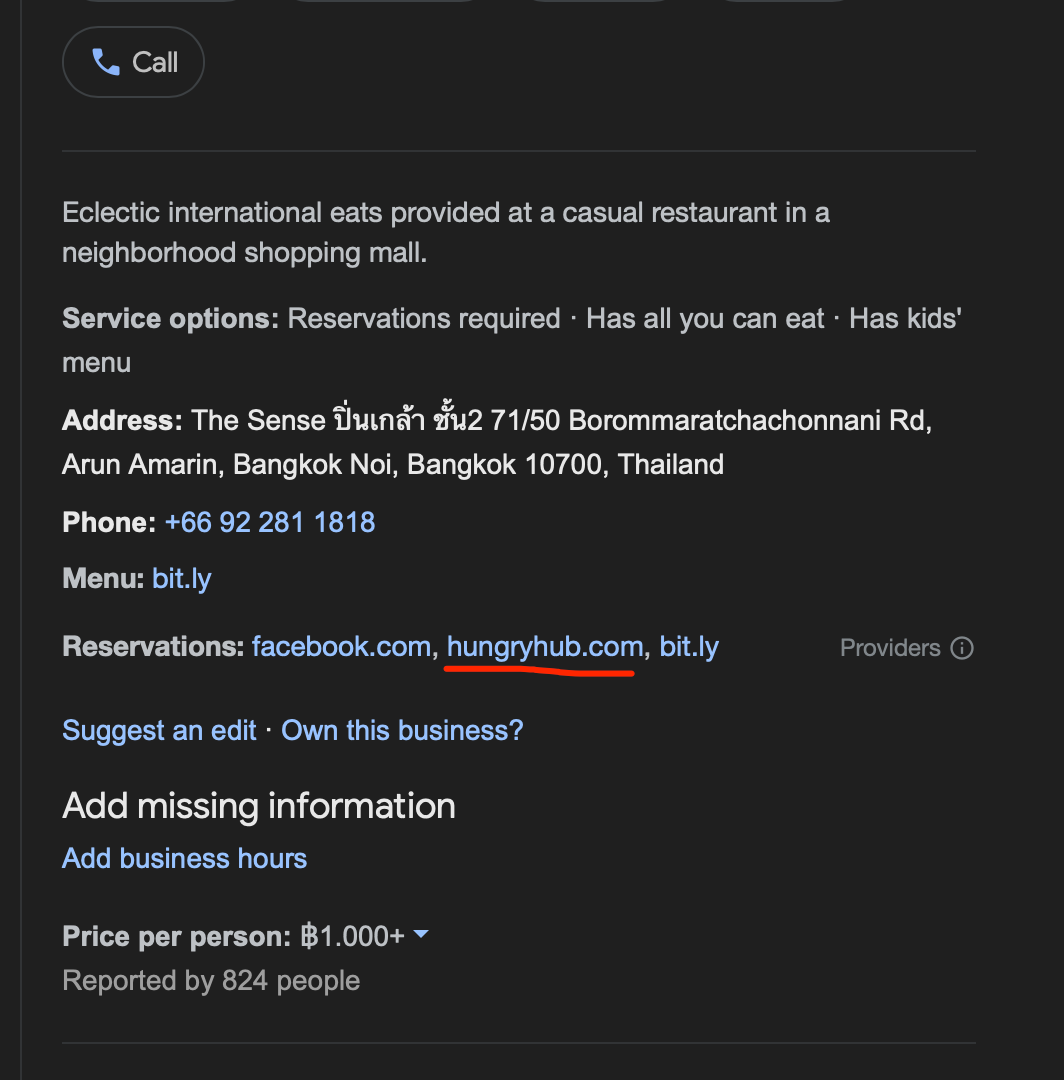 |
| Integrated Restaurants | Not Integrated |
|---|---|
In the Action Column, There are 2 buttonsEdit ButtonIt will redirect to Restaurant Edit PageRemove ButtonThe restaurant will be moved to Not yet Integrated table. it shows that restaurant is successfully not integrated to RwG business linkStatus ButtonIt will show the status of restaurant ( active/inactive)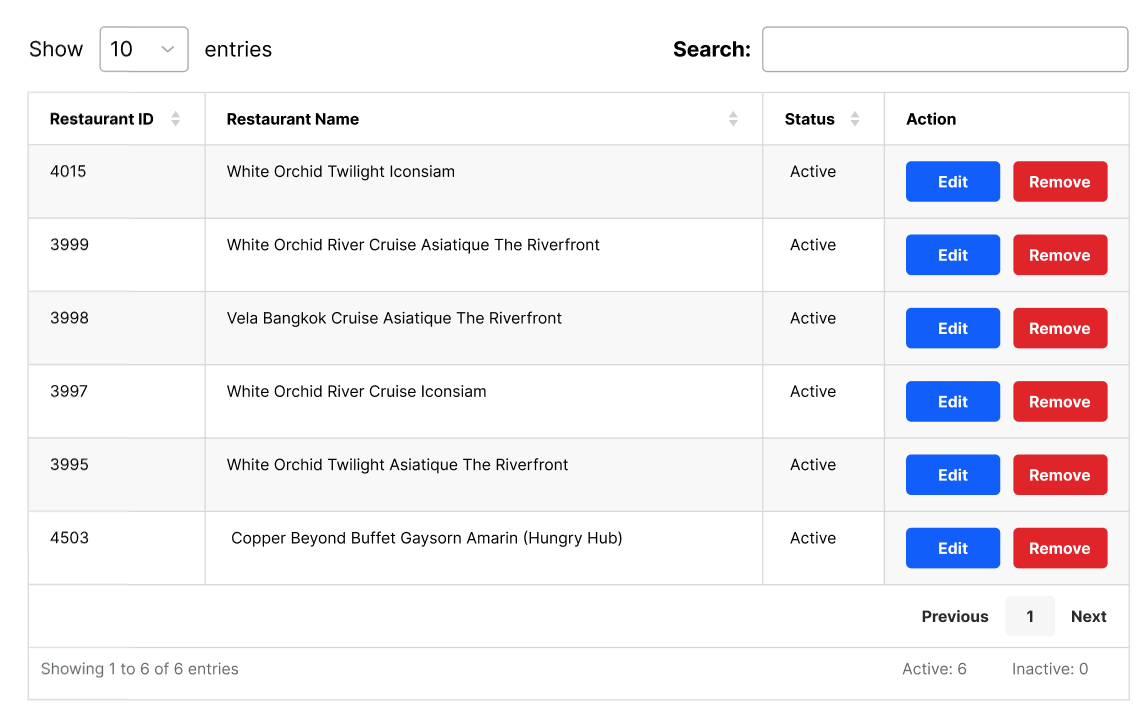 | In the Action Column, There are 2 buttonsAdd ButtonThe restaurant will be moved to Integrated Restaurants table. it shows that restaurant is successfully integrated to RwG business linkStatus ButtonIt will show the status of restaurant ( active/inactive)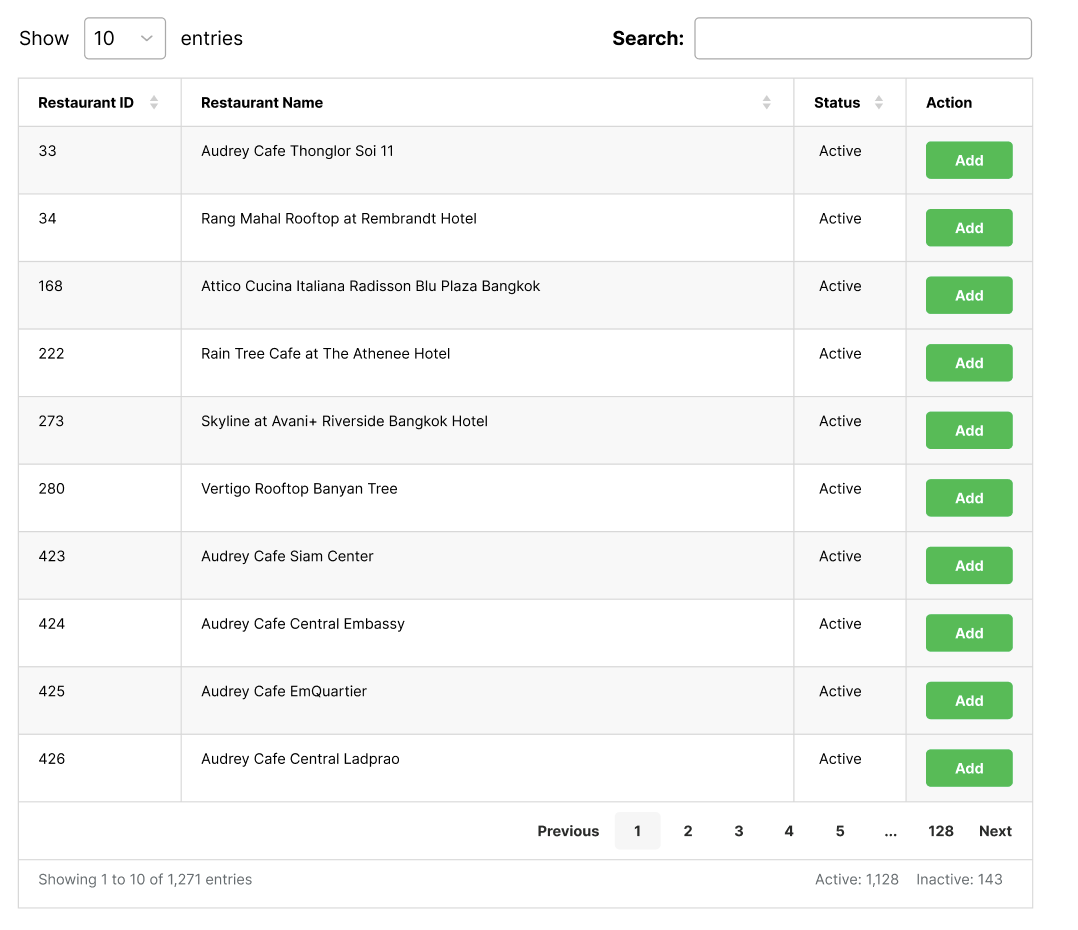 |
❓ FAQ
| Question | Answer |
|---|---|
| So, do we have 2 ways to activate the business link | Yes... Since there are 2 ways to activate the RwG business link, please make both of them connected to each other. |