HH Menu v3
🧾 History
| Date | Changes | Link | By |
|---|---|---|---|
| Old | old | Private (https://app.clickup.com/9003122396/docs/8ca1fpw-7922/8ca1fpw-37656) | Umam |
| 15 Oct 2024 | List of Changes Add Comparing to other party pack/AYCE packages section under About this package section on the party pack/AYCE package pageFree flow beverage menu Add menu on navbar admin dashboard Menu Master List Create New Menu Master List Menu Group Create Menu Group Add HH Menu V3 option on edit packageRestaurant Section on the detail package page (Update) Package comparison table (Update) | This PRD | Umam |
📕 About
| Context | Each package has each menu |
|---|---|
| Problem | Hard to compare menu on each package Need effort to write menu on each package. even though the menu is same (just quantity) |
| Solution | Need to compare menu on each package easily Able to use a menu in some packages (only set the quantity of menu) |
| Name of Feature | HH Menu v3 |
| Objective | Add Comparing to other party pack/AYCE packages section under About this package section on the party pack/AYCE package pageFree flow beverage menu Add menu on navbar admin dashboard Menu Master List Create New Menu Master List Menu Group Create Menu Group Add HH Menu V3 option on edit package |
| Gains | Can manage menu and link to other package easily |
| Pains | Need more effort for adjustments |
| Figma Link | https://www.figma.com/file/BIXEZKqq8npMPpE7lu4lCK/Comparing-packages-table-(Party-Pack)?type=design&node-id=0%3A1&mode=design&t=5bosBRxuQVxQuM3a-1 |
| Available Platform | Web/Android/iOS |
| Sprint | TBD |
| Related PRD | - |
| Out of Scope | Old Store Page |
🎯 User Story & Requirement
Add Comparing to other party pack/AYCE packages section under About this package section on the party pack/AYCE package page
| User Story | Requirement |
|---|---|
As a user, i want to compare my selected package with other packages on the party pack package page / AYCE package page | Note : Each package requirement is written in the table below |
| Party Pack | AYCE |
|---|---|
Provide Comparing to other party pack packages sectionPlace Comparing to other party pack packages section under About this package sectionProvide comparison table that consists column of Prices of the packageTotal of the menus for each package priceTotal is the total number of all menu listsFood There are 2 sections : Total Menu is the number of menu list that can be selected by the userMenu Name is the name of menuBeverage Total Menu is the number of menu list that can be selected by the userMenu Name is the name of menuThe package you are currently opening will be shown in blue color (the row will be blue color) 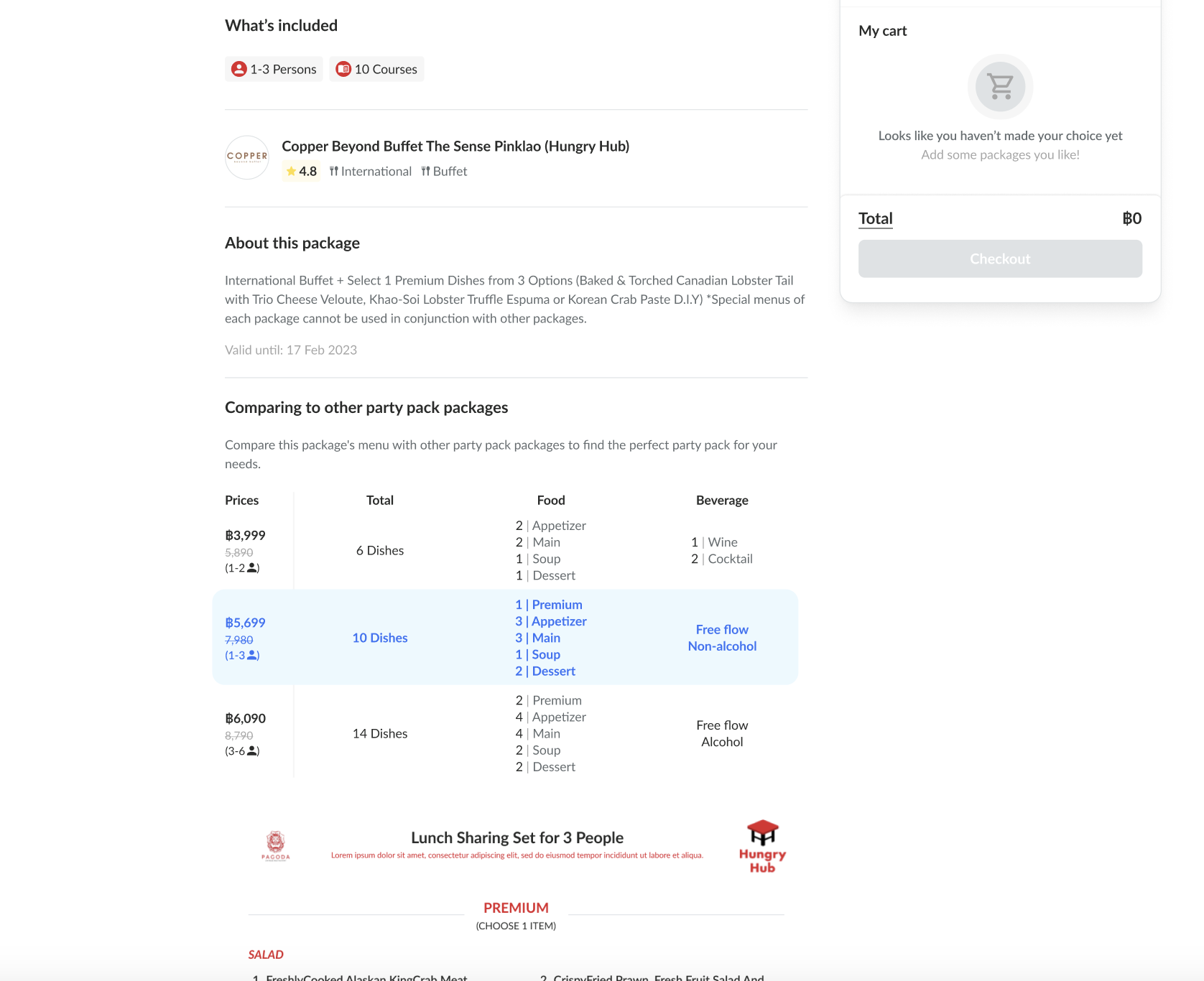 List package should be sorted ascending (smallest to largest) based on price Show 3 list when collapsed → show all when expanded | Provide Comparing to other party pack packages sectionPlace Comparing to other party pack packages section under About this package sectionProvide comparison table that consists column of Prices of the packageUnlimited is the menu that don't have limitation to takeLimited is the menu that have limitation to takeTotal Menu is the number of menu list that can be selected by the userMenu Name is the name of menuBeverage Total Menu is the number of menu list that can be selected by the userMenu Name is the name of menuThe package you are currently opening will be shown in blue color (the row will be blue color) 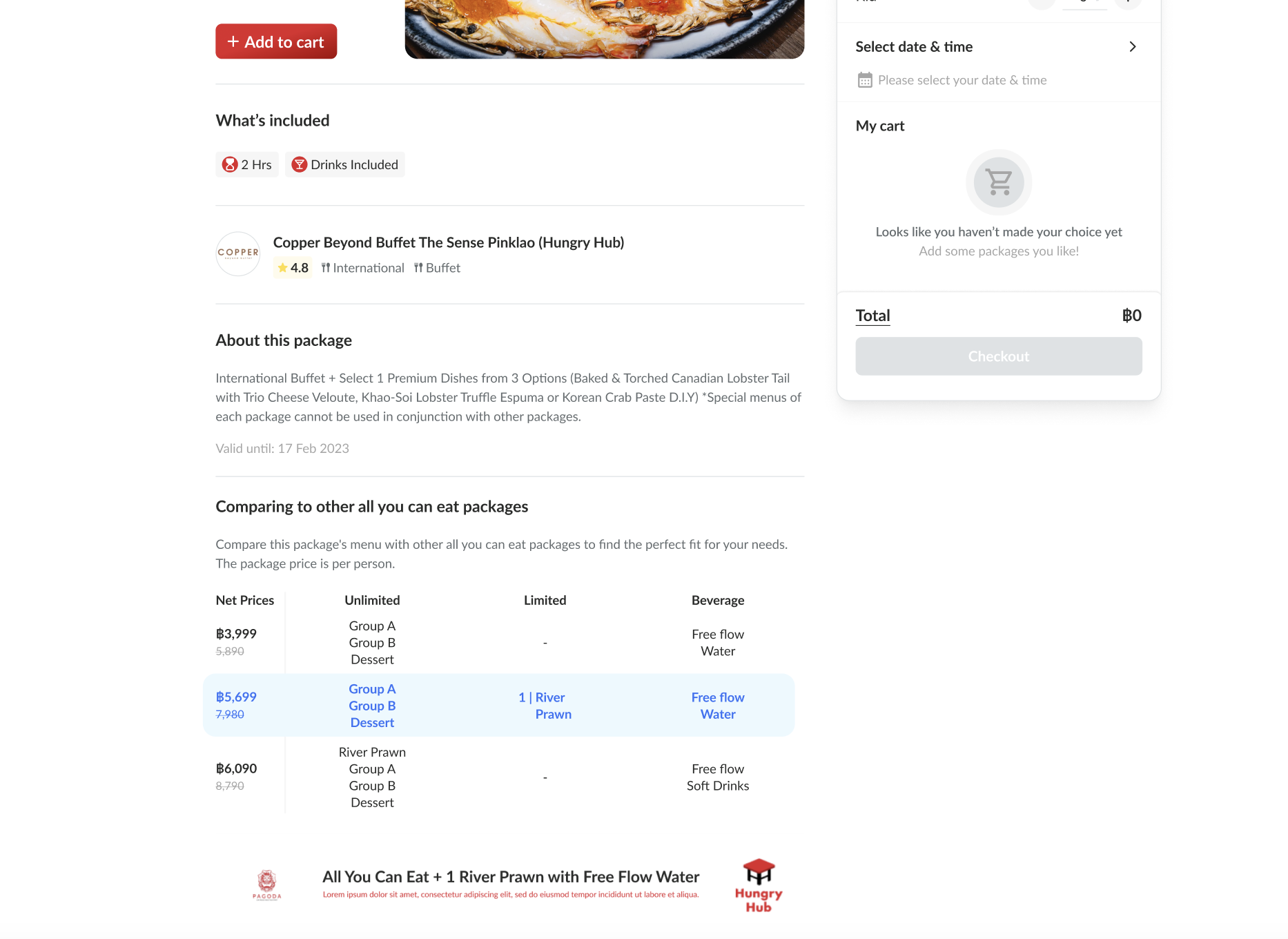 List package should be sorted ascending (smallest to largest) based on price Show 3 list when collapsed → show all when expanded |
Unlimited & Limited Food
| User Story | Requirement |
|---|---|
| For AYCE and PP both have the food menu section with the option that limited or unlimited to take. | Add Unlimited in the first line before the menu section name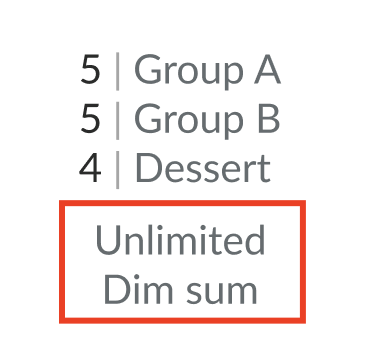 |
Free flow beverage menu
| User Story | Requirement |
|---|---|
There are some restaurants have free flow beverage. As a user, I want to compare it across each package.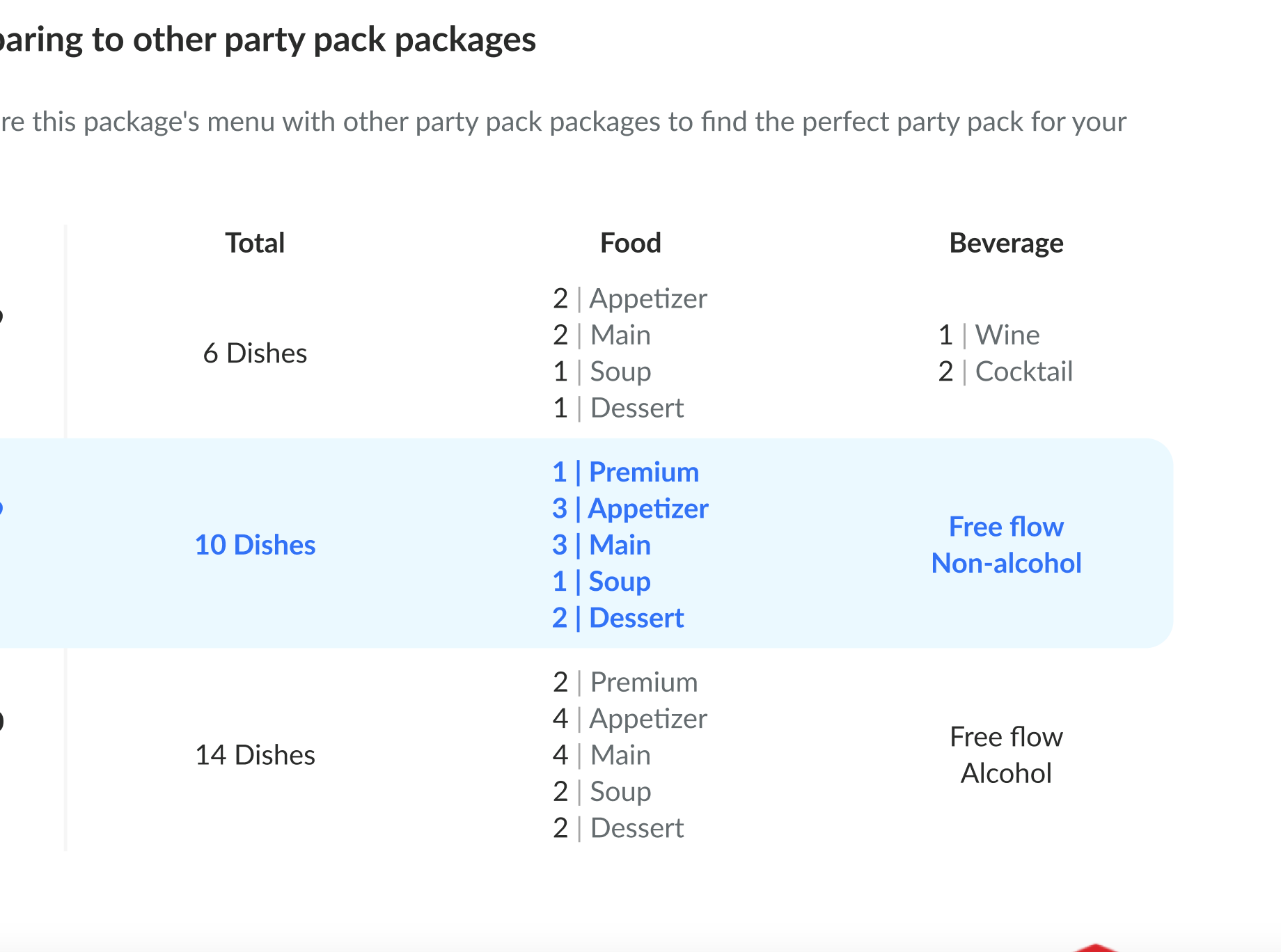 | As the current system, Total is set manually by admin (quantity form).Total dishes should be calculated automatically (by system) If quantity form is blank, calculate automatically If not blank (filled out), override the quantity Beverage (whether free flow or not) won't be counted as total |
| Free Flow and Non Free Flow | More than 1 Free Flow |
|---|---|
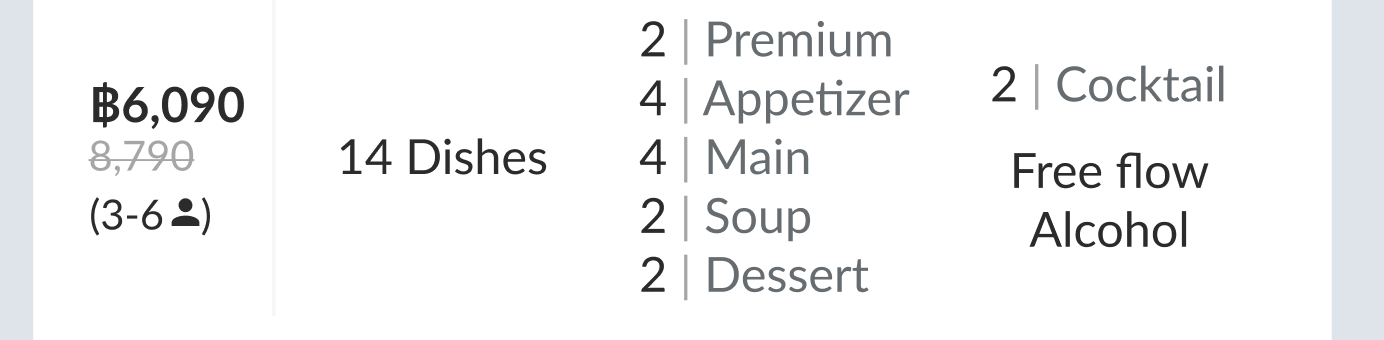 Separate it into different line | 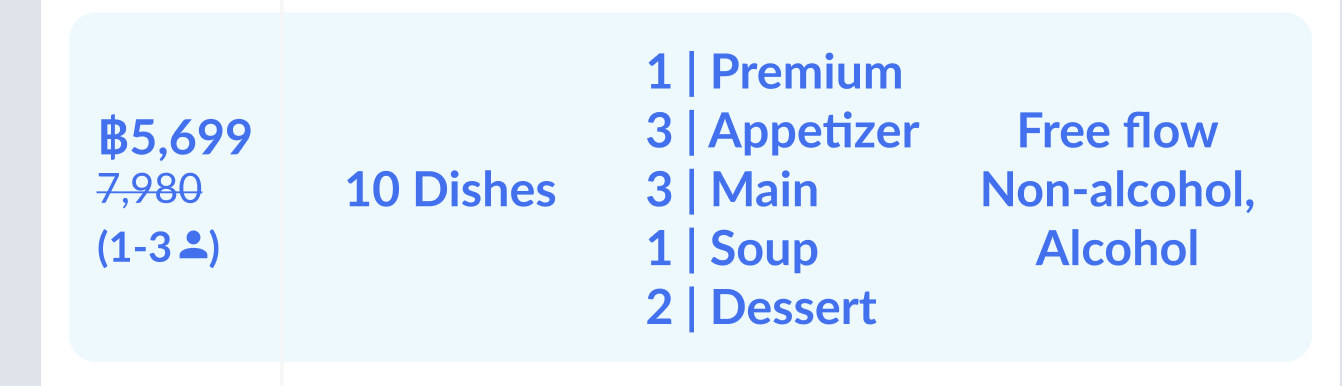 Example : Free flow {Beverage 1}, {Beverage 2} Free flow Non-alcohol, Alcohol |
Add menu on navbar admin dashboard
| User Story | Requirement |
|---|---|
| Navigation bar | Add Menu dropdown on Navigation BarThere are 2 items in the dropdown item Menu Master List Menu Group 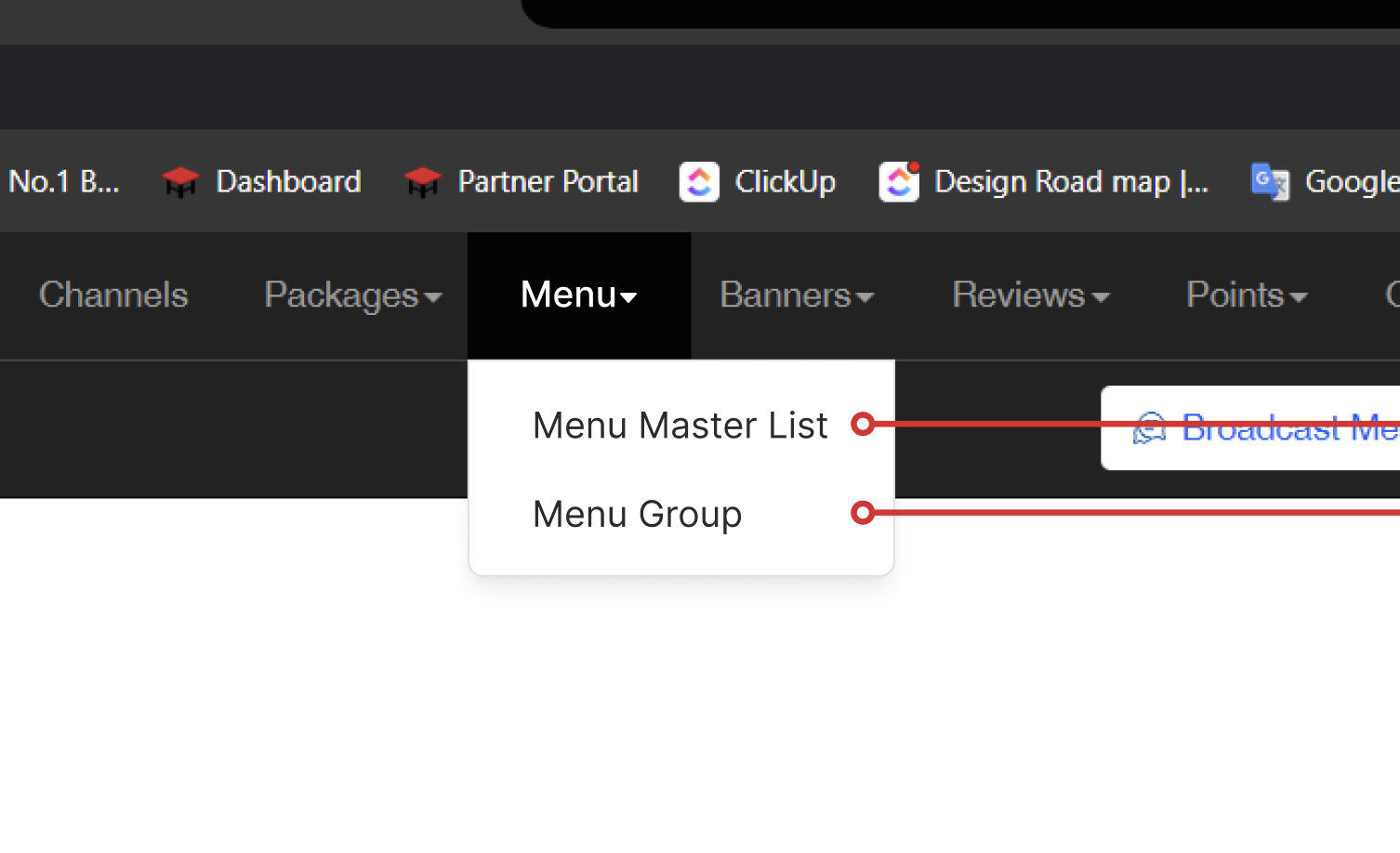 |
Menu Master List
| User Story | Requirement |
|---|---|
| Menu Master List Overview | There are some elementsMenu Master List Overview TitleCreate New Menu Master List buttonFilter section Master List Table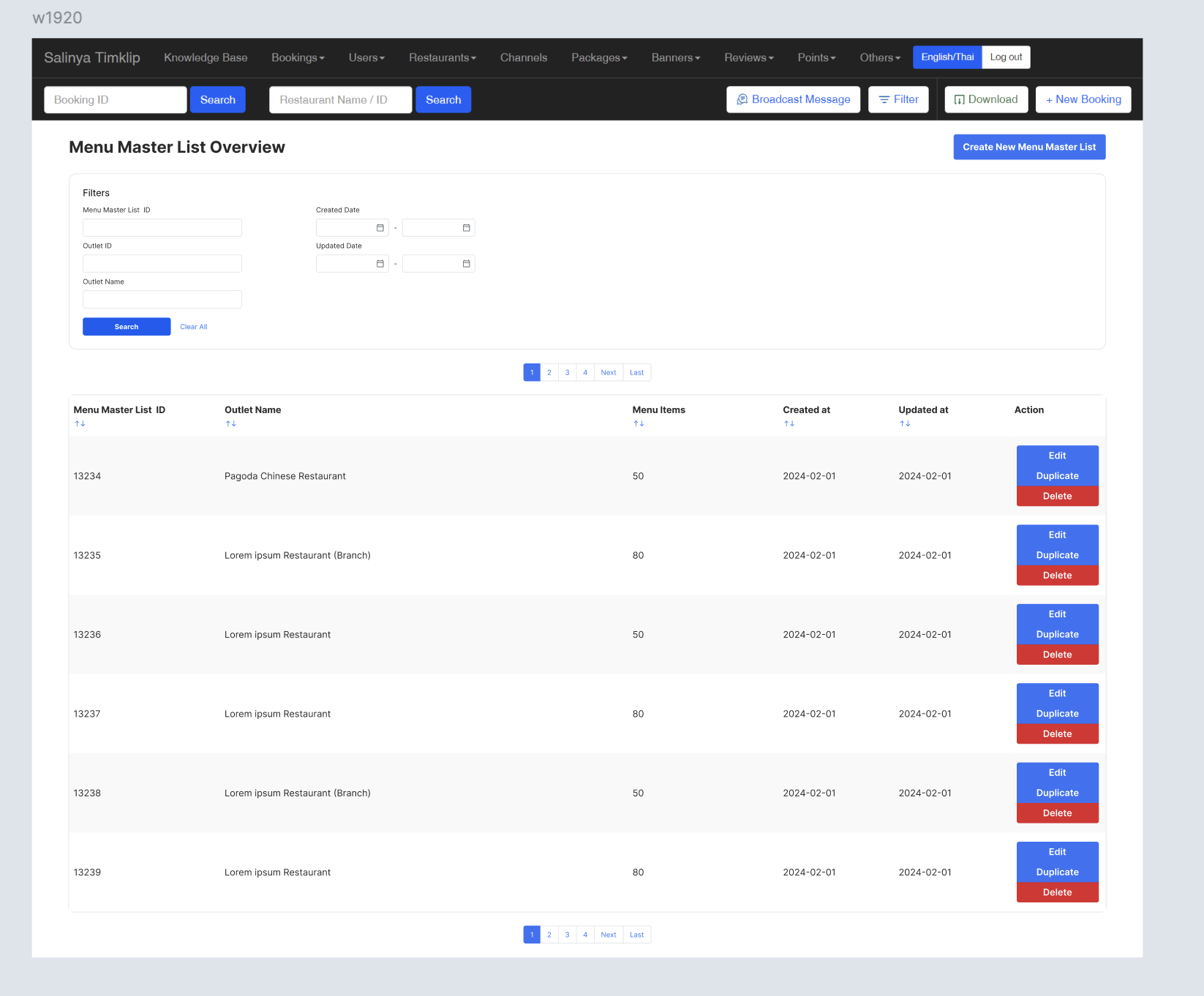 |
| Filter section | There are some fieldsMenu Master List ID formOutlet ID formOutlet Name formCreated Date formUpdated Date formSearch buttonClear all button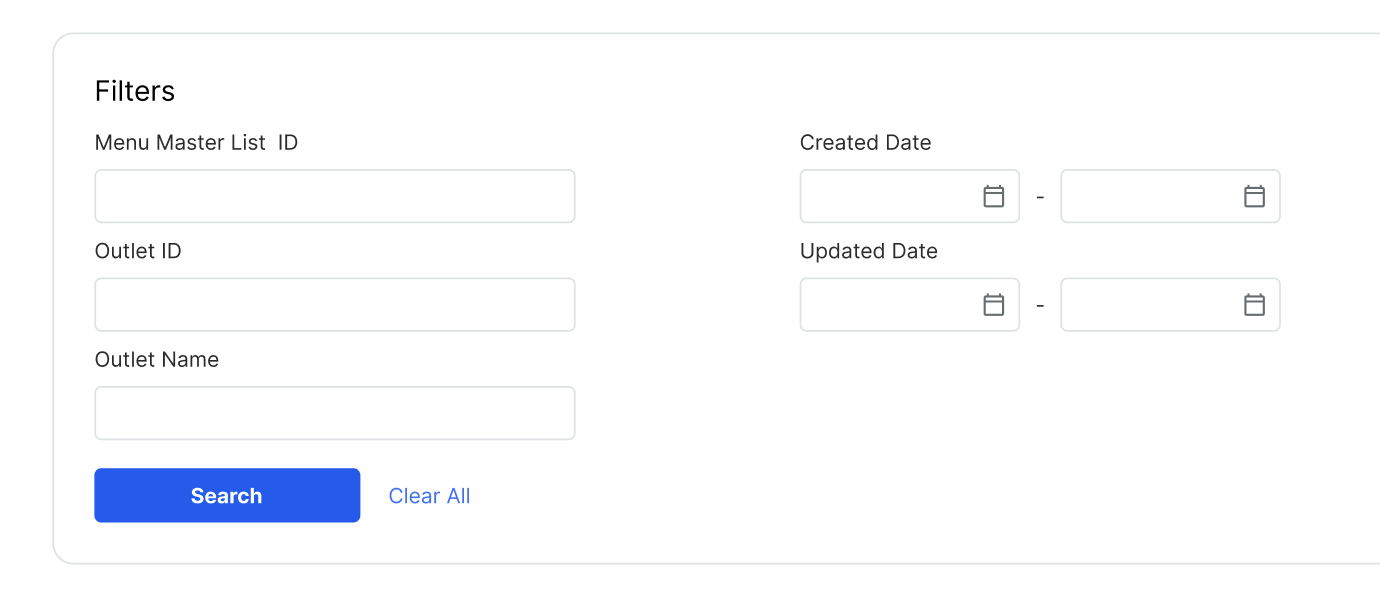 When searching by outlet name or outlet ID, it should display: The specified outlet The branches linked to that specified outlet For Example: Search ‘Audrey Cafe Siam Center’, the result is Audrey Cafe Siam Center Audrey Cafe (Branch) |
Master List Table | There are 6 columns Menu Master List ID Outlet Name Menu Items Created at Updated at Action Edit Duplicate Delete 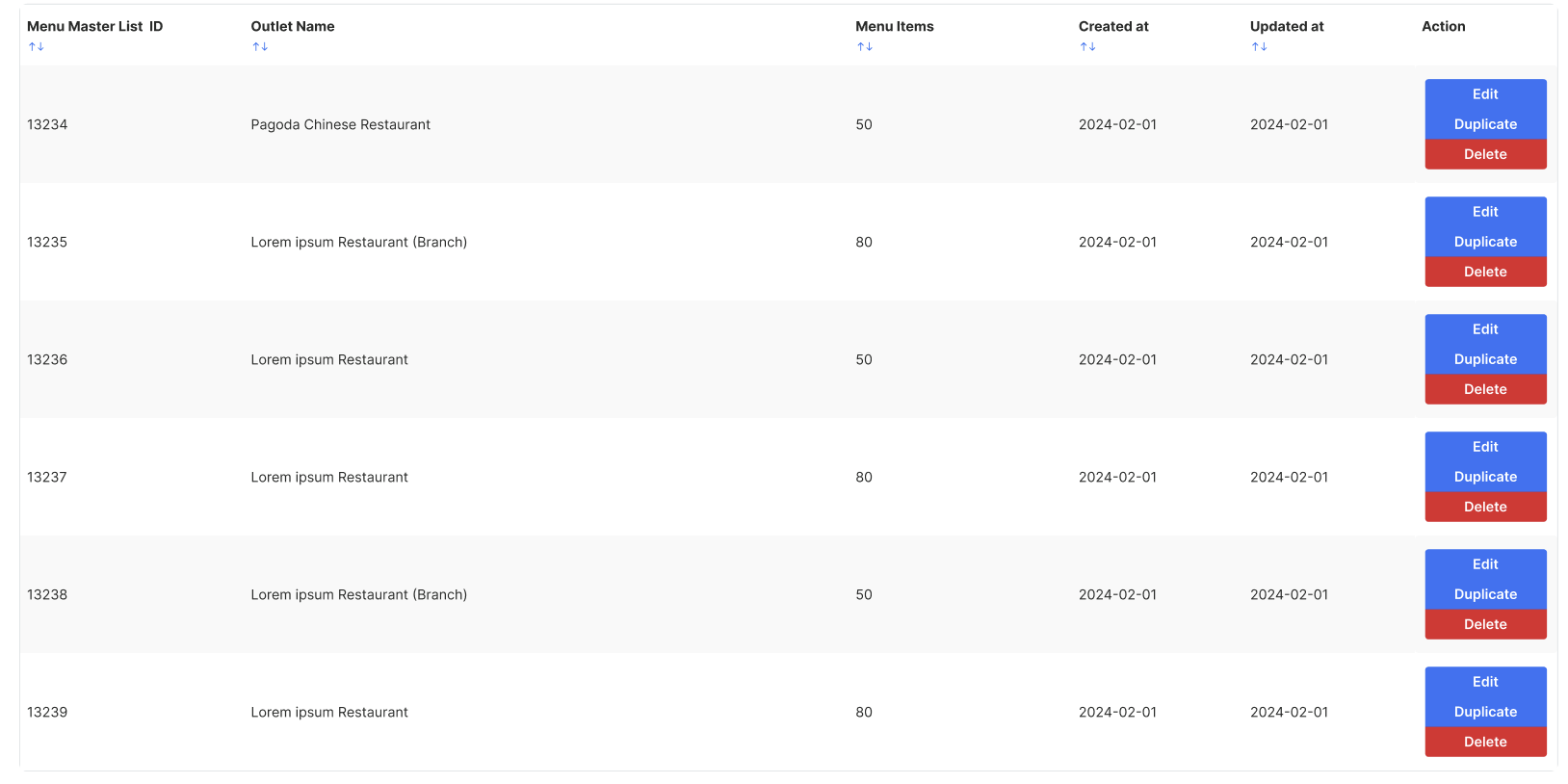 |
Create New Menu Master List
| User Story | Requirement |
|---|---|
| New Menu Master List | Most of all elements are same on Edit Restaurant ➝ Manage Master List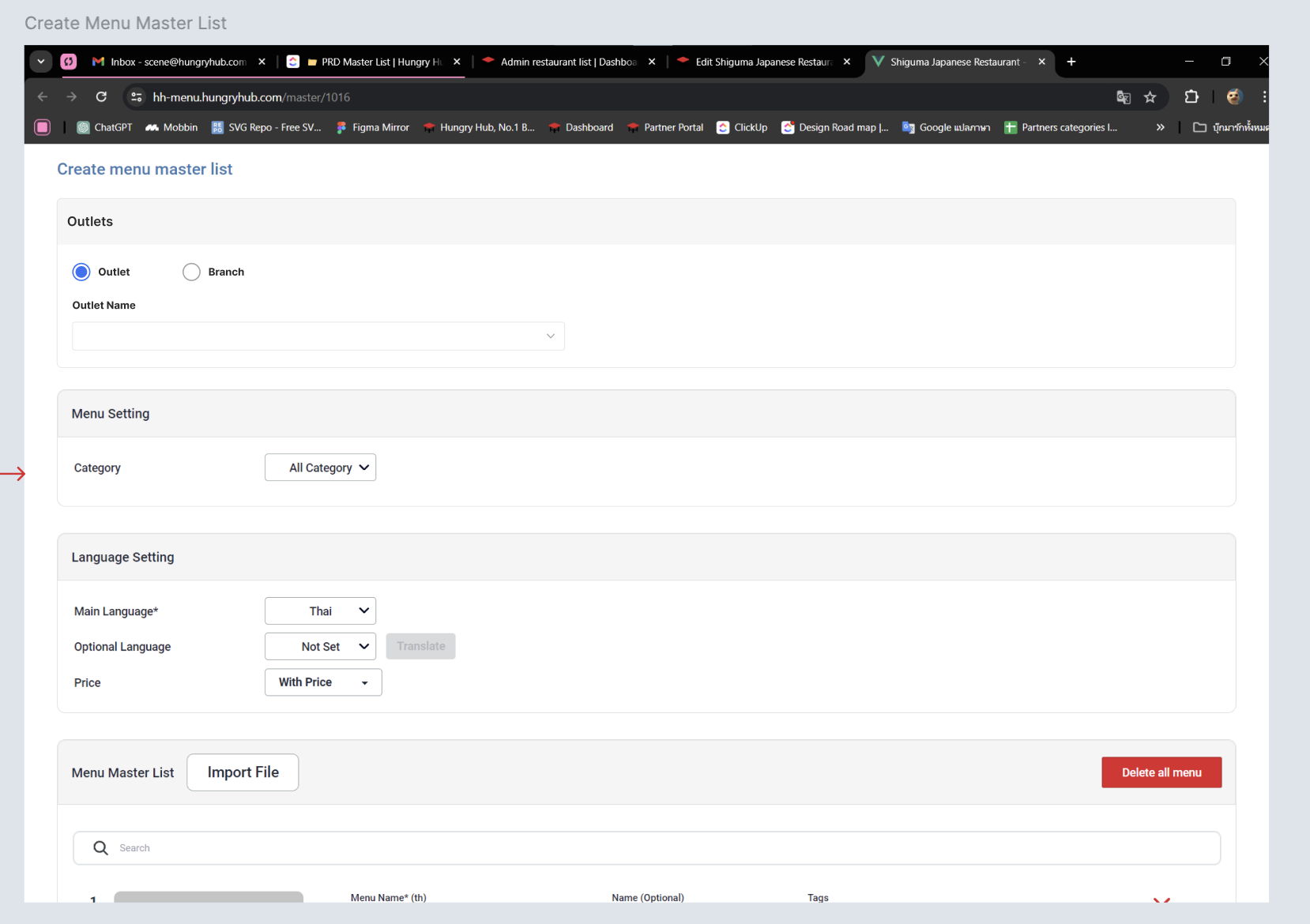 Add outlets section Choose Outlet/Branch Outlet Name dropdown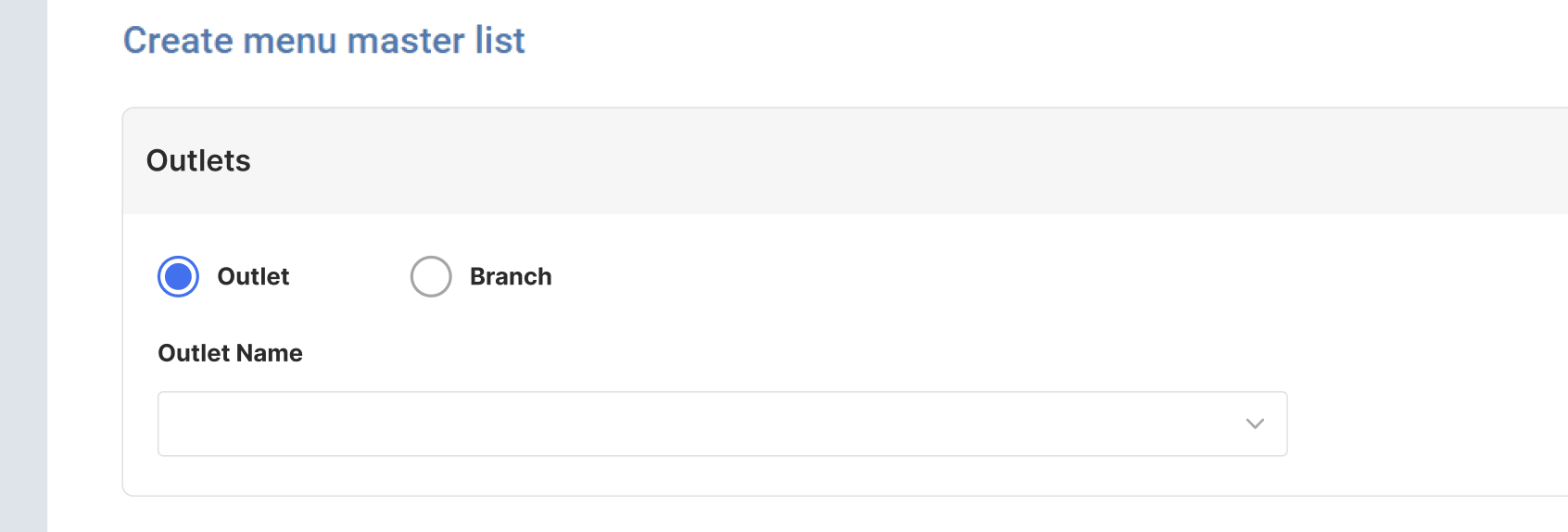 Add Custom Menu ID form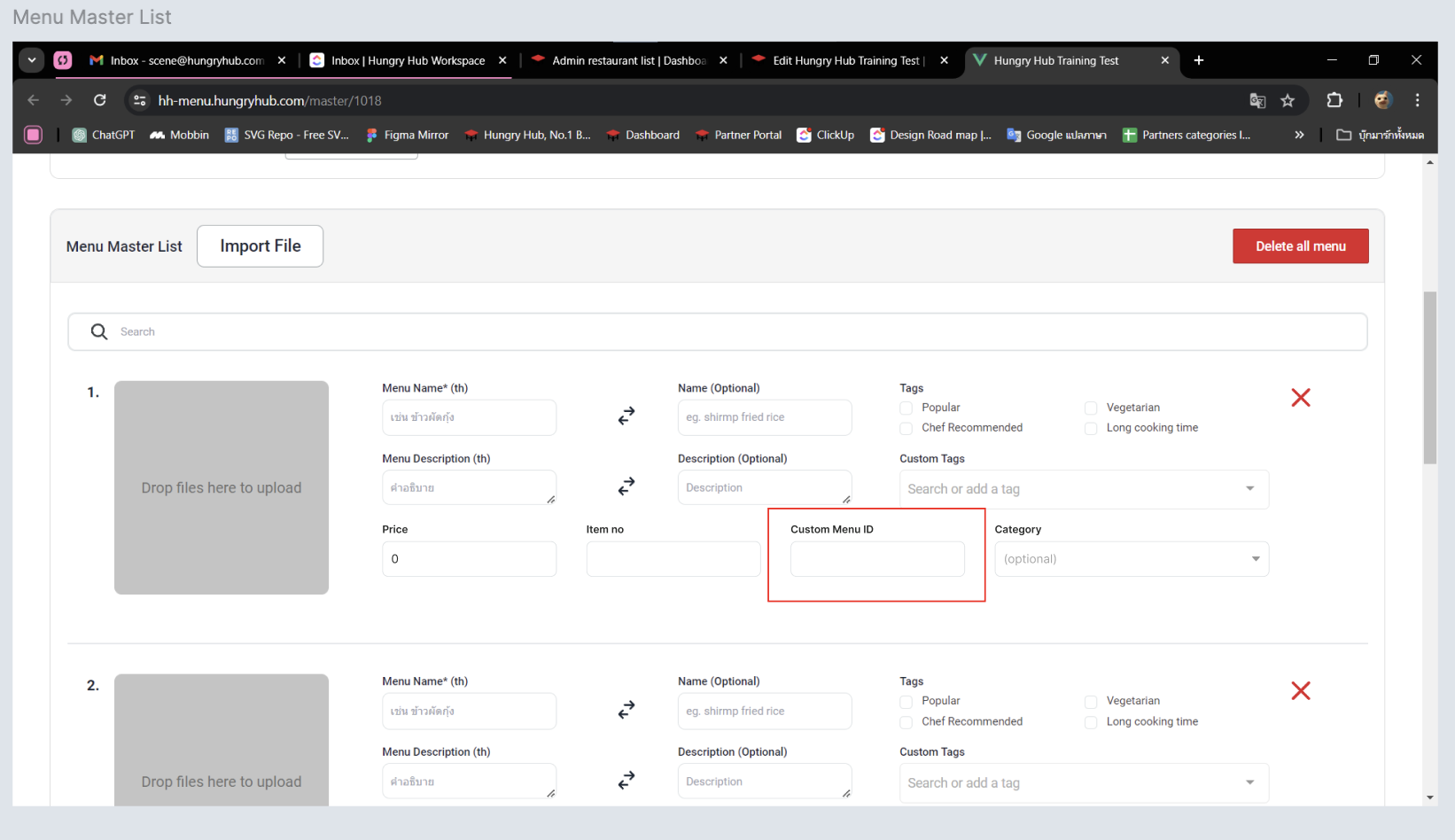 Some restaurants need to input it on its POS Same behavior with Edit Menu Master List |
Menu Group
| User Story | Requirement |
|---|---|
| Menu Menu Group Overview | There are some elementsMenu Group Overview TitleCreate New Menu Group buttonFilter section Menu Group Table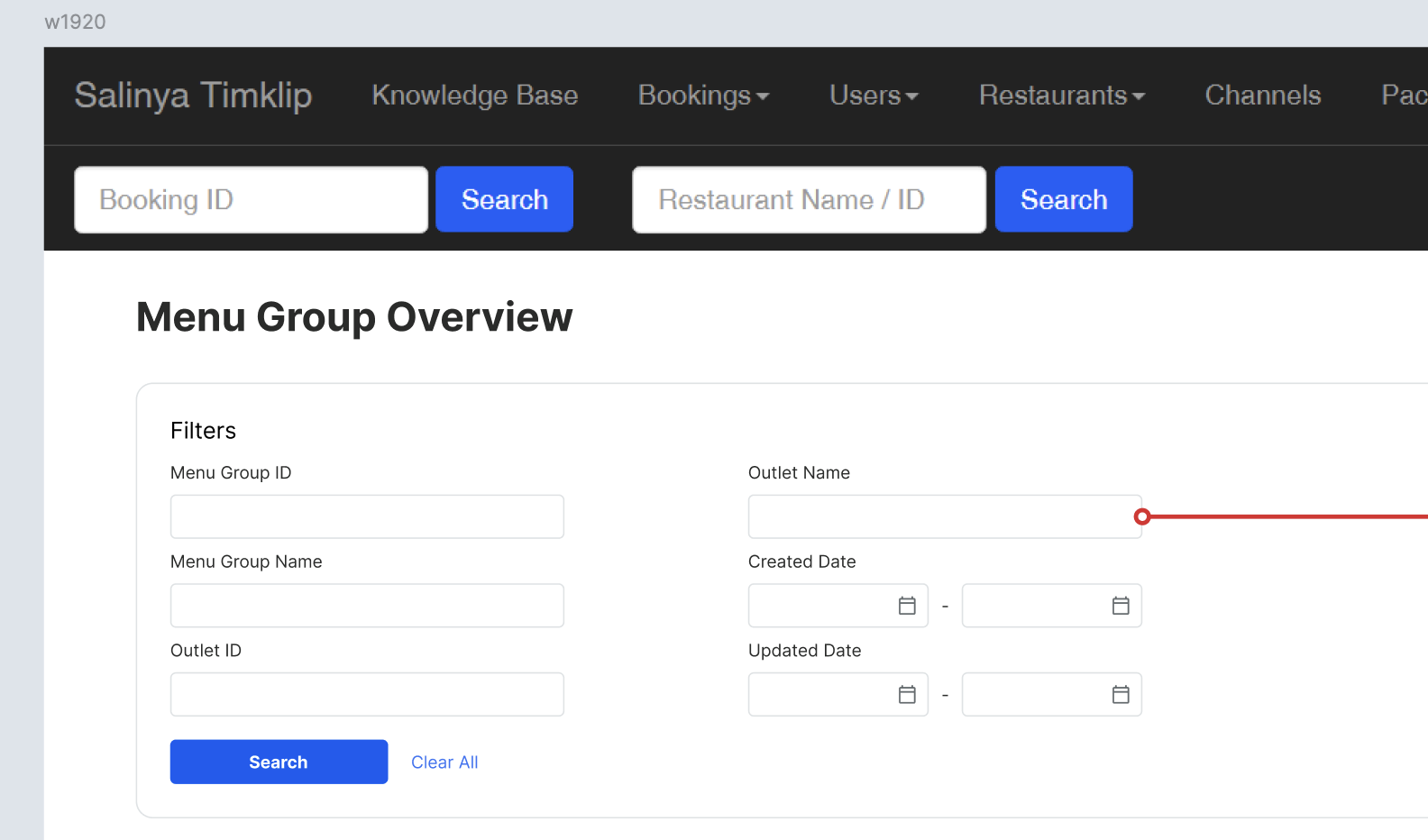 |
| Filter section | There are some fieldsMenu Group ID formMenu Group Name formOutlet ID formOutlet Name formCreated Date formUpdated Date formSearch buttonClear all button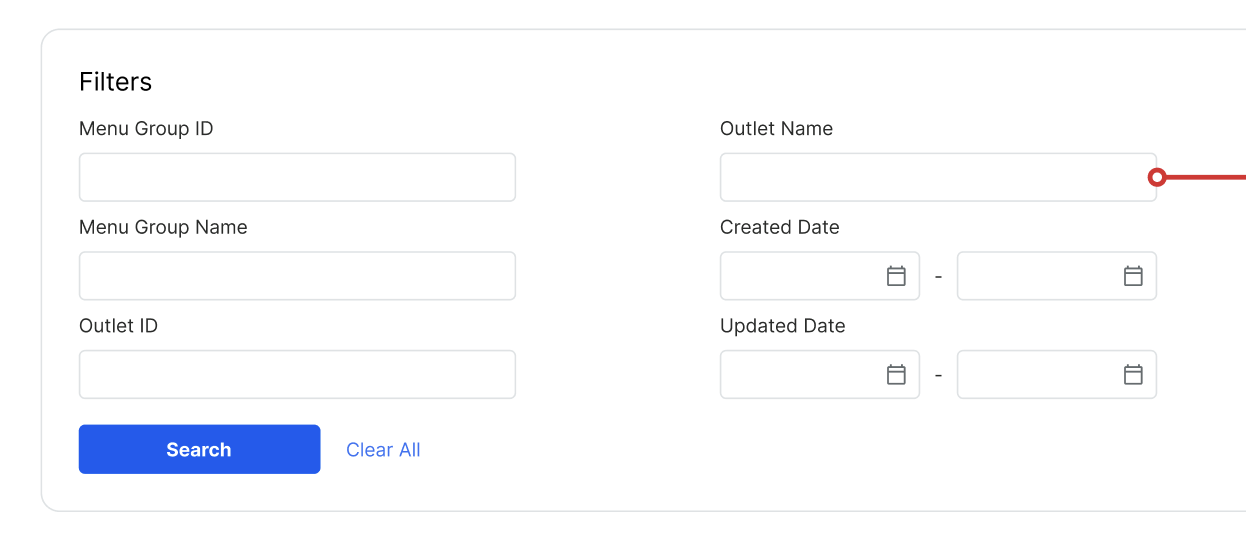 When searching by outlet name or outlet ID, it should display: The specified outlet The branches linked to that specified outlet For Example: Search ‘Audrey Cafe Siam Center’, the result is Audrey Cafe Siam Center Audrey Cafe (Branch) |
Menu Group Table | There are 6 columns Menu Group ID Menu Group Name Outlet Name Menu Items Menu Section Linked Package Created at Updated at Action Edit Duplicate Delete 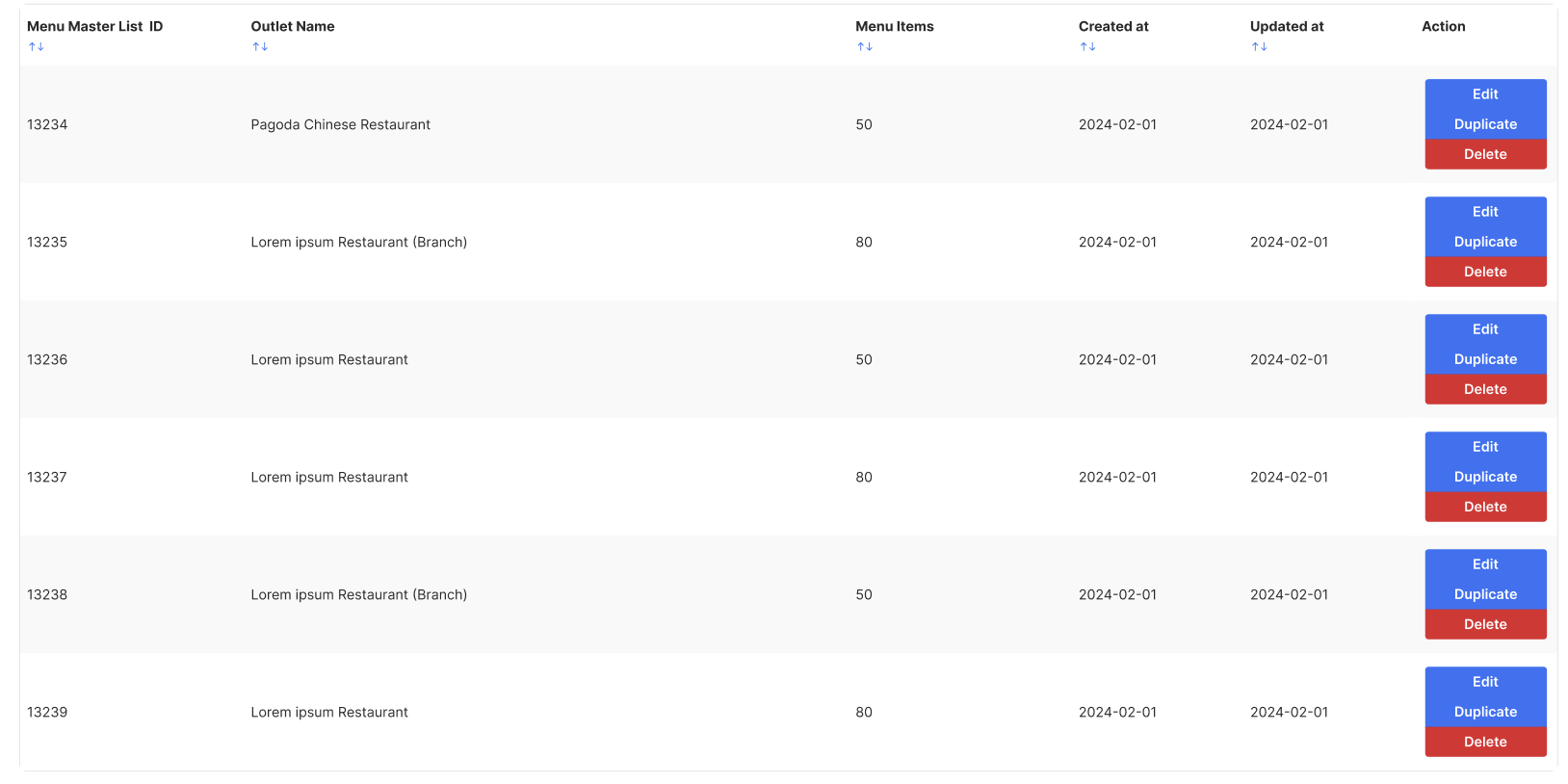 |
Create Menu Group
| User Story | Requirement |
|---|---|
| Menu Group | Most of all elements are same on Edit Package ➝ HH menu v2 ➝ Edit Menu List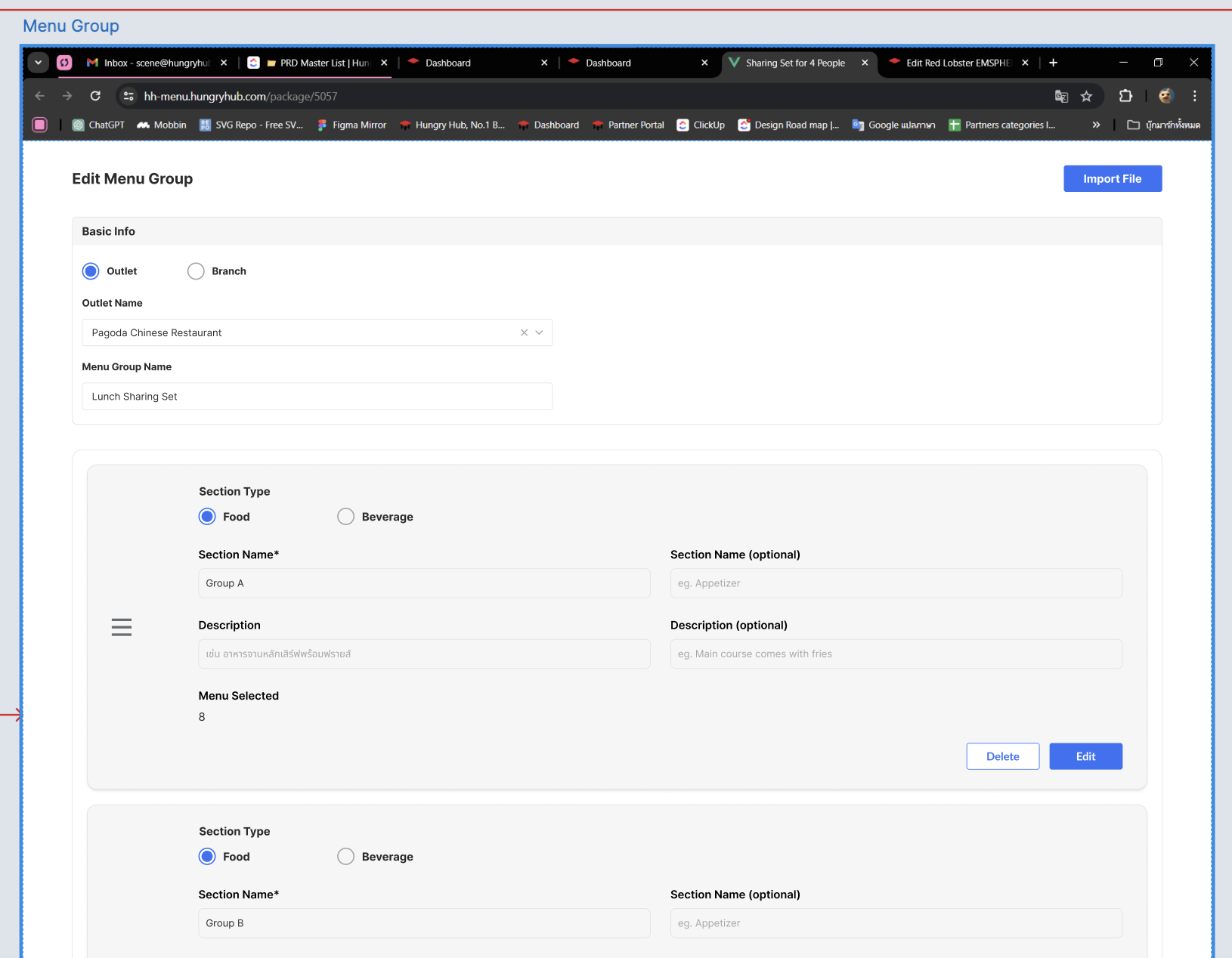 Add Basic Info section Choose Outlet/Branch Outlet Name dropdownMenu Group Name form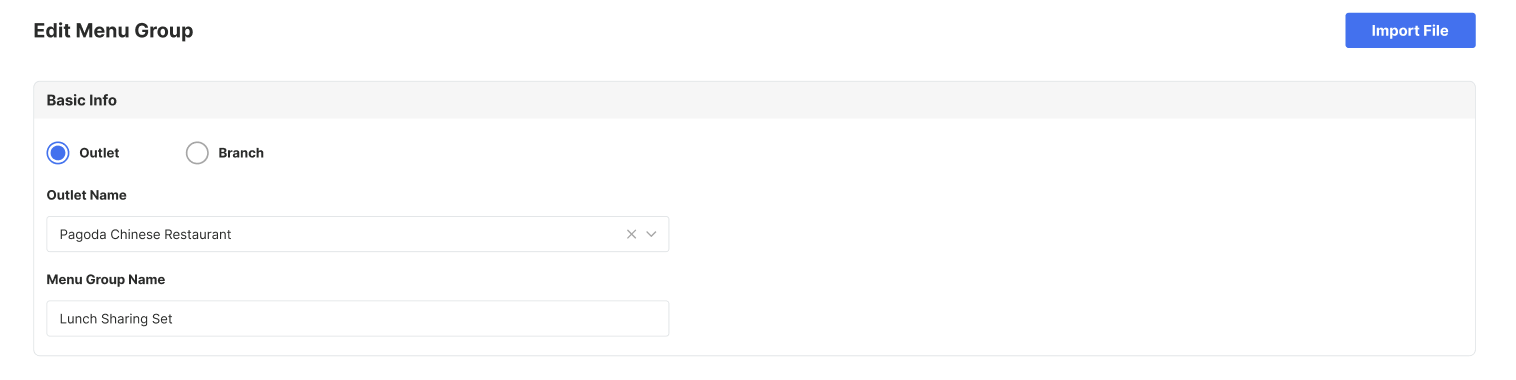 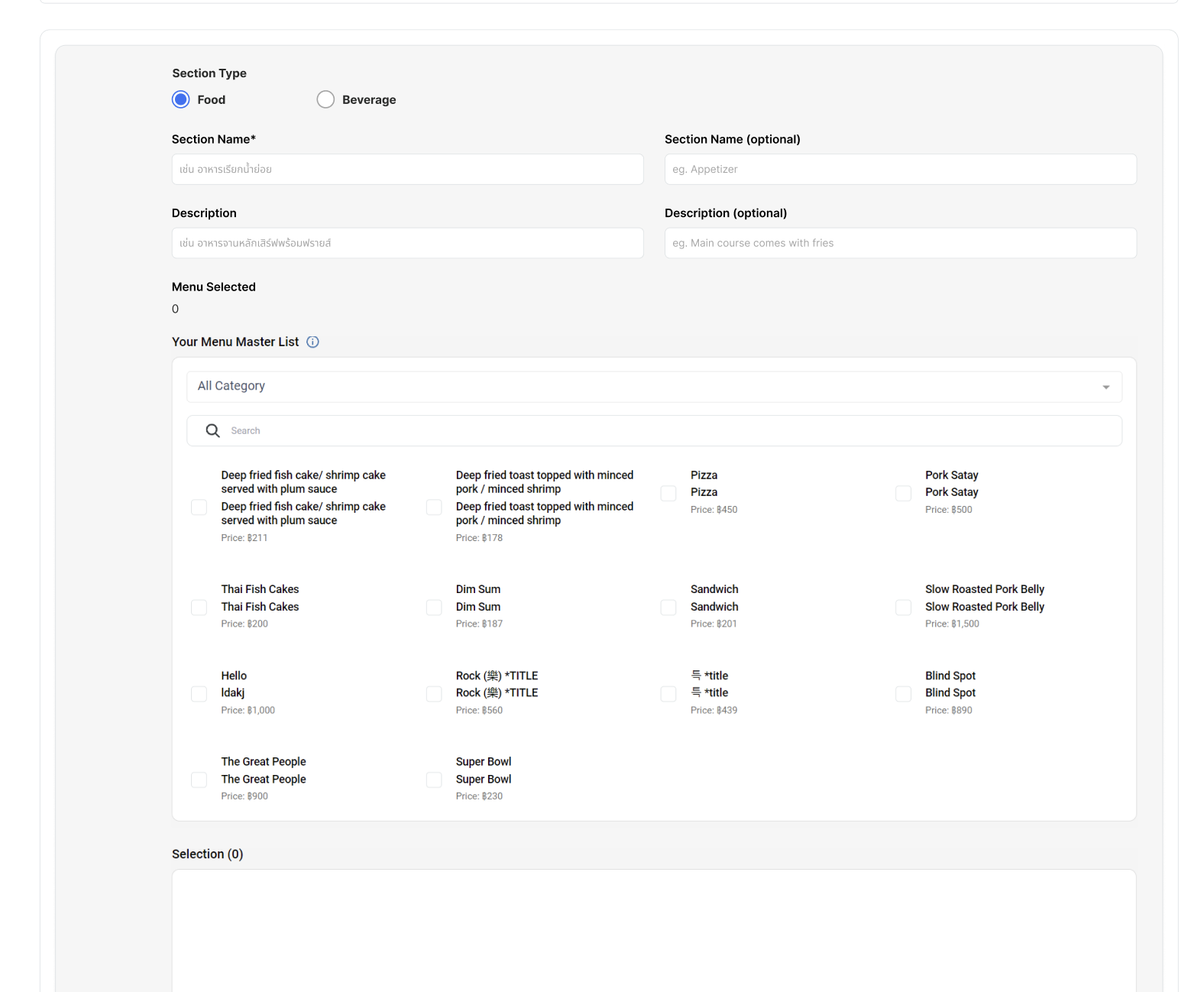 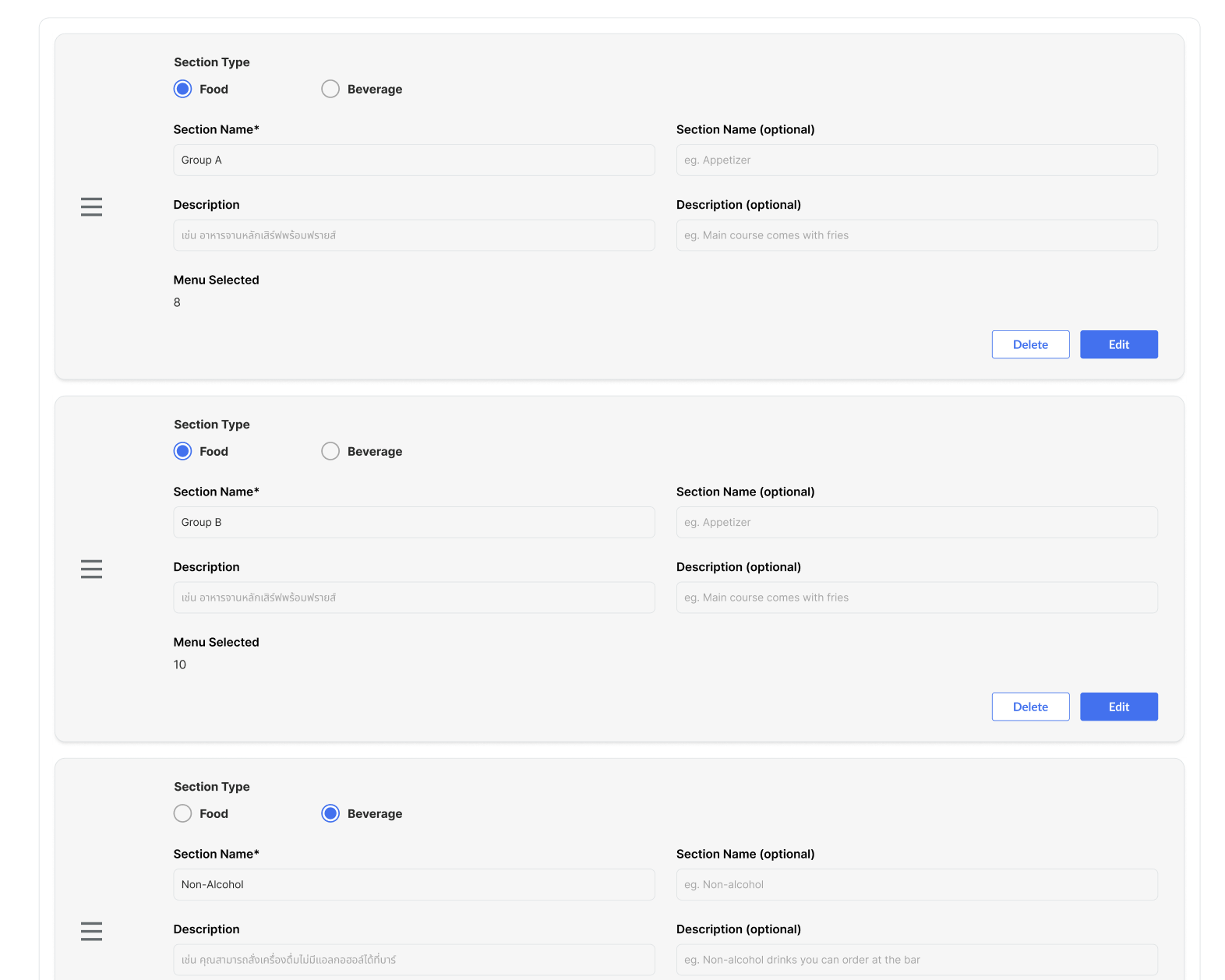 Same behavior with Edit Menu ListThe only difference is there is no Quantity setting on this page → move to menu group setting on edit package page |
Add HH Menu V3 option on edit package
| User Story | Requirement |
|---|---|
| Edit Package | Click Edit Menu Group and will redirect to Edit Menu Group pageOnce select HH Menu V3 , display Menu Group DropdownDropdown item based on menu group name list (only on that restaurant outlet/branch, can't cross outlet/branch) Once Menu Group item was selected, menu section will appear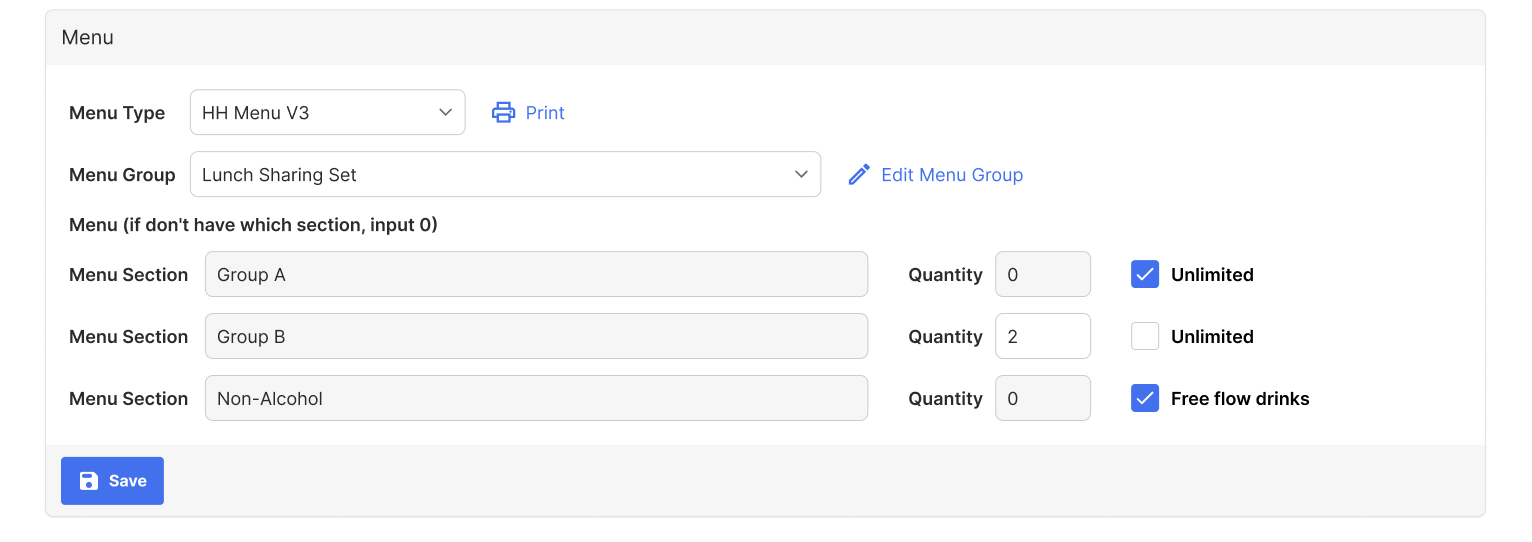 There are some cases Unlimited ➝ Can choose unlimited menu 0 ➝ Hide Menu Section Menu Page QR Code menu page Print menu Store page (Comparing table) |
| Print (Print only, not implemented permanently) |  Add template Package Based Group Based Once clicked, Group Name form will appear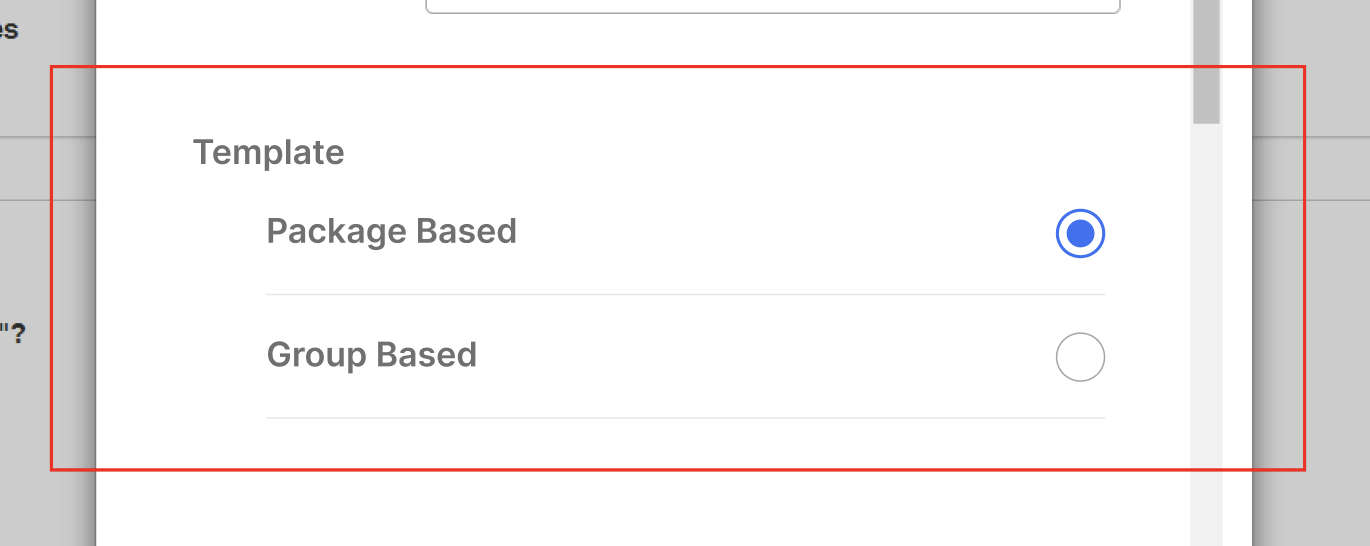 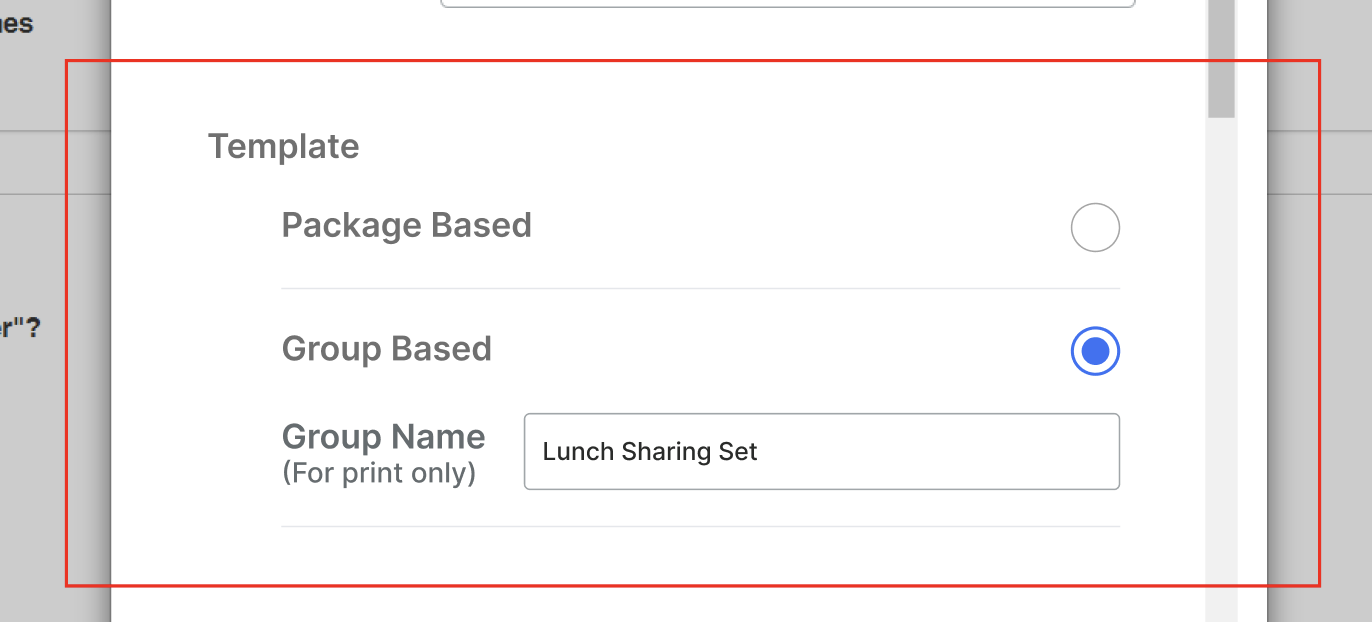 |
| Package Based | Same with existing Based on the package that user click If user on package A, then he clicks print menu, Title and Menu will follow package A Sort the package from the lowest price 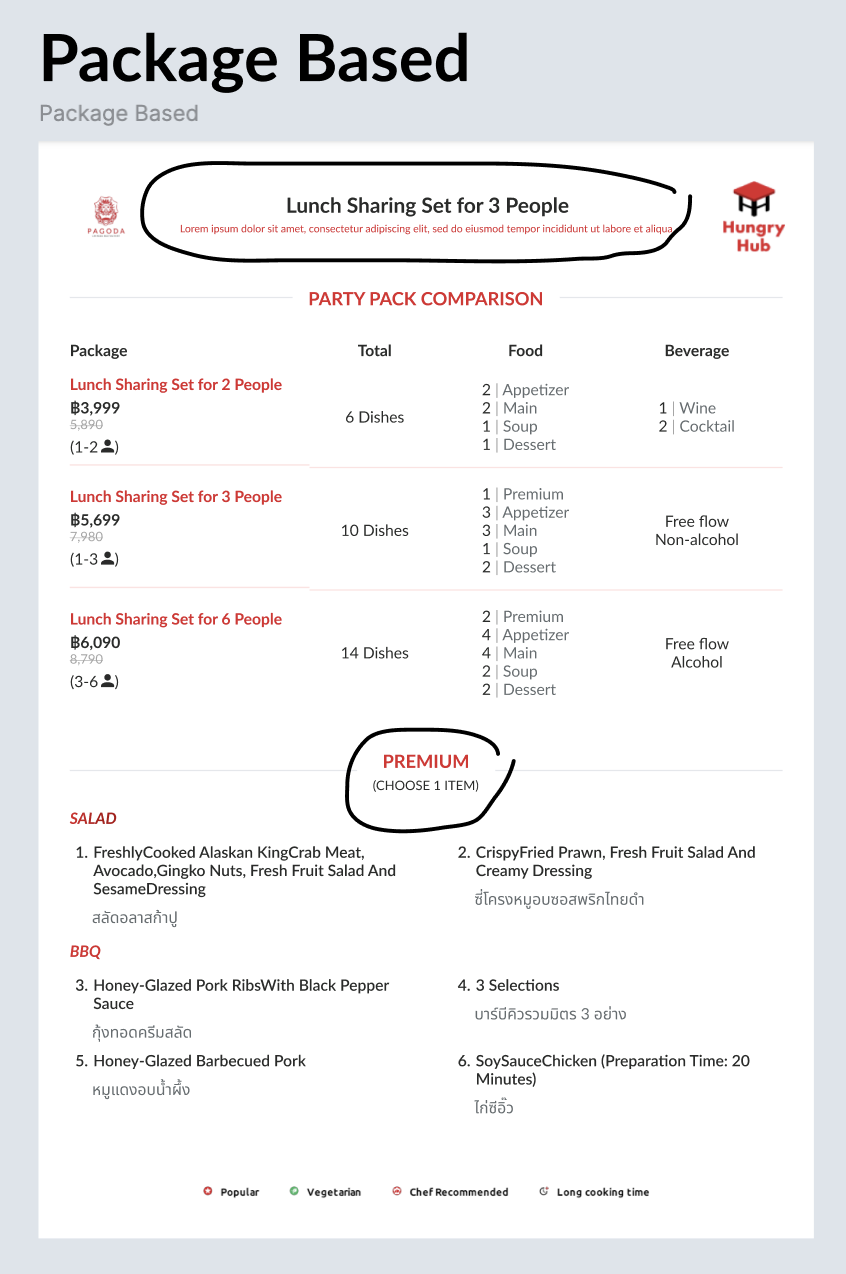 |
| Group Based | No need to display the quantity of how many user can choose the menu Title for example, party pack, no need to display for X peopleSection Name for example, no need to display Choose X itemSort the package from the lowest price 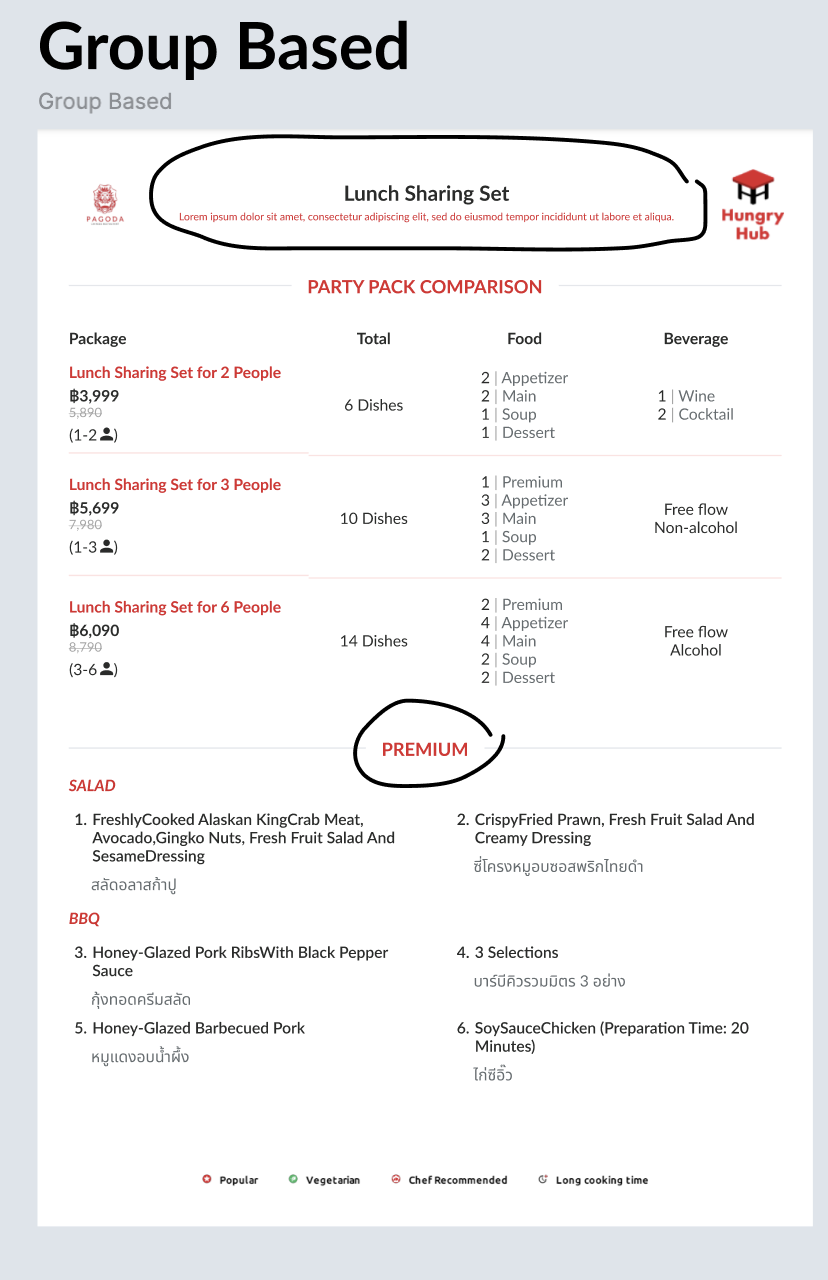 If click print menu on menu group page (admin dashboard), package based will be disabled/inactive 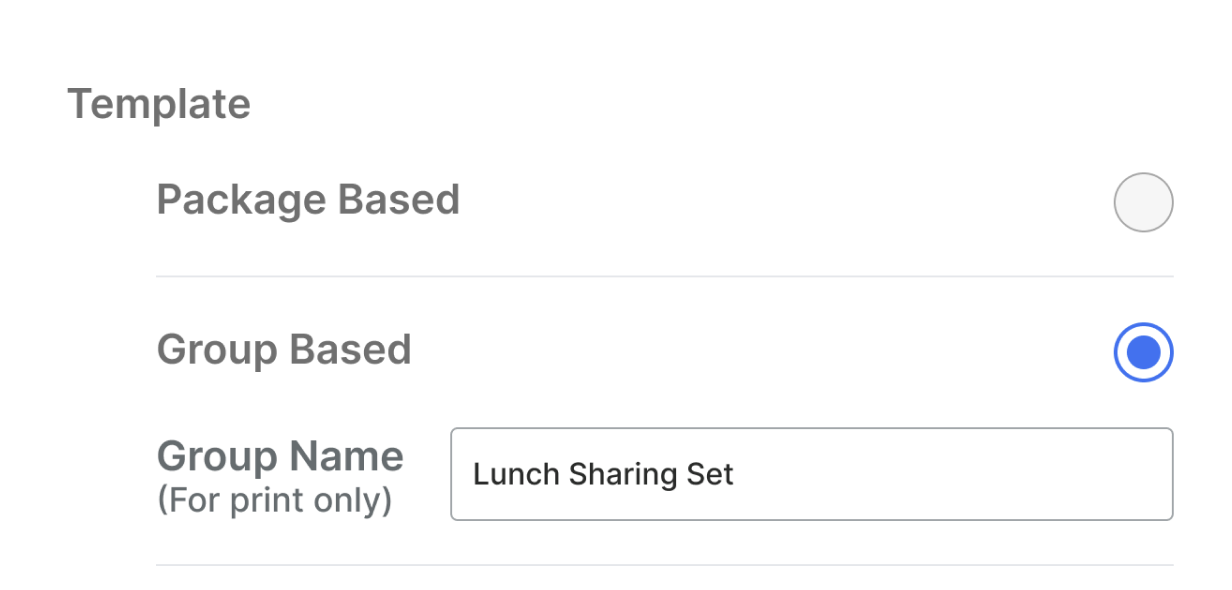 |
| Difference between AYCE and PP | AYCE uses the PP uses the Package : Package NameTotal : Total menu provided in a menu sectionFood : Provide all of menu sections with food category → related to menu group settingBeverage : Provide all of menu sections with beverage category → related to menu group setting |
Restaurant Section on the detail package page (Update)
| User Story | Requirement |
|---|---|
| What's included | Change the wording from What you will get into What's included |
| Restaurant section | Put under what's included section Restaurant Logo Restaurant Name Make it truncated if too long Arrow right button Redirect to store page Review Review from hungry hub or google review score Cuisine Dining Style 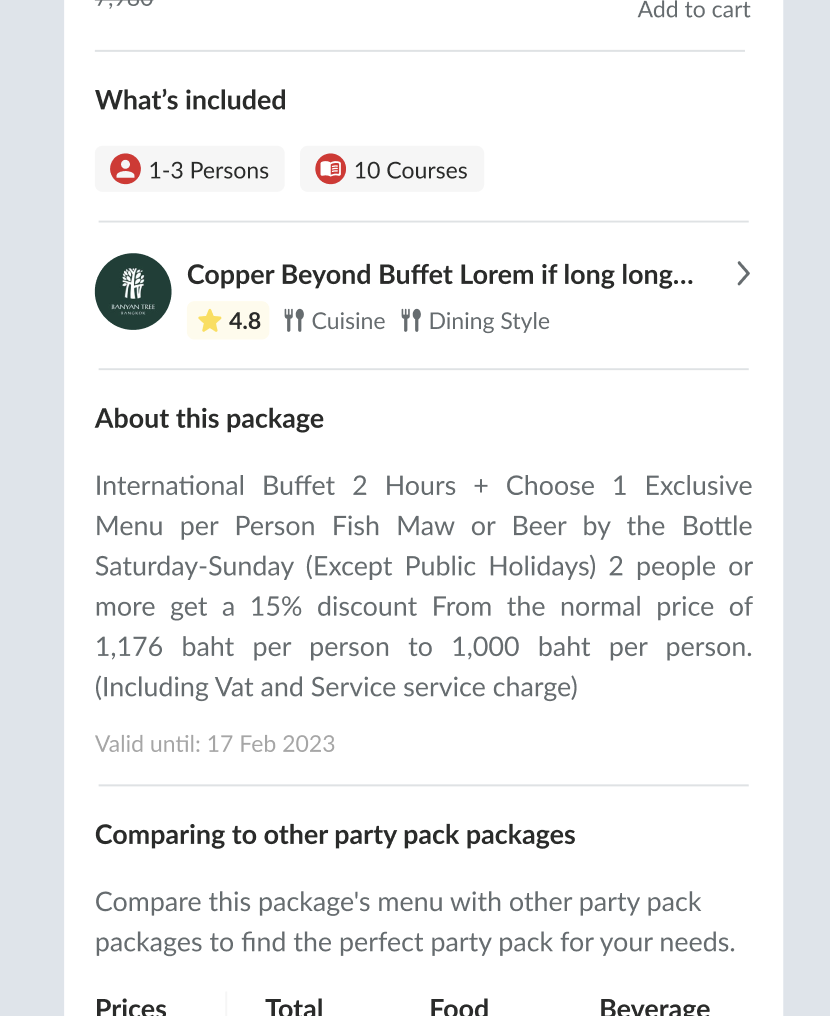 |
Package comparison table (Update)
| User Story | Requirement |
|---|---|
| Sort of Selected package | Selected package (blue color) will be displayed on the first row. whether the highest price or the lowest price The next row will be sorted based on the highest to lowest pls see the case below 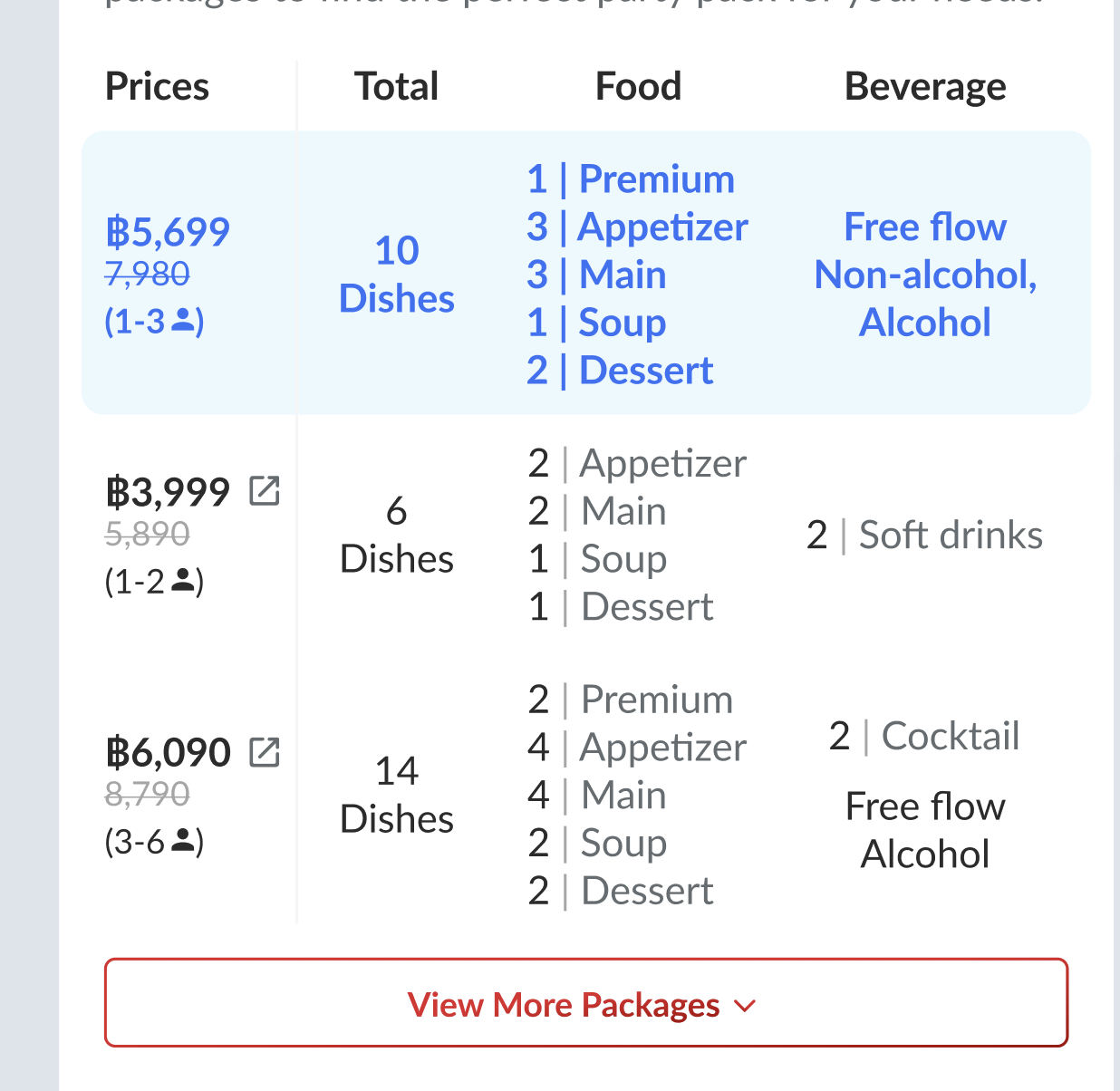 |
| Redirect to another package | There is redirect icon to redirect user to another package No need redirect button for the selected package (blue color) |
Add chinese form (Update)
| User Story | Requirement |
|---|---|
| Menu master list | Language setting section Add chinese on main language dropdown  Display setting by language Add chinese on optional language dropdown |
❓ FAQ
| Question | Answer |
|---|---|
| For comparing packages table, Does it compare all of the menu? | Just compare packages with same menu group (only between HH menu v3) Can't compare with different type of package (AYCE with AYCE, Party Pack with Party Pack) Can't compare with different restaurant Can't compare with HH menu v2, Imenupro, image |
| Is it related with package group? | No, package group and menu group are different Menu group is if 1 menu is used by some packages. but with different quantity of each section |
| What if 1 menu belongs to only 1 package? | No need to compare Remove this section on detail package page 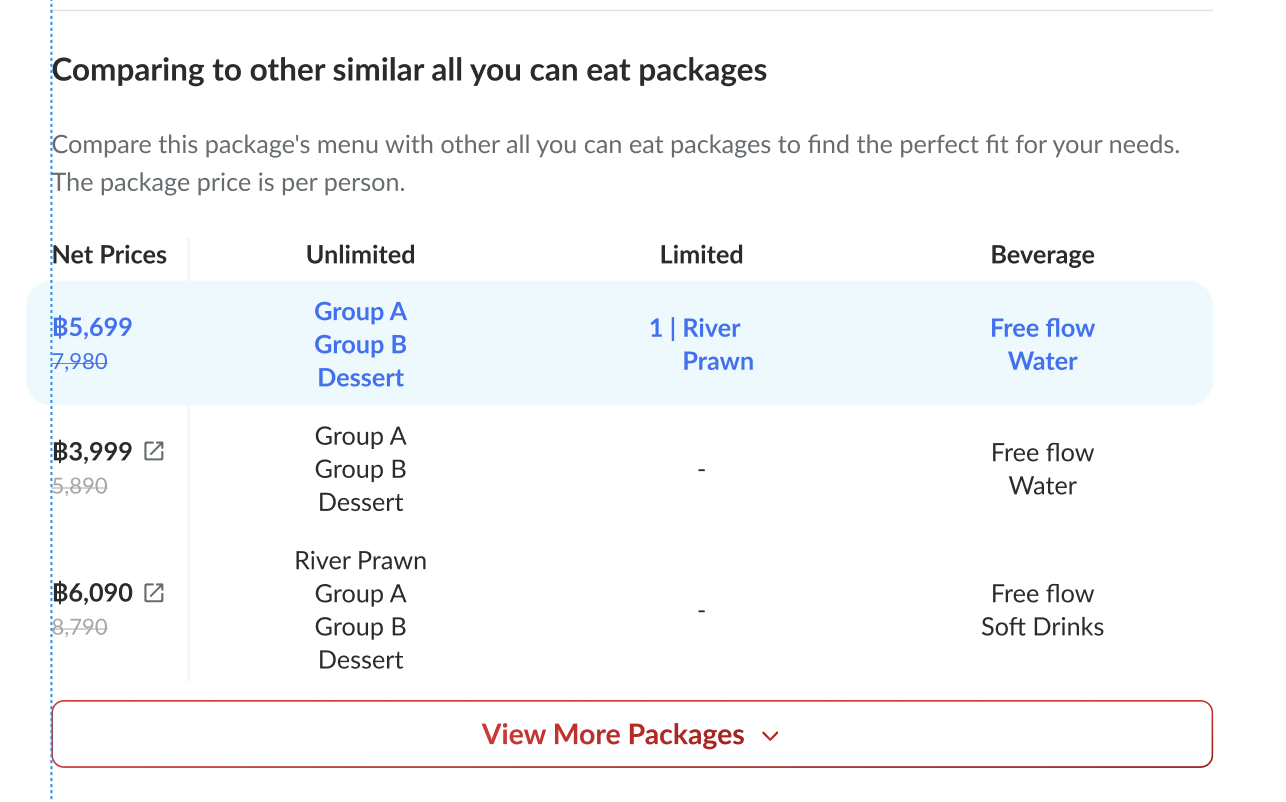 Remove this section on Print 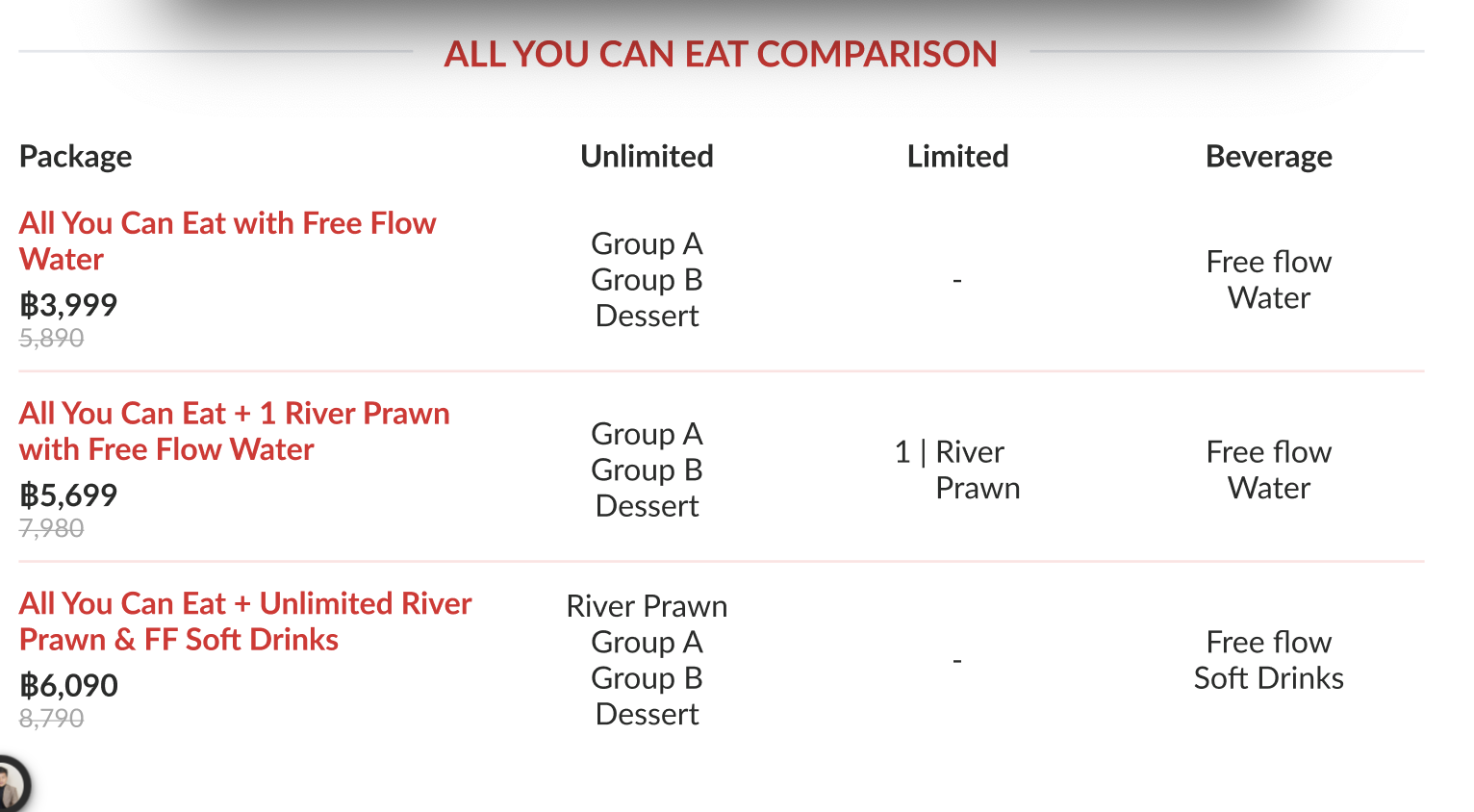 |
| What if there is a package (Package A) that belongs to 2 menu groups/menu master lists but different rules, outlet and branch? Example : Menu group A (specific outlet) Menu group B (branch) | Restaurant A and Restaurant B connect to the same package (Package A) Show the Menu group for branch only, no need to show menu group for specific outlet → for avoiding the conflict Restaurant A & B should be in same branch, it would better to avoid the conflict. since in production we always connect some restaurants in a branch. |