Dynamic Pricing (Old Store Page)
Overview
| Product Name | Dynamic Pricing (Old Store Page) |
|---|---|
| Epic | Dynamic Pricing Feature Implementation for Old Store Page |
| Team Channel | |
| Product Manager | [@Umam Syarief](javascript: void;) |
| Designer | [@Scene](javascript: void;) |
| Engineer | |
| QA Engineer | [@team-qa](javascript: void;) |
| Technical Writer |
Objective
The Dynamic Pricing feature aims to provide users with some pricing model that adjusts based on various factors such as weekends, weekdays, and public holidays.
Possibilities
Gain
-
By providing clear and transparent pricing options based on different time periods, users can easily identify the most cost-effective solution for their requirements
-
Users find it challenging to navigate through various pricing options and struggle to understand the factors influencing pricing changes
| User Story | Requirement |
|---|---|
| As a user, I want to view pricing options based on different time periods (weekend, weekday, public holiday) within a single package, so I can choose the most suitable pricing for my needs. | Implement a user interface that displays pricing options categorized by weekend, weekday, and public holiday Ensure that pricing variations are clearly communicated to the user |
| As a user, I want to easily compare between different pricing options. so I can make a decision. | Provide a clear comparison between pricing options |
Goals & Success Metrics
System should display max.
- 3 columns in a row for desktop view

- 2 columns in a row for mobile view
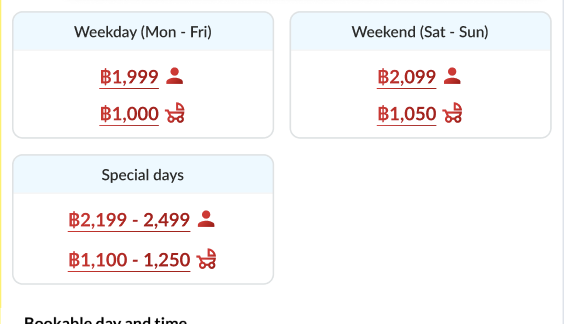
System should support for displaying kids price
- Don't have kids price
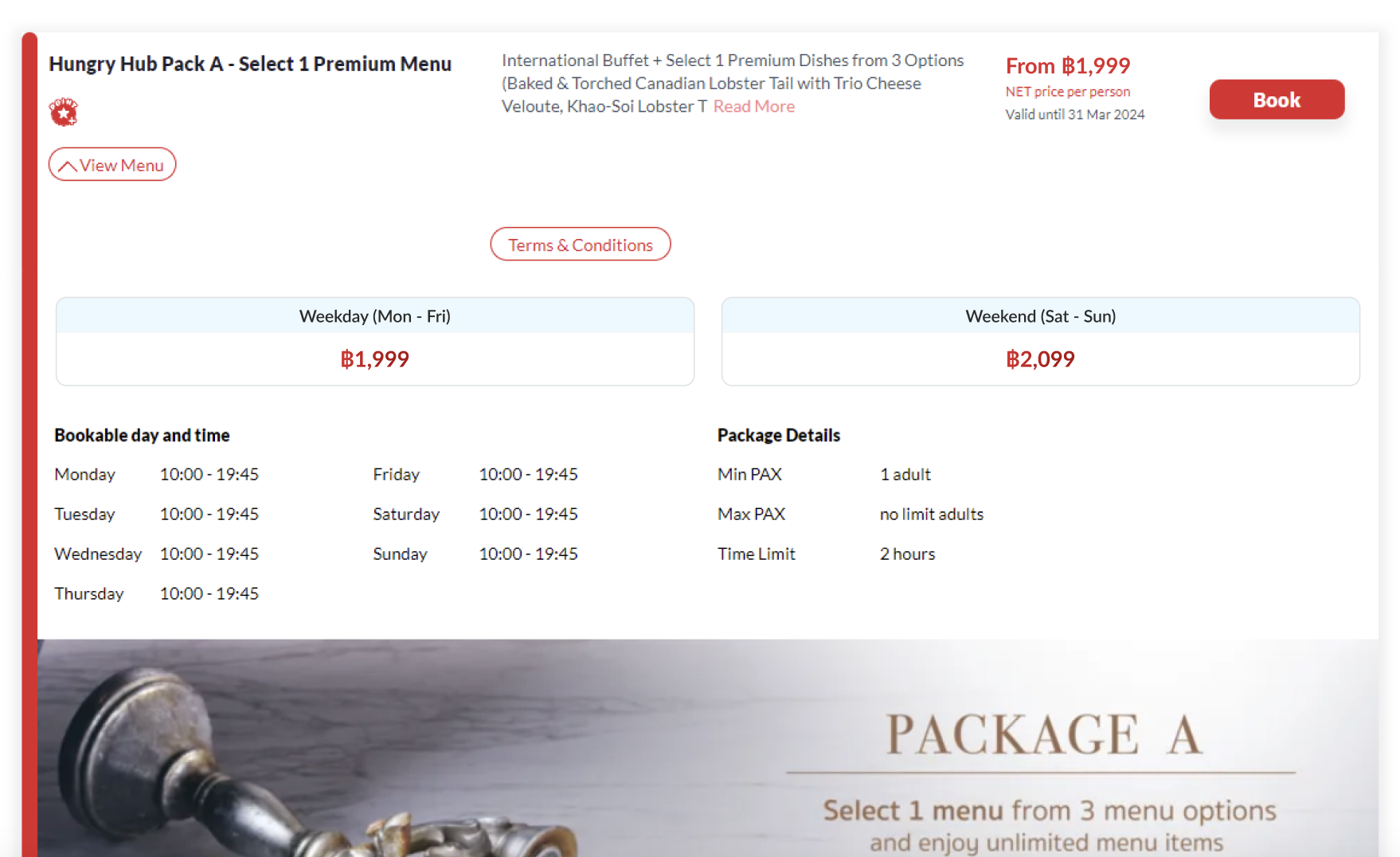
- Have kids price
- System should display each price for adult and kids (with icon) to distinguish them
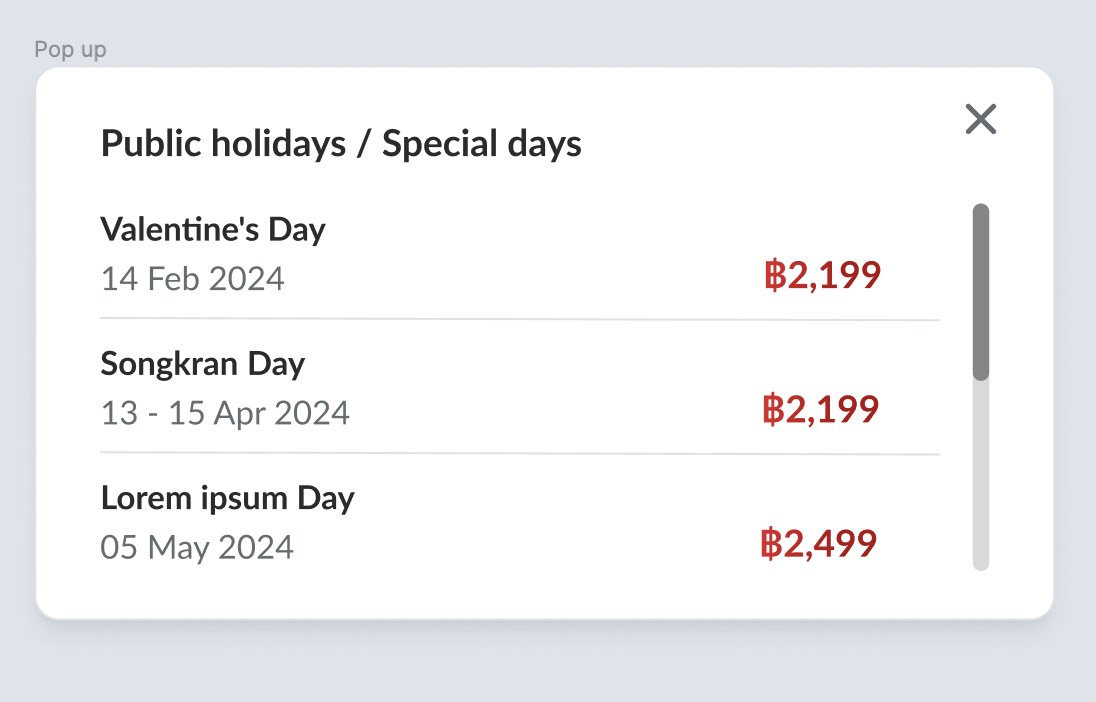
- The price could be hovered/pressed to view the details (appear pop up)
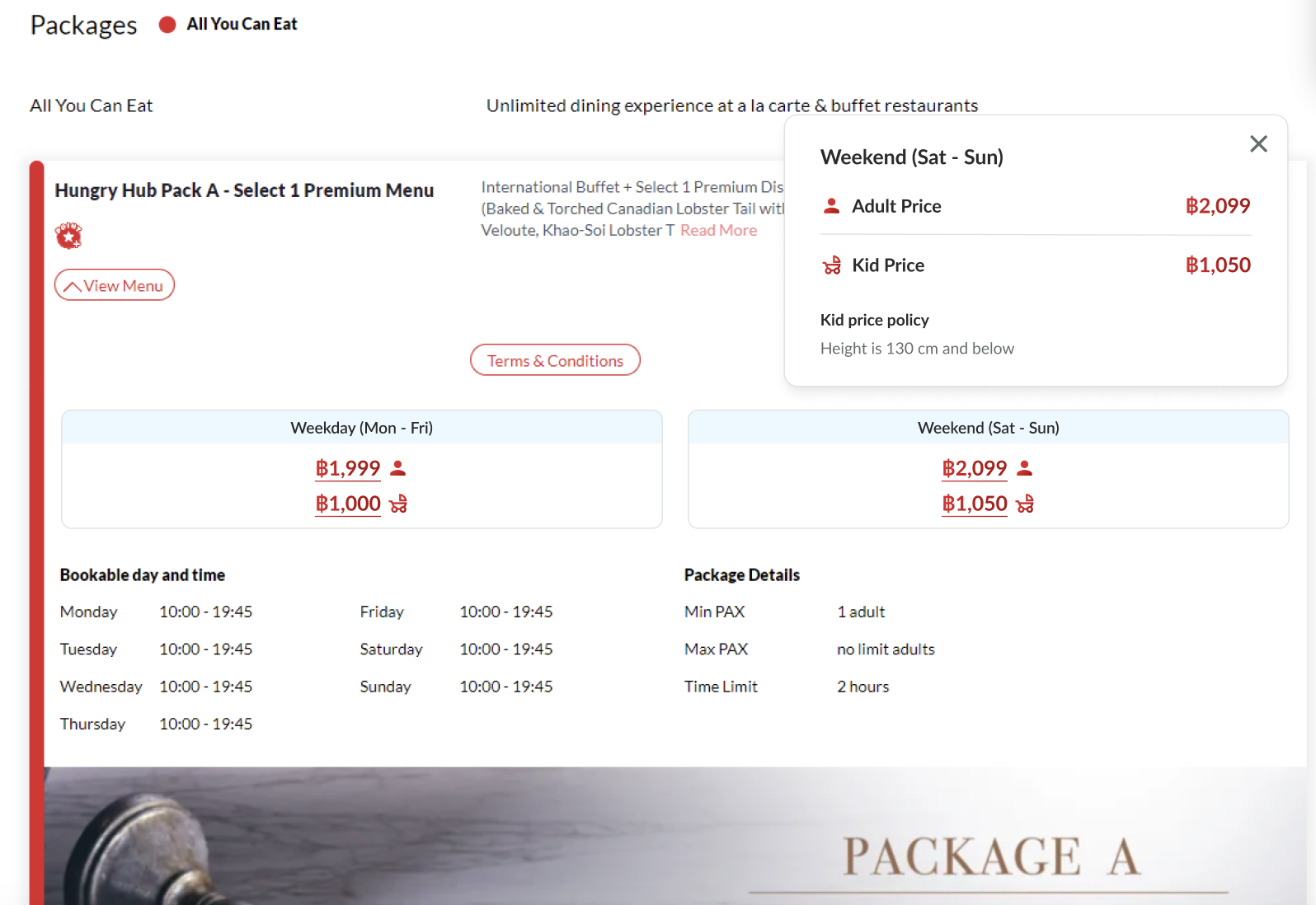
System successfully displays the comparison of pricing based on the weekday, weekend or public holiday User can view the dynamic pricing feature when accessing store page
- Don't have public holiday
- System won't display public holiday price
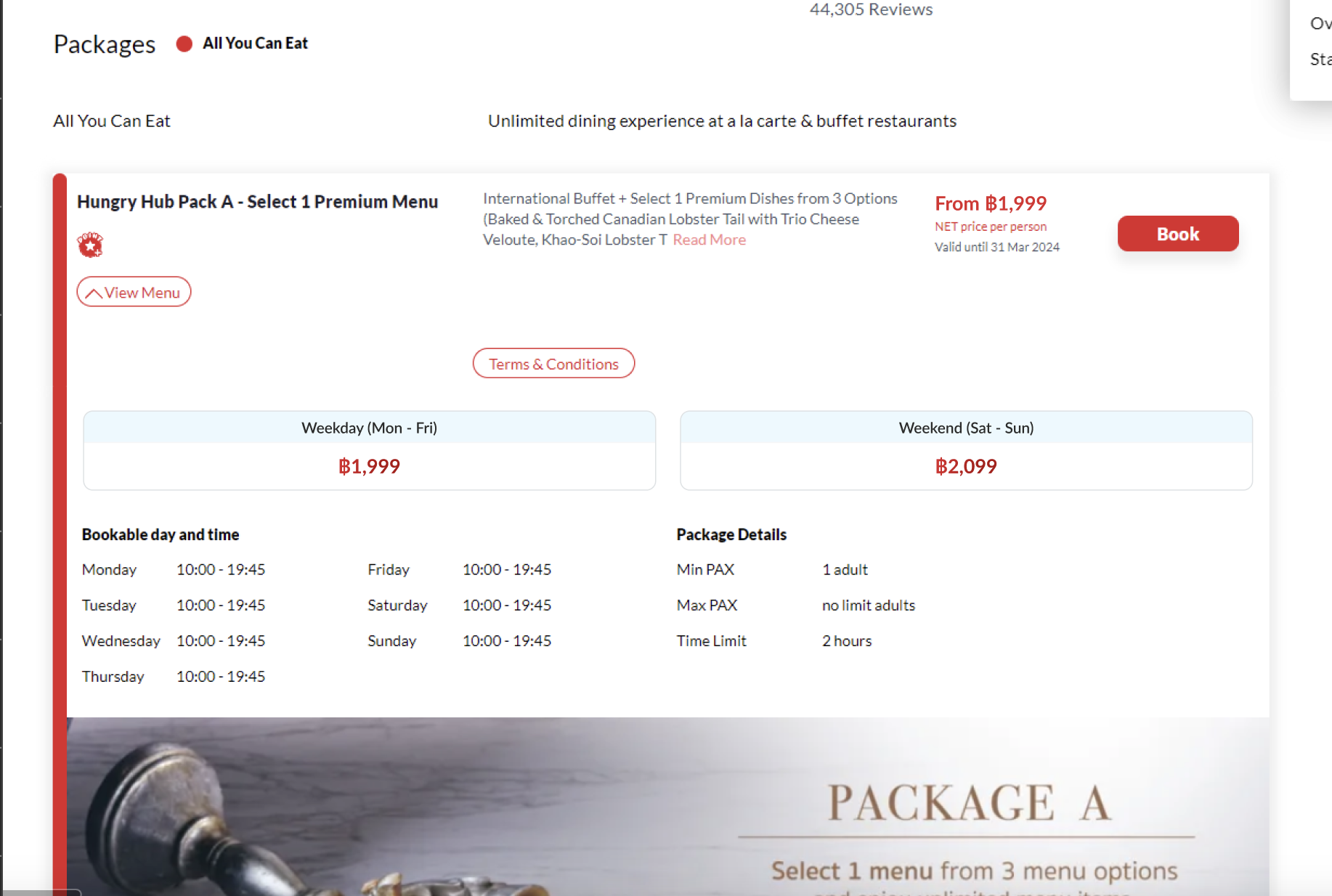
- Have public holiday
- System should display public holiday price
- The price could be hovered/pressed to view the details (appear pop up)
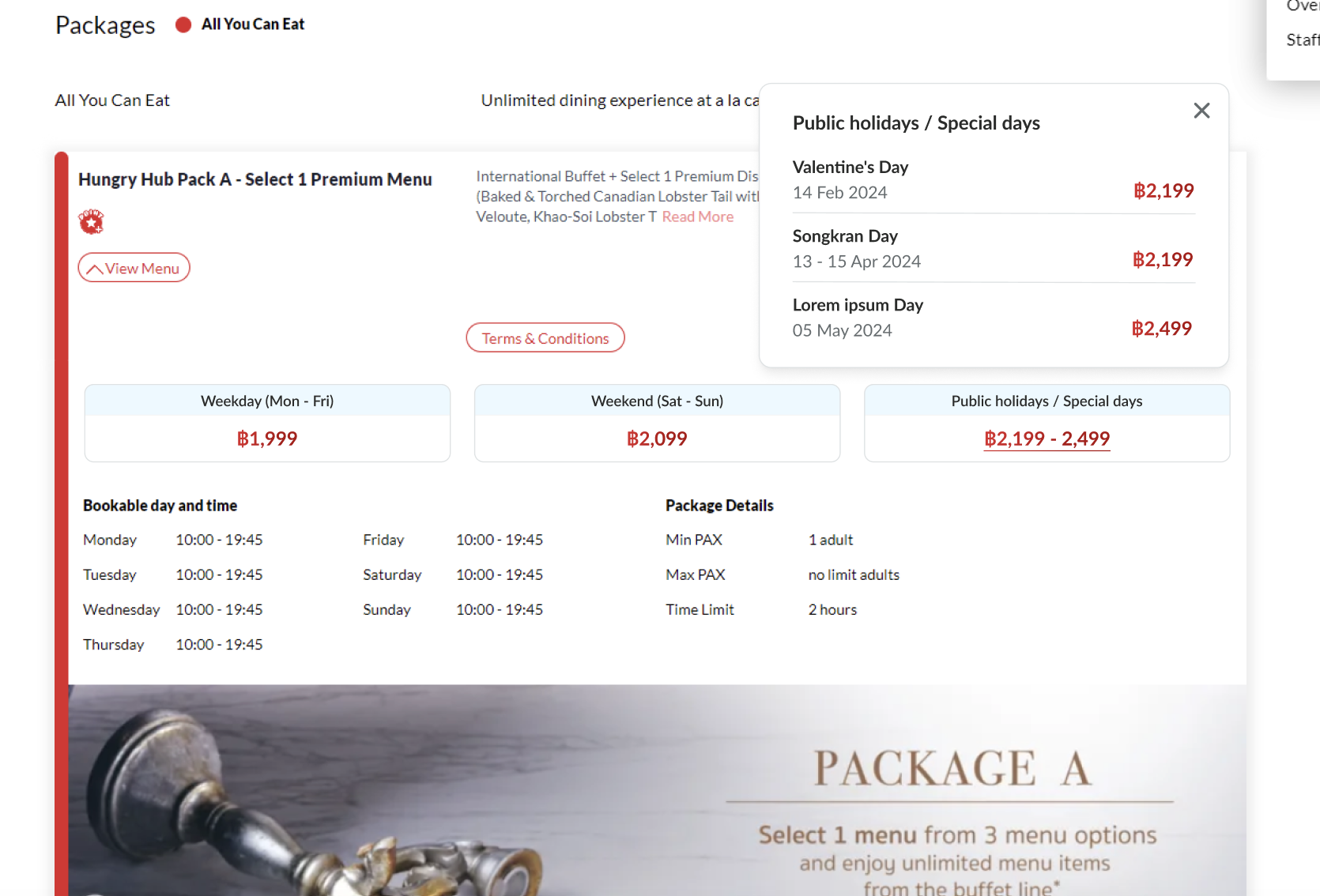
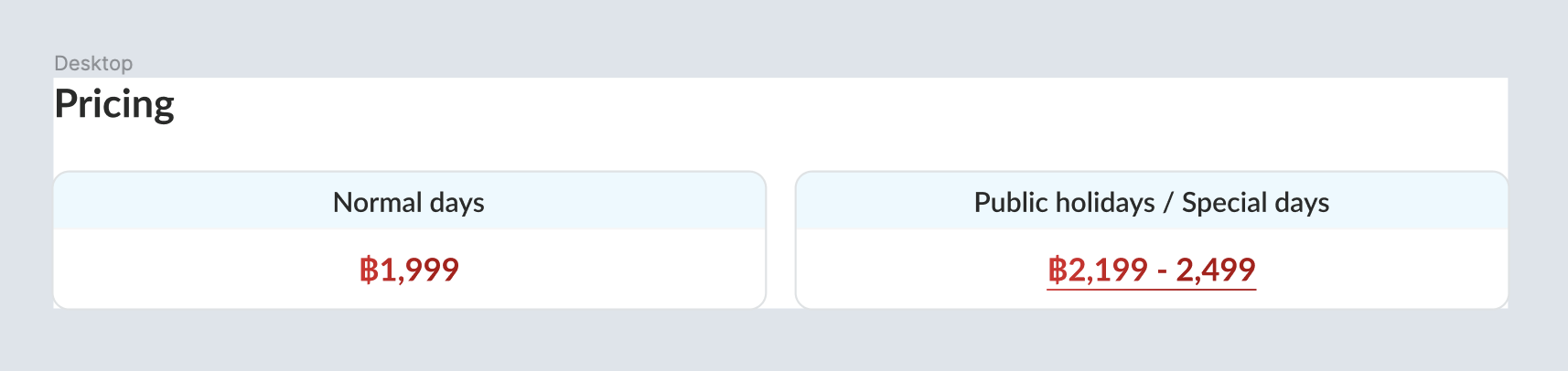
- System should provide Normal days to distinguish with Public Holiday / Special day
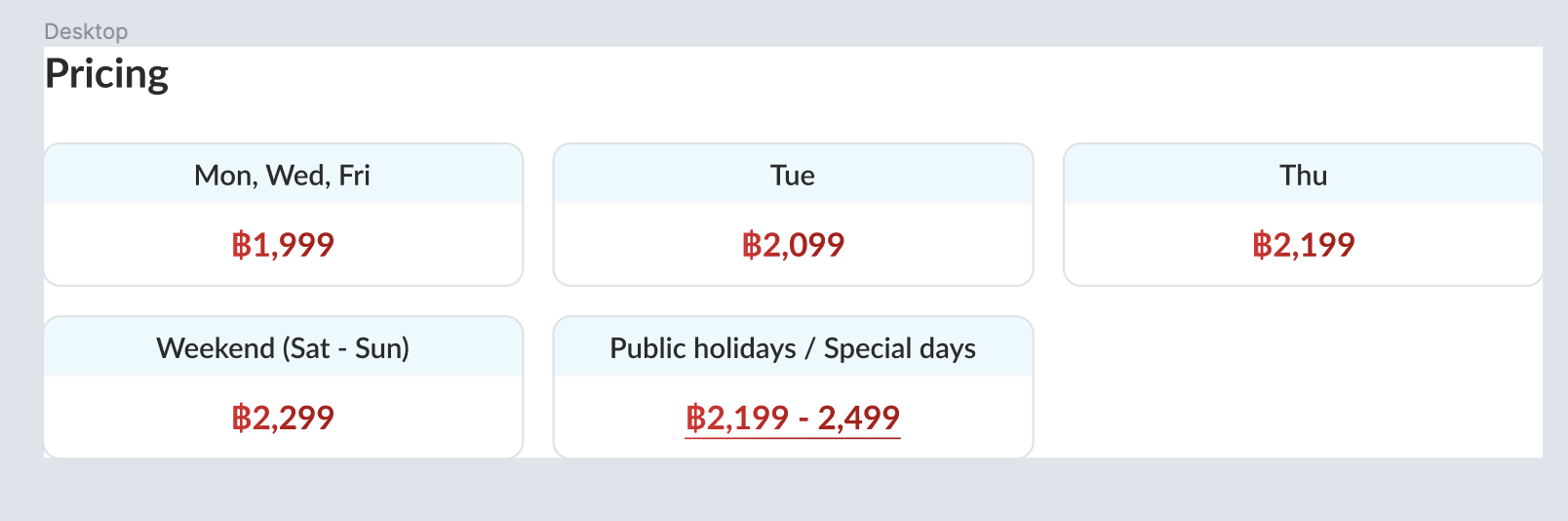
- System should provide Custom days
Please kindly check the full design here : https://www.figma.com/file/5q2WPEzciWeE8pZa9SieFS/Dynamic-Pricing?type=design&node-id=1%3A10716&mode=design&t=ETlWOdLu6WqncxwK-1
FAQ & Considerations
Where can i find the setting of admin side? Please kindly check this PRD for the detail information : Private (https://app.clickup.com/9003122396/docs/8ca1fpw-11562/8ca1fpw-36616)
Is there any design for mobile view? Yes, please kindly check the full design on figma
How would the public holiday prices displayed on the list? Are we going to have all public holiday set displayed or on certain range of time only (1 month or 1 year)? There is no limitation for that
Are we still going to display the expired public holiday price on the client side which is set on the admin? No, only for Upcoming Holidays
Is there any limitation for the public holiday prices to be set on admin side and to be displayed on the client side?
Nothing for now, we can use scrolling feature to view all of the items