Credit Card Pre-Authorization (On Hold)
🧾 History
| Date | Changes | Link | By |
|---|---|---|---|
| 6th November 2024 | Package Setting Package on Client Side Checkout page Booking confirmation Booking Confirmation email | This PRD | Umam |
📕 About
| Context | Singapore restaurant need charge upon arrival |
|---|---|
| Problem | Need to check is it functioned or not |
| Solution | For charge upon arrival, need to add information on the client side that indicate charge upon arrivel (on hold) |
| Name of Feature | Credit Card Pre-Authorization |
| Objective | Package Setting Package on Client Side Checkout page Booking confirmation Booking Confirmation email |
| Gains | User retention Partner growth |
| Pains | Need to check for the ability of credit card (can't use 3DS?) |
| Figma Link | https://www.figma.com/design/suDZ8JohloPf0kpLZ9AuL7/Checkout-Page?node-id=5218-1926&t=vSBBElGDjtwhCoJK-1 |
| Available Platform | Web and App |
| Sprint | 47 |
| Related PRD | - |
| Out of Scope | - |
🎯 User Story & Requirement
Package Setting
| User Story | Requirement |
|---|---|
| Normal and Hold charge upon booking | There is no logic changes for Normal (Charge upon booking) and Hold (Charge upon booking) |
| Requires Pre-Authorization (on hold) | Add Requires Pre-Authorization some elements are based on the charge upon booking Prepayment and option to paynow (when user choose prepayment) On hold (can't for normal) Charge Amount of Booking Cancellation hours 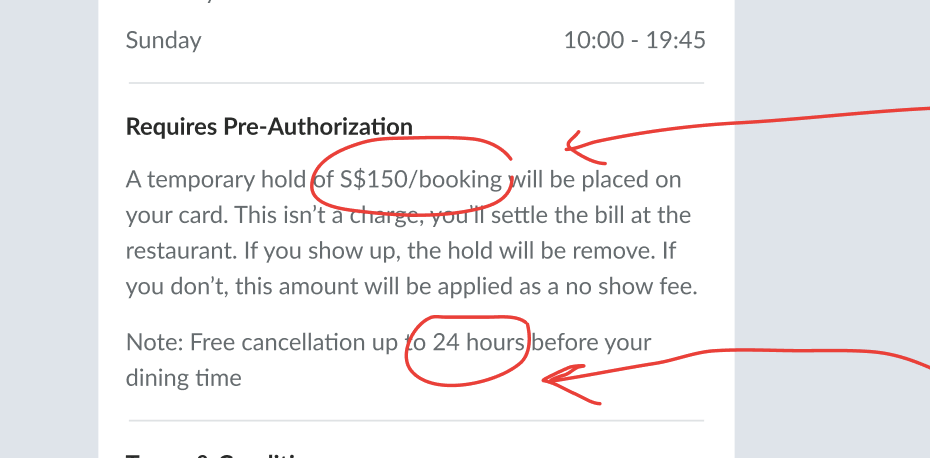 |
| Charge Amount of Booking (on hold) | A temporary hold of {price} will be placed on user's card. This isn’t a charge, user will settle the bill at the restaurant. If user shows up, the hold will be remove. If user doesn’t show up, this amount will be applied as a no show fee. Input 100, A temporary hold of S$100/booking will be placed on user's cardInput 200, A temporary hold of S$200/booking will be placed on user's cardNote : The currency is set by the setting previously (restaurant level) |
| Cancellation hours (on hold) | Time in advance to cancel/modify booking (in minutes) form. it's located on edit restaurant level User can edit/cancel based on the inputted form Example : Input 60, user can cancel 60 minutes before dining time Input 120, user can cancel 120 minutes before dining time Input 0, user can cancel before the dining time (exact dining time) When exceed the dining time, users can't edit/cancel.  |
| Fixed per person (normal and on hold) | Add Fixed per person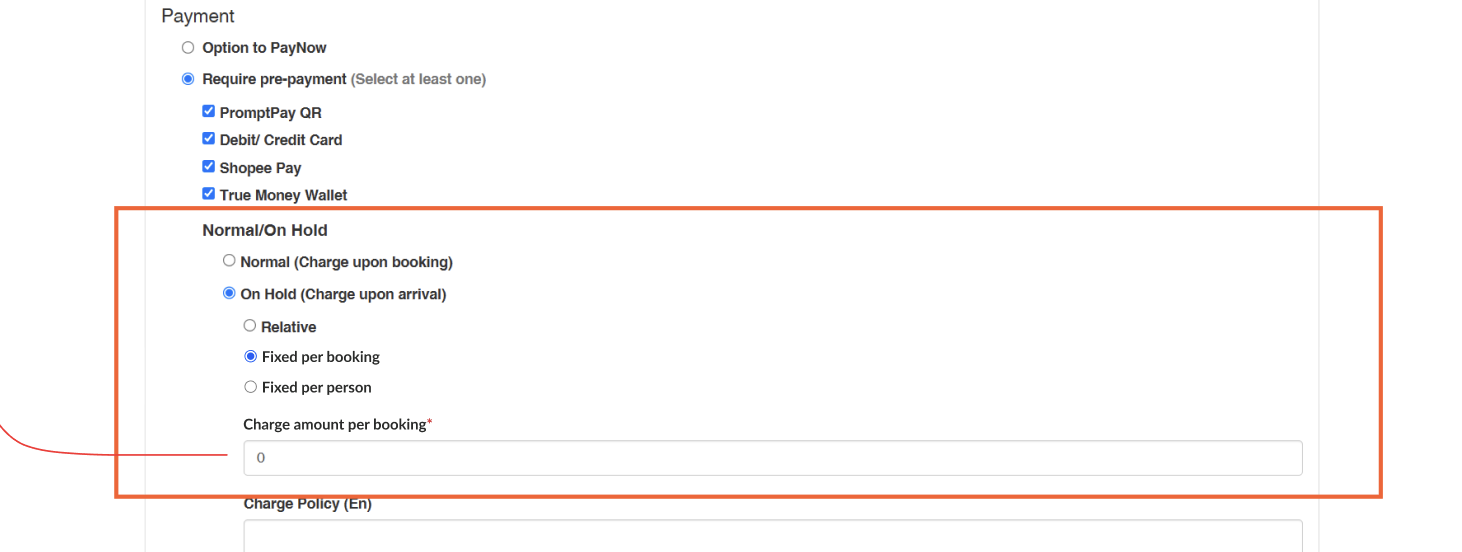 this function is for set price per person input 100 , the person is 5 , will be 500 as resultApplied to all of package types (AYCE, PP and xperience) |
| Fixed per booking (normal and on hold) | Whatever the total cost, won't affect the on hold cost Example On hold cost (150 SGD) Case 1 quantity of package ➝ 4 quantity of adult ➝ 4 quantity of kid ➝ 2 Case 2 quantity of package ➝ 8 quantity of adult ➝ 8 quantity of kid -> 1 the case 1 and 2 will be same on hold cost (150 SGD) |
| Relative | Based on the percentage of total booking Include kids price Example : Total booking is 1000 SGD On hold relative is 80% Total On hold will be 800 SGD |
| Charge Policy | 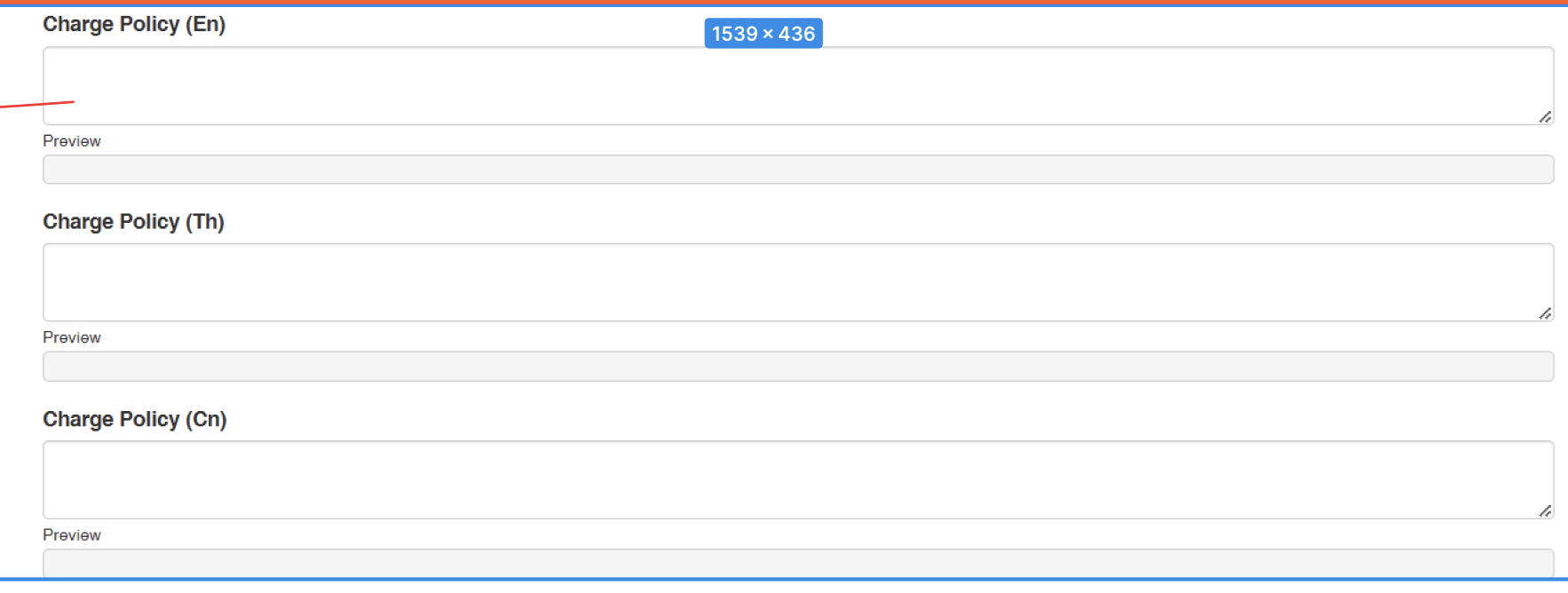 If insert this policy, it will replace the default template Default template : 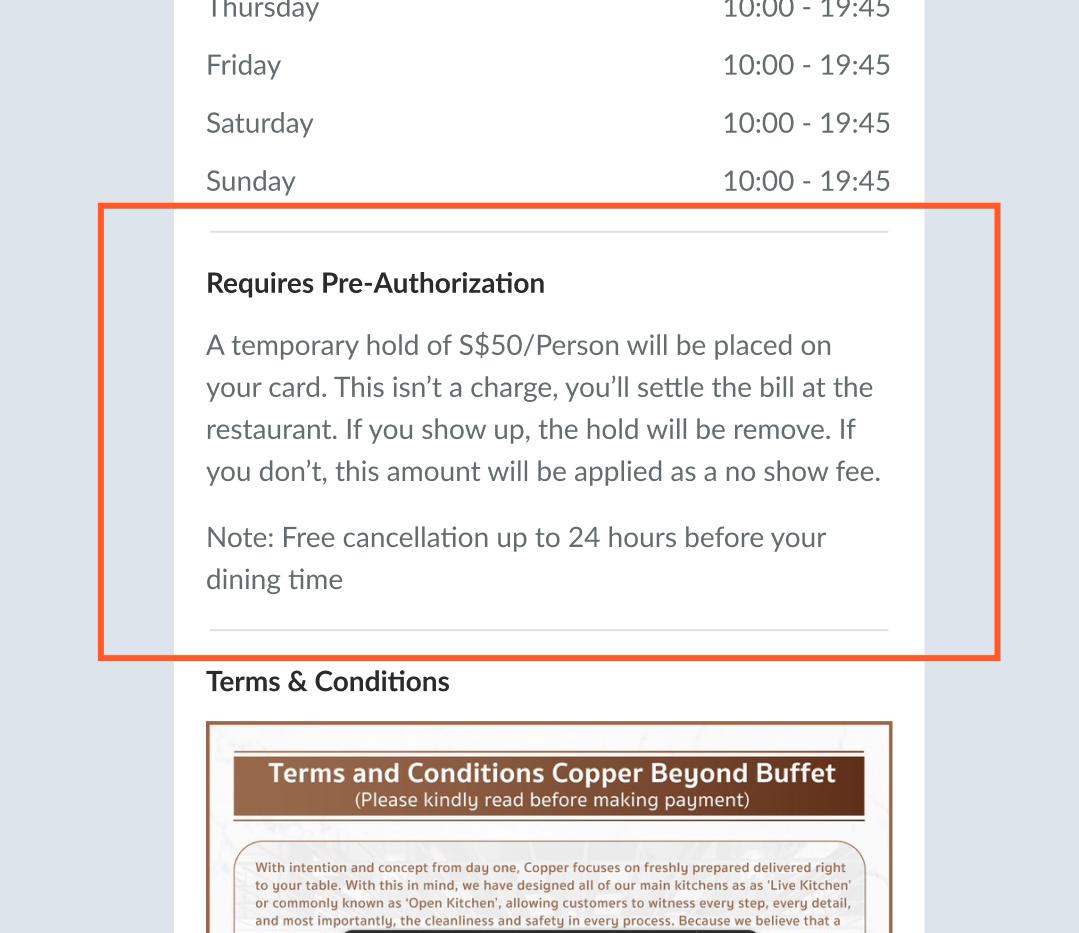 |
Package on Client Side
| User Story | Requirement |
|---|---|
Free Cancellation Label | Add free cancelation label (when active), on the store page and detail package page Store page : Package section Detail package page : What you will get section when click Pre authorization label on the store page, will scroll down to Pre authorization section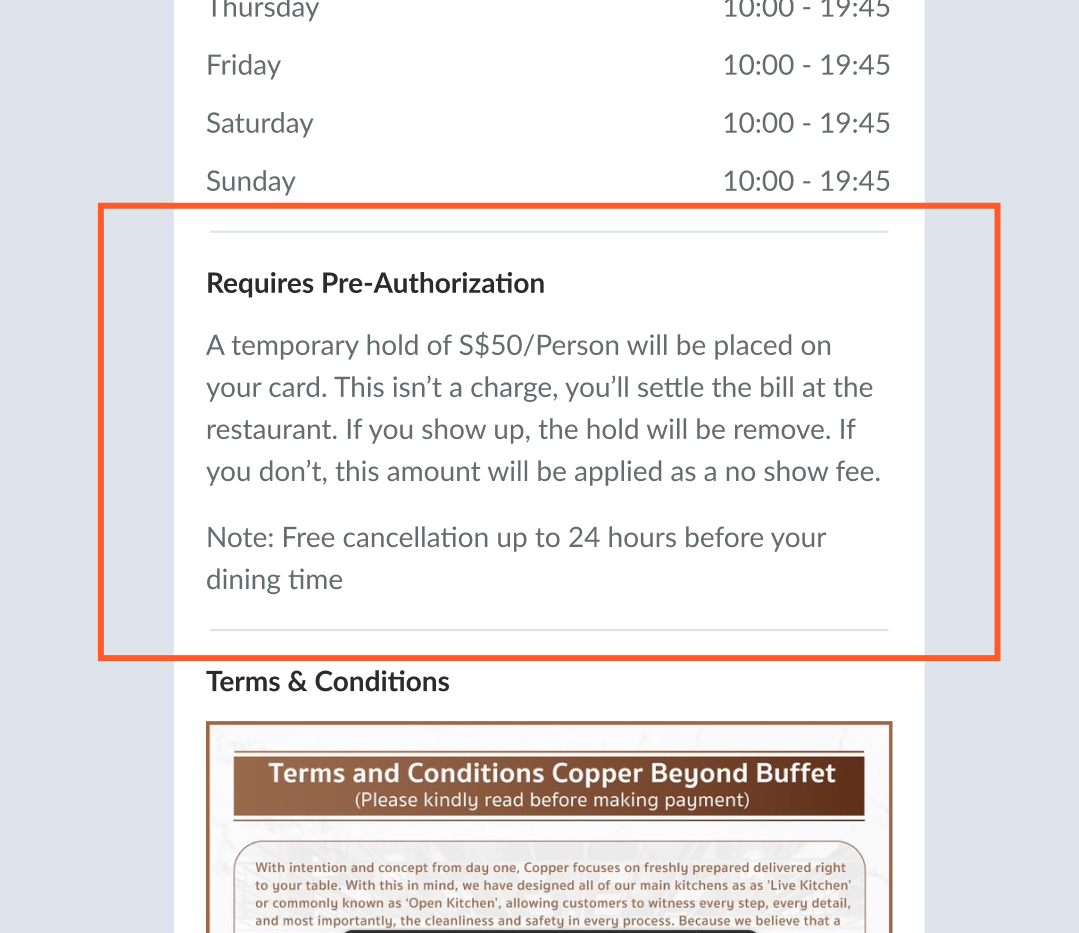 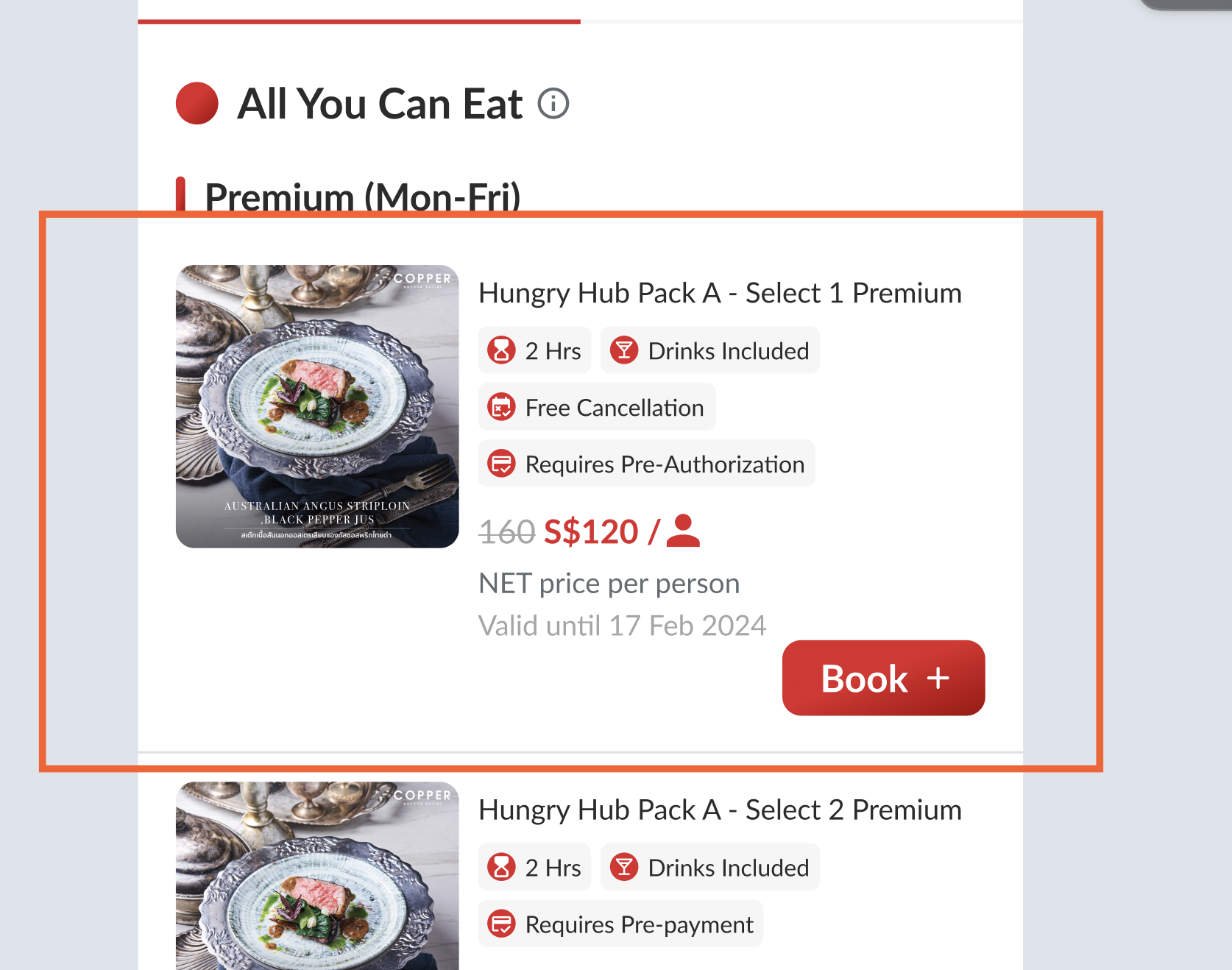 |
Checkout page
| User Story | Requirement |
|---|---|
| Label | When pre-authorization is activeYou won't be charged yet, a hold of {price} will be placed blue labelThis package requires a pre-authorization yellow labelTooltip (there is i )pop up (can see below) 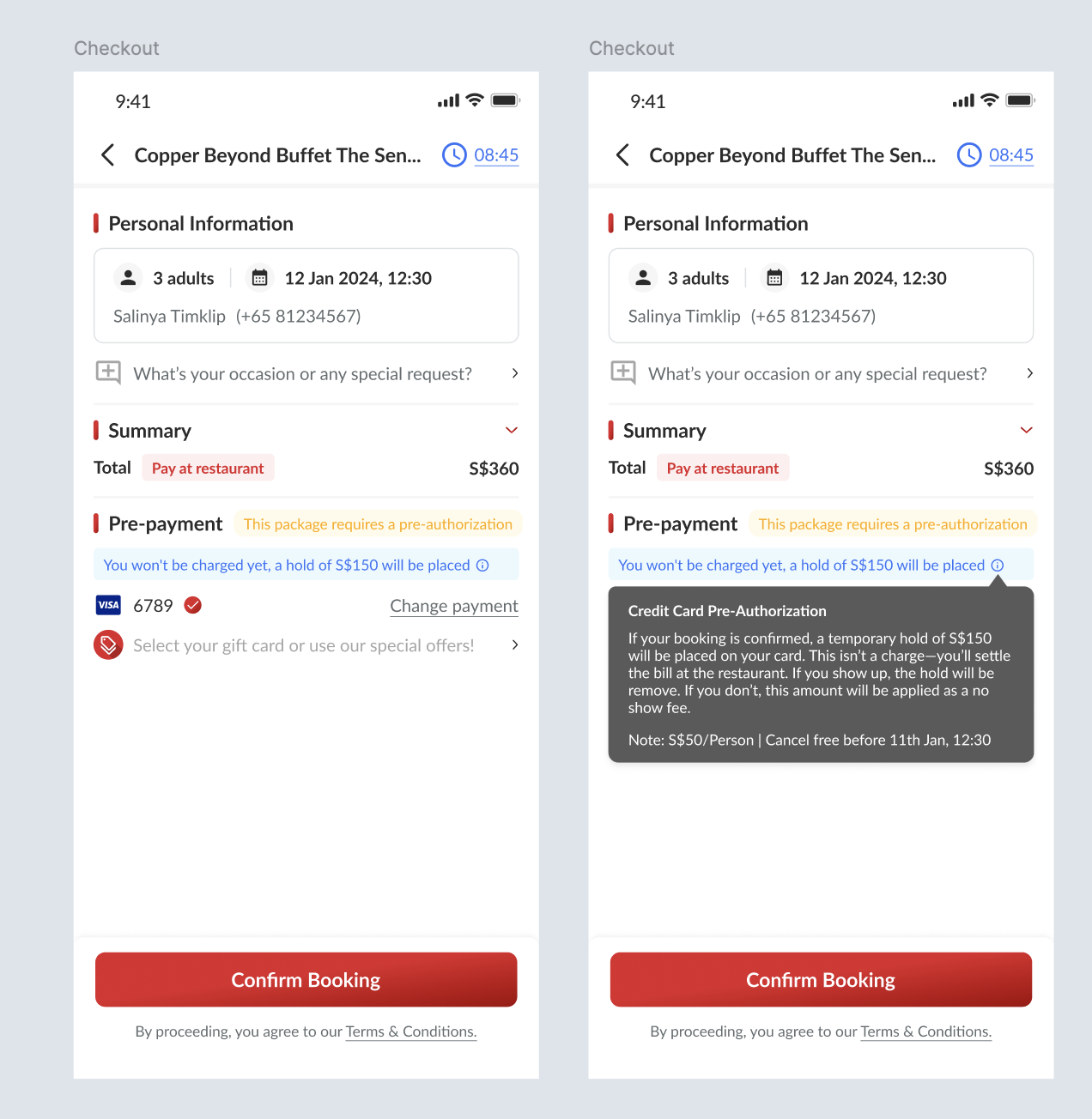 |
Booking Confirmation
| User Story | Requirement |
|---|---|
| Temporary hold (on hold) | Based on charge amount on admin dashboard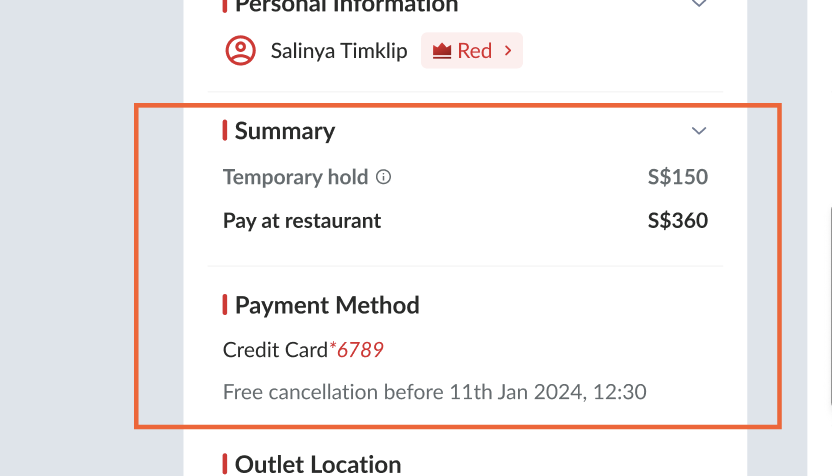 |
| Free cancellation (on hold) | Based on Advance Hours for Cancellation (hours)* on admin dashboard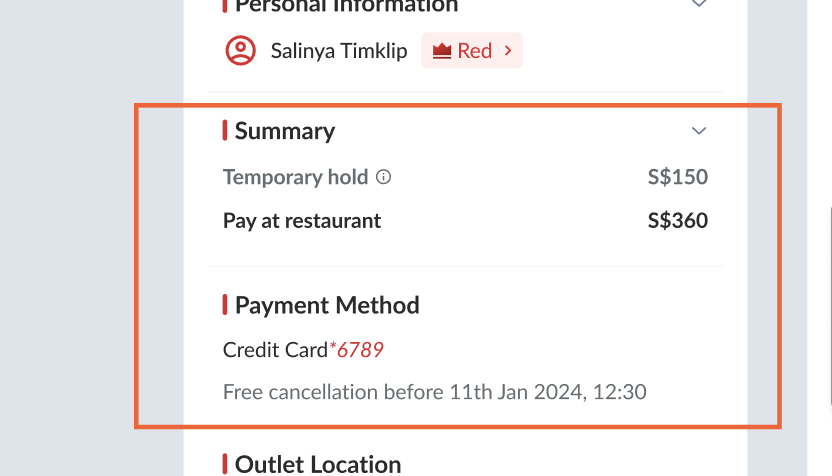 |
Tooltip (there is i )pop up (can see the image) | 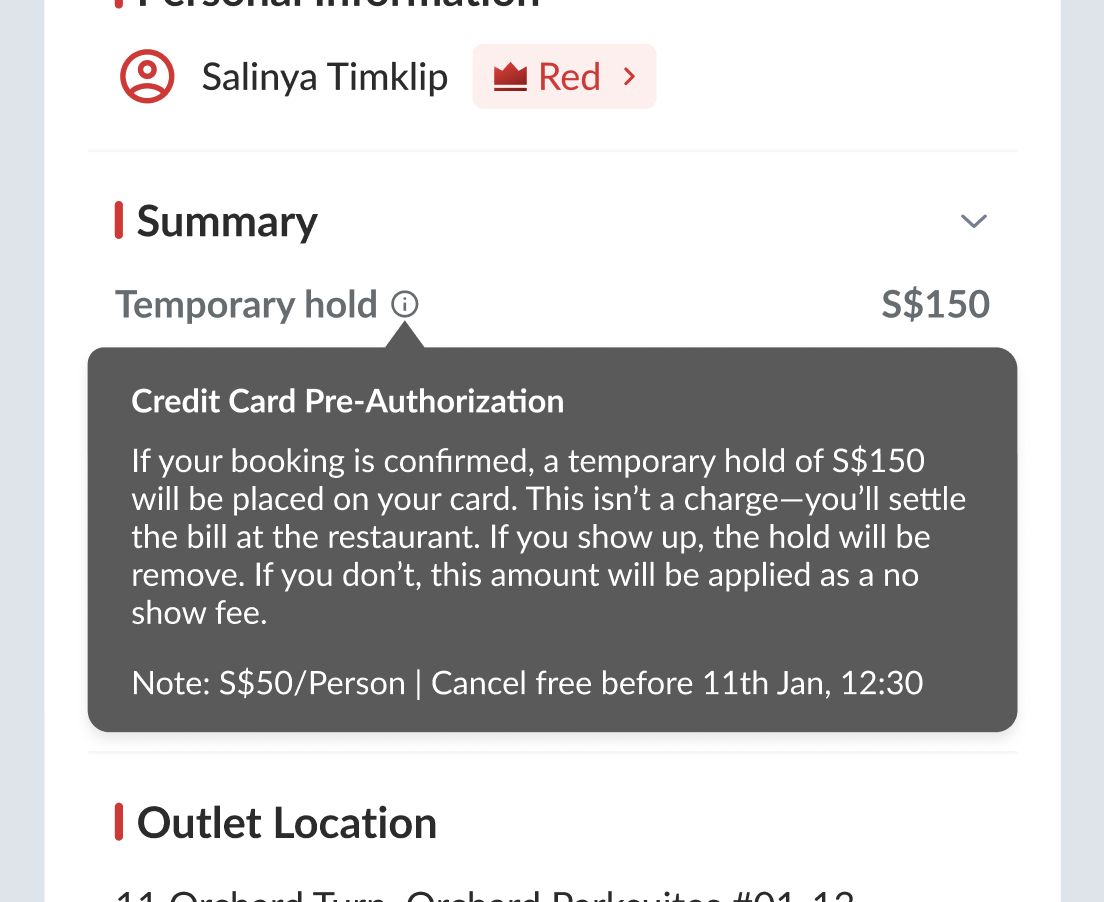 |
Booking Confirmation Email
| User Story | Requirement |
|---|---|
| Add some detail on the booking confirmation email | Based on setting on admin (on hold) Temporary hold ➝ Charge amount Free Cancellation ➝ Advance Hours for Cancellation (hours)* Credit card pre authorization 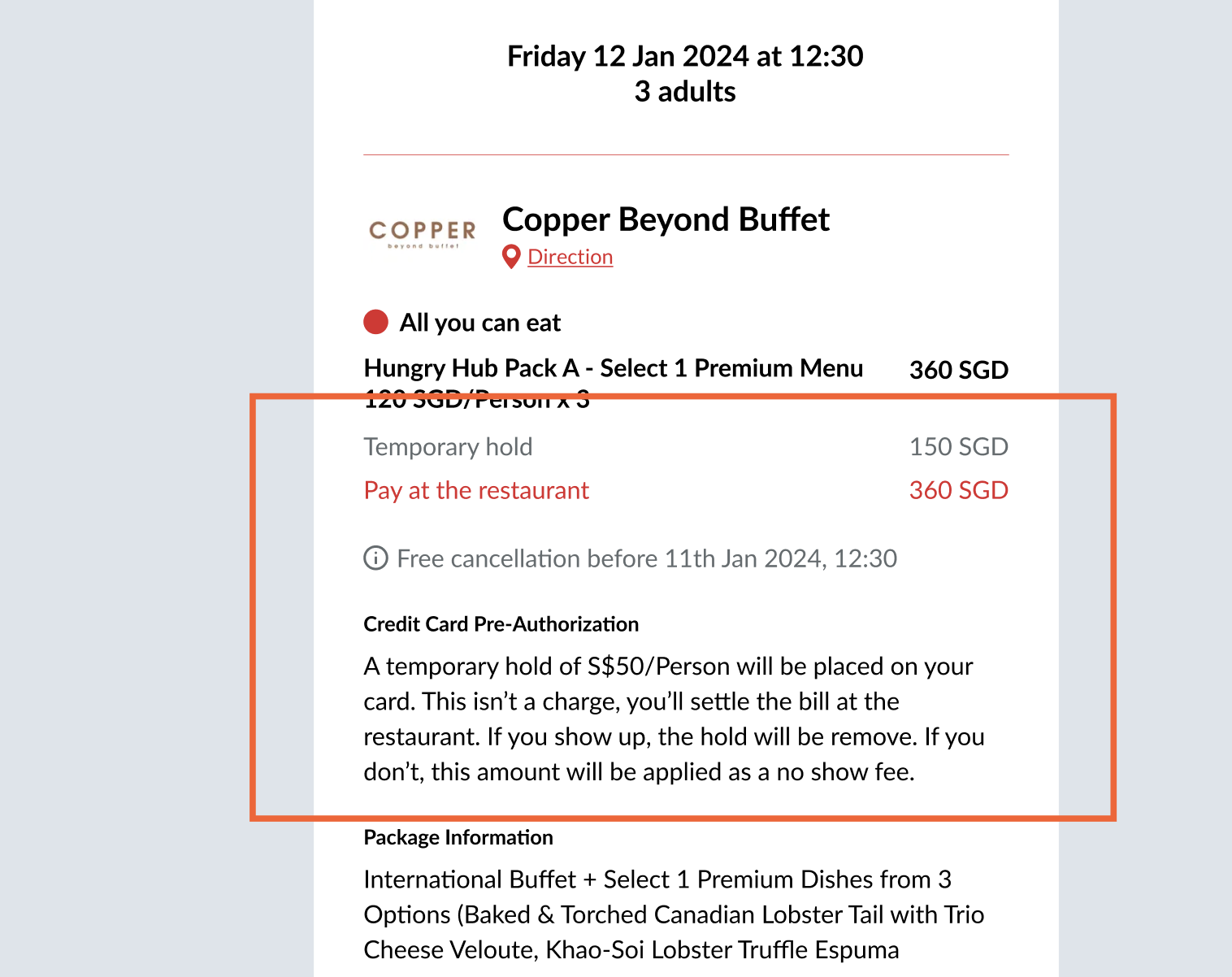 |
Booking List (Admin Dashboard)
| User Story | Requirement |
|---|---|
On Hold (All of status except No show) | There is On hold information with the costAdd On hold information on more details pop up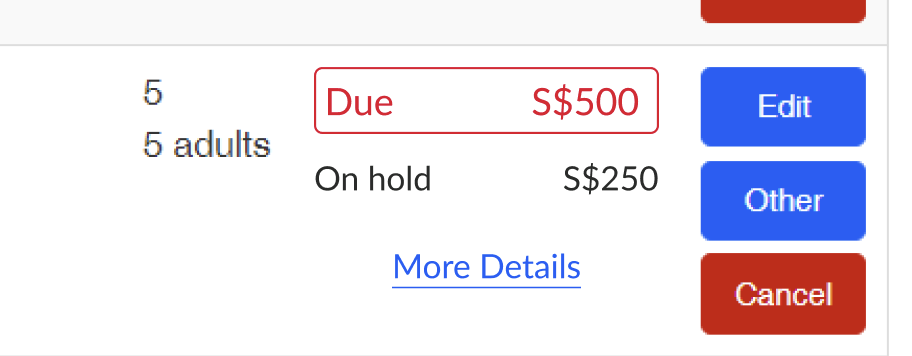 |
| On Hold (No Show) | There is no reduction of due number There is charge amount (by system) as no show fee 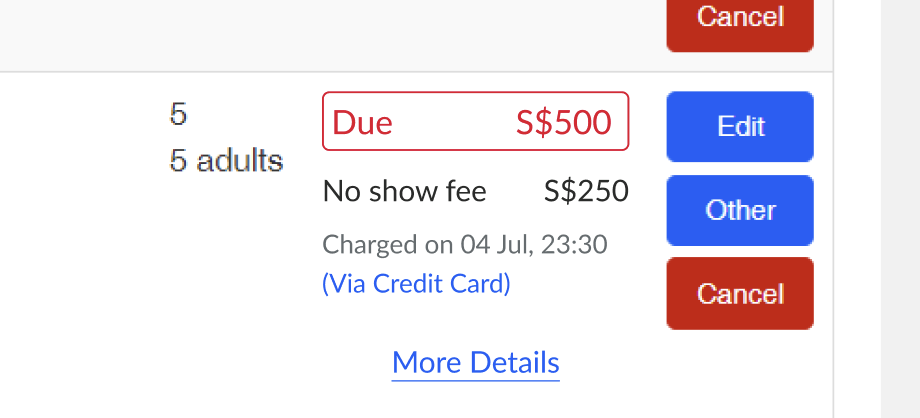 |
Booking List (Partner Portal)
| User Story | Requirement |
|---|---|
On Hold (All of status except No show) | There is On hold information with the costAdd On hold information on more details pop up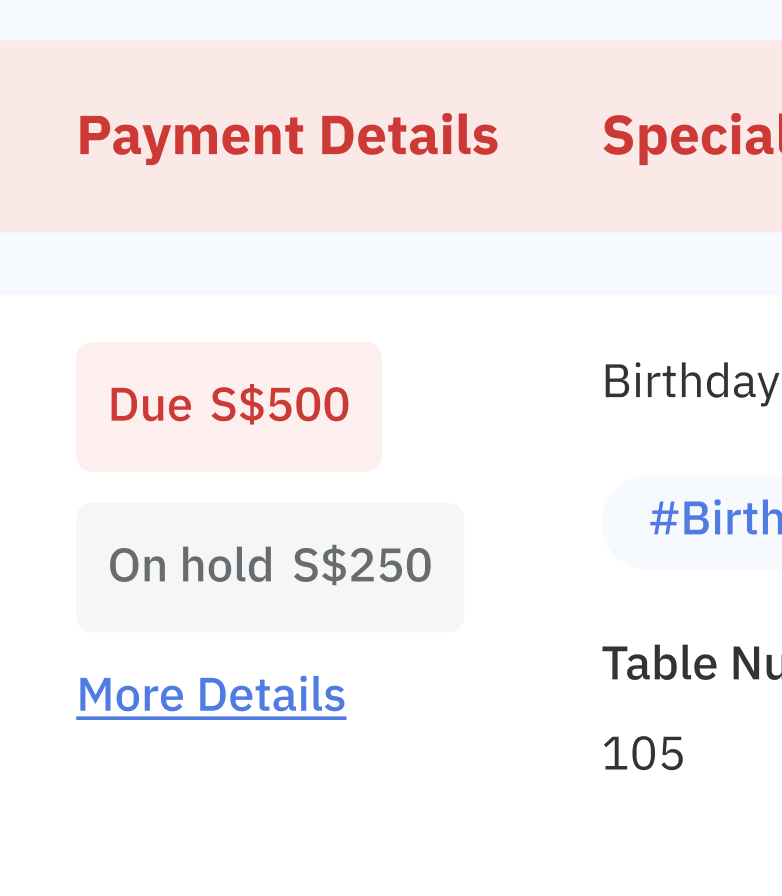 |
| On Hold (No Show status) | There is no reduction of due number There is charge amount (by system) as no show fee Add No show fee information on more details pop up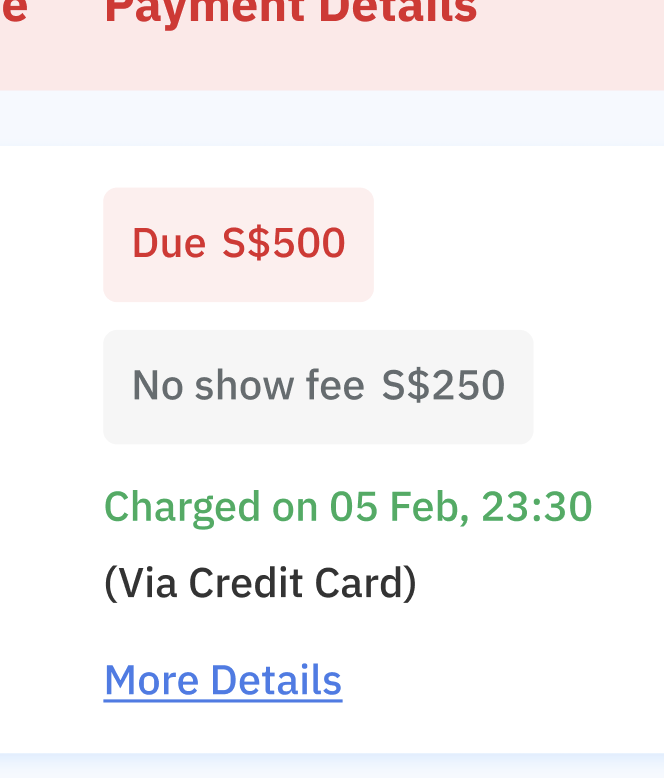 |
❓ FAQ
| Question | Answer |
|---|---|
| Edit Booking | Private (https://app.clickup.com/9003122396/docs/8ca1fpw-7922/8ca1fpw-43536) Can check the simulation here : https://docs.google.com/spreadsheets/d/1P4RI9-IYJNNnil7EX2qEin-MHMB8W0Kp_sXDBiK11EU/edit?usp=sharing |
| On hold vs Pay later | On-hold is used to secure the booking for the restaurant, ensuring the customer will arrive and pay at the restaurant. Once the customer arrives, the hold on their card is removed. (This applies only to pay-at-restaurant cases and does not involve charging the credit card.) Pay-later, on the other hand, involves charging the customer's credit card 24 hours before dining or as specified in the settings On hold = no charge on their card Pay later = charge their card on hold will charge, if they no show at restaurant as a no show fee (edited) |