Booking Without Package
📕 About
| Problem | Some restaurants (e.g., Katsuki Midori) want to accept table bookings without requiring customers to pre-order a package. Customers will order and pay on-site instead. |
|---|---|
| Solution | Enable restaurants to allow "Booking Without Package" and adjust the flow across Admin Dashboard, Client Side, and Partner/Admin Back Office accordingly. |
| Objective | Enable or disable the Booking Without Package option Ensure users can book a table without selecting a package Simplify the booking experience for both guests and registered users |
| Figma Link | https://www.figma.com/design/T9kSuAj3GZW7khySGNq84m/Store-Page-Update?node-id=9818-7238&t=gGBlyFDELt6OyVj5-1 |
Restaurant Setting on Admin Dashboard
| User Story | Requirement |
|---|---|
| Restaurant need to set is the restaurant can be booked without package only or not Flow : Restaurant → Restaurant List → Create/Edit Restaurant | Provide the checkbox button to activate/deactivate the booking without package featureActive Inactive (Default) 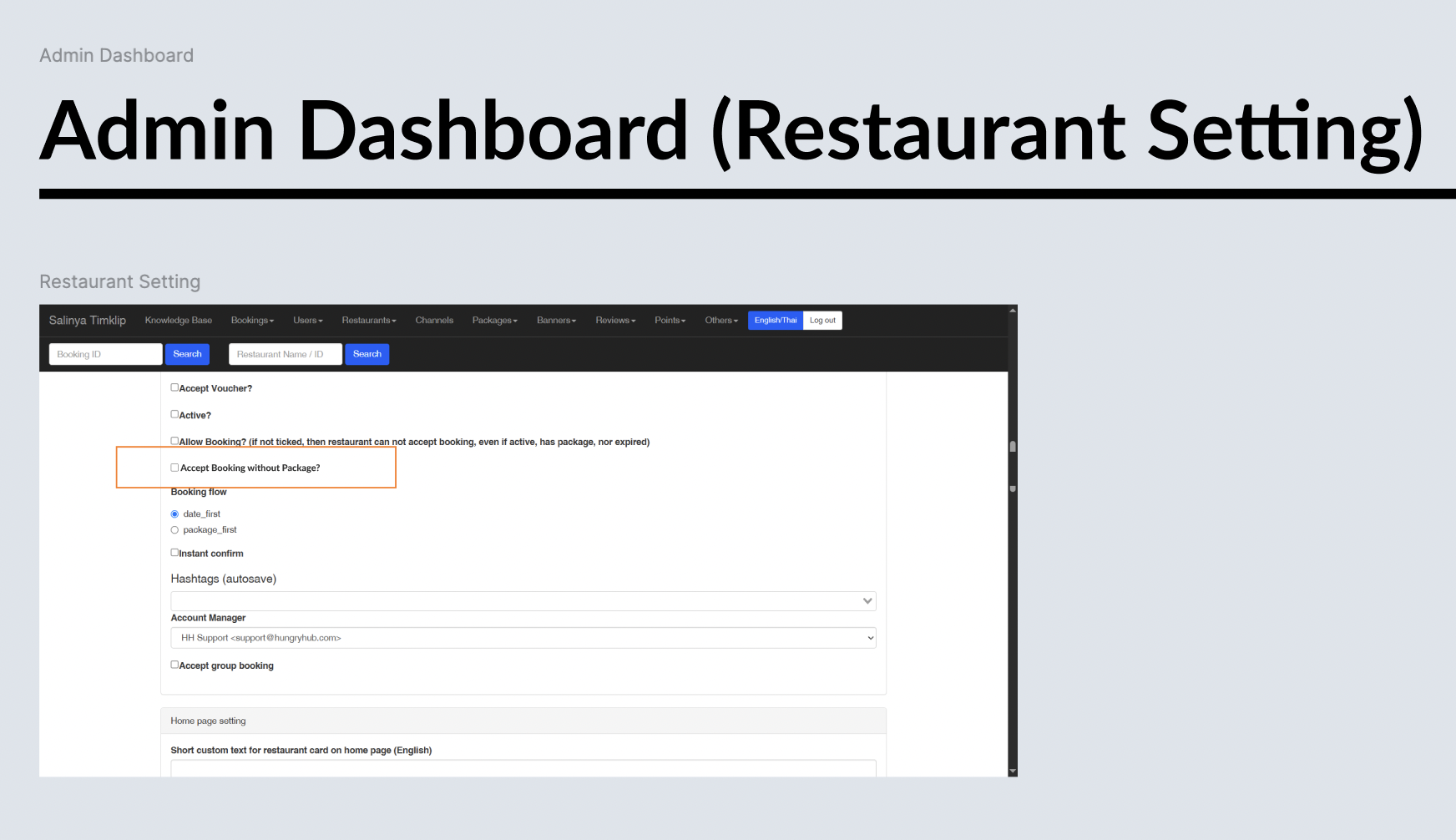 |
Client Side
| User Story | Requirement |
|---|---|
| User want to visit the restaurant/store page | Don't show all of the package content Display the about us page to the store page (move to the front) Include : About us, Outlet location, Opening hourMobile 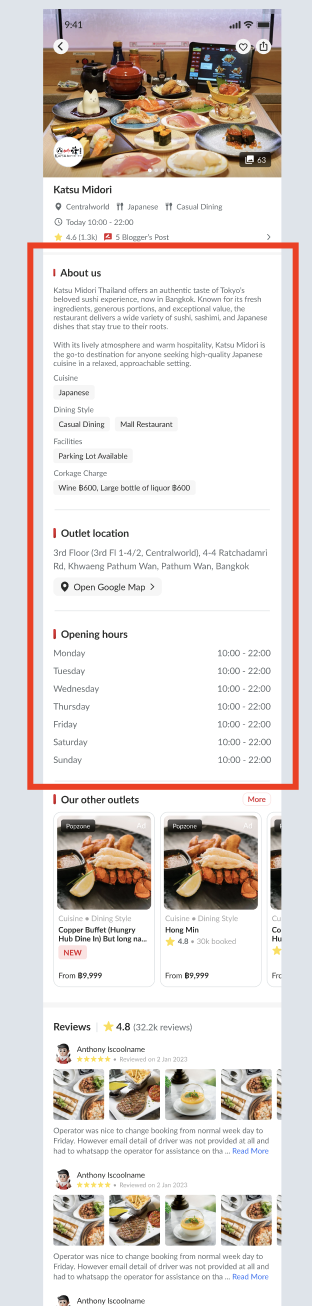 Desktop 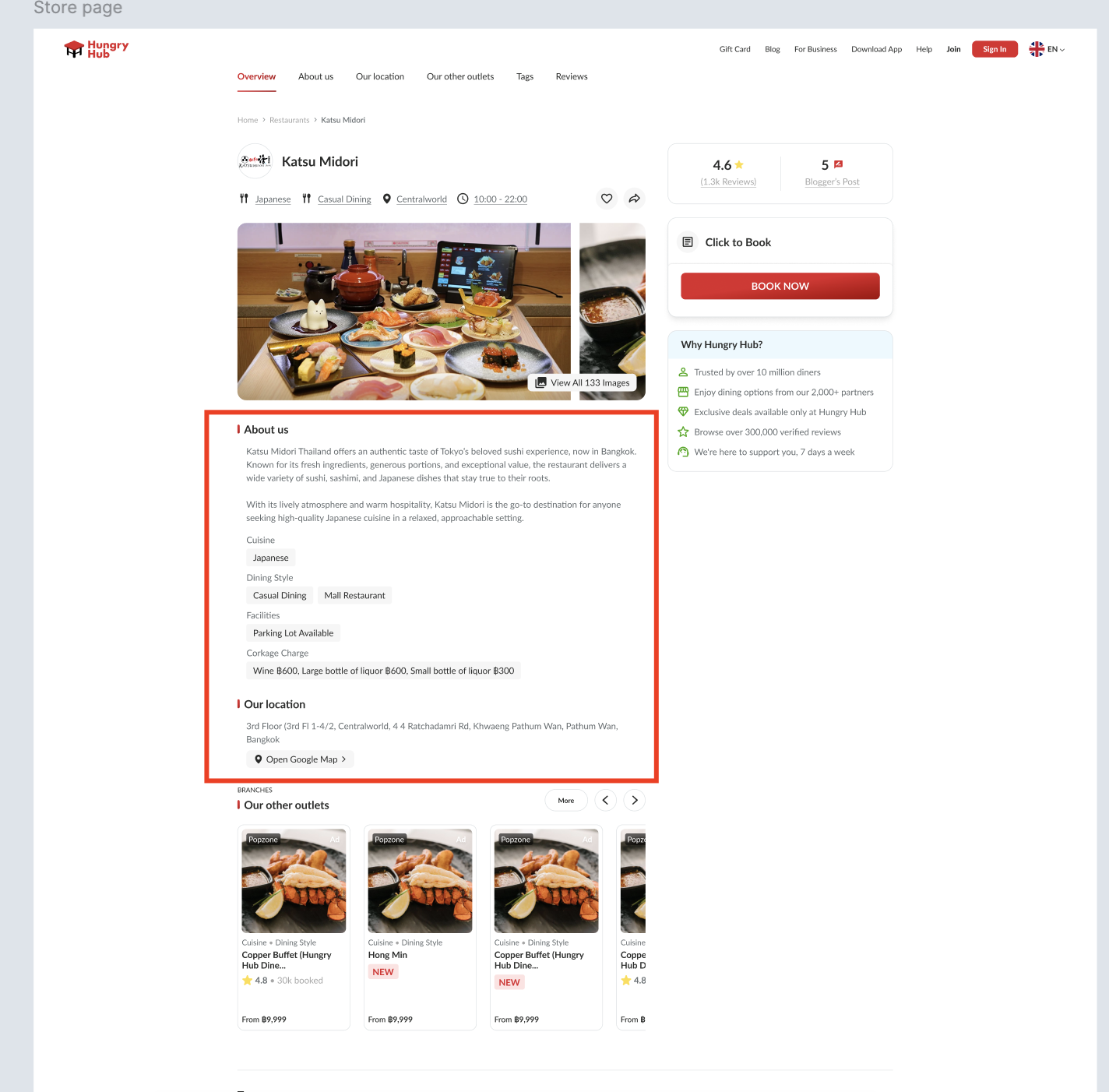 Remove the More Information button (preview below)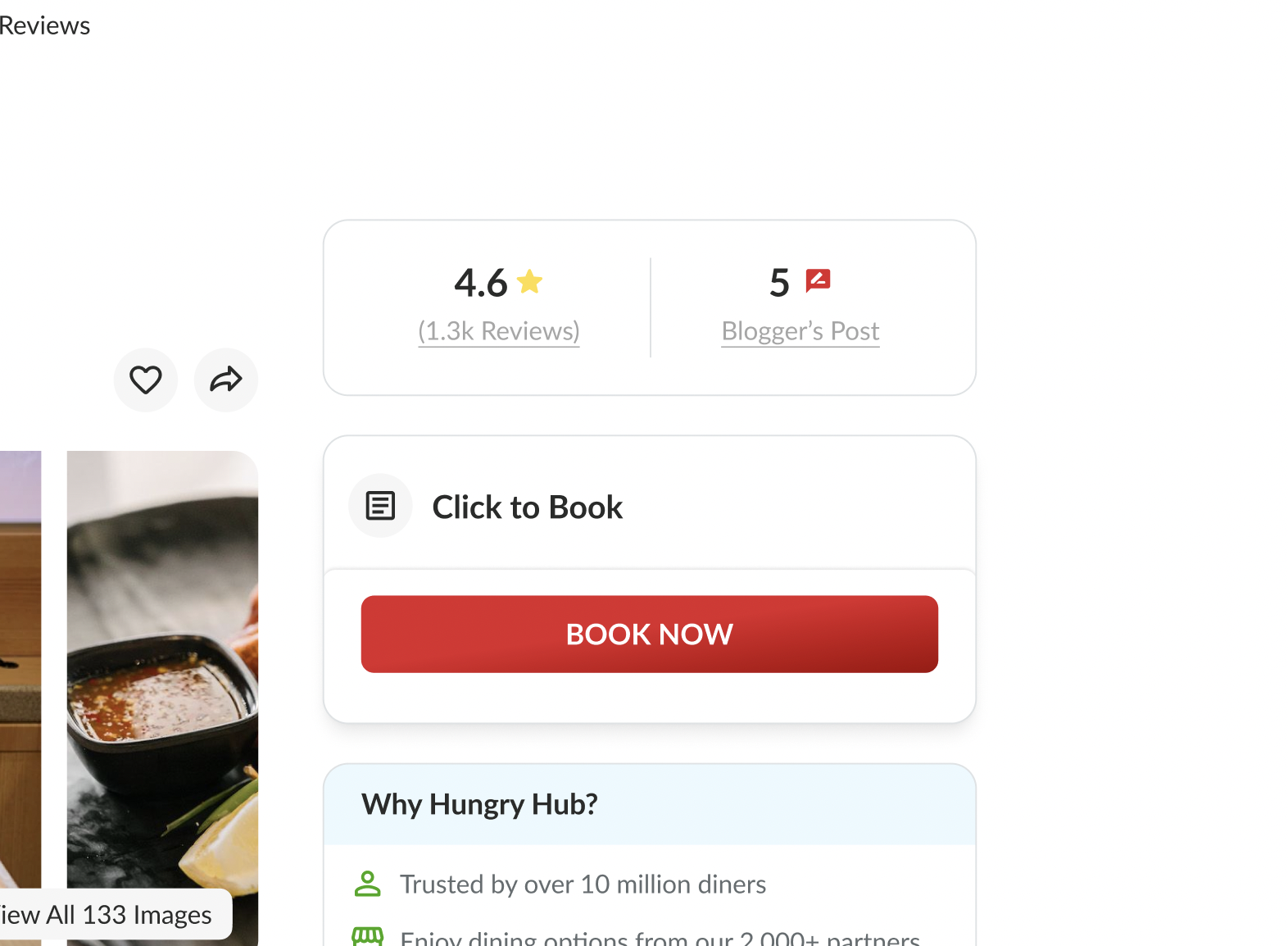 BOOK NOW button should always active |
| User click book now button and go to cart page | There is no package section anymore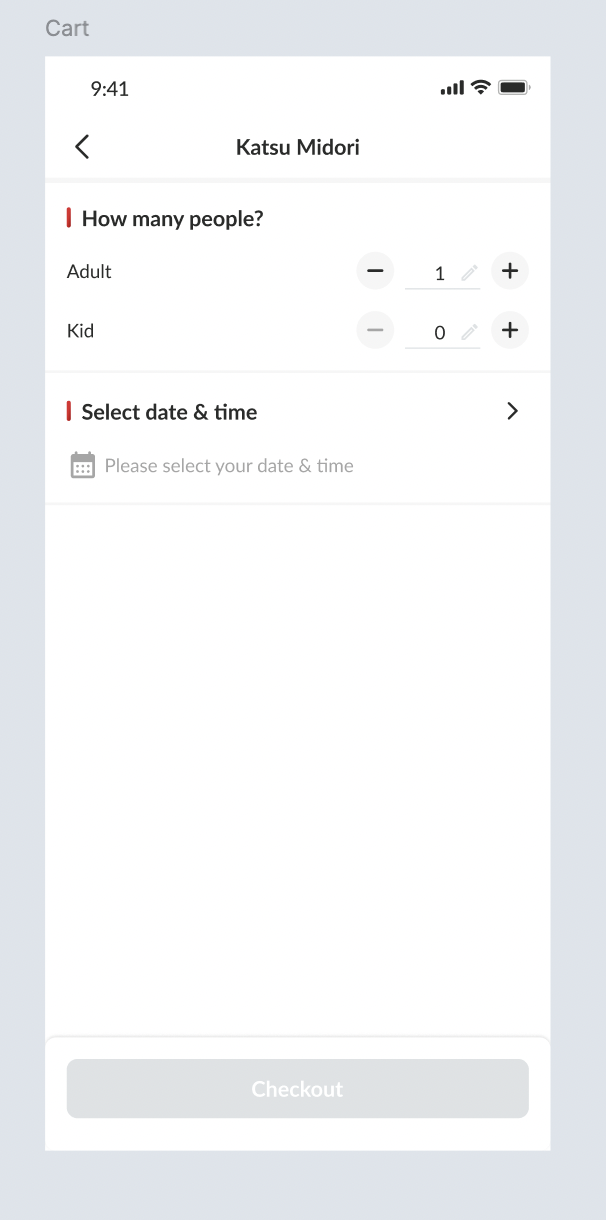 |
| User click book now button and then click the date and time | Change the the red dot word into Fully Booked = จองเต็มแล้ว = 已滿座No need to check the package allotment |
| User go to checkout page | There is no payment, package information and offers section Registered User/Member 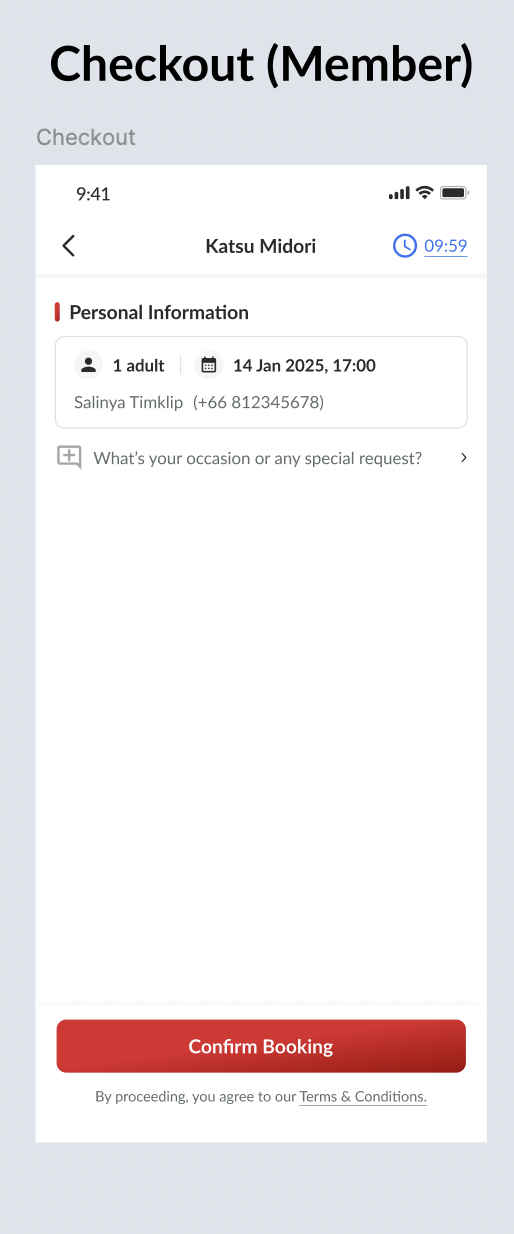 Guest Display the guest form into the front/checkout page (no need to go inside the navigation) Make sure the field is mandatory to be filled (Name, Phone and Email) 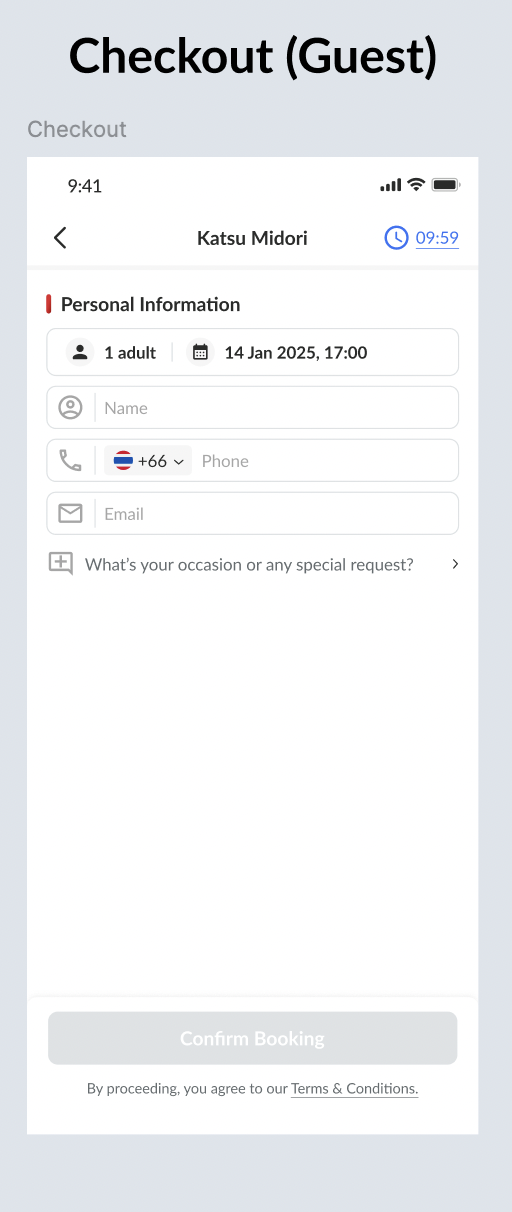 There is no payment because user will pay it onsite |
| After confirm the booking, go to booking confirmation page | Don't display all of the package and payment information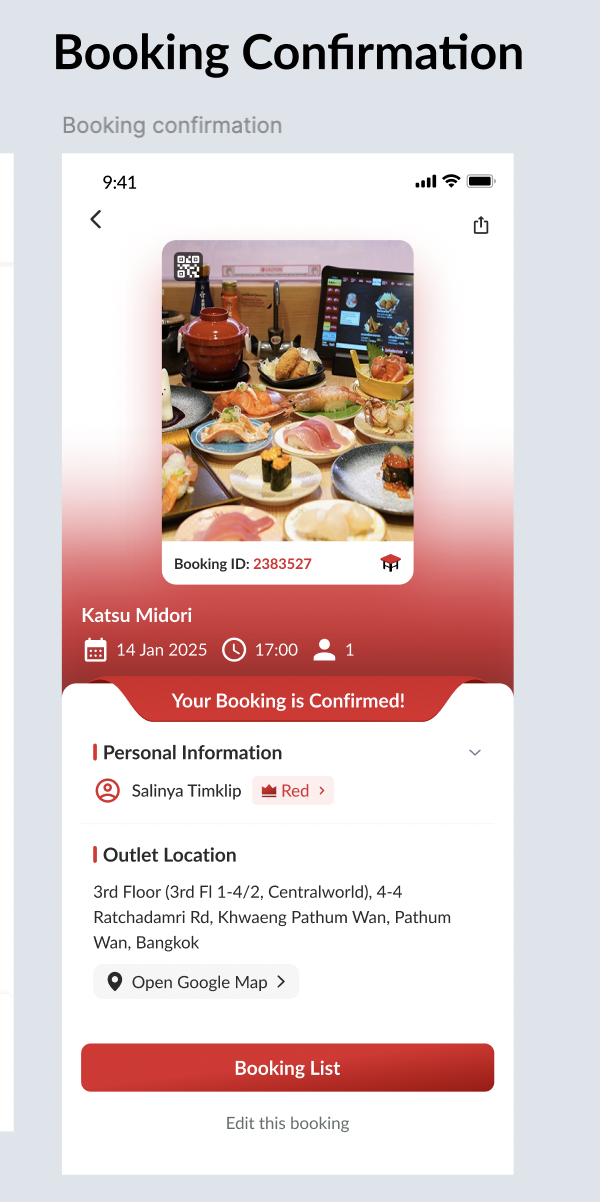 |
| Edit Booking | Hide all of the Package Field |
Partner Portal and Admin Dashboard Side
| User Story | Requirement |
|---|---|
| There is a booking made by user / admin / owner | Remove the package information and change it into No packageRemove the payment information and change it into -For full preview can check on the figma 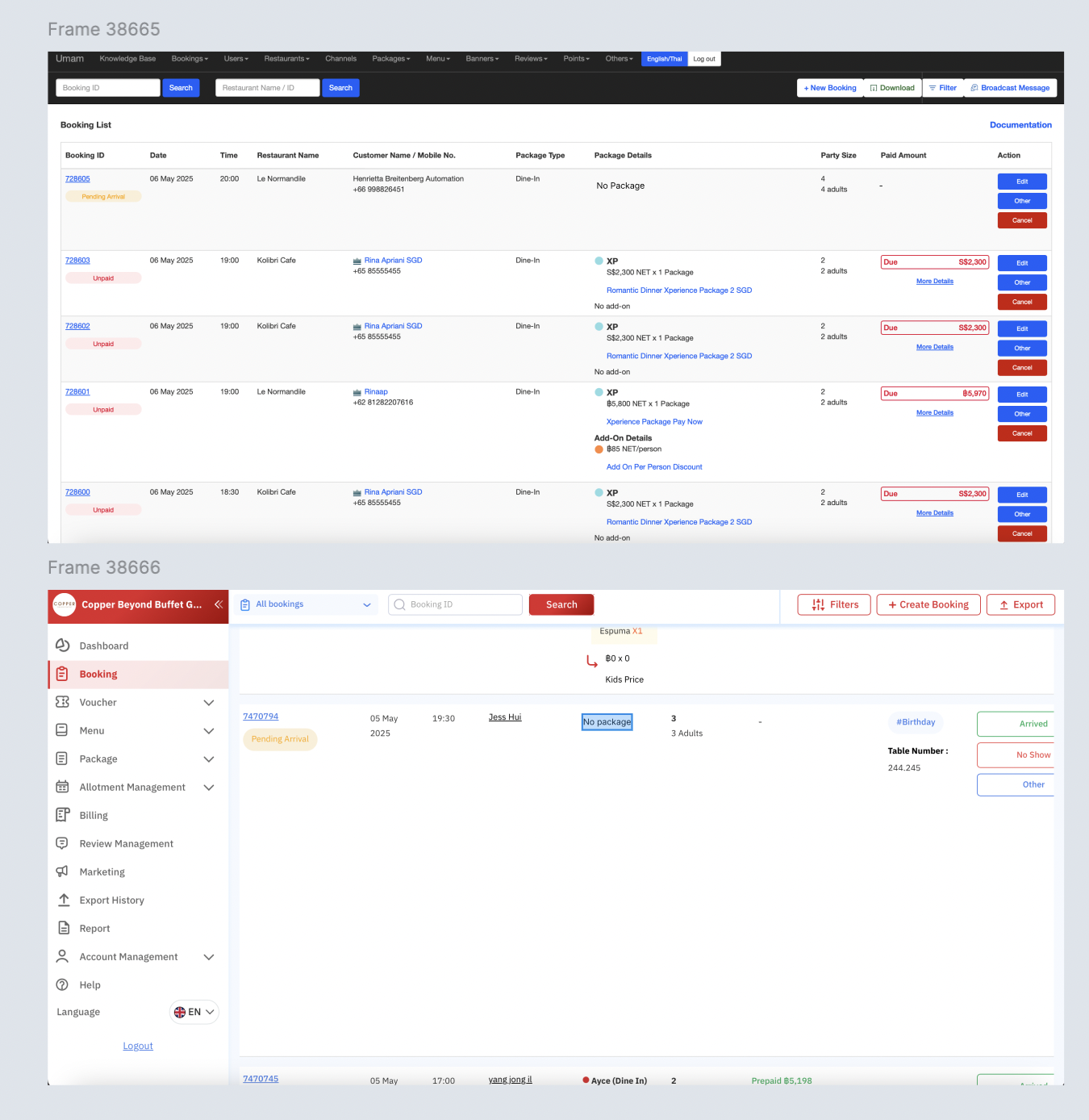 |
| Create / Edit Booking | Hide all of the Package Field |
❓ FAQ
| Question | Answer |
|---|---|
| Logic | Can't make multiple booking at the same time (same like the pay on site) Example : user has the booking at 4 PM, 1st June 2025. so, user can't make a booking again at 4 PM, 1st June 2025 |