Add Amount on Promo Code page
🧾 History
| Date | Changes | Link | By |
|---|---|---|---|
| 2nd August 2024 | List of Changes Add download button on the promo code Add a column and row that indicates the used amount of promo code Add a column and row that indicates the used amount of promo code group | This PRD | Umam |
| 7th October 2024 | List of Changes Add download button on the promo code (check the changes below) All of the promo code Specific promo code Add a column and row that indicates the amount, total amount, used amount on promo code Add a column and row that indicates the used amount of promo code group |
📕 About
| Context | Promo code is a code provided that offers a discount or special deal to customers |
|---|---|
| Problem | There is no information for used amount of promo code |
| Solution | Need to show used amount of promo code |
| Name of Feature | Add Amount on Promo Code page |
| Objective | Add download button on the promo code Add a column and row that indicates the amount, total amount,used amount on promo code Add a column and row that indicates the used amount of promo code group |
| Gains | Help team to track / monitor the revenue |
| Pains | Need to explain how the used amount works |
| Figma Link | https://www.figma.com/design/pdsGdLGIC4Q9rtneKLXIuw/Add-amount-in-Promo-Code?node-id=0-1&t=jygER9odwaQOiH3a-1 |
| Available Platform | Web |
| Sprint | 43 |
| Related PRD | - |
| Out of Scope | - |
🎯 User Story & Requirement
Add download button on the promo code
| User Story | Requirement |
|---|---|
| Admin wants to download the report from all of the promo code Flow Others ➝ Promo Code | Add Download button on the Promo Code page to download the report (place it on the top of page)Once the button is clicked, display the popup. These are some elements : Export Promo Code titleVoucher type checkboxAll Gift card marketing redemption first app voucher Data filter type Range date radio button Start date End date Single date Date Download button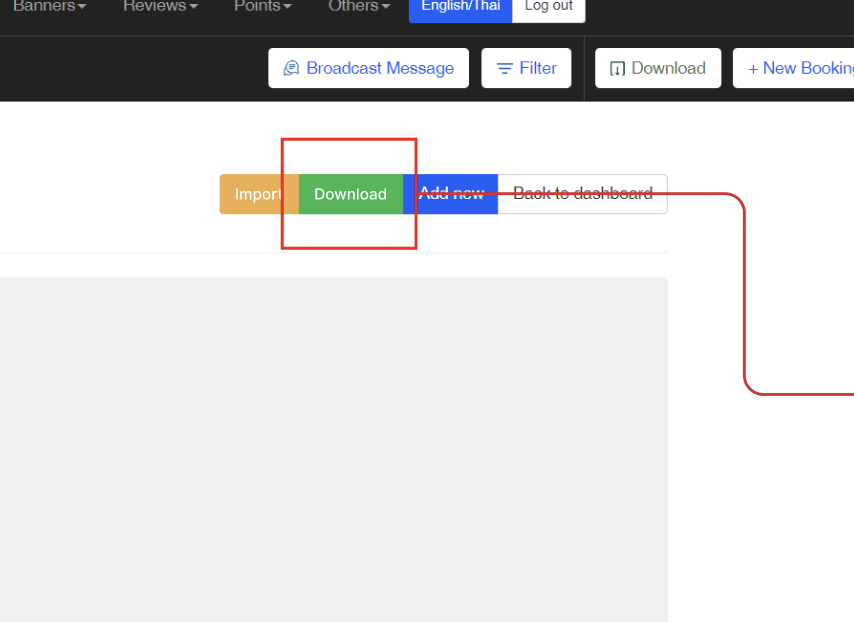 Success alert if Download button is clickedSystem is generating the excel file, please check your email within few minutes |
| Admin wants to download the report from specific promo code on the promo code table Flow Others ➝ Promo Code ➝ Table ➝ Click Download button | Add Download button on the Promo Code table to download the report from the specific promo code (place it above the Show reservation button)Once the button is clicked, the excel file will be downloaded immediately 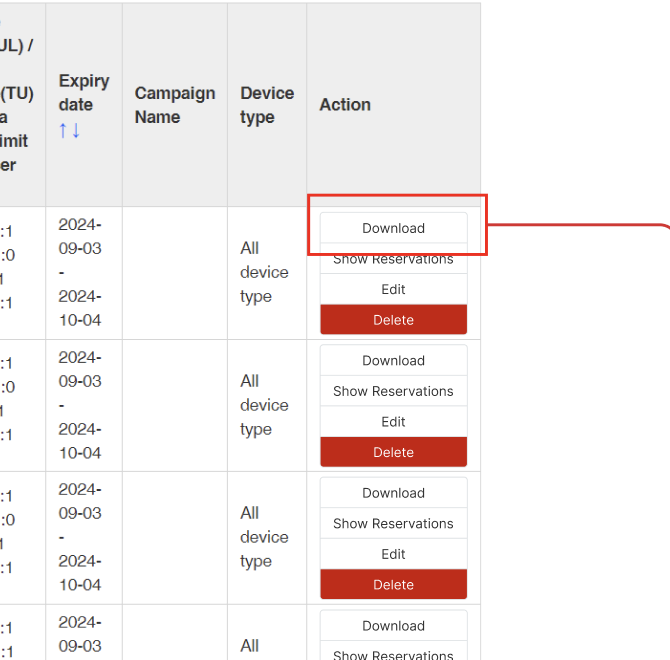 Success alert if Download button is clickedDownload Complete!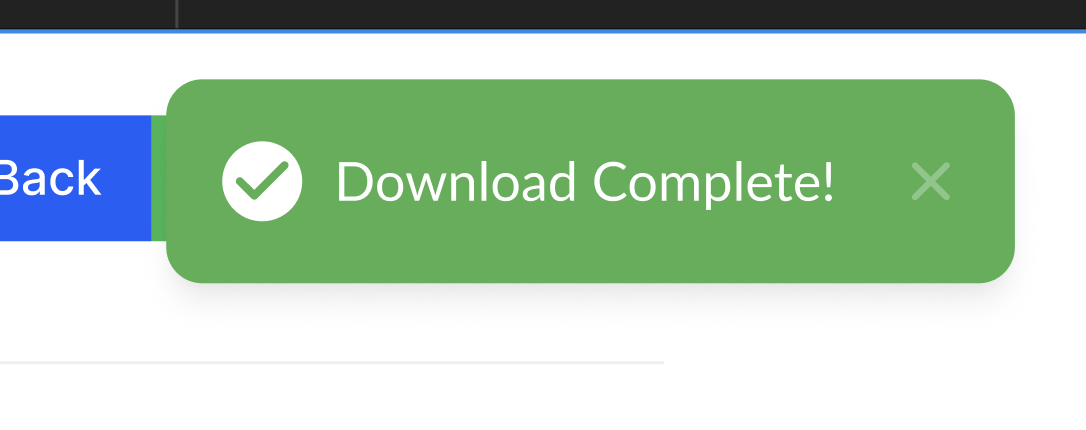 |
| Admin wants to download the report from specific promo code on the promo code page Flow Others ➝ Promo Code ➝ Table ➝ Click Show reservation ➝ Click Download button | Add Download button on the Promo Code page to download the report from the specific promo code (place it on the top of page)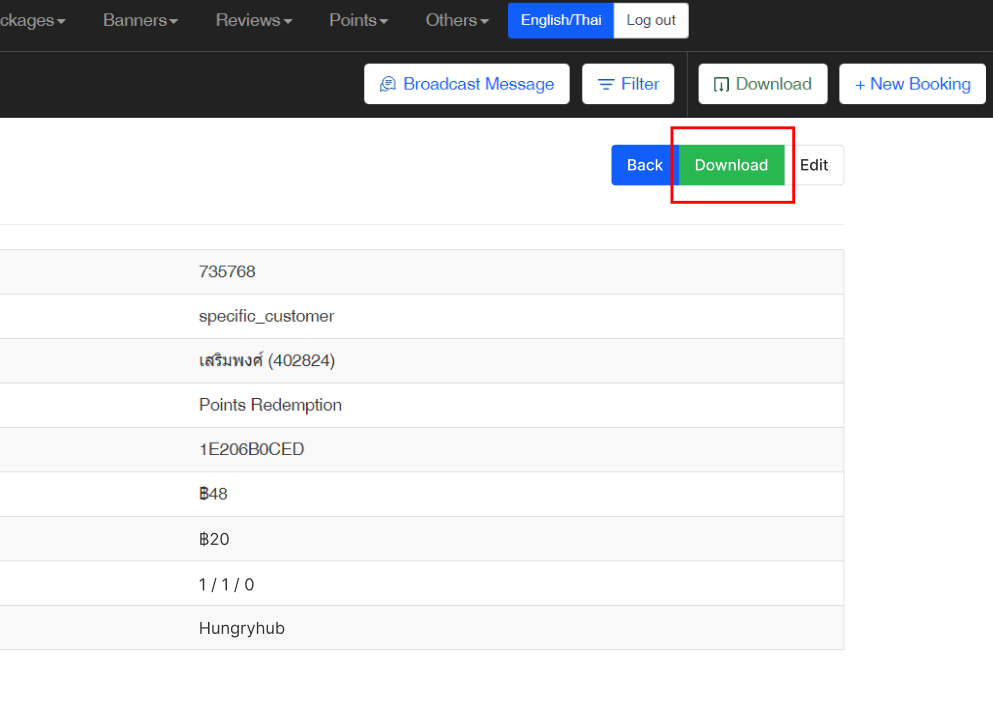 Once the button is clicked, the excel file will be downloaded immediately Success alert if Download button is clickedDownload Complete! |
| All of the Promo Code | Specific Promo Code |
|---|---|
| Here is the format of excel export Column List : Id Promo Code Type Payment type Restaurant / Branch / Customer Promo code category Promo Code Name Promo Code Promo Code Package Type Amount Total Amount Total Used Amount Usage Limit(UL) / Total Usage(TU) / Quota (Q) / Limit per user (LU) Expiry date Created at Campaign Name Device type Reference : 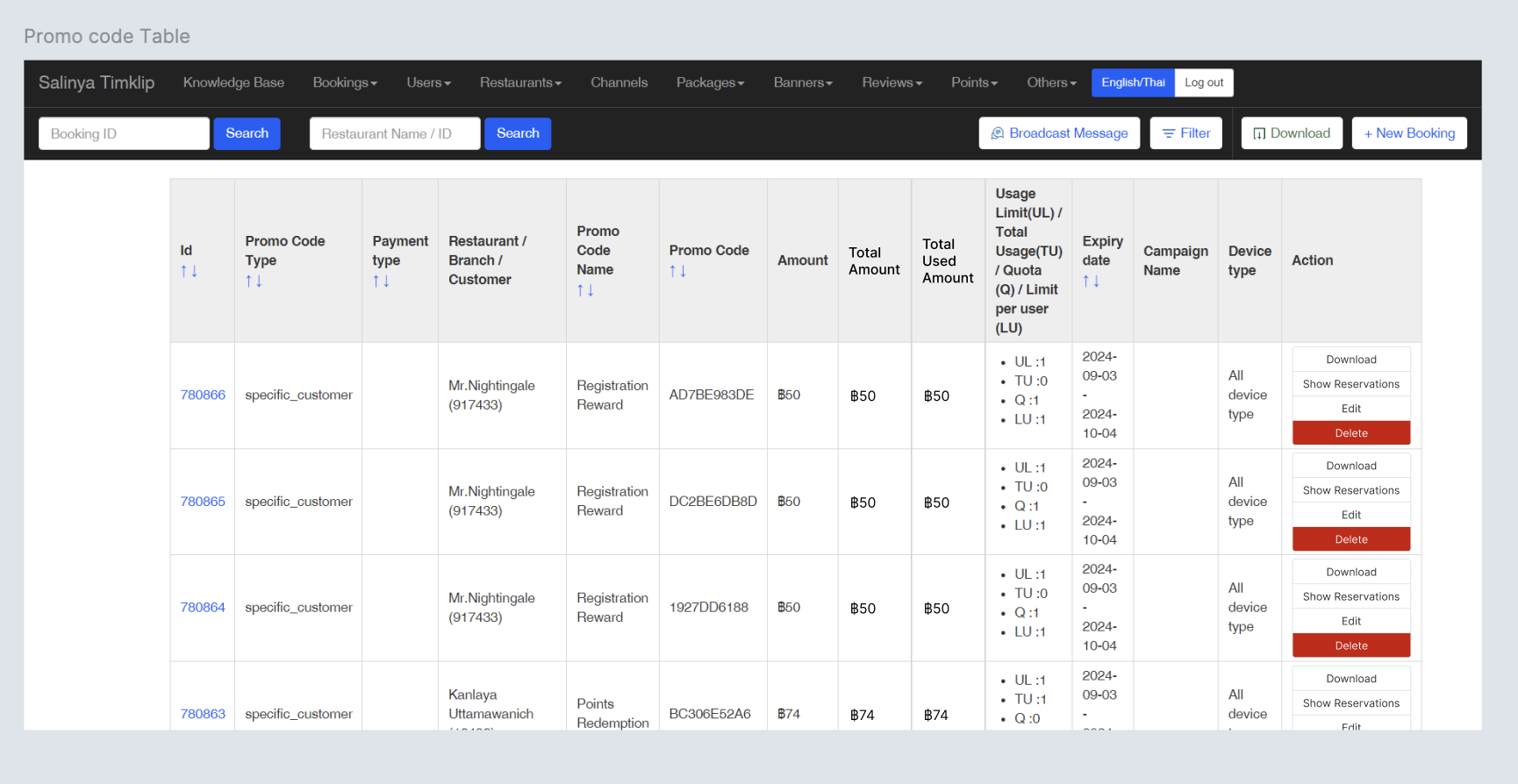 | Here is the format of excel export Row List : Id Promo Code Type Payment type Restaurant / Branch / Customer Promo code category Promo Code Name Promo Code Promo Code Package Type Amount Total Amount Total Used Amount Usage Limit(UL) / Total Usage(TU) / Quota (Q) / Limit per user (LU) Expiry date Created at Campaign Name Device type Reference : 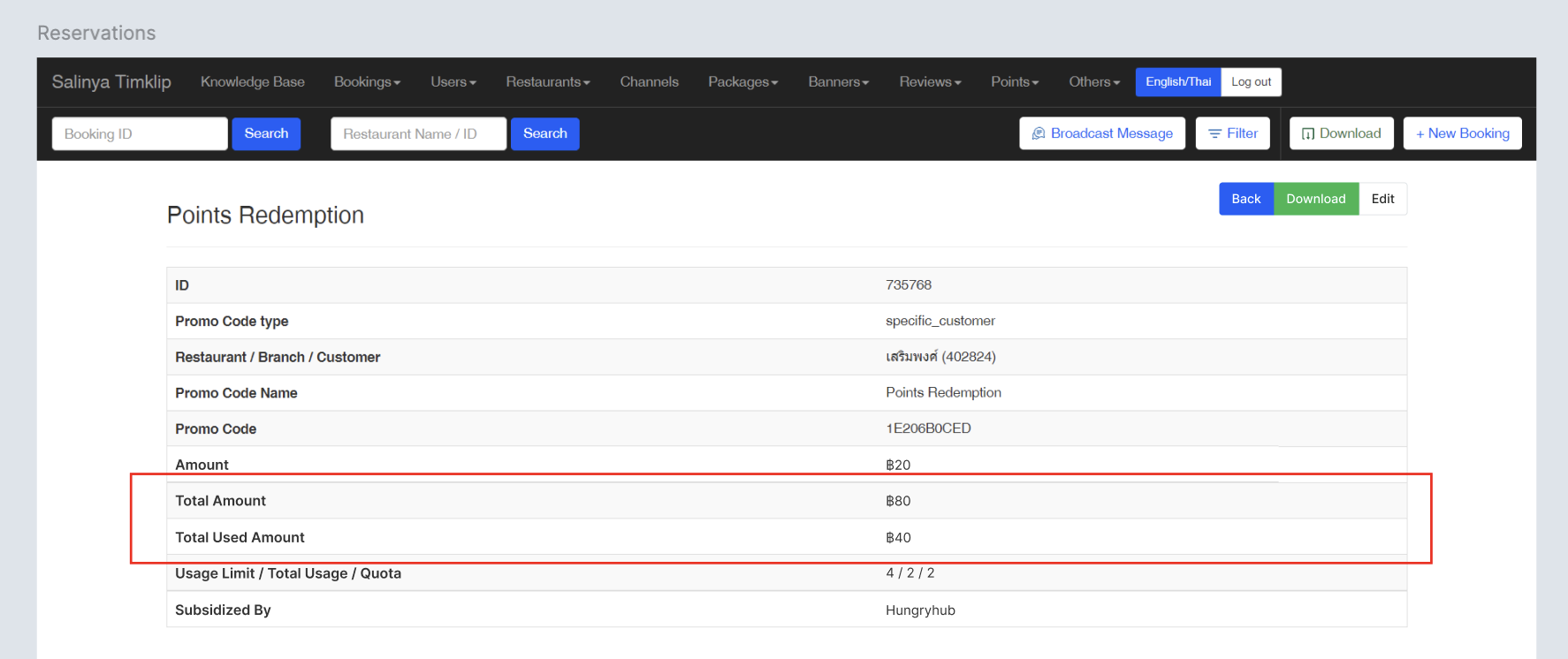 Column List : ID Restaurant User ID Name Phone Date Time Party Size Package Type Used Amount Status  |
Add a column and row that indicates the amount, total amount, used amount on promo code
| User Story | Requirement |
|---|---|
| Add a column that indicates amount, total amount and total used amount of all bookings Flow Others ➝ Promo Code ➝ Table | Add Amount column after Total Voucher columnTitle : AmountContent (Example) : ฿20Add Total Amount column after Amount columnTitle : Total AmountContent (Example) : ฿80Add Total Used Amount column after Amount ColumnTitle : Total Used AmountContent (Example) : ฿40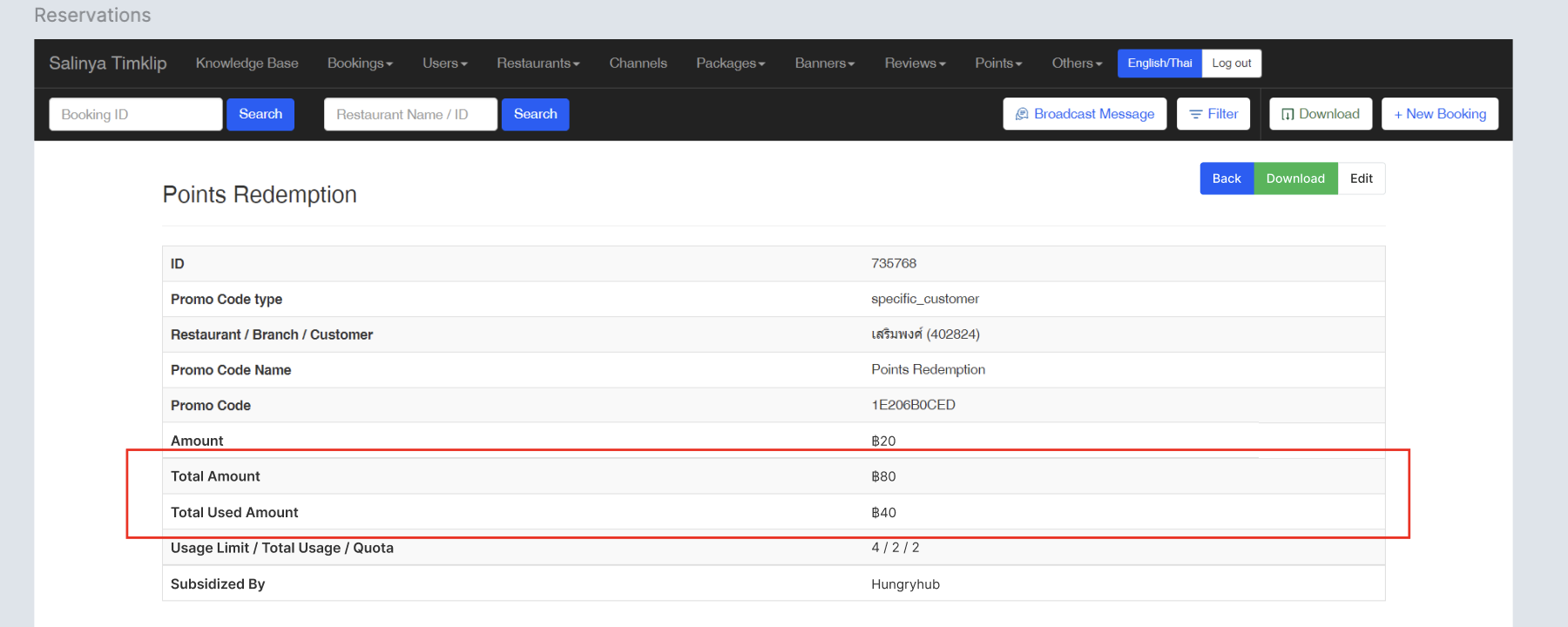 |
| Add a row that indicates used amount of all bookings Flow Others ➝ Promo Code ➝ Table ➝ Show | Add Used Amount column after Package Type ColumnTitle : Used AmountContent (Example) : ฿20 |
Add a column and row that indicates the used amount of promo code group
| User Story | Requirement |
|---|---|
| Add a row that indicates total used amount of all bookings Flow Others ➝ Promo Code Group ➝ Table | Change Amount column to Total Amount columnTitle : Total AmountContent (Example) : ฿250Add a column after Total Amount ColumnTitle : Total Used AmountContent (Example) : ฿50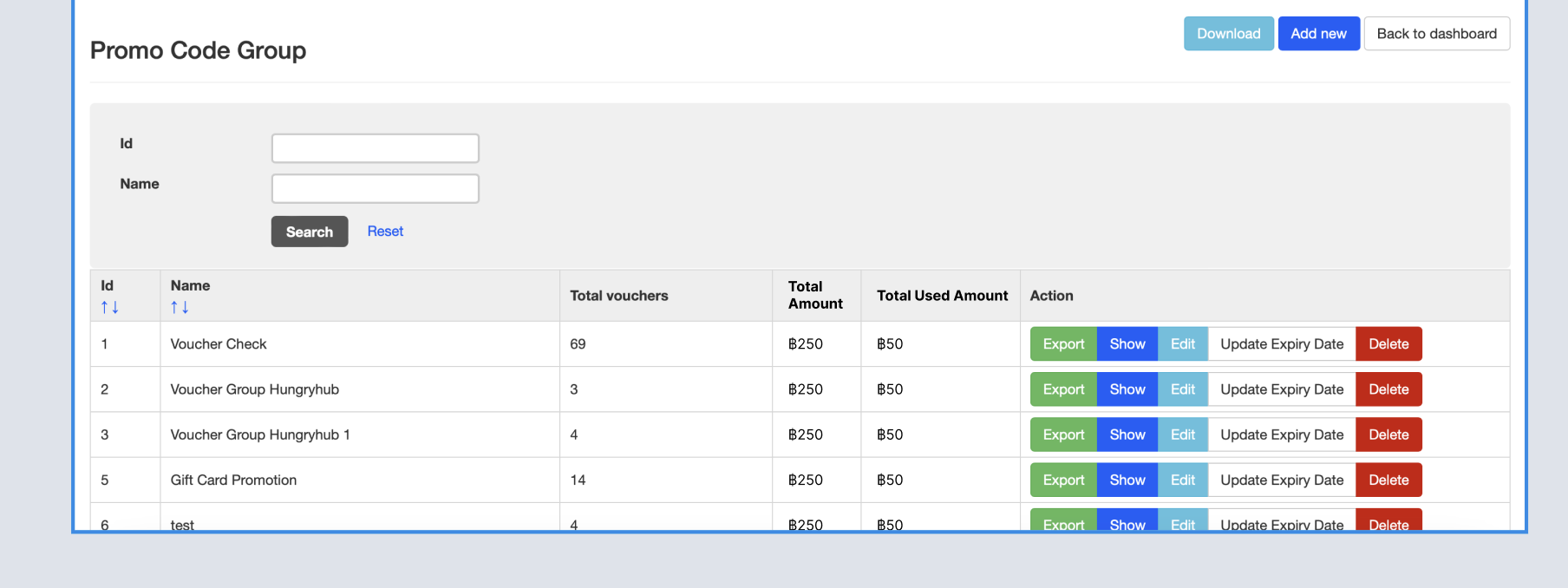 |
| Add a column that indicates the used amount of each booking Flow Others ➝ Promo Code Group ➝ Table ➝ Click Show reservation | Change Amount column to Total Amount columnAdd a column after Total Amount ColumnTitle : Total AmountContent (Example) : ฿250Add a column after Total Amount ColumnTitle : Total Used AmountContent (Example) : ฿50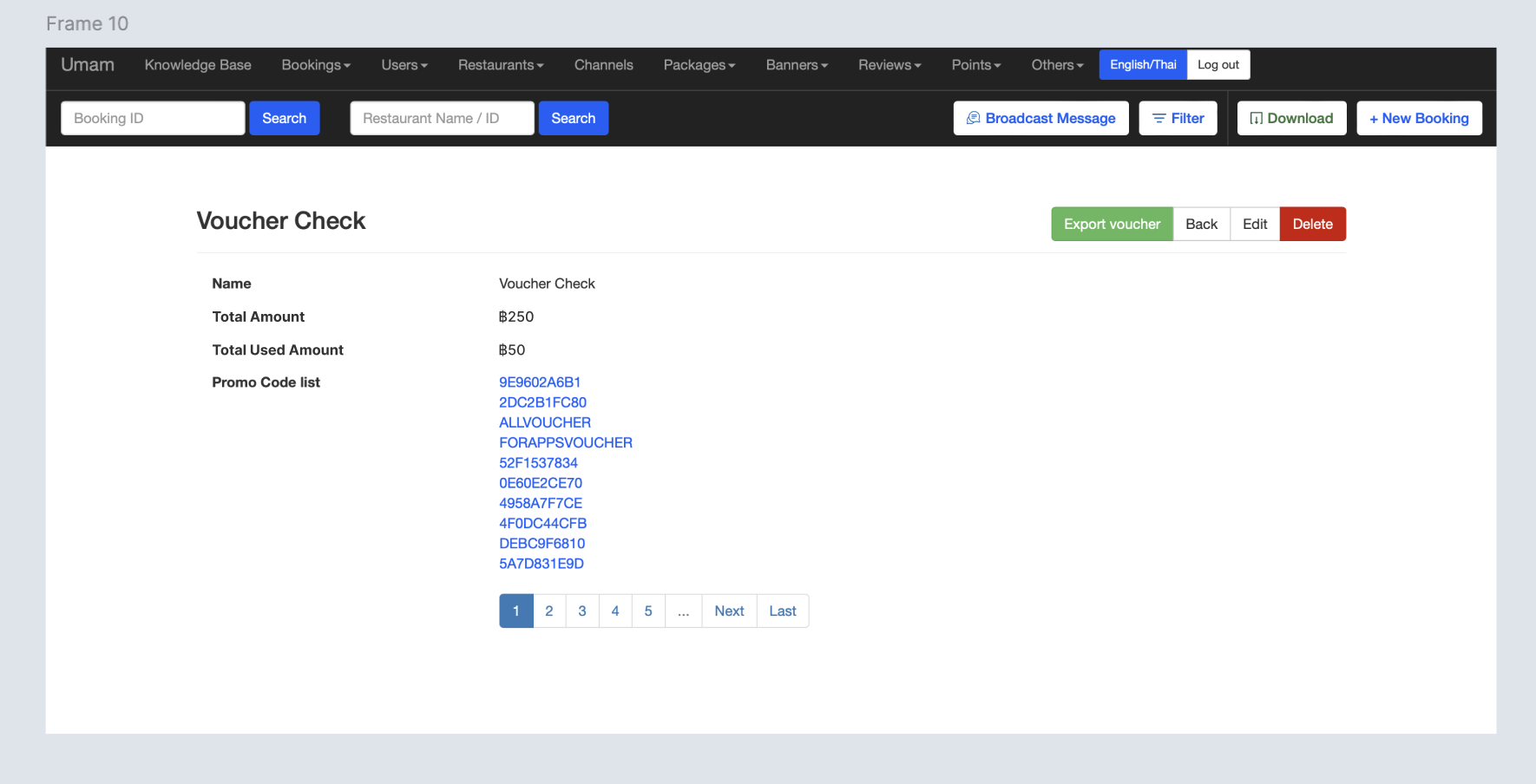 |
❓ FAQ
| Question | Answer |
|---|---|
| What are the differences between Amount Total Amount Total Used Amount | These are the answer The cap value of each voucher Sum of all cap amounts (maximum amount) Sum of all used amounts (from booking) Based on this preview 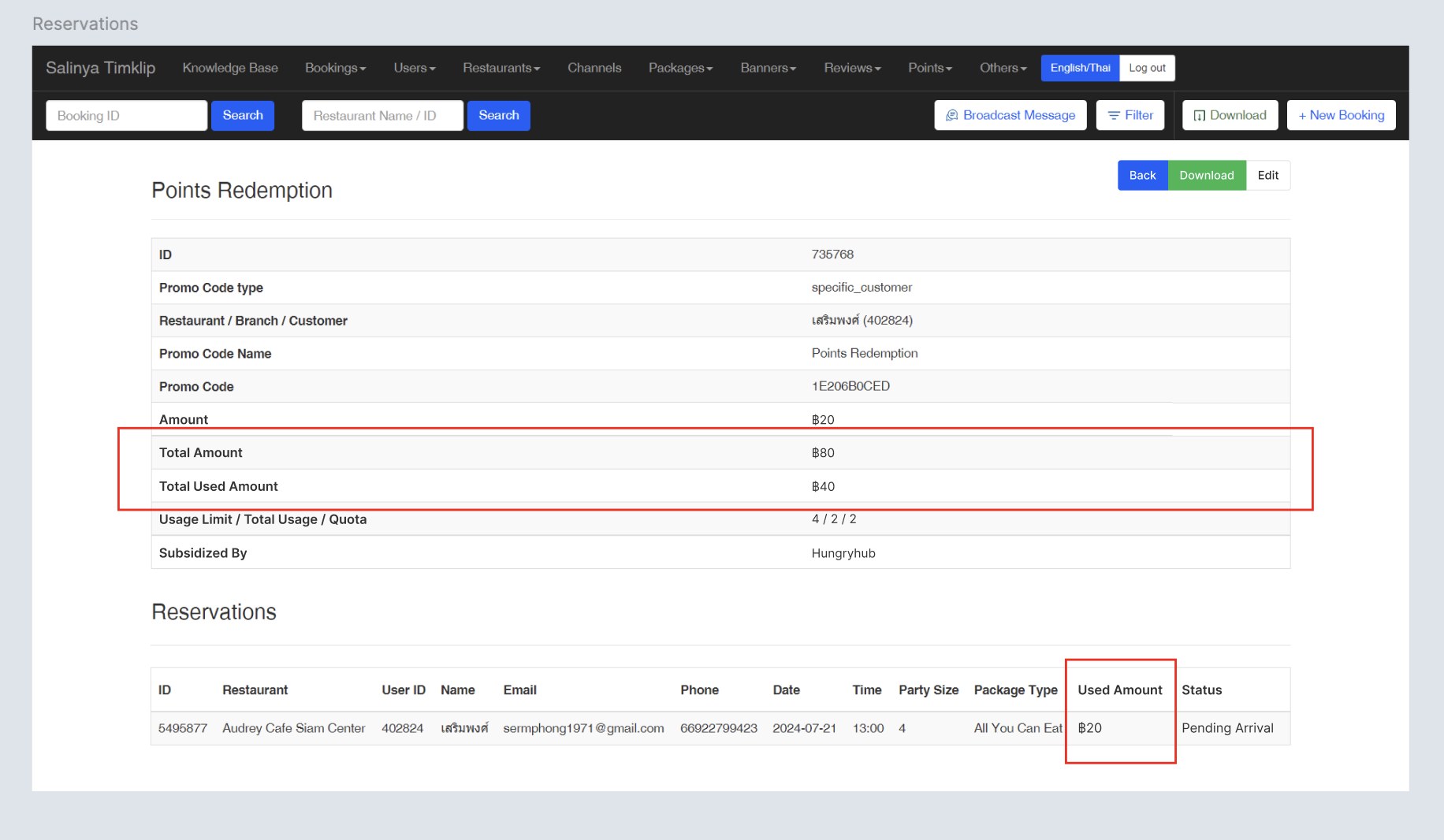 |