Add Available Card
🧾 History
| Date | Changes | Link | By |
|---|---|---|---|
| 1st July 2024 | Add Card type column on the GB Primepay Merchant PageAdmin is able to set which card type is available Display the available card types on the checkout page | This PRD | Umam |
📕 About
| Context | GB Primepay Merchants is a payment setting |
|---|---|
| Problem | Some restaurants only available for certain credit cards |
| Solution | Provide setting to choose credit cards that available for restaurants |
| Name of Feature | Add Available Card Type |
| Objective | Add Card type column on the GB Primepay Merchant PageAdmin is able to set which card type is available Display the available card types on the checkout page |
| Gains | Restaurants can receive only certain credit card |
| Pains | User don't have credit cards that available for restaurants |
| Figma Link | https://www.figma.com/design/af4oFG4KAGu8QF1mnkCDts/Add-Card-type-to-GB-Primepay-Merchants?node-id=0-1&t=iM1HuzkreXnzOHzS-1 |
| Available Platform | Web |
| Sprint | 40 |
| Related PRD | Private (https://app.clickup.com/9003122396/docs/8ca1fpw-7922/8ca1fpw-39036) |
| Out of Scope | - |
🎯 User Story & Requirement
Add Card type column on the GB Primepay Merchant Page
| User Story | Requirement |
|---|---|
| As an admin, i want to check the card type that's used by restaurants Flow : Others ➝ GB Primepay Merchants | Provide 1 column for Card type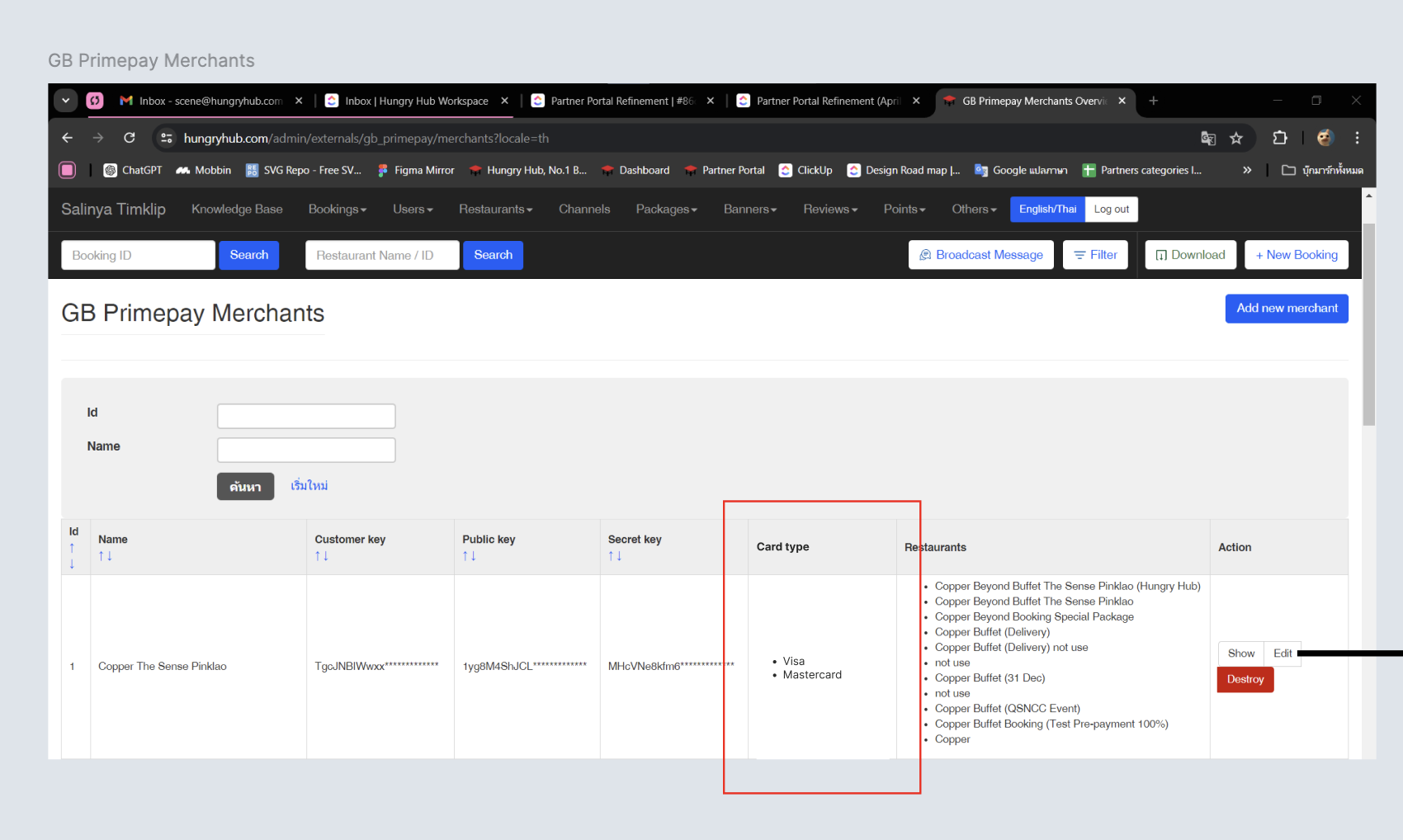 |
Admin is able to set which card type is available
| User Story | Requirement |
|---|---|
| As an admin, i want to set some card types that's available | There is setting to set which card is availableCard typeChecklist By default, All is ticked. so, all of the card types will be available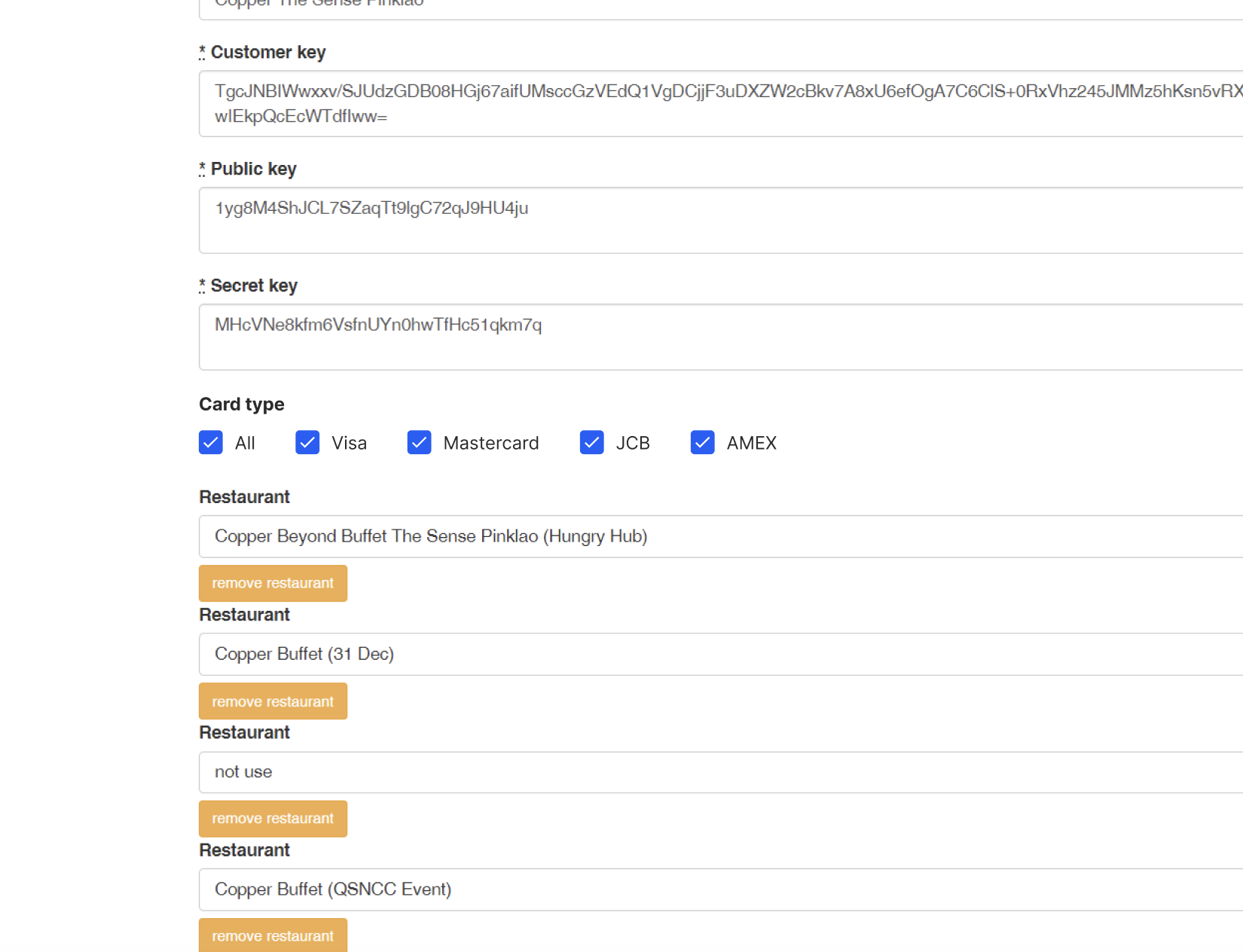 If all of the card types are ticked, All is automatically tickedWhen all cards types are ticked, then unticked 1 card types. All is automatically untickedWhen all cards types are ticked, then unticked All. all card types are automatically unticked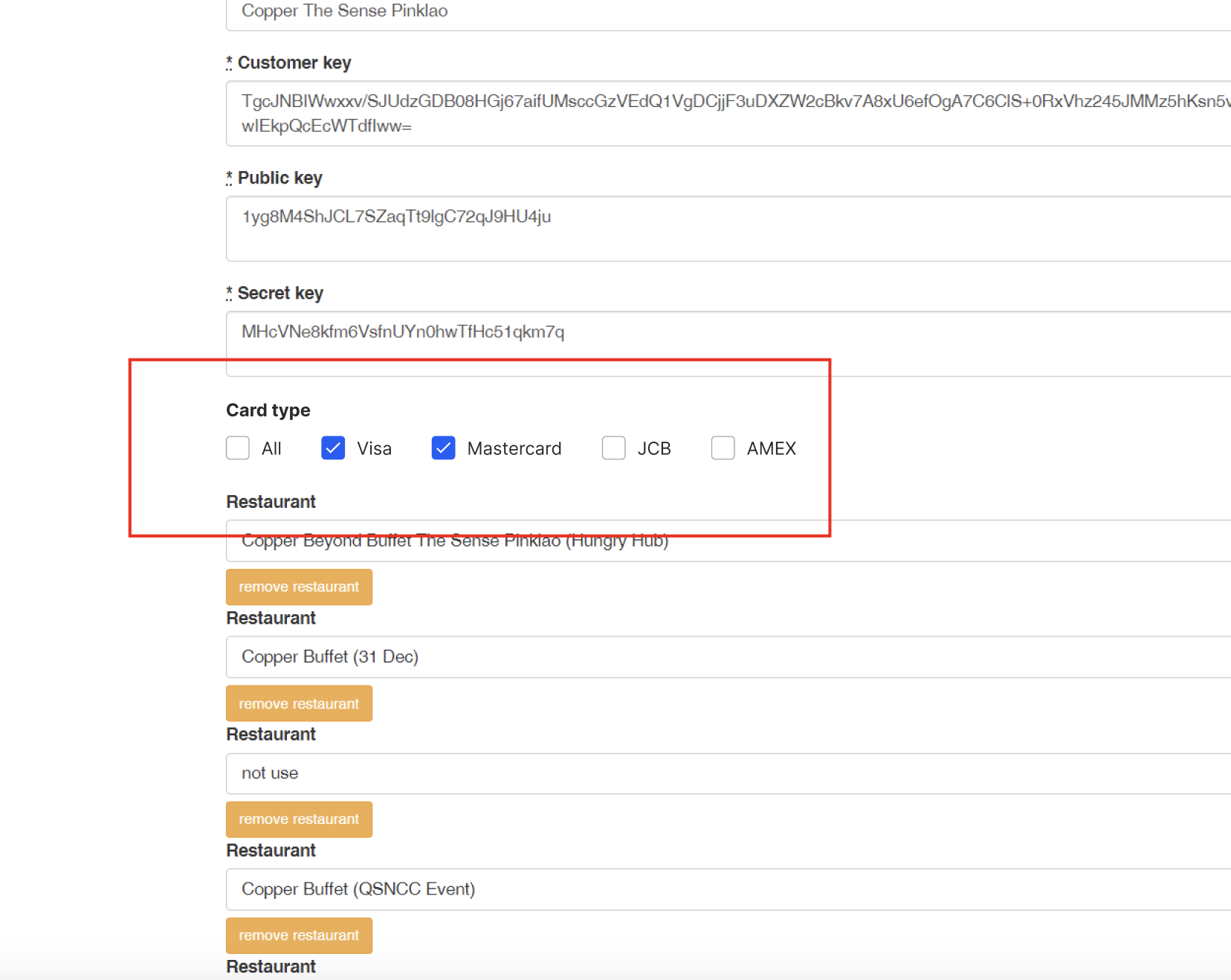 |
Add column when click the show button
| User Story | Requirement |
|---|---|
| As an admin, i want view the detail | Add Card Type columnHere is the example : 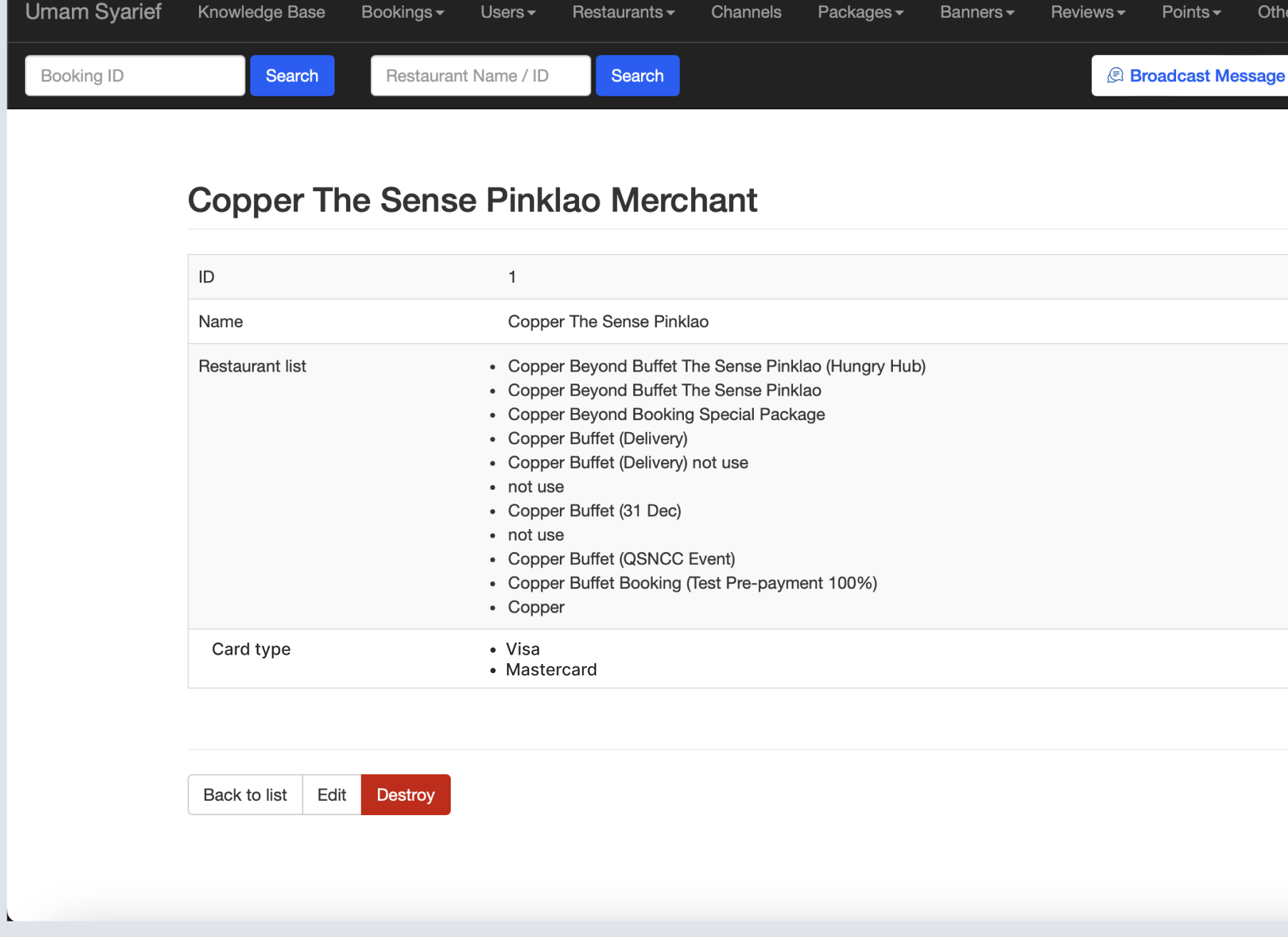 |
Display the available card types on the checkout page
| User Story | Requirement |
|---|---|
| System will display available card types on the checkout page | Display the available card types on the checkout page based on the setting on admin (GB Primepay Merchant)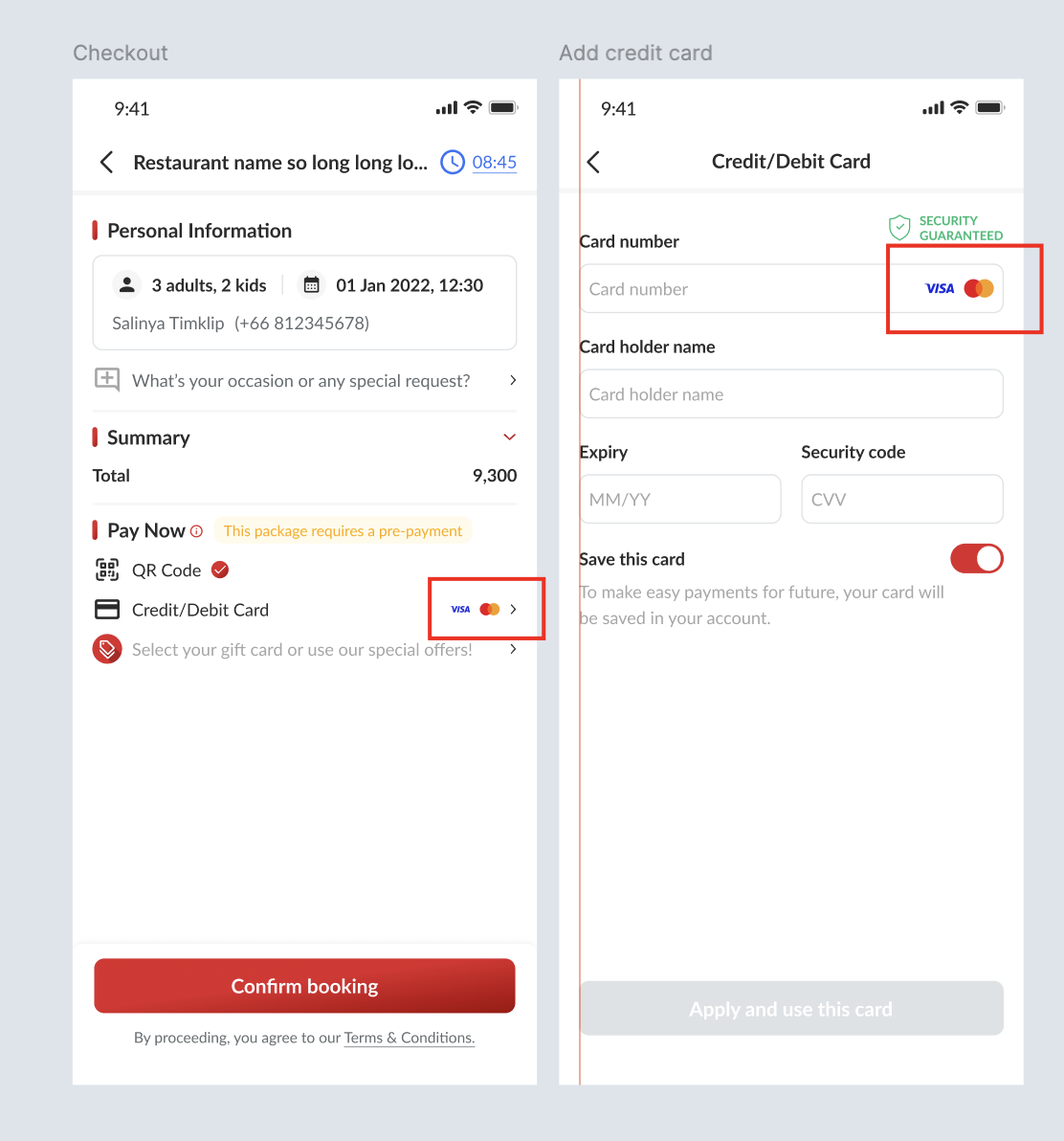 |
Display the available card types on the checkout page
| User Story | Requirement |
|---|---|
| System will display available card types on the checkout page | Display the available card types on the checkout page based on the setting on admin (GB Primepay Merchant)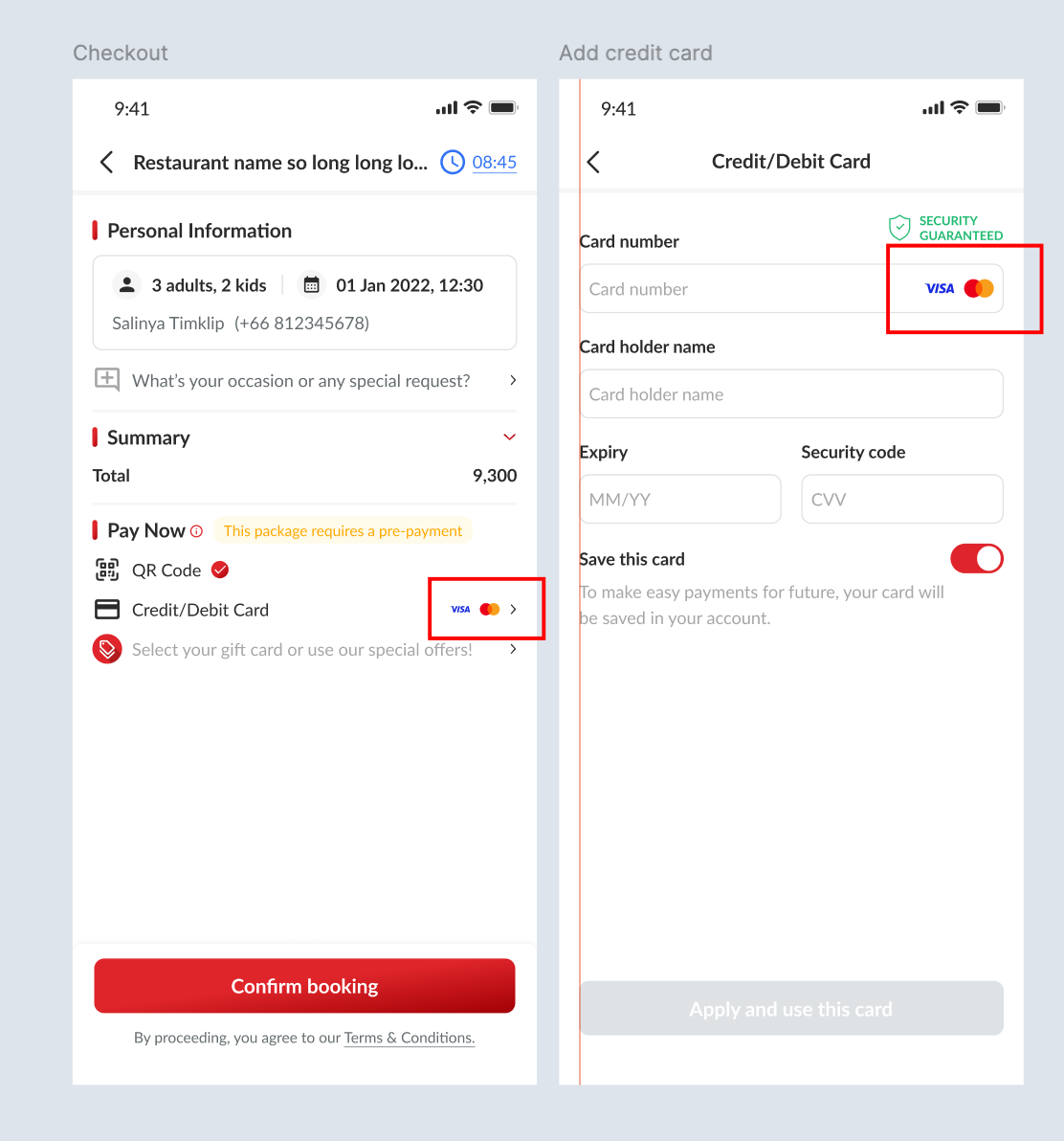 |
| Scenario | Error State |
|---|---|
| Card Number isn't using available card types | Depends on the available card types, for example :Only allow Visa and Mastercard card typesOnly allow Visa, JCB and Mastercard card typesOnly allow Visa card typeTH translation รองรับเฉพาะบัตร Visa และ Mastercard เท่านั้น รองรับเฉพาะบัตร Visa, JCB และ Mastercard เท่านั้น รองรับเฉพาะบัตร Visa เท่านั้น |
❓ FAQ
| Question | Answer |
|---|---|