Menu Translation by AI
🧾 History
| Date | Changes | Link | By |
|---|---|---|---|
| May 8, 2025 | Umam |
📕 About
| Context | |
|---|---|
| Problem | |
| Solution | |
| Name of Feature | |
| Objective | |
| Gains | |
| Pains | |
| Figma Link | |
| Available Platform | |
| Sprint | TBD |
| Related PRD | |
| Out of Scope |
Languages Supported:
- English
- Thailand
- Chinese (Traditional)
- Chinese (Simplified)
- Russian
- Korean
- Japanese
- Malaysian (Bahasa Malaysia)
- French
- German
- Spanish
- Indonesian (Bahasa Indonesia)
- Vietnamese
- Laos
- Cambodian (Khmer)
🎯 User Story & Requirement
Add Multi Language on Language Setting on Menu Master List Page
| User Story | Requirement |
|---|---|
| Optional Language | Adjust the option of optional language dropdown. The options should show all languages provided unless selected language on main language's dropdownExample : main language → english, optional language → all languages except english 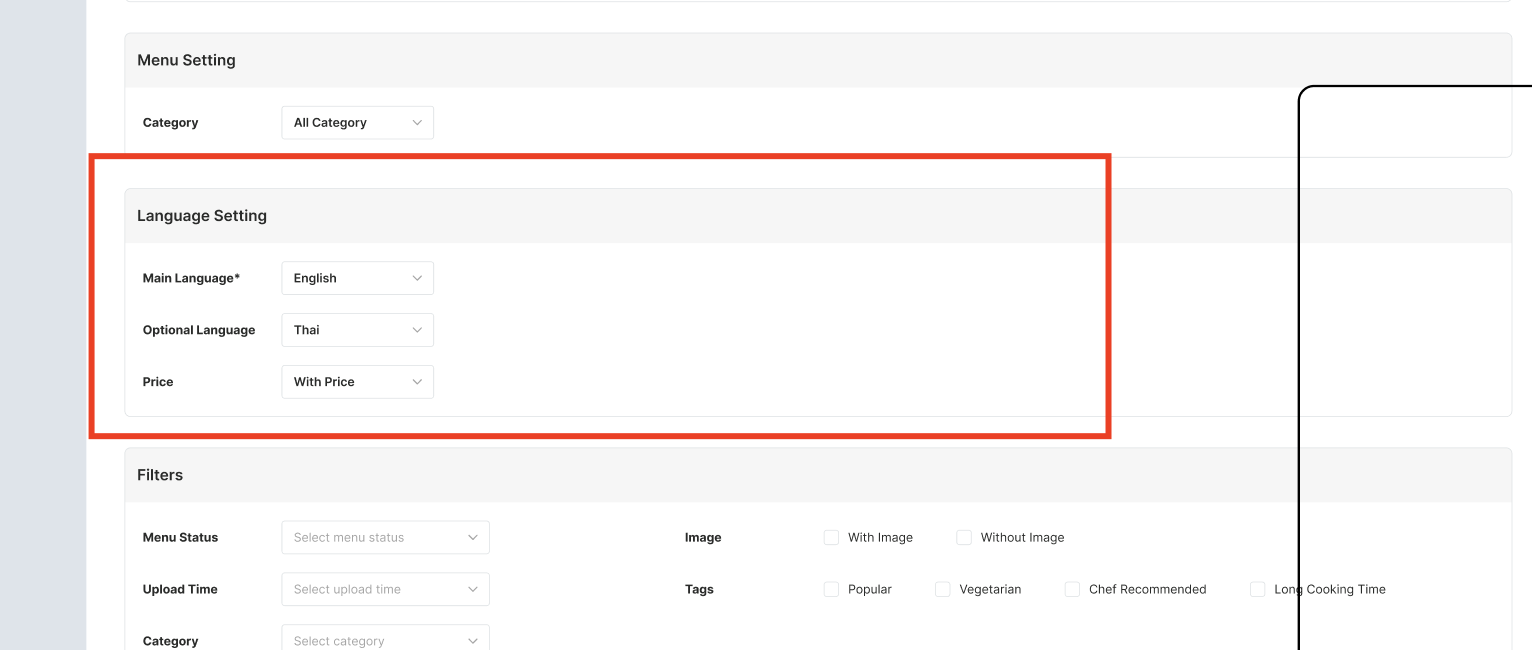 |
Translate button | Remove the Translate button beside the optional language Since we have the other button that have same function (redundant) |
Add Multi Language on Menu Master List section on Menu Master List Page
| User Story | Requirement |
|---|---|
Translate All Menus by AI button | Show the pop up when clicked There are 2 cases for the translation Single Menu Translation Bulk Menu Translation |
Translate All Menus by AI pop up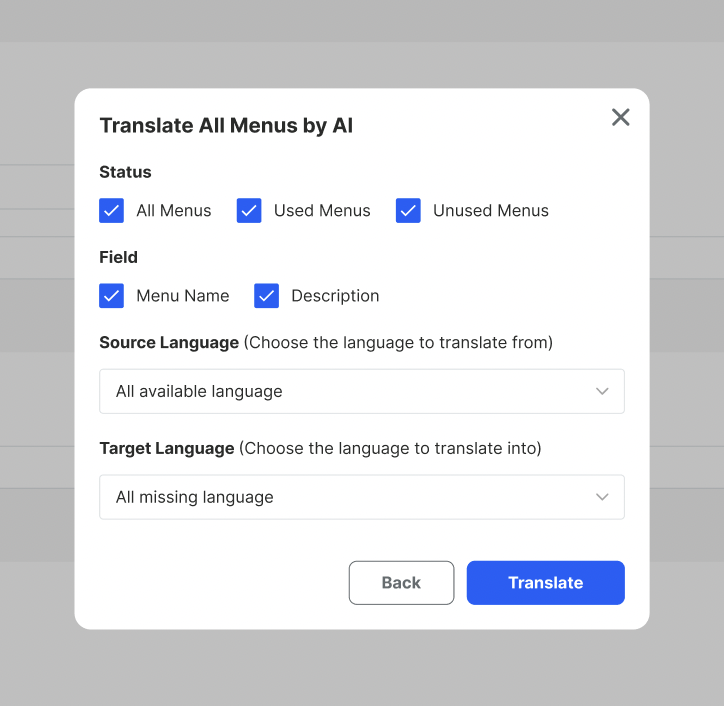 | Select the field to be translated based on the option below Status → related to Private (https://app.clickup.com/9003122396/docs/8ca1fpw-11562/8ca1fpw-49076) All menus → once selected, used menus and unused menus will be ticked automatically. if uncheck one of them, will uncheck all menus checkbox as well Used Menus Unused Menus Field Menu Name Description Source Language Choose All available language → as a context to be translated for target languageChoose one of language provided (among 15 languages) Target Language All Languages → will translate all 15 languagesChoose one of language provided (among 15 languages) All Missing Languages → will translate empty/blank field onlyOnce translate button clicked, will show the other pop up Back button → close pop up |
Translate All Menus by AI pop up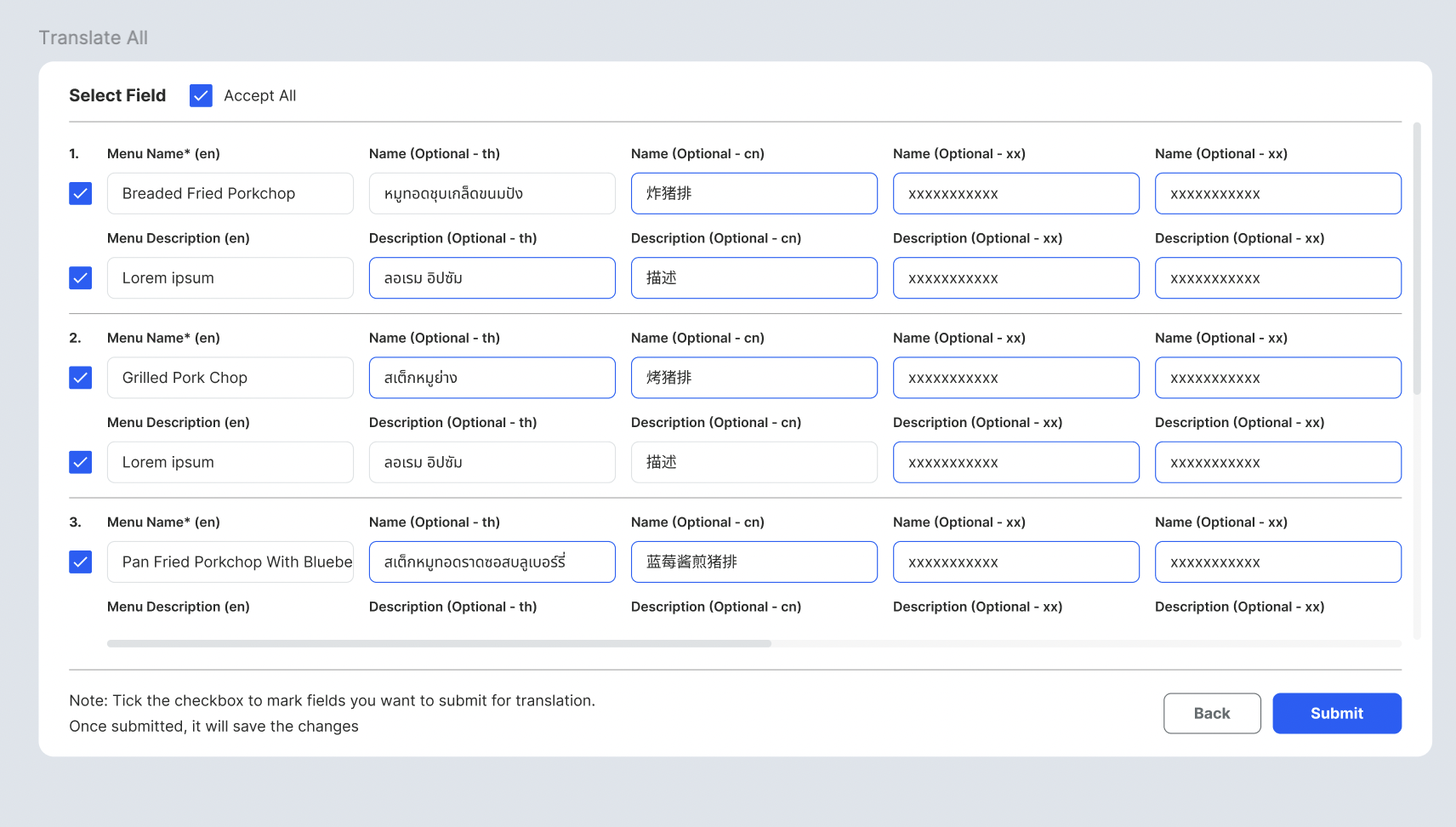 | Accept All checkbox to tick all checkboxesHighlight the field (blue outline) for the newest translated field by AI Note: Tick the checkbox to mark fields you want to submit for translation. Once submitted, it will save the changes Still can edit |
Create the new menu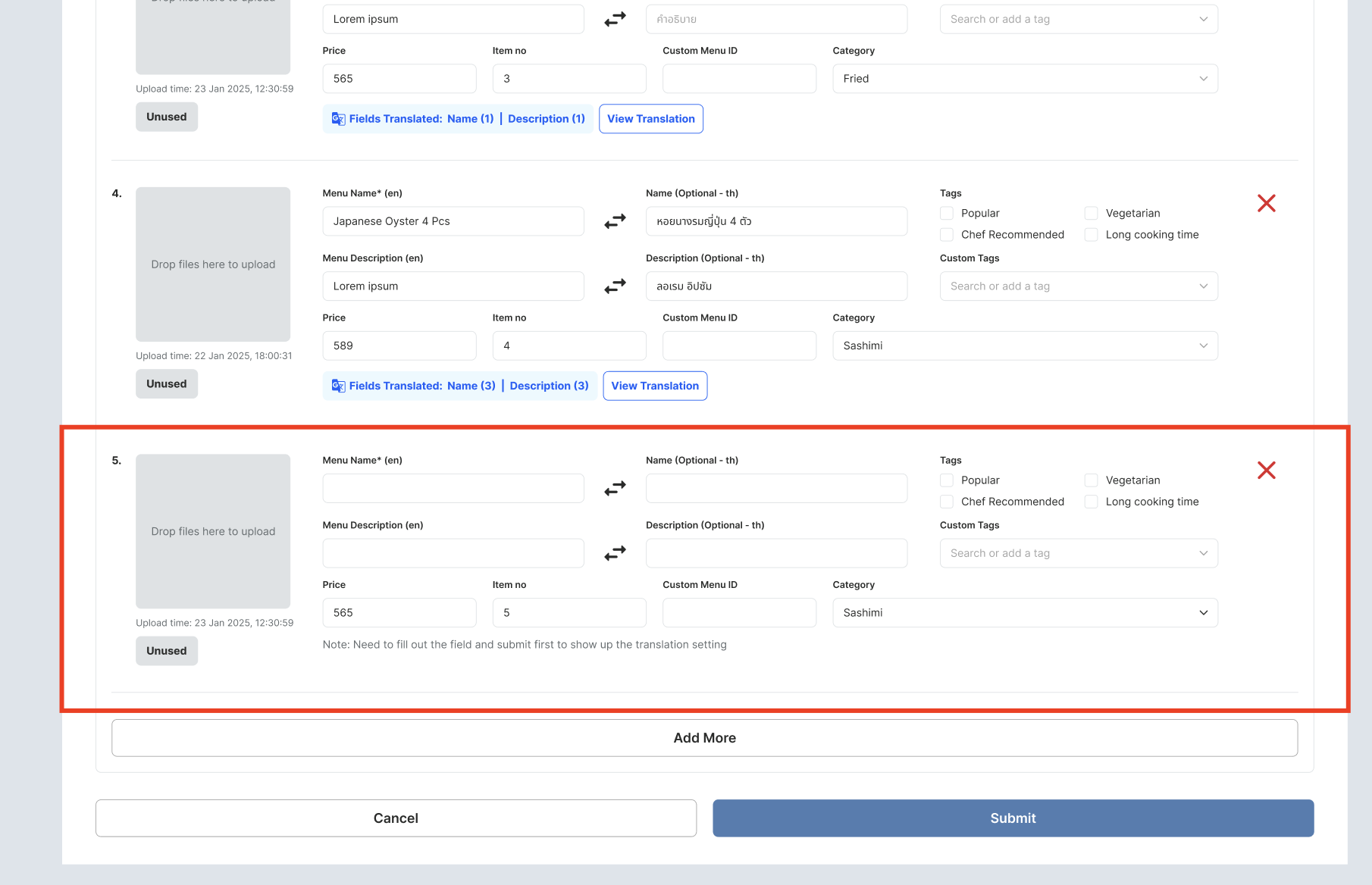 | By default, all of the fields are empty Note: Need to fill out the field and submit first to show up the translation setting |
| User Story | Requirement |
|---|---|
| User Story | Requirement |
|---|---|
❓ FAQ
| Question | Answer |
|---|---|
| Insert into this if you have any question | I'll answer soon |
| Release Plan | Will release after hh menu v3 |