Active & Inactive Menu
- Admin can activate/deactivate the menu on menu master list of each restaurant setting
- When creating the menu at the first time, the status will be active
- All the menus created before, will become ative
- Active
- Show to QR menu page / view menu page on HH menu v2, v3, imenupro
- Show menu master list on menu group
- If the previous status is
Used, no need to change the status. keep itUsed - If the previous status is
Unusedno need to change to beUsed, unless it meets the requirement to beUsed. check here : Private (https://app.clickup.com/9003122396/docs/8ca1fpw-11562/8ca1fpw-49076)
- Inactive
- Don't Show to QR menu page / view menu page on HH menu v2, v3, imenupro
- Don't Show menu master list on menu group
Usedstatus will be changed toUnusedstatus
Preview
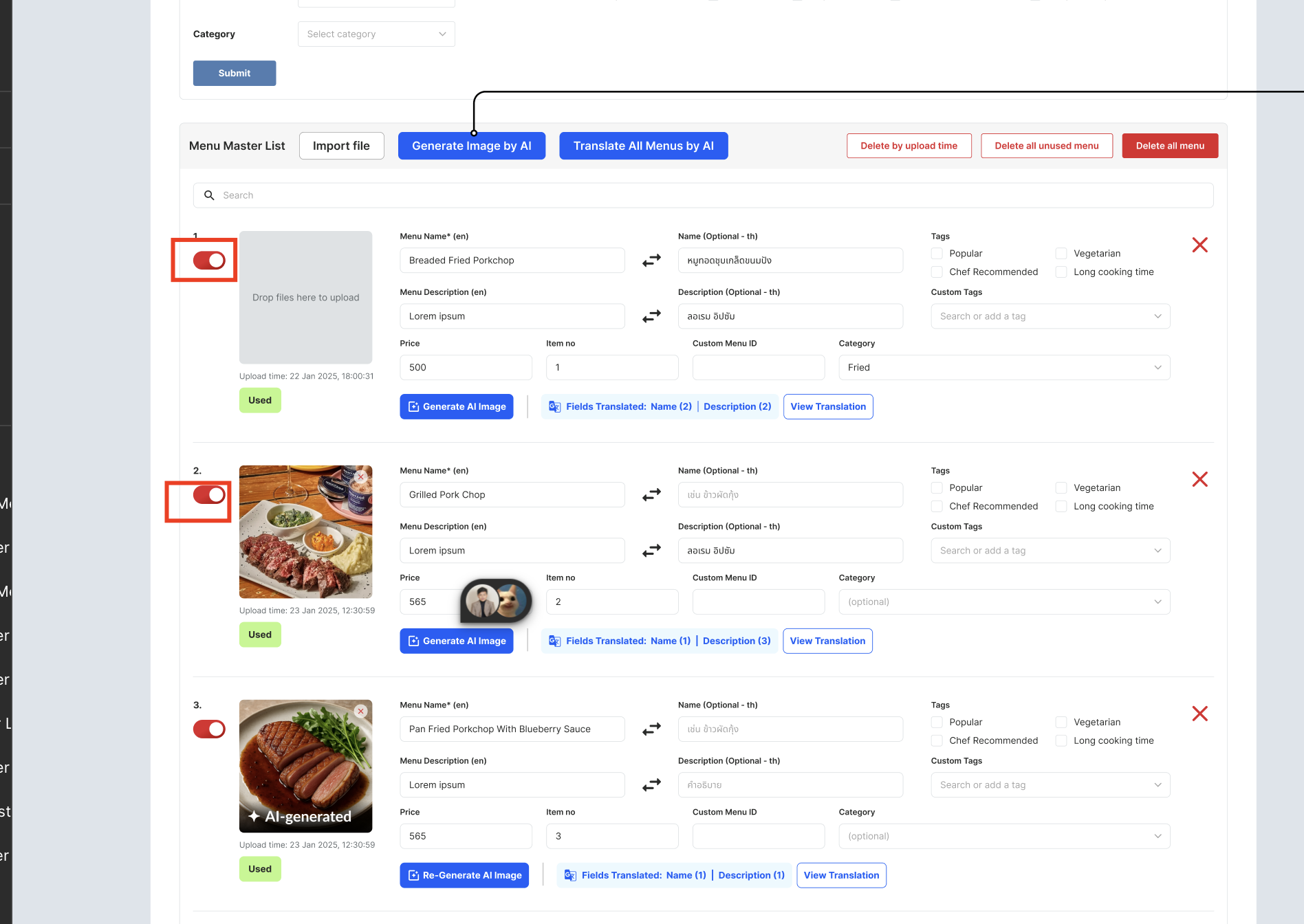
Design Link :
[
www.figma.com
https://www.figma.com/design/06upxjt19EbVIFwnQGs162/QR-Code-for-Menu?node-id=1824-7246&t=QObIc76dtBNNSr0f-1
](https://www.figma.com/design/06upxjt19EbVIFwnQGs162/QR-Code-for-Menu?node-id=1824-7246&t=QObIc76dtBNNSr0f-1)